

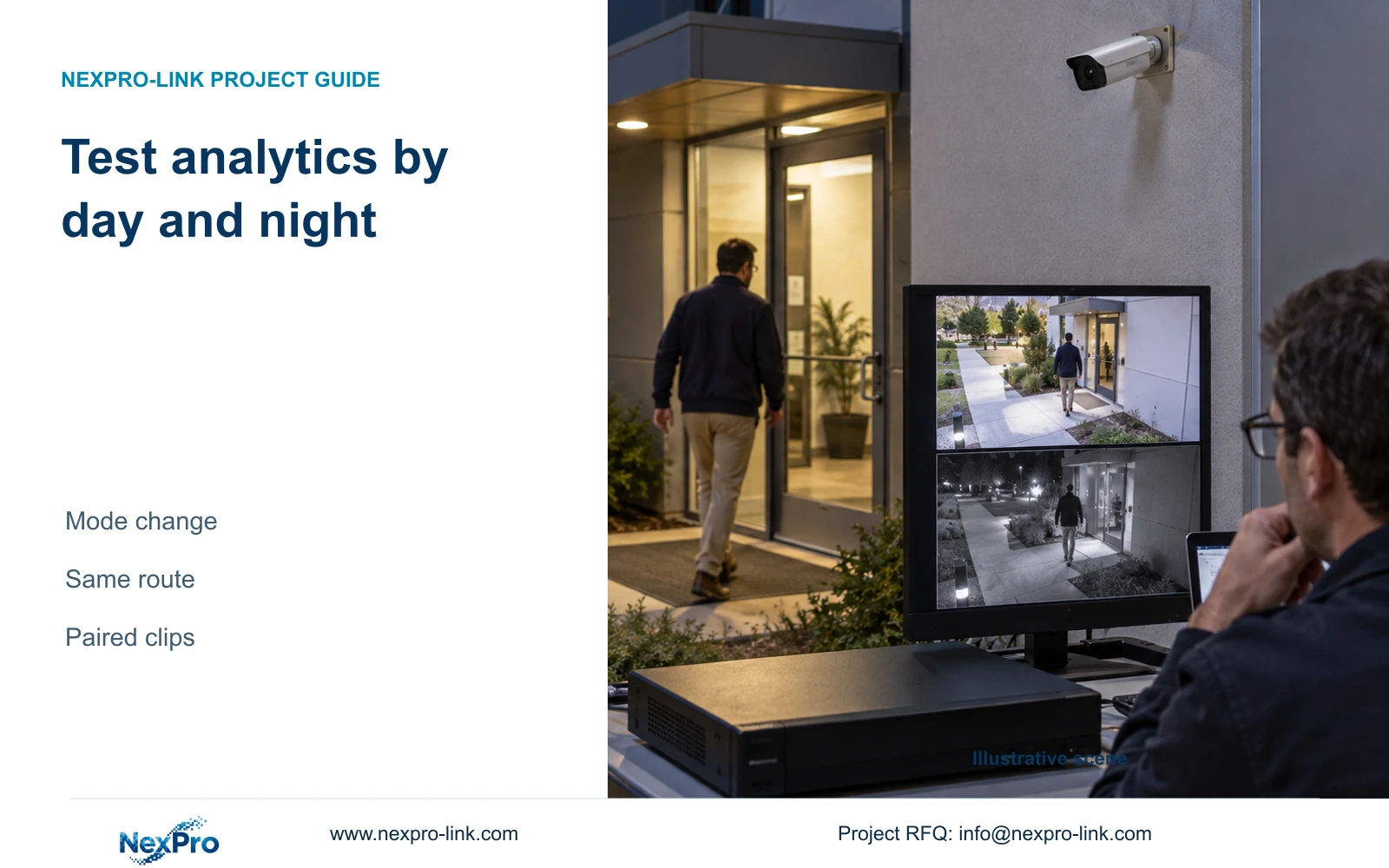
A daytime analytics test leaves nighttime behavior unresolved. Repeat the same route after the camera changes mode and verify the event, notification and recorded clip.
Section 01
Establish separate daytime and nighttime baselines
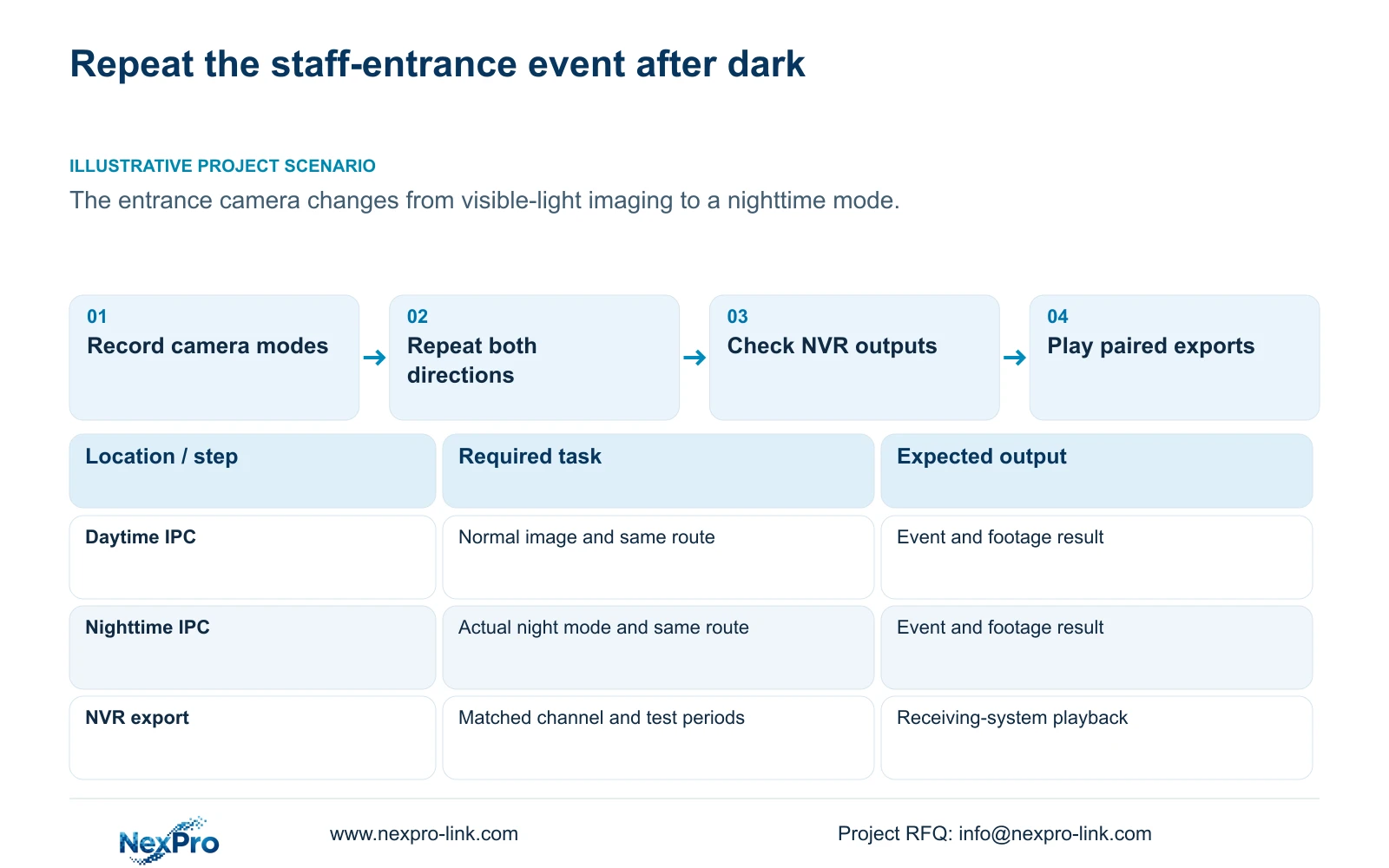
Accept NVR-linked analytics by repeating the same defined event under representative daytime and nighttime conditions, then checking notification and recorded footage in each. A daytime result does not establish identical behavior after the camera changes lighting or image mode. Record the normal camera state, keep the route and expected direction comparable, and inspect moving targets as well as the empty scene. Separate normal illumination from alarm-triggered light or sound actions. If the night test fails, identify whether the missing result concerns the image, camera event, recorder response or exported footage before changing settings. This supports a conditional project decision without promising equal all-day accuracy.
Sections 4.4.7 and 4.4.8 describe normal lighting, IRCut and color-to-black threshold or delay controls. Section 4.12.15 addresses supported analytics and associated warning actions separately. Record the actual mode reached at night; a visible lamp alone does not prove the required event response.
Section 02
Inspect the moving image at the camera
Check framing and any obstruction changes at the staff entrance under both conditions. Review movement through the target area, including whether the required subject remains visible during the crossing. Where the selected camera exposes exposure or shutter information, record its actual setting without assigning an unsupported universal value or menu path.
Section 4.4.3 lists IPC capture controls including brightness, saturation, sharpness, contrast, image flips, digital wide dynamic range, starlight and corridor modes. These camera-side settings differ from monitor-output adjustment. Choose a control that addresses the observed problem, change one item and repeat the same movement in the relevant lighting conditions. A shared menu description does not establish that every camera exposes each option, and increasing a display's brightness cannot prove that the recorded target became usable.
Section 03
Keep the event definition comparable
Write the required event before comparing clips: the same route crossing the same region or line in the specified direction, with the same required operator response. Record the camera and channel identity, geometry and relevant event settings for both tests. Note any authorized change between runs so it does not disappear from the comparison.
Section 4.12.15 describes NVR enablement followed by Front-end Settings for the IPC rule. The camera produces the supported event and the recorder performs the selected response. Confirm both parts of this workflow rather than accepting a nighttime overlay as event evidence. If the front-end function is unavailable for the actual model, firmware or connection, resolve that support question before adjusting an assumed rule. No ordinary camera gains unsupported analysis from a recorder checkbox.
Section 04
Repeat the approved route in both directions
The manual distinguishes entry, exit and both directions for area intrusion, and one-way or two-way crossing for line crossing. Repeat the approved route in the intended alarm direction and the permitted reverse direction by day and by night. Keep the expected result attached to the direction, rather than assuming every movement should generate an alert.
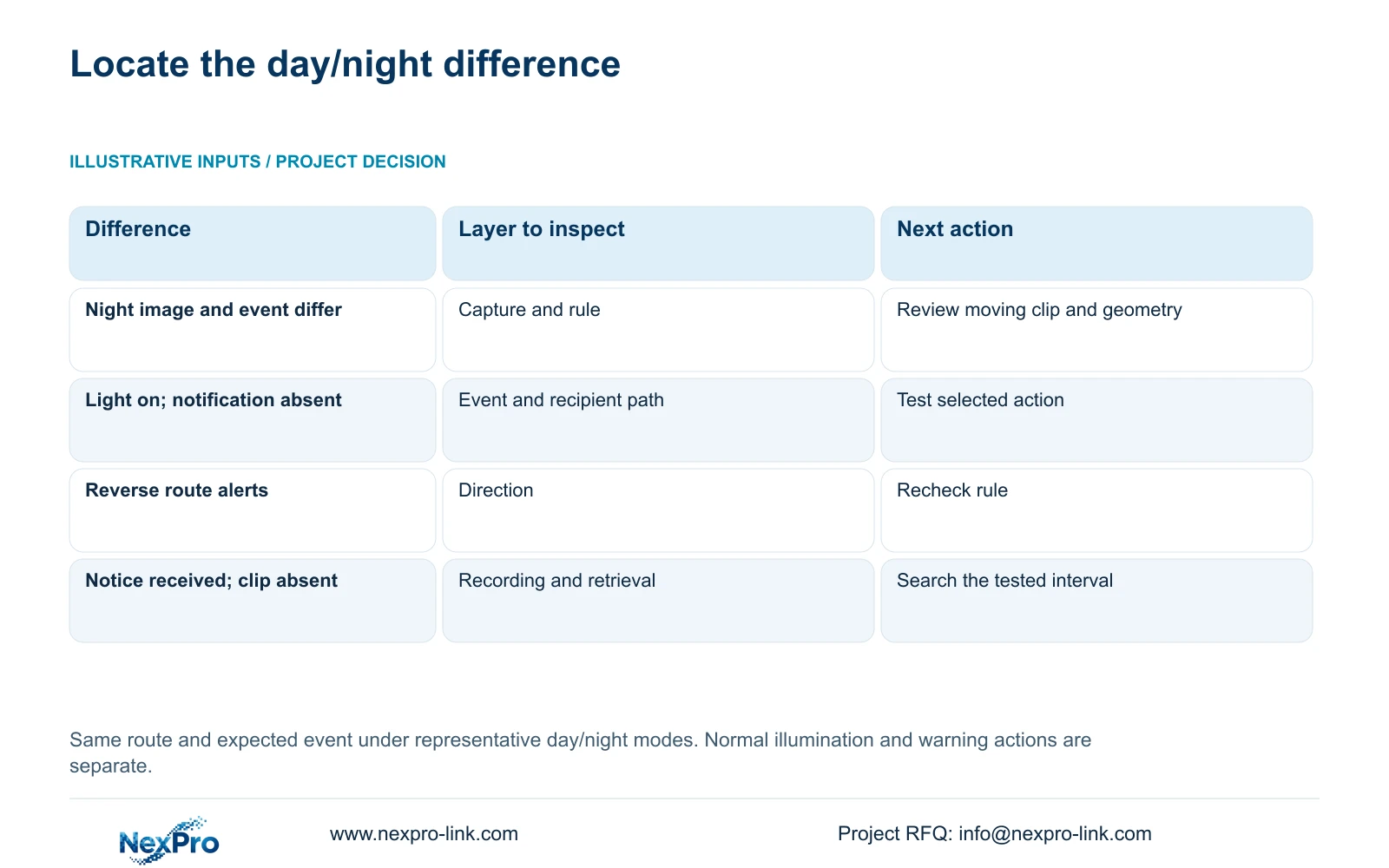
If a daytime entry works and the nighttime entry fails, preserve both observations. First confirm that the route still crosses the configured geometry and that the applicable event period includes the night test. If reverse movement triggers unexpectedly, inspect direction and geometry before changing image settings. Recheck the region after lens adjustment, camera movement or a changed PTZ position. Directional triggering does not establish a person's identity, plate search or human-only classification.
| Observation | Unresolved layer | Next check |
|---|---|---|
| Night image differs; event absent | Capture condition or event chain | Review moving footage, geometry and event period |
| Light turns on; no notification | Lighting versus selected alarm action | Verify event reception and recipient output |
| Permitted reverse route triggers | Direction or geometry | Inspect rule and repeat the same route |
| Notification arrives; clip missing | Recorder footage | Inspect recording requirement and search selection |
Section 05
Verify notification and recording for each condition
Treat the daytime and nighttime runs as separate rows in the result record. For each, record event time, observed recorder response, recipient result and the footage found for that interval. Section 4.12.11 lists popup, flashing border, buzzer, email, snapshot, preset call, recording and app push as distinct actions.
If a popup works in both conditions but night notification fails, retain the successful local observations and investigate the selected recipient path. If the camera's normal night light operates but no event response occurs, inspect the event workflow without labeling the infrared hardware defective. Keep any alarm light or sound duration separate from recording retention. A recording marker is a useful observation, but the required interval still needs playback to demonstrate usable footage.
Section 06
Save comparable clips that the recipient can play
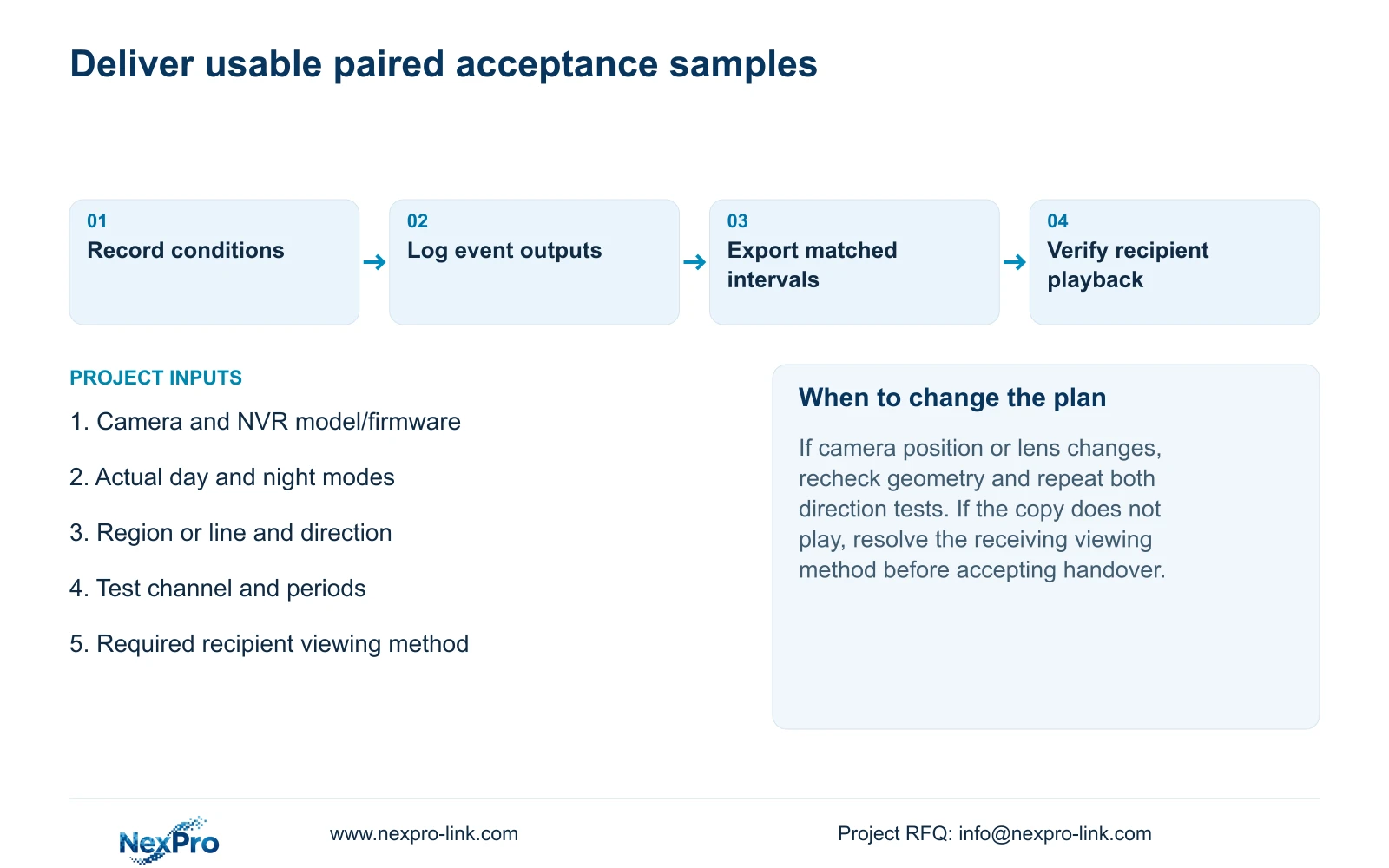
Retrieve the tested channel and periods from the recorder, then export the relevant day and night intervals. Confirm that each includes the movement needed to explain the outcome. Retain the association between clip, camera, direction and lighting condition so the receiving engineer can compare the same task.
Open the exports on the intended receiving system and check channel identity, start and end, actual playback and any required audio. Section 4.11.4 mentions players such as VLC without guaranteeing every platform and codec combination. Record the viewing method that succeeded. Preserve original footage until the required copy is verified, and share site imagery only with authorized recipients. The useful deliverable is a playable paired sample with its conditions, not a screenshot of the backup progress indicator.
Section 07
Review the staff entrance after its mode change
Illustrative project scenario: An exterior staff entrance changes from visible-light imaging to a different nighttime mode. The engineer records both normal camera states, repeats the same entry and reverse route, and checks the selected notice and incident footage. If the nighttime result differs, the report names the unresolved layer and preserves the paired clips for the next configuration decision.
The private operating source is NVR4.0 user manual CH_V2.4.doc, with V2.2 in its body, sections 4.4.7, 4.4.8, 4.4.3, 4.12.15, 4.12.11 and 4.11.4. Section references take priority over page numbers. The paired acceptance method is an engineering extension, not measured performance or proof that all NVR4.0 devices have identical functions.
Section 08
Must nighttime acceptance use a color image?
Use the actual intended camera mode and required incident task. The source does not make color a universal acceptance condition; verify the supported image, event and retrieval outcome under the selected nighttime arrangement.
Section 09
Provide the paired acceptance evidence
Send NexPro-Link the camera and recorder identities, day/night mode notes and authorized paired test clips identifying the required event at info@nexpro-link.com.
Engineering references
These sources support the general planning principles. Always use the selected product's current datasheet and applicable project standards for final design.


