

An alarm-duration setting controls an output effect. Recording policy and export start and end times are separate, so verify the stored interval before defining the delivered clip.
Section 01
Identify which action the duration setting controls
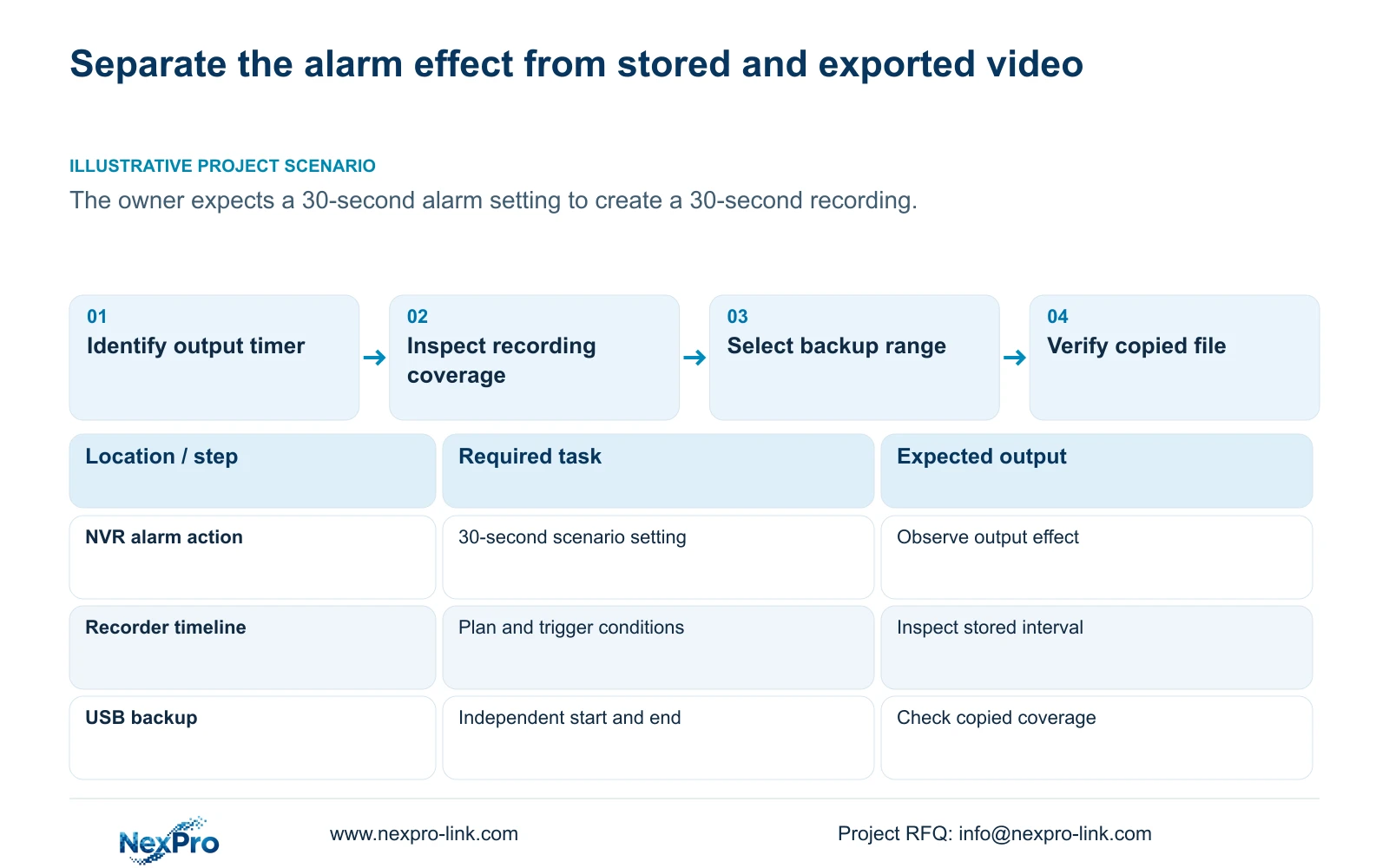
A thirty-second alarm setting does not establish that the NVR creates exactly one thirty-second recording. The supplied manual describes alarm duration as persistence of the output effect. Recording depends on the selected plan and event conditions, while a backup has independently selected start and end times. Check the action controlled by the timer, retrieve the actual stored period and then choose the clip required for review. A short audible or visible response can accompany a longer recording. Storage planning must use recorded video volume rather than the length of the buzzer response or popup.
Section 4.12.11 lists popup, border flashing, buzzer, email, screenshot sending, snapshot capture, preset call, recording and app push separately. Identify the selected action before interpreting its duration. A display response demonstrates that action; it does not establish the file boundary.
Write down the event time, output setting and requested review interval as separate entries. If the owner's concern is clip length, continue to the recording and backup controls. Repeatedly changing an output-effect timer does not answer where the stored video begins or ends.
Section 02
Check the recording type allowed at the event time
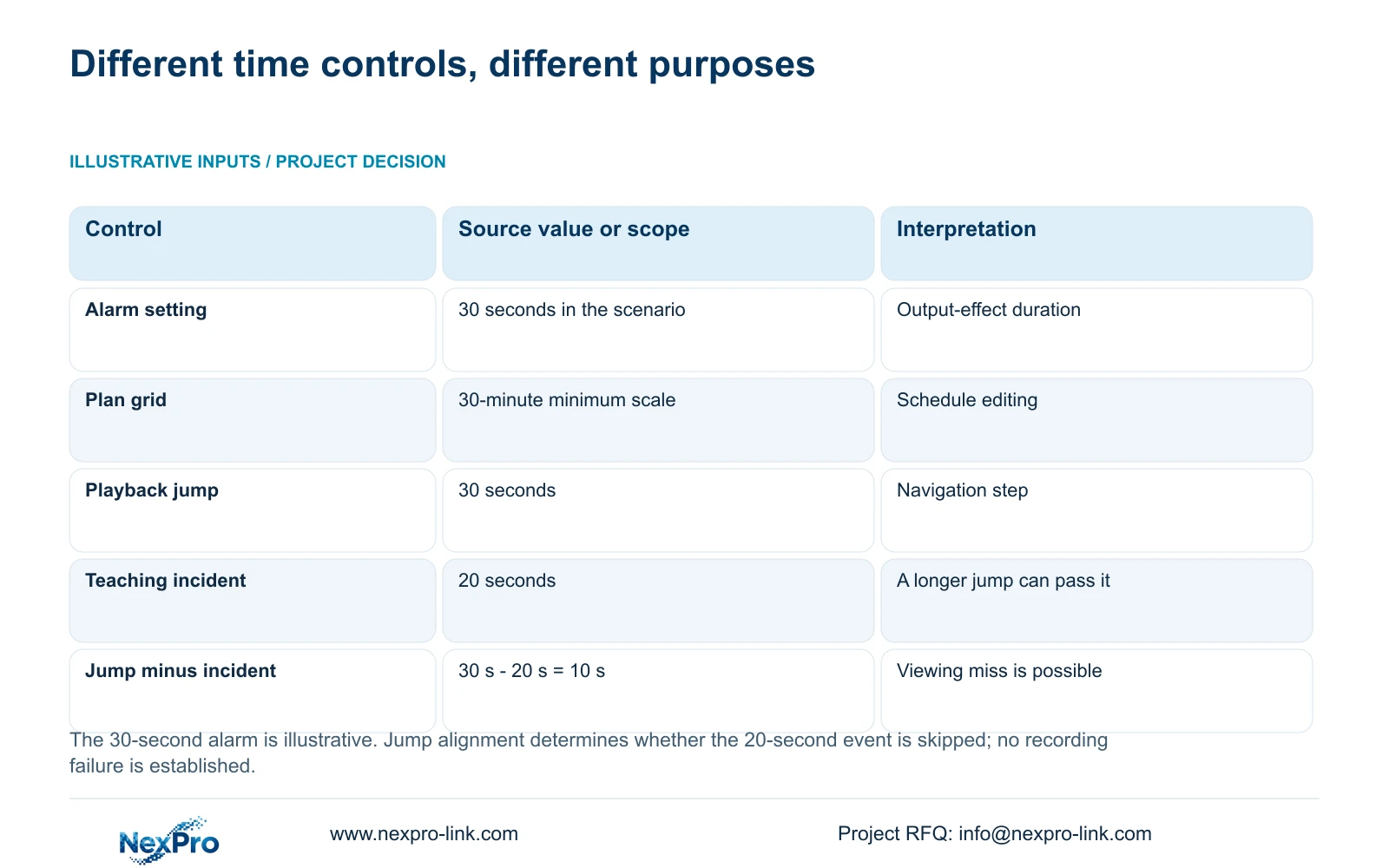
Section 4.11.1 describes timed recording, no recording, motion recording and motion-plus-timed recording. Its 30-minute minimum plan-grid scale concerns schedule editing. That scale is a different time object from a thirty-second output setting or a selected export interval.
Motion-only recording occurs when motion detection triggers. Motion-plus-timed continues ordinary timed recording when no motion trigger is present and records motion-type footage when triggered. A quiet interval can therefore remain recorded under the mixed policy.
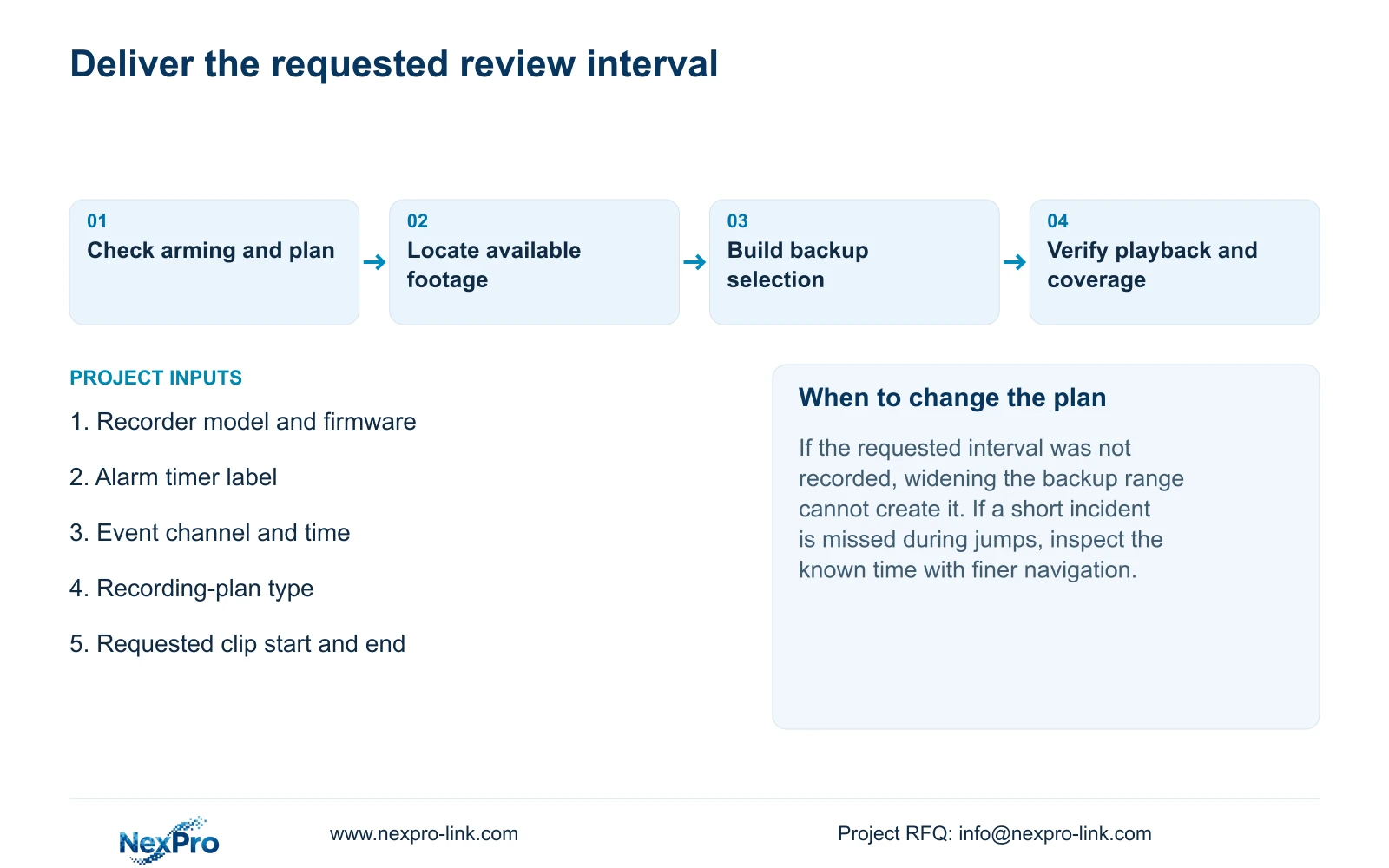
Choose the plan according to the owner's evidence requirement. If review needs the surrounding delivery sequence, verify that those intervals are recorded. If the plan excludes them, selecting a wider backup range cannot create missing footage. Keep any claimed event clip behavior within the actual device and firmware documentation.
Section 03
Compare the trigger with the armed period
Motion enablement, detection area, arming period and linkage are separate from the recording schedule. Compare the event time with both the armed period and the allowed recording type. A recording can exist without the expected event response, and an alert can appear without proving the required footage was retained.
Perform a known movement inside the intended armed period and inspect the output and stored video separately. If the behavior differs outside that period, record the difference as a schedule result. Do not interpret it as a different recording-length setting.
For a requirement spanning a shift boundary, verify both sides of the boundary. The acceptance record should state when the alarm response is expected and which footage must remain available for review.
| Time object | Documented role | Verification |
|---|---|---|
| Alarm duration | Persistence of the selected output effect | Observe that action after the event. |
| Recording plan | Permitted recording type and scheduled period | Retrieve footage across the required interval. |
| Motion arming | Period in which the configured alarm response applies | Compare a known event with the armed period. |
| Playback jump | 30-second navigation movement | Use finer inspection around a short incident. |
| Backup range | Selected start and end times for copying available footage | Open the exported file and inspect its coverage. |
Section 04
Inspect footage without jumping over the incident
Section 4.11.3 provides 30-second forward and backward jumps, time positioning and timeline zoom. Use broad navigation to reach the likely period, then inspect a finer interval and play through it. Image electronic enlargement changes spatial viewing, not the selected time interval.
The supplied teaching event lasts 20 seconds. Comparing the source values gives 30 seconds minus 20 seconds equals 10 seconds: the navigation step is longer than the event. Depending on the relative positions, a jump can move from before the event to after it. That explains a possible viewing miss, not a demonstrated recording fault.
If the event cannot be found through coarse jumps, locate the known time directly and review the surrounding footage. Record whether the video is absent, present without the expected event marking, or present and playable. These outcomes need different next checks.
Section 05
Choose the backup interval independently
In section 4.11.4, select the format, recording types, channels and start and end times, then use Update to inspect the required capacity. Detect the inserted USB storage device before starting the copy. The manual lists MP4 as the default and permits multiple channels.
Set the range according to the review task and the footage actually available. The alarm duration supplies no automatic justification for copying only that same number of seconds. Check that the selection includes the relevant recording types, particularly when ordinary and motion-type footage coexist.
Open the resulting file through the intended receiving path and confirm the channel and coverage. A completed progress indicator establishes less than a playable copy. Preserve the required original footage until the selected deliverable has been checked.
Section 06
Base retention on recorded hours and bitrate
For storage planning, use each channel group's average video bitrate in Mbps, recorded hours per day and retention days. The decimal video-volume formula is video TB = 0.00045 × Σ(channels × Mbps × hours/day × days). The conversion factor comes from 1,000,000 bits per second × 3,600 seconds per hour ÷ 8 bits per byte ÷ 1,000,000,000,000 bytes per TB = 0.00045 TB per Mbps-hour.
Account separately for audio and storage overhead. If a fraction r of usable capacity must remain reserved, divide the planned occupied volume by (1 - r). Adding the reserve fraction to the video volume is a different calculation. No channel count, bitrate or retention-day input is supplied for this scenario, so it cannot produce a justified disk-capacity total.
For motion-plus-timed operation, include ordinary recording between events. The thirty-second alarm effect is not a valid substitute for daily recorded hours. Confirm required usable capacity against the selected disk arrangement without inferring redundancy from a shared storage menu.
Section 07
Apply the distinction to the owner's clip request
Illustrative project scenario: An owner expects a thirty-second alarm setting to produce exactly one thirty-second recording. The integrator identifies the output timer, checks the plan and arming, retrieves the actual period and independently selects the review clip. The exported duration is verified rather than inferred from the alarm setting.
The source is NVR4.0 user manual CH_V2.4.doc, sections 4.12.11, 4.11.1, 4.11.3, 4.11.4 and 5.1. Its body identifies V2.2. The navigation comparison and decimal conversion are engineering explanations, not measured device results.
Section 08
Can the alarm timer specify the delivered clip length?
No. Select the backup start and end times from available recordings and verify the copy's actual coverage.
Section 09
Does motion-plus-timed store only alarm footage?
No. Ordinary timed recording continues between triggers. Include that recording in the retention calculation.
Section 10
Provide the timer and requested review interval
Send NexPro-Link the timer label, recorder model and firmware, recording-plan type and required clip interval at info@nexpro-link.com.
Engineering references
These sources support the general planning principles. Always use the selected product's current datasheet and applicable project standards for final design.


