

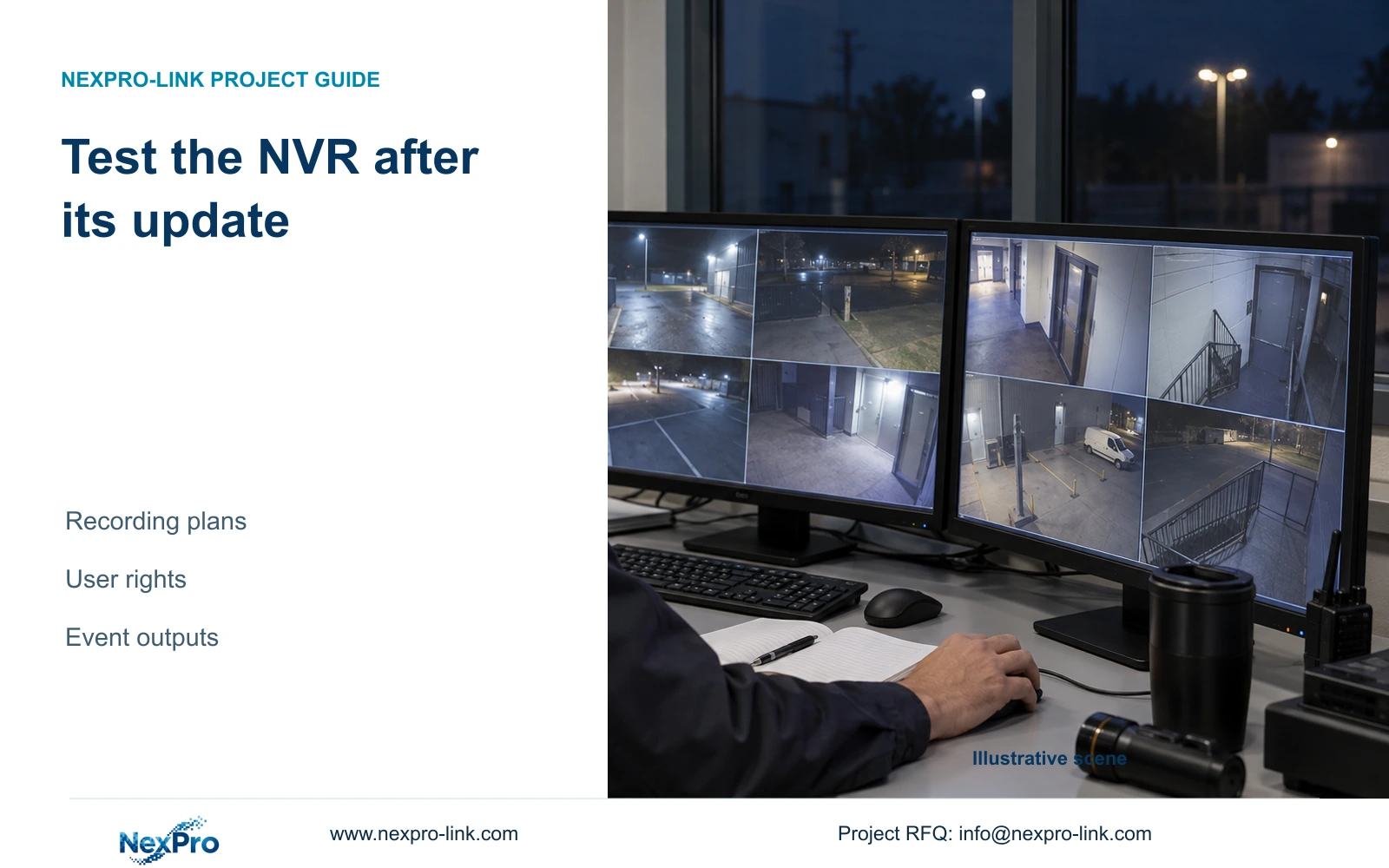
After an update, test the recording and access tasks the site actually relies on. A changed version label or restored live view does not prove the night schedule, exports or notifications work.
Section 01
Recheck the operating tasks before releasing maintenance
After an NVR update, verify live view and time, newly recorded footage, relevant historical playback, export, intended accounts and required event actions. A changed software version confirms the software state; it cannot prove the night recording schedule or operator permissions still meet the project requirement. Use actual channels and accounts, record expected and observed results, and keep untested tasks visibly open. If a required operation fails, preserve the symptom and changed variable before arranging the next supported action. Return the recorder to normal service against the approved operating scope, without assuming that every unit has an automatic rollback mechanism.
An update to a running recorder requires authority, preservation of required data and an approved interruption window. This guide addresses the checks after that change, rather than a universal firmware installation procedure. Keep the pre-change reference available so a failed task can be compared with its earlier configuration.
Choose representative tasks from the site's real operation. A daytime administrator demonstration does not settle a night schedule or a restricted operator's remote playback. Record any condition that cannot be exercised during the maintenance window and assign its follow-up.
Section 02
Record the updated identity and the test baseline
Section 4.12.19 describes the recorder's system or basic information. Capture the product model, hardware version, software version and software date or release information exactly. Connect these values to the maintenance record and the configuration being tested.
Keep the installed software identity separate from the manual's version labels. A shared NVR4.0 interface does not prove that two recorders have the same hardware or functions. The supplied manual covers a TS family with model-specific limits and establishes no direct mapping to NexPro-Link commercial SKUs.
Redact cloud identifiers, QR codes and identifiable site content in shared screenshots. Private service records can retain appropriate device identity when needed. If the displayed identity differs from the expected maintenance scope, clarify that difference before describing the tests as approval of the intended configuration.
Section 03
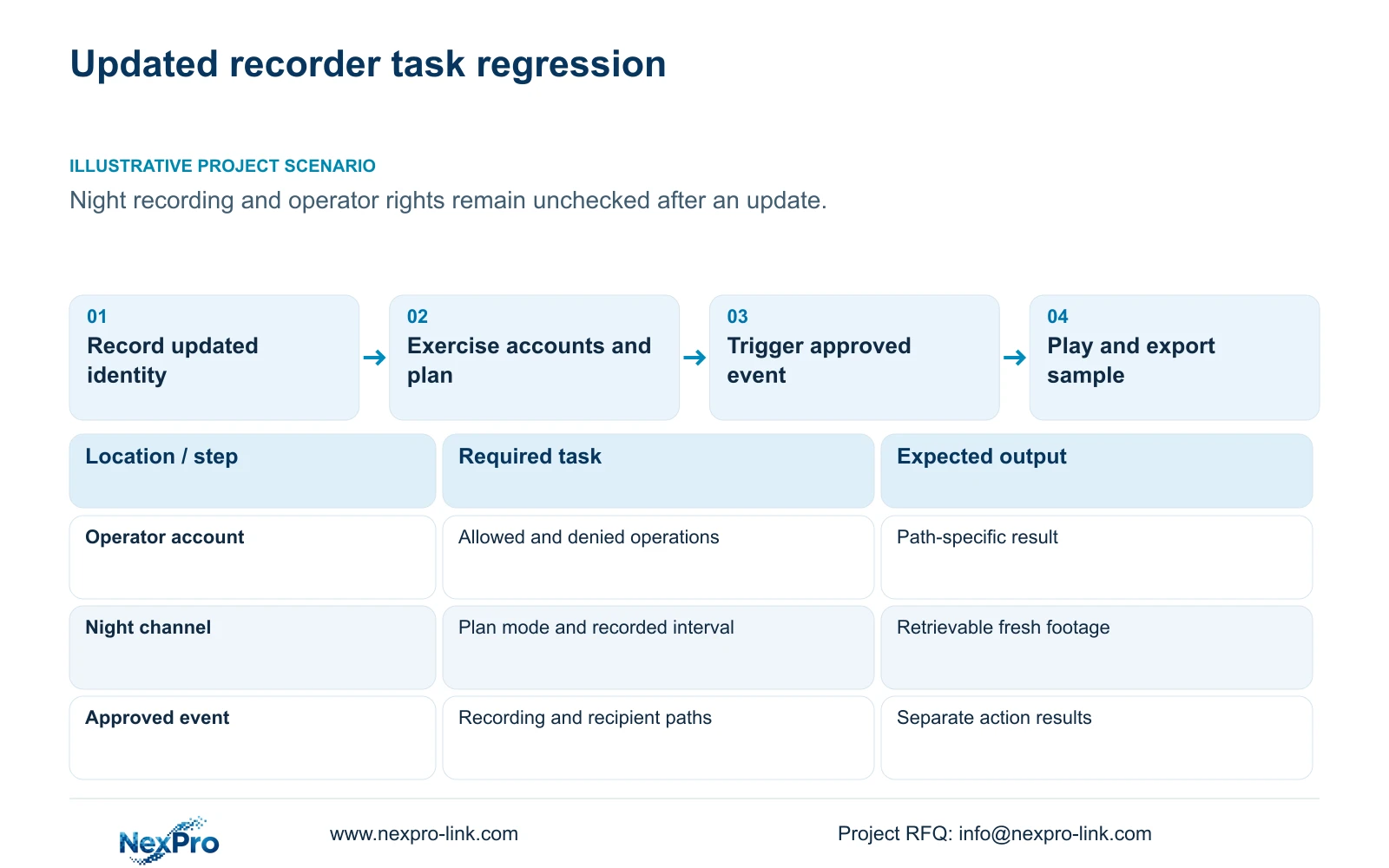
Test allowed and denied tasks through the intended accounts
Section 4.12.3 separates local and network permissions for operations including preview, playback, system settings and PTZ. Local video backup is also a distinct permission. Use the actual operator account on the actual access path when checking each required operation.
Pair an allowed task with a prohibited task from the agreed permission matrix. For example, verify required playback while confirming that an account without settings authority cannot perform that settings task. Administrator success does not establish the restricted user's result.
If local preview succeeds and remote playback fails, inspect the relevant permission and access path before labeling the update defective. Record exactly which account and operation failed, without putting passwords in the report. The manual's remote-upgrade permission row has inconsistent descriptive text; obtain applicable confirmation instead of inferring behavior from that row.
Section 04
Inspect the night plan and its recording mode
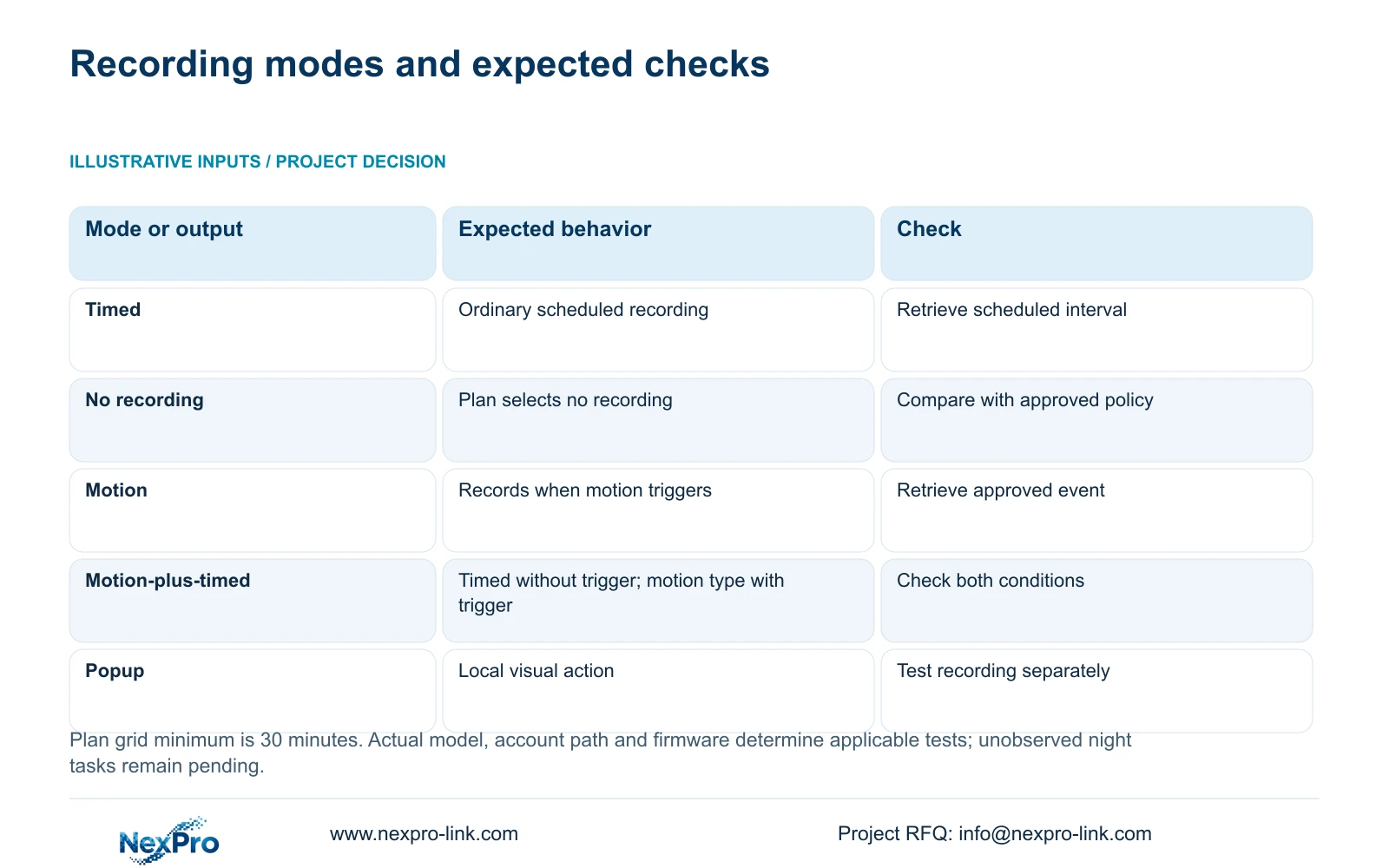
Section 4.11.1 lists timed recording, no recording, motion recording and motion-plus-timed recording. Its plan grid has a documented 30-minute minimum scale. Compare the critical channel and time blocks with the approved policy, including the night period.
Motion-only records when motion detection triggers. Motion-plus-timed retains ordinary timed recording without a motion trigger and records motion-type footage when triggered. The mixed choice therefore cannot be treated as event-only storage saving.
Check the selected disk and recording policy, then observe a defined period that exercises the required behavior. If the night interval cannot be witnessed immediately, distinguish a configuration review from a completed night recording test. A correct-looking plan remains a setting observation until the relevant footage can be retrieved.
| Task | Required observation | If the result fails |
|---|---|---|
| Operator access | Allowed task works and prohibited task is denied | Review the account and access path |
| Night recording | Required interval produces retrievable footage | Compare plan mode, time and disk selection |
| Alarm recording | Approved event appears in playback or export | Inspect recording action separately |
| Notification | Intended recipient receives the required output | Investigate that delivery path |
| Export | New sample plays on the receiving system | Check selection and resulting files |
Section 05
Trigger an approved event and inspect each required action
Coordinate a permitted test event with the owner and record its channel and time. Section 4.12.11 lists distinct actions: buzzer, popup, email, screenshot sending, snapshot, preset call, recording, flashing border and app push. Test only the actions required by the project and supported by the actual device configuration.
Inspect a popup at the local interface, a notification at the intended recipient, and recording through its timeline or exported file. One successful action cannot establish the others. Keep action duration separate from footage retention.
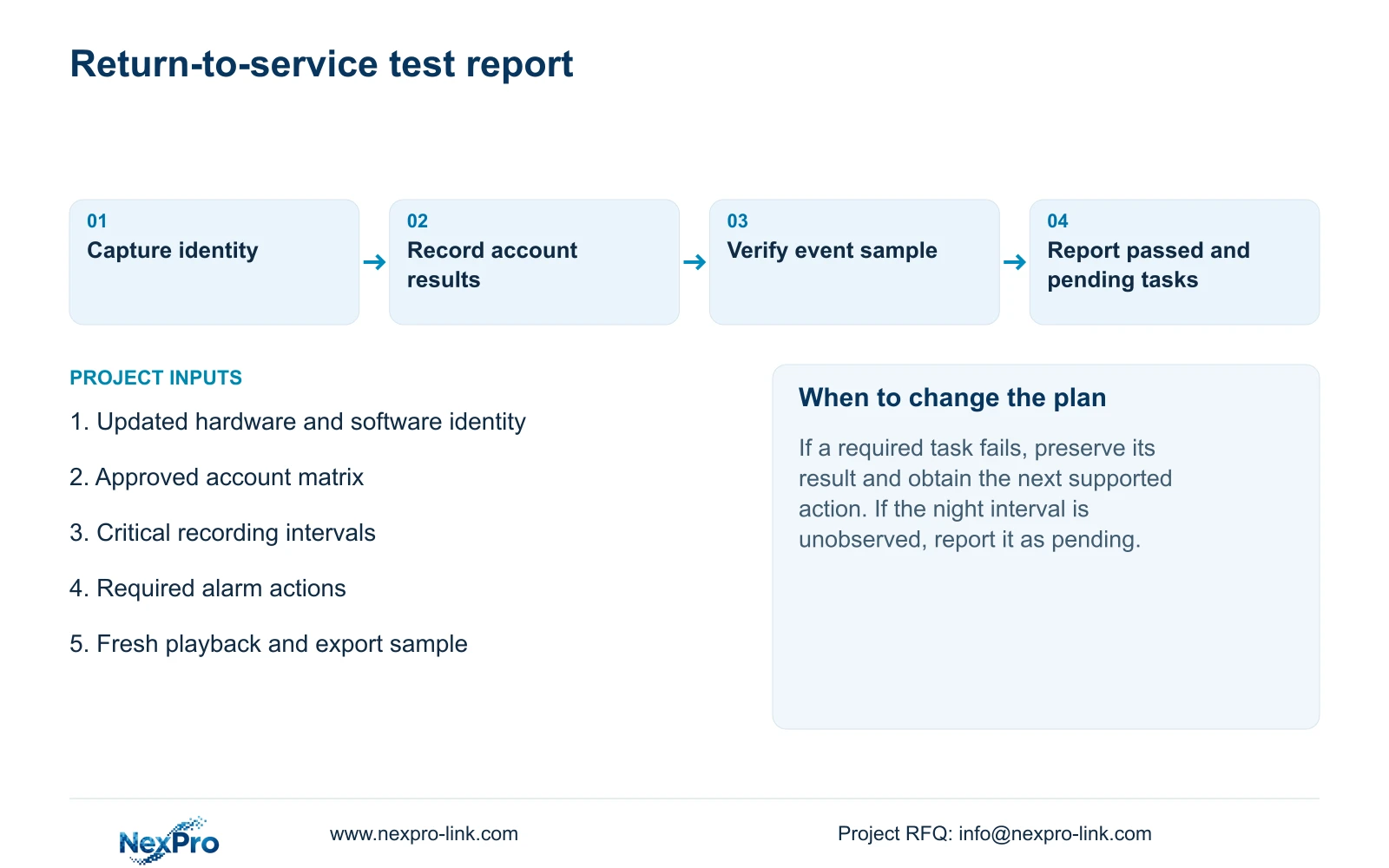
If a popup appears but no event footage is retrievable, record the popup as passed and the recording requirement as failed. If recording succeeds but notification does not arrive, preserve the event sample and investigate the delivery path. These distinctions let the next action address the failed task without changing unrelated settings.
Section 06
Retrieve a fresh sample and report the recovered scope
Follow an identifiable channel from live view through a known recording interval, then play back that same period. Export the new sample and open it on another intended receiving device. Also retrieve a relevant older sample so historical access is checked independently.
A Seetong Windows local recording does not establish that the NVR disk stored the test interval. Keep the source of the sample explicit. Record what was tested, the expected behavior, observed result and any remaining limitation.
The report to the project manager should identify passed tasks, failed tasks and tasks awaiting their actual operating interval. Include the changed software identity and any subsequent configuration adjustment. Where a failure remains, agree the next supported action rather than assuming a return to older firmware is available.
Illustrative project scenario: A maintenance engineer completes an update but has not checked whether the night schedule and operator rights still work. The engineer tests the restricted accounts, reviews the night plan, runs an approved event and verifies a fresh export. The night behavior remains pending until its relevant interval is observed and retrieved.
Section 07
Can successful local preview approve remote playback?
No. The manual separates access paths and operations. Test remote playback using the intended network account.
Section 08
Does an alarm popup prove event recording passed?
No. Check the event period in playback or a verified export. Popup and recording are separate actions.
Section 09
Resolve failed tests with an identifiable maintenance record
This guide follows NVR4.0 user manual CH_V2.4.doc, with V2.2 in its body, sections 4.12.19, 4.12.3, 4.11.1, 4.12.11, 4.11.4 and 4.12.21. The regression sequence is an engineering workflow, not a built-in certification test. Sections take priority over page numbers.
Send NexPro-Link the recorder model, updated firmware and failed task result at info@nexpro-link.com.
Engineering references
These sources support the general planning principles. Always use the selected product's current datasheet and applicable project standards for final design.


