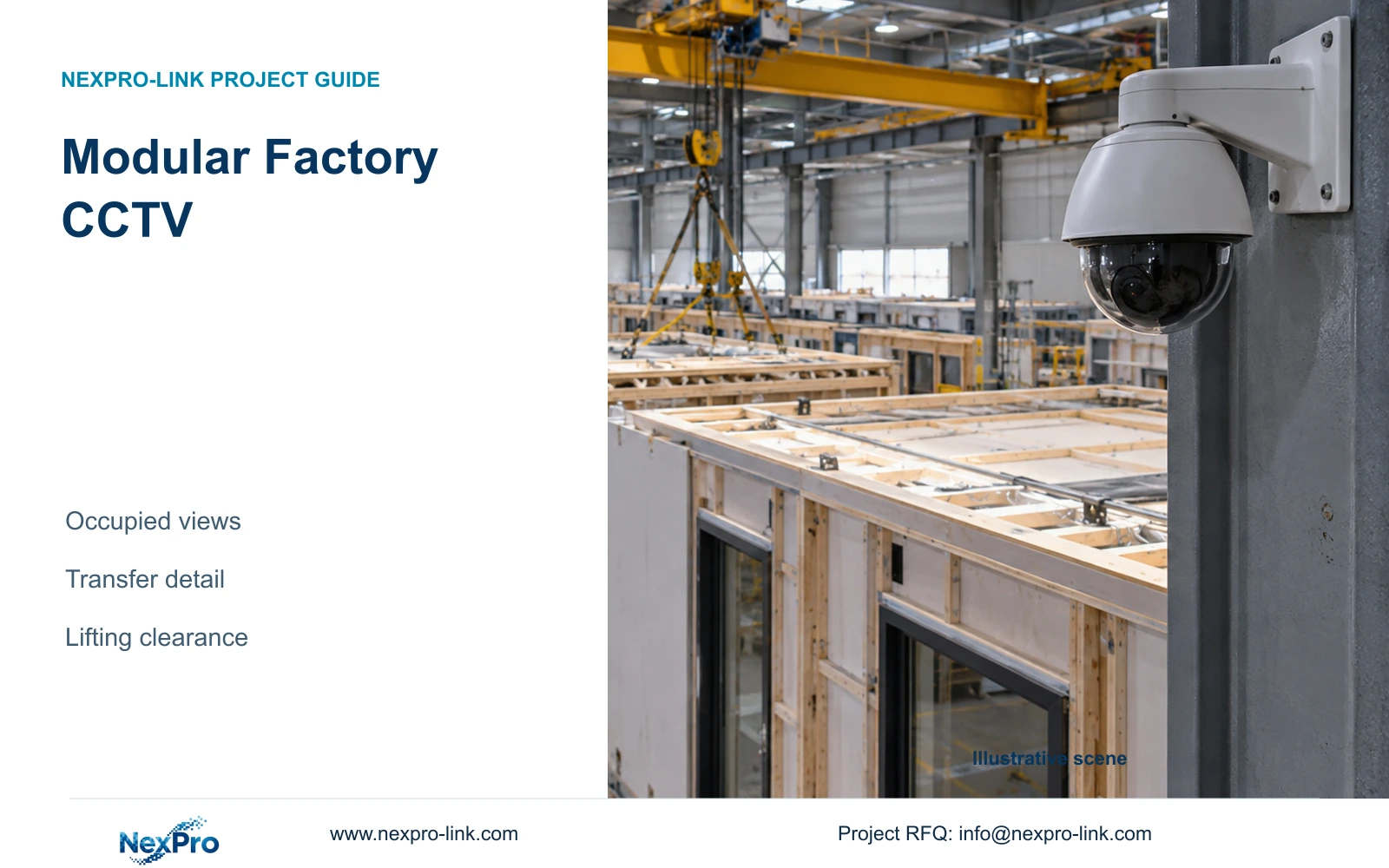
An empty modular production hall can hide future CCTV blind spots. Validate occupied layouts, preserve transfer-point evidence and budget relocation around the actual lifting envelope.
Section 01
Approve views against an occupied production layout
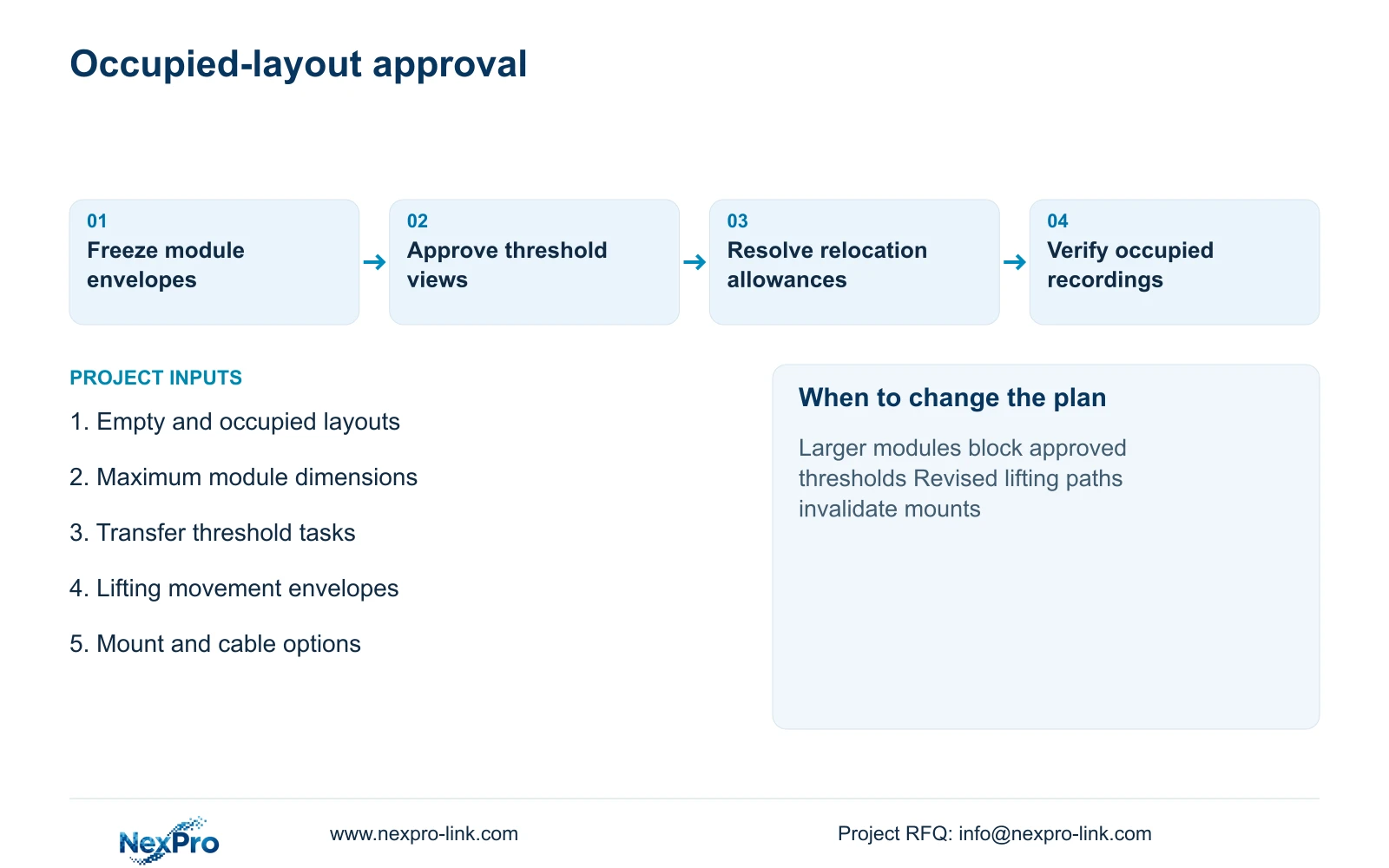
Modular construction factory CCTV should be accepted with modules in their working positions. Compare the empty-hall layout with representative occupied states, anchor evidence views at stable transfer thresholds and retain practical relocation options. Higher resolution cannot recover a handover hidden behind a module wall. The project manager should resolve that visibility question before treating the camera schedule as ready for procurement.
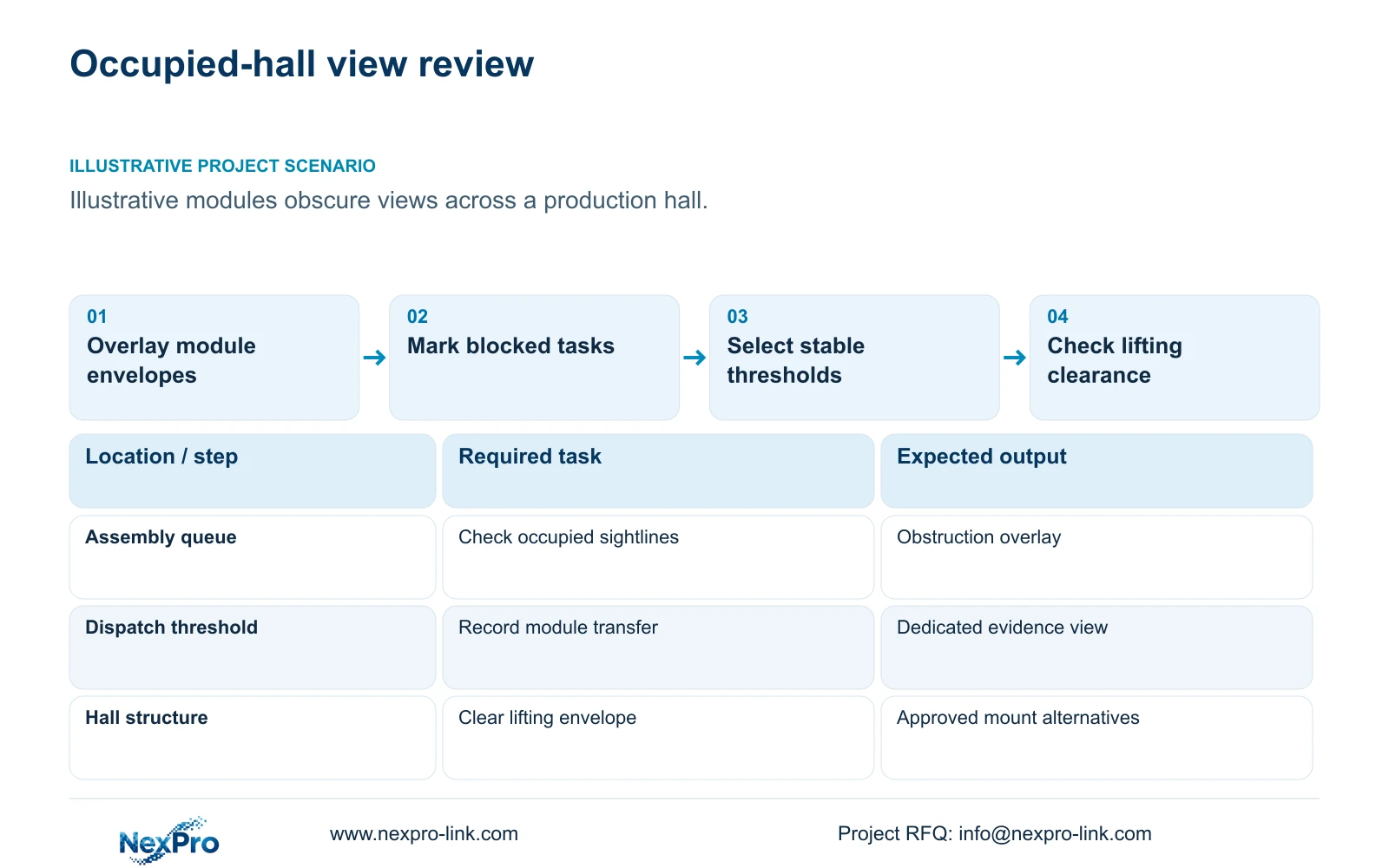
Illustrative project scenario: Large prefabricated modules fill a hall that looked unobstructed during the design walk-through. Assume, for planning, that units queue between assembly and dispatch while lifting equipment moves them through shared routes. The owner wants to review module transfers and authorised access. These details describe a hypothetical operating layout, not a delivered NexPro-Link customer project.
Ask production planners for module footprints, maximum heights, queue positions and movement routes. Overlay them on proposed camera sightlines, including the likely occupied condition at busy periods. For each task, mark whether the target is visible, partly obscured or unavailable. Keep the empty-hall drawing as a reference, but make the occupied review the basis for point approval and any remaining installation hold points.
Section 02
Put detailed evidence at stable transfer boundaries
Identify places where the operation remains geographically stable even when module positions change. Candidate thresholds include the material issue route, the module transfer into dispatch and the authorised entrance to a restricted store. A dedicated view can capture the crossing while a wider camera supplies movement context. Confirm that waiting modules cannot occupy the foreground and erase the threshold itself.
Define what the operator must establish from each recording. A transfer view might show a module crossing a boundary and the people accompanying it. A label-reading task requires a separate assessment of label size, orientation, motion and light. CCTV does not automatically provide serial identity or replace production records. Where records supply the identity, agree how an operator will use the location and time reference to retrieve the corresponding footage.
Review environmental inputs at these positions rather than applying a single hall-wide assumption. Dust from nearby work, cleaning spray or radiant heat may justify moving a point into a suitable ordinary area. The engineer should document any resulting view compromise. A stable mounting position is useful only if its recorded task remains visible under normal production and maintenance conditions.
Section 03
Resolve lifting clearance before fixing mounts and cables
Obtain the lifting envelope from the responsible production or lifting team. Include the module's travel position and the space used by handling equipment. Check proposed cameras, brackets, junction boxes and cables against that envelope. A mount that clears an empty aisle can still interfere with a module turn or temporary holding position. CCTV layout approval should never substitute for approval of lifting operations.
Use a suitable fixed structure outside the agreed movement envelope where it provides the required view. If the point must be relocated when production changes, identify an alternative mount and a feasible cable route now. Do not leave loose spare cable near lifting activity. Price a defined relocation allowance covering access, mounting, termination, testing and view adjustment, with the local contractor responsible for the installation method.
Ordinary-area candidates include the NexPro-BL2812M55-5MP-DIC-AI and the source Dome model NexPro-DM2812M55-5MP-DIC-AI. Their specifications list a 2880×1620 output and 2.8–12mm motorized lens. Lens adjustment can refine the approved target width after installation. It cannot move the optical position through an obstruction, provide PTZ movement or establish an unlisted impact rating for a vulnerable mount.
Section 04
Trade horizontal coverage for detail deliberately
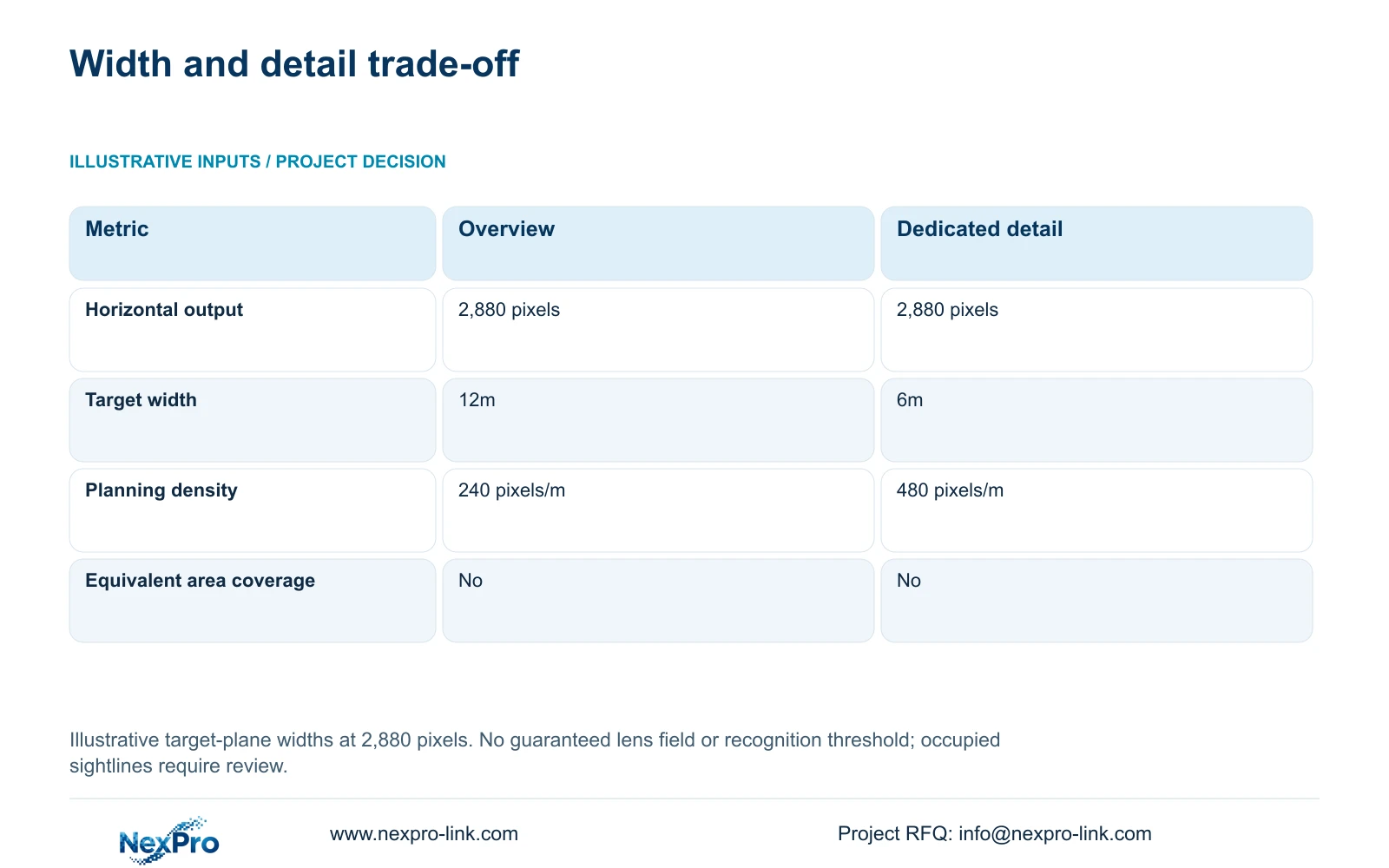
Use an illustrative horizontal output of 2,880 pixels to compare two views at the target plane. Option A covers 12m; Option B covers 6m. The formula is planning_pixels_per_metre = horizontal_output_pixels / target_width_m. These widths are assumed geometry, not guaranteed fields of view from a particular focal length or mounting distance.
Option A gives 2,880 / 12 = 240 pixels/m. Option B gives 2,880 / 6 = 480 pixels/m. The narrower view doubles the planning density while removing half the horizontal coverage. This makes it a candidate for a dedicated transfer threshold, provided the target remains within that width. It does not demonstrate that one tighter camera can replace all the context supplied by the wider view.
Check the occupied layout again after narrowing. A transfer may move outside the frame, or a waiting module may block the camera despite the higher density. Pixel density alone does not guarantee recognition or usable image quality: target geometry, lens, motion, light, compression and obscuration remain relevant. Agree acceptance using representative recorded events without assigning a universal recognition threshold to either calculation.
| Metric | Option A: overview | Option B: detail |
|---|---|---|
| Horizontal output | 2,880 pixels | 2,880 pixels |
| Target-plane width | 12m | 6m |
| Planning density | 240 pixels/m | 480 pixels/m |
| Equivalent area coverage | No | No |
Section 05
Preserve useful views without hiding expansion costs
Prefer a package combining stable threshold views with the overviews needed to follow module movement. Retain an existing point when it passes the occupied-layout task. Relocate a point when another suitable position restores visibility; add a camera where two required tasks cannot be covered from one position. Change this basis if module dimensions, queue locations or lifting routes invalidate the accepted view.
Use CASE01 as a separate example of the infrastructure checks behind an added point. Its 32 ordinary-area cameras are grouped into four eight-camera PoE load groups. With an assumed 12W per camera, each group has 96W device-side demand. The supplied formulas give PSE_output_W = 96 / 0.90 = 106.6667W and PSE_budget_W = 106.6667 / 0.80 = 133.3333W. These are planning requirements, not measured camera demand or confirmation of a particular switch.
An additional threshold view can affect ports, power, recording bandwidth and storage, while relocating an existing view may chiefly change cabling and installation work. Check both effects before approving a variation. The NexPro-NVR4449-4K lists 320Mbps input and four SATA bays, but its channel count does not establish simultaneous decoding capacity or RAID. Preserve required platform interfaces and compare alternative offers against the same occupied-layout acceptance tasks.
Section 06
Release location-based equipment and acceptance records
Prepare a point schedule linking each camera to its target threshold, approved occupied-layout revision, mounting structure and network node. Mark each point as retained, relocated, new or optional. The project manager controls the layout revision; the engineer records the view and interface requirements; the local installer confirms mounting and routes. This gives procurement a scope it can price without guessing which drawing takes precedence.
Keep switches, recorders and backup equipment in suitable protected locations, with data paths and electrical protection shown separately. If a new local node is required, include its power source and maintenance access. Operator viewing is a client branch of the recording system. A retrieval monitor may suit the task; a display wall needs a separate operational justification and confirmed decoding scope.
NexPro-Link can use the approved schedule for model matching, technical submittals and coordinated equipment preparation through its factory project supply and BOQ support scope. Location labels and project packing can help the installer place the intended units. Final acceptance should use representative occupied states and retrieve a transfer event from recording. Keep relocation points provisional until their lifting clearances and working views have been approved.
Section 07
Buyer questions
What can be approved before the first modules arrive? Approve provisional routes, protected-node locations and mounts outside the documented lifting envelope. Keep final view acceptance subject to representative occupied geometry, using dimensioned mock-ups where appropriate and recording the remaining assumptions.
Does every production-layout change require new cameras? No. Review the affected tasks first. Lens adjustment or relocation may restore a view; additional cameras are justified when required thresholds or movement context remain unavailable.
What evidence should a supplier demonstration include? Request representative occupied views, recorded transfer playback and an export using the proposed configuration. An empty-hall panorama or isolated camera image does not resolve the project's obstruction problem.
Section 08
Scope the occupied-hall camera package
Send your empty and occupied layouts with module dimensions, transfer-point evidence requirements, lifting envelopes, and proposed mounts with cable routes to info@nexpro-link.com for a location-based equipment proposal.
Engineering references
These sources support the general planning principles. Always use the selected product's current datasheet and applicable project standards for final design.