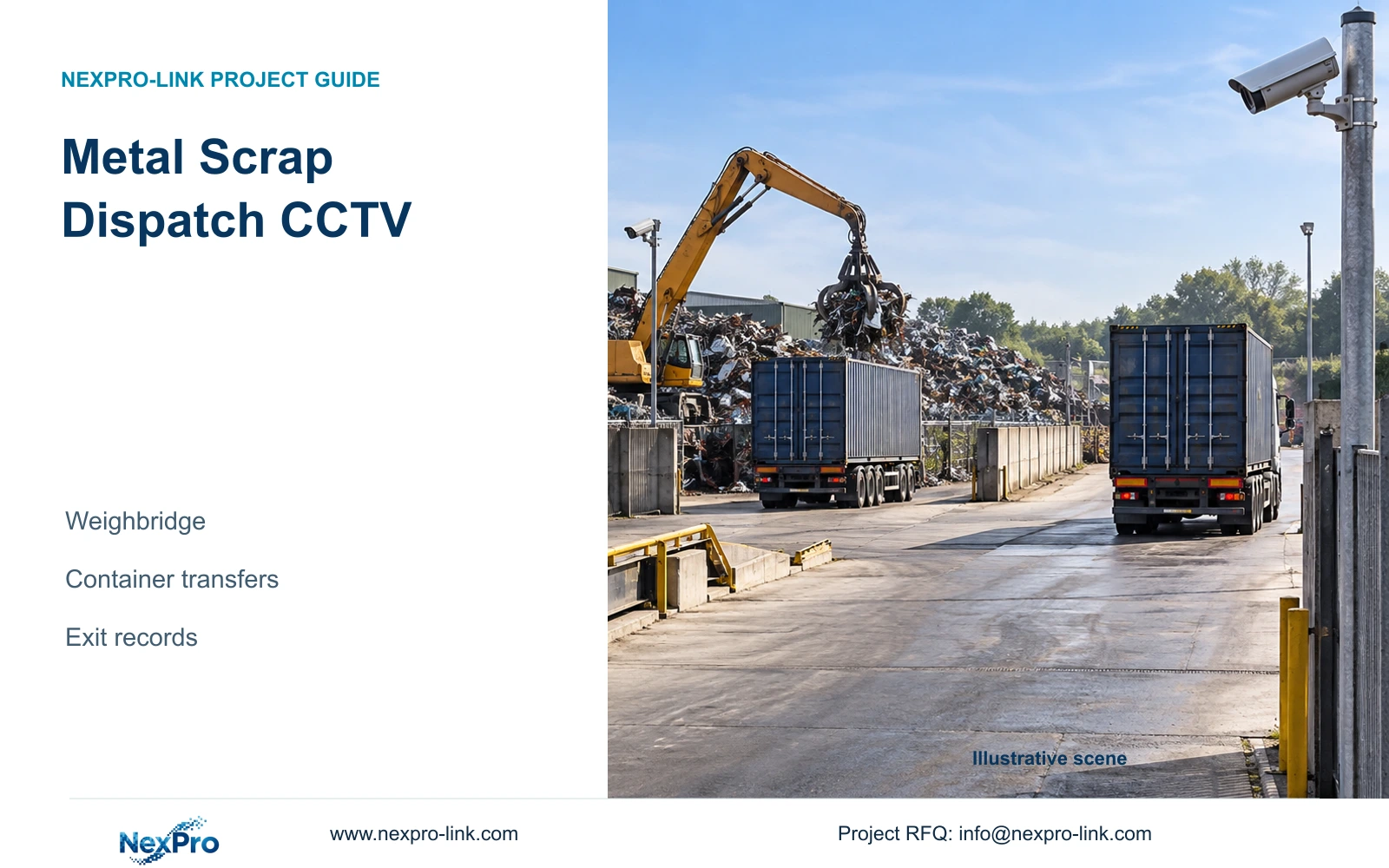
Metal scrap dispatch needs a traceable sequence between weighing, loading and departure. Define camera roles, record references and outdoor connections without treating video as proof of weight.
Section 01
Keep the weighing record separate from the video sequence
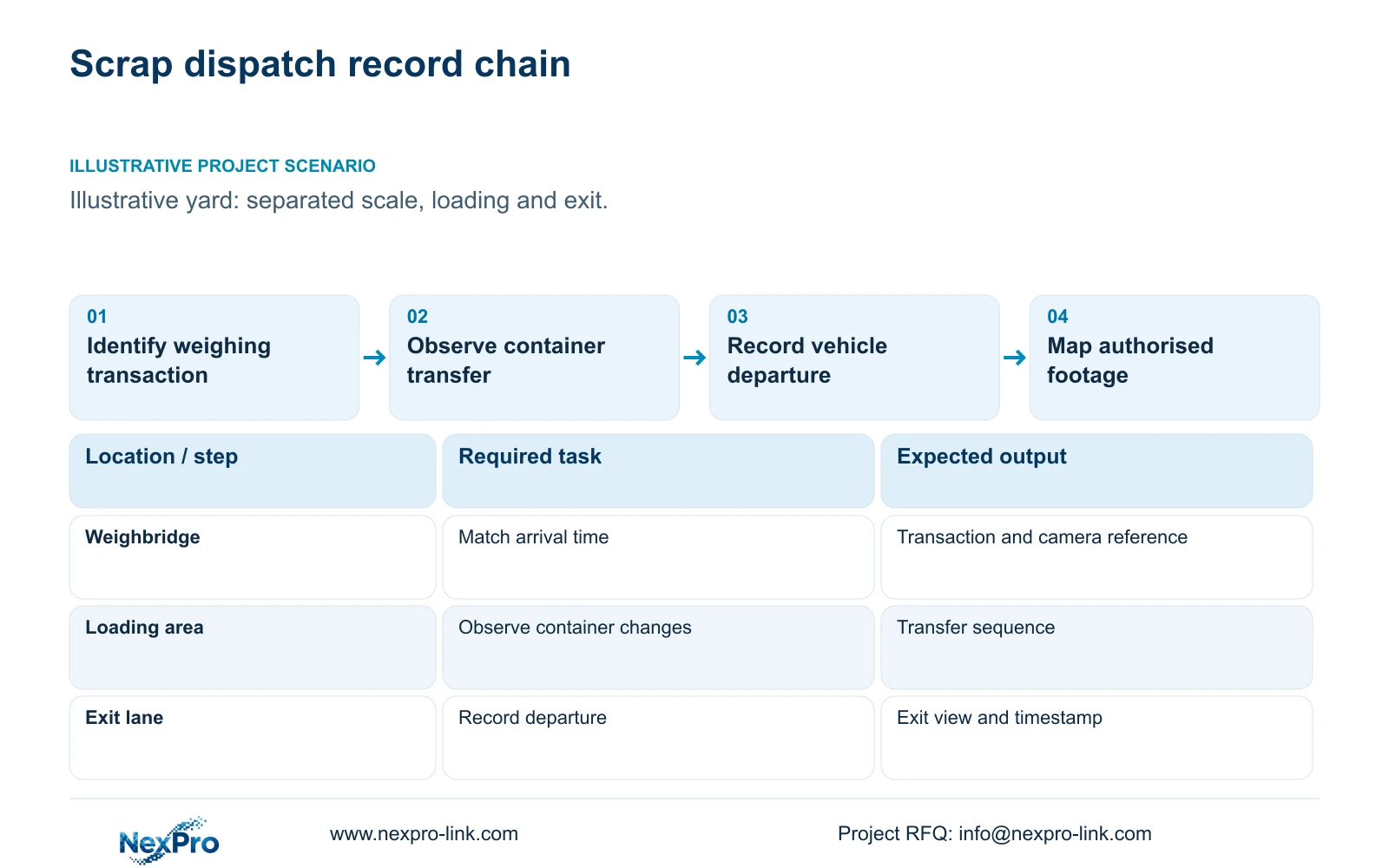
Metal scrap dispatch CCTV should provide separately identified views of the weighbridge, container transfer and exit. Link those views to an authorised dispatch reference so reviewers can reconstruct the movement. The weighing system remains the source of the measured weight; ordinary security footage supplies visual context and does not replace a calibrated weighing record.
Illustrative project scenario: A scrap yard has a scale, collection area and exit lane separated by outdoor distances. Assume collection vehicles can wait between loading and departure, and containers can move before the vehicle reaches the scale. These planning assumptions require the project manager to identify each transition rather than approve a single camera looking across the yard.
Agree what the review must establish: which vehicle attended, which container was handled, when the transfer occurred and which exit was used. Record the weighing transaction identifier separately from camera names and timestamps. Where clocks differ, document the offset before selecting footage. A disputed quantity should return to the weighing and dispatch records, with video used to investigate the associated sequence.
Section 02
Give each container transition a defined observation role
A loading overview should show how the vehicle, container and handling equipment relate. A detail view should cover the specific handover position or visible container identifier required by the owner. Check both views with a vehicle parked and material stacked nearby. An empty-yard demonstration can conceal the obstruction that appears during collection.
Assign stable names such as scale approach, loading position and exit departure. Include direction of travel, target area, likely obstruction and cleaning access in the role schedule. If containers use several loading positions, decide whether operations will keep transfers inside the accepted observation area or whether additional views are needed. Moving the activity beyond that area changes the design.
The NexPro-BL2812M55-5MP-DIC-AI is a normal-area candidate with a listed 2880×1620 main output and a 2.8–12mm motorized lens. These source fields support evaluating a view, not a guaranteed container-reading distance. Test the actual identifier size, angle, lighting and recorded image. Human and vehicle classification does not establish licence plate identification, and a motorized lens does not provide PTZ movement.
Section 03
Design outdoor connections around the actual route
Measure the installed path from each camera to its access node, including vertical runs, service loops and the route around vehicle areas. Fluke Networks guidance distinguishes the typical 90m copper permanent link from the 100m complete channel. Record which link construction will be installed and tested; a straight-line distance across the yard is insufficient for cable procurement.
For a remote scale or exit beyond the suitable copper route, evaluate local PoE access with an appropriate fibre backbone. Identify cabinet location, environmental protection, local AC supply and maintenance access together. Fibre carries the data connection; it does not extend the central UPS power circuit to a remote switch. Protect that remote node separately if its cameras must continue recording during an outage.
Turn the route survey into a filled responsibility schedule. The equipment supplier can quote the camera and compatible access equipment, while the local contractor owns approved supports, trenches and electrical work. Mark an existing link as retained only after inspection and the relevant test. The CASE01 factory example uses 41–76m copper links, but those assumed lengths cannot establish feasibility for this outdoor yard.
| Item | Required task | Supply status | Responsible party |
|---|---|---|---|
| Scale approach camera | Associate vehicle arrival with transaction time | New ordinary camera | Supplier selects; installer positions |
| Loading view | Record container transfer without parked-vehicle obstruction | New overview and conditional detail | Owner defines; engineer verifies |
| Exit connection | Carry video over the surveyed outdoor route | Copper or local fibre node | Engineer designs; contractor installs |
| Remote backup power | Maintain the exit camera supply path | Conditional local UPS | Electrical designer defines; supplier matches |
Section 04
Narrow exports only after mapping the complete event
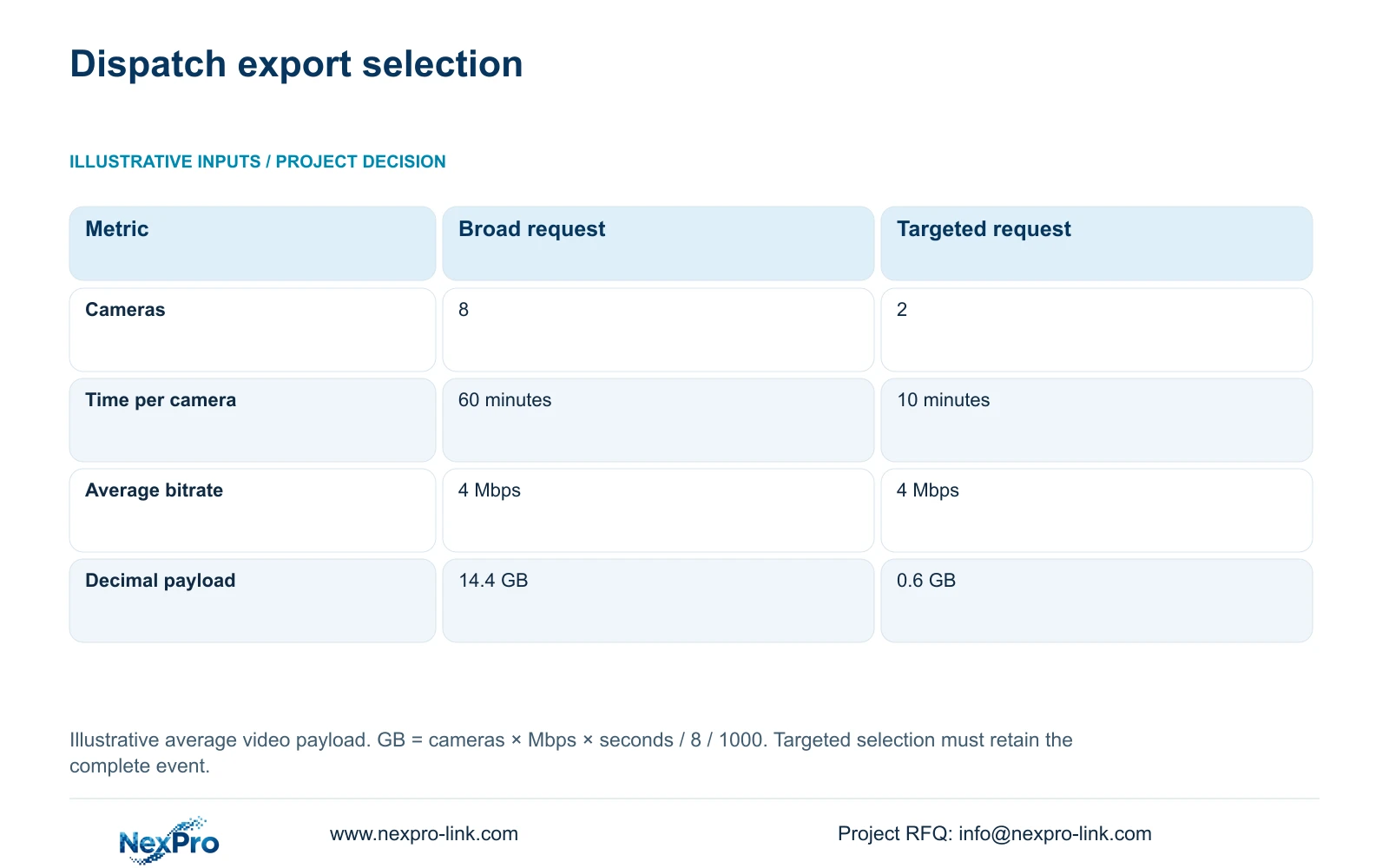
Compare two illustrative retrieval requests at an assumed average 4 Mbps per camera. Option A selects eight cameras for 60 minutes each. Option B selects two relevant cameras for 10 minutes each. Using decimal gigabytes, the formula is GB = cameras × Mbps × seconds / 8 / 1000. Option A gives 8 × 4 × 3600 / 8 / 1000 = 14.4 GB; Option B gives 2 × 4 × 600 / 8 / 1000 = 0.6 GB.
The decisive difference is the selected camera-time scope. The smaller request is appropriate when the mapped views and interval retain the complete required event. If the vehicle waited, changed containers or left the expected route, expand the selection. Two cameras are a retrieval example, not a recommendation that two cameras cover the whole dispatch chain.
These figures estimate video payload, excluding container overhead and additional data. They do not predict export duration or staff-time savings. Keep a selection record showing the dispatch reference, cameras, time interval, clock adjustment and authorised recipient. Where the record association remains uncertain, preserve a broader interval before routine retention removes potentially relevant footage.
| Input or result | Option A: broad | Option B: targeted |
|---|---|---|
| Cameras selected | 8 | 2 |
| Minutes per camera | 60 | 10 |
| Average bitrate per camera | 4 Mbps | 4 Mbps |
| Estimated decimal payload | 14.4 GB | 0.6 GB |
Section 05
Protect recording before adding permanent displays
Use fixed, named transfer views with an operator retrieval screen as the baseline. Add dedicated detail where the agreed identifier or handover cannot be read in the overview. A permanent display wall needs a separate operational reason, such as sustained simultaneous supervision; it should not displace the recording, network or storage budget.
CASE01 provides an illustrative whole-factory check, not a dispatch-yard camera count. Its 32 cameras at 4 Mbps require 128 Mbps input. Continuous recording for 30 days gives video_TB = 32 × 4 × 10^6 × 86400 × 30 / 8 / 10^12 = 41.472 TB. Four 16 TB drives provide 64 TB raw, with an illustrative recording budget of 64 × 0.95 × 0.80 = 48.64 TB. Compare 41.472 TB directly with 48.64 TB; that budget already includes formatting allowance and reserve.
The NexPro-NVR4449-4K supplies a relevant 320 Mbps input and four-bay reference, subject to supported stream modes and compatible disks. Those fields establish neither RAID nor simultaneous decoding capacity. Recalculate when dispatch views are added to the factory schedule. For UPS sizing, include complete switch AC demand once, plus recording and essential link equipment; determine battery runtime from the selected configuration rather than a watt-hour estimate.
Section 06
Make the supply schedule usable at dispatch handover
The procurement package should connect each camera role to its mounting position, cable route, recording channel and dispatch reference method. Separate equipment supply from weighing-system integration, civil work and local installation. If automatic transaction association is requested, identify the interface owner and demonstrate the exact workflow before including it as an accepted feature.
NexPro-Link can discuss model matching, BOQ deviations, technical documents and coordinated factory-security equipment supply. Project-labelled packing can identify scale, loading and exit units for installation. Keep mounting accessories and node equipment assigned to those locations so a camera carton does not arrive without the parts needed for its approved position.
Compare alternative bids against the same transfer sequence, retention and remote-node protection. Retain required platform interfaces or specialist environmental scope in every comparison. Before handover, demonstrate a representative dispatch search, playback across transitions and an authorised export on the delivered models. Record unresolved obstructions or clock differences as open items rather than accepting live view alone.
Section 07
Buyer questions
Must the CCTV system connect directly to the weighbridge software? Only if automatic association is part of the required workflow. A controlled manual reference can be suitable for occasional review. Frequent transaction searches may justify integration, but the software interface, permissions and supported record fields need explicit confirmation.
Should every scrap collection use the same export duration? No. Set the interval around the actual collection sequence, including waiting or reloading where relevant. A standard request template can help operators, but it should allow expansion when the event falls outside the normal pattern.
Can an existing exit camera remain in the package? Yes, if its recorded view, stream compatibility, cable condition and power path meet the agreed role. Include it in the dispatch demonstration and identify any functions that are unavailable on the retained model.
Section 08
Define your scrap dispatch recording scope
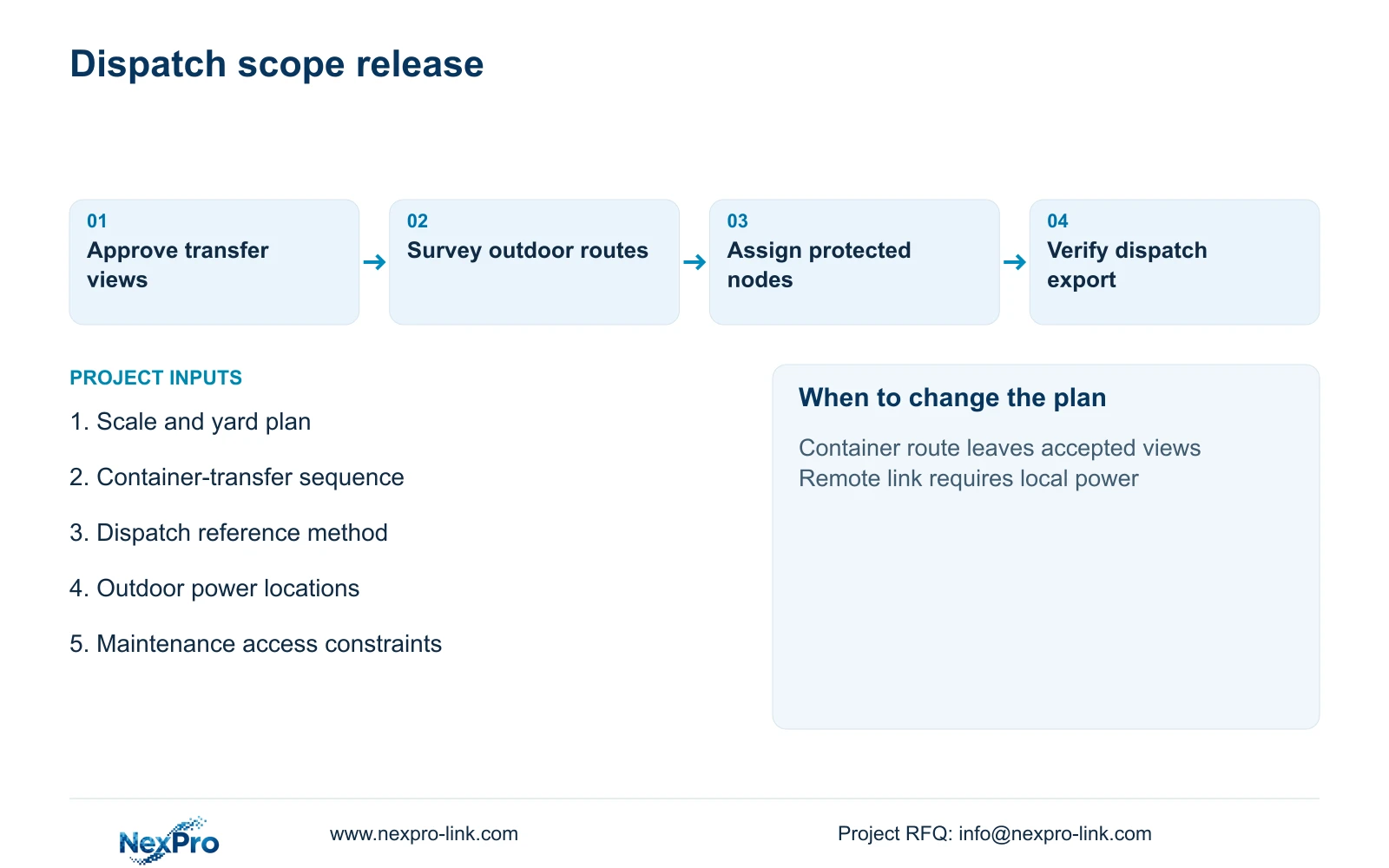
Send your yard plan with scale and exit routes, container-transfer sequence, dispatch reference and retention requirements, and outdoor power and maintenance constraints to info@nexpro-link.com. NexPro-Link can discuss a location-based camera and equipment schedule for quotation.
Engineering references
These sources support the general planning principles. Always use the selected product's current datasheet and applicable project standards for final design.