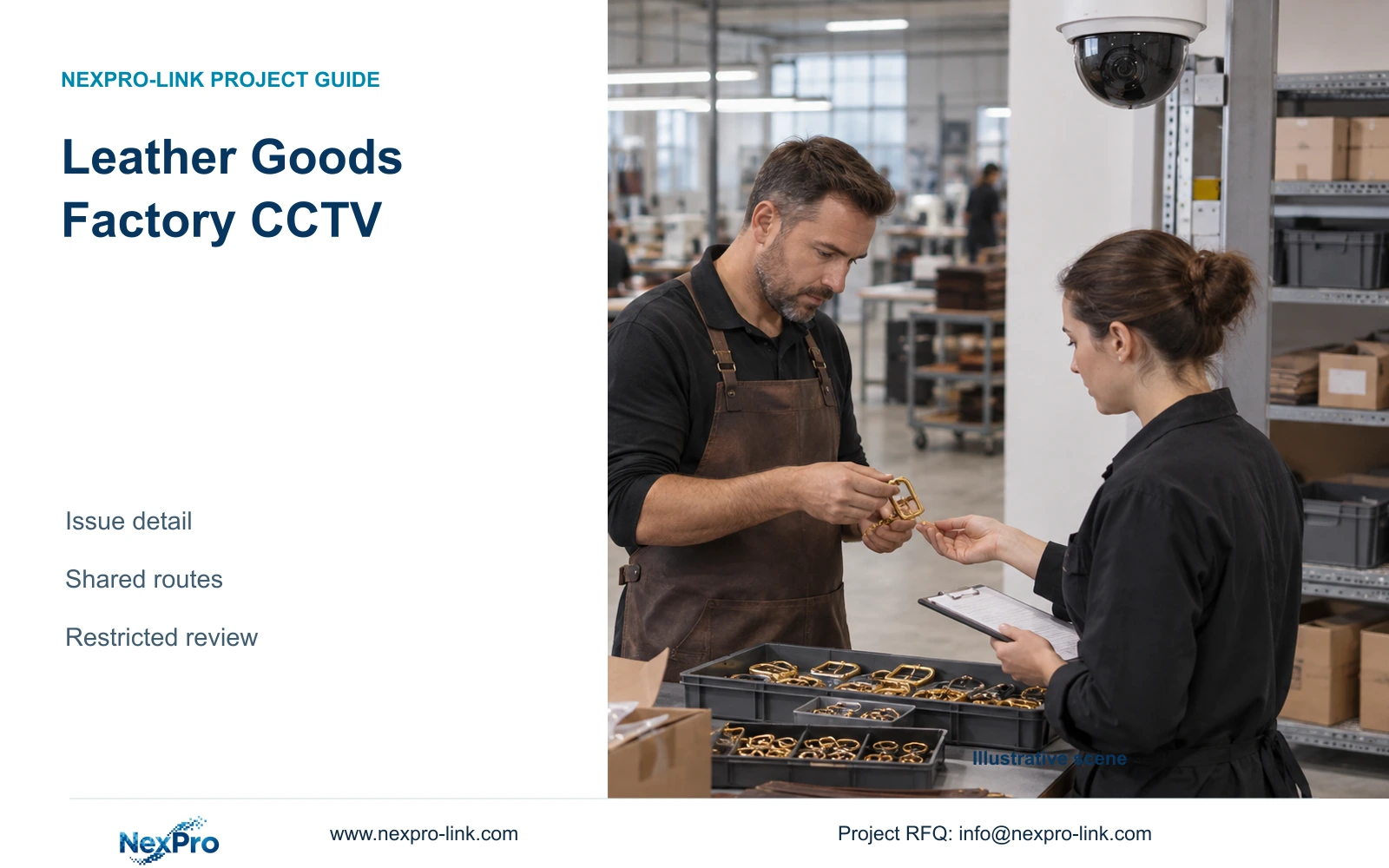
Allocate leather goods factory CCTV detail to controlled component issue, retain shared-bench movement context and define who can retrieve sensitive recordings.
Section 01
Concentrate evidence at controlled issue points
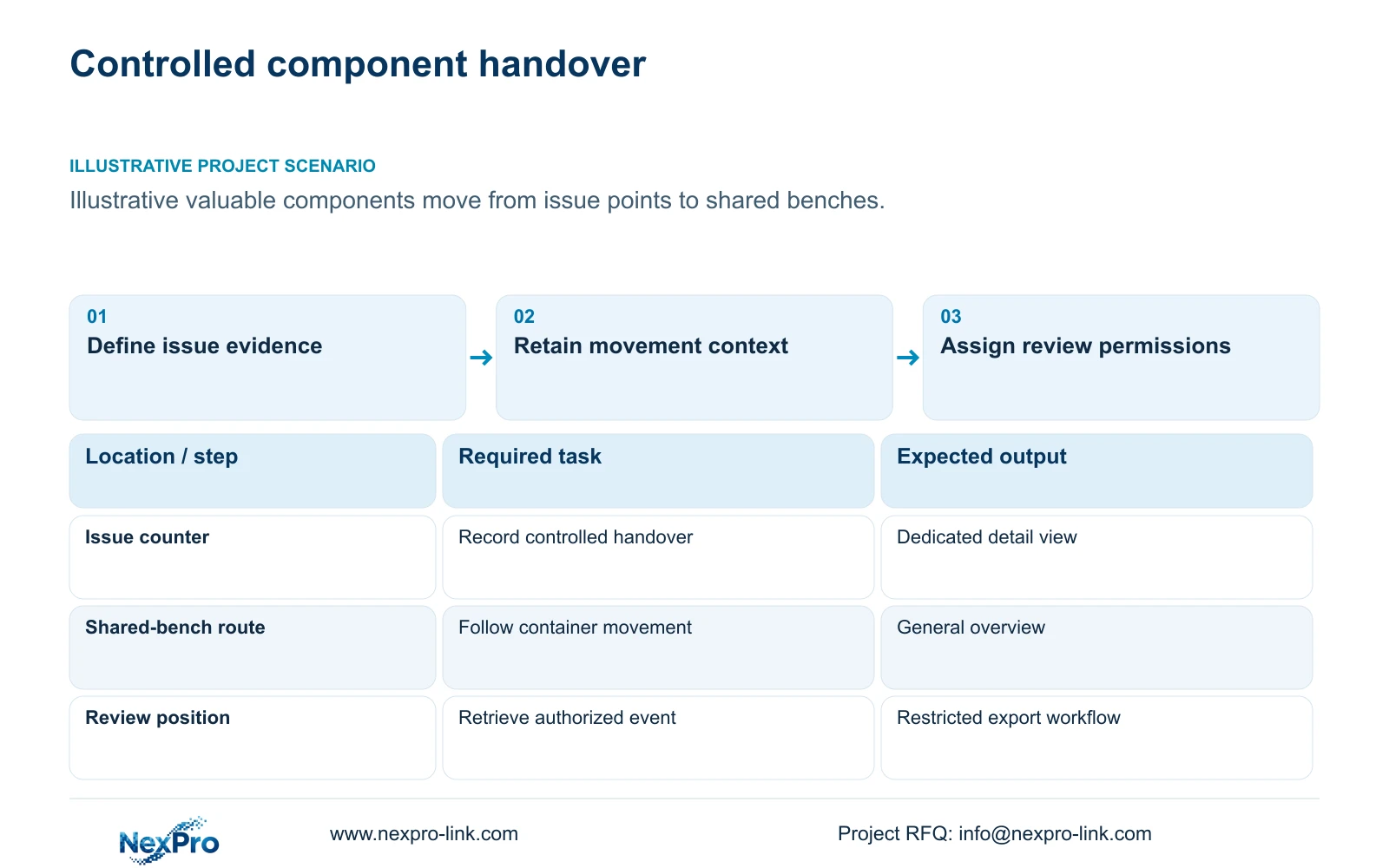
Leather goods factory CCTV should allocate detail to controlled material and hardware handovers, supported by general movement views. Define where valuable components are issued, returned or transferred into packing before deciding how closely to observe shared benches. This gives the engineer an evidence task that can be tested and priced. Uniform high-resolution coverage may still leave the relevant item hidden beneath hands or material.
Illustrative project scenario: A factory needs evidence around valuable hardware and material issue rather than continuous close-ups of every bench. Assume components are presented at an issue position and then carried to shared work areas. The proposed map follows that transfer through a detail view and a route overview. These hypothetical arrangements do not establish automatic item identification, measured loss reduction or a completed customer project.
Ask the stock team which event usually starts a review and what record accompanies it. The answer might be an issue reference and approximate time, rather than an image of every component throughout assembly. Define the material-security purpose and approval boundary for each view. Keep individual productivity assessment outside this brief, and identify any sensitive material or design information likely to appear.
Section 02
Keep shared-bench overview matched to movement
Use overview cameras to explain where an issued container or material bundle moved and whether it reached the agreed area. Avoid assigning tiny-component readability to a broad shared-bench view unless a representative recording proves it. Mark stacks, tools and temporary trays as possible obstructions. If the required handover is hidden, change the transfer viewpoint or presentation arrangement instead of assuming more pixels will solve it.
The ordinary NexPro-BL2812M55-5MP-DIC-AI provides a 5MP-family reference with listed 2880x1620 output and a 2.8 to 12mm motorized lens. The source Dome-family NexPro-DM2812M55-5MP-DIC-AI offers another listed housing option with the same stated output and lens range. Use these fields for candidate framing, without inferring an impact rating or guaranteed reading distance.
Keep lint, humidity, cleaning and lighting inputs beside each position. A detail camera over an issue counter should remain reachable without requiring access across occupied benches. Compare night-shift recordings of representative movements before fixing encoding settings. Economical overview means meeting the agreed context task with a complete suitable installation; no price advantage between model families is established by the supplied specifications.
Section 03
Define access to sensitive issue footage
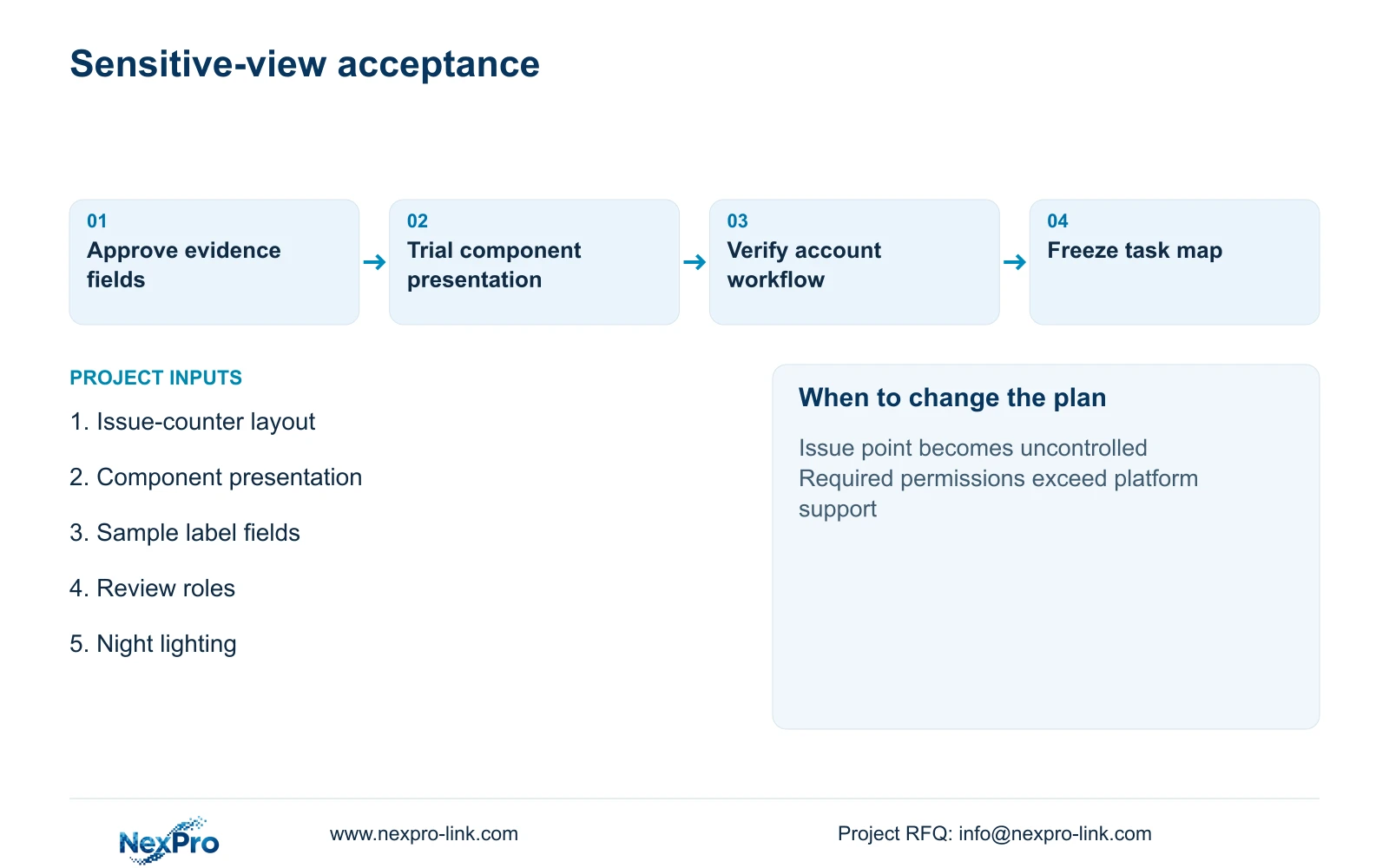
Separate live viewing, playback, export and configuration responsibilities in the operating brief. A guard may need movement context, while a nominated stock reviewer needs an issue-point recording for a particular event. Specify those required distinctions and verify them on the selected recorder or client. Do not assume every platform offers the same granular controls simply because basic video is available.
The owner should approve permitted views and access roles, with local privacy requirements verified for the actual site. The designer translates that decision into a role-based camera map; the installer demonstrates the required account workflow. Record who approves an export and where it is handed over. Shared administrator credentials should not become the everyday review arrangement.
Use a representative issue record to locate an interval, export it and reopen it on the agreed review device. Confirm that the exported clip supplies the needed evidence without exposing unrelated footage unnecessarily. Keep service access distinct from footage access: a maintenance team may need to adjust a lens or inspect a connector without being assigned routine stock-review authority.
Section 04
Calculate horizontal detail from listed outputs
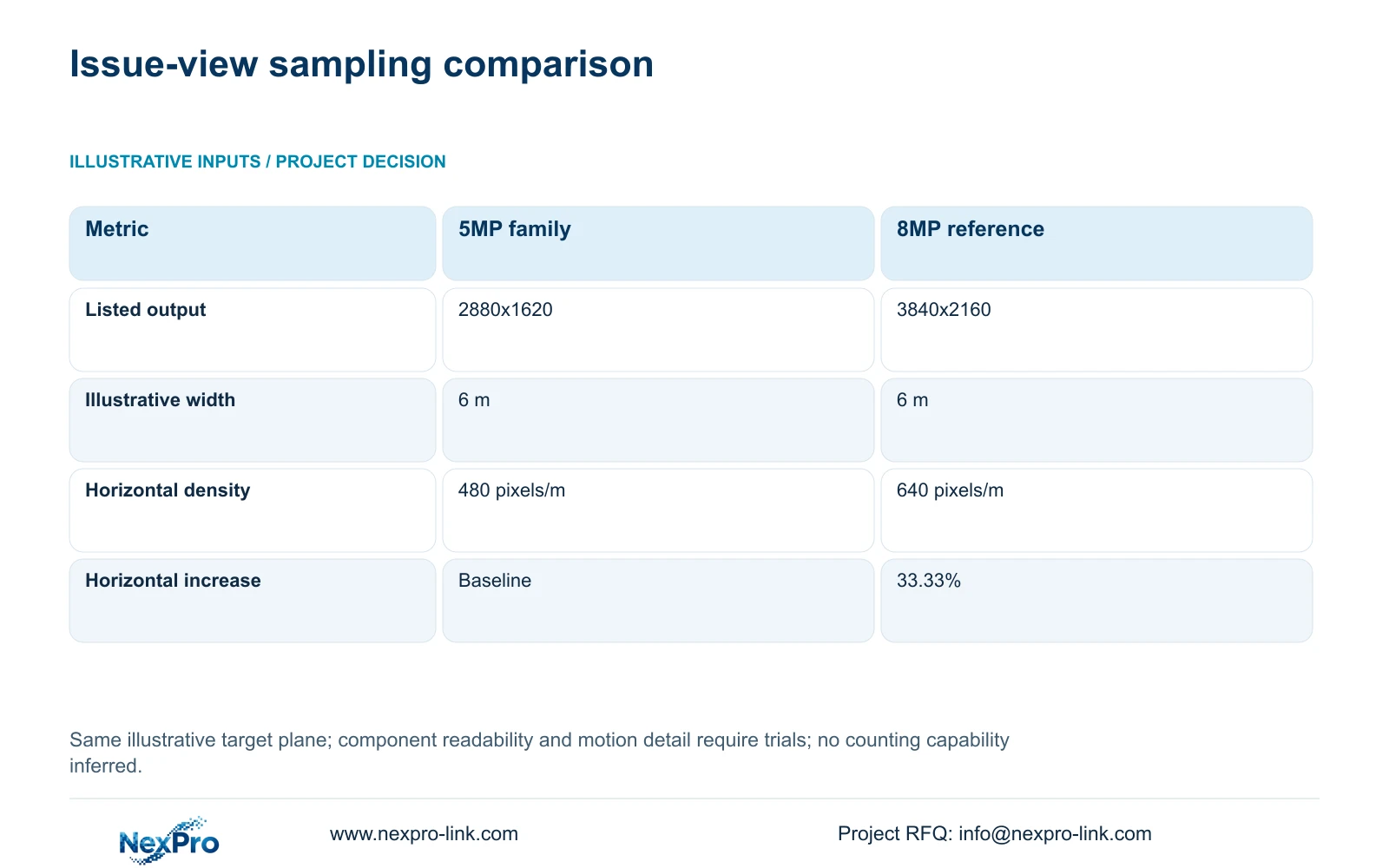
For the supplied 5MP-family and 8MP references, retain the listed output dimensions of 2880x1620 and 3840x2160. At the same illustrative 6 m target plane, calculate planning_pixels_per_metre = horizontal_output_pixels / 6. The results are 480 pixels/m and 640 pixels/m. The calculation uses identical width for comparison; it does not define the actual issue-counter width.
The relative horizontal increase is (3840 / 2880 - 1) × 100 = 33.33%, rounded to two decimals. That difference can inform a candidate choice when the accepted view needs more horizontal sampling. It provides no 60% detail guarantee from the 5MP and 8MP labels, no comparative night result and no promise that small hardware can be identified.
Test the real handover with representative containers, labels and lighting. The component may occupy only a small portion of the frame, or be obscured during transfer. Framing, exposure, motion and compression can determine whether the required event is usable. A narrower dedicated view can be considered, provided a separate overview retains any movement context it removes.
| Metric | 5MP-family reference | 8MP reference |
|---|---|---|
| Listed output | 2880x1620 | 3840x2160 |
| Horizontal samples | 2880 pixels | 3840 pixels |
| Target width | 6 m | 6 m |
| Planning density | 480 pixels/m | 640 pixels/m |
| Horizontal increase | Baseline | 33.33% |
Section 05
Select detail without expanding every bench
Recommend a mixed task map: dedicated issue-point detail, suitable general-route overview and limited review permissions. Select the higher-output candidate where a controlled trial shows useful additional evidence at the agreed framing. Retain other views where their existing evidence task passes. If valuable components move through uncontrolled issue positions, revisit the workflow and camera map before trying to compensate with a uniform upgrade.
CASE04 provides a separate campus background with 80 cameras divided into four 20-camera local recording nodes. It assumes supported 5MP-class stream modes, with authorized retrieval across the backbone. Adding or substituting 8MP issue views requires checking actual recorder modes and bandwidth; the original channel assumptions cannot establish their fit. Keep local recording and cross-building review as distinct responsibilities.
Record each node's actual average bitrate, retention, ports and device-power requirements. Place recorder, disks and protected network equipment in suitable accessible rooms. UPS protection follows electrical supply to the relevant node, while an authorized viewing screen is a client branch. If the owner requests wider shared display, assess whether it exposes sensitive issue views and whether the selected display path supports the required streams.
Section 06
Include permission testing in the supply package
Issue a schedule distinguishing supplied detail cameras, retained overview cameras, optional second angles and local installation work. For each position, include the required evidence, target geometry, exposure and cleaning access. Add account-role and export demonstrations to acceptance. Comparing only camera resolution omits both the sensitive-review requirement and the supporting recording resources.
NexPro-Link can discuss candidate models, technical submittals and explicit deviations through BOQ & Tender Support, with equipment coordination under Factory & Warehouse project supply. Request location-labelled preparation where issue-point and overview cameras need different configurations. Keep the final authority for permitted views, account access and local installation with the owner and appointed team. Handover should preserve accepted image examples and the task map used for the order.
Section 07
Buyer questions
Can the camera prove an exact number of small components was issued? No counting capability or acceptance result is supplied. Keep the issue record as the quantity reference. If video confirmation of a particular field or presentation is required, test that exact task separately.
What if the selected client cannot separate export from playback access? Document the limitation before approval. The owner can revise the authorized workflow or request a platform that supports the required controls. Do not describe an unverified permission arrangement as available.
Should audio be part of the issue-point package? Include it only when the owner defines a permitted purpose and verifies local requirements. Its recording, access and storage effects need separate treatment; the pixel-density example makes no audio allowance.
Section 08
Define controlled issue-point recording
Send the component-issue route and counter layout, sample evidence fields, permitted playback/export roles, and lighting and cleaning-access conditions to info@nexpro-link.com for a detail-and-overview package discussion.
Engineering references
These sources support the general planning principles. Always use the selected product's current datasheet and applicable project standards for final design.