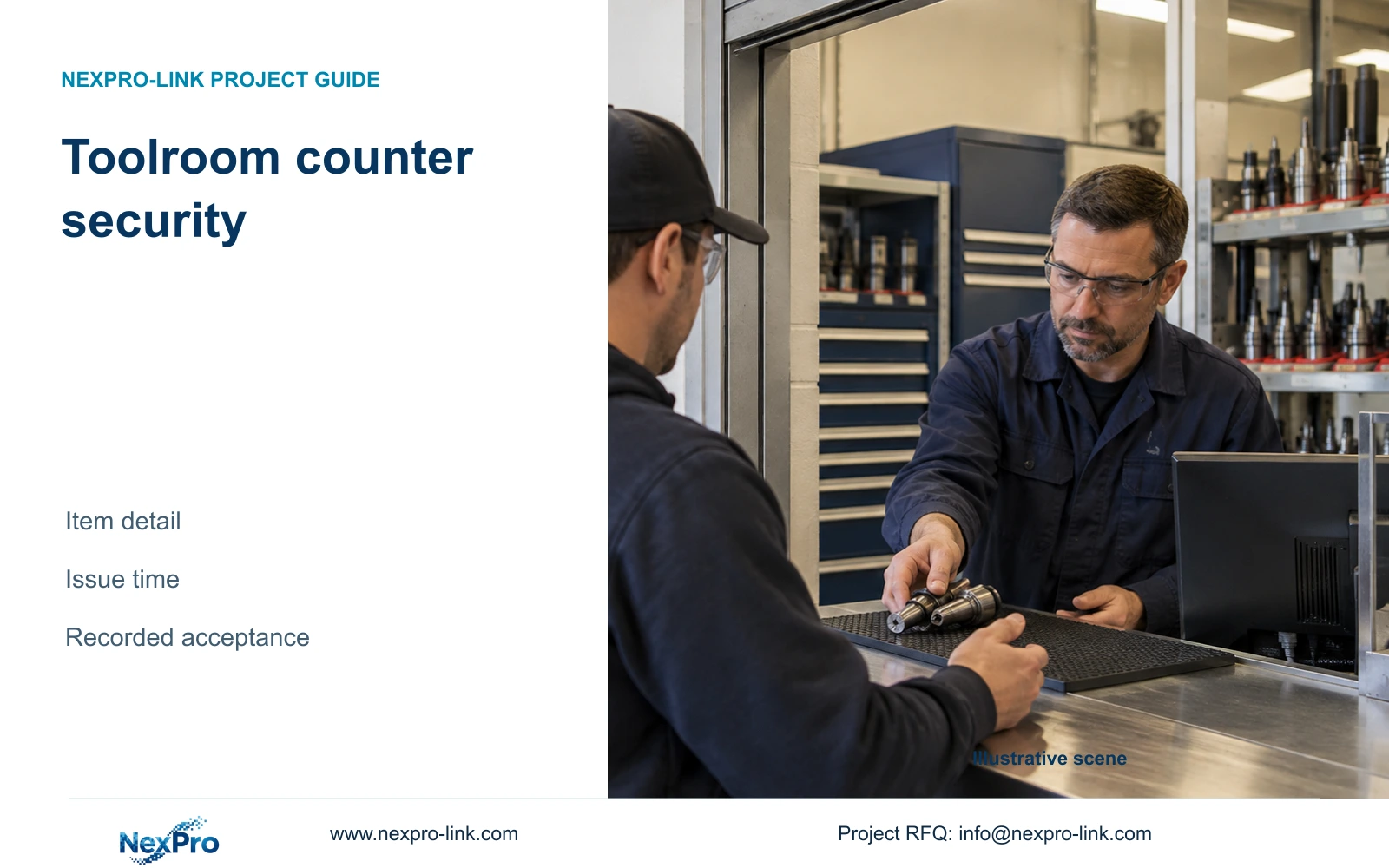
Toolroom security needs a view of the item handover as well as the visitor. Counter geometry, recorded detail and an agreed issue-time reference determine whether footage resolves the dispute.
Section 01
Define the item distinction the counter view must retain
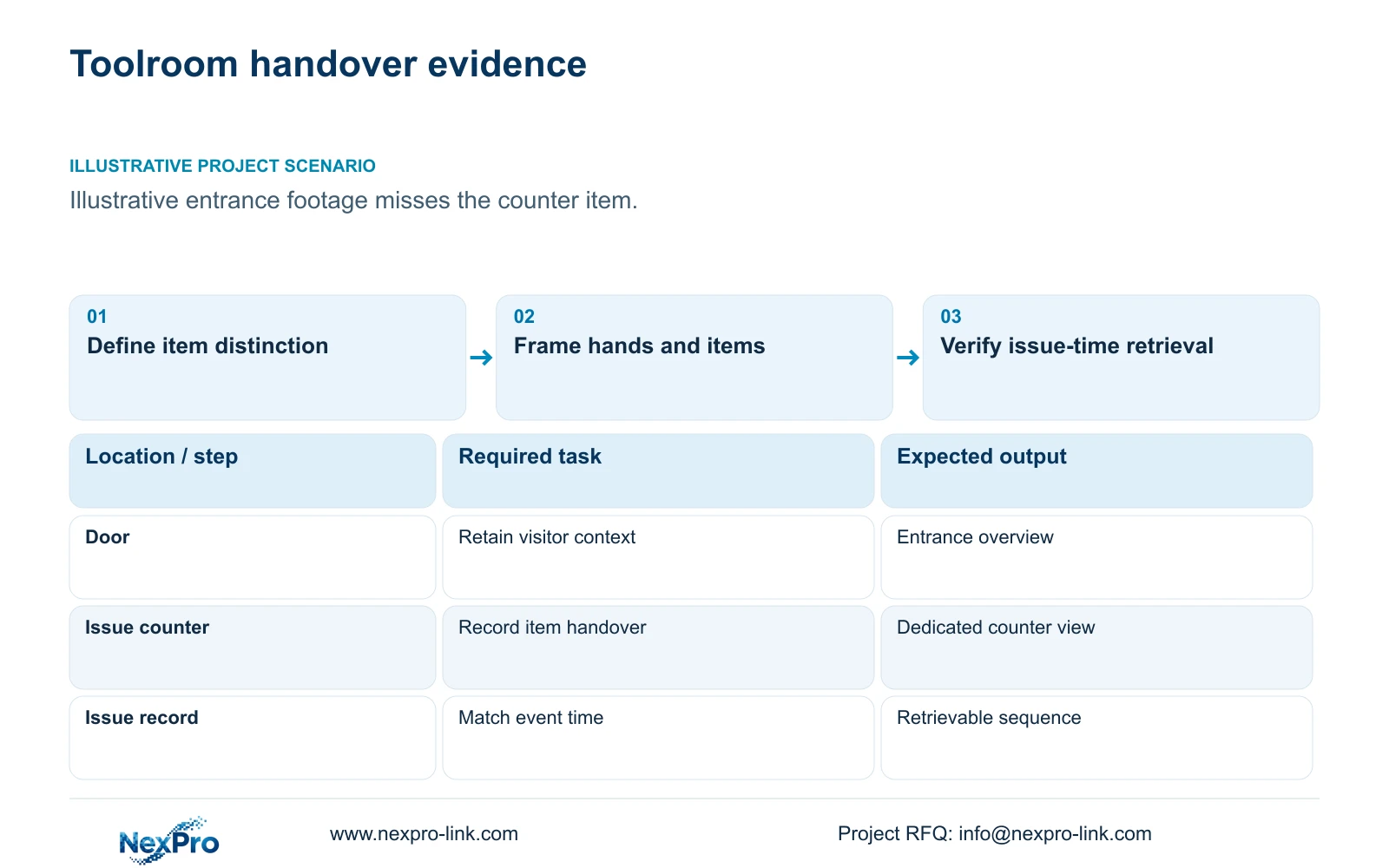
Toolroom security should add a tightly scoped counter view and a reliable issue-time reference when entrance footage identifies the visitor but misses the item handover. Begin with what must be distinguishable: a container, tool type, quantity or specific marking. Another wide entrance view should be justified by an entrance task rather than treated as a solution to missing counter evidence.
Illustrative project scenario: A toolroom can identify a visitor at the door but cannot see the item handed over at the counter. Assume the owner wants to review disputed issue and return transactions. The existing entrance view is provisionally retained, while a counter view is assessed using representative tools and packaging. No item-reading performance has been demonstrated.
Map the issue surface, staff position and customer approach. Ask the owner to provide examples of the disputed items and the visible features used to distinguish them. CASE01 includes six material/tool-store views within its hypothetical 32-camera system, but that category does not establish counter coverage. Give entrance context and item evidence separate roles in the schedule.
Section 02
Keep the hands and item inside the accepted field
Compare mounting angles with staff and visitors in their normal positions. An overhead angle may preserve the issue surface while losing the participant's context; an oblique angle may connect the person and item but suffer hand or body obstruction. Include both issue and return actions, because the item may cross the counter differently in each direction.
Define the target plane and smallest feature required for acceptance. Keep the complete handover inside the frame rather than zooming so tightly that the item enters or leaves outside the recorded area. Check reflections from metallic tools, packaging and counter surfaces under normal lighting. The acceptance exercise should use the actual handover motion instead of a stationary item placed for a photograph.
The BL2812M55 and BL2812M88 references both list a 2.8–12mm motorized lens, which supports framing discussions. That range does not establish a guaranteed counter field of view or readable marking size. Record the accepted angle, distance and actual output mode so the installer can reproduce the intended view and assess any later counter-layout change.
Section 03
Link the issue record to a verifiable recording time
Agree how the issue record identifies an event and how its time relates to the camera and recorder. Keep the chosen time reference, time-zone settings and any known offset visible in the handover documents. A paper or software issue log can support manual retrieval without an automatic integration, provided operators know which camera and time window to search.
Test the workflow with a representative issue: record its reference, retrieve the counter footage, compare it with entrance context and export the relevant sequence. Confirm that an authorized operator can complete those steps. Do not infer automatic tool identification, transaction overlays or linked database search from ordinary CCTV connectivity.
Assign responsibility for the issue record separately from video operation. The toolroom team maintains its transaction evidence, while the CCTV operator manages authorized retrieval and export. When either clock or workflow changes, check the correspondence again. A high-detail image with an unreliable search reference may still leave the buyer unable to resolve the dispute efficiently.
Section 04
Compare listed output widths at equal geometry
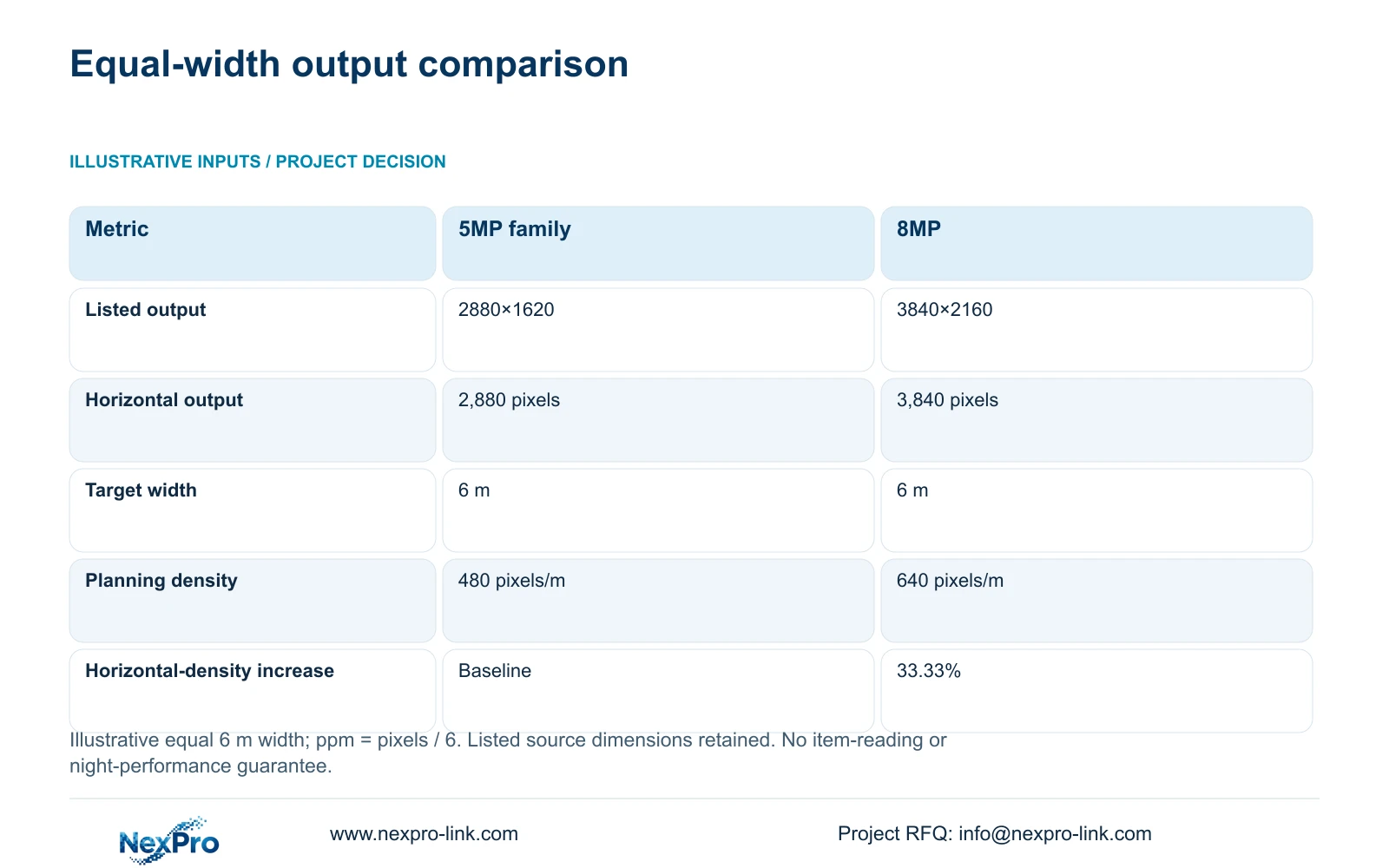
Use the source output dimensions rather than deriving a detail claim from megapixel labels. The BL2812M55 5MP-family source lists 2880×1620, while the BL2812M88 8MP source lists 3840×2160@25fps. For this illustrative arithmetic only, compare their 2,880 and 3,840 horizontal pixels at the same 6 m target width. The width is not a recommended counter size.
The formulas are ppm = horizontal_pixels / 6 and relative_increase = (3840 / 2880 - 1) × 100. Option A gives 480 pixels/m and Option B gives 640 pixels/m. The horizontal-density difference is 33.33%, not a 60% detail guarantee based on the 5MP and 8MP labels. The arithmetic establishes no comparative low-light performance.
Choose between candidates using recorded handover acceptance at the actual counter geometry. A narrower suitably framed view can change density, while exposure, focus, reflections and compression determine which details remain usable. If the required item is hidden by a hand, neither output width resolves that obstruction. Preserve the entrance view when identity and route context remain necessary.
| Metric | Option A: 5MP family | Option B: 8MP |
|---|---|---|
| Listed output | 2880×1620 | 3840×2160 |
| Horizontal pixels | 2,880 | 3,840 |
| Target width | 6 m | 6 m |
| Planning density | 480 pixels/m | 640 pixels/m |
Section 05
Upgrade the counter role before the whole toolroom
Recommend retaining a suitable entrance overview and adding the counter view that passes the item-handover test. Select the 8MP candidate when its actual recorded result justifies the additional resource scope. If the 5MP-family candidate meets the same accepted task, avoid a uniform upgrade based solely on labels. Compare equivalent counter geometry and recording settings.
Recheck the recorder's supported stream combination when introducing an 8MP counter camera. CASE01 assumes streams within its selected 5MP-class modes. Its NVR4449 reference distinguishes 49×5MP and 9×4K summary modes, so the existing 32-camera assumption cannot simply be relabelled as an all-8MP design. Verify recording, simultaneous playback and export separately.
Measure the accepted counter stream's representative bitrate and confirm actual peak power before revising storage and PoE allocations. Include the cable, mounting accessory and any workstation change in the quotation. A dedicated counter display or video wall is unnecessary unless the operator's viewing task requires it. The priority is a retrievable recording that shows the handover.
Section 06
Release the counter sample and retrieval workflow together
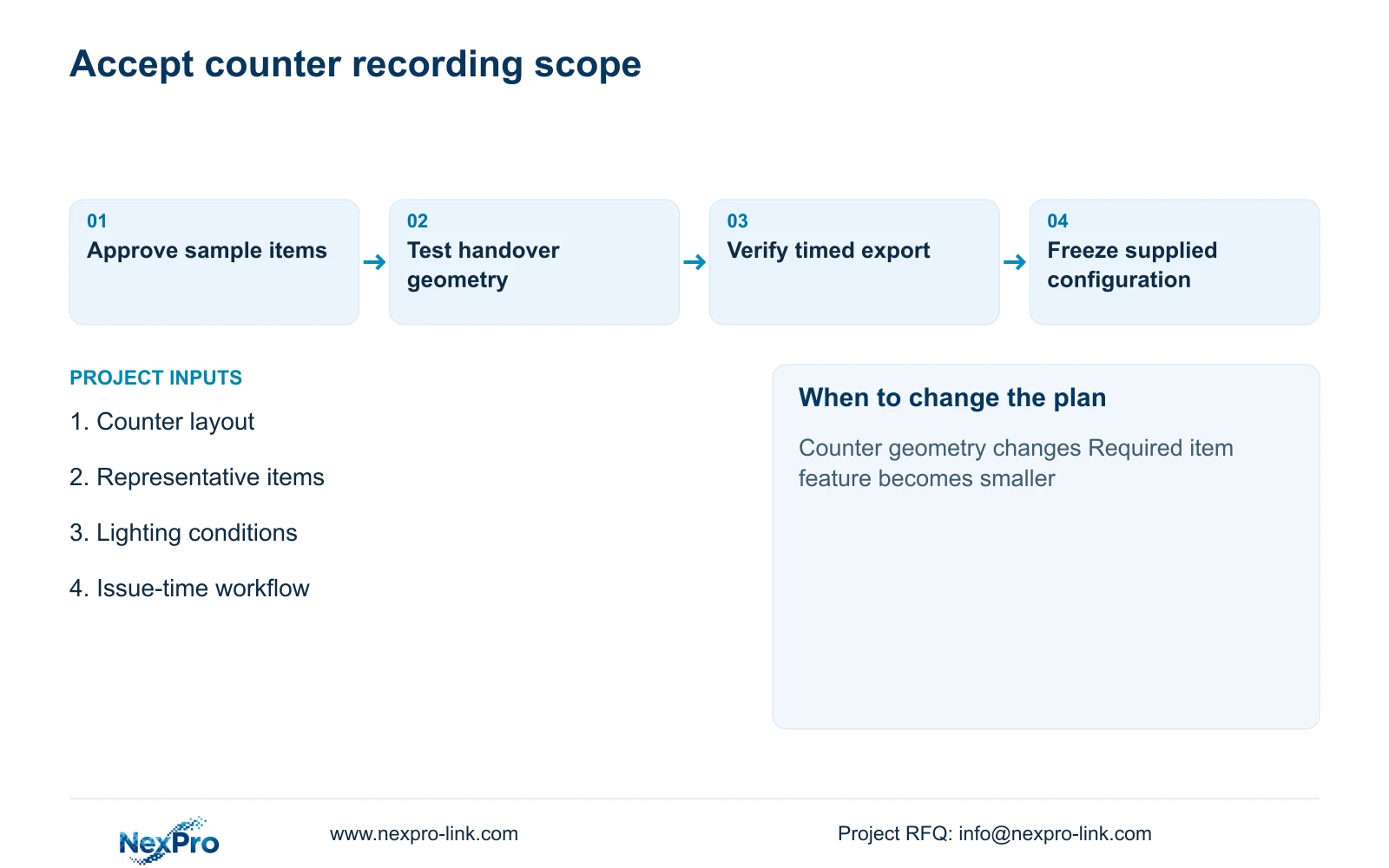
Prepare a schedule identifying the retained entrance view, supplied counter view, target items, mounting geometry and issue-time reference. Include the test sequence and who approves it. Keep sample configuration and volume-supply configuration aligned, particularly output mode, recording settings and camera naming. A physical sample approval should not be separated from the recording workflow used to evaluate it.
Compare supplier alternatives with the same item samples, counter lighting and complete service scope. Preserve any required platform or integration. Quote camera preparation, site alignment, local installation and training separately where relevant. Without matched sample results and quotations, the pixel comparison supports selection work but does not establish a cheaper or better overall brand.
NexPro-Link can discuss model matching, a coordinated equipment list and technical documents through its BOQ support scope. Project labels can tie the counter camera to the toolroom location and approved role. Keep final onsite alignment and acceptance with the appointed team, and document the change conditions for a moved counter, altered lighting or a smaller required item feature.
Section 07
Buyer questions
Can the footage reliably read a small tool serial number? Do not assume it from the megapixel label. Specify the marking size and orientation, then test recorded handovers at the actual angle and lighting. An obstructed or moving marking may need a different evidence method.
Does linking footage to issue time require software integration? No. A verified manual search procedure may meet the task. Automatic transaction linkage is an additional requirement that needs its own interface and workflow confirmation.
Should the counter camera replace the door camera? Only if the agreed entrance task remains covered. The counter view may show the item well while losing visitor or route context, so retain distinct roles where both are required.
Section 08
Qualify your toolroom counter view
Send the counter layout, representative items and required visible detail, normal lighting conditions and issue-time workflow to info@nexpro-link.com for a sample and equipment-scope discussion.
Engineering references
These sources support the general planning principles. Always use the selected product's current datasheet and applicable project standards for final design.