A hotel software comparison should begin with viewing, incident retrieval and permission removal. An app name cannot establish enterprise functions, cloud storage or the complete licensing scope.
Section 01
List the hotel user tasks
Choose an app and PC-client arrangement only when the exact supported configuration covers the hotel's routine viewing, incident retrieval and access-removal tasks. Move to an enterprise-platform evaluation when centralized multi-hotel work or additional management functions require it. Compare Seetong, Hik-Connect and DMSS through those workflows; their names alone cannot establish equivalent functions or permanent free service.
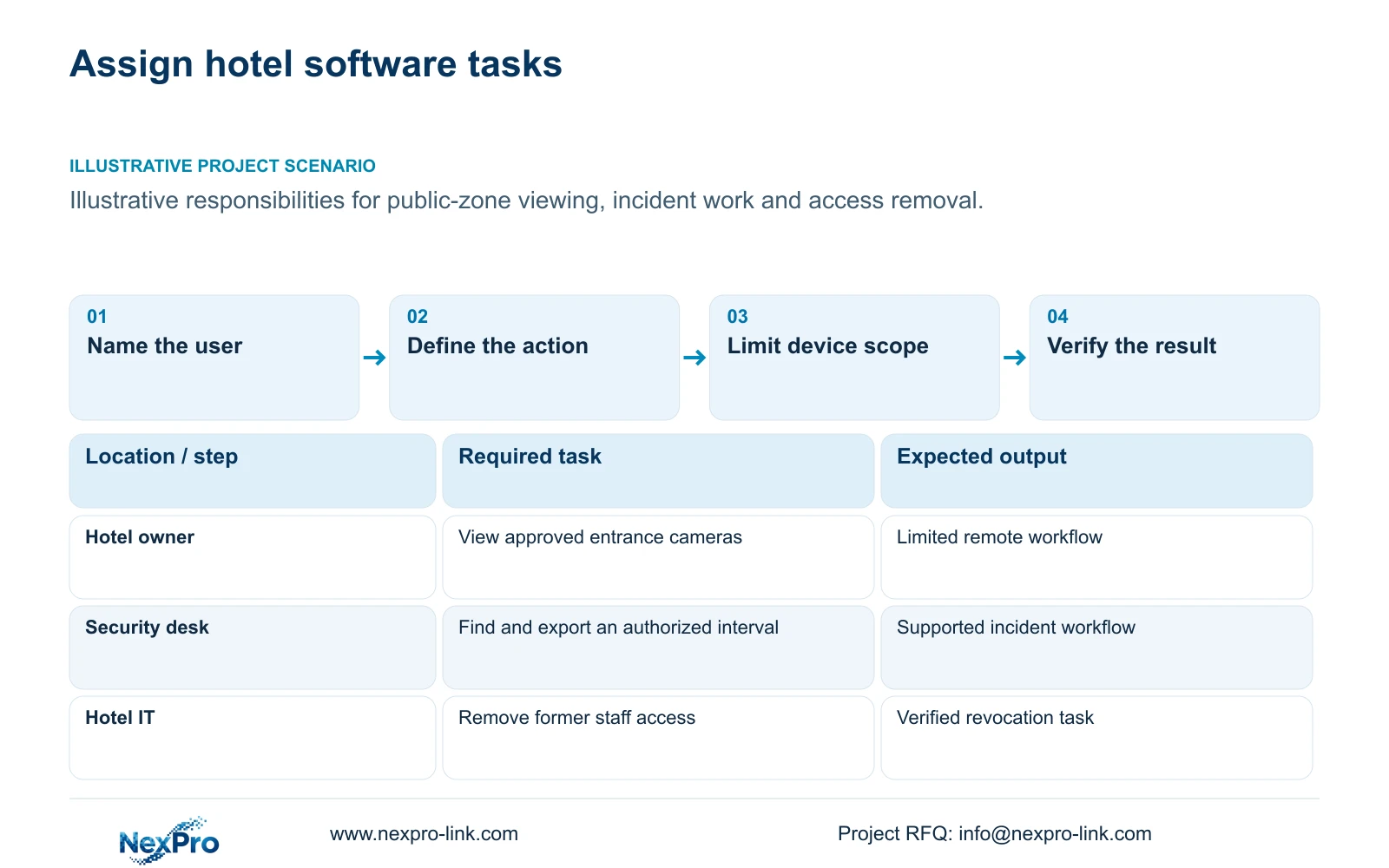
Separate the owner's occasional public-zone viewing from the security team's incident work. A guard may need to find an entrance event, review a defined interval and export an authorized clip. Hotel IT needs to control network access and account handover. The installer needs a limited support route. These roles should not automatically share an administrator account.
Describe each task with its user, permitted device scope and expected result. Include removal of access when an employee or contractor leaves. A live view that opens successfully proves only that particular action. It does not establish search, export, account transfer or the authority to view every camera in the hotel.
| Required task | Given information | Decision still needed |
|---|---|---|
| Owner views public entrances | Limited remote-viewing task | Supported device scope and account ownership |
| Security retrieves an incident | Defined cameras and time interval | Supported search, playback and export workflow |
| IT removes former staff access | Authorization must end | Verified removal and binding behaviour |
Section 02
Separate app access from enterprise management
Define where video is recorded before discussing remote access. Local NVR storage, cloud access to a device and cloud storage of recordings are different services. A successful remote connection does not show that video has been stored in the cloud. Likewise, an offer of free remote viewing does not establish unlimited storage or permanently free management services.
Compare the ordinary mobile workflow with PC-client and enterprise requirements. A single hotel may need local incident work and limited owner access. A multi-hotel team may need a centralized operating arrangement with explicitly supported roles and site tasks. Count these requirements before choosing the software tier, without assuming that one named app provides them all.
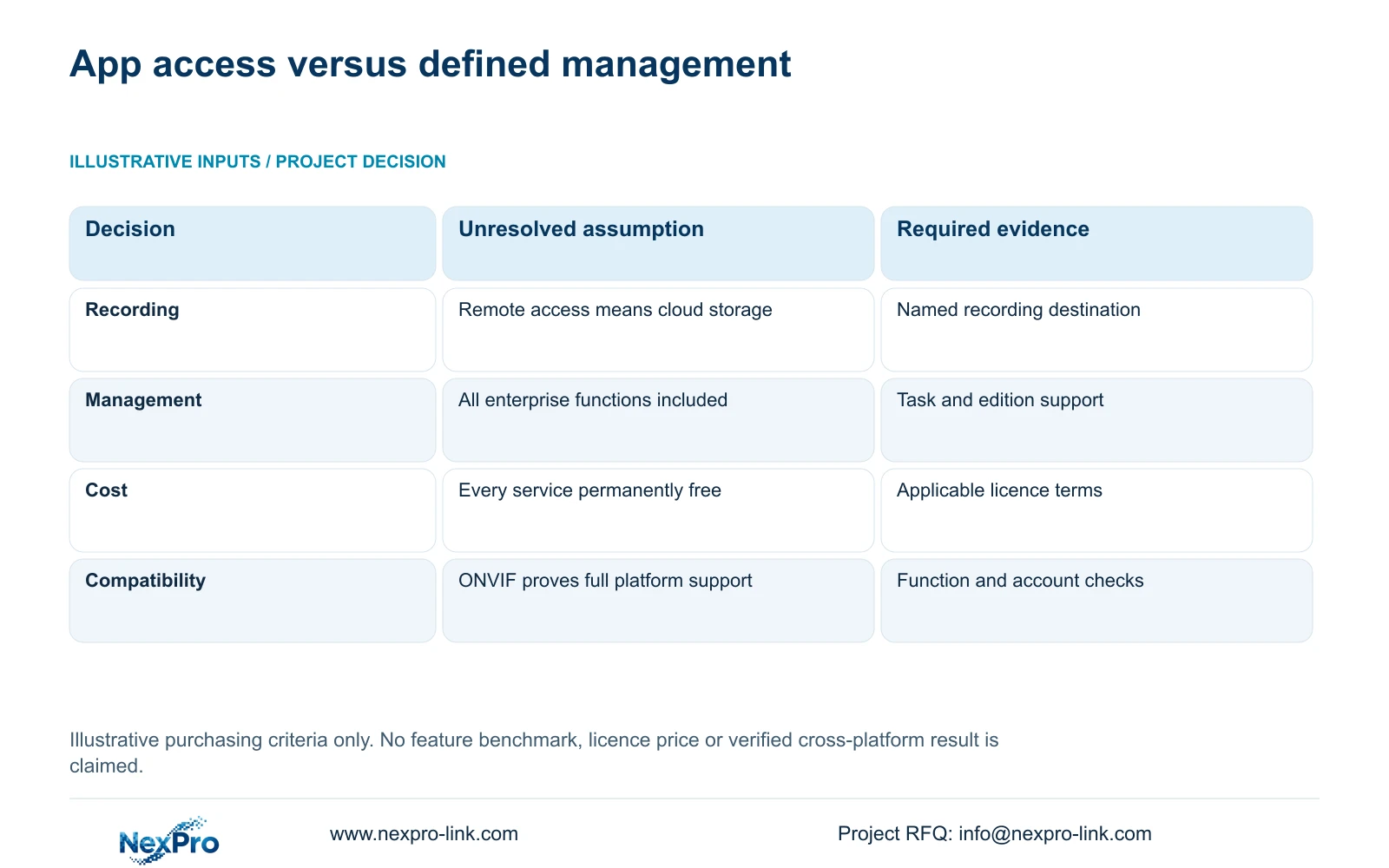
The following matrix compares purchasing approaches, not tested performance of the three software families. Its useful output is a list of named destinations, editions and unresolved commercial terms. This prevents a convenient demonstration from being treated as a complete system specification.
| Metric / condition | App name used as a complete system | Workflow and edition-defined system |
|---|---|---|
| Recording | Remote access confused with cloud storage | Actual local/cloud destination named |
| Management | All enterprise features assumed | Tasks and supported editions listed |
| Costs | Every service assumed permanently free | Actual license and service inputs requested |
| Compatibility | ONVIF used as full-platform proof | Relevant functions and account behaviour checked |
Section 03
Identify model and version dependencies
Record the exact camera and recorder models, firmware, client version and proposed software edition against the task matrix. NexPro-Link's Seetong system record supports discussion of related app and PC-client workflows. It does not prove that every compatible device comes from the same manufacturer or that all functions work across every hardware combination.
Apply the same evidence requirement to Hik-Connect and DMSS proposals. This package does not establish their detailed edition-specific feature sets or licensing terms, so it cannot support a feature winner. Ask the proposer to identify the configuration that performs each required task and distinguish documented support from a planned demonstration.
ONVIF profiles provide a functional interoperability reference. A general ONVIF claim does not establish every event, audio function, recording search or cloud binding. Map the required device-client function to relevant support and validate the actual combination. Hardware branding also does not grant permission to rename third-party software or change its account identity.
Section 04
Count server and licensing scope
Obtain the actual charging basis for the proposed edition. Licences may be described by devices, channels, users, sites, servers or functions; these are fields to resolve, not interchangeable purchasing units. A channel allowance says little about site administration unless the applicable terms connect them. Keep unquoted licence and service items open rather than assigning them zero.
If an enterprise arrangement requires servers, include their equipment, storage, operating and support scope in the comparison. Define which system records the main streams and whether a server adds another recording destination. Client access should not quietly replace the agreed local retention service. Any changed recording path needs its own capacity and network review.
Evaluate one-time migration and setup separately from recurring service, upgrades and support. Identify what happens when the hotel's device count, user count or site count changes. The selected licence structure should have an explainable expansion path. No supplied figures establish current third-party prices, so a commercial ranking requires actual applicable terms.
Section 05
Compare onboarding and support effort
Compare a task-based handover using the proposed versions. An authorized operator should open the required public-zone view, find a defined interval and complete an approved export. Hotel IT should demonstrate the agreed account-removal process. Record observations and unresolved actions without inventing time savings or pre-filling successful results.
Account ownership needs a named hotel-controlled responsibility. Distinguish software account ownership from device binding and network access. A contractor's support permission should follow the hotel's approved route and end when the authorized task finishes. Do not place passwords in shared schedules, diagrams or initial enquiry documents.
Include refresh training and the escalation boundary when equipment or staff changes. Technical support, local attendance and software maintenance are separate services. A hardware warranty period does not establish a software subscription entitlement. Compare the effort to preserve the agreed workflow through handover and later changes, rather than counting only the first installation session.
| Retained outcome | Extra scope | Purchase condition |
|---|---|---|
| Single-hotel incident work | Supported local client and task-based training | Required retrieval and account tasks are verified |
| Central multi-hotel operation | Defined enterprise edition, servers and licences | Central tasks cannot be met by the supported basic arrangement |
Section 06
Choose only the supported workflow
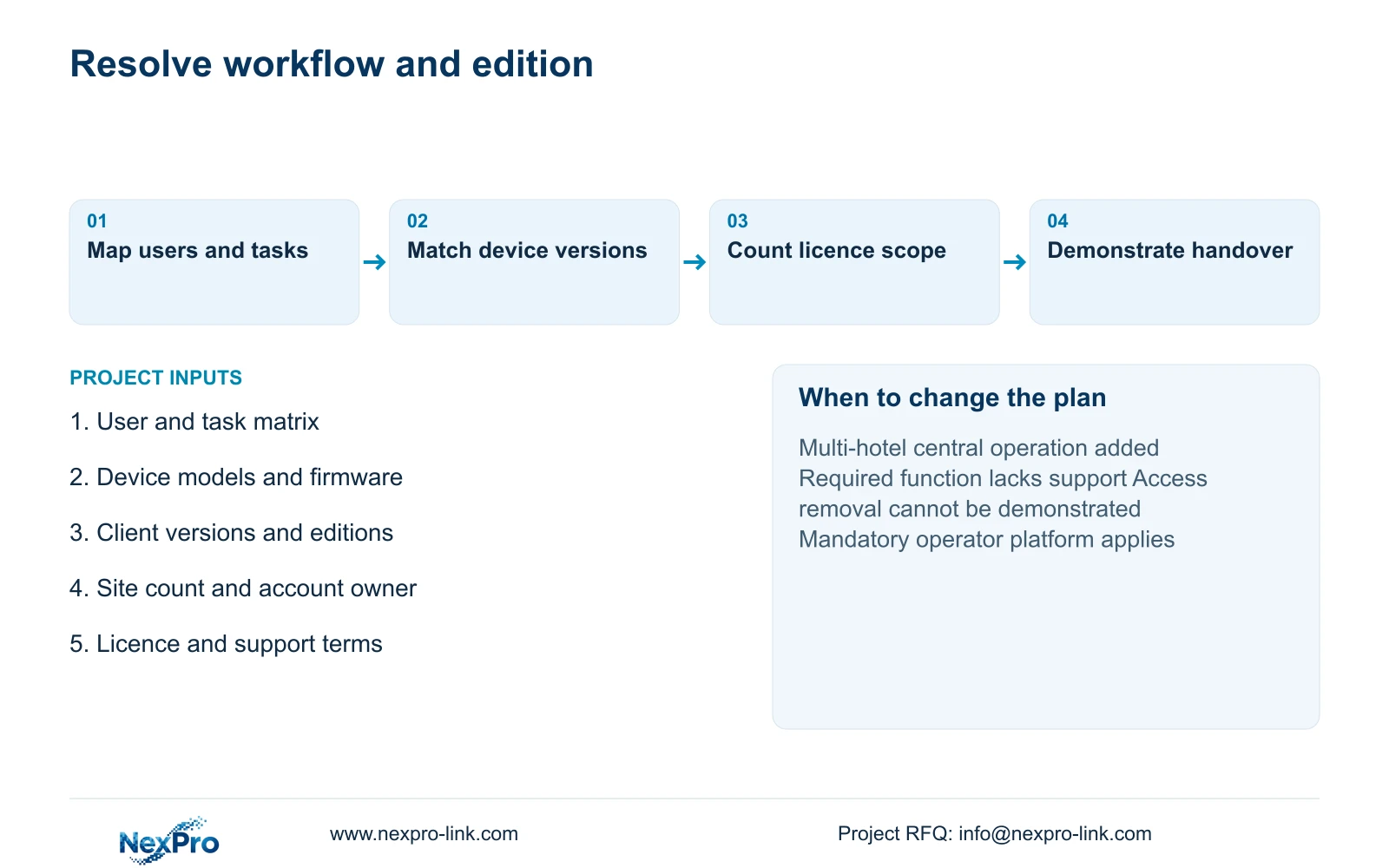
Retain a supported app and PC-client combination for a single hotel when its actual versions cover the agreed tasks and access responsibilities. Begin an enterprise-platform evaluation when centralized site work, additional permissions or required integrations exceed that supported scope. A mandatory operator platform remains a controlling requirement, even when another client is easier to demonstrate.
Choose after the task matrix identifies the recording destination, supported functions and commercial terms. Reopen the proposal when new hotels are added, account-removal behaviour is inadequate or an edition change affects a required workflow. The decision matrix supplies criteria; it contains no invented test results or brand ranking.
NexPro-Link can discuss equipment schedules, model matching and coordinated supply, with third-party software and local IT responsibilities explicitly separated. Email info@nexpro-link.com with required user workflows, device models and versions, proposed editions and licence terms, and the number of sites under management. State the mandatory platform and any unresolved task. An initial enquiry needs no guest clips or credentials.
Section 07
Buyer questions
Does ONVIF support allow us to use any cloud app? No. Relevant device-client functions and cloud-account binding need separate confirmation. ONVIF profile support cannot be used as proof that a third-party app accepts the device or provides every required search and event function.
Can a free app eliminate all software costs? Only the explicitly included service can be treated as free. Server work, migration, enterprise functions, upgrades and later support require their own applicable terms. An unquoted item remains unresolved.
Can NexPro-Link compare software without a full tender? Yes. A short workflow matrix, exact device/version list, proposed editions and known licensing terms can support an initial scoped discussion. Include account ownership and whether centralized multi-hotel operation is required.
Engineering references
These sources support the general planning principles. Always use the selected product's current datasheet and applicable project standards for final design.