An owner-ready hotel security proposal connects equipment choices to the work hotel staff must perform. Keep essential recording unchanged between options, show the added scope, and ask for a specific decision.
Section 01
Define the choice the owner can approve
Recommend the simplest complete configuration that supports approved public-zone recording, authorized incident retrieval and the agreed outage state. Add a larger display or another operating layer only when a defined staff task requires it. An owner-ready proposal names that choice, explains its consequence and keeps the detailed model schedule and calculations available as supporting material.
Separate concept selection from purchase authorization. Before tender, the owner may need to accept operating priorities and decide whether alternatives are allowed. Later, the decision may concern an exact configuration and supply scope. A proposal should identify its stage so acceptance of a concept does not silently become approval of unresolved interfaces or quantities.
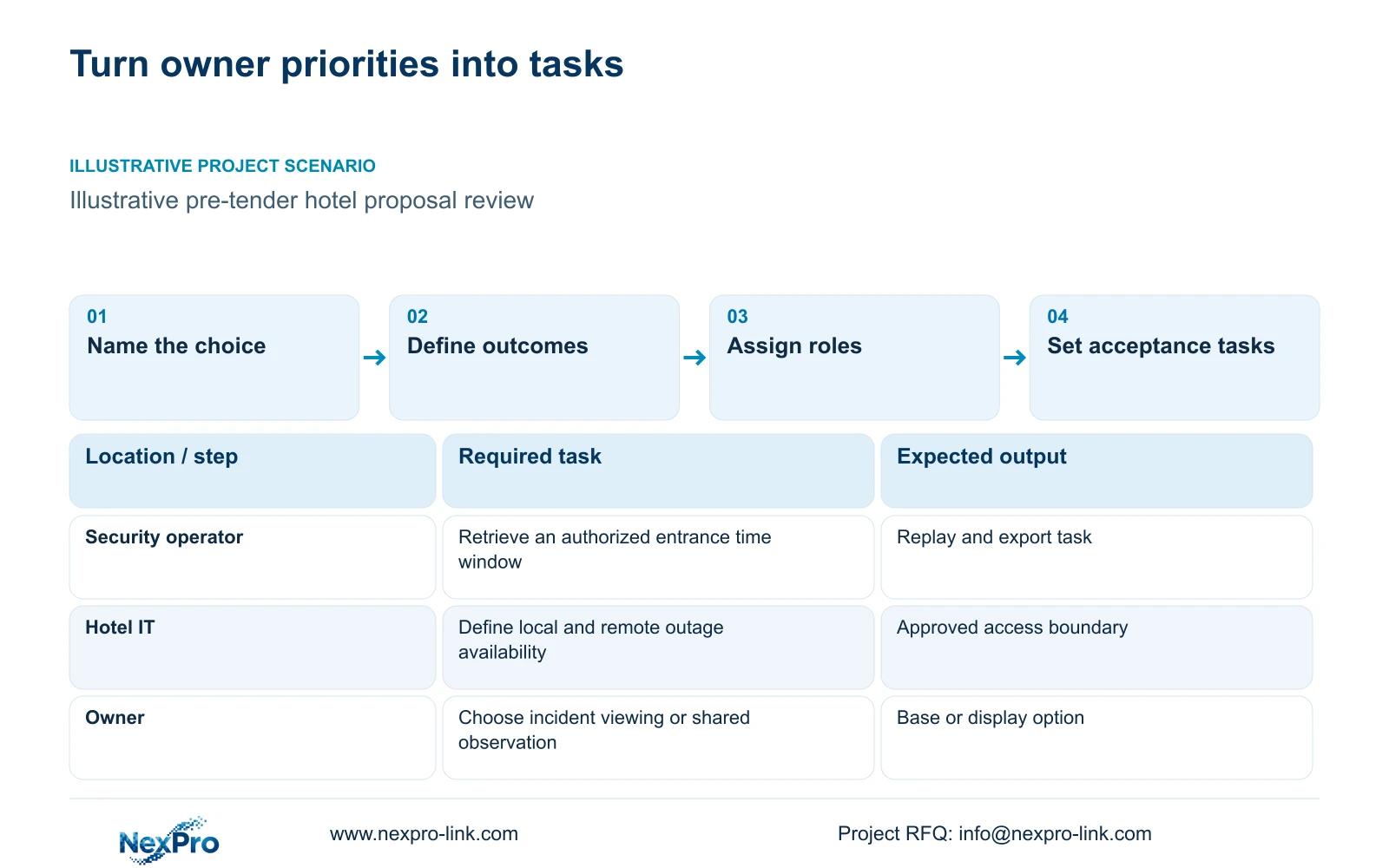
Write the decision in hotel operating terms. Security staff need usable views and incident workflows; IT controls the approved network and access arrangements. The owner sets priorities and the local installer implements the agreed site scope. A shared equipment package does not assign those responsibilities automatically.
| Required task | Given information | Decision still needed |
|---|---|---|
| Retrieve an entrance incident | Public-zone views and an authorized operator are identified | Accept the retrieval workflow and retention requirement |
| Continue recording during an outage | Recorder and access nodes form the required path | Approve the protected functions and target duration |
Section 02
Summarize the required operating outcomes
Use three operating objectives for the decision summary: preserve the required recording, let authorized staff retrieve a defined incident, and maintain selected functions during the agreed outage. Give each an observable result. The incident objective should specify the relevant view and time window, while the outage objective should identify what remains available locally and remotely.
Assign permissions to the actual work. Routine viewing, replay and export may belong to different people, depending on supported device and client capabilities. A demonstration under an administrator account does not establish that the intended operator can perform the same task. Keep untested results open and include the delivered software version in the handover scope.
Distinguish recording continuity from display and WAN availability. Loss of remote access need not describe the state of local recording, and an illuminated screen does not prove footage exists. The proposal should explain these states without assuming a particular platform supports every requested role or integration. Seetong App and PC-client workflows are relevant candidates, not proof of unrestricted cross-brand compatibility.
Section 03
Show one complete recording architecture
Show the cameras, access nodes and backbone leading to the recorder. Branch the authorized client or decoder toward the display, so the display is visibly separate from the recording path. Show protected power in a second layer, including every remote active node needed during the outage. Fiber links carry data; their remote devices still need an explicit supply.
CASE01 provides an illustrative architecture with 32 cameras across entrance, reception, public routes and service areas, connected through four access nodes. Its 100-room background is not a camera-count formula. The case assumes 4 Mbps per camera, continuous 30-day recording and 20% usable-space reserve: 128 Mbps input, 41.472 TB video and 51.84 TB required usable capacity.
Its NexPro-NVR4449-4K candidate uses four 16 TB disks in a planning arrangement without RAID loss. The case's assumed formatting factor produces 60.8 TB usable from 64 TB raw. Published channel and input-bandwidth fields do not establish every resolution or playback combination. The proposal must retain the supported-mode and disk checks alongside the calculation, even when the owner summary is short.
Section 04
Explain differences through tasks and calculations
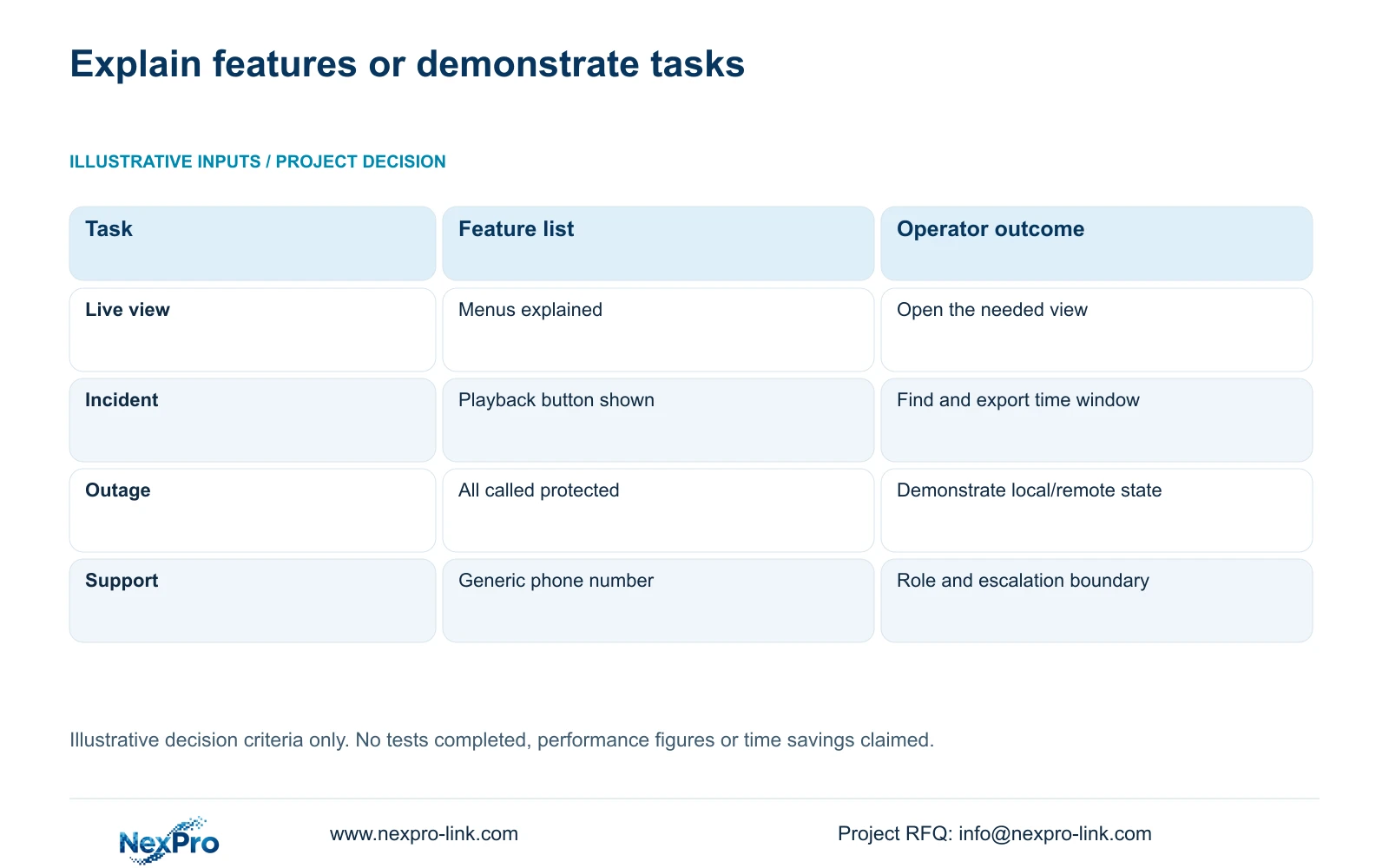
Use the comparison below to define what the handover must demonstrate. These are illustrative decision criteria, not completed tests or measured time savings. A feature demonstration can introduce the interface, but an operating proposal needs a route from an authorized user's action to a usable result. Record the observed outcome only after the agreed task is performed.
Then separate those criteria from the complete case's numerical option comparison. CASE01 retains the same recording requirement in its basic and enhanced display arrangements. Its assumed protected AC load rises from 663.77 W to 1,243.77 W when 580 W of wall and decoder load is added. At assumed aggregate PF 0.9, the corresponding totals are 737.52 VA and 1,381.97 VA. These are teaching loads, not product power readings.
The case therefore changes its aggregate capacity candidate from SP1KR(S) to SP2KR(S) under its 20% reserve assumption. Distributed protection zones still need individual sizing. Battery minutes remain dependent on supported configurations and load curves. The owner can see why the display option affects power scope without receiving an unsupported runtime or price promise.
| Task | Feature-list handover | Task-based operator handover |
|---|---|---|
| Live view | Menus explained | Authorized user opens the needed view |
| Incident work | Playback button shown | Find and export a defined time window |
| Outage | All equipment called protected | Demonstrate the selected local/remote state |
| Support | Generic phone number | Correct role, contact and escalation boundary |
Section 05
Recommend a base option and state its exception
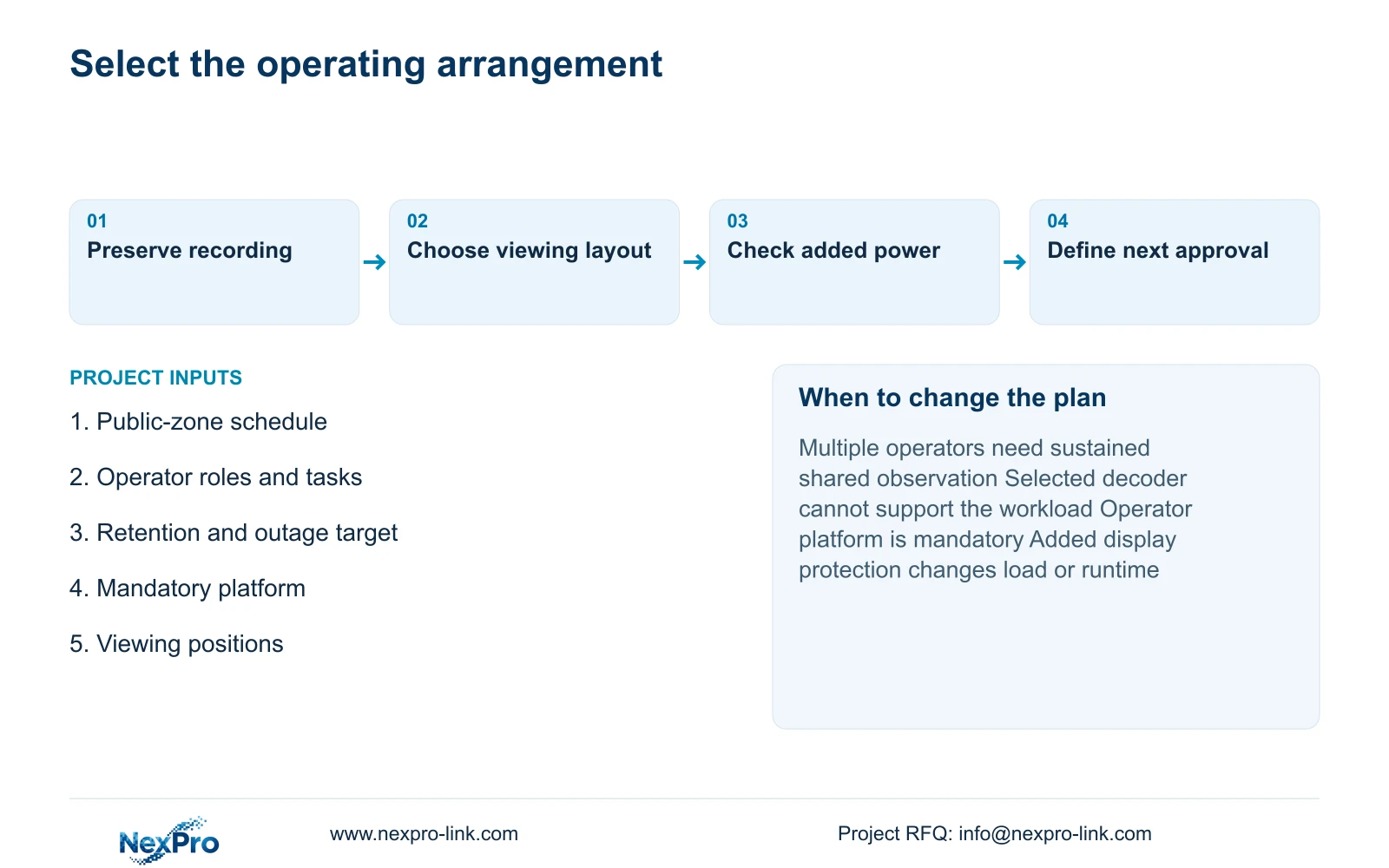
For a hotel whose staff mainly retrieve incidents and review selected views, start with an appropriately sized monitor and authorized workstation, retaining the full recording and protected-network scope. Specify task-based handover for either display arrangement. Add a wall when multiple operators need sustained shared observation and the selected signal and decoding path supports that workload.
NX-VP-5535 is a 55-inch Full HD LCD panel, not direct-view LED. Four panels can form a theoretical 3840×2160 canvas with a suitable control path; a 16-view grid assigns 960×540 pixels to each tile. A single Full HD grid assigns 480×270. A single 4K monitor has the same nominal canvas as the wall, with different physical size and seams.
NX-VD-4K16 is a decoder candidate whose name does not establish 16 simultaneous 4K streams. Confirm the actual codec, frame rate and window workload. A mandatory operator platform, different viewing distance or unsupported incident workflow changes the recommendation. Compare complete quotations after these requirements are fixed; the case supplies no brand prices or operating-performance ranking.
| Retained outcome | Extra scope | Worth buying when | Change condition |
|---|---|---|---|
| Recording, retrieval and agreed outage state | Task-sized monitor and workstation | Staff work mainly on selected incidents | Shared sustained observation requires a larger layout |
| The same essential recording | LCD wall, decoding path and selected power protection | Multiple operators need supported shared views | A single display meets the actual viewing task |
Section 06
Request the next scope decision
End the proposal with the choice that releases the next piece of work: accept the base operating arrangement, require the shared display option, or identify a mandatory platform that must be retained. List unresolved items next to the affected choice. Keep model schedules, storage calculations and power-zone assumptions in supporting material so an owner can understand the recommendation without losing its engineering basis.
Give separate names to supply coordination, hotel IT approval and local installation responsibilities. NexPro-Link can discuss equipment schedules, model matching and BOQ/BOM support, with CCTV manufacturing and complementary equipment coordination defined in the written scope. Combined supply does not prove native integration, include every software license or promise local attendance.
Send info@nexpro-link.com the public-zone plan or camera schedule, three operating priorities, approved retention and outage target, and required operator platform. Add the project stage and destination. Use Hotel project equipment support or BOQ and tender support for this scoped discussion. Initial correspondence should exclude guest footage and access credentials.
Section 07
Buyer questions
Can the owner choose an option before every SKU is fixed? Yes, if the decision is explicitly limited to operating scope. Identify provisional models and unresolved interfaces. Accepting the basic or enhanced arrangement should not be treated as authorization to order an unconfirmed configuration.
What happens to handover when staff or software changes? Update the role-specific instructions and repeat the affected representative tasks. Retain device and software identities on the support record so a later operator can follow the correct workflow and escalation path.
Does technical support include free onsite service? Only the written scope can establish that service. The supplied policy record gives applicable main equipment a 24-month limited hardware baseline from receipt. Batteries, storage, cable and OEM terms are scoped separately; continuing technical support does not establish free site labor or travel.
Engineering references
These sources support the general planning principles. Always use the selected product's current datasheet and applicable project standards for final design.