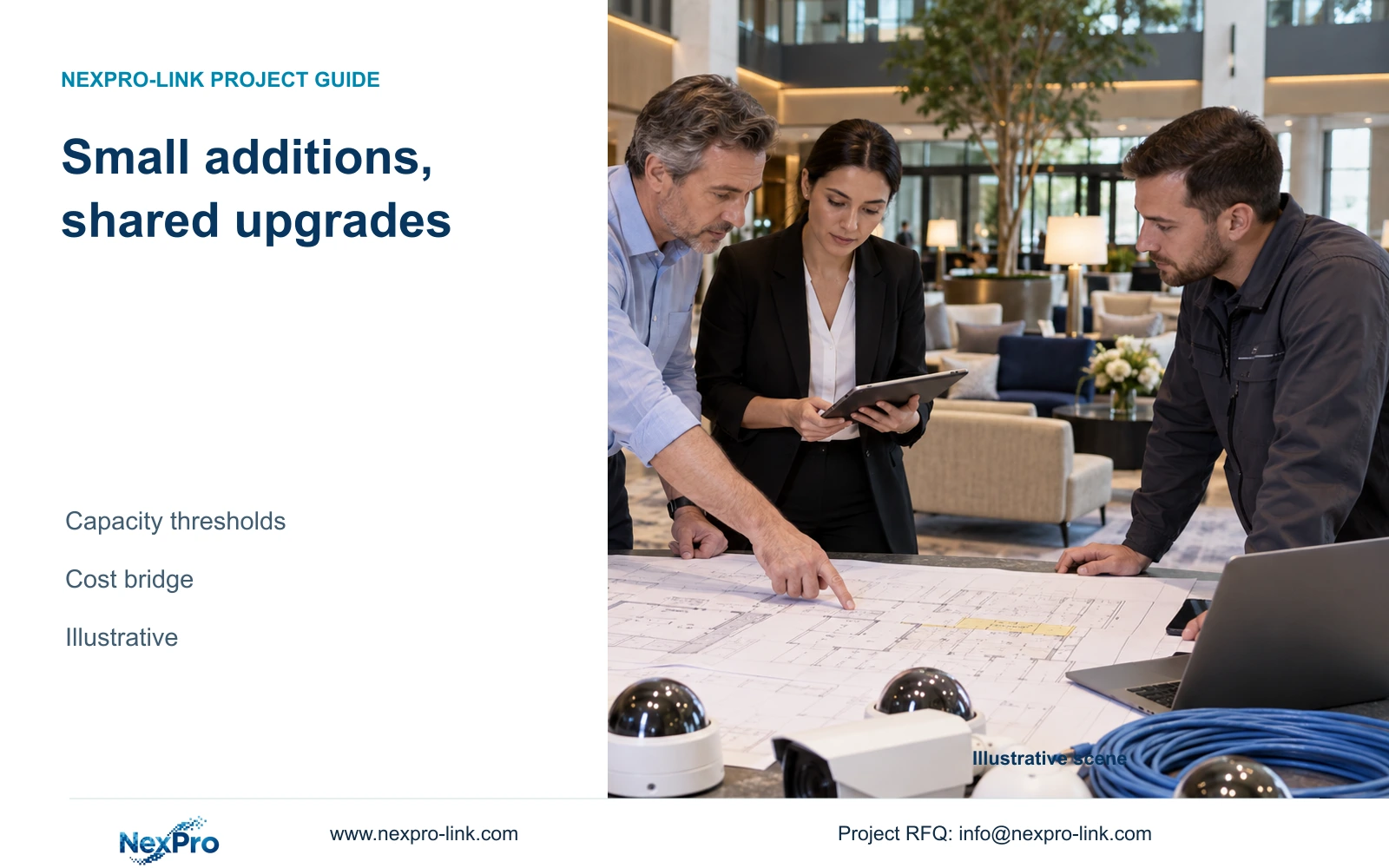
A few additional hotel cameras can change recorder, storage and protected-power requirements. Use a revision-linked threshold review to identify which upgrades are necessary and which costs belong to an incomplete original scope.
Section 01
Separate added tasks from missing scope
Approve extra cameras as a unit-rate extension only when the existing recording, network and protected-power resources can absorb them. Where a resource limit is crossed, request a separate explanation of the upgrade and compare ways to retain the required hotel task. This prevents a small point-count change from becoming an unexplained replacement package.
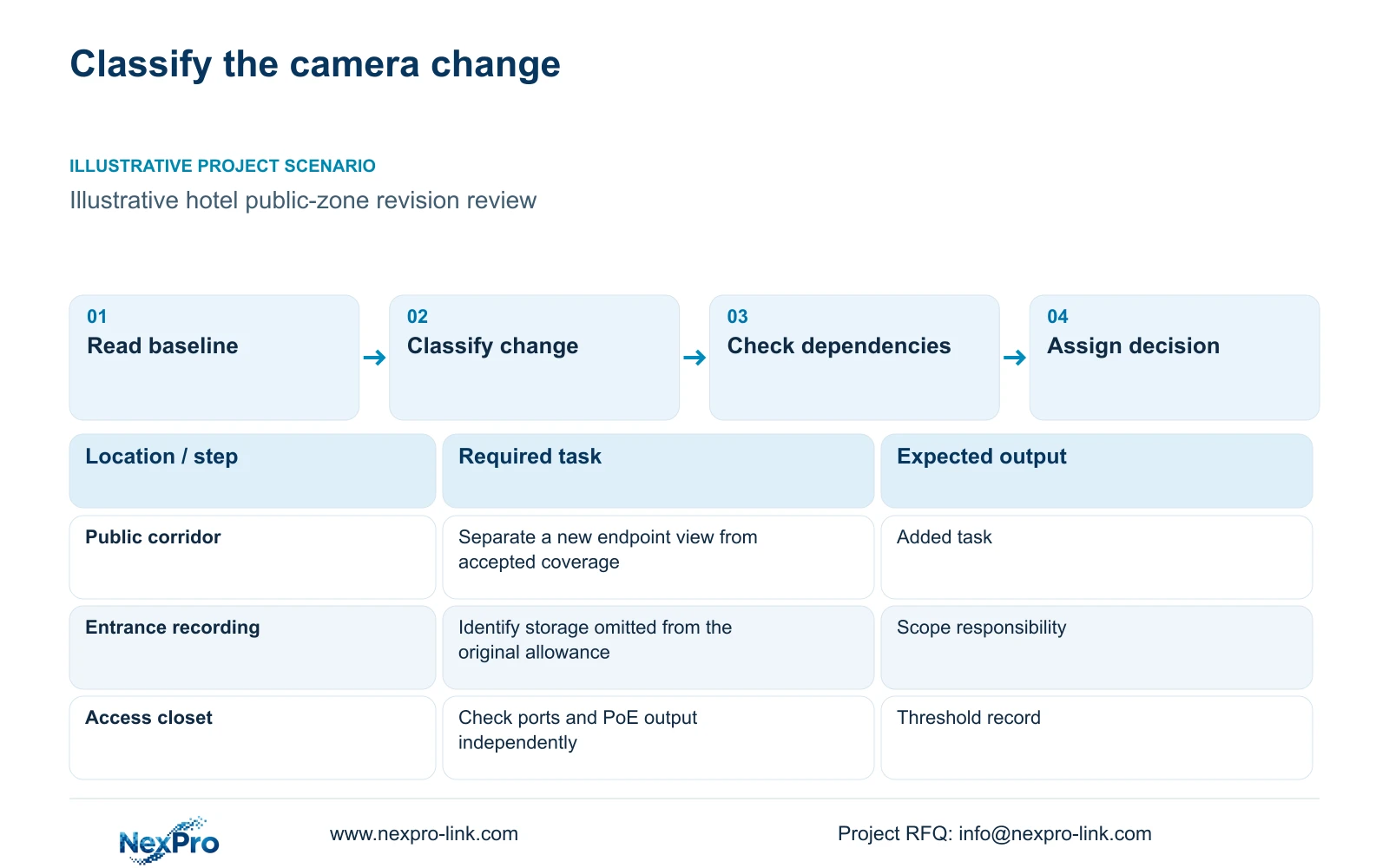
Start with the dated camera schedule and quoted scope. Preserve quantities, exact models, interfaces and exclusions. An added view of a newly defined public corridor is scope growth. A disk, mounting accessory or network connection needed for an already agreed view may be an omitted item. Commercial responsibility depends on the controlling documents; identifying the category does not decide who pays.
Keep specification changes separate. A revised night-motion task may alter exposure, lighting or recording settings even when the camera count stays constant. Delivery changes can also introduce costs without changing coverage. The project manager should identify the decision owner for each category before combining them into a variation total.
| Required task | Given information | Decision still needed |
|---|---|---|
| Observe a newly defined corridor endpoint | The revised public-zone plan adds a view | Approve the additional task and its dependencies |
| Record an already agreed entrance view | The original allowance omitted storage | Resolve scope responsibility and complete the recording package |
Section 02
Map channel and port thresholds
For every affected resource, record the existing demand, confirmed limit and revised demand. Channels, physical ports and bandwidth need separate entries. A recorder with unused channels can still lack storage or support for the proposed image mode. A switch with empty ports can lack the total PoE output needed for additional night loads.
The illustrative CASE01 uses 32 cameras with one NexPro-NVR4449-4K candidate. Its published fields include 49 channels and 320 Mbps input, while the summary lists 49×5MP/9×4K. Spare channels therefore do not establish support for an arbitrary expanded 8MP configuration. NexPro-NVR2232-4K has conflicting disk-capacity and playback descriptions; use neither favorable interpretation as an expansion commitment.
Apply the same discipline to each access node. NexPro SW-POE1618G has 16 PoE ports and two uplinks, but its title and detailed access-port speed fields disagree, and the supplied record gives no total PoE wattage. Keep it as an inquiry candidate until the required speed and usable output budget are explicitly addressed.
| Resource | Within confirmed capacity | Threshold crossed | Effect on the hotel task |
|---|---|---|---|
| Recorder | Supported channels and stream modes remain available | A channel or supported-mode limit is exceeded | Reconfigure recording without losing required views |
| Access node | Ports and total PoE output both remain sufficient | Either port count or power is insufficient | Add or replace a node and resolve its supply |
| Storage | Revised video fits the approved usable budget | Retention no longer fits | Change supported disk layout or recording architecture |
Section 03
Calculate storage consequences before pricing
Recalculate footage from camera groups, average Mbps, daily recording hours and retention days. CASE01 independently assumes 32 cameras at 4 Mbps, continuously recording for 30 days. It produces 41.472 decimal TB of video and requires 51.84 TB of usable space when 20% remains free. These are planning assumptions, not bitrate specifications derived from camera resolution.
Divide video data by 0.80 for that reserve. Then account separately for formatting, supported array arrangements and any hot spare. CASE01 assumes four 16 TB disks without RAID loss: 64 TB raw becomes 60.8 TB after its assumed 95% formatting factor, leaving 48.64 TB for video after reserve. An expanded schedule must be recalculated against that budget.
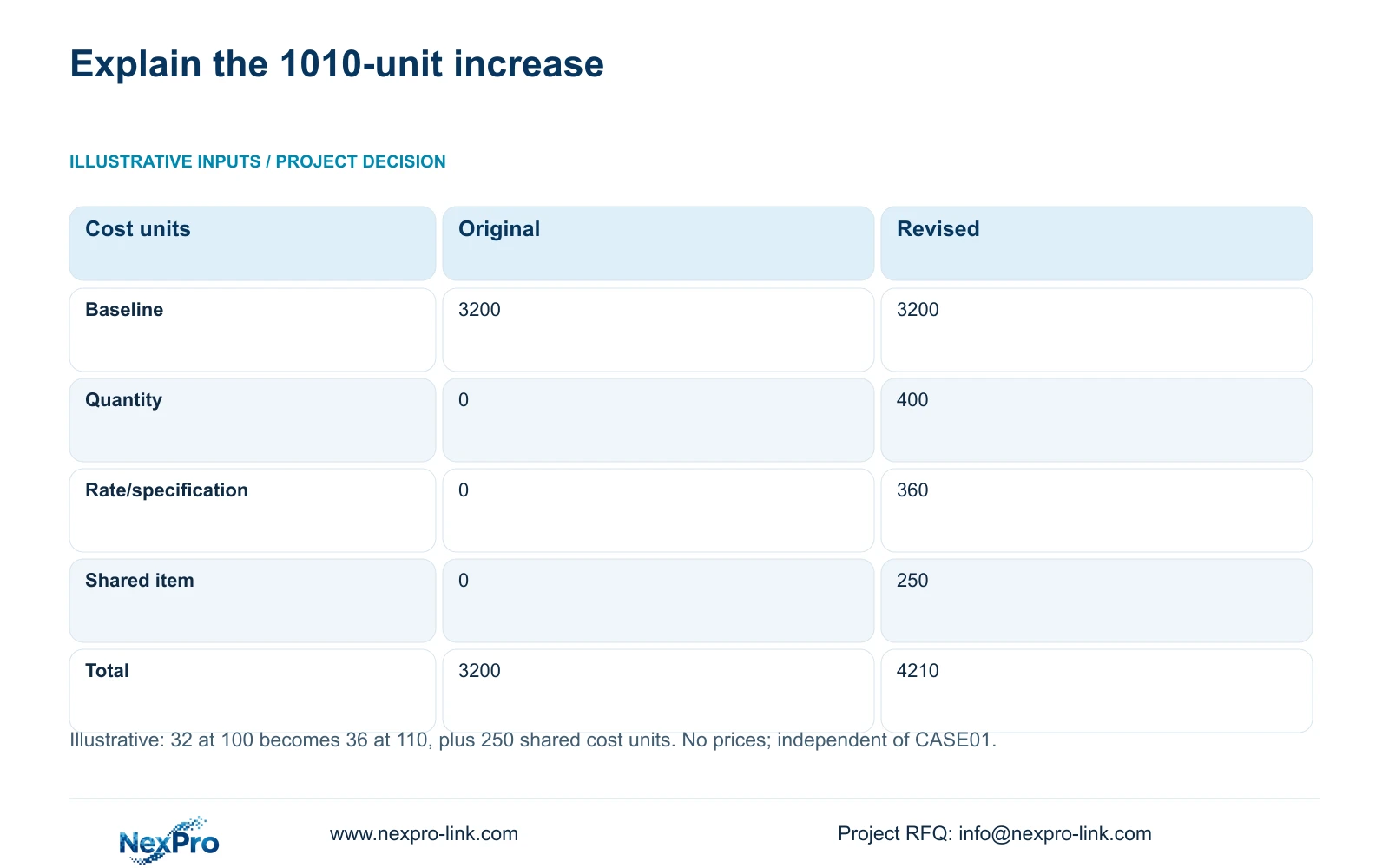
Price the resulting dependencies with a fixed calculation order. The independent teaching comparison below uses 32 units at 100 cost units, revised to 36 at 110, plus a shared item of 250. Original cost is 32×100; quantity effect is (36−32)×100; rate effect is 36×(110−100). The 1,010-unit increase separates 400 for quantity, 360 for specification/rate and 250 for shared scope. It is not CASE01's equipment price or a priced storage upgrade.
| Metric | Original: 32 at 100 | Revised: 36 at 110 |
|---|---|---|
| Original total | 3200 | 3200 |
| Quantity effect | 0 | 400 |
| Rate/specification effect | 0 | 360 |
| Shared-resource change | 0 | 250 |
| Final teaching total | 3200 | 4210 |
Section 04
Recheck the complete protected-power path
Trace the added camera through its PoE node and required network links to the recorder. A centrally protected NVR cannot preserve footage from a remote switch that loses power. If expansion introduces another closet, its local supply and backup become explicit scope items. Fiber carries data and does not automatically power that node.
Use consistent power boundaries. Measured switch AC input already includes its supplied camera load, so adding those camera watts again overstates UPS demand. Check W and VA independently for each protection zone. Published SP1KR(S) and SP2KR(S) ratings are 1 kVA/900 W and 2 kVA/1800 W respectively; their ratings do not establish battery minutes.
The cost bridge's shared 250 units remain an unspecified teaching item, not a verified UPS price. Request a configured runtime curve for the revised load and target duration. Adding optional display equipment also changes runtime demand if it joins the protected circuit; do not retain the earlier battery claim unchanged.
Section 05
Compare local and central expansion
Compare arrangements that preserve the same coverage, retention and outage functions. Central expansion can reuse an existing equipment location when routes and resources remain suitable. Local expansion can serve a new zone with shorter access runs, but introduces an active node, local power and another maintenance responsibility. Include those dependencies in the evaluated scope.
Check reusable equipment and canceled work separately. An existing switch may move to another zone only if its confirmed capabilities suit that zone. Credit removed items according to actual commercial terms, and retain the remaining installation work. Equipment reuse does not automatically remove configuration, labeling or testing effort.
Select local expansion when the route or zone demand justifies its added supply and service burden. Retain the central arrangement when confirmed spare capacity and acceptable routes support the new tasks without those dependencies. A mandatory operator platform or a different failure boundary can change either choice.
| Retained outcome | Extra scope | Worth buying when | Change condition |
|---|---|---|---|
| Central recording and approved retention | Supported central resource upgrade | Existing routes and location remain suitable | Remote routing or capacity constraints require another node |
| New public-zone views with protected recording | Local node, supply, backup and maintenance | The new zone needs a separate access arrangement | Existing central resources can serve it with less complete scope |
Section 06
Keep each cost change tied to a revision
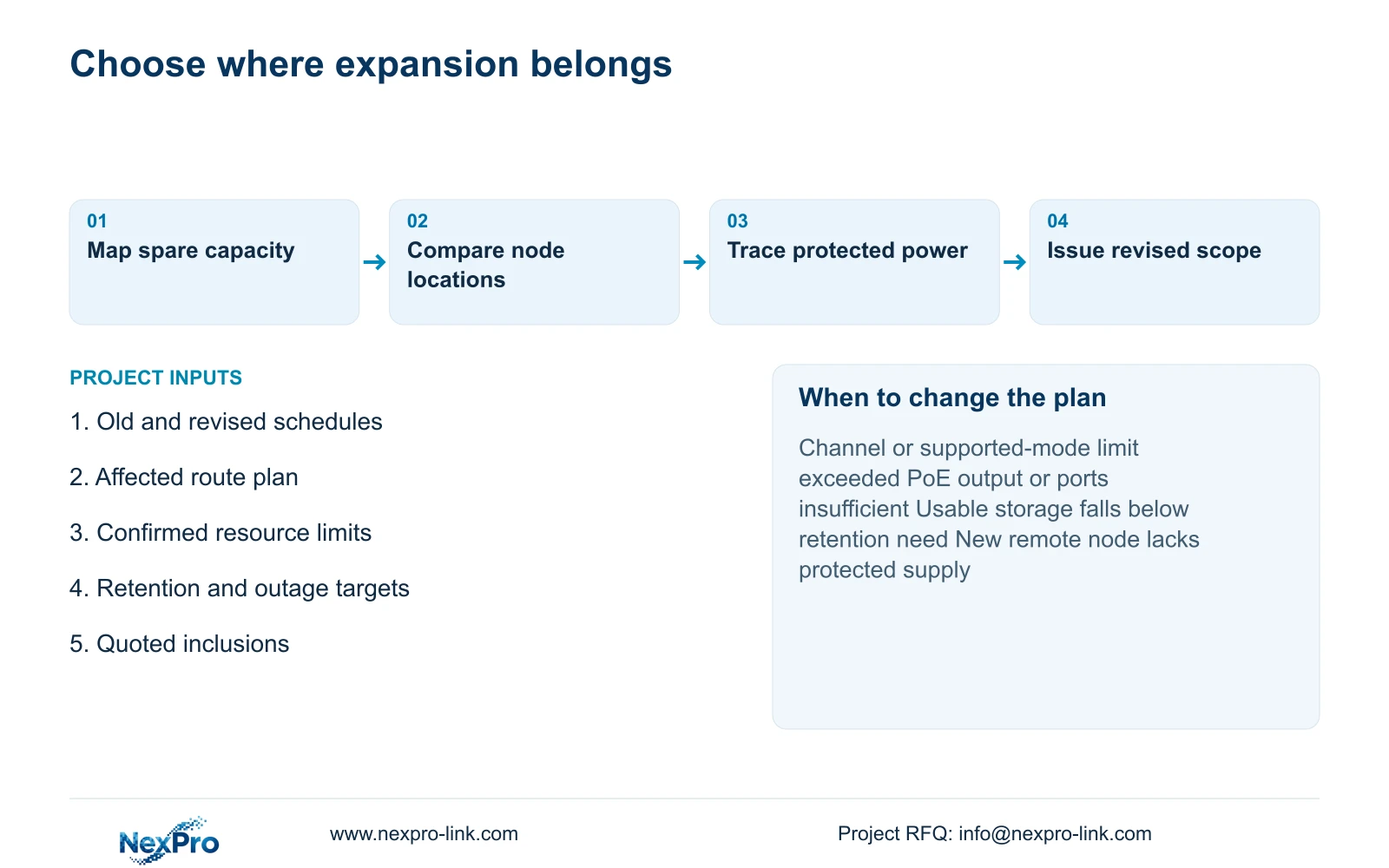
Issue the revised camera schedule, resource-threshold record and cost bridge under the same revision identity. Show what is retained, removed and newly required. Link each shared upgrade to the dependency that caused it, so the same disk or switch is not charged in several camera lines. Procurement should use only the agreed configuration.
Recommend a within-capacity extension first where all affected resources have confirmed headroom. Change to an upgraded or distributed configuration when a documented limit prevents the accepted task. NexPro-Link can support model matching, BOQ/BOM preparation and coordinated equipment supply; CCTV manufacturing and complementary-category coordination have distinct responsibilities, and local installation belongs in the written scope.
For a focused response, email info@nexpro-link.com with the old and revised camera schedules, affected route or closet plan, approved retention and backup target, and the quoted inclusions. Identify the unresolved upgrade and delivery destination. Hotel project equipment support and BOQ and tender support provide the relevant project entry points.
Section 07
Buyer questions
Can a variation be reviewed before the revised drawings are complete? Yes. Send the affected public-zone sketch and a marked change list. Separate confirmed changes from provisional quantities so the response can identify thresholds without treating an early allowance as a final order.
Does ordering more equipment extend warranty to the whole system? Do not assume it does. The supplied policy record states a 24-month limited hardware baseline from receipt for applicable main equipment. Existing units, new units and accessories need their own controlling order records; support does not imply free local labor.
Can NexPro-Link compare a retained configuration with an upgrade? Yes, within a defined equipment and supply scope. Provide the baseline, mandatory operator conditions and permission to propose alternatives. The comparison should identify reusable items and exclusions without promising consultant approval or third-party integration.
Engineering references
These sources support the general planning principles. Always use the selected product's current datasheet and applicable project standards for final design.