

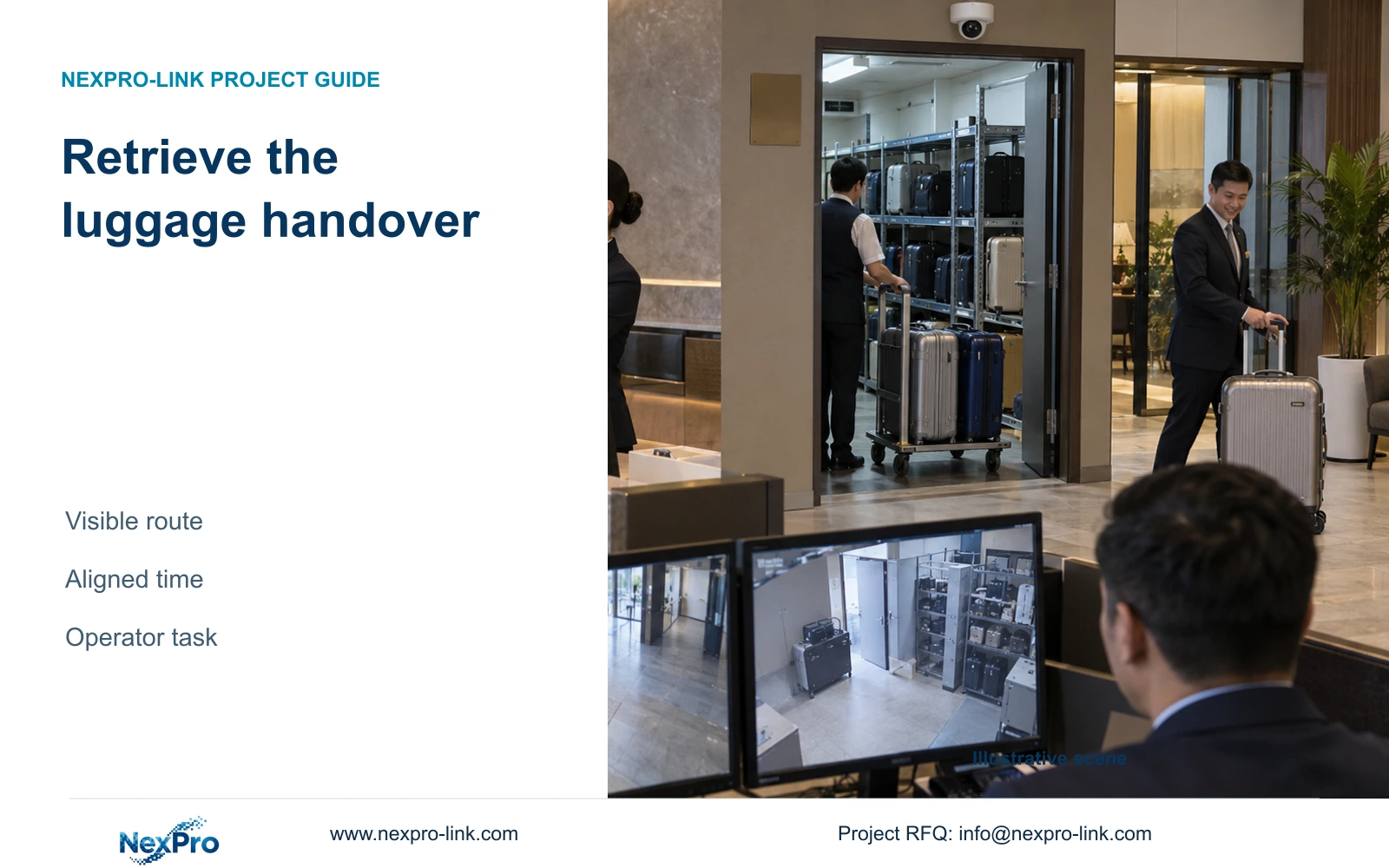
A useful luggage recording must let authorized staff trace the handover and retrieve the relevant event. Prioritize visible transitions, consistent camera names and a tested search workflow.
Section 01
Map the luggage handover and collection route
Design luggage CCTV around the handover entrance, storage overview and usable time references before increasing resolution. Upgrade image detail when the required action cannot be interpreted in the recording. If staff can see the action but cannot find it, correct naming, time alignment and the retrieval workflow first.
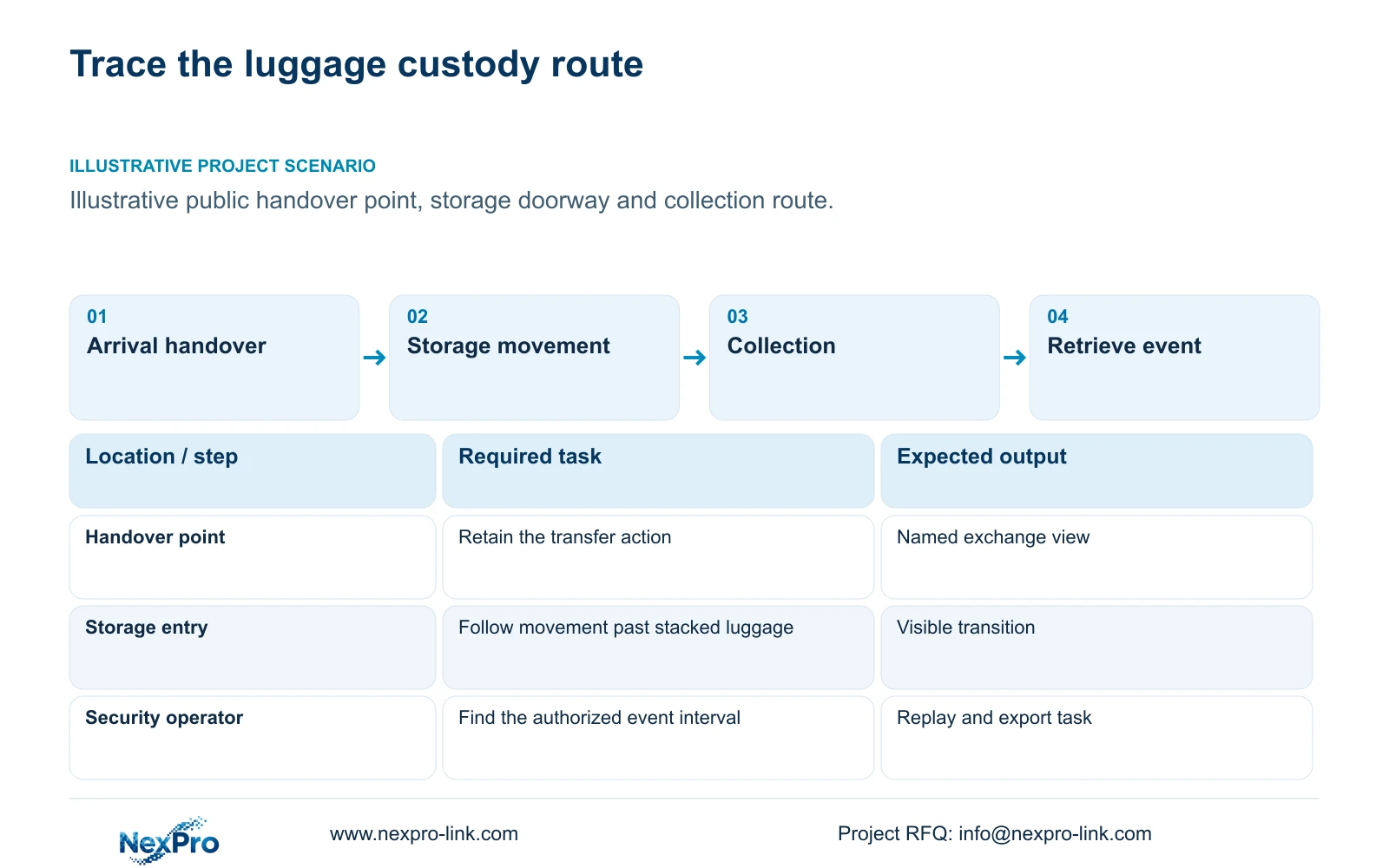
Draw the ordinary arrival sequence from the public handover point to storage, then trace collection back to the guest. Identify where custody changes and where an item leaves one camera's view. The schedule should make these transitions understandable without assuming automatic luggage tracking or a connection to the hotel's property-management system.
Assign the people involved. Reception staff may report an approximate time and handover location, while an authorized security user retrieves footage. IT and the installer handle different configuration or fault tasks. Write these responsibilities into the operating sequence so that a shared monitor does not become an assumption of shared authority.
| Required task | Given information | Decision still needed |
|---|---|---|
| Trace arrival handover | Public exchange point and storage entry | Views needed to follow the transition |
| Review collection | Approximate time and collection point | Authorized retriever and search path |
Section 02
Separate handover from shelf overview
Give the handover view an observable action, such as an item passing between guest and staff. Give the shelf overview a different purpose: explaining movement into or out of the storage area. These requirements may justify different positions even when the areas are close together. A broad storage image can leave the exchange small or hidden.
Keep the output requirement specific. The operator needs enough context to review the stated event, not an unsupported promise to identify every bag or read every label. Define any additional detail request separately and consider whether it introduces unnecessary personal information. Ordinary CCTV should not be described as an inventory system.
Provide access according to supported roles and hotel authorization. A member of staff who opens live view does not necessarily need export or administration rights. Confirm those functions in the supplied recorder/client configuration. NexPro-Link's Seetong system record supports discussion of App and PC workflows, but it does not prove every compatible device has identical features.
| Item | Option A | Option B | Effect on the hotel task |
|---|---|---|---|
| Framing | Shelf overview only | Handover plus storage overview | Preserve the custody transition where required |
| User access | Shared unrestricted account | Supported task-specific permissions | Separate viewing from retrieval and export |
Section 03
Check obstruction by stacked luggage
Review the frame with the storage arrangement the hotel expects to use. Empty shelves provide little evidence about busy operation. Stacked bags, a trolley or an open storage door can hide the exchange or the next movement. Mark the lost action, then compare a changed position with an additional viewpoint.
Use an authorized staged handover to inspect those conditions without using guest footage. Record what remained visible and what disappeared. A planned test has no result until it is performed; an attractive image of an empty room should not be recorded as proof that the luggage route is covered.
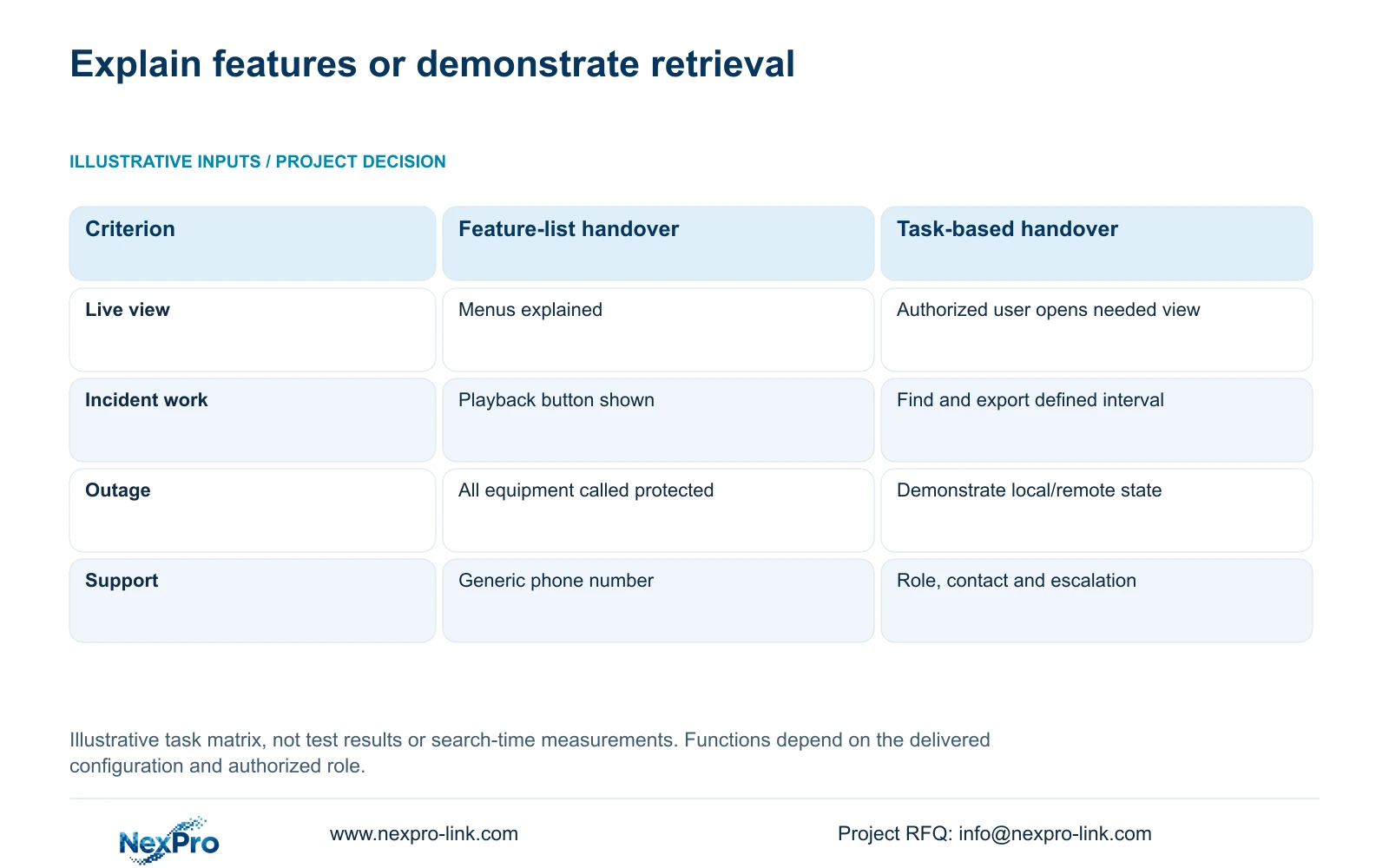
The illustrative handover matrix below distinguishes explaining features from demonstrating tasks. It has no measured search time, success percentage or performance ranking. Apply its live-view and incident criteria to the populated luggage area. Apply the outage and support criteria to the actual recording path and responsibilities, keeping those separate from the image check.
| Metric / condition | Feature-list handover | Task-based operator handover |
|---|---|---|
| Live view | Menus explained | Authorized user opens the needed view |
| Incident work | Playback button shown | Find and export a defined time window |
| Outage | All equipment called protected | Demonstrate the selected local/remote state |
| Support | Generic phone number | Correct role, contact and escalation boundary |
Section 04
Align time and camera names
Name cameras for the physical action and location that operators recognize. A luggage handover view and a storage overview should have distinct, stable identities in the schedule and operating instructions. Keep the underlying device identity and serial information available for support even when the display name is simplified.
Compare time indications across the cameras and recorder used for the same staged event. Document the selected time basis and any observed offset. A search can fail when the reported handover time does not correspond to the recording timeline. Do not assume an unverified automatic synchronization feature; check the actual supported configuration and its behaviour.
The matrix's observable output is a user completing the task. Staff should select the correct named view, locate the same event across its transition and explain any gap. Record configuration changes in the handover instructions. Renaming a camera or replacing equipment should trigger an instruction update and a repeated representative search.
Section 05
Compare search workflows
Start each comparison with the same input: approximate event time, reported location and authorized purpose. Have the designated user find the relevant handover, follow the storage transition and export the agreed interval. A demonstration of the playback menu does not establish that the user can complete this sequence.
Keep local and remote operation separate. Test what remains possible when WAN access is unavailable, and identify whether recording continues independently of the viewing client. If outage operation is required, the camera, access network and recorder path must be included in the protection boundary. A powered recorder alone does not demonstrate the complete service.
Compare extra software or training costs only after identifying the unmet task. A more complex platform may be justified by required multi-location retrieval or unsupported permissions, but it needs its own edition, license and interface assessment. No supplied evidence establishes a generic time saving, automatic bag search or full cross-brand functionality.
| Retained outcome | Extra scope | Worth buying when | Counter-condition |
|---|---|---|---|
| Find a luggage event | Naming, time checks and role training | Existing footage is usable but difficult to retrieve | The action was never recorded clearly |
| Complete the authorized workflow | Different client or platform scope | Current configuration lacks a required function | Supported local workflow already meets the task |
Section 06
Define an event-retrieval test
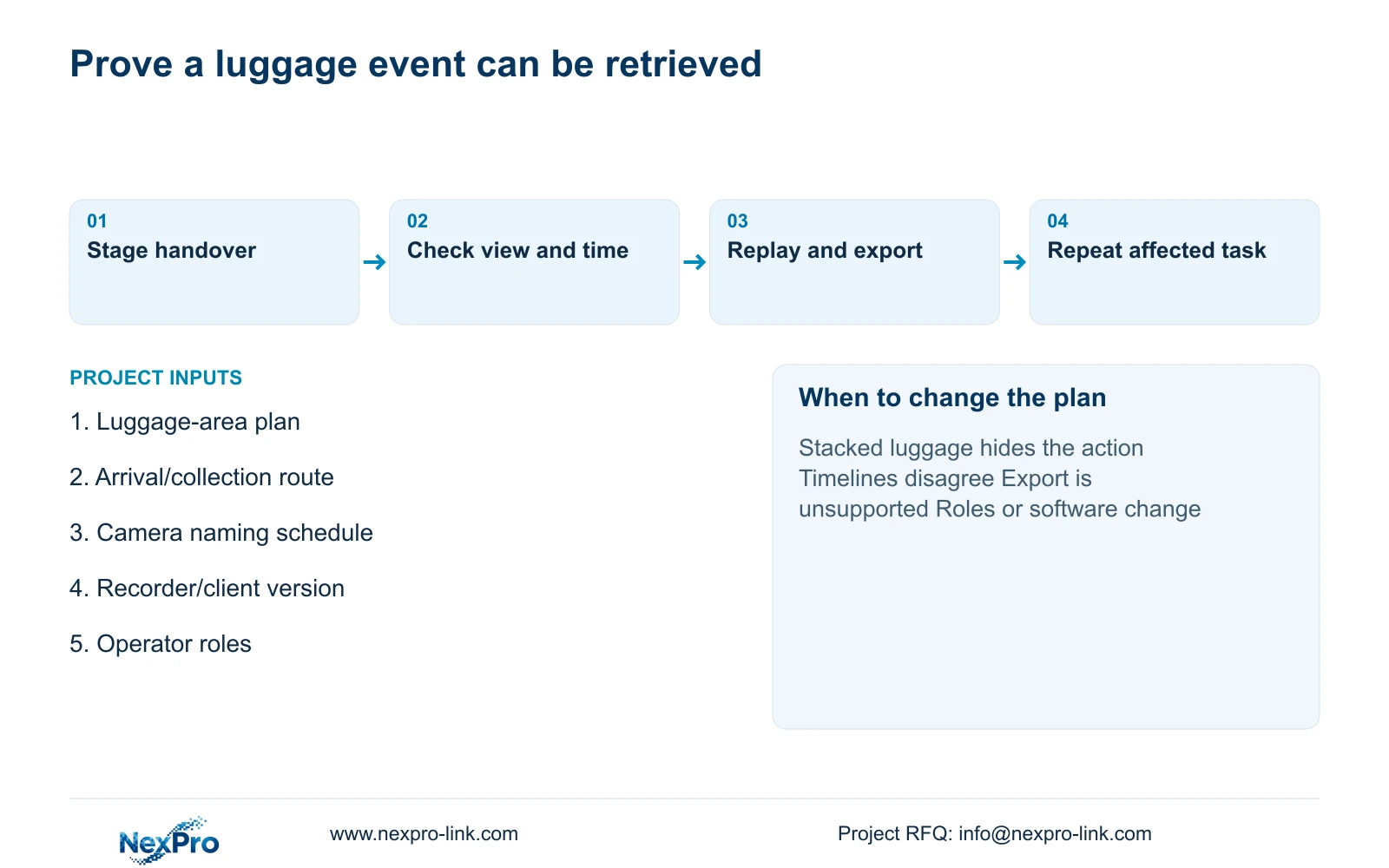
Specify a staged event that includes arrival, placement and collection under representative obstruction conditions. Record the exact camera and software versions. An authorized operator should open the correct view, retrieve the interval and check the exported file using the intended playback method. Leave unperformed outcomes open rather than pre-filling a pass.
Choose task-based operator handover where staff must independently retrieve luggage events. Change the configuration if the test exposes missing recorded action, unsupported export or permissions that do not match responsibilities. Image failures need framing or recording changes; search failures need workflow correction. Repeat the affected task under the same conditions after adjustment.
Send info@nexpro-link.com a luggage-area plan, the arrival/collection route and intended operator roles. Add the existing recorder/client identity and the retrieval function that is causing difficulty. NexPro-Link can discuss model matching, operating interfaces and coordinated supply boundaries. Retain local fault escalation and installation responsibilities in the agreed scope; an equipment supply package does not automatically include unrestricted site service.
Section 07
Buyer questions
Will higher resolution make luggage footage easier to find? It can help an unmet detail task, but it does not correct unclear camera names or mismatched timelines. First establish whether the footage contains the required action and whether an authorized user can retrieve it.
Can reception staff export footage? Only within the hotel's authorization and the actual supported permission model. If reception only reports incidents, retain retrieval and export with the designated role instead of sharing administrator credentials.
What should trigger refresher training? Changes to operator roles, camera names, recorder/client versions or the storage layout should trigger a review. Repeat a representative event search when the change affects the instructions or retrieval path.
Engineering references
These sources support the general planning principles. Always use the selected product's current datasheet and applicable project standards for final design.


