

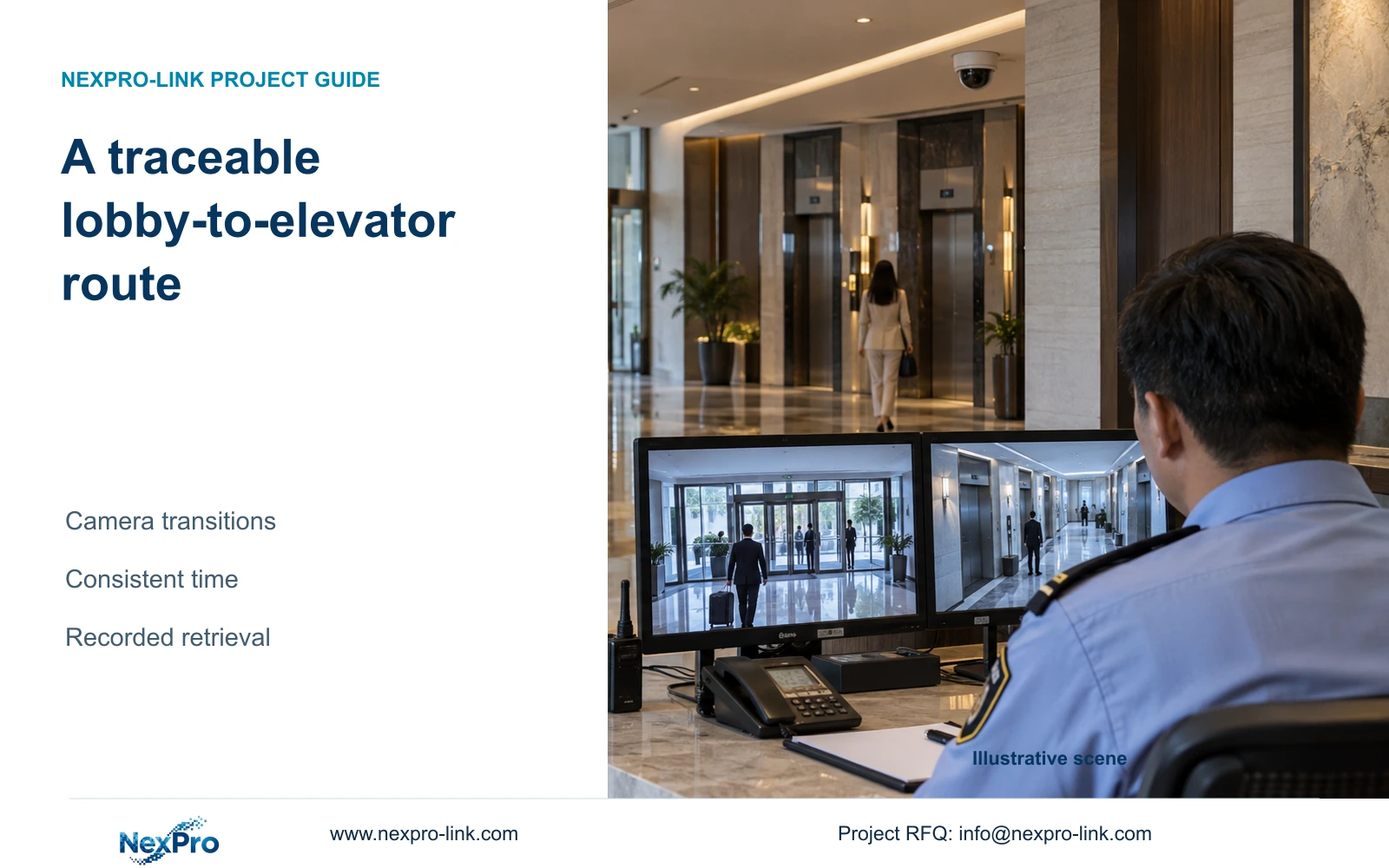
Build the event trail around the actual public route and camera transitions. Correct blind corners, clock differences and retrieval gaps before adding more panoramic views.
Section 01
Choose the public event route that must remain traceable
Organize coverage around the public route from arrival through reception to the elevator lobby. Correct missing transitions and inconsistent recording times before adding another broad lobby view. Add or reposition a camera when a required transition cannot be reconstructed from the existing recorded views.
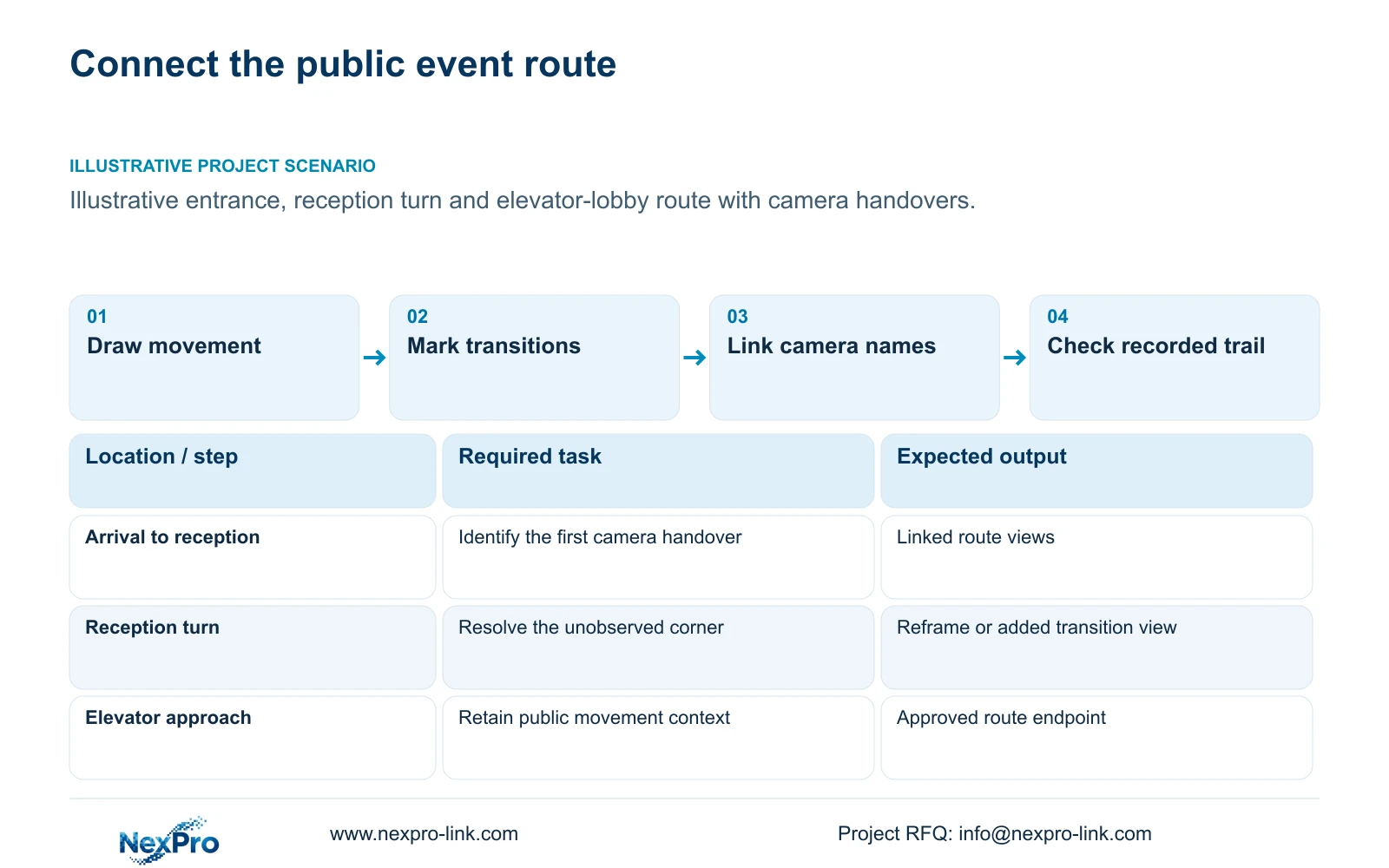
Draw the movement route on the lobby plan, including permitted alternative paths around queues and furniture. Identify the points where an event changes from one camera's responsibility to another. Keep entrance detail, reception context and elevator approach as distinct tasks. The route should stop at its approved public boundary and exclude guest-room interiors.
Prepare separate diagrams for movement, video data and protected power. The movement line explains what needs to be followed; the data path explains where footage reaches the recorder. An intermediate network node also needs power if recording must continue during an outage. Copper installation lengths include actual risers and detours, while fibre carries data without automatically powering the remote node.
| Required task | Given information | Decision still needed |
|---|---|---|
| Arrival to reception | Public movement route | Which recorded views connect the two points? |
| Reception to elevator lobby | Turn and waiting area | Is the camera transition observable? |
| Outage recording | Camera-to-recorder path | Which intermediate nodes require protection? |
Section 02
Locate the handover between adjacent camera views
For each transition, record where a moving participant leaves the first view and enters the next. Review both directions of travel where they belong to the task. A floor plan with adjacent camera symbols does not establish a useful handover; walls, signage and changing queues can interrupt the recorded route.
Compare the missing transition with any duplicated overview footage. Reframing an existing camera may restore the handover without adding hardware, provided it retains that camera's other task. If the required corner remains hidden, another position may be justified. Additional panoramic coverage is useful only when it contributes information needed to follow the route.
Assign viewing and retrieval responsibilities as well as camera positions. An operator may see the lobby live but lack permission to retrieve the next recorder's footage. Record those access boundaries early. The intended event trail needs observable transitions and an authorized way to inspect the relevant records.
| Item | Reframe existing view | Add transition view | Effect on the hotel task |
|---|---|---|---|
| Blind turn | Works only from a suitable position | Provides another observation direction | Must restore the recorded handover |
| Existing detail task | May be reduced by wider framing | Can remain separately assigned | Keep required detail intact |
| System resources | Review any stream change | Adds port, power, cable and recording scope | Price the actual correction |
Section 03
Keep clock settings and camera names consistent
Use a consistent time convention across the cameras, recorders and operator workflow. Record the configured clock source, timezone and any applicable seasonal-time setting. Check the time shown in playback and exported material rather than assuming a similar live timestamp proves agreement across the system.
Name cameras by a stable location and observation direction, linked to the plan and recorder channel. A route search should not depend on an installer remembering what a generic channel number means. Keep a mapping when names change, so retained footage and current instructions remain understandable.
If the hotel wants door or elevator-system events to assist a search, identify the actual controller, software version and supported interface. A combined supply order does not establish native integration. CCTV observation and retrieval also remain separate from door release and life-safety control, which belong to the responsible project specialists.
Section 04
Compare the recorded-footage search sequence
Begin the demonstration with a defined event window and the relevant route, then let the authorized operator find the first view and move through the connected recordings. Include retrieval and export where those tasks are required. Record gaps in footage, permissions or instructions separately so the corrective action addresses the actual problem.
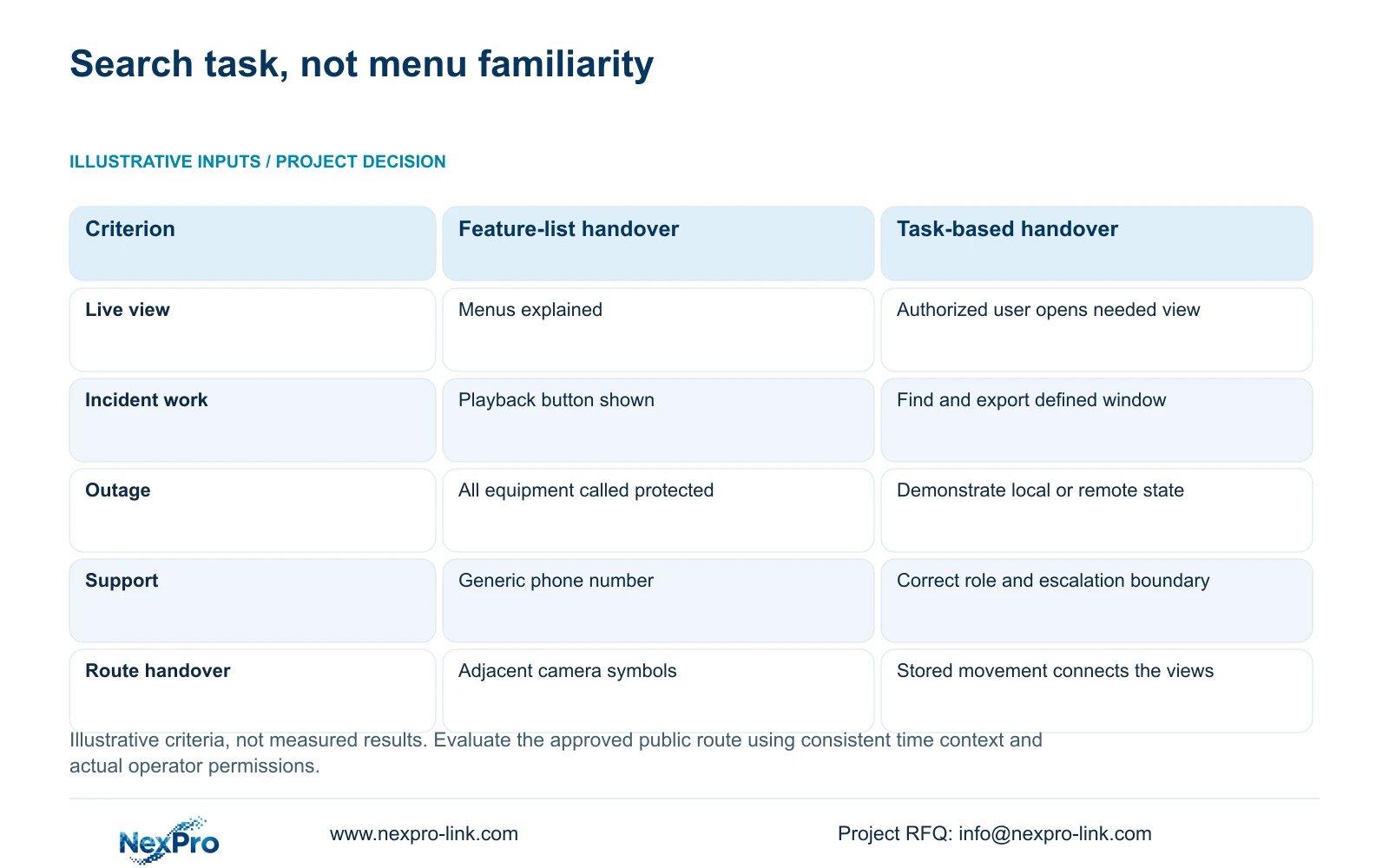
The supplied decision matrix compares a feature-list handover with completion of real operator tasks. Its inputs are representative activities, operator roles, supported interfaces and escalation contacts. It supplies evaluation criteria, not measured search times or claims of improved efficiency. Apply the incident row to reconstructing the lobby-to-elevator route.
Also define the exception workflow. WAN loss may prevent remote access while local recording remains available; an unprotected access node may remove a section of the recorded trail. Training should explain the selected states and who investigates a missing view. A generic assurance that the system is protected does not identify those dependencies.
| Metric / condition | Option A | Option B |
|---|---|---|
| Live view | Menus explained | Authorized user opens the needed view |
| Incident work | Playback button shown | Find and export a defined time window |
| Outage | All equipment called protected | Demonstrate the selected local/remote state |
| Support | Generic phone number | Correct role, contact and escalation boundary |
Section 05
Calculate the workload of concurrent playback
List the recordings that the operator must inspect together, with resolution, frame rate and codec. Include simultaneous live views or exports when the task needs them. Estimate decoded pixels per second by summing width times height times frames per second for each concurrently decoded stream. This is a planning workload, not a hardware benchmark.
Keep recorder input bandwidth, playback capability, client decoding and display output as separate checks. The NexPro-NVR4449-4K page lists 49 channels and 320 Mbps input, with a summary of 49×5MP/9×4K. These fields do not establish arbitrary multi-camera 8MP playback. Similarly, the NX-VD-4K16 name does not prove 16 simultaneous 4K decodes.
A supported lower-resolution viewing layout can reduce live-grid demand while preserving main-stream recording. Confirm the actual playback streams and synchronized controls separately; do not assume a live substream option provides the same playback workflow. The CASE01 recording total is independent of this route-search workload and should not be used as a decode-capacity result.
| Retained outcome | Extra scope | Purchase condition | Counter-condition |
|---|---|---|---|
| Reconstruct the public route | Supported concurrent playback | Together-viewing is required and verified | A sequential workflow fulfils the task |
| Keep main recording detail | Separate viewing workload configuration | Supported viewing profiles reduce client demand | Playback requires a different supported arrangement |
Section 06
Validate the route using stored and exported footage
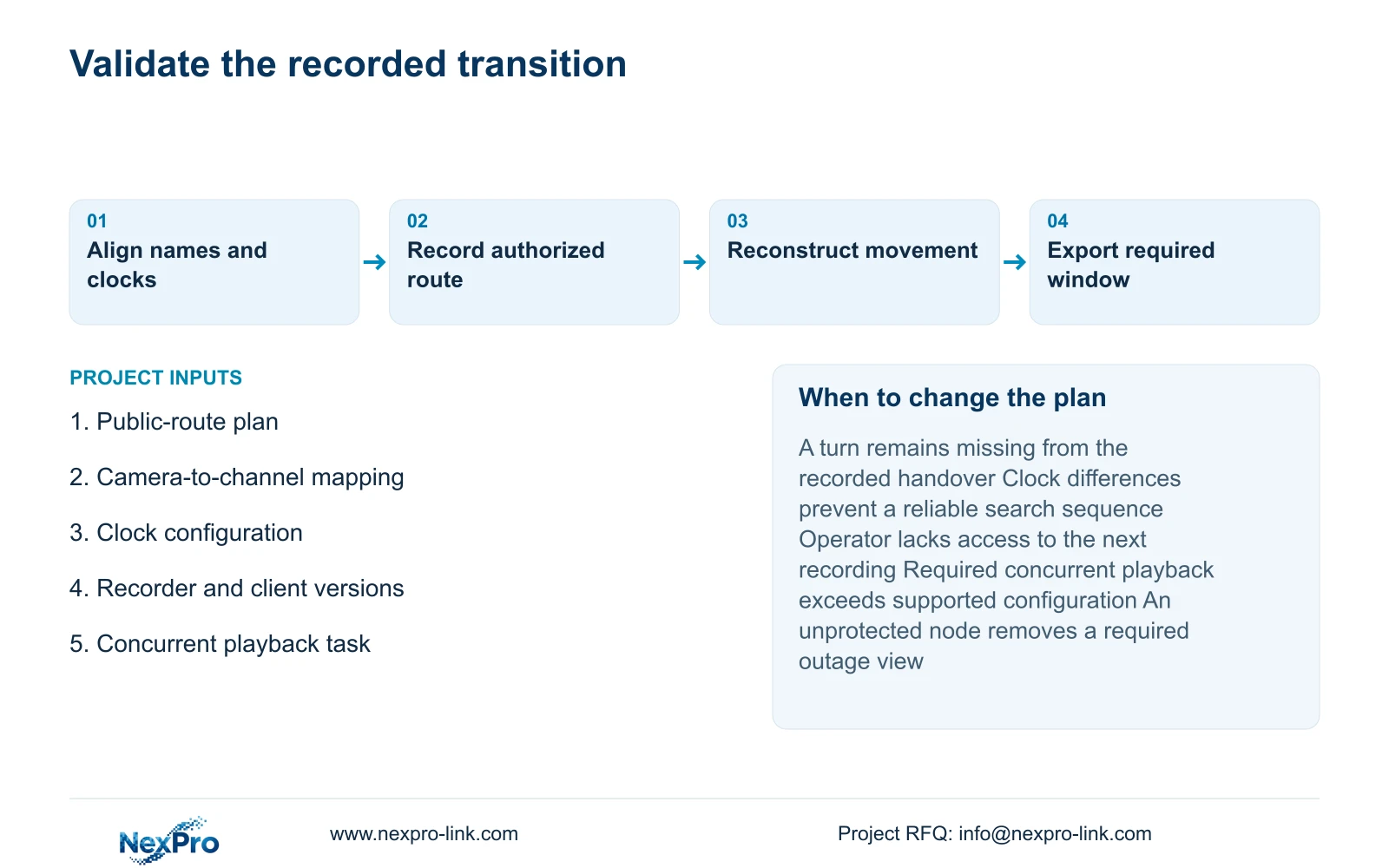
Use authorized representative participants to traverse the approved route, then reconstruct that movement from stored recordings. Include the relevant busy-layout and lighting conditions. Inspect the exported clips with their time and camera context where export is required. A successful live walk-through alone cannot establish that the recorded trail is retrievable.
Prefer the existing camera arrangement when the transition views, time convention and operator search all meet the task. Add a view when the recorded handover remains missing after suitable position or lens changes. Revise the platform configuration if authorized retrieval or required concurrent playback is unsupported. Keep the changed camera and port schedule connected to the physical installation record.
Send the public-route plan, current camera names and recorder or client configuration to info@nexpro-link.com. Include the required simultaneous playback task and outage state. NexPro-Link can discuss camera matching, equipment coordination and BOQ support, with local installation and operator responsibilities identified separately. No guest footage or passwords are needed for the initial scope discussion.
Section 07
Buyer questions
Do overlapping images prove a continuous event trail? They help only when the required movement remains observable and the relevant recordings can be retrieved with consistent time context. Confirm the handover through stored footage under representative conditions.
Can one supply order guarantee synchronized cross-system searches? No. Identify the actual recorder, client and any external controller interfaces. Required synchronization and retrieval functions need confirmation for the selected versions and permissions.
Should the hotel buy a video wall to improve route searches? Buy it only when the operator layout needs the larger physical display. A wall does not correct a blind transition, missing recording or unsupported playback function; decoding and display scope need separate checks.
Engineering references
These sources support the general planning principles. Always use the selected product's current datasheet and applicable project standards for final design.


