

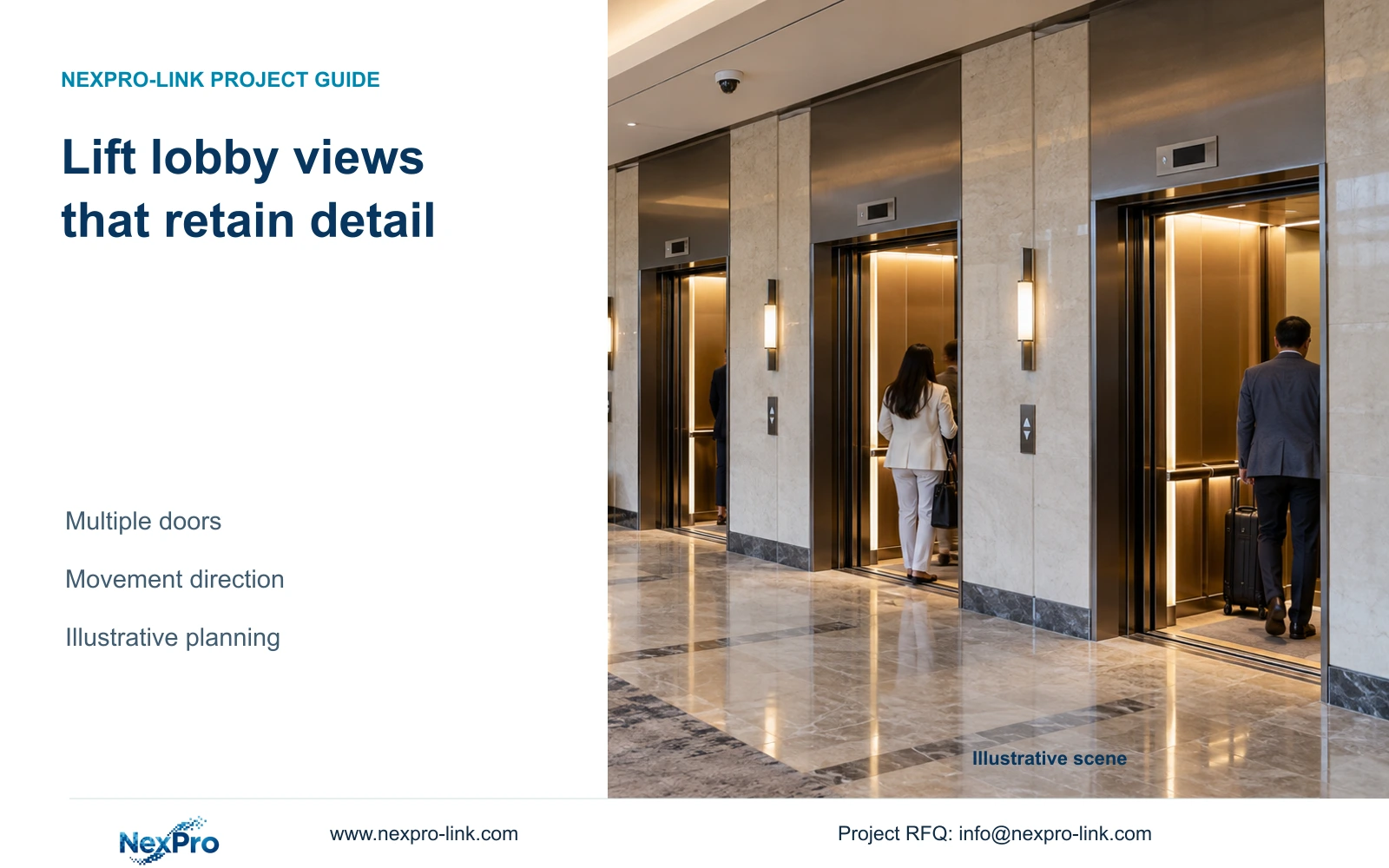
A single distant overview may miss useful doorway detail when several lifts open together. Set the observation tasks and compare positions across the hall.
Section 01
Map each lift doorway
Split lift-lobby views when one distant position cannot retain the required entry and exit detail across all doorways. Begin with the hall width and observation angles, then compare a shared overview with direction-specific views. Keep a single view only if simultaneous openings and representative movement remain usable in recorded footage.
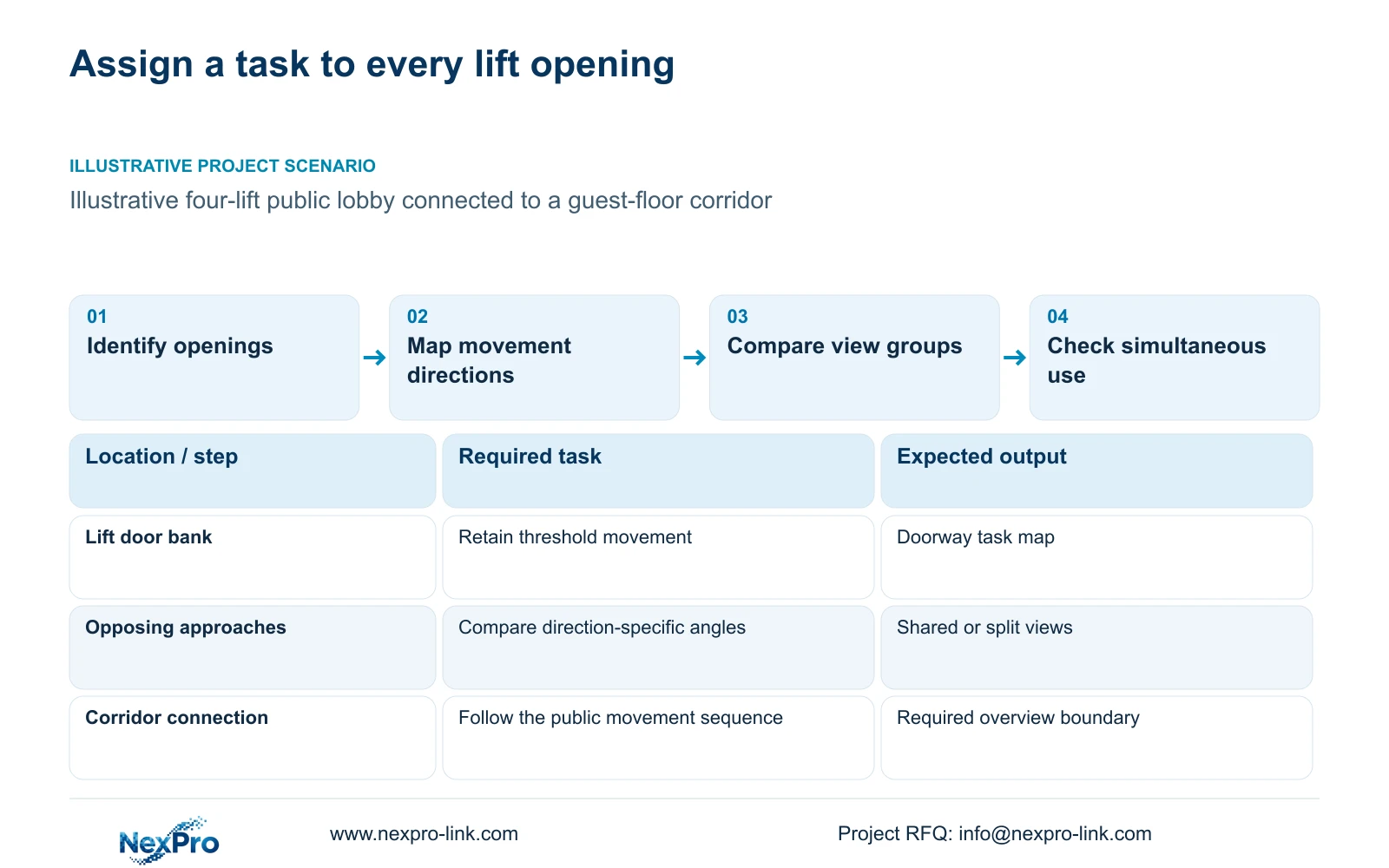
Identify every lift doorway on the floor plan, including its position relative to the corridor connection and service access. In the illustrative four-lift scenario, the task is to observe public movement at the thresholds and through the lobby. It does not establish a requirement to record inside lift cabins or guest rooms.
Record the doorway identifiers used by the hotel so the camera schedule and operator labels refer to the same places. Different floors may have different lift arrangements, finishes or corridor connections. A typical-floor drawing can support a starting layout, but those exceptions need their own view assessment before quantities are repeated.
| Required task | Given information | Decision still needed |
|---|---|---|
| Observe doorway movement | Four lift openings on floor plan | Useful angle at each threshold |
| Follow movement to corridor | Public corridor connection | Continuity between lobby and route |
| Retrieve the correct scene | Hotel lift identifiers | Camera naming and playback grouping |
Section 02
Define entry and exit tasks
Separate a hall overview from a doorway detail task. The overview should establish the public movement sequence. A detail task should name the point at which information must remain visible, such as the approach to a particular opening. Both can share a camera where the framing and angle support them.
Check movement in both directions. A view that presents an acceptable approach toward a lift may record people leaving with a less useful orientation. When doors open together, people crossing or waiting can obscure one another. The design comparison should reproduce the agreed operating condition instead of judging an empty-lobby image.
Define the required outcome without assuming automated identity or lift-event integration. Ordinary human or vehicle detection does not establish every requested event function. If the hotel wants an alert to open a particular view, list the actual source event, receiving platform and supported workflow separately from continuous recording.
| Item | Shared overview | Direction-specific views | Effect on hotel task |
|---|---|---|---|
| Movement sequence | Common lobby context | Context split across views | Playback grouping becomes important |
| Doorway detail | Distributed across a wider frame | Framed for selected openings | Detail can be assessed per doorway |
| Simultaneous use | One angle for crossing traffic | Different observation angles | Occlusion must still be tested |
Section 03
Calculate detail across the hall
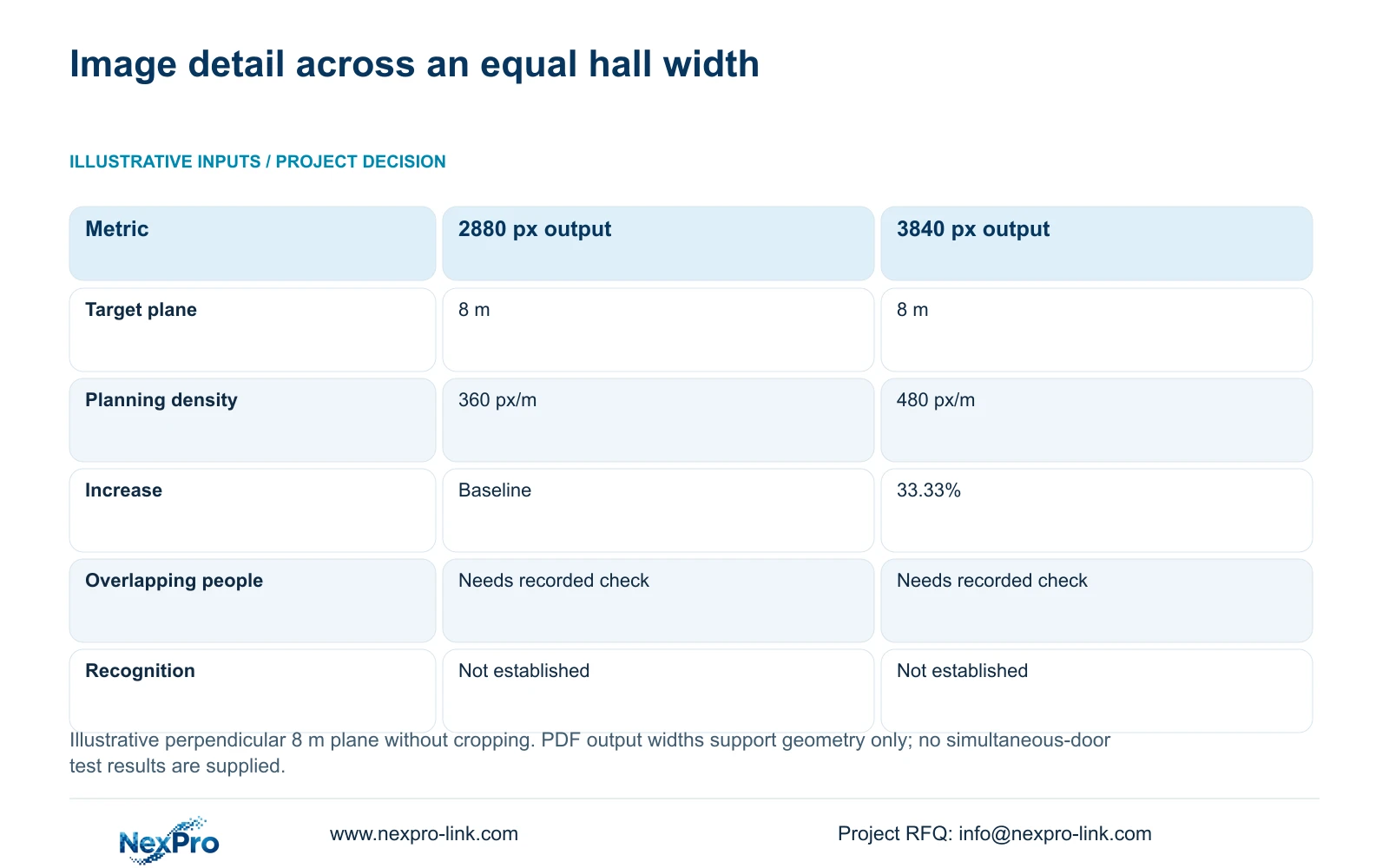
Use a defined target plane for the detail comparison. The supplied independent example assumes an 8 m width viewed perpendicularly without cropping. It is a teaching width, not a measured lift lobby or a recommended mounting distance. The horizontal output values come from the user-supplied DM2812M product PDF.
Planning pixel density equals horizontal pixels divided by target width in metres. At 8 m, 2880 pixels provide 360 px/m and 3840 pixels provide 480 px/m. The second budget is 33.33% higher. This result supports a geometric comparison of visible targets; it does not establish recognition or performance when people overlap.
NexPro-DM2812M55-5MP-DIC-AI lists a 2880×1620 main-stream mode. NexPro-DM2812M88-8MP-DIC-AI lists 3840×2160 at 25 fps. Their documented 2.8-12 mm lens ranges allow model-specific framing discussions but do not supply an exact field of view here. Verify the selected position and exposure through recorded movement before treating either output as sufficient.
| Metric / condition | Documented 2880 px output | Documented 3840 px output |
|---|---|---|
| Output width (px) | 2880 | 3840 |
| Same target width (m) | 8 | 8 |
| Planning pixel density (px/m) | 360 | 480 |
| Increase relative to A | Baseline | 33.33% |
| What is not proven | Recognition / night performance | Recognition / night performance |
Section 04
Compare camera positions
Assess each candidate position against every required doorway. A position facing the bank of lifts may provide a coherent overview but share its image across the whole hall. A position serving a smaller doorway group can preserve a different detail budget. If openings face opposite directions, evaluate those directions independently.
Compare moving or reframing the existing camera before adding another endpoint. Narrower optical framing can improve attention to a doorway group, but it may remove the corridor connection or an opening at the edge. Retain the overview where that context remains a required task, and show the extra view as a defined addition.
Include lighting transitions, reflective finishes and maintenance access in the comparison. A larger pixel budget does not repair glare or a blocked target. Use the same representative movement route and relevant light conditions for both proposals. Choose the smallest arrangement that retains the accepted tasks, with extra views triggered by observed angle, occlusion or detail limitations.
Section 05
Review playback and event naming
Give views names that identify the floor, lobby and observed direction or doorway group. Keep the camera tag on the drawing consistent with the recorder and client labels. A generic lift-camera name becomes difficult to use when the hotel has several floors and differently arranged lobbies.
Evaluate retrieval with a defined movement sequence across the lobby and into the corridor. The authorized operator should find the correct time window, review the relevant views and export the permitted footage. Check the actual recorder and client configuration for the required playback concurrency; recording channel count does not establish every playback mode.
If a Seetong App or PC workflow is proposed, assess the requested tasks for the delivered configuration. ONVIF Profiles provide a basis for checking relevant device and client functions, not proof of full event, audio or cloud-binding compatibility. Keep automated event naming separate from manual camera labels unless the actual interface has been established.
| Retained outcome | Extra scope | Worth buying when | Counter-condition |
|---|---|---|---|
| Find the correct doorway view | Floor-specific names and grouped layouts | Several lobby views require retrieval | One clearly identified view is sufficient |
| Follow an event across views | Supported concurrent playback workflow | Movement crosses camera boundaries | Single-view review meets the task |
| Open a view from an event | Verified platform interface | Hotel requires event-driven response | Manual retrieval is accepted |
Section 06
Issue the floor-specific camera schedule
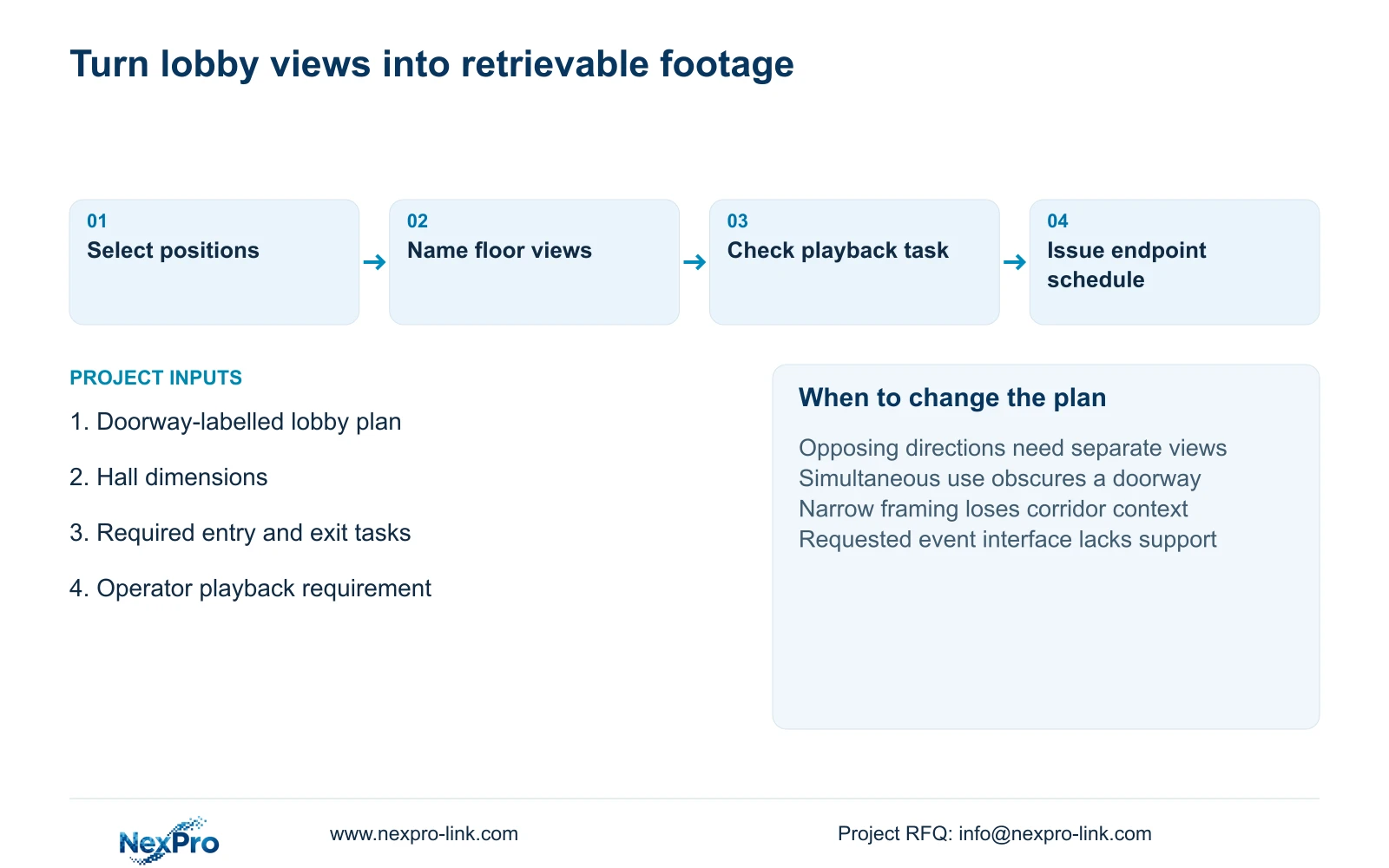
Issue a schedule that connects each doorway task to an endpoint, lens candidate and recording profile. Include the assigned floor switch and route reference so additional lobby views reach the network and power design. The camera PDFs do not provide maximum watts; obtain peak-power information instead of converting resolution into a PoE assumption.
Retain a shared overview where it satisfies the accepted movement task. Add or split views when simultaneous doorway use, opposing directions or recorded detail defeats that arrangement. Floor exceptions should change the schedule explicitly. CASE03's separate 48-camera hotel totals are illustrative system context and are not the quantities for this lobby.
Send the lift-lobby plan with doorway identifiers, hall dimensions, permitted coverage and the required playback task to info@nexpro-link.com. NexPro-Link can discuss model matching, BOQ documentation and coordinated equipment supply. Its CCTV manufacturing scope and the responsibilities for complementary equipment should remain distinct; a coordinated order does not establish native integration or include local installation automatically.
Section 07
Buyer questions
Do four lift doors require four cameras? No fixed camera-per-door rule follows from the supplied evidence. Compatible doorway tasks can share a view if angle, detail and simultaneous use remain acceptable. Separate views are justified by a task that the shared position cannot retain.
Should the purchase include lift-control integration? Only if the hotel has a defined operating need and the actual systems support the interface. Public-lobby recording can be specified independently. Request the controller and platform versions before pricing event-driven functions.
Can a typical lobby schedule be used on every floor? Use it where dimensions, doorway arrangement and corridor connections repeat. List floors with different geometry or lighting as exceptions. That prevents a repeated equipment quantity from becoming an unsupported coverage claim.
Engineering references
These sources support the general planning principles. Always use the selected product's current datasheet and applicable project standards for final design.


