

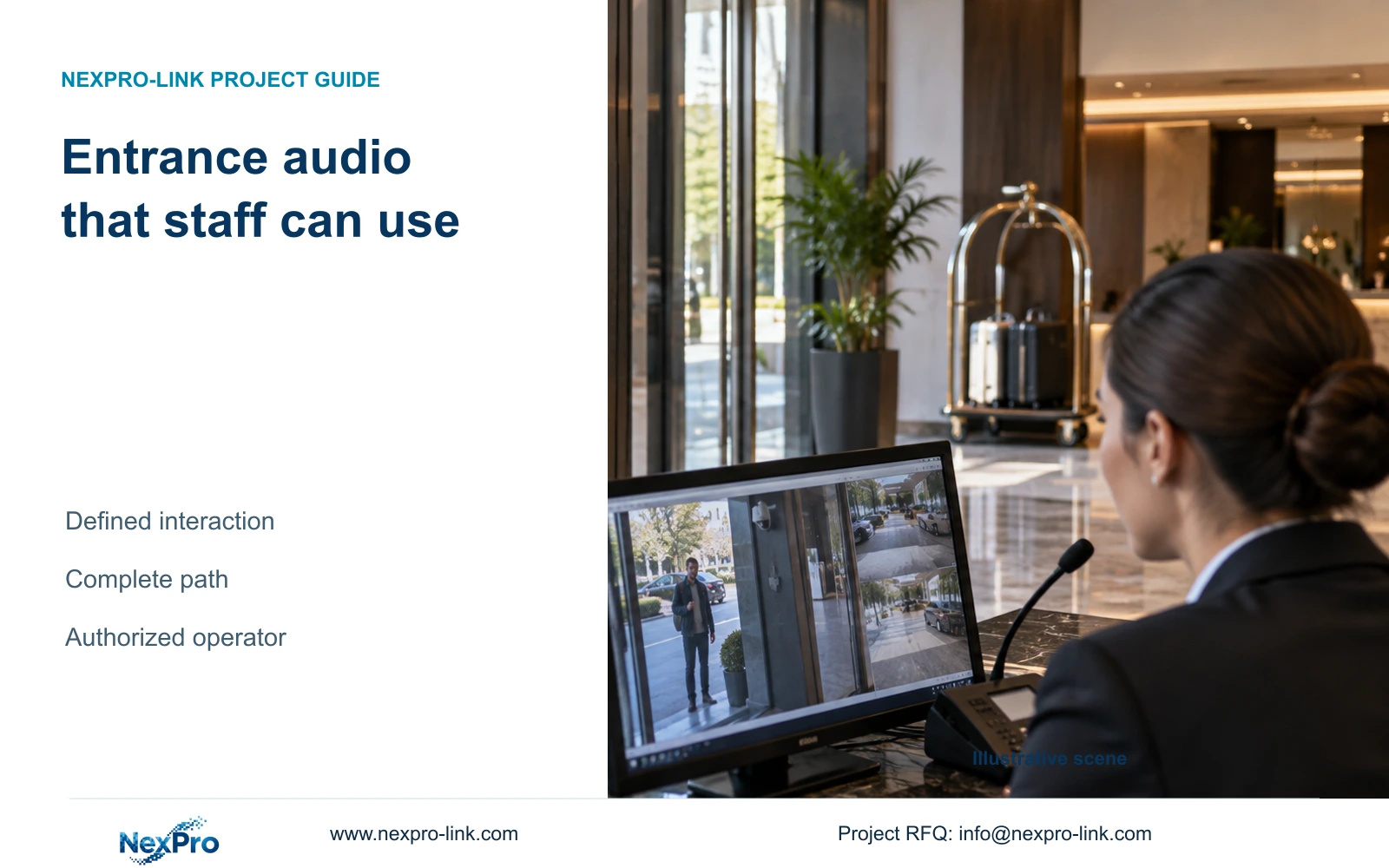
Include camera audio where a named operator can complete a defined assistance or warning task. A speaker specification alone does not establish usable hotel intercom operation.
Section 01
Decide which entrance interaction needs audio
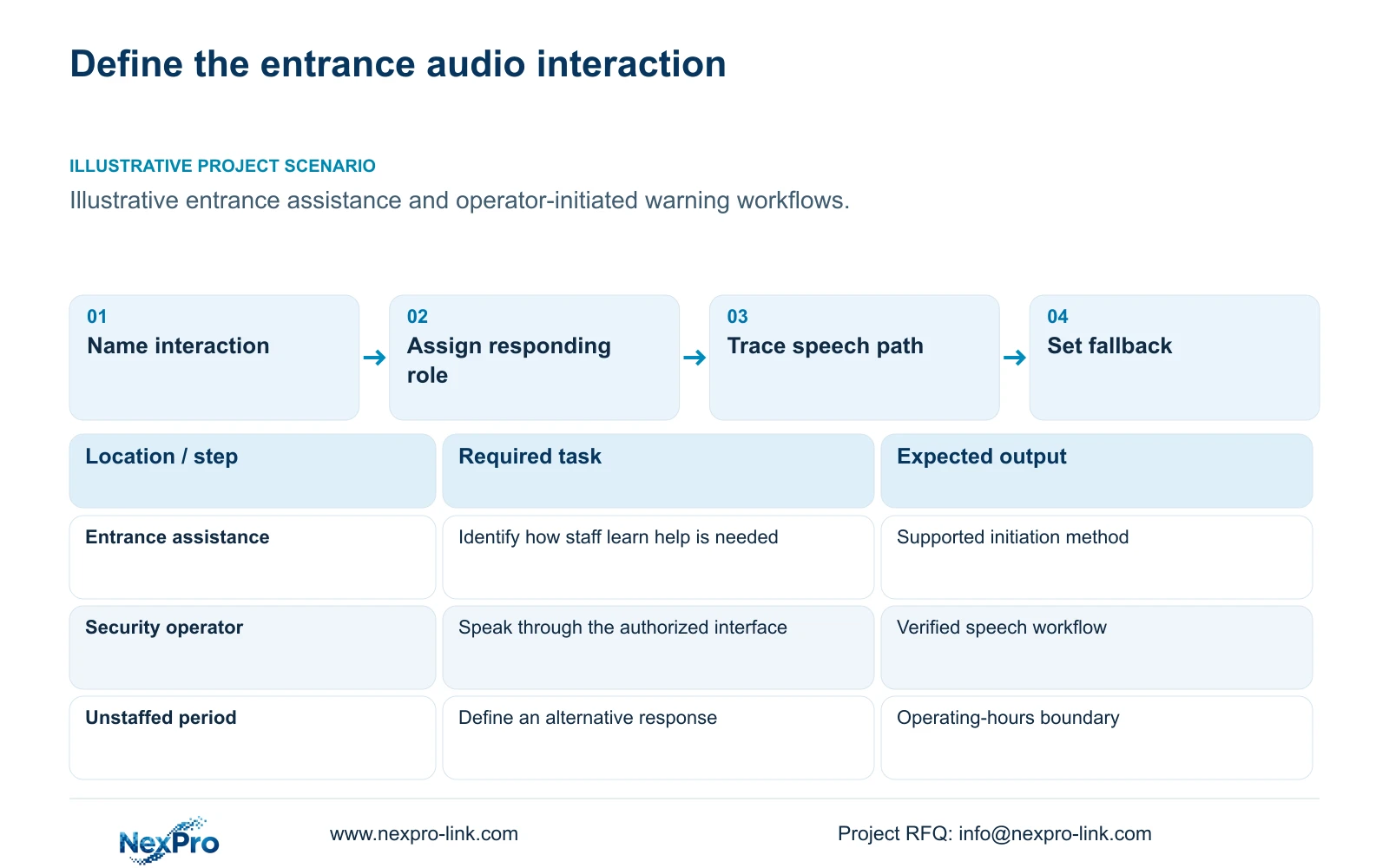
Include two-way audio only where the hotel has a defined assistance or active-warning task, an authorized operator and a supported path to that operator. Keep it outside the required operating scope when staff cannot respond or the function has no agreed purpose. A camera speaker alone does not establish a usable intercom workflow.
Describe the interaction from the operator's perspective. An entrance assistance task needs a way for staff to recognize that help is needed, open the correct view and communicate through the supported interface. An operator-initiated warning has a different start condition. Do not assume either workflow includes a call button or automatic notification unless the selected system provides it.
Assign the responding role and operating hours before specifying hardware. Reception, security and remote support have different responsibilities. Define the fallback when that role is unavailable. A written workflow exposes whether camera audio is useful, whether another communication arrangement is needed or whether the entrance should remain a video-only observation point.
| Required task | Given information | Decision still needed |
|---|---|---|
| Entrance assistance | Operator role proposed | How does the operator learn help is needed? |
| Active warning | Entrance view identified | Who may speak and during which hours? |
| Unanswered interaction | Staff may be unavailable | Which alternative response remains available? |
Section 02
Separate listening, speaking and audio recording
A microphone, speaker and audio-recording setting perform different jobs. List the required direction of communication and whether stored audio is part of the approved purpose. Live conversation does not automatically require continuous ambient recording. Access to listening and speaking should follow the hotel's authorized roles.
The supplied BL2812M Series PDF describes two-way audio for NexPro-BL2812M55-5MP-DIC-AI and NexPro-BL2812M88-8MP-DIC-AI. That supports considering these models for an entrance task. It does not establish loudness at a particular distance, echo behaviour, operator-client compatibility or the exact interaction mode. Those missing fields matter directly to the purchase.
Keep privacy decisions separate from the presence of audio hardware. The supplied ICO record is UK guidance on purpose, access and retention, and notes revision activity; it is not a global hotel rule. The hotel should resolve applicable audio authorization locally and define which functions may be enabled in the delivered configuration.
| Item | Video-only scope | Audio-enabled scope | Effect on the hotel task |
|---|---|---|---|
| Operator speech | No camera speech task | Supported outgoing audio required | Adds an active communication path |
| Listening | No listening requirement | Supported incoming audio required | Needs authorized use |
| Stored audio | Video policy remains defined | Separate recording decision | Changes information captured and accessed |
Section 03
Trace the complete operator audio path
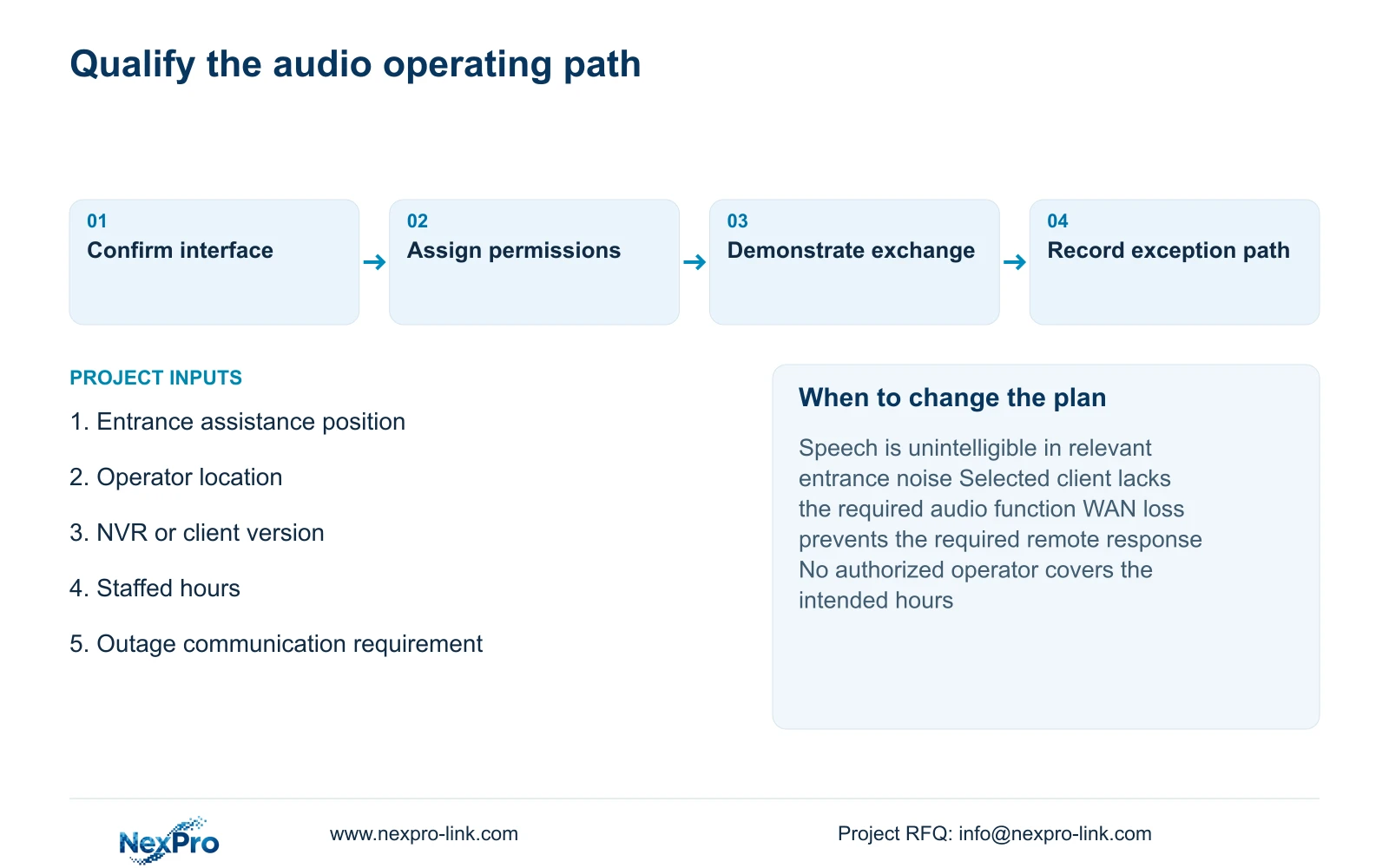
Draw the intended route between camera, network and the selected NVR or client interface. Include the operator microphone and listening device. Identify whether the task is local or depends on WAN access. A live video connection does not prove that speech works in both directions through the same equipment and software version.
NexPro-Link's Seetong System record supports discussion of App and PC-client workflows. It does not establish that every compatible device has identical audio functions. ONVIF support also requires relevant device and client profile checks; it cannot be treated as proof of all audio, event, recording or account behaviour.
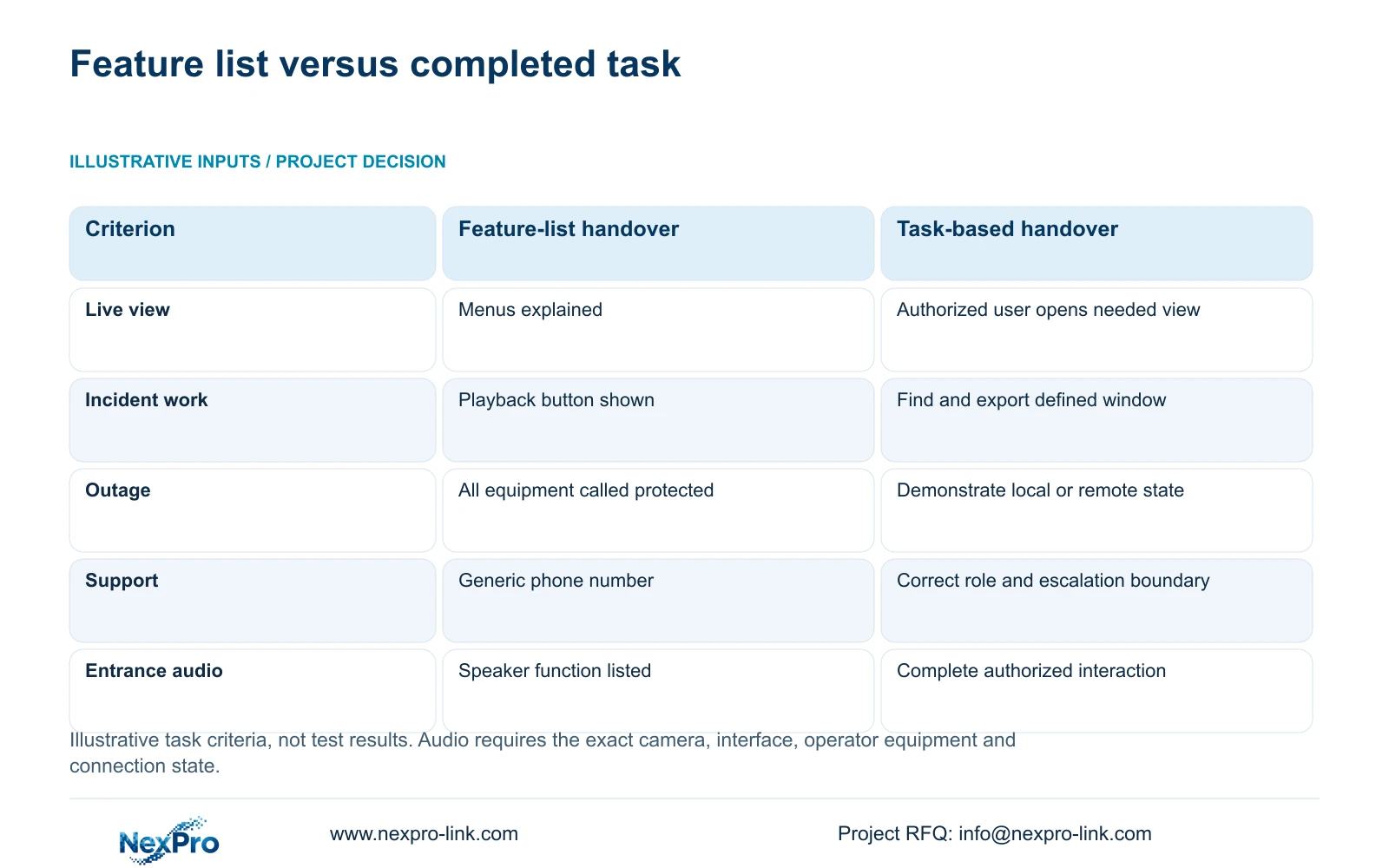
Use the following handover comparison to evaluate the complete task. The inputs are operator roles, representative activities, supported interfaces and escalation contacts. It is an illustrative decision matrix, with no timing or performance results. For entrance audio, the task-based approach must include completing the intended conversation, alongside the relevant video and fault workflows.
| Metric / condition | Option A | Option B |
|---|---|---|
| Live view | Menus explained | Authorized user opens the needed view |
| Incident work | Playback button shown | Find and export a defined time window |
| Outage | All equipment called protected | Demonstrate the selected local/remote state |
| Support | Generic phone number | Correct role, contact and escalation boundary |
Section 04
Check noise and the intended operating hours
Assess speech at the actual assistance position and operator location during the intended hours. Include representative entrance activity and the relevant distance from the camera. The useful observation is whether participants can understand the required exchange. No sound-pressure level, intelligibility score or response-time result is supplied for these candidate models.
Test the sequence that staff will use, including selecting the correct camera and ending the interaction. Document any supported switching between listening and speaking rather than assuming full-duplex conversation. A daytime demonstration in a quiet area cannot establish the same result during a busy arrival period or a different night operating state.
Define what happens when WAN access is unavailable, the operator changes shift or a component fails. Local recording, remote viewing and live audio can have different dependencies. If the hotel's required assistance task relies on a remote operator, its connection and availability conditions need to be part of the specification and demonstration.
Section 05
Compare audio and non-audio packages at equal video scope
Keep the required entrance recording outcome unchanged in both offers. Show audio-related hardware, client requirements and operator training separately. A camera may contain audio hardware even when the project does not authorize its use; compare the enabled service and operating scope rather than assuming every feature must be used.
An audio-enabled option is justified when staff can complete the approved communication task under the relevant noise and connection conditions. If there is no staffed response or the necessary interface is unsupported, retain video observation and define another assistance arrangement. No supplied quotation establishes a price premium or saving between those choices.
Power protection must follow the chosen operating state. If conversation during an outage is required, include the necessary access network and operator endpoint, not only the recorder. CASE01 provides an illustrative complete recording-path framework, but its system assumptions do not prove this entrance-audio workflow or supply an audio power budget.
| Retained outcome | Extra scope | Purchase condition | Counter-condition |
|---|---|---|---|
| Entrance video recording | Authorized audio path and operator equipment | Staff can complete the agreed interaction | No staffed response or supported interface |
| Agreed outage service | Protection for required audio dependencies | Communication is required in that state | Video-only outage service is sufficient |
Section 06
Define an authorized demonstration before acceptance
Use authorized participants and the proposed operator role to demonstrate the required exchange. Record the model, software version, interface and connection state. The operator should perform the task without unrestricted engineering access. Add a limited playback or export exercise only where those activities belong to that person's role.
Choose the audio arrangement when the complete path works under the agreed operating conditions and the hotel can staff it. Change the proposal if intelligibility is inadequate, the platform cannot support the required workflow or operating hours exceed staff availability. Keep unresolved observations and the responsible corrective party in the handover record.
Send the entrance plan, intended interaction and operator location to info@nexpro-link.com, together with the existing NVR or client version and required hours. NexPro-Link can discuss model matching and coordinated equipment supply. The proposal should identify local installation, operator training and support boundaries without assuming third-party integration or unrestricted onsite service.
Section 07
Buyer questions
Does two-way audio mean a guest can automatically call reception? It does not establish a call-initiation or notification mechanism. Specify how the interaction starts and confirm the required hardware and client behaviour before including that task.
Can staff use one administrator account for audio operation? Define the required viewing and speaking permissions for the responding role. Verify the selected interface supports that arrangement, and keep ownership and staff offboarding documented.
What changes after the client software is replaced? Recheck incoming and outgoing audio, operator permissions and the exception workflow on the replacement version. A successful demonstration on the previous client does not prove the new path.
Engineering references
These sources support the general planning principles. Always use the selected product's current datasheet and applicable project standards for final design.


