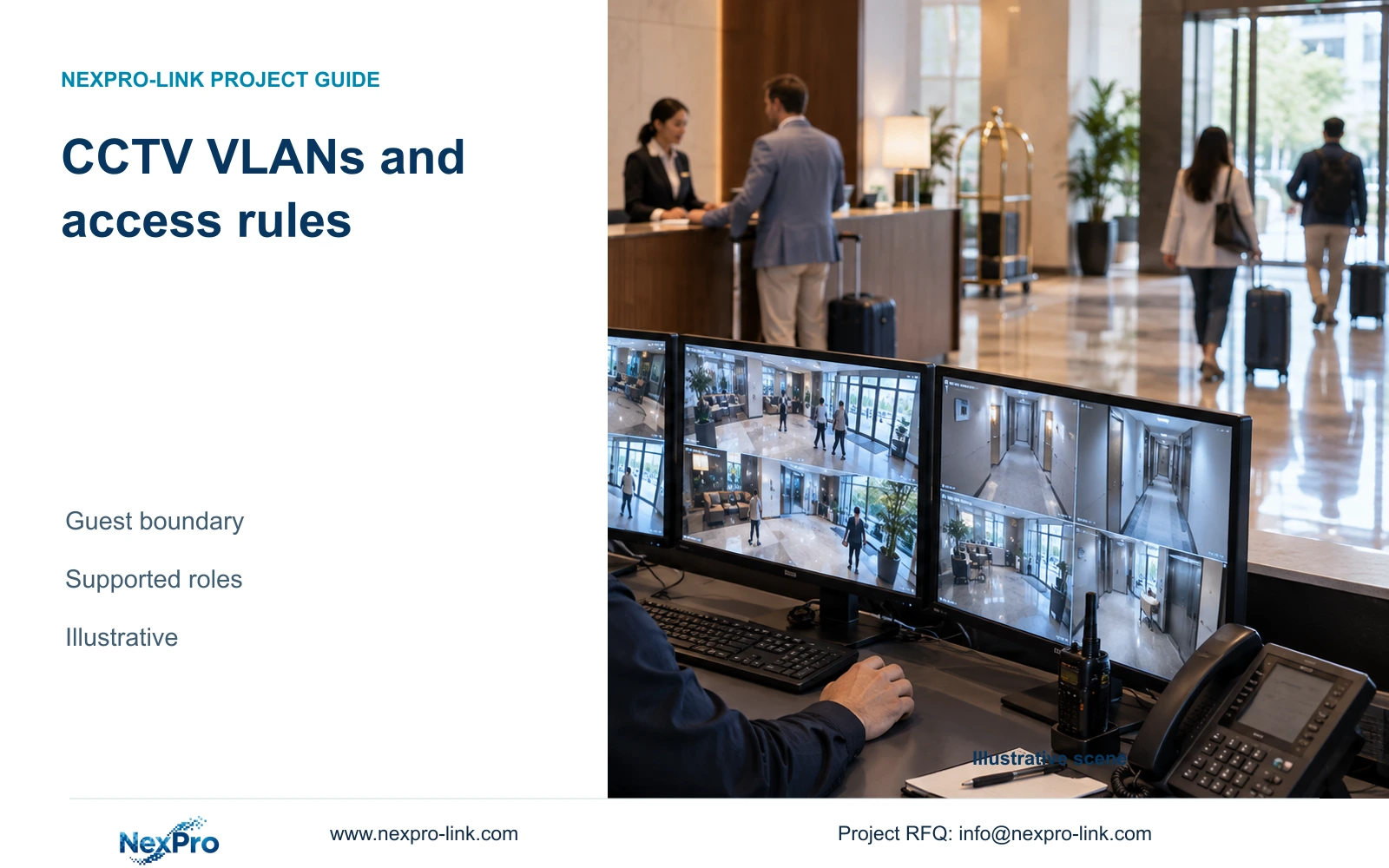
A CCTV VLAN does not define who may view, export or administer recordings. Combine network separation with supported user roles, approved communication paths and verified access removal.
Section 01
Separate users and devices by their required tasks
Design CCTV VLANs together with routing restrictions and supported application permissions. Creating a VLAN alone does not establish who may reach the recorder or what a connected user may do. Select a shared infrastructure arrangement only when hotel IT can enforce the required paths and the selected devices support the necessary operating roles.
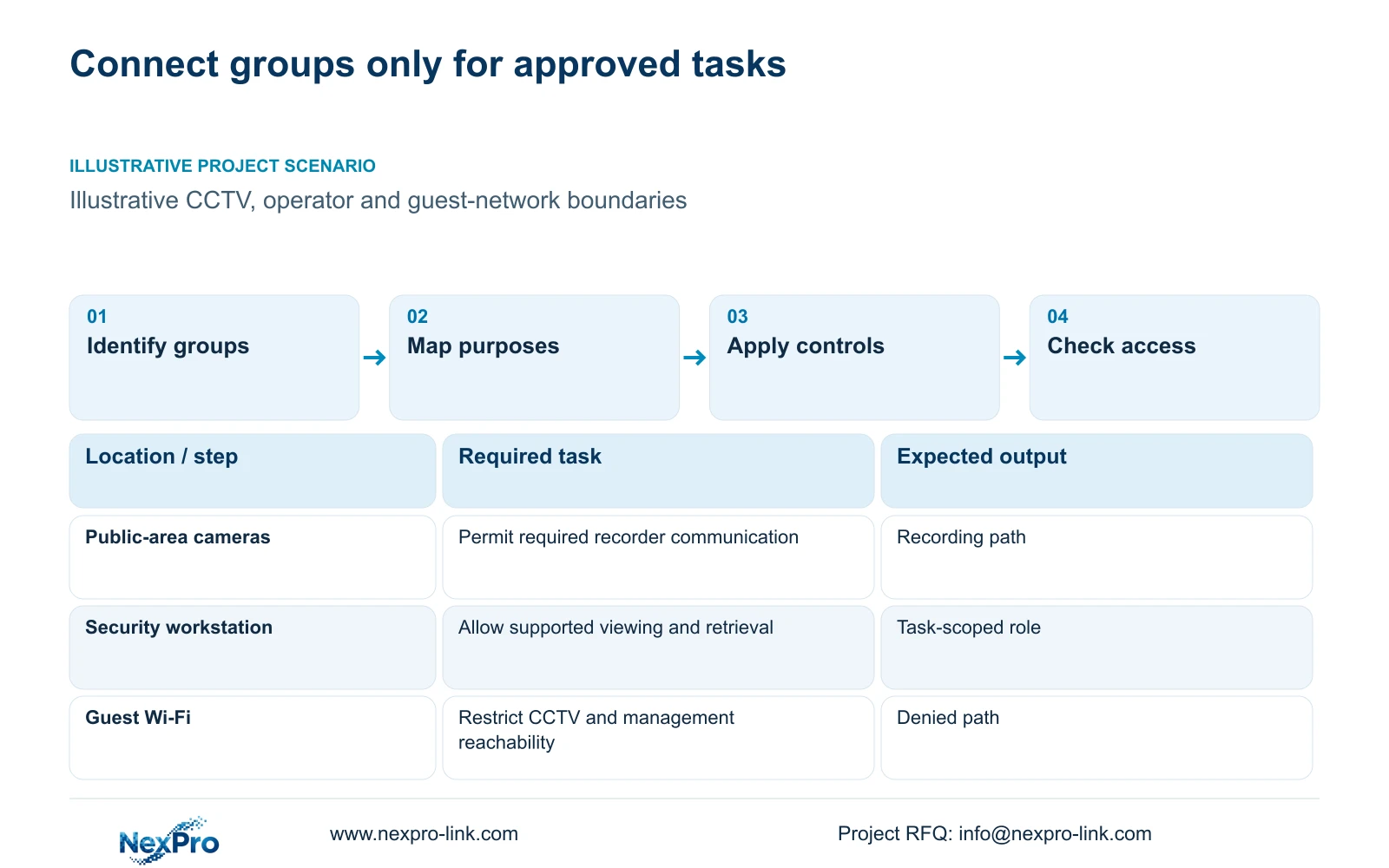
List cameras and recording equipment separately from authorized operator workstations, administration devices and guest Wi-Fi clients. Then identify the people responsible for routine viewing, incident retrieval, export and configuration. A security operator may need to open public-area views without receiving authority to change network settings or transfer ownership of a device account.
Keep the operating scope tied to public hotel tasks such as reception, entrances and service routes. CASE01's camera groups illustrate that scope without covering guest-room interiors. Assign an owner to each network and account responsibility. The owner should be able to explain who authorizes a change and who removes access when a contractor or employee leaves.
| Group | Required task | Decision still needed |
|---|---|---|
| Cameras and recorder | Deliver approved recording streams | Necessary device communication paths |
| Security operators | View and retrieve authorized footage | Supported role and export scope |
| Guest Wi-Fi clients | Use the guest service | Restriction from CCTV and management paths |
Section 02
Map each necessary communication before opening access
Create a communication matrix with source group, destination, purpose and responsible approver. Begin with camera-to-recorder recording. Add operator viewing and authorized administration as separate tasks. Include remote support only when the hotel requires it. A readable purpose column helps IT distinguish a necessary connection from a broad convenience exception.
The actual device, firmware and client determine the interfaces required for each task. Obtain those requirements for the selected configuration rather than publishing a universal list of open ports. Device discovery, viewing and recorded-footage retrieval may need different treatment. A successful live view does not establish that every required playback or event function works.
ONVIF Profiles provide a basis for checking relevant device and client functions. General ONVIF support does not prove complete event, audio, recording-search or cloud-binding compatibility. NexPro-Link's Seetong system record describes relevant App and PC workflows, but it does not establish every role or third-party integration. Put unresolved functions into the procurement requirements before choosing the software combination.
Section 03
Apply network restrictions and account permissions together
A VLAN defines a network separation boundary. Routing and access rules govern communication across that boundary. Account permissions govern actions after a user reaches the application. Device binding and account ownership are further controls. Check each layer because a restriction at one layer cannot be assumed to provide the others.
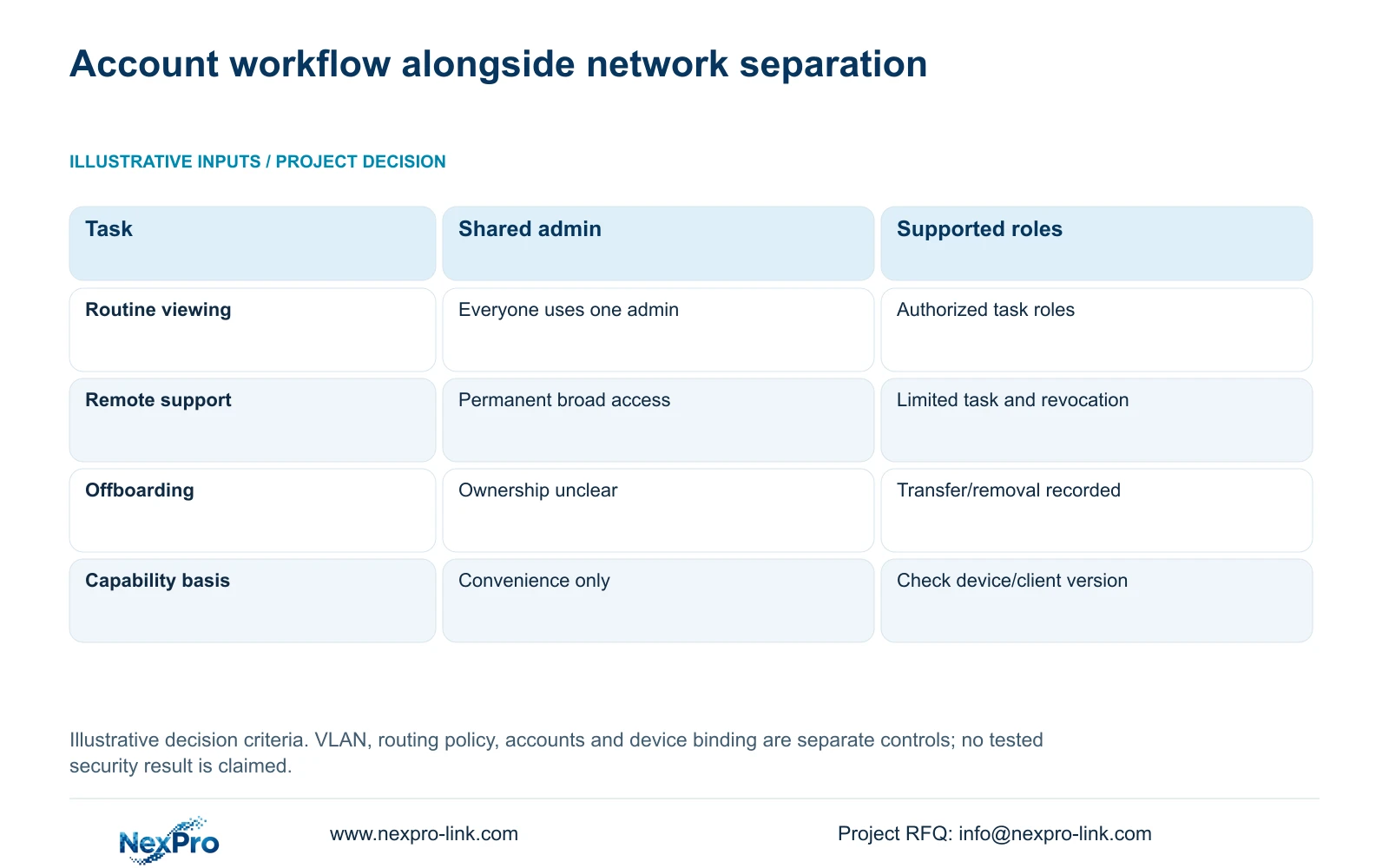
The comparison below uses illustrative workflow criteria, not security test results. A shared unrestricted administrator account leaves routine operators with excessive authority and makes responsibility changes difficult to manage. Supported role-based workflows offer a clearer allocation, provided the exact client and device versions can implement the required distinctions.
When a requested role cannot be represented by the selected software, revise the platform or operating workflow. Do not describe a proposed restriction as a native feature until it is supported. The purchase decision should preserve the hotel's required tasks while limiting unrelated access. A diagram with separate colors for CCTV and guest Wi-Fi cannot demonstrate that these controls have been implemented.
| Condition | Shared unrestricted account | Supported role-based workflow |
|---|---|---|
| Routine viewing | Everyone uses one admin | Authorized tasks assigned to supported roles |
| Remote support | Permanent broad access | Approved limited task and revocation |
| Offboarding | Account ownership unclear | Documented authorized transfer/removal |
| Requirement | Convenience only | Verify actual device/client capability |
Section 05
Document the authority and end of remote support access
Define remote support by the task being authorized. Record who approves access, the equipment involved, the permitted actions and how the session or authorization ends. Troubleshooting one recorder should not automatically grant lasting access to all hotel systems. Use the hotel's approved support route rather than assuming any available remote feature is acceptable.
Keep account ownership with the authorized hotel responsibility. Device binding, network reachability and application credentials may need separate removal or transfer procedures. When personnel change, verify the relevant layers instead of relying on a verbal statement that access has ended. Do not place passwords, guest footage or privileged network details in proposal diagrams or initial inquiries.
Handover should let operators complete normal tasks independently and identify when to contact IT or the local installer. NexPro-Link's technical assistance belongs within an agreed equipment and support scope. The supplied policy describes a 24-month limited hardware baseline for applicable main equipment from receipt; ongoing technical support does not mean unrestricted remote authority or included local attendance.
Section 06
Test both required access and prohibited access
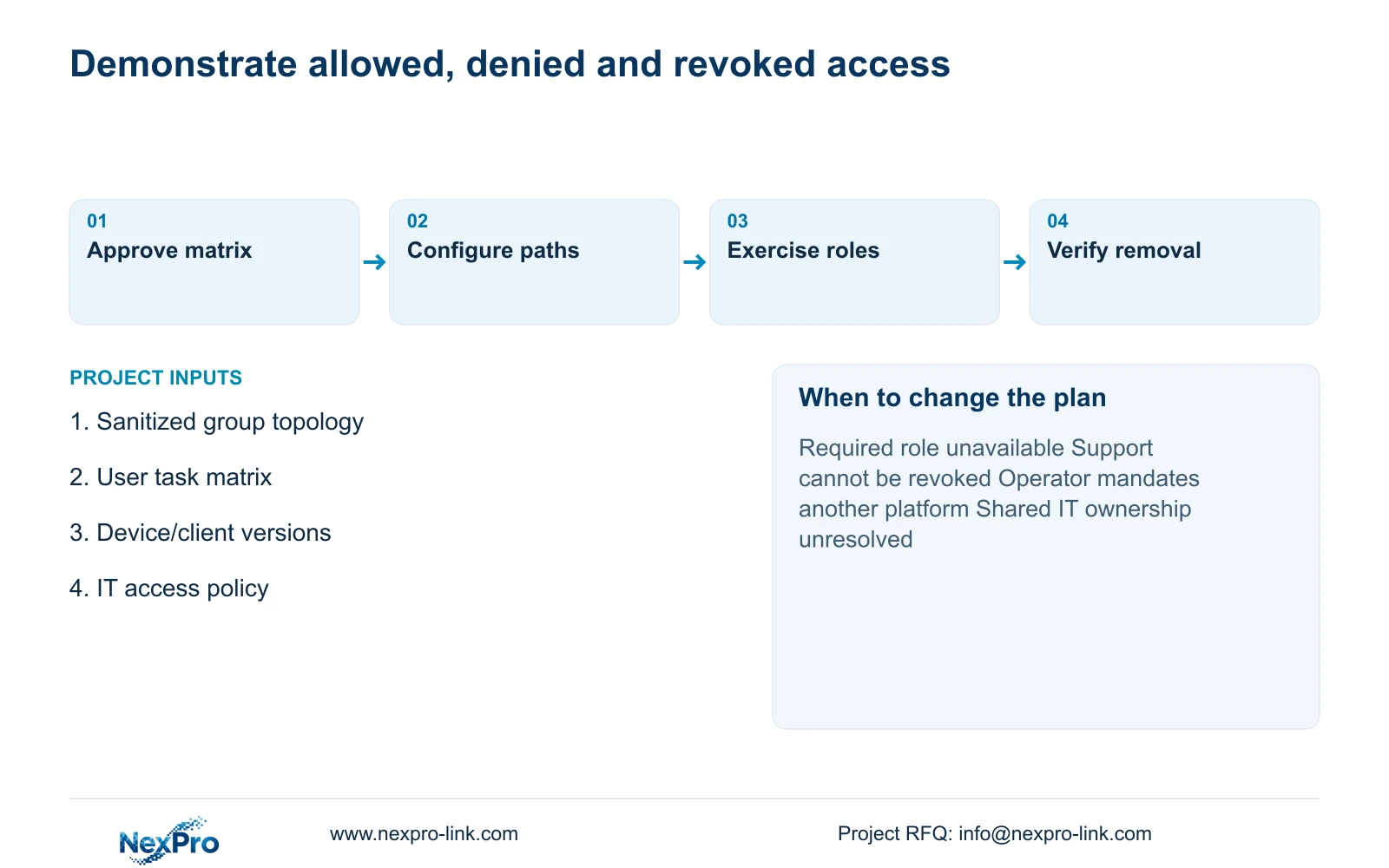
Write acceptance tasks from the communication matrix. An authorized operator should open the required view and perform the permitted retrieval task. A guest-network client should be unable to reach prohibited CCTV and management services. A user without export authority should be checked against the actual supported controls. Record the source group and application role used for each observation.
Include access removal in the same test plan. After an approved role change or support closure, repeat the relevant attempt and record the outcome. If a test fails, identify the rule, configuration or software limitation responsible, then repeat the same task after correction. A limited set of successful checks supports those observed paths only; it does not prove universal security or legal compliance.
Send info@nexpro-link.com a sanitized group topology, required user tasks, device/client versions and the hotel IT access policy. These inputs allow a scoped equipment discussion without disclosing credentials. Prefer supported role-based operation with explicit network restrictions; change the proposal if the required tasks, revocation process or operator-mandated platform cannot be implemented.
Section 07
Buyer questions
Can operators view footage without administrator access? Make that a purchase requirement and check it against the exact device and client versions. If their supported roles cannot separate viewing from administration, choose a different platform or an approved workflow that meets the hotel's authority limits.
Is a dedicated CCTV switch enough to isolate guest Wi-Fi? Physical separation clarifies part of the topology, but any connection between services still needs an explicit access policy. Check operator, administration and remote support paths as well as guest reachability.
What evidence should accompany access handover? Retain the approved task matrix, configuration identities and observed results for allowed, denied and revoked access. Use sanitized records suitable for the hotel's authorized recipients, without publishing credentials or guest imagery.
Engineering references
These sources support the general planning principles. Always use the selected product's current datasheet and applicable project standards for final design.