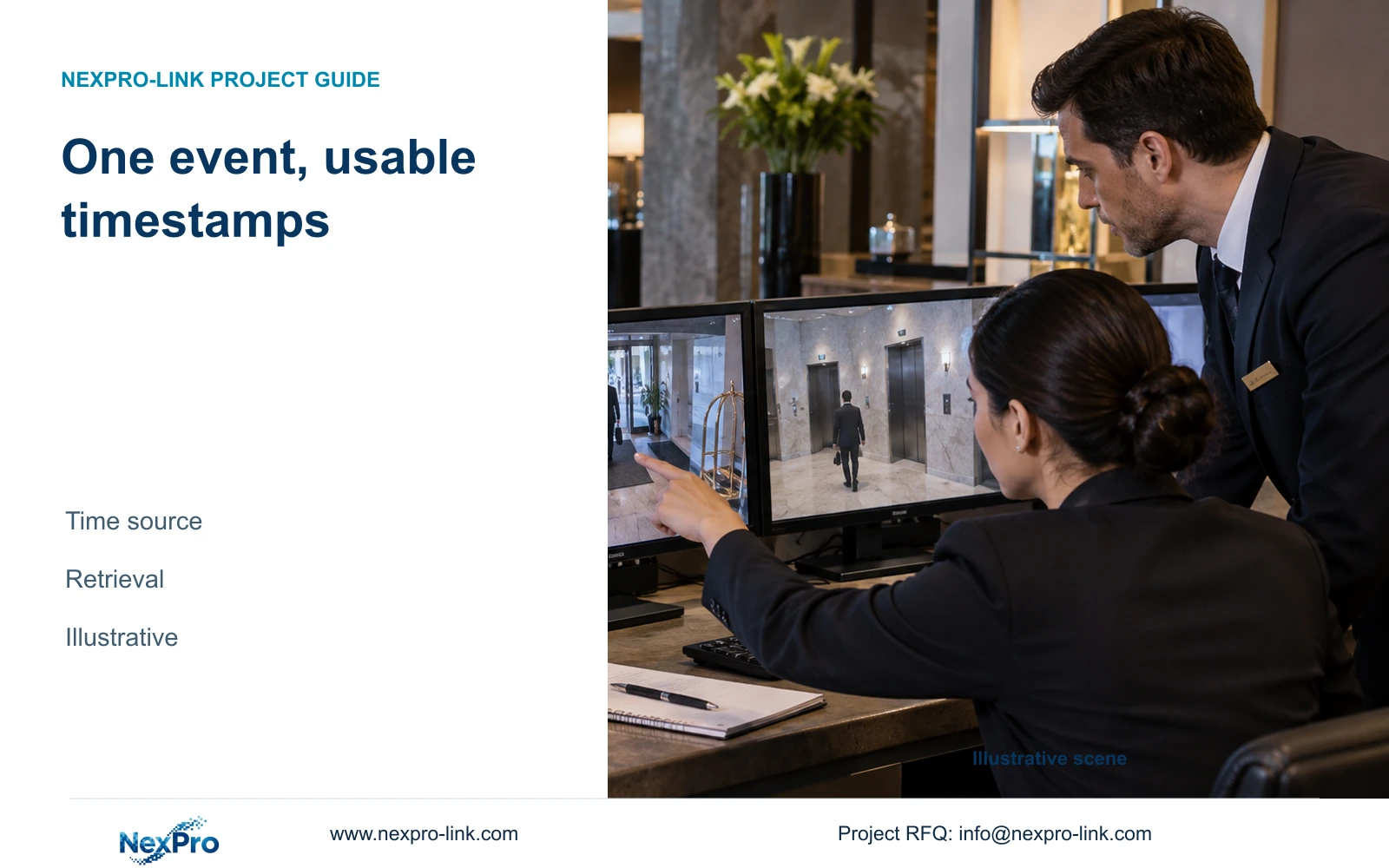
Choose an approved time source and verify the complete retrieval workflow. Matching live timestamps alone does not establish that recordings, access events and exports share a usable time reference.
Section 01
Choose an approved time source for the recording system
Use a hotel IT-approved time source and a documented timezone policy for the CCTV system, then verify recorded footage and exports against that reference. Where the exact devices support NTP, include its configuration in commissioning. If the required time-source workflow is unsupported, change the equipment or define an explicit alternative verification process before handover.
Assign ownership of the source and its network availability. The engineer needs to know which devices can reach it and who maintains it when IT changes the network. Record the intended behavior when the source is unavailable, without assuming a fallback feature that the chosen camera or recorder has not documented.
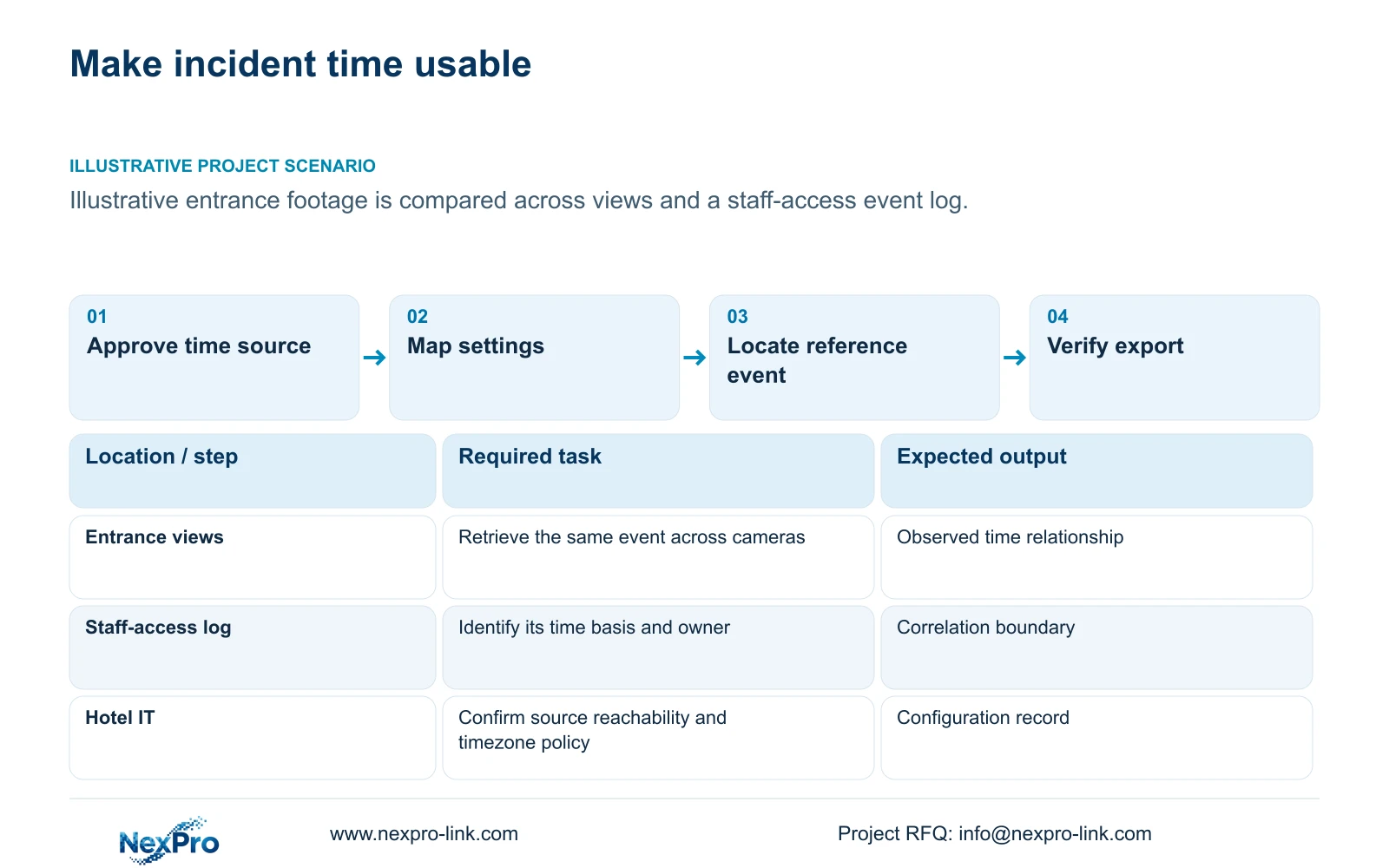
Include related staff-access event systems in the time discussion when operators need to correlate their events with footage. Shared purchasing does not establish a shared clock or an integrated search interface. The required relationship should be written into the commissioning task, with each subsystem's responsible party identified.
| Required task | Given information | Decision still needed |
|---|---|---|
| Find an event across camera views | Cameras and recorder have separate settings | Approved source and supported configuration path |
| Compare a staff-access event with footage | A separate event system is used | Time basis and responsible subsystem owner |
Section 02
Separate timezone errors from clock drift
Treat the time reference and its displayed local representation as separate settings to verify. A timezone mismatch can make two views appear offset even when their underlying clocks follow the same source. Clock drift concerns a clock's changing relationship to the reference. Record the observed behavior before deciding which setting to change.
RFC 5905 describes NTP's synchronization of system clocks against a UTC time reference. It does not specify a hotel's local display, recorder search interface or export-player interpretation. The clock configuration and local-time representation therefore need separate observations; no protocol-level accuracy figure in the RFC is a promise for the selected camera or NVR.
Document the hotel's timezone and any applicable clock-change policy in the configuration schedule. Verify how the selected devices and clients represent those settings; no automatic regional behavior is established by the supplied product records. Avoid correcting one camera's displayed hour manually while leaving the wider time policy unexplained.
When investigating an incident, preserve a record of any known mismatch and the period affected. Correcting today's settings does not establish the meaning of earlier footage. The handover should explain how authorized staff report a discrepancy and obtain technical help without silently changing the historical search context.
Section 03
Map settings across cameras, recorders and clients
Create a device setting map that includes identity, software or firmware version, selected source, timezone representation and the person responsible for changes. Separate camera settings from recorder settings and the viewing client's display behavior. A single successful menu adjustment does not demonstrate that all devices use the intended configuration.
Define a representative public-area event for commissioning, with an independently noted reference time. Use the event to examine live display, recorded search and export as separate tasks. The inputs are the approved source, actual device configuration and operator workflow; the output is an observation record, not an assumed synchronization pass.
ONVIF profile matching can help identify relevant device/client functions, but it does not prove all timestamps, event searches or export behavior match across products. The supplied Seetong record describes related app and PC workflows without establishing this exact time-control implementation. Obtain the supported procedure for the selected versions and preserve it with the configuration map.
Section 04
Compare retrieval tasks under aligned and mismatched time
Ask an authorized operator to locate the representative event in the required views using a defined time window. Record any adjustment needed because a camera, recorder or client shows a different time basis. An aligned result should allow the intended search to work consistently; a mismatched result identifies the configuration or workflow that needs correction.
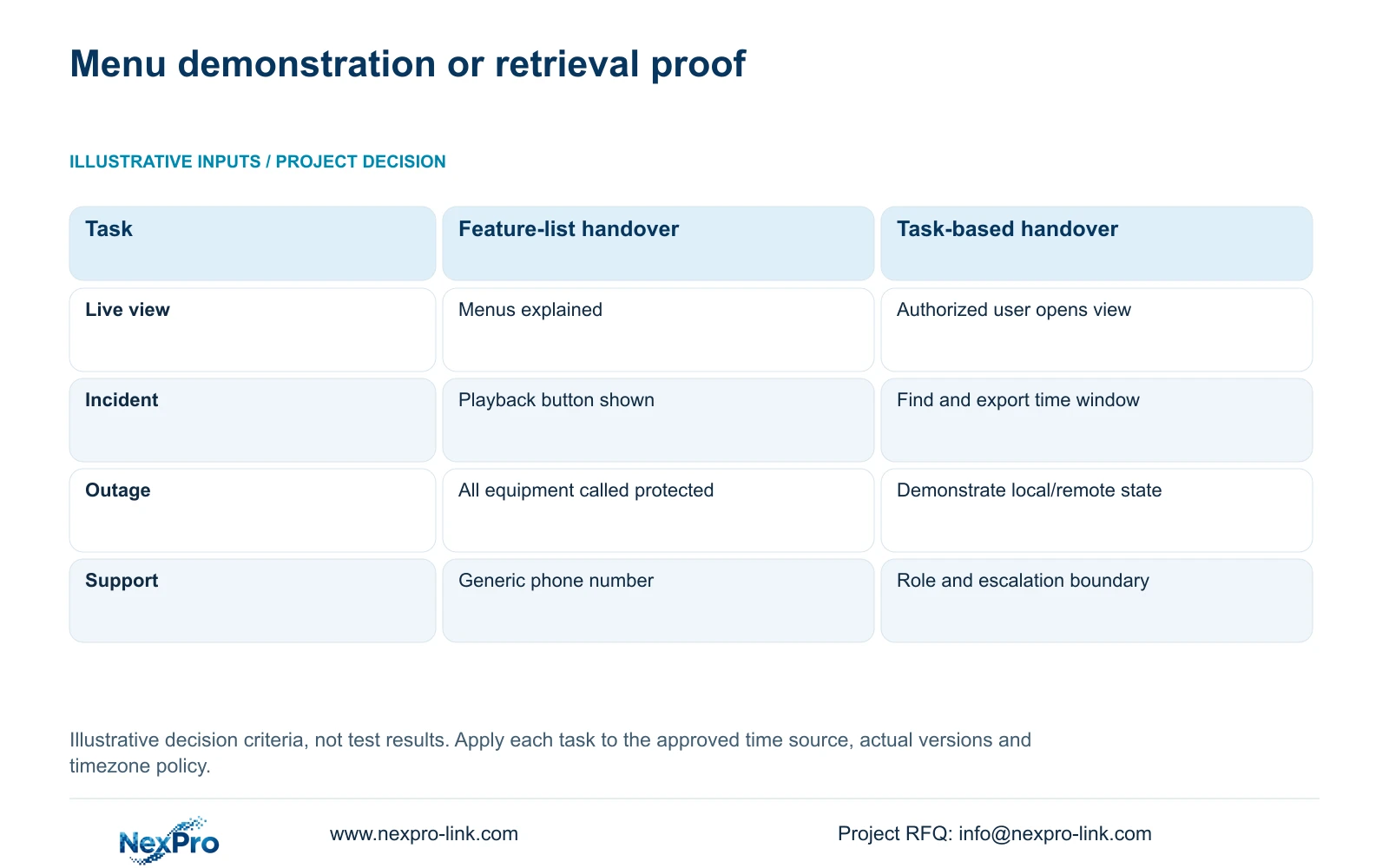
Use the supplied handover comparison below to turn feature descriptions into observable tasks. Its entries are decision criteria, not field-test results or measured time savings. For this topic, the live-view task includes reading the relevant time display, and the incident task includes retrieving the corresponding recorded interval.
Include the selected local and remote states during a time-source or WAN interruption where those states matter to the hotel. Local recording, remote access and display availability are separate outcomes. Record what the actual configuration does during the interruption and after restoration, rather than calling the entire system protected or synchronized.
| Metric / condition | Feature-list handover | Task-based operator handover |
|---|---|---|
| Live view | Menus explained | Authorized user opens the needed view |
| Incident work | Playback button shown | Find and export a defined time window |
| Outage | All equipment called protected | Demonstrate the selected local/remote state |
| Support | Generic phone number | Correct role, contact and escalation boundary |
Section 05
Check the time meaning of exported footage
Open a representative export with the intended playback tool and compare its displayed interval with the recorder search and the reference event. Note which timestamp is shown and how its timezone is represented. A file that transfers successfully still needs a playback and context check before the operator relies on it.
Keep the authorized camera range, selected period and device identity with the export record. If the source system had a known mismatch, preserve that information alongside the footage. Do not assume the file name, displayed overlay and player timeline express time identically until the actual configuration has been examined.
Limit the exercise to authorized footage and recipients. Procurement discussions do not require guest images or real credentials. If cross-system event correlation is necessary, confirm the interface and version separately; purchasing CCTV and access equipment together does not demonstrate native integration. Any additional platform or client scope should address a documented retrieval requirement.
Section 06
Assign a repeatable verification task
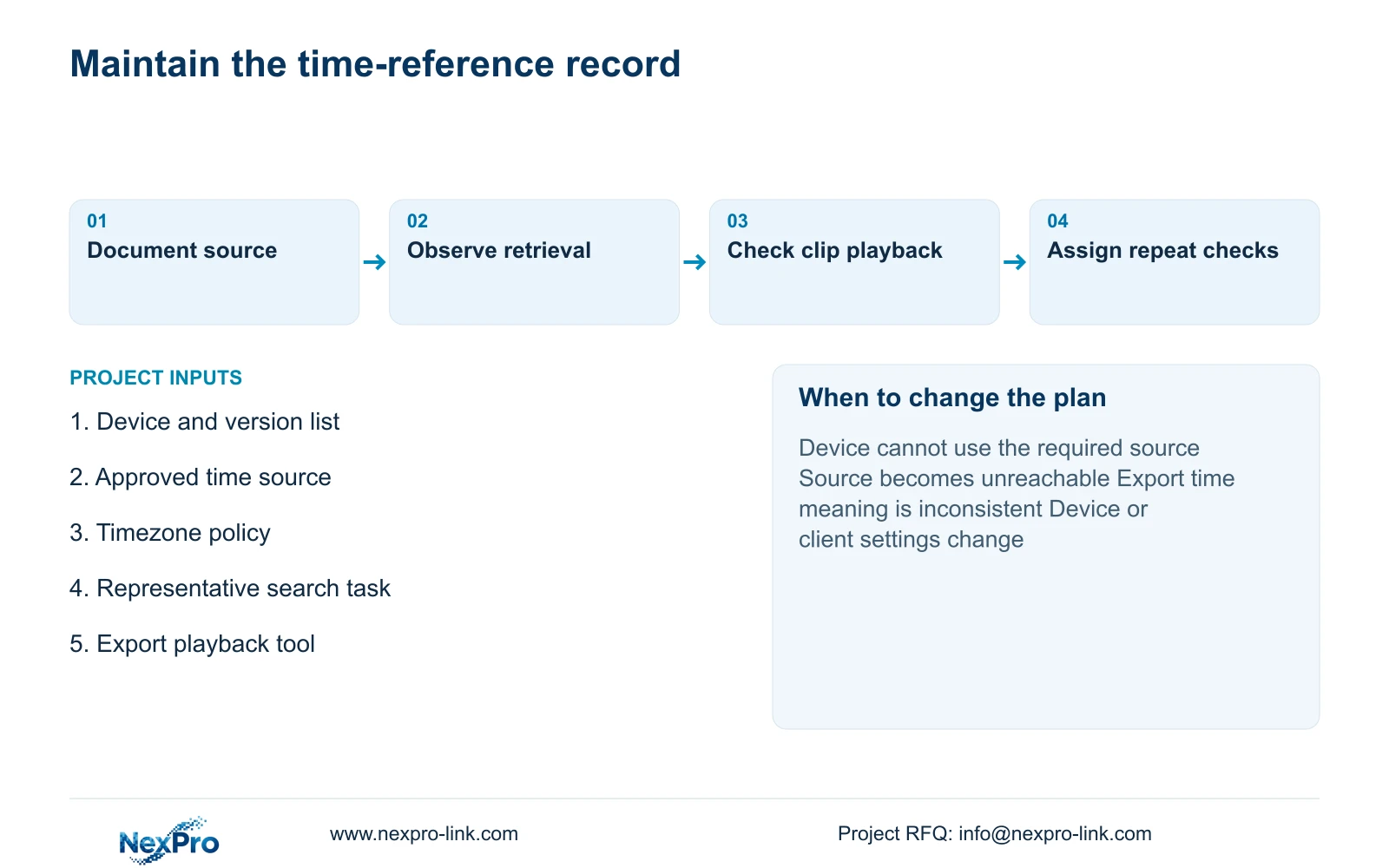
Give hotel security a short task for reporting time discrepancies and give IT or the designated technical party responsibility for configuration correction. Define a project-appropriate periodic check and repeat the relevant verification after equipment replacement or settings changes. This article does not invent a universal checking interval or numerical synchronization tolerance.
Recommend the approved-source configuration when representative retrieval and export tasks meet the hotel's agreed requirement. Change the proposal if a device cannot use the required source, if the source becomes unreachable under the intended network policy, or if exported timestamps prevent usable correlation. Recheck the affected workflow after correction using the same event method.
Send info@nexpro-link.com the camera/recorder version list, approved time-source arrangement, timezone policy and the specific retrieval or export mismatch. NexPro-Link can discuss supported equipment and technical-document scope through the hotel project and BOQ support routes. Keep technical support responsibilities distinct from hotel IT ownership and local commissioning work.
Section 07
Buyer questions
Does ONVIF support prove that every device shares the same clock settings? No. Match relevant profiles and functions, then verify the actual device/client configuration. The supplied records do not establish universal time-setting propagation, event correlation or export timestamp behavior.
Should security staff correct timestamps directly during an incident? Use the hotel's assigned technical procedure. Preserve the observed discrepancy and affected interval first. A settings change should not remove the context needed to interpret already recorded footage.
What belongs in the time-synchronization handover? Include the approved source, timezone policy, device/version map, representative retrieval and export observations, and the escalation owner. Give operators the instructions for their authorized tasks, without granting unnecessary configuration access.
Engineering references
These sources support the general planning principles. Always use the selected product's current datasheet and applicable project standards for final design.