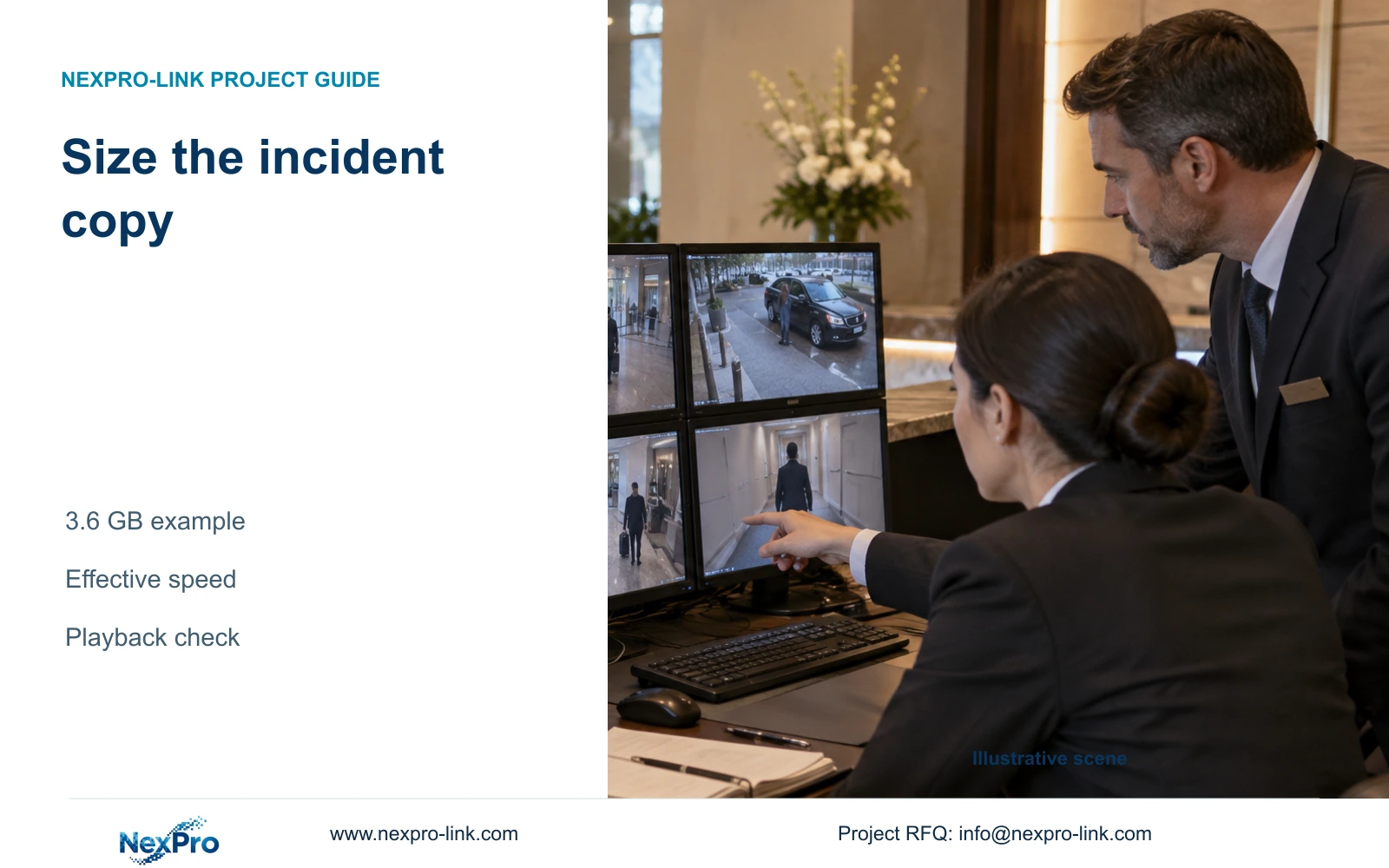
A four-camera incident can need several gigabytes even for a short time window. Size the authorized clips first, then allow for export processing, effective transfer speed and playback checks.
Section 01
Approve the event window and camera list
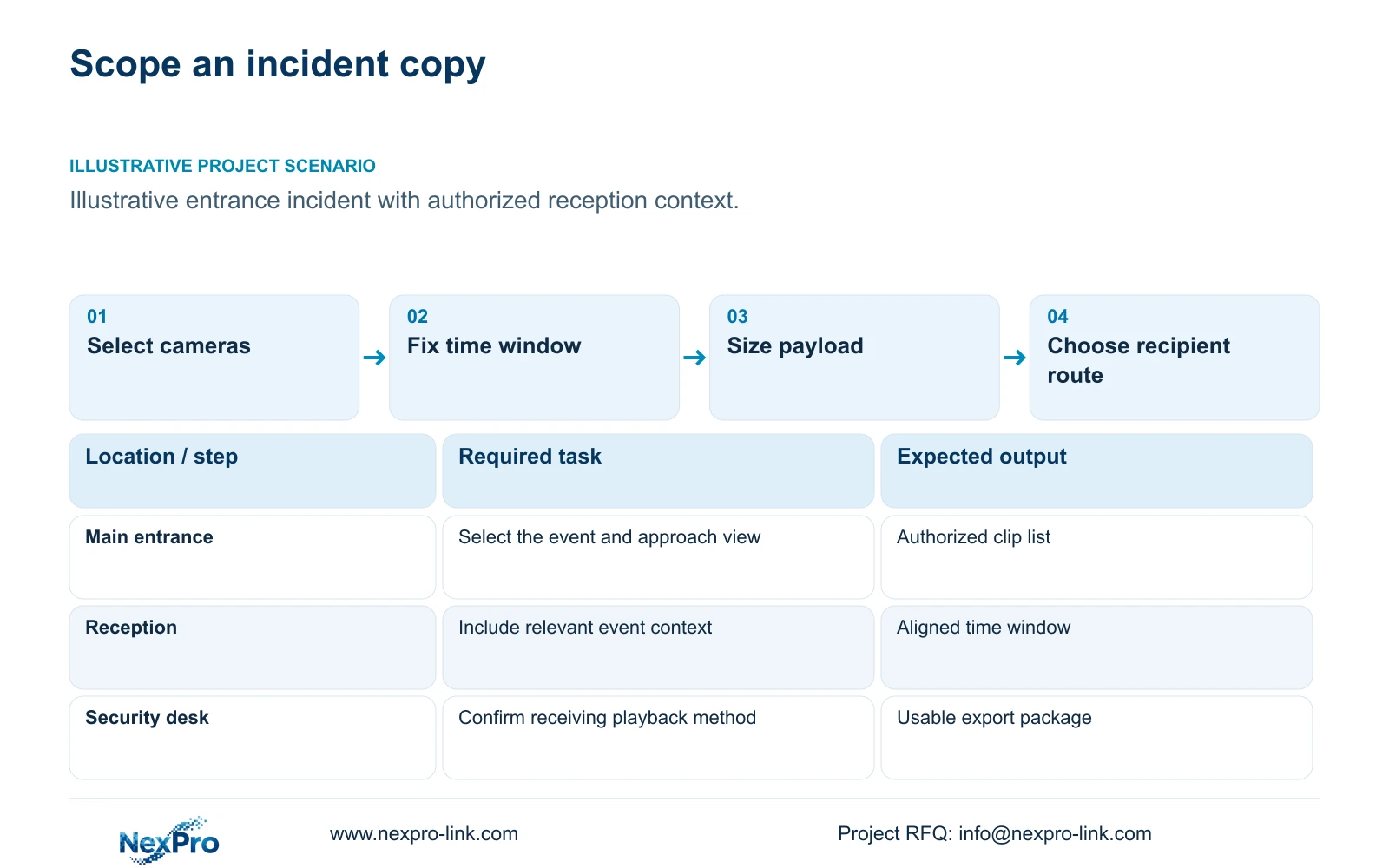
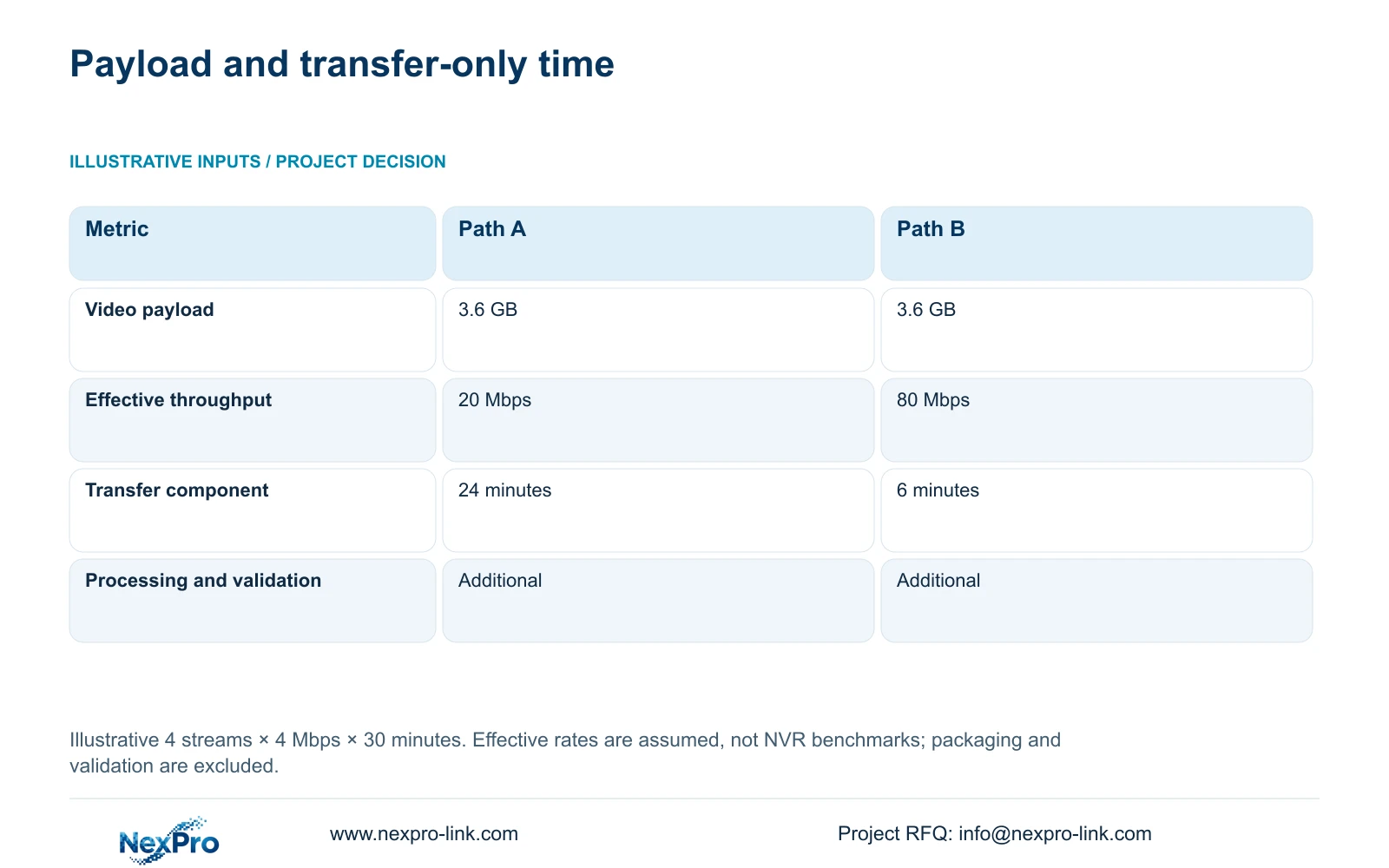
Choose export media and a transfer route from the authorized camera list, clip duration and recorded bitrates. For the illustrative four-stream event in this article, the video payload is 3.6 GB. Its transfer component takes 24 minutes at an effective 20 Mbps or 6 minutes at 80 Mbps. Use the faster route only if the recorder and receiving path can sustain it and the hotel approves that delivery method.
Start with the event's location and useful context. An entrance incident may require the approach view and a reception view over the same time window. Include enough footage to understand the event, while excluding unrelated recordings without a defined purpose. Preserve camera identifiers and the selected start and end times so the recipient can relate each file to the incident.
Record who authorizes the copy and who receives it before estimating a USB requirement. The export request should also name the expected playback environment. A technically completed copy may be unusable to a recipient who lacks the required player, or incomplete when a relevant camera was omitted.
| Required task | Given information | Decision still needed |
|---|---|---|
| Reconstruct an entrance event | Relevant public-zone cameras | Authorized camera list and time window |
| Deliver usable footage | Intended recipient | Supported format and playback method |
| Meet a handover deadline | Estimated video payload | Effective route speed and processing allowance |
Section 02
Calculate the selected video payload
For equal-rate streams, decimal clip GB equals streams × Mbps × seconds divided by 8 and then by 1000. Four streams at an assumed 4 Mbps for 30 minutes use 1,800 seconds: 4 × 4 × 1,800 ÷ 8 ÷ 1000 = 3.6 GB. Dividing by eight converts bits to bytes. The bitrate is an illustrative recording input, not a fixed consequence of camera resolution.
For different rates or clip lengths, calculate each camera's payload separately and add the results. Use the stored recording profile, including any changed settings during the selected period. Encoding packaging, authorized audio and metadata can affect the actual export size, so the calculated video payload should not be treated as an exact final file-size promise.
Select media with sufficient actual free space for the complete export package and its playback resources. Check the recorder's supported media and format requirements before purchase. The four-camera clip calculation is independent of the complete hotel's routine storage total; copying one incident does not require exporting the whole recorder.
Section 03
Compare media using effective transfer speed
Transfer seconds equal decimal GB × 8000 divided by effective Mbps. For 3.6 GB, the illustrative 20 Mbps path takes 1,440 seconds, or 24 minutes. The 80 Mbps path takes 360 seconds, or 6 minutes. These are transfer-only results. Recorder processing, file packaging and playback validation remain additional work.
A USB interface label or internet service speed does not establish sustained export throughput. Compare the complete path from the recorder through the selected medium or approved network route to the receiving device. If recorder processing limits the export, buying faster media may leave the total completion time largely unchanged.
NexPro-NVR4449-4K lists 320 Mbps recording input and dual gigabit connections. Those fields do not specify a measured export rate. Treat export performance as a separate configuration check. For occasional incidents with a generous deadline, a verified existing route may be adequate; frequent large exports or a shorter approved deadline justify investigating a faster supported path.
| Metric / condition | Option A | Option B |
|---|---|---|
| Video data | 3.6 GB | 3.6 GB |
| Effective transfer | 20 Mbps | 80 Mbps |
| Ideal transfer time | 24 minutes | 6 minutes |
| Recorder processing and packaging | Additional | Additional |
| Playback checks | Additional | Additional |
Section 04
Include playback tools and file context
Agree the supported output format and playback method before issuing the export instruction. Preserve the files in the form needed for the approved task, together with camera and time information. If a dedicated player is required, confirm how the recipient will obtain and use the appropriate version. Do not assume that a familiar file extension establishes complete playback support.
The export record should identify the selected material, its source device and the verification performed. Keep the relationship between multiple camera views clear, especially when the recipient needs to compare the same event across files. Technical usability checks do not, by themselves, establish legal admissibility.
Recorder replacement makes this step more urgent. An old disk cannot be assumed readable in a new NVR even when its connector fits. Verify the required exported material before retiring the original recorder or removing its disks. A faster copy offers little benefit when the hotel loses the only working playback environment.
Section 05
Control access to the delivered copy
The hotel's authorized owner should select the recipient, delivery path and access period. Export permission, access to the source recorder and permission to share a finished copy are separate decisions. Avoid using a shared unrestricted account merely because it makes the transfer convenient. Supported roles and the approved support route must match the actual task.
Compare local media handover and remote delivery with the same event scope. Local handover needs an identified custodian and an agreed receipt process. Remote delivery needs an approved destination and suitable access protection. Include encryption or access-expiry requirements where the hotel specifies them, without assuming that every recorder or service implements those functions.
The supplied ICO guidance concerns UK surveillance and is noted as under revision; it supports purpose and access considerations, not a universal hotel rule. Apply the hotel's relevant requirements to each recipient. Keep credentials and guest imagery out of initial commercial inquiries, and do not turn an equipment support request into an unauthorized footage transfer.
Section 06
Test the copy on the intended receiving system
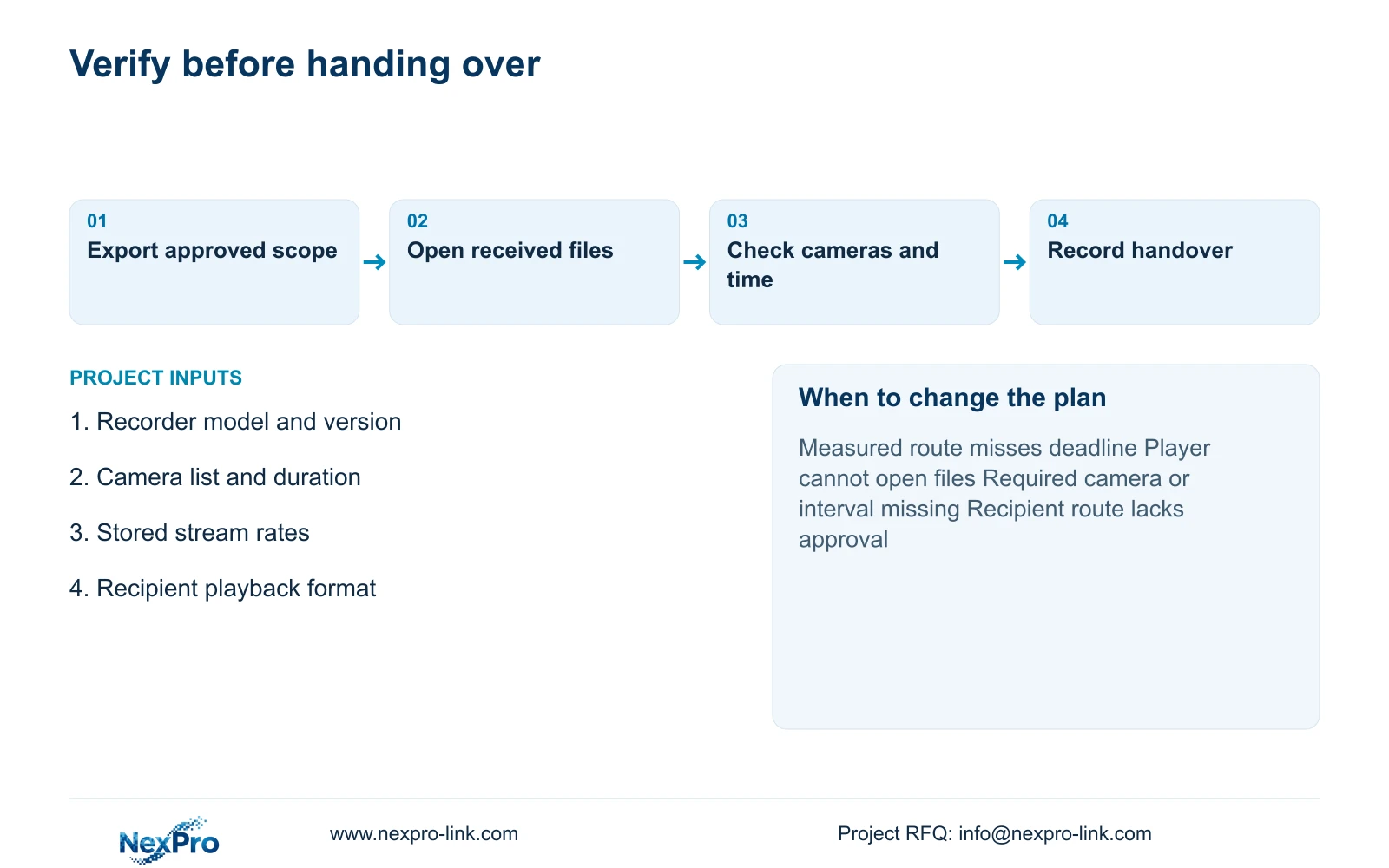
Open the delivered files using the intended playback method. Check each requested camera and the selected time window, then confirm that the incident context is present. Record any missing segment or playback problem and repeat the affected task after correction. A transfer completion message alone does not demonstrate a usable handover.
During procurement, use a representative authorized test scope and record the actual configuration and observed duration. Keep processing time separate from transfer and verification so a future delay can be traced to the correct step. A successful sample supports that tested workflow; it does not establish every export size, codec or recipient environment.
Recommend the existing supported export path when it meets the approved deadline and playback requirements. Change the media, route or recorder configuration when measured throughput, format support or recipient restrictions prevent completion. Send recorder model and version, expected camera count and clip duration, recorded rates and receiving format to info@nexpro-link.com. Hotel project support can discuss the equipment boundary without requiring the incident files themselves.
Section 07
Buyer questions
Will a gigabit NVR connection export 3.6 GB in six minutes? The six-minute example assumes 80 Mbps effective transfer. A gigabit connection does not prove that rate through recorder processing, media writing and the receiving path. Request a representative workflow check.
Can the hotel send only the exported files? Only when the recipient can play them and interpret the camera and time context. Confirm the required player or format and include the approved supporting information.
Can existing disks move into a replacement recorder? Do not assume readability from the connector. Preserve and verify required exports while the original system is usable, then follow the supported migration arrangement.
Engineering references
These sources support the general planning principles. Always use the selected product's current datasheet and applicable project standards for final design.