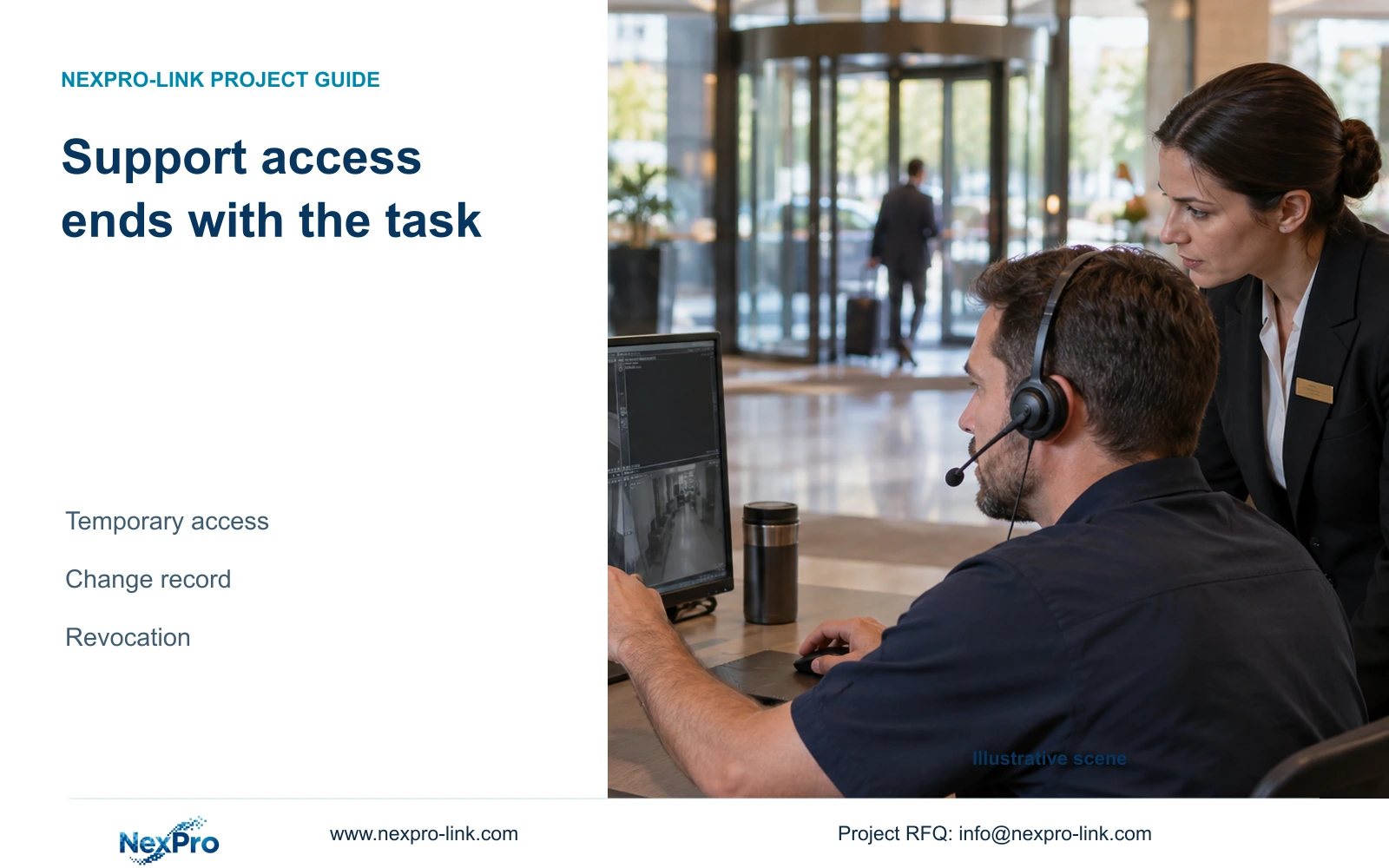
Authorize remote troubleshooting for a defined fault and end the access when the work finishes. Confirm the device controls and hotel IT route first.
Section 01
Define the fault and the support task
Use approved, temporary access tied to a defined support task when a supplier needs to troubleshoot hotel CCTV remotely. Agree the connection method and removal procedure before the session. If the selected equipment cannot restrict the needed privileges, use a hotel-controlled workflow or local assistance instead of leaving an unrestricted administrator account available.
Describe the failed operating action in the support request. A missing live view, unavailable playback and unsuccessful export are different faults. Include the affected device identity, software or firmware version, symptoms and the relevant operating state. The supplier can then identify what information is needed without receiving access to the entire hotel system.
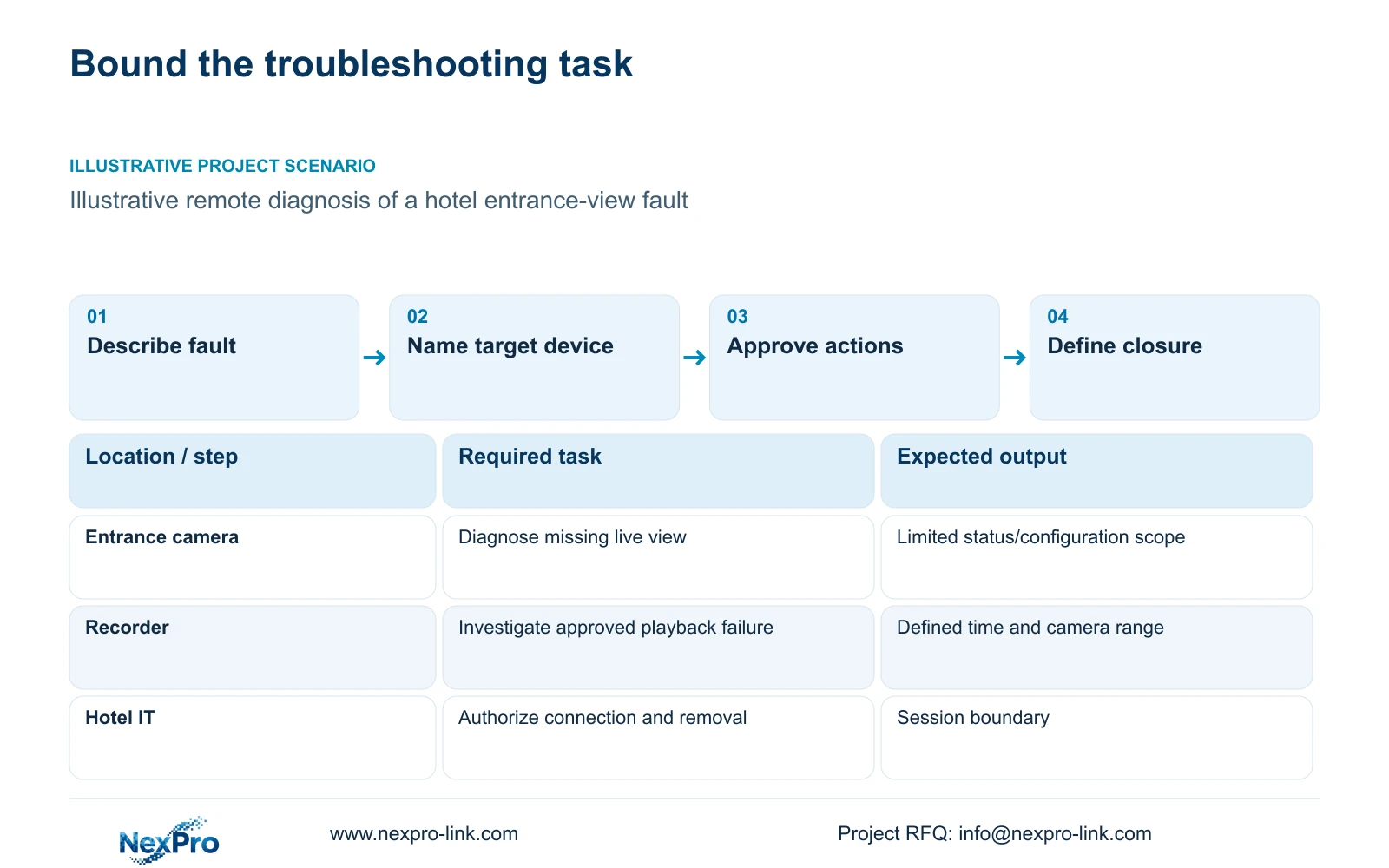
For an illustrative entrance-view fault, the initial task may be checking configuration and connection status. It does not automatically require reviewing unrelated archive footage. Name the hotel contact who can demonstrate the problem and approve changes. Distinguish remote diagnosis from physical repair, electrical work or replacement equipment that may require a local installer.
| Required task | Given information | Decision still needed |
|---|---|---|
| Restore entrance live view | Affected device and symptoms | Approved diagnostic access |
| Investigate missing playback | Recorder version and time window | Permitted archive review |
| Replace failed hardware | Device identity and diagnosis | Local work and return authorization |
Section 02
Choose a hotel-approved connection method
Hotel IT should approve the route used for support and identify who can enable and close it. Specify the destination device and the operator supervising the session. The supplied records do not define universal ports, a particular secure tunnel or built-in session controls, so the proposal must confirm those details for the actual configuration.
Separate supplier qualification from access authorization. Approval of a company, brand or model does not grant that party permanent remote control. NexPro-Link's CCTV manufacturing role and coordinated equipment supply can support a defined technical scope; they do not establish control over every third-party network device or permission to alter the hotel's IT policy.
Choose the connection method after identifying the diagnostic requirement. A hotel-authorized operator may be able to show the relevant status and apply an agreed change locally. Direct device access may be needed for another task, subject to supported controls. If hotel policy prohibits remote access, retain that restriction and arrange the appropriate local workflow rather than creating an exception informally.
Section 03
Limit privileges and the access window
Write the permitted actions and the point at which access ends. Separate reading status from changing settings, retrieving footage or administering accounts. Use the narrowest supported role that completes the task. A proposed expiry requirement is not proof that the selected device has automatic expiry; where necessary, assign a hotel person to withdraw access manually.
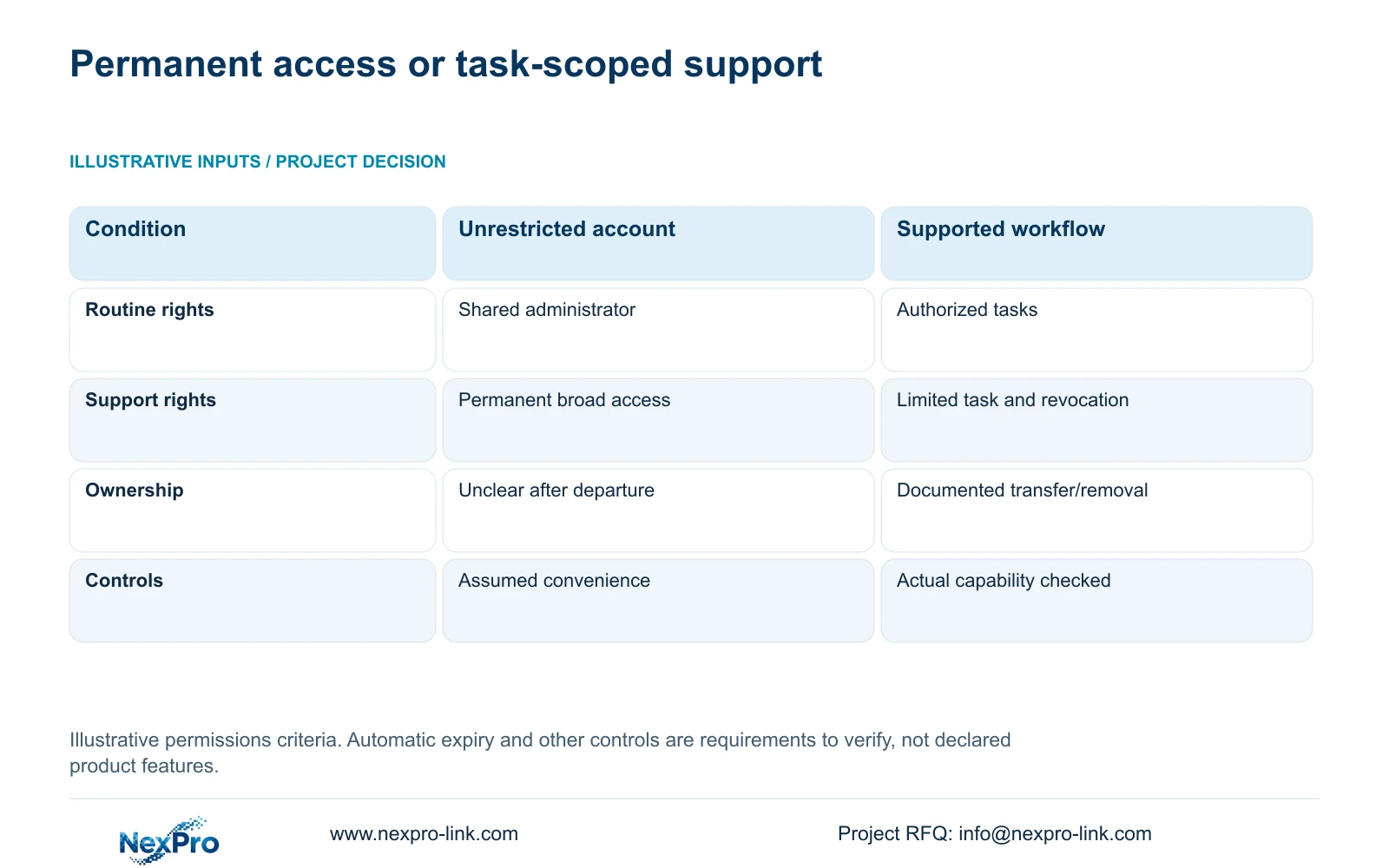
The source permissions matrix below compares shared unrestricted access with a supported role-based workflow. It contains qualitative criteria and no numerical units. It is an illustrative purchasing aid, not evidence that any session has passed a security test. For remote support, the decisive row is approved limited work followed by verified revocation.
If broader privileges are necessary for a specific diagnostic step, obtain approval for that step and record the reason. Do not silently turn a temporary exception into the normal support arrangement. Keep guest recordings and privileged information outside the session unless they are needed and authorized. The exact device and client determine what restrictions can be enforced.
| Metric / condition | Shared unrestricted account | Supported role-based workflow |
|---|---|---|
| Routine viewing | Everyone uses one admin | Authorized tasks assigned to supported roles |
| Remote support | Permanent broad access | Approved limited task and revocation |
| Offboarding | Account ownership unclear | Documented authorized transfer/removal |
| Requirement | Convenience only | Verify actual device/client capability |
Section 04
Record configuration changes against a baseline
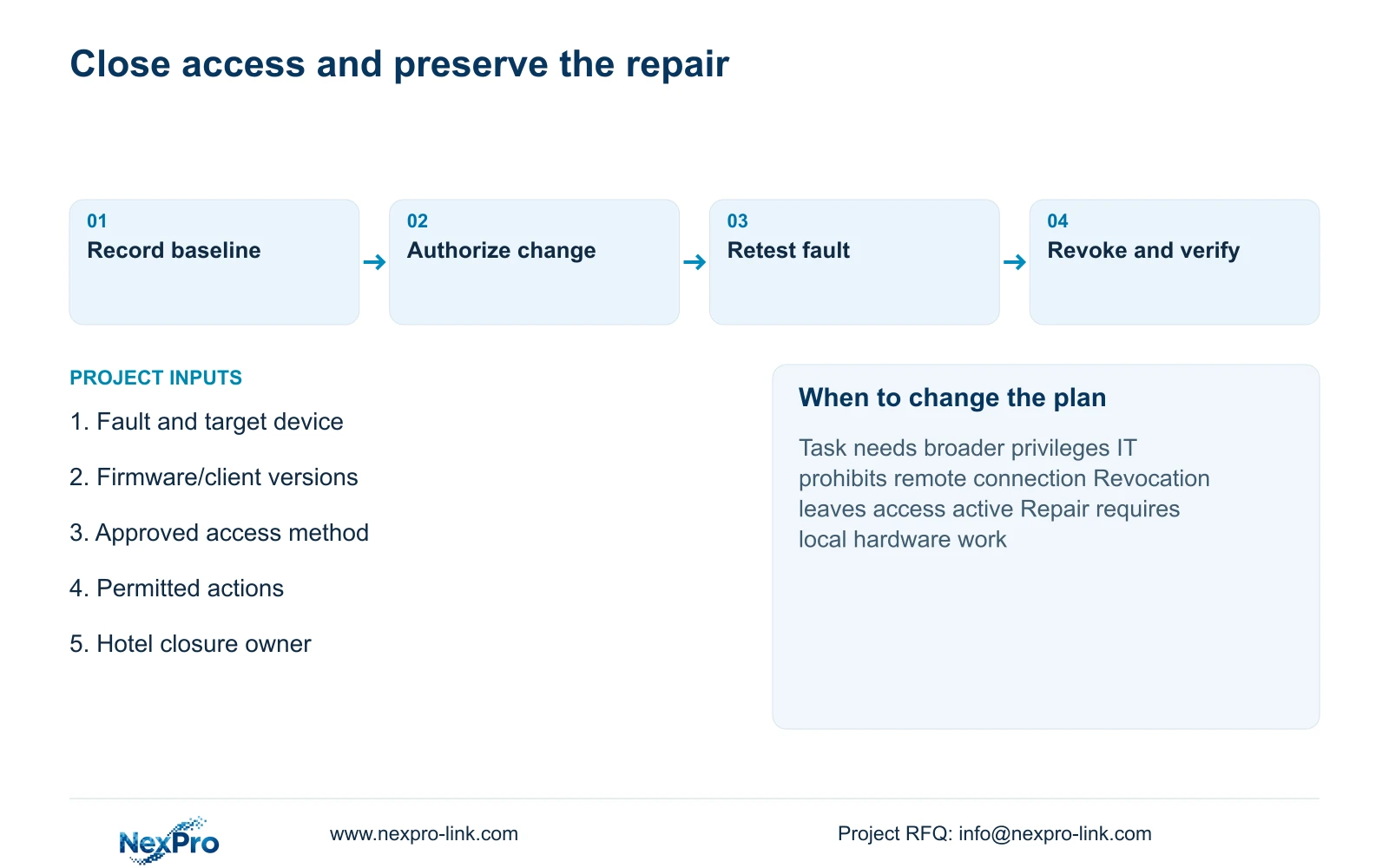
Keep the starting configuration visible before making changes. Record the affected device and version, the setting being changed, its previous value and the proposed replacement. Exclude credentials from ordinary tickets and shared project documents. Identify who authorizes the action and who checks the resulting hotel task.
A change to recording bitrate can affect storage demand, while a network change can affect other viewing paths. Explain those consequences separately from the original fault. In CASE01, recording, network and display functions have distinct dependencies. A support session should preserve required recording while addressing the failed function, unless an interruption is explicitly agreed.
After the change, repeat the original failed action under the same relevant conditions and record the observation. Keep unresolved work visible rather than closing a ticket because a setting was saved. If diagnosis leads to additional equipment, show reusable items, replacement scope and local labor separately. Neither remote access nor a configuration change implies that every resulting cost or schedule effect is included.
Section 05
Compare temporary support with ongoing access
Temporary access suits a defined fault with a clear end point. An ongoing managed service is a different procurement scope and needs explicit responsibilities, permitted tasks and review arrangements. Faster connection convenience alone is insufficient reason to retain broad supplier access after troubleshooting.
Compare the complete service arrangement. A hotel-controlled session requires someone to authorize access and verify closure. An ongoing service may require additional platform functions or licenses, which must be confirmed and priced within the actual proposal. The supplied evidence contains no service prices or response-time commitment, so it cannot establish which arrangement is cheaper.
Hardware warranty also differs from access and support arrangements. The supplied current policy record gives applicable main equipment a 24-month limited hardware baseline from receipt, subject to controlling written order terms. Batteries, disks, cabling and OEM scope need separate treatment. Continuing technical support does not mean unlimited free repair or local attendance. Obtain return authorization before shipping equipment, and agree how recordings and credentials will be handled.
Section 06
Verify revocation before closing support
Close the approved connection and withdraw the session's permissions through the supported process. Then check whether the same access path still reaches the device and whether the former support identity can perform the withdrawn actions. Account rights, device binding and network access are separate layers; verify each layer involved in the session.
Document the checks and the person responsible for them. Also confirm that the repaired hotel task remains available to its authorized user after supplier access ends. If revocation fails or leaves an unexplained binding, keep the access issue open and involve hotel IT. Do not describe a disconnected screen as proof that every privilege has been removed.
Recommend temporary, task-scoped support with recorded changes and tested removal. Change to a controlled local workflow when necessary privileges cannot be bounded or hotel policy disallows the route. Send the fault description, device/client versions, approved connection policy and local responsible contact to info@nexpro-link.com. NexPro-Link can discuss a scoped support or equipment response through its project contact, without requesting passwords or guest images in the initial inquiry.
Section 07
Buyer questions
Can the supplier troubleshoot without our administrator password? First determine whether a supported limited role or a hotel-controlled demonstration can complete the diagnostic task. If privileged changes are necessary, authorize that specific work through the hotel's secure process and withdraw access afterward.
What should a support ticket contain before access is granted? Include the failed action, affected device identity, relevant versions, symptoms and the hotel contact responsible for approval. Send configuration context without credentials or unrelated guest footage.
Is temporary remote support included in the hardware warranty? The hardware policy and the support scope are separate records. Confirm what diagnosis, local labor, shipping and replacement handling the written order includes. The 24-month main-equipment baseline does not establish unlimited remote or onsite service.
Engineering references
These sources support the general planning principles. Always use the selected product's current datasheet and applicable project standards for final design.