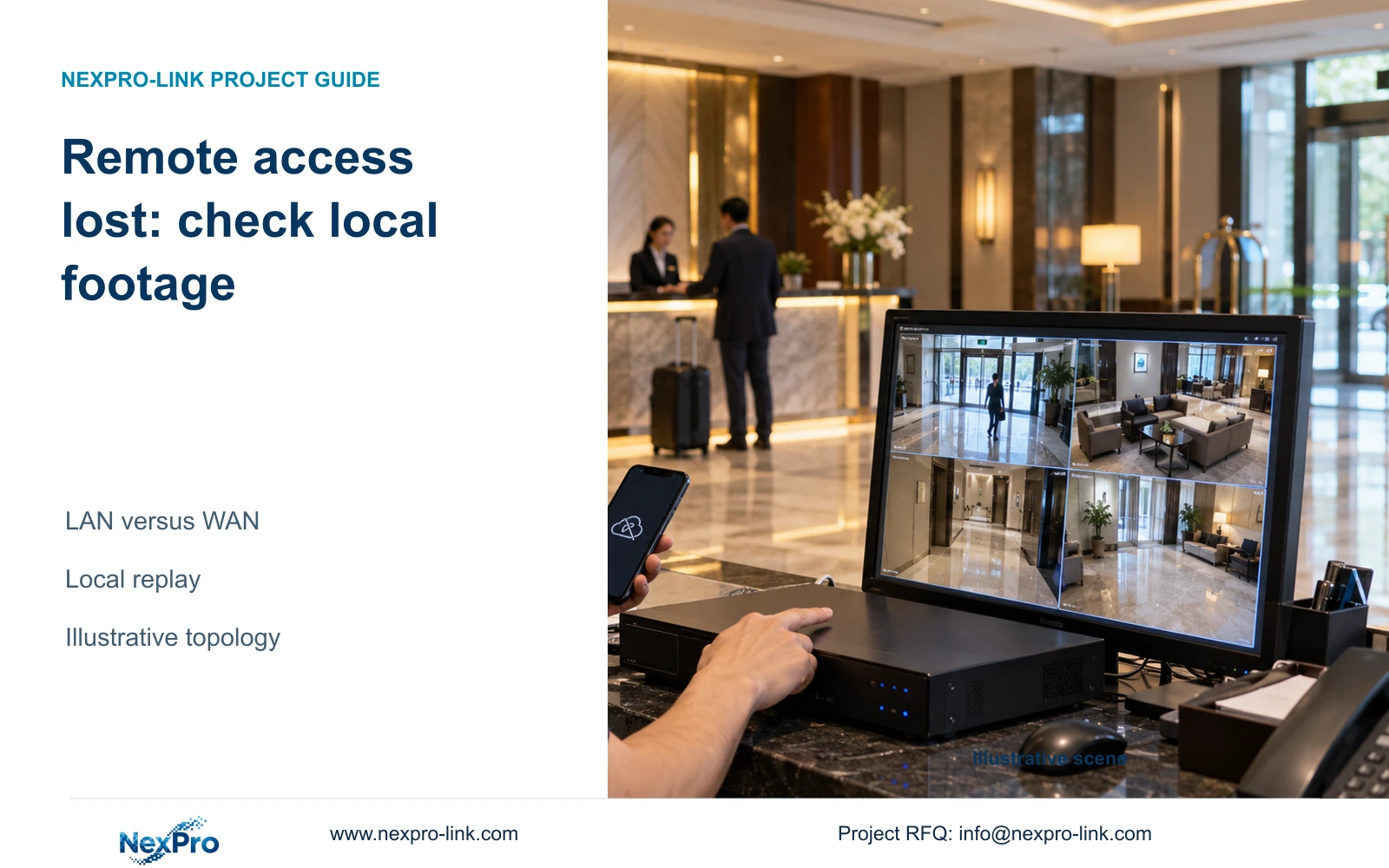
A failed remote App connection does not establish that local footage is missing. Confirm the recording destination, keep its LAN and power path operating, and verify the outage interval locally.
Section 01
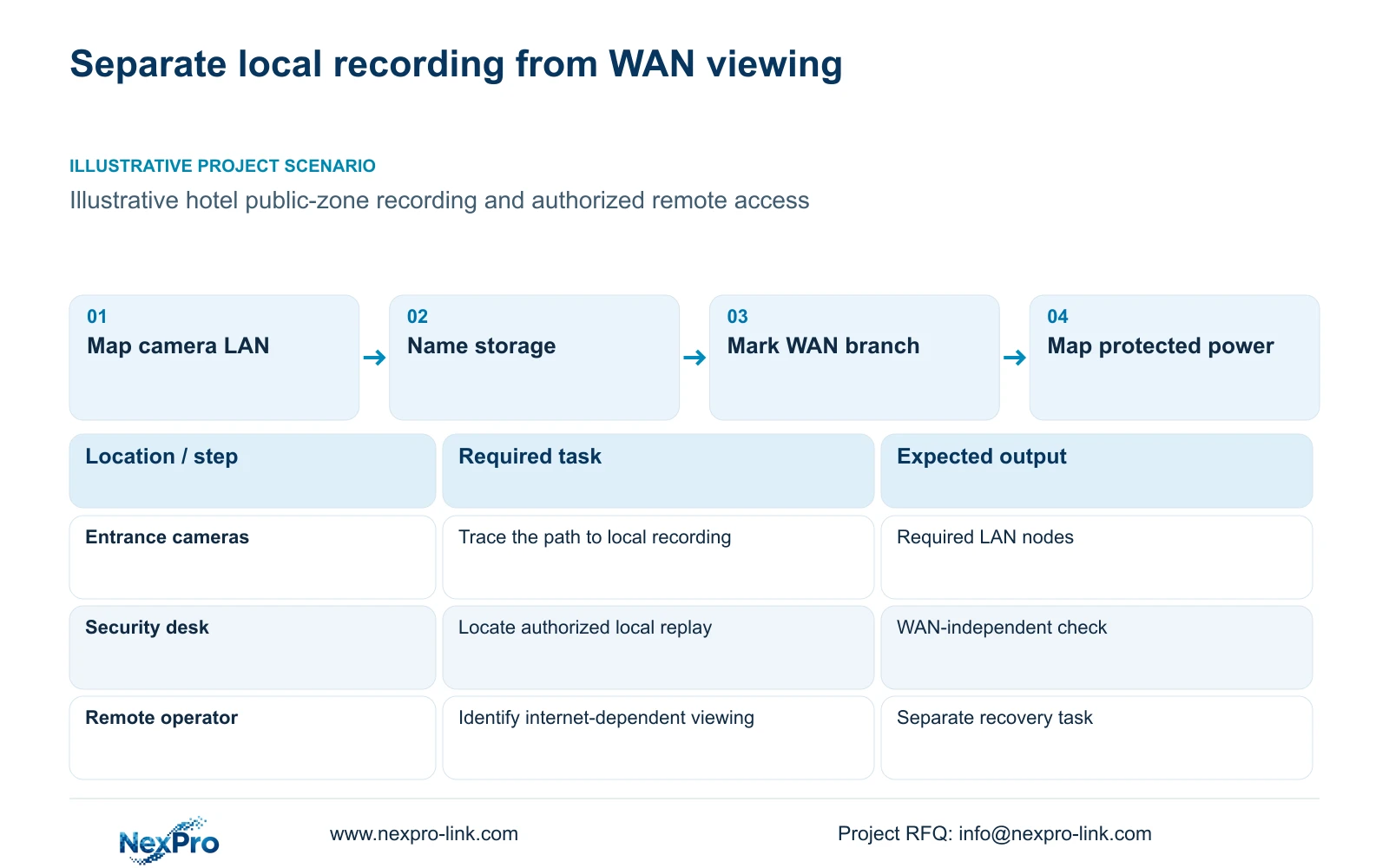
Draw the local recording and remote viewing paths
Choose a locally verifiable recording arrangement if the hotel needs footage to remain available during internet loss. That recommendation depends on the cameras, required LAN, recorder and storage continuing to operate without the failed WAN service. A remote App connection error alone cannot establish recording loss. If recording depends on a cloud destination, assess that different dependency explicitly.
Draw the data path from each public-zone camera through its access network to the recording destination. Add a separate path for authorized remote viewing through the hotel's internet connection. Mark any shared devices, especially where one router or network node performs functions needed by both paths. A WAN outage and failure of that shared device may have different effects.
Draw protected power separately. The recorder needs its camera and network dependencies to receive images, and remote access may depend on additional powered equipment. A display is an operator output, not an essential recording node. Identify the actual protection zones instead of assuming that a central UPS supplies every distributed floor or building.
| Required task | Given information | Decision still needed |
|---|---|---|
| Continue local recording | Cameras send streams to a recorder | Confirm LAN, storage and power dependencies |
| Restore remote viewing | Authorized client uses internet access | Confirm WAN and account recovery workflow |
Section 02
Identify where each recording is stored
Name the destination for each camera group: local recorder or an explicitly selected remote storage service. Remote viewing and cloud storage are separate functions. An App that displays local recorder footage does not establish that the video is stored in the cloud, while a cloud recording proposal needs its own interruption and recovery requirements.
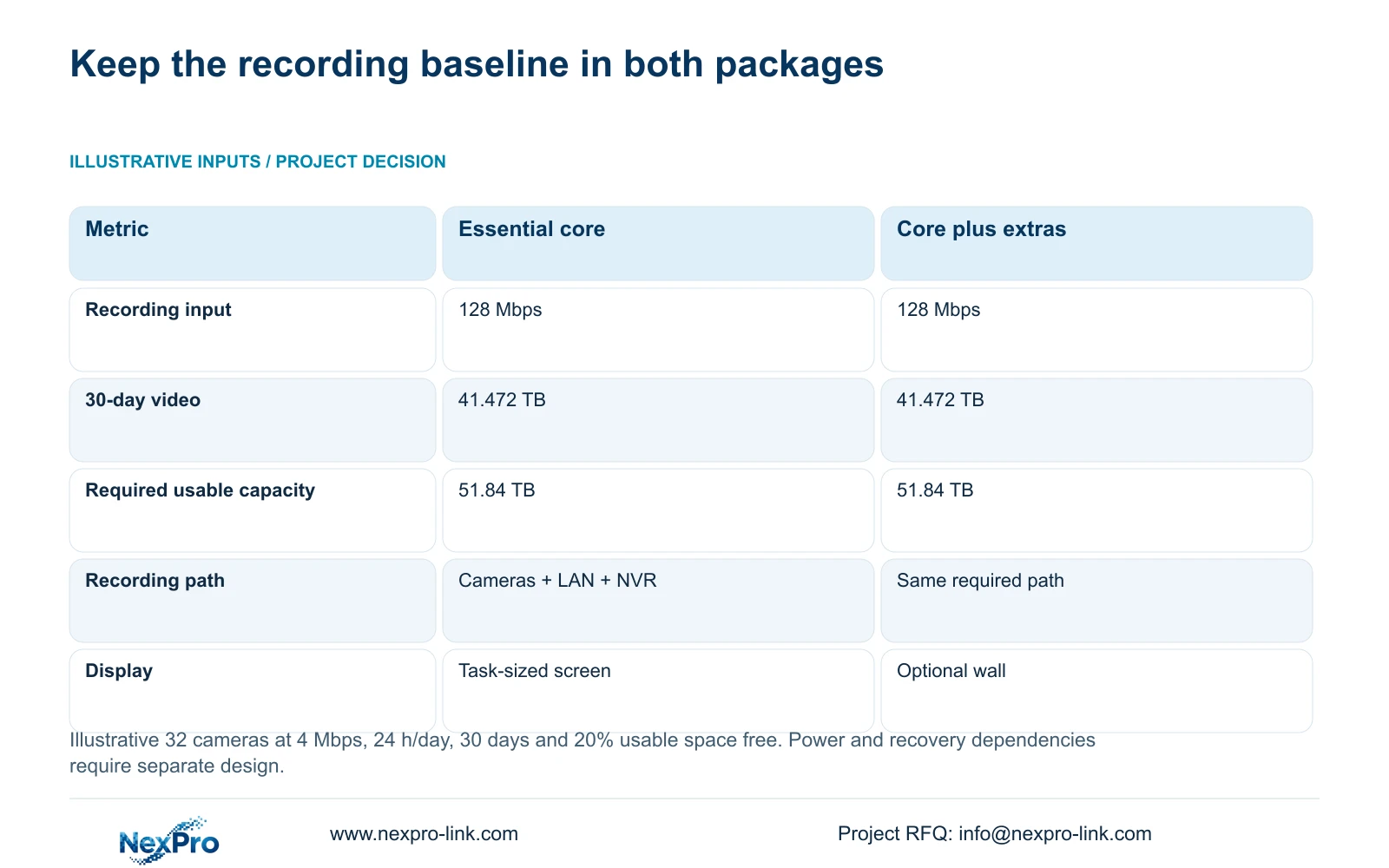
Connect the destination to the approved retention and stream schedule. The illustrative reference uses 32 cameras at an average 4 Mbps, recording continuously for 30 days, with 20% of usable space left free. These are design inputs, not a legal retention rule or a bitrate derived from resolution. The local storage requirement remains when remote viewing is unavailable.
NexPro-NVR4449-4K lists 49 channels, 320 Mbps input, four SATA positions and 18 TB per drive in the supplied product record. Its summary lists 49 × 5MP and 9 × 4K modes, so channel count does not establish unrestricted 49-camera 8MP recording. Disk layout and replay modes still need confirmation for the selected stream configuration.
Section 03
Compare WAN loss with LAN and power failures
During WAN-only loss, local recording can continue where the approved architecture has no necessary WAN dependency and its local equipment remains operational. A failed camera-to-recorder LAN segment interrupts that group's delivery of new images. Loss of camera or switch power creates another state. Describe each state by the affected function instead of calling all of them 'offline'.
For the illustrative recording schedule, input traffic is 32 × 4 = 128 Mbps. Continuous video uses 0.0108 × 32 × 4 × 30 = 41.472 decimal TB. Leaving 20% of usable capacity free requires 41.472 ÷ 0.80 = 51.84 TB. The 0.0108 factor converts a continuous 1 Mbps stream for one day into decimal TB.
The original illustration preserves the same recording capacity in both packages; optional display or recovery scope does not replace it. The state matrix below identifies what must be observed during each failure instead of copying those storage values into an outage result. PoE and UPS inputs remain separate, and the unresolved SW-POE1618G speed and total-power fields still prevent a final switch qualification.
| Failure state | Function to check | Evidence and design boundary |
|---|---|---|
| WAN service only | Local recording and approved local replay | Retrieve the isolation interval; verify required path has no WAN dependency |
| Camera-group LAN segment | New recording from the affected group | Other stored material is separate from new-stream delivery |
| Camera/access-node power | Delivery from the affected powered devices | An illuminated NVR cannot prove that remote sources operate |
| Recorder/storage | Recorded retention and retrievable interval | Live client views do not prove storage continuity |
| WAN restored | Approved remote route and relevant footage | Verify recovery separately; do not reset storage to clear an App symptom |
Section 04
Test local replay during controlled WAN isolation
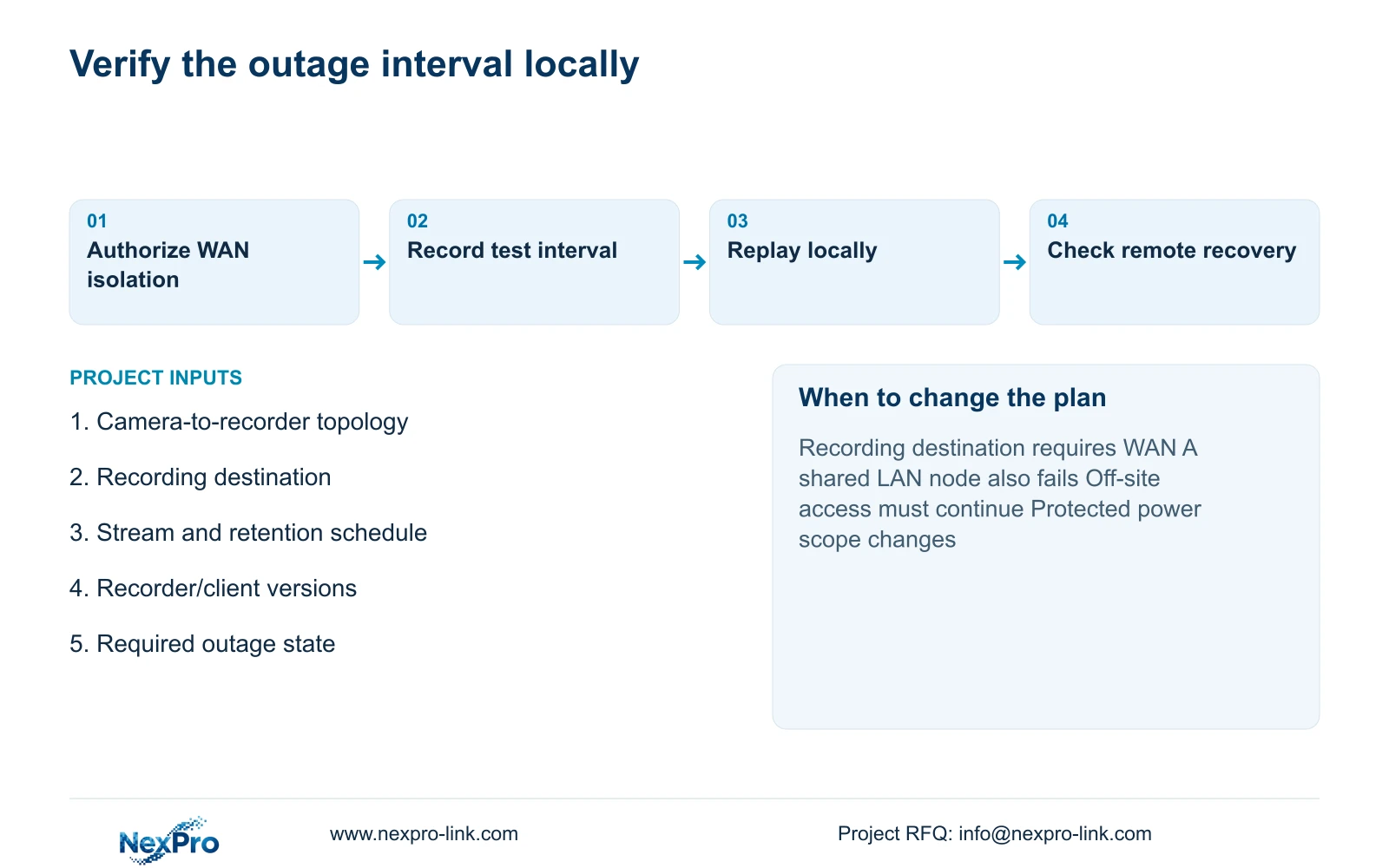
Arrange an authorized test with hotel IT that isolates the intended WAN service while preserving the local path being assessed. Record the starting topology, selected equipment and client versions. Use approved test activity in a public zone and identify the interval to retrieve. Avoid disabling a shared LAN dependency accidentally and then treating the result as a WAN-only test.
Check newly recorded footage from the isolation interval through the approved local interface. Confirm the relevant camera group, timing and playback, then perform an authorized export if required. An illuminated recorder or a live image cannot prove that usable footage from the outage interval exists. Keep the actual observations and any unresolved gap.
CASE01 uses the same 41.472 TB video target and 51.84 TB usable requirement, but its additional disk and power assumptions remain independent. Its four 16 TB disks, assumed 95% formatted availability and no RAID loss form a teaching layout, not a verified installation. The present outage test establishes only the functions and conditions actually observed.
Section 05
Check remote recovery without changing recording blindly
After the WAN service is restored, verify the approved remote route and account workflow separately from local recording. Confirm live access and retrieval of the selected interval. A continuing App failure may require investigation of that route even if local replay succeeded. Do not reset the recording system merely to clear a remote connection symptom without understanding the effect.
Seetong App and PC workflows are relevant candidates for the selected equipment, but their source record does not establish universal recovery behavior or complete compatibility across hardware. ONVIF support likewise does not prove cloud binding or every remote feature. Record the actual client and configuration used for recovery checks.
Buy additional remote-recovery scope when the hotel requires off-site access during a WAN interruption and the proposed arrangement explicitly supports that outcome. Include its network and power dependencies in the quotation. A larger LCD wall addresses a different operator task; NX-VP-5535 is a 55-inch Full HD LCD, and adding it does not restore an internet path or increase retained video capacity.
Section 06
Give the owner a function-based outage response
Hand over a short operating explanation identifying where footage resides and how authorized staff check it locally. Distinguish loss of remote access, loss of a camera group and loss of the recorder. Assign the first checks and escalation responsibilities to the hotel's security and IT roles so an App symptom does not trigger an unnecessary storage or equipment change.
Recommend the essential recording-first package where local continuity meets the approved task. Add remote-recovery equipment only when continued off-site access is required, and add display scope for a defined monitoring need. Recalculate if stream rates, retention, network topology or protected equipment change. UPS capacity also needs a supported battery configuration and load curve; a model's W rating cannot promise outage minutes.
Send info@nexpro-link.com the camera-to-recorder topology, recording destination, stream and retention schedule, and the exact failure state the hotel must tolerate. Identify the recorder and client versions where known. NexPro-Link can discuss a coordinated equipment proposal through hotel project support or BOQ support, with local IT, electrical installation and test responsibilities stated separately. Guest footage and passwords are unnecessary for the first inquiry.
Section 07
Buyer questions
Does a failed App connection mean all footage is lost? No. It identifies a remote-access symptom. Check the local recording destination and replay the affected interval before concluding that recording failed. Local continuity depends on the actual LAN, storage and power arrangement.
Will a UPS protect recording during every network failure? No. A UPS addresses the power boundary of its protected loads. It does not restore a failed data path, internet service or account workflow. Include every required active node in the appropriate power zone.
Can we reduce local storage after adding remote viewing? Remote viewing alone provides no basis for reducing it. Retain the approved local recording capacity unless an explicitly designed storage service and revised policy change the recording destination.
Engineering references
These sources support the general planning principles. Always use the selected product's current datasheet and applicable project standards for final design.