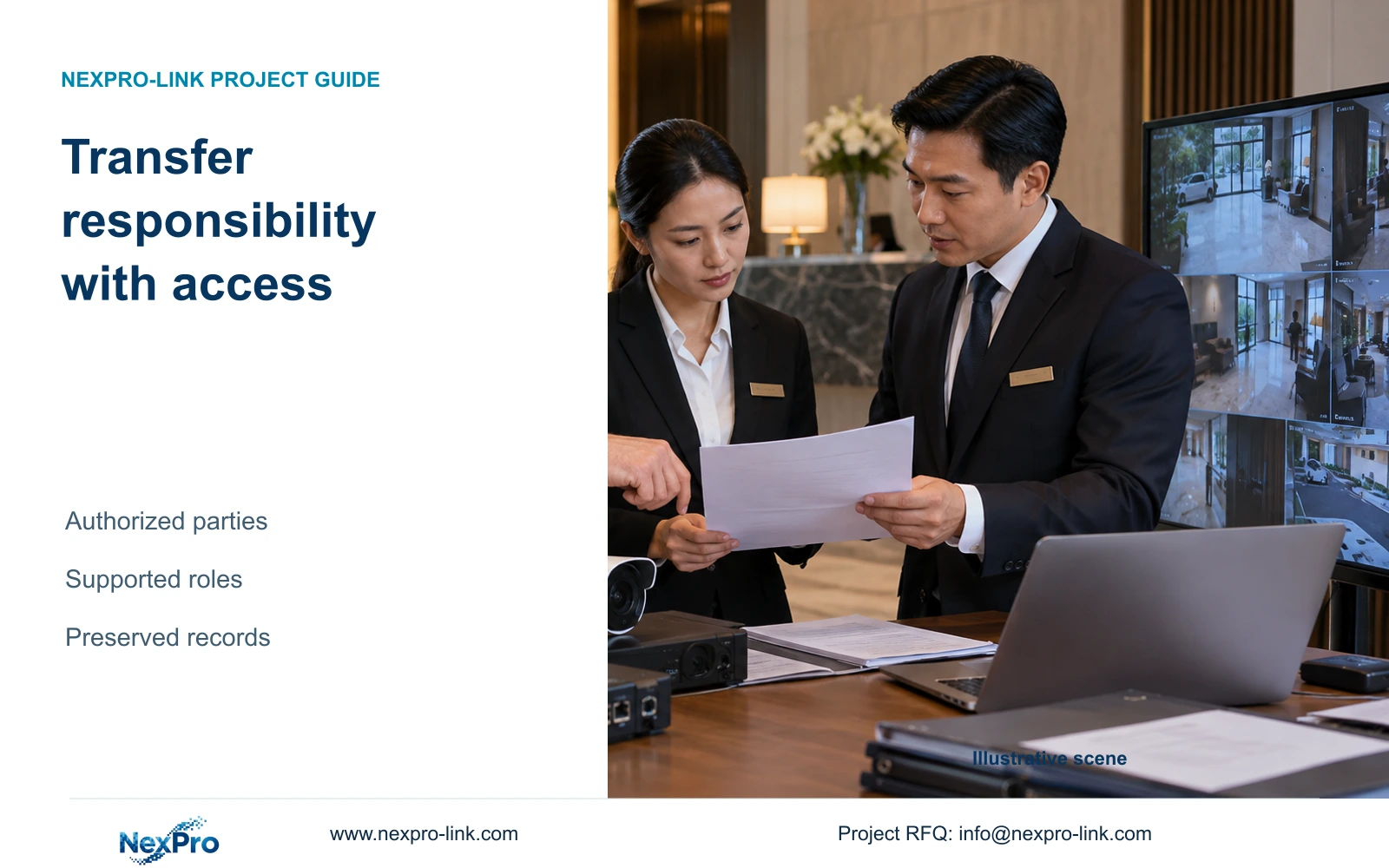
A new hotel operator needs more than an administrator login. Separate asset identity, account ownership, device binding and support responsibilities, then verify authorized transfer and removal.
Section 01
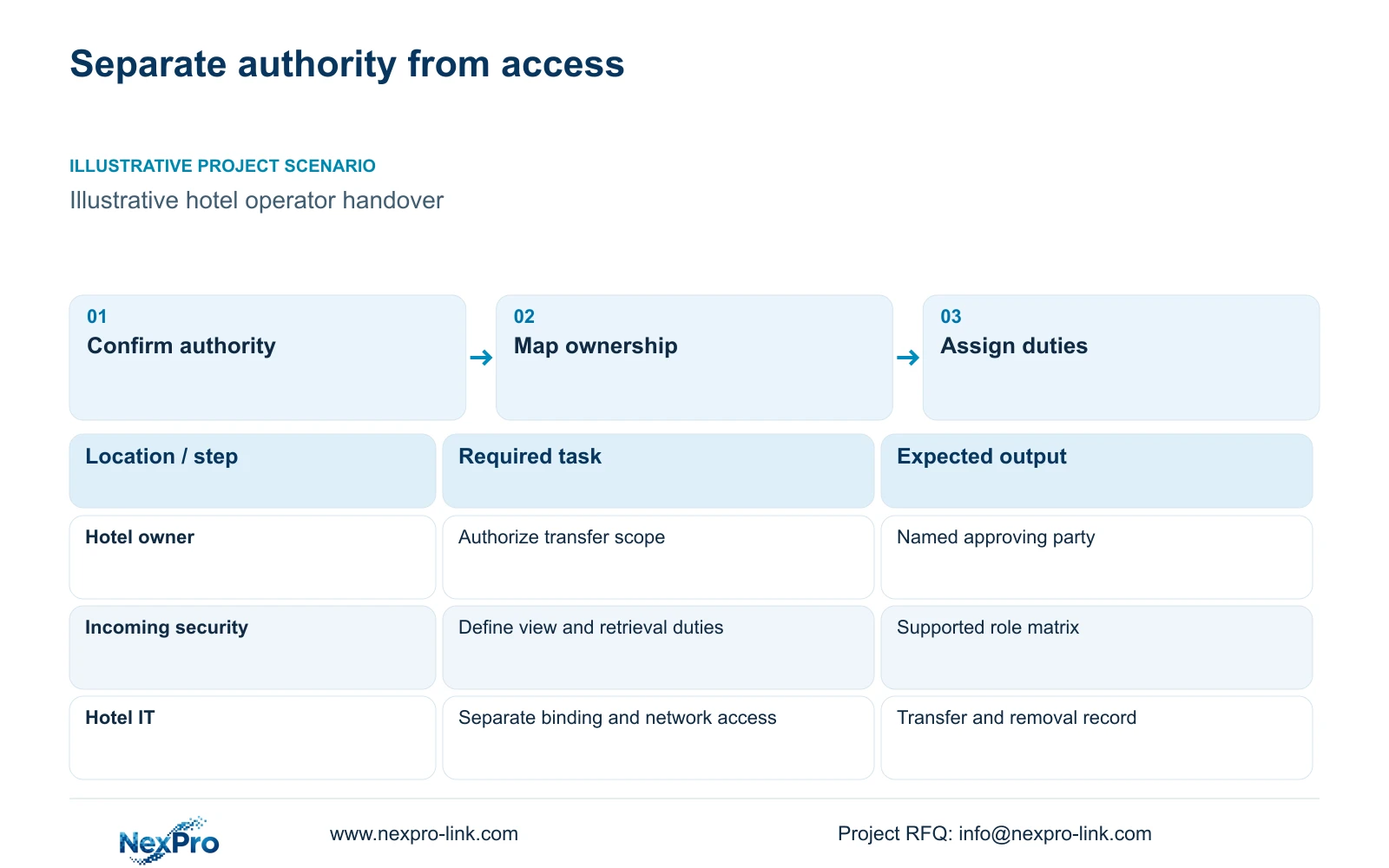
Confirm who can authorize the handover
Transfer hotel CCTV control through the authorized owner and service-account parties, using supported procedures and verified role changes. Do not treat possession of the equipment as proof of account-transfer authority or use default-password shortcuts. If ownership or release authority is unresolved, preserve the approved operating arrangement and pursue the authorized recovery route.
Identify who authorizes the transition, who currently controls each relevant account and who receives responsibility. The owner, outgoing operator, incoming security team and IT provider may have different duties. A supply invoice or shared monitor does not establish which party can release a remotely bound device.
Translate those responsibilities into actions. Security may need routine public-area viewing and incident retrieval; management may approve exports; IT may administer the network. A local installer may need temporary access for a defined support task. Confirm each duty without granting every participant the same administrator privilege.
Record the agreed handover scope and transition point. Continued recording, access to required history and incident response should have named responsible parties during the change. The technical handover supports those decisions; it does not determine legal title or replace project-specific legal advice.
| Required task | Given information | Decision still needed |
|---|---|---|
| Authorize account release | Current account-controlling party | Owner-approved release authority |
| Maintain incident response | Incoming security duty | Supported viewing and retrieval role |
| Provide transition support | Existing service provider | Approved task and access-removal point |
Section 02
Inventory equipment and service ownership separately
Build an equipment record with actual models, serial identities and configuration versions. Link cameras to recorder channels and identify the network and protected-power dependencies needed for recording. Keep device identity distinct from the person who happens to know its password.
Add service records for client software, remote accounts and applicable licensing. Account ownership, user roles, device binding and network reachability are different controls. A device can be reachable on the hotel network while remaining bound to a service account controlled elsewhere.
The Seetong system source supports app and PC-client workflow discussion. It does not prove that every device can be transferred by the same process or that all third-party services support the same roles. Obtain the procedure for the installed model and client version before scheduling a binding change.
CASE07 provides an illustrative retained-and-new equipment context, not an ownership register for a delivered hotel. In a mixed installation, maintain separate identities for retained assets and new supply. That allows support and order records to follow the correct equipment after takeover.
| Layer | Unresolved arrangement | Defined arrangement | Operating effect |
|---|---|---|---|
| Asset identity | Equipment described by location only | Model and serial mapped to duty | Support can identify the correct device |
| Service ownership | Account belongs to an unknown party | Authorized controlling party recorded | Transfer can use the supported route |
| Device binding | Reachable device assumed released | Binding status checked separately | Remote access transition remains explicit |
| Network access | Former provider retains access | Approved access and removal scope | Support responsibility follows takeover |
Section 03
Plan the approved account transition
Use the installed system's supported transfer or release process with the authorized parties. Define which accounts change ownership, which user roles are created and which outgoing access is removed. Do not assume that changing a local recorder password also changes cloud binding or an external network-access route.
Keep credentials outside public schedules and commercial email attachments. Transfer privileged material through the hotel's approved secure process. A support session should have a defined purpose, authorized scope and a clear end; permanent broad access should not be carried forward merely because it was convenient.
Before removing the outgoing arrangement, verify that the incoming authorized person can perform the required duties. Then verify removal or transfer of the relevant former access through the supported controls. Where the exact capability is unknown, record it as unresolved rather than marking the handover successful.
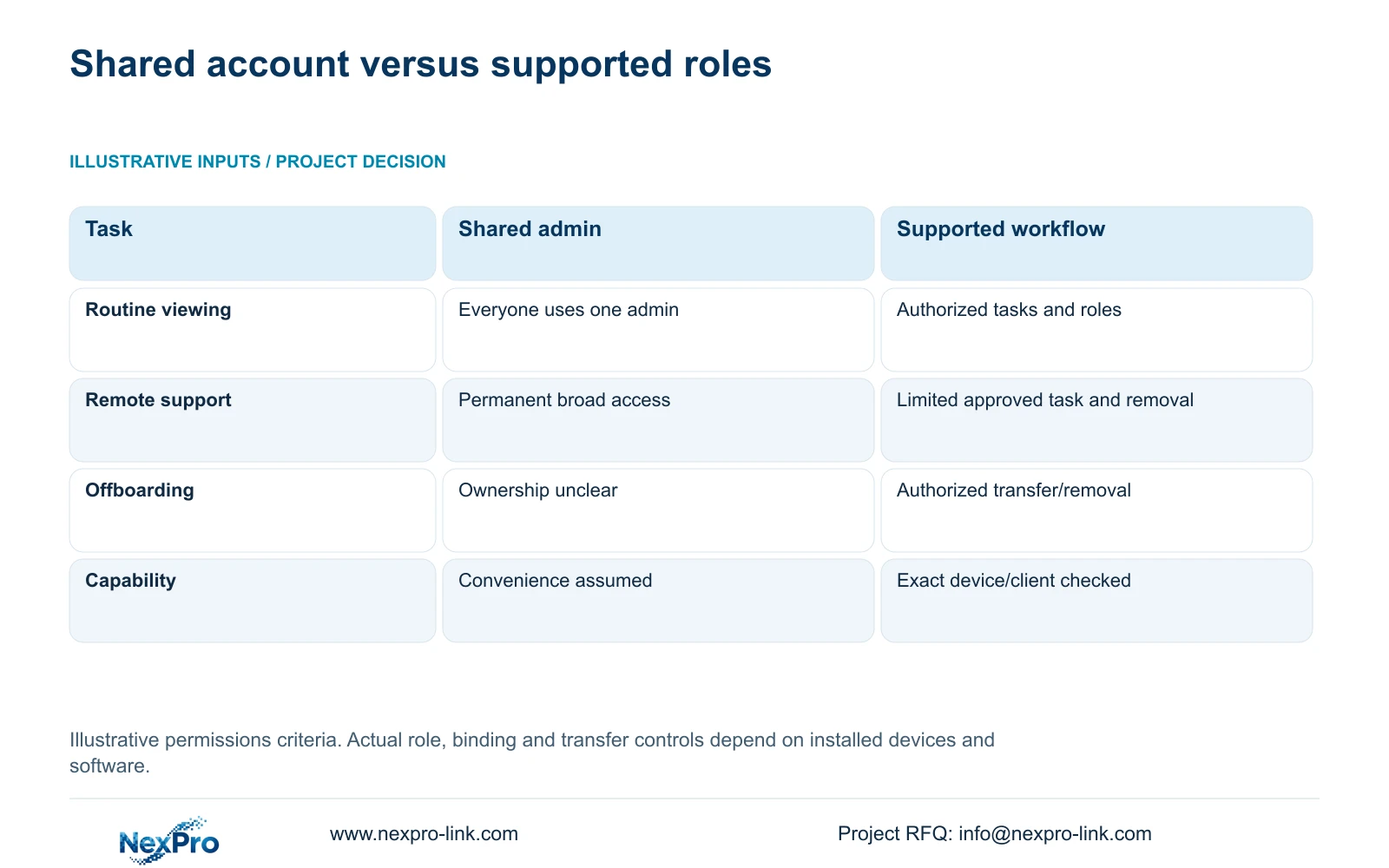
The comparison is an illustrative permissions decision, with no invented numerical score or completed test. Its inputs are authorized roles, required tasks, device/client versions and hotel IT policy. The desired result must be matched to actual supported controls.
Section 04
Compare permissions before and after takeover
The supported role-based workflow is the preferred handover basis. It connects each task to an authorized person and includes offboarding. The shared unrestricted account leaves ownership and removal unclear. This comparison describes an operating design; it does not assert that a particular product implements every desired role.
Compare the outgoing and incoming task matrices row by row. Keep required viewing and retrieval available, add the incoming duties and remove superseded access. Mark device binding and network access separately so an account change does not conceal another continuing route.
If role enforcement requires a different client edition or platform, identify the incremental license and configuration work. Keep those changes separate from replacing usable cameras or recorders. A takeover should not become a hardware renewal merely because the records are incomplete.
Assign any temporary exception to an approving party, purpose and removal event. Where the installed system cannot enforce a required restriction, change the platform or approved operating arrangement. Do not claim global privacy compliance from the completed matrix; the hotel must apply its local requirements.
| Metric / condition | Option A | Option B |
|---|---|---|
| Routine viewing | Everyone uses one admin | Authorized tasks assigned to supported roles |
| Remote support | Permanent broad access | Approved limited task and revocation |
| Offboarding | Account ownership unclear | Documented authorized transfer/removal |
| Requirement | Convenience only | Verify actual device/client capability |
Section 05
Preserve configuration and warranty references
Hand over the configuration record needed to maintain the approved system: device identities, camera-channel mapping, stream settings and relevant software versions. Keep sensitive network or account details in the hotel's controlled record. A reset should not be used as a substitute for understanding which configuration and recordings must survive.
Retain the controlling order, receipt information and applicable warranty references. The policy record supplied for this article states a 24-month limited hardware baseline from receipt for applicable main equipment. A change of operator does not establish a new start date or a fresh term.
Batteries, disks, cabling and OEM orders have their own scope or written terms. Support continuity, local labor, travel and return shipping also need separate responsibility. Do not convert a historical five-year description or a lifetime estimate into the controlling warranty.
For an actual fault, use the authorized RMA route and preserve order identity. Confirm case instructions before returning equipment, especially where it contains recordings or access information. The handover record should identify the support contact and the party responsible for local restoration.
| Retained outcome | Extra scope | When useful | Counter-condition |
|---|---|---|---|
| Known configuration | Controlled record recovery | Existing settings are undocumented | Reset risks required history or operation |
| Traceable warranty | Order and receipt reconciliation | Operator lacks supply records | New term has not been agreed |
| Defined restoration | Local service arrangement | Equipment support excludes site labor | Remote guidance is assumed to cover everything |
Section 06
Verify the incoming team's responsibilities
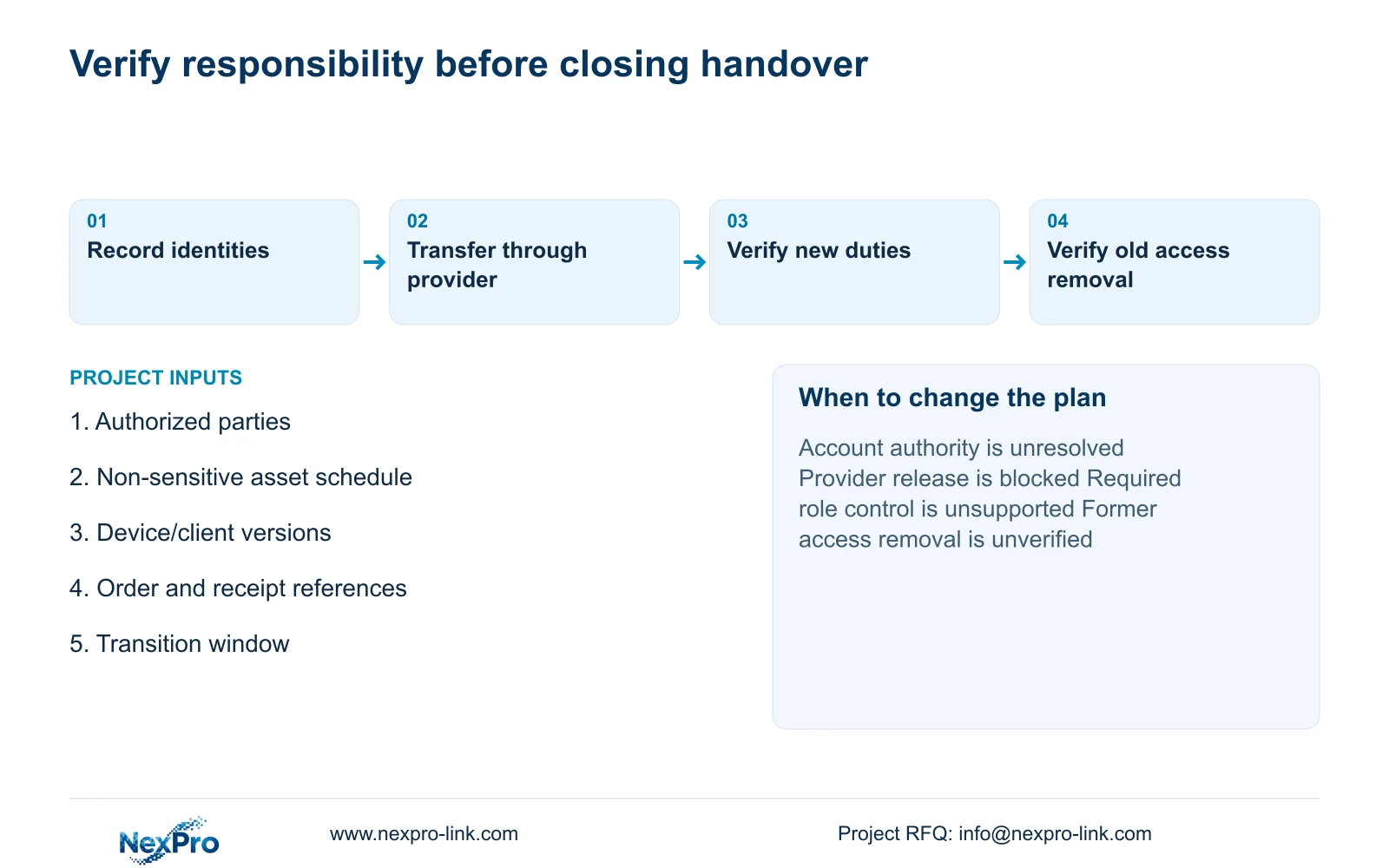
Have the incoming authorized users demonstrate their assigned viewing, retrieval and support tasks through the delivered client. Verify administrative duties separately. Record the actual result and unresolved items, including any former access whose removal cannot yet be confirmed.
Accept the takeover within that demonstrated scope. If a service-account release is blocked, keep it outside the completed handover and use the authorized provider process. If required role controls are unavailable, revise the software or approved procedure before declaring responsibilities transferred.
NexPro-Link can discuss equipment identity, model documentation and supply-side support boundaries through hotel project equipment support. Send a non-sensitive asset schedule, the authorized handover roles, installed device/client versions and the specific unresolved transfer task to info@nexpro-link.com. Include the transition window and relevant order references where appropriate, without passwords or guest records. Account-service authority and local operating responsibilities remain with their designated parties.
Section 07
Buyer questions
Does operator takeover restart the equipment warranty? The supplied policy baseline runs from customer receipt for applicable main equipment. A takeover does not establish a new term. Preserve the controlling order and receipt records, and use any expressly agreed written terms.
What if the outgoing operator cannot release the remote account? Identify the authorized account party and use the provider's supported recovery or transfer route. Keep the unresolved service outside the completed handover; do not assume a local password change releases remote binding.
Should all incoming staff receive administrator access? No. Assign required duties to supported roles and verify those controls. If the installed system cannot enforce a required separation, revise the platform or approved procedure rather than claiming the restriction exists.
What can we send for an initial handover review? Send device and client identities, a non-sensitive asset schedule, authorized role descriptions and the blocked transfer task. Keep credentials, guest footage and privileged configuration in the hotel's approved secure process.
Engineering references
These sources support the general planning principles. Always use the selected product's current datasheet and applicable project standards for final design.