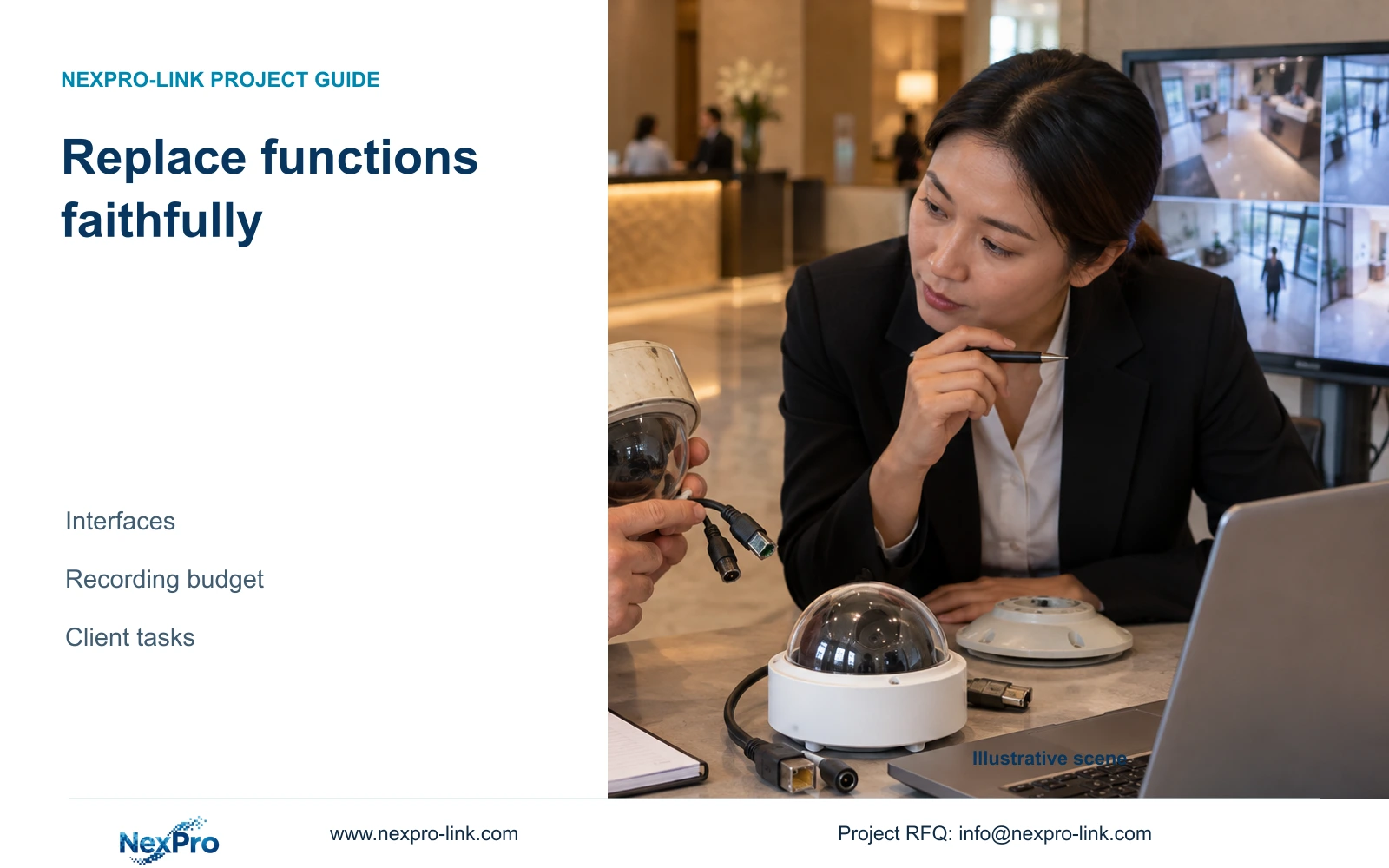
A discontinued hotel camera needs a replacement that preserves its view, power and operating interfaces. Matching the enclosure leaves recording risks unresolved.
Section 01
Define the operating role the replacement must preserve
Approve a discontinued camera's replacement only after its required view, mounting, power and recorder/client functions have been matched and verified. Preserve the existing configuration where it still meets the hotel task. Change the stream profile or supporting equipment when a necessary replacement function exceeds that baseline, with the resulting storage and operating changes explicitly evaluated.
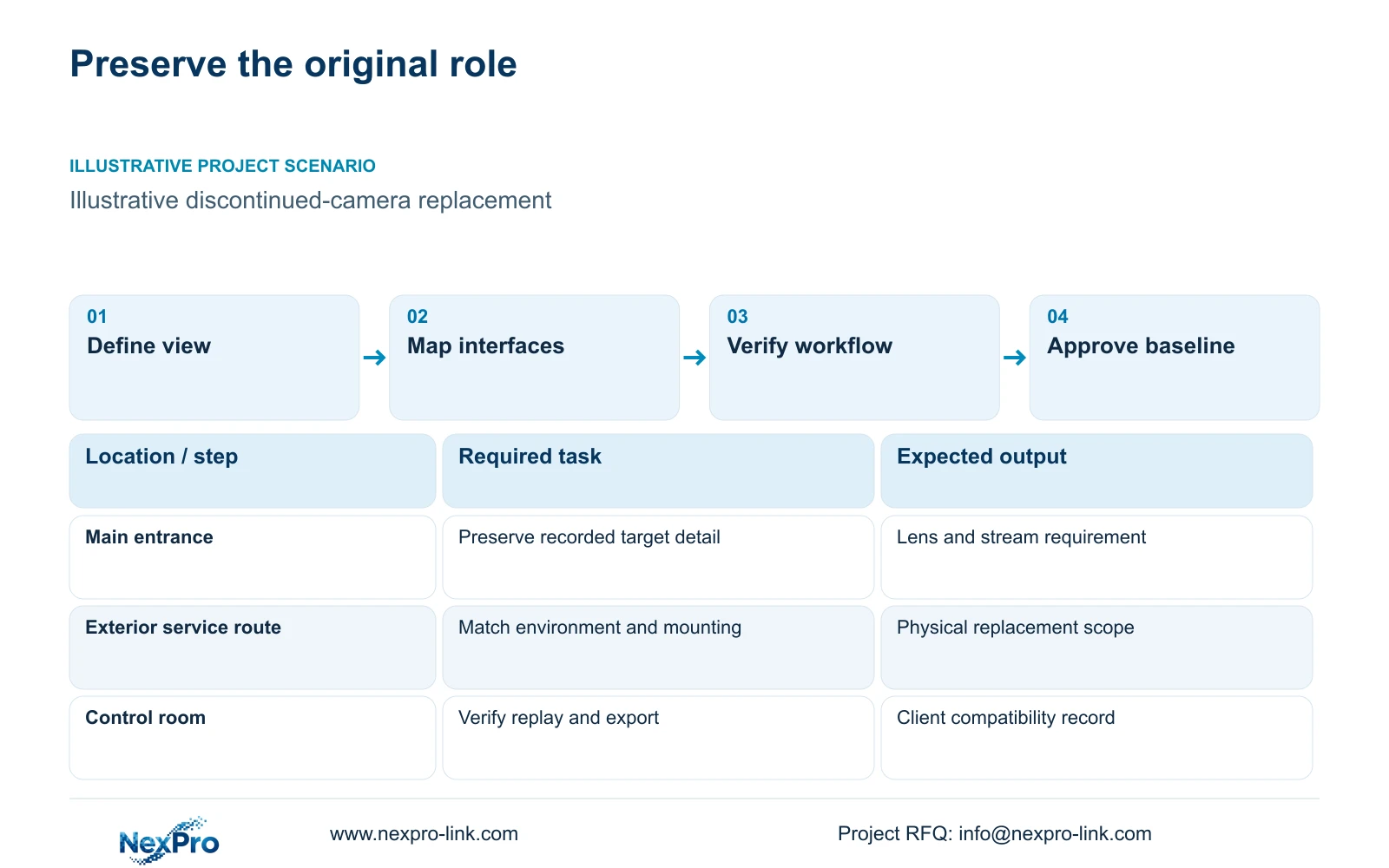
Describe the original role in the camera schedule. An entrance detail view, reception overview and exterior service-route view can require different framing and environmental conditions. The replacement should preserve the permitted public-zone boundary. Guest-room interiors and other private spaces are outside this article's coverage.
Separate functions the hotel uses from features merely listed in a catalogue. Record the actual image mode, intended movement detail and any authorized audio or event workflow. Ordinary person/vehicle detection does not establish number-plate recognition. A new enclosure or higher resolution is insufficient evidence that the original operating role will continue.
| Required task | Given information | Decision still needed |
|---|---|---|
| Entrance detail | Original position and approved target view | Lens adjustment and recorded detail under relevant light |
| Routine incident retrieval | Existing recorder and client workflow | Supported replacement streams and replay behavior |
Section 02
Map mounting, power and operating interfaces
Build an interface matrix that separates the physical installation from the video workflow. Identify mounting and cable termination requirements, approved power provision and environmental conditions. Then record main-stream and substream modes, the recorder connection and client tasks. Mark unconfirmed fields as unresolved purchase inputs instead of assuming compatibility from a common connector.
The supplied BL2812M and DM2812M PDFs support motorized 2.8-12 mm lens candidates with PoE. They do not supply verified maximum camera watts or detailed ONVIF Profile declarations. Their lens range does not establish an exact field of view, and motorized zoom does not make a camera a PTZ. Use these limits when considering a replacement family.
ONVIF matching is a starting point for relevant device/client functions. It does not prove cloud binding, every event type, audio behavior or advanced search. The Seetong system record describes app and PC-client workflows without establishing universal hardware interchangeability. Keep required functions attached to the exact hardware and software configuration.
| Item | Appearance match | Functional match | Effect on the hotel task |
|---|---|---|---|
| Installation | Similar enclosure | Approved mounting and view | Avoids losing the intended observation area |
| Software | Same app name | Verified recording and client actions | Preserves retrieval and authorized operation |
Section 03
Compare candidates against the existing capacity budget
Compare candidate cameras at the image mode required by the hotel, then calculate their proposed stream load. A bitrate is a configuration or planning input, not an inherent value of 5MP or 8MP. Where only part of the system changes, sum the unchanged and replacement groups separately instead of applying a new average to every camera.
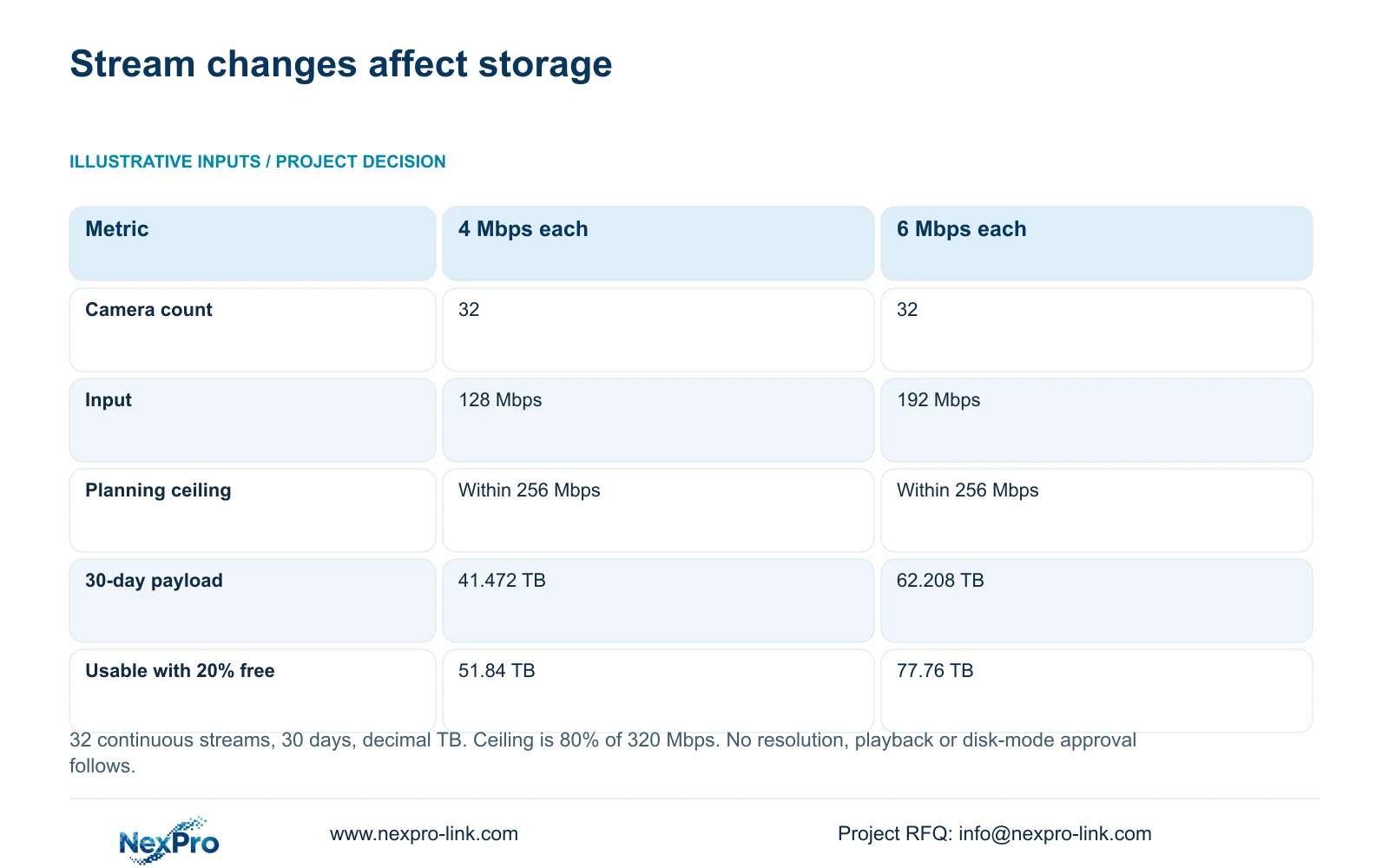
The illustrative comparison assumes 32 continuous streams at either 4 or 6 Mbps for 30 days. Aggregate input equals camera count multiplied by average Mbps. Its engineering planning ceiling is 320 Mbps multiplied by 0.80, giving 256 Mbps. This reserve is an explicit scenario choice, not a published universal recorder operating rule.
NexPro-NVR4449-4K and NexPro-NVR8864-4K each have a supplied page input field of 320 Mbps. Their supported image modes, playback tasks and disk arrangements still need separate checks. The 49-channel model's summary lists 49×5MP/9×4K; it does not establish 49 simultaneous 8MP recordings. Neither channel count nor the bandwidth calculation grants missing functionality.
| Metric / condition | 4 Mbps average per camera | 6 Mbps average per camera |
|---|---|---|
| Cameras | 32 | 32 |
| Aggregate video input (Mbps) | 128 | 192 |
| Illustrative 256 Mbps planning ceiling | Within | Within |
| 30-day video data (decimal TB) | 41.472 | 62.208 |
| Recording modes / decoding / disks | Separate model checks | Separate model checks |
Section 04
Verify recorder behavior and the authorized client workflow
Both illustrative profiles fit the 256 Mbps planning ceiling, but the higher profile produces more stored video. The payload formula is camera count × Mbps × 10^6 × 24 × 3600 × days ÷ 8 ÷ 10^12. Mbps measures a rate in megabits per second; the resulting TB values are decimal data volumes before formatting, array effects or reserve.
At a separately stated 20% free-space target, those payloads require 51.84 and 77.76 TB of usable capacity. This exposes a replacement risk that the input-bandwidth check misses. If the approved task remains satisfactory at the lower profile, retain it; if necessary recorded detail requires the higher profile, revise storage rather than silently shorten retention.
Verify live viewing, recorded playback and export as separate actions with the authorized users. Record exact versions and observed conditions. A successful camera connection is not a completed client test. Also preserve source conflicts: NexPro-NVR2232-4K has conflicting 2×8TB and 2×18TB capacity descriptions and differing replay fields. Do not select the favorable value to justify a replacement design.
Section 05
Plan the configuration change and its spare consequences
Define which settings and operator actions change before replacing the installed group. Preserve the old baseline and identify the local person responsible for configuration. If the change affects a shared recorder or network node, assess its interruption scope. Distributed recording can change search and maintenance responsibilities as well as equipment quantity.
Review the spare inventory against the new functional matrix. A camera kept from the original order can remain useful only within its verified replacement role. Record where old and new families overlap and where dedicated stock is necessary. If equipment is returned, confirm authorization and handling of credentials or stored footage before dispatch.
Resolve technical compatibility before approving branding. NexPro-Link can discuss authorized logos, labels and project packing, but hardware OEM work does not grant the right to rename third-party software. Retain model and serial traceability. Include mounting changes, storage expansion and local commissioning in the evaluated scope instead of comparing camera unit prices alone.
| Retained outcome | Extra scope | When worth buying | Counter-condition |
|---|---|---|---|
| Existing recording task | Function-matched camera and commissioning | Original model unavailable | Candidate misses a mandatory interface |
| Required detail at higher bitrate | Supported storage expansion | Recorded task needs the new profile | Lower profile meets the approved task |
| Replacement readiness | Revised compatible spare stock | New family cannot use existing stock | Verified pooling remains possible |
Section 06
Record the approved replacement baseline
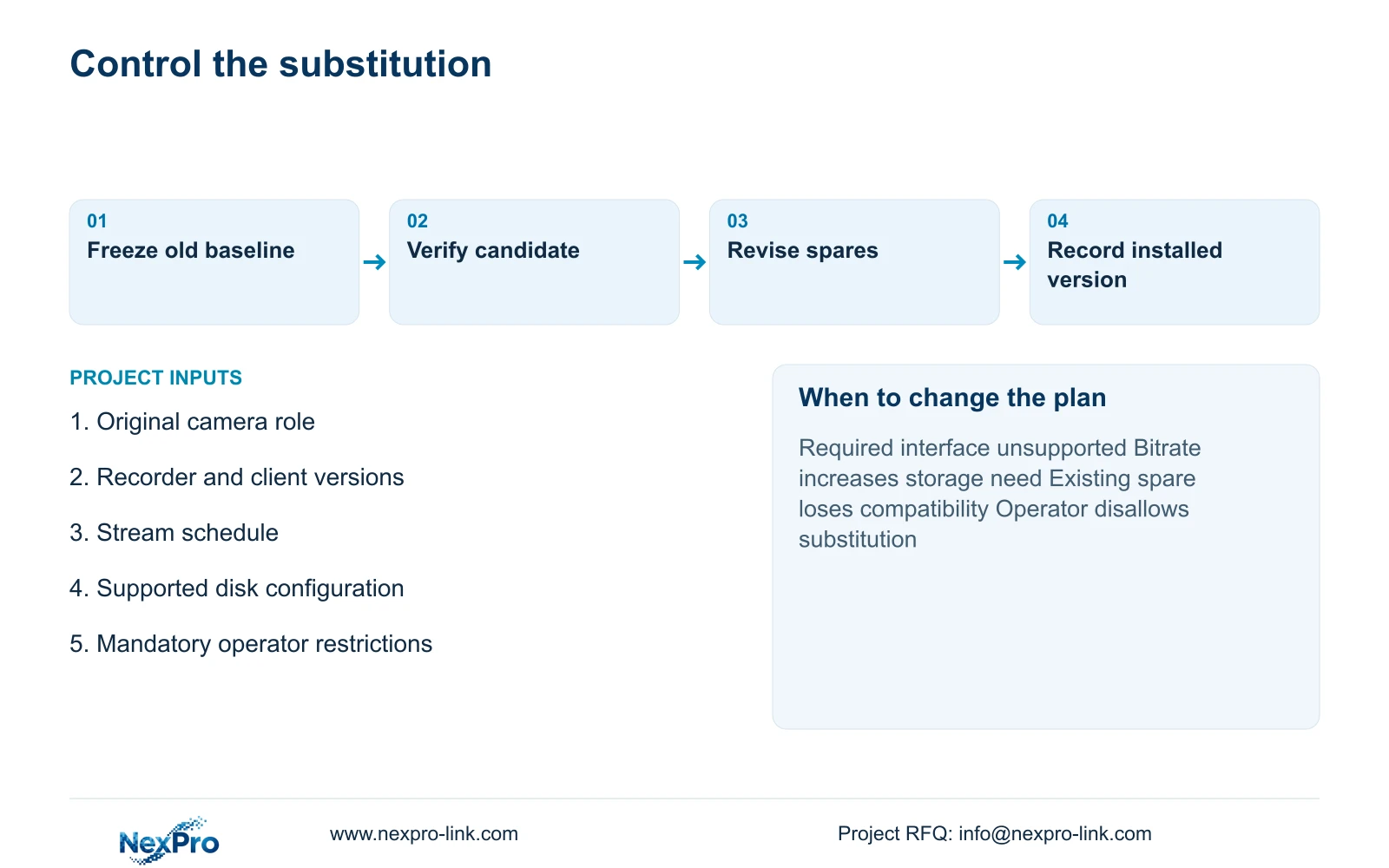
Record the replacement model, serial, firmware and installed role alongside the retired identity. Retain approved stream settings, recorder configuration and client workflow results. List any unsupported feature explicitly. A baseline that includes only the new product label leaves the next technician unable to distinguish a deliberate change from a configuration error.
Keep commercial records separate from the compatibility result. The supplied policy record states a 24-month limited hardware baseline from receipt for applicable main equipment, with controlling written terms and separate accessory scope. A model change does not automatically restart an existing warranty or include site labor. Preserve the agreed treatment for the actual replacement transaction.
Select a function-matched candidate with a verified recorder/client workflow, then approve appearance and packing. Change the proposal if the required profile exceeds supported capacity, the operator's platform disallows substitution or an essential function fails validation. Send info@nexpro-link.com the original model and role, recorder/client versions, required stream schedule and existing disk configuration. Include mandatory brand restrictions and the destination so model-matching and local-work boundaries can be stated.
Section 07
Buyer questions
Does changing from 5MP to 8MP require replacing the NVR? Not automatically. Check the exact supported recording mode, aggregate stream rate and storage requirement. The higher resolution alone does not establish a bitrate or prove that the existing NVR supports the proposed concurrent configuration.
Can existing recordings be retained during recorder replacement? Define preservation and retrieval before removing the original equipment. Old disks are not automatically readable in another recorder. Verify authorized export and playback where historical footage must remain available.
What can be sent without guest footage? Send equipment identities, versions, stream settings and the required operating tasks, with sanitized symptom or compatibility notes. These support an initial replacement discussion without passwords, guest images or unrelated confidential documents.
Engineering references
These sources support the general planning principles. Always use the selected product's current datasheet and applicable project standards for final design.