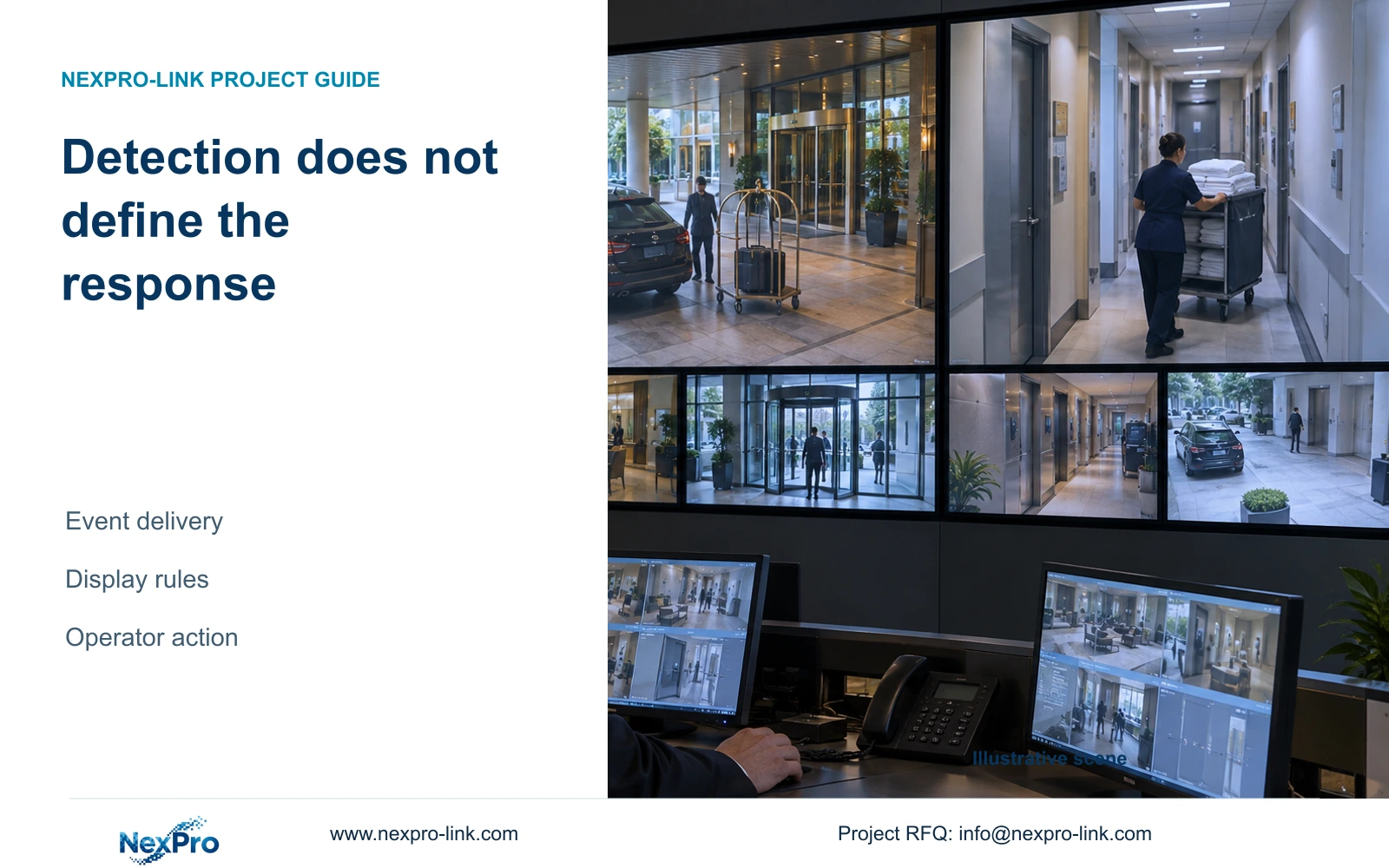
Specify automatic alarm display only after confirming the complete event path and operator response. Person or vehicle detection alone does not establish video-wall pop-up support.
Section 01
Choose the event that requires operator action
Include automatic alarm pop-ups in the supply scope only after event generation, supported delivery, client rules and authorized display behavior have been confirmed together. Person or vehicle detection alone does not prove that a video wall can open the relevant view automatically. Keep a defined manual response available when the automatic path is unsupported or unavailable.
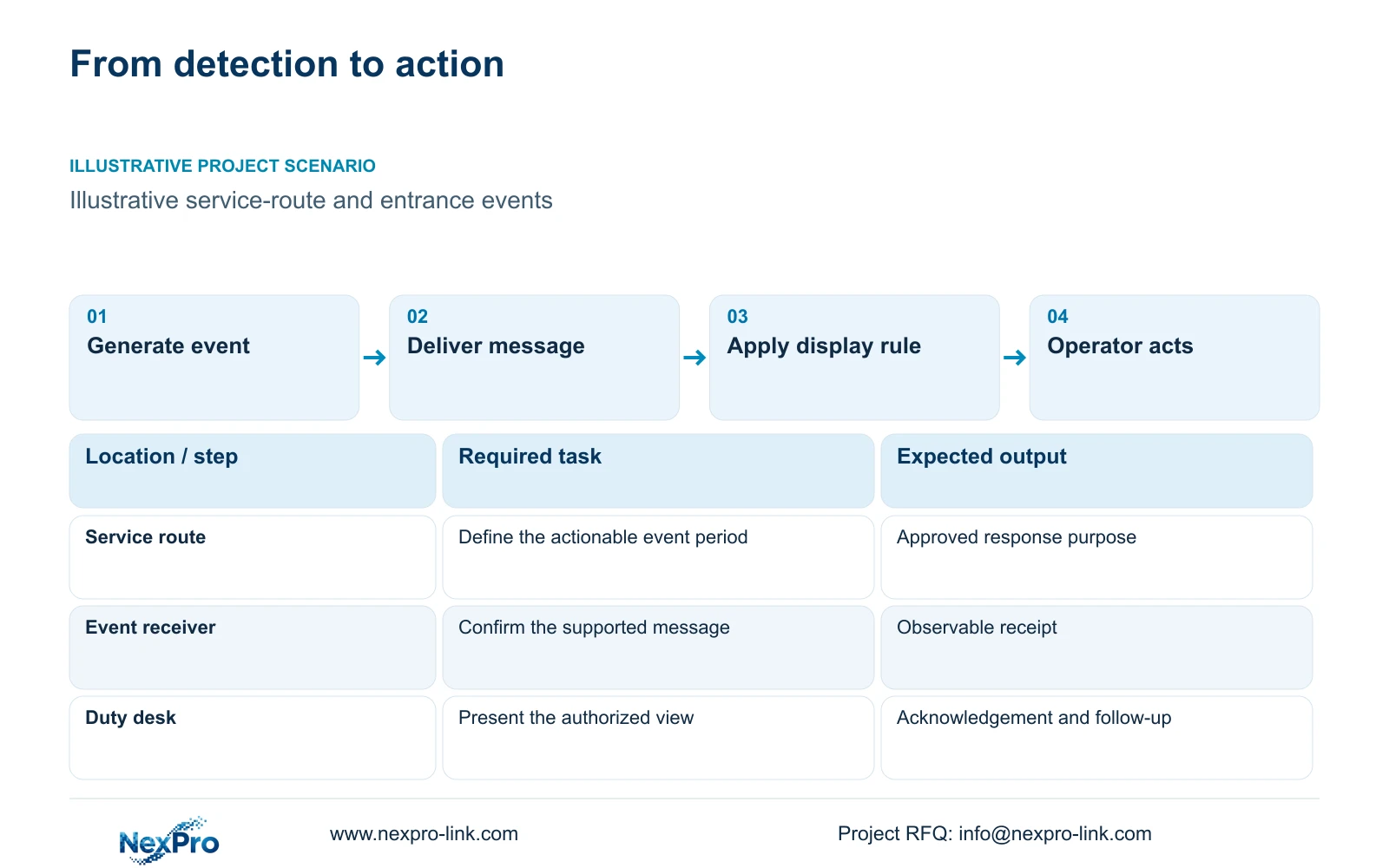
Define an actionable alarm by location, operating period and the response expected from the duty operator. An illustrative exterior service-route event outside its approved activity period may require an operator to open a view and assess the situation. Ordinary reception movement may have a different purpose. The event rule should reflect that difference instead of treating every detection as an equal demand for attention.
Name the person who acknowledges the event and the person who carries out any follow-up. A shared control-room display does not establish responsibility. The required outcome should include finding the relevant recording when authorized, because opening a live image alone may leave the operator unable to review what preceded the alert.
| Required task | Given information | Decision still needed |
|---|---|---|
| Exterior service-route review | Defined event period | Operator action and display target |
| Entrance event assessment | Relevant camera view identified | Manual or supported automatic opening |
| Incident follow-up | Recorded review required | Authorized retrieval and escalation |
Section 02
Locate the device that generates the event
Identify whether the camera, recorder or platform generates the event used by the proposed rule. Record its exact model, software or firmware version and configured event type. The next device must receive the event in a supported form; two products having similar feature names does not establish that connection.
The supplied camera evidence supports human/vehicle detection for relevant models, including NexPro-BL2812M88-8MP-DIC-AI. It does not establish plate recognition or a complete wall-response workflow. The BL2812M and DM2812M product PDFs provide camera fields, not proof that every recorder, client or decoder interprets every event.
Keep responsibility attached to each boundary. The party configuring the source detection must know the hotel's intended rule, while the platform configurator must map that event to the correct view and user. If a recorder relays the event, its supported relay behavior needs qualification separately from its ability to record the video.
| Item | Camera-generated event | Platform-generated event | Effect on the hotel task |
|---|---|---|---|
| Origin | Selected camera configuration | Selected platform configuration | Different rule ownership |
| Delivery | Receiver must support source event | Display client must support rule | Check each receiving boundary |
| Change control | Camera model/version matters | Platform version matters | Retest the affected path |
Section 03
Trace message delivery through the actual system
Draw the event route separately from the video route. Show the source, any recorder or platform that receives the message, the rule that selects a view and the client or controller that presents it. At each stage, define an observable result so a failure can be located without replacing unrelated equipment.
ONVIF Profiles are relevant to device/client matching, but a general ONVIF claim does not prove the proposed event, audio or retrieval workflow. Obtain function-specific confirmation for the actual configuration. NexPro-Link's Seetong System source describes app and PC-client workflows without establishing universal event integration across hardware.
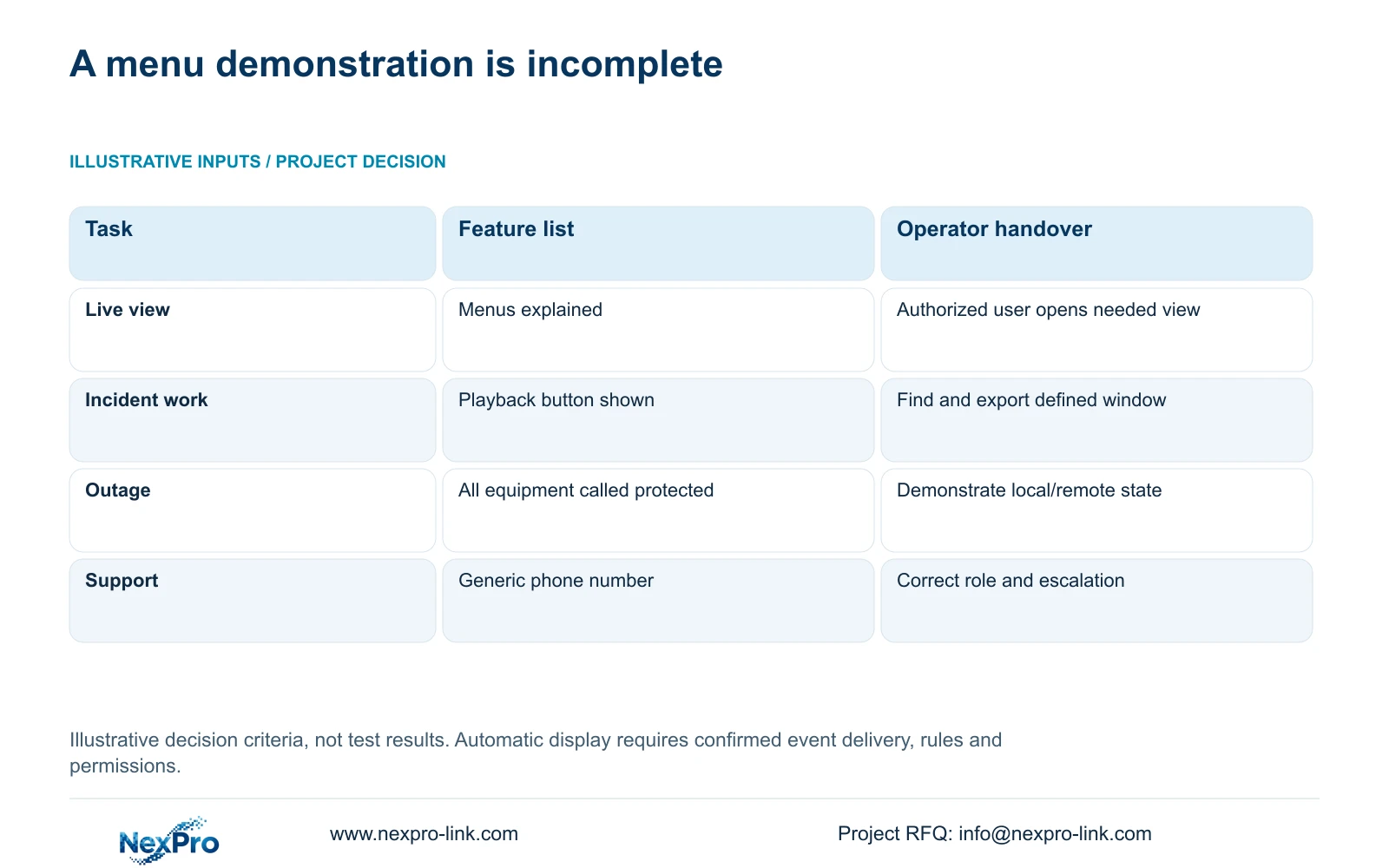
Compare ordinary and exception states. Local recording may remain available when the remote service or WAN path fails, depending on the design. The original handover illustration gives general operator criteria; the matrix below turns them into this alarm's observable checkpoints. Neither contains pre-filled passes or response-time claims. Assign an owner to each failed boundary before replacing equipment.
| Checkpoint | Evidence to retain | Responsible boundary |
|---|---|---|
| Source event | Event type, source model/version and observed trigger | Camera or platform configurator |
| Received message | Receiver/version and observed receipt of that event | Recorder/platform interface owner |
| Authorized display | Correct view and permitted operator account | Rule and client configurator |
| Competing event | Observed treatment of a second alert and retained overview | Hotel security and display configurator |
| Unavailable automatic path | Manual selection, local retrieval and escalation demonstrated | Operator training and support owner |
Section 04
Compare manual selection with automatic presentation
Manual selection requires the operator to recognize the event location and open the appropriate view. Automatic presentation requires a supported rule and a defined destination layout. Compare both against the same response task. Specify whether the event replaces an overview tile, opens beside it or uses another display, and what happens when a second event arrives.
The display's physical format does not establish automation. NX-VP-5535 is a 55-inch, 1920×1080 LCD panel with a 3.5 mm seam field. It is not direct-view LED. Readability depends on the actual layout, viewing position and enlargement mode, while the event logic belongs to the qualified signal and control system.
CASE01 treats an ordinary operator display and an optional wall as different display scopes, independent of essential recording. Apply that separation here: a wall is worth considering when several operators need a shared event view and the supported control path delivers it. Adding panels alone will not resolve an unsupported event message or an unclear response rule.
Section 05
Measure a sample response without inventing savings
Run an authorized, representative exercise from event generation to operator acknowledgement and any required retrieval. Record the source event, receiving-system observation, displayed view and completed action. If measuring elapsed time, define the starting and finishing actions and retain the actual observations.
Separate automatic-display delay from the time needed for an operator to assess the scene or contact the responsible person. Comparing only the appearance of a window would omit much of the hotel's response task. Use the same conditions when comparing manual and automatic routes, and report the limited scope of any measured result.
If the event fails to appear, identify the failed boundary and repeat the exercise after correction. If too many alerts interrupt required views, revise the rule or presentation behavior with the hotel's authorization. The supplied evidence contains no measured minutes saved, false-alarm rate or delivered-hotel result, so none belongs in the equipment recommendation.
| Retained outcome | Extra scope | Worth buying when | Counter-condition |
|---|---|---|---|
| Relevant event view | Supported rule and presentation | Operator task benefits in the exercise | Event interface is unsupported |
| Continuous overview | Defined event layout resources | Alarm view can coexist as required | Pop-up hides necessary views |
| Incident follow-up | Retrieval and training scope | Authorized staff complete the task | Only window appearance is demonstrated |
Section 06
Assign configuration and training responsibilities
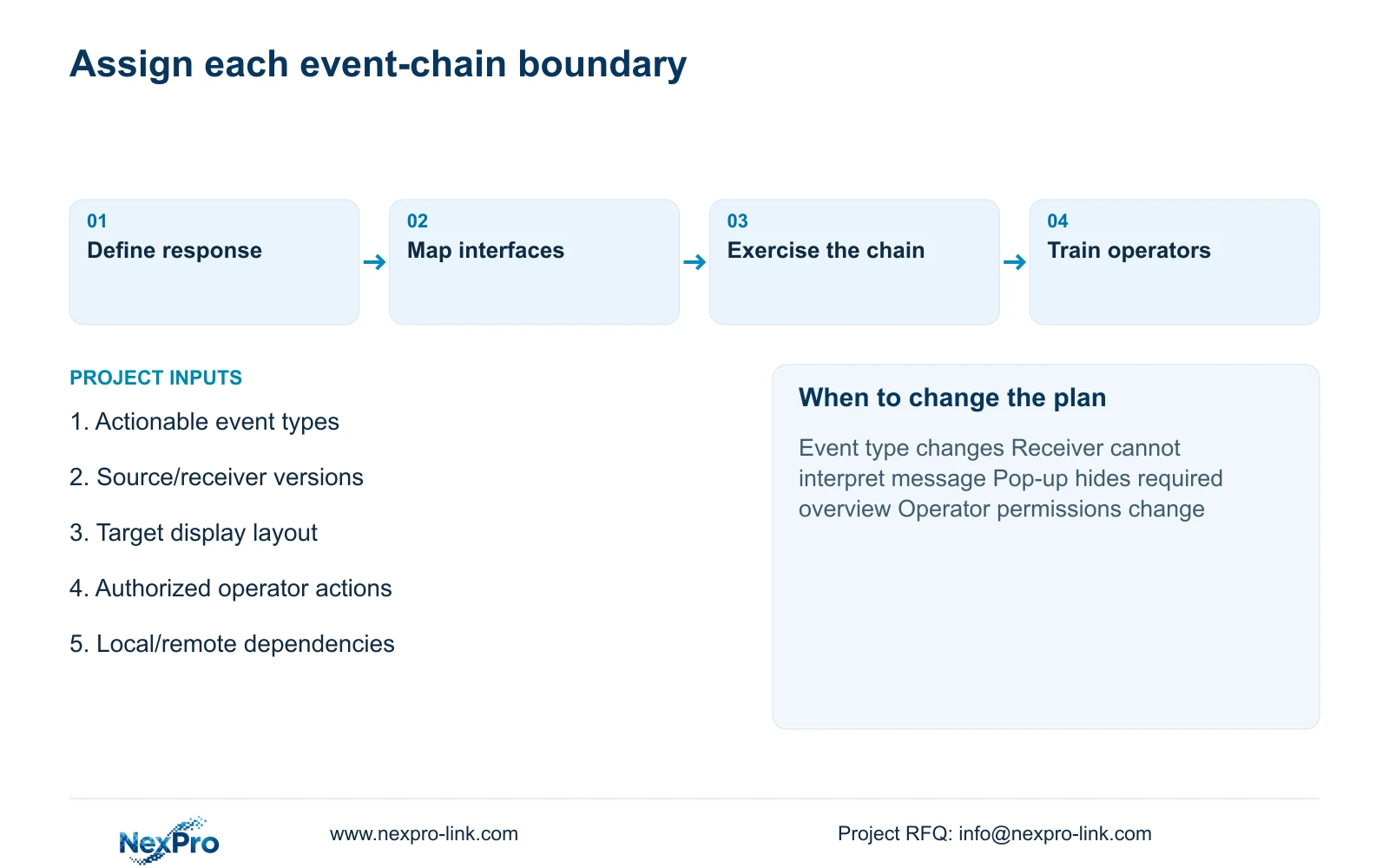
Assign source-rule configuration, network access, platform mapping and operator training to named project roles. Hotel security defines the response purpose; IT controls the approved access path; the appointed integrator implements and demonstrates the supported configuration. The supply proposal should identify which of these services it includes.
Recommend task-based handover and automatic presentation only for qualified events. Retain manual view selection and an escalation route when a dependency is unavailable. Change the proposal if a mandatory platform, different event type or revised user role alters the supported chain. Training and instructions must follow the delivered versions.
Send info@nexpro-link.com the required event types, source and client versions, target display layout and authorized operator actions. State any local/remote dependency and mandatory platform. NexPro-Link can discuss model coordination through /project-supply/hotel-security and technical scope through /project-supply/boq-tender-support; a coordinated equipment order does not itself include every integration or local training service.
Section 07
Buyer questions
Does human/vehicle detection include an automatic wall pop-up? No. It identifies a source capability. The receiving system, rule configuration and authorized display must support the intended event response before it can be included as an automatic function.
What should the operator do if automatic presentation fails? Use the defined manual view-selection and escalation path for the actual failure state. The handover should identify which local recording and viewing functions remain available.
Can NexPro-Link quote the integration from a camera list alone? A camera list is a starting point. Add the event types, receiver/client versions, desired layout and operator response so the proposal can distinguish equipment supply from configuration and integration work.
Engineering references
These sources support the general planning principles. Always use the selected product's current datasheet and applicable project standards for final design.