Choose a decoder against the hotel's simultaneous source formats and display layouts. An output count or a model name containing 4K does not establish decoding capacity.
Section 01
Choose the sources that must appear together
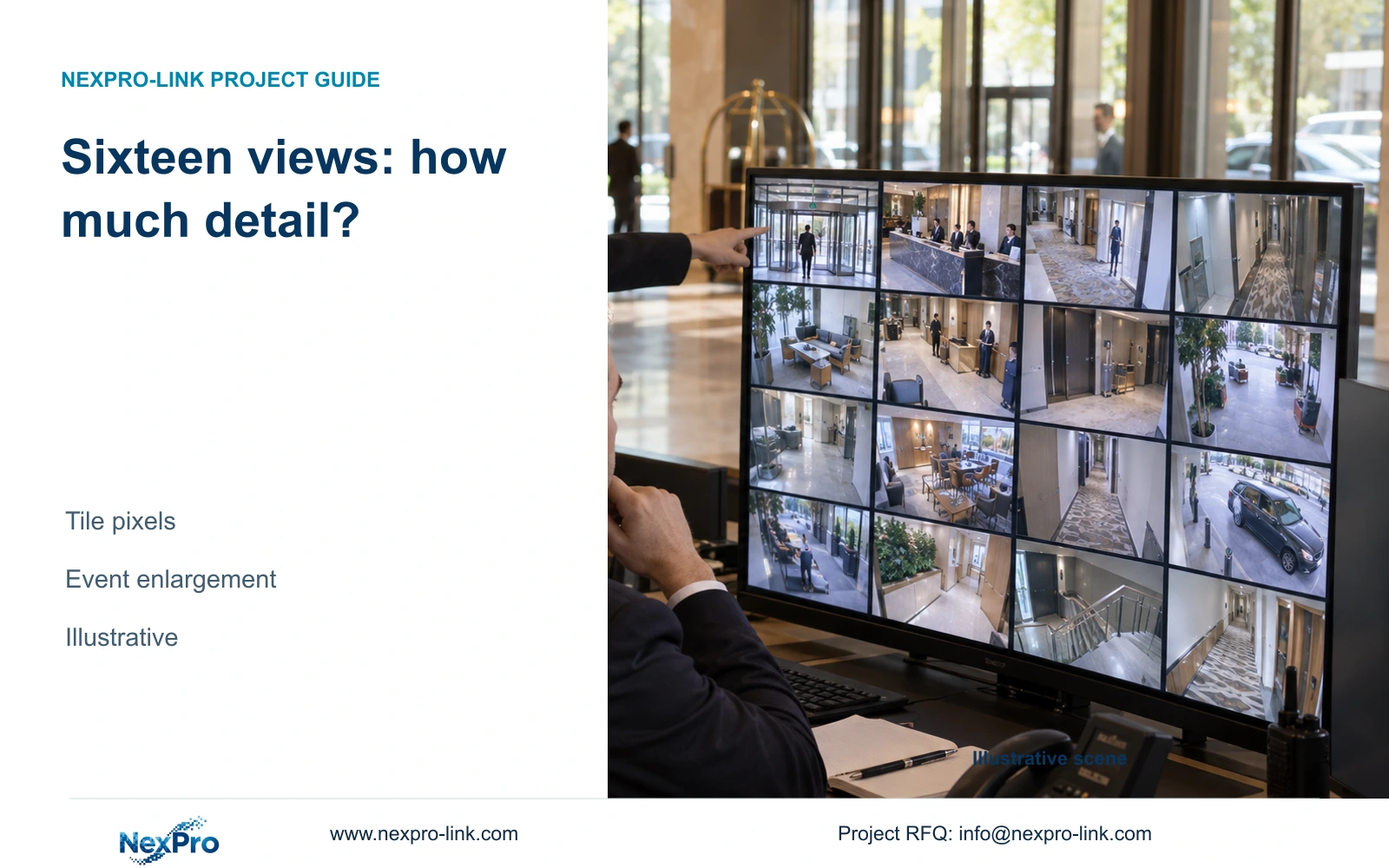
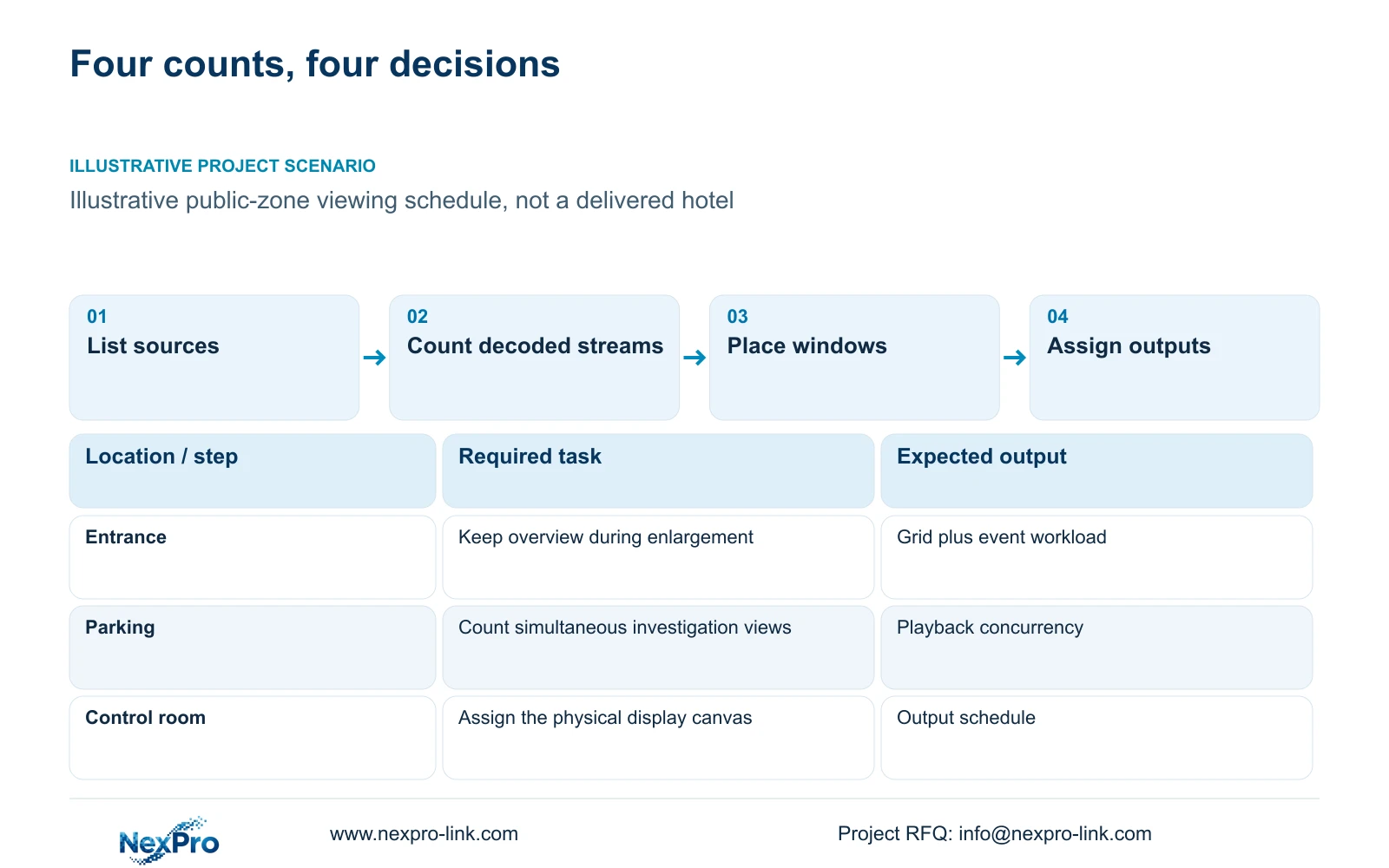
Select the decoder configuration from the simultaneous source formats, operator layouts and physical outputs it must support. Use substreams for an overview when they preserve the required observation task, with a main stream for event enlargement. Change that arrangement when operators need several detailed views or synchronized playback at once. A designation containing 4K or an advertised output count cannot settle this decision.
Start the source schedule with public-zone tasks: entrance observation, reception activity, parking review and authorized incident investigation. For each task, identify the source device, selected stream, resolution, frame rate and codec. Record whether it must remain visible while another task starts. The installed camera total and the concurrently decoded total are separate quantities.
Work backwards from the operating layouts needed at opening. Source formats must be settled before a supplier can qualify decoding capacity; display positions and cable routes must be available before installation. Equipment arrival alone does not establish an operational system. The short schedule below identifies decisions that can proceed together without treating an illustrative preparation sequence as a delivery promise.
| Required task | Given information | Decision still needed |
|---|---|---|
| Public-zone overview | 16 simultaneous views proposed | Acceptable overview stream format |
| Entrance event review | Detailed enlargement required | Number of concurrent main streams |
| Incident investigation | Playback and export requested | Tasks retained alongside live overview |
Section 02
Separate stream inputs from display outputs
An input is a video source received by the decoding system. A decoded stream consumes processing resources according to its format and operating state. A window is a position in a layout. A physical output sends a composed image to a display. These quantities need separate schedule fields because several windows can share one screen, while a wall can require several physical outputs.
The recorder's incoming bandwidth describes recording traffic, not the decoder's processing capability. Likewise, a display resolution describes its canvas, not how many source streams can be decoded. Establish which device composes the layout and which device handles source selection. A controller, management platform and decoder may have different responsibilities within the proposed signal path.
NexPro-Link lists NX-VP-5535 as a 55-inch, 1920×1080 LCD panel with a 3.5 mm seam field. Four such panels have a theoretical 3840×2160 canvas only when the actual signal and control configuration addresses it. NX-VD-4K16 is a modular network-decoder candidate described with a 5U chassis; its name does not prove sixteen simultaneous 4K streams.
| Item | Overview layout | Event layout | Effect on the hotel task |
|---|---|---|---|
| Decoded sources | Selected substreams | Additional main source | Processing demand changes |
| Windows | Persistent grid | Grid plus enlargement | Layout support must be checked |
| Physical outputs | Assigned display connections | Same or revised canvas | Output count alone proves no decode limit |
Section 03
Calculate the simultaneous decode demand
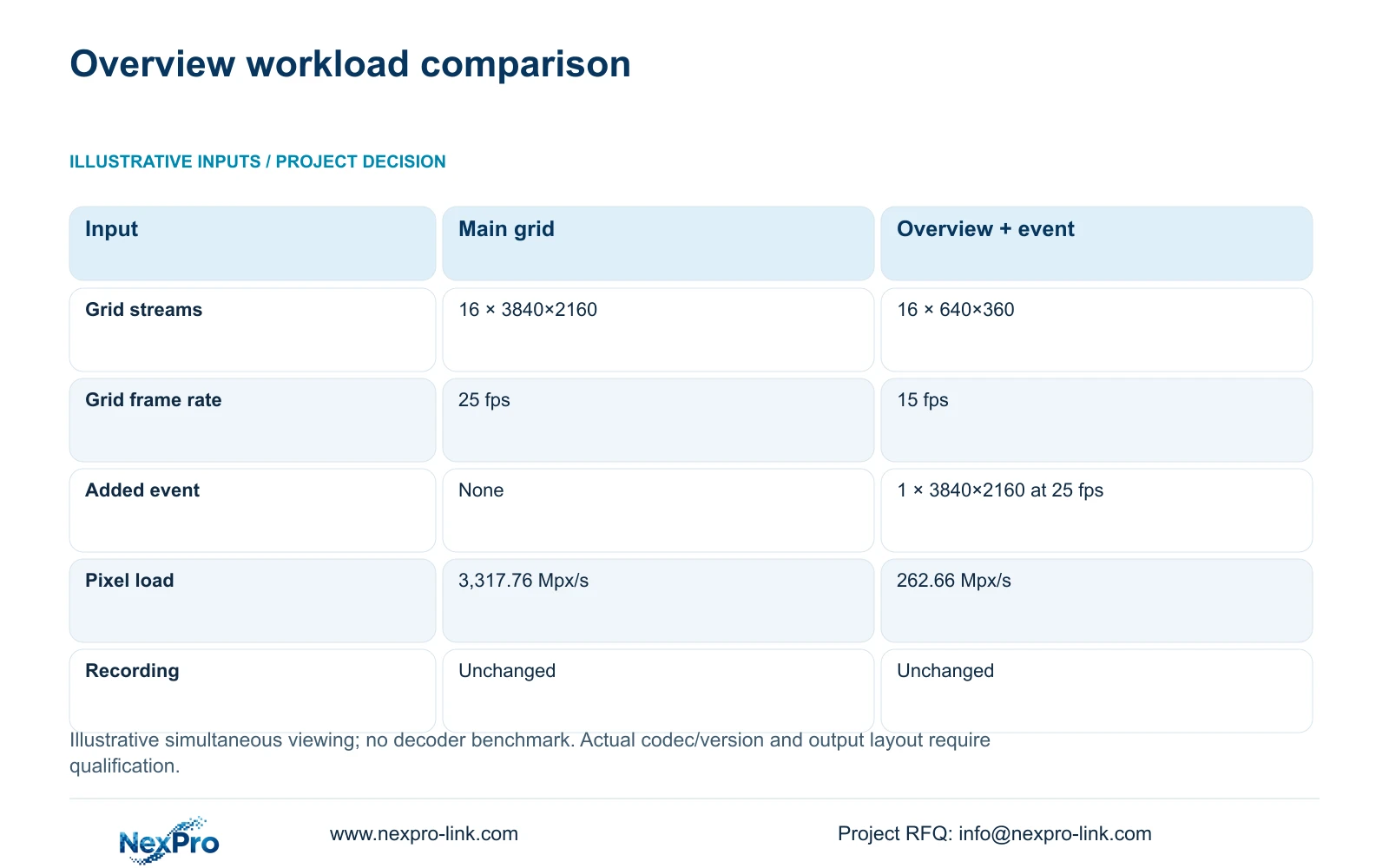
The illustrative comparison uses sixteen 3840×2160 streams at 25 fps for Option A. Option B keeps sixteen 640×360 streams at 15 fps and adds one 3840×2160 event stream at 25 fps. These are viewing assumptions, independent of the complete 32-camera hotel reference. They are not specifications or measured results for NX-VD-4K16.
Calculate nominal decoded pixels per second as the sum of width × height × frames per second × simultaneous stream count. Divide by 1,000,000 to express the result in Mpx/s. Option A gives 3,317.76 Mpx/s. Option B combines 55.296 Mpx/s for the overview with 207.36 Mpx/s for the event source, giving 262.656 Mpx/s, rounded to 262.66.
This comparison supports investigating the lighter viewing layout before buying more decoding hardware. It does not convert pixel load into a CPU, GPU or decoder performance guarantee. Actual codec support, software version and concurrency still need qualification. Keep the recording profile unchanged: reducing operator-view demand should not silently reduce the detail retained for investigation.
| Metric / condition | Option A | Option B |
|---|---|---|
| Viewing workload | 16 main streams for grid | 16 substreams for grid + 1 main event |
| Planning pixel load (Mpx/s) | 3,317.76 | 262.66 |
| Main recording | Unaffected by viewing choice | Unaffected by viewing choice |
| Hardware performance test | Required for actual codec/version | Required for actual codec/version |
Section 04
Compare the overview and alarm scenes
Define the event layout as an operating state. An entrance enlargement might replace one overview tile, occupy a separate screen or remain beside the full grid. The calculation above assumes the grid continues and the main event stream is additional. A different arrangement needs its own workload count.
Specify what happens when another event arrives during playback. The hotel must decide whether the second event replaces the first, joins a supported queue or requires another detailed window. Audio, acknowledgement and automatic presentation also need explicit configuration support. A camera's event capability does not establish that the decoder or client can present the intended response.
In CASE01, an ordinary operator display and an optional LCD wall are alternative display scopes within a 32-camera planning reference. That case does not require every recorded camera to remain on screen continuously. Use its distinction between recording and display to protect the essential recording path, while qualifying this article's separate sixteen-view workload against the actual operator task.
Section 05
Check limits on the exact configuration
Ask the supplier to identify the selected decoder configuration and the supported combination of source formats, simultaneous streams, windows and outputs. A maximum listed for one image mode cannot be transferred to another codec or frame rate. Playback concurrency needs a separate response when operators must investigate without losing the overview.
ONVIF Profiles provide a framework for matching device and client functions. An ONVIF statement alone does not prove event delivery, audio, recorded-video retrieval or account behavior across the proposed equipment. Keep each required function attached to the relevant source, receiver and software version in the compliance response.
Buy additional processing or output resources when they retain a required task that the smaller configuration cannot support. Keep their cost separate from essential recording equipment, and include the related control software, connections and maintenance scope. A larger chassis is unnecessary if the qualified simpler layout already meets the operating requirement.
Section 06
Issue a workload schedule that can be demonstrated
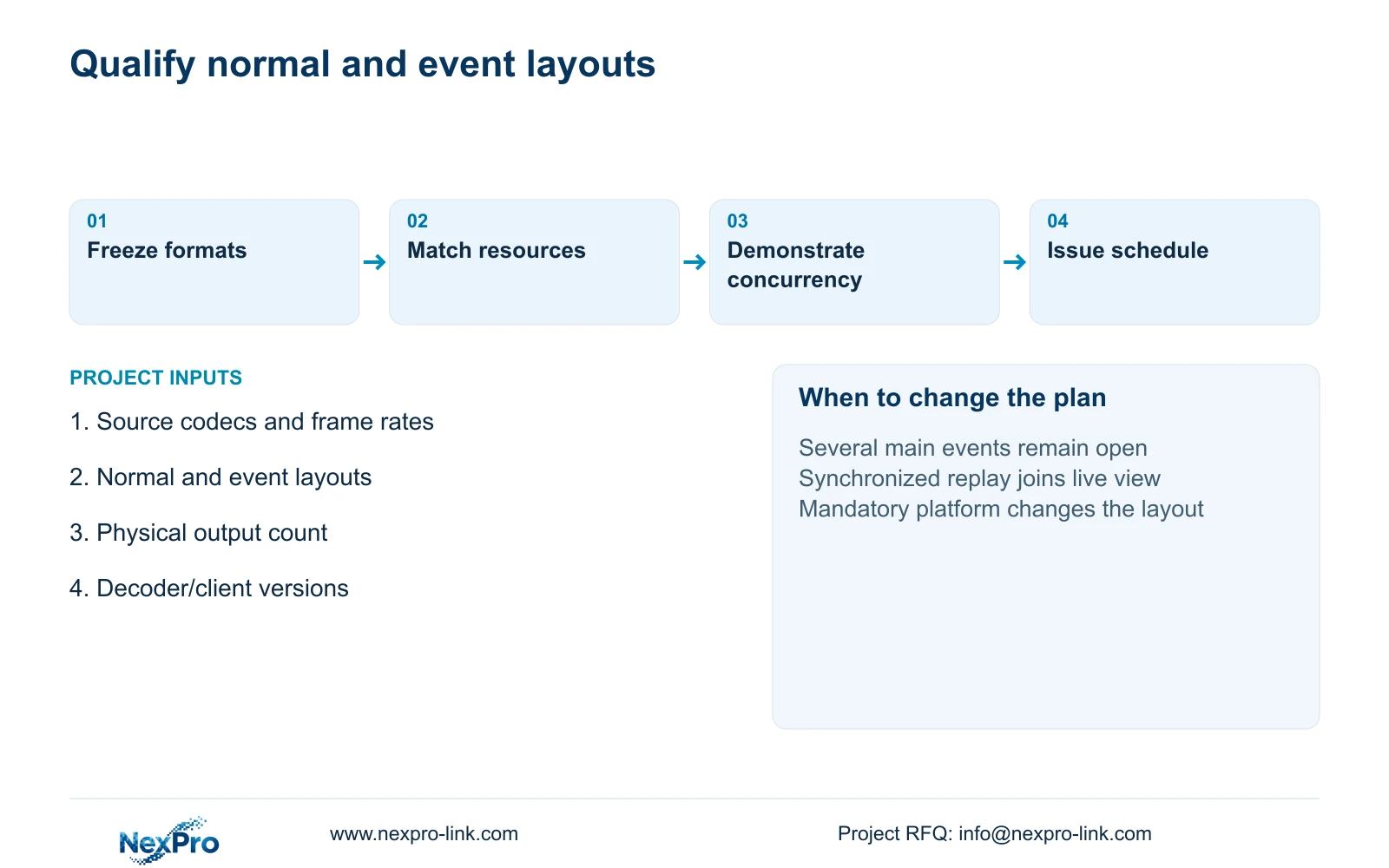
Issue normal, event and investigation layouts with their simultaneous streams and assigned outputs. Include a demonstration in which an authorized operator opens the overview, enlarges the selected event and performs required playback while the agreed live views remain available. Record actual observations and unresolved functions; the illustrative calculation contains no pre-filled passes.
Recommend the substream overview with main-stream enlargement when its detail is sufficient and the selected platform supports the transition. Reconfigure if multiple detailed events, mandatory platform rules or synchronized replay increase concurrency. Identify the consequence for the decoder and operator layout before revising the equipment quantity.
Send info@nexpro-link.com the concurrent layouts, source resolution/frame-rate/codec list and required physical outputs, together with the existing platform version and destination. Through /project-supply/hotel-security and /project-supply/boq-tender-support, NexPro-Link can discuss model matching and a scoped equipment schedule. Coordinated supply does not establish native integration or include local installation unless stated in the proposal.
Section 07
Buyer questions
Can sixteen output channels guarantee sixteen 4K live views? No. Ask for the supported simultaneous source combination and the output configuration separately. The response should cover the actual codec, frame rate and layout, including event-time demand.
Should exported clips be counted as decoded streams? Count the task according to the actual implementation. A transfer and a locally played export can impose different resources. Ask the supplier which processing and network boundaries the required export workflow uses.
What can be sent before the display layout is final? Send the known source formats and describe the unresolved layout options. A supplier can compare those bounded workloads without receiving guest footage, passwords or a complete confidential tender.
Engineering references
These sources support the general planning principles. Always use the selected product's current datasheet and applicable project standards for final design.