Design a food-factory security room around protected recording, suitable rack conditions and separate display loads, with explicit UPS W and VA calculations.
Section 01
Place recording equipment outside unsuitable cleaning exposure
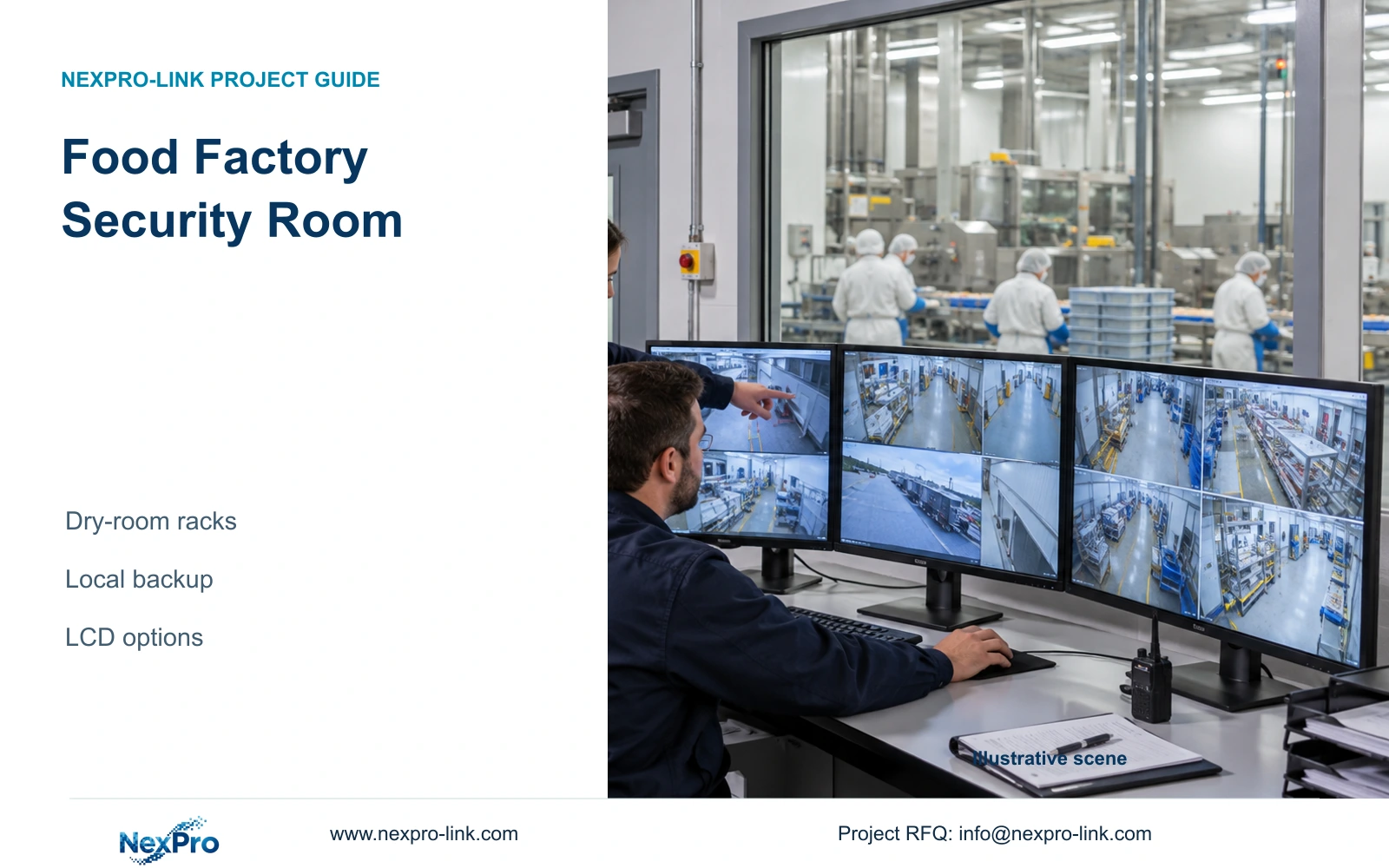
A food factory security control room should house recorders, switches and UPS equipment in a room suited to their operation, charging, ventilation and maintenance. Size recording and backup power from the entire approved camera schedule, including separately qualified specialist positions. Keep display expansion as an additional decision so a larger monitoring wall does not consume the budget needed for recording retention.
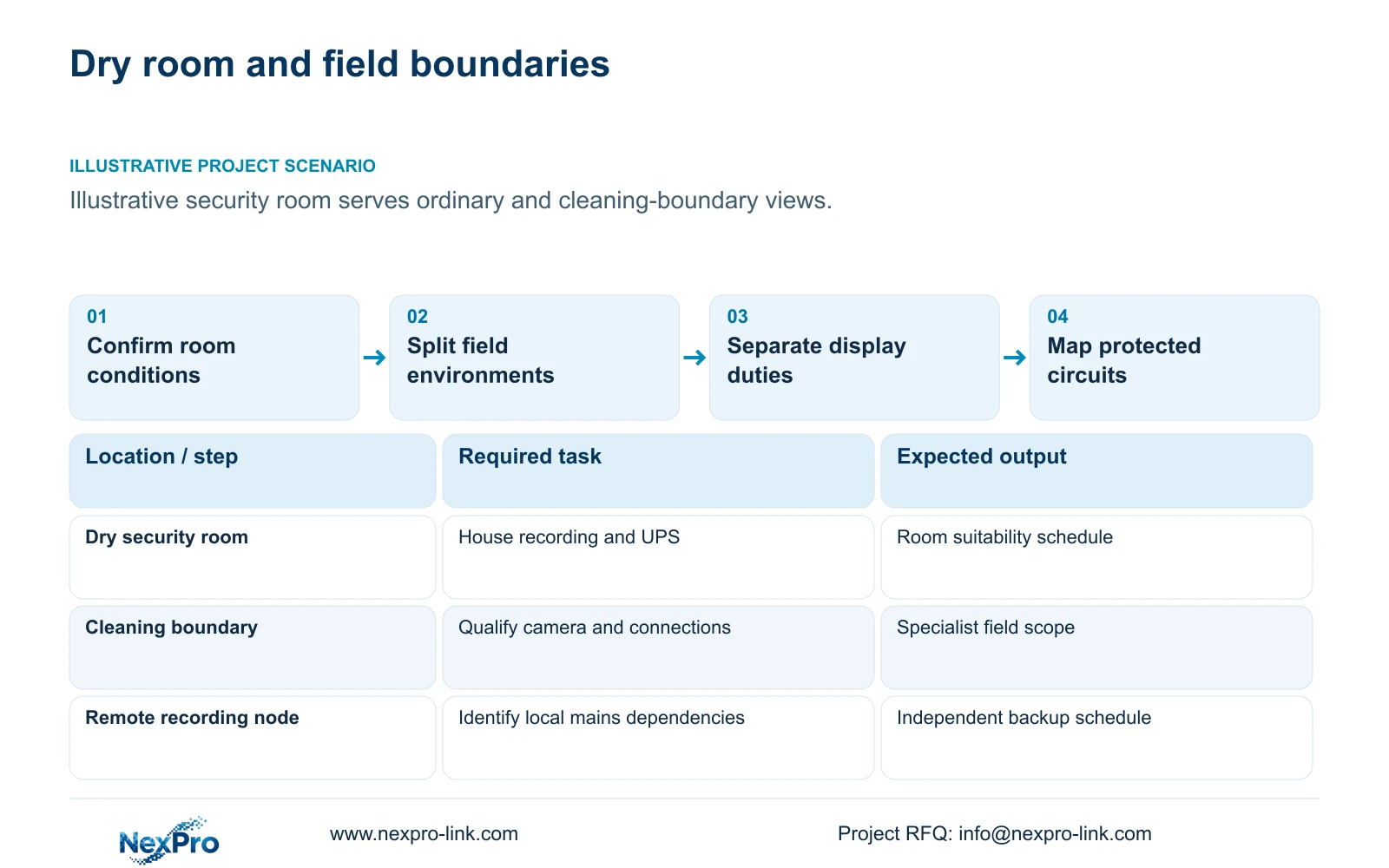
Illustrative project scenario: The security room serves dry offices and environmentally demanding production boundaries. Assume the owner wants routine playback at an operator screen and is considering a four-panel wall. The supplied 48-camera reference divides 40 ordinary security views and eight specialist cleaning-boundary views between two 24-camera nodes. Its remote node remains an independent electrical location even when operators view both nodes from one room.
Ask the factory team to mark cleaning reach, moisture exposure and permitted maintenance routes on the room and camera drawings. Review conditions during cleaning as well as normal production. A dry-looking position near a transition door may need a different installation scope when cleaning begins. Ordinary IP66 camera references do not establish hygienic washdown suitability, and their rating does not extend to the recorder, UPS or exposed connections.
Section 02
Give surveillance displays their own operating purpose
Decide what the security operator must see simultaneously. A single screen may support scheduled playback and dispatch checks, while several persistent views may justify a wall. Write the required live layouts, playback activity and export tasks into the display schedule. Process-control displays retain their own responsibilities; general surveillance equipment should not be assumed to provide machine control, food-safety verification or safety interlocks.
The NX-VP-5535 reference is a 55-inch 1920×1080 LCD panel with a listed 3.5mm seam/bezel and 400nit typical brightness. It is not direct-view LED. The NX-VD-4K16 is a decoder reference whose name does not prove sixteen simultaneous 4K streams. Confirm the actual codec, stream resolutions, window layout and concurrent operation before selecting the processing equipment.
Keep the existing operator screen in the expanded option because playback and export may still need a dedicated working surface. The video wall is a client branch connected to the video system; recording should not depend on footage passing through it. If process-network access is requested, have the responsible network and process teams define that interface rather than joining networks for display convenience.
Section 03
Protect every power dependency at its actual node
Draw the camera-to-recording chain separately from the power circuits. For a PoE camera, continuity depends on its access switch, the recording device and any link equipment needed by the agreed service. A UPS in the security room protects only equipment supplied by its actual output circuit. Fiber connectivity to another cabinet provides a data path, not backup power for that cabinet.
The installer should identify each mains-fed node and the loads assigned to it. The supplier can then size capacity candidates against that schedule, while the electrical team confirms distribution and installation. If a specialist camera uses separate power, include that supply explicitly. Do not apply an ordinary camera's assumed demand to specialist equipment without obtaining its actual operating and startup requirements.
The CASE03 reference illustrates the distinction: recording-first loads are 547.5556 W at node 1 and 541.8148 W at node 2. Adding the wall changes node 1 to 1,127.5556 W and leaves node 2 unchanged. These are illustrative node loads, separate from the 32-camera teaching module below. Their sum does not prove that one central UPS can supply both locations.
| Item | Required task | Supply status | Responsible party |
|---|---|---|---|
| Ordinary cameras | Record approved general-area views | Supplied candidates | Supplier and local installer |
| Cleaning-boundary cameras | Meet actual exposure requirements | Separate specialist scope | Specialist designer |
| Recording and local UPS | Preserve the assigned service chain | Required per node | Supplier and electrical team |
| Four-panel LCD wall | Support agreed concurrent viewing | Optional addition | Owner and display integrator |
Section 04
Compare recording-first and expanded display loads
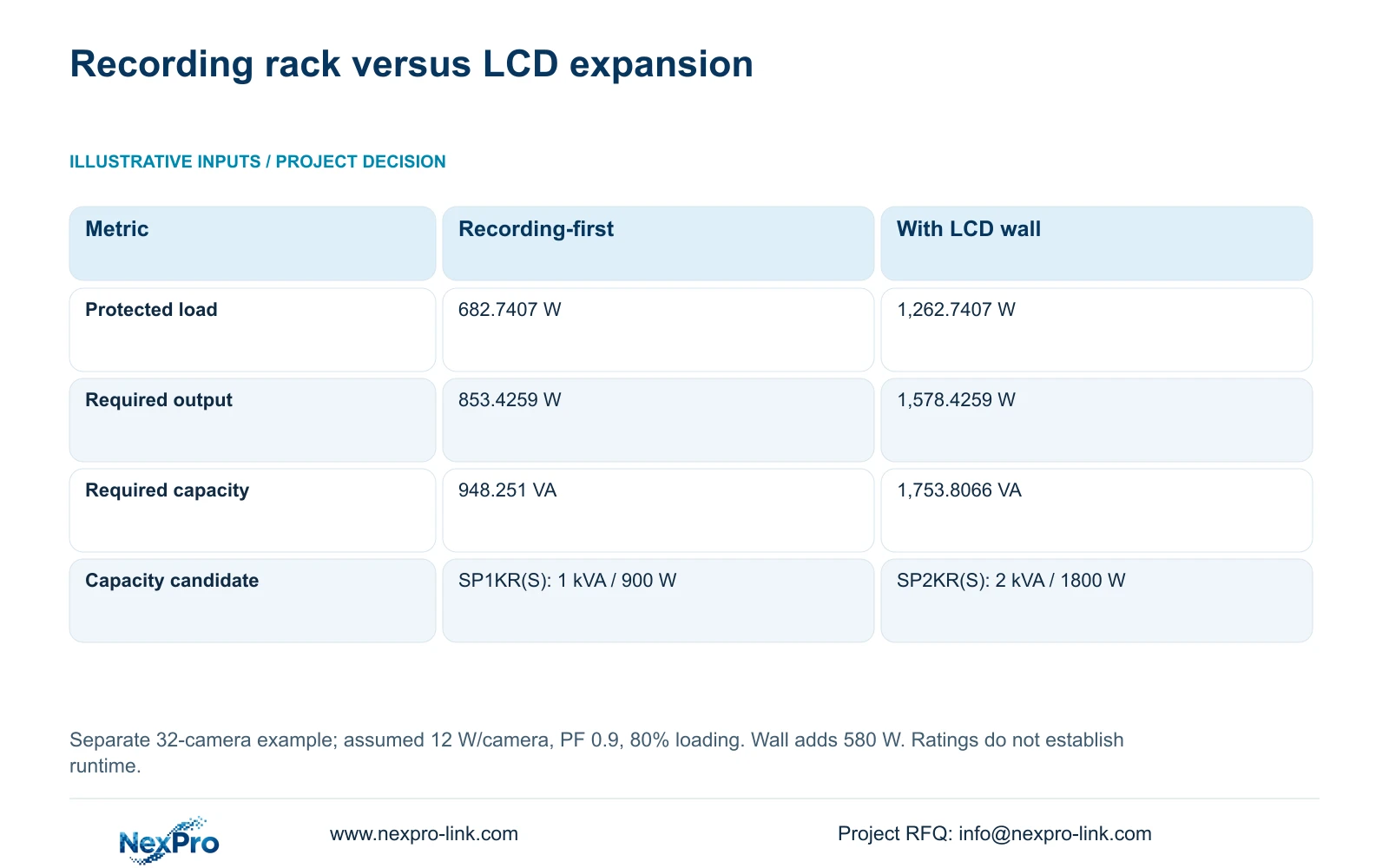
Use the separate 32-camera module to examine display power. It contains four eight-camera PoE groups, with 12 W per camera assumed to reproduce the supplied totals, 90% cable delivery, 15 W switch electronics and 90% PSU efficiency. Each complete switch AC input is ((8 × 12 / 0.90) + 15) / 0.90 = 135.1852 W. Camera demand is already included, so adding it again would overstate the load.
Option A also includes a recorder at 30 W, four disks at 8 W each, a 25 W core device, a 15 W router and a 40 W operator screen. Thus P_AC = sum(complete_device_AC_inputs) = 682.7407 W. Option B retains those devices and adds four panels at an assumed 120 W each plus a 100 W decoder: 682.7407 + 480 + 100 = 1,262.7407 W. These consumption inputs are illustrative, not published measured draw.
At assumed aggregate PF 0.9 and target loading 80%, required_UPS_W = P_AC / 0.8 and required_UPS_VA = P_AC / (0.9 × 0.8). The table shows why the added wall changes the capacity candidate. SP1KR(S) is quoted at 1 kVA/900 W; SP2KR(S) at 2 kVA/1800 W. Both W and VA constraints must pass. Neither the calculation nor the rating establishes runtime; obtain the selected battery configuration and load-dependent curve.
| Metric | A: Recording-first | B: Additional LCD wall |
|---|---|---|
| Protected load | 682.7407 W | 1,262.7407 W |
| Required rated output | 853.4259 W | 1,578.4259 W |
| Required rated capacity | 948.251 VA | 1,753.8066 VA |
| Capacity candidate only | SP1KR(S): 1 kVA / 900 W | SP2KR(S): 2 kVA / 1800 W |
Section 05
Hold retention constant when choosing the display option
Recommend the recording-first option unless an agreed operator task requires the additional wall. Approve the full camera schedule and retention before allocating display expenditure. In CASE03, each 24-camera node receives an illustrative 96 Mbps at 4 Mbps per camera, with continuous recording for 30 days. Using video_TB = cameras × average_Mbps × 10^6 × 86400 × days / 8 / 10^12 gives 31.104 TB per node.
Four 12 TB disks provide 48 TB raw per node. The reference applies 95% formatting/overhead allowance and reserves 20% of usable space, giving 48 × 0.95 × 0.80 = 36.48 TB of video budget. The 31.104 TB demand fits that illustrative budget independently at each node. Spare capacity elsewhere cannot compensate for a shortfall in one recorder. Display expansion leaves this recording requirement unchanged.
The NexPro-NVR4449-4K lists four SATA bays, up to 18 TB per drive, and 320 Mbps input. Its published summary separates 49×5MP from 9×4K; recording capacity does not establish RAID or the operator's decoding workload. Change the design if actual bitrate, specialist streams, concurrent playback or outage objectives differ. Compare supplier alternatives with the same retention, environmental scope and local service responsibilities before drawing price conclusions.
Section 06
Issue separate room, field and display work packages
The procurement package should identify the dry-room equipment, the ordinary field-camera scope and each specialist cleaning-boundary position. For every node, attach the protected-load list and state whether the display branch stays powered during an outage. Include room ventilation, cabinet access, maintenance clearance and approved cable entries in the local works scope. If the room conditions change, reassess suitability before ordering.
Retain the reference case's distinction between field routes and backbone links. Its illustrative 48 new copper links total 2,808 m, with individual continuous lengths of 41 to 76 m and a feasible ten-reel plan using 305 m reels. Those figures do not replace surveyed routes. Specialist penetrations, cleaning-resistant installation details and inter-building fiber remain separately designed items rather than accessories inferred from camera count.
NexPro-Link can discuss the equipment schedule, model matching, technical submittals and coordinated project packing through its project-supply and BOQ support scope. Release the optional wall as a separate priced addition, including mounting, decoding and its actual power demand. At handover, test recording and retrieval during the agreed power transition, then verify the display layouts independently. Keep supplier configuration records distinct from the local team's installation acceptance.
Section 07
Buyer questions
Can the wall be left off backup power? Yes, if the owner accepts loss of wall visibility during an outage and the recording chain remains protected. Identify an essential operator screen separately if review must continue. Confirm that display disconnection does not interrupt recording or necessary network equipment.
Does a larger UPS guarantee the requested backup period? No. Output capacity and stored energy answer different questions. Require a runtime curve or supported selection for the exact UPS, battery configuration and actual load, with the operating conditions stated. Do not transfer a battery Wh field between model variants.
What must be repeated after adding specialist cameras? Recheck stream compatibility, recorder modes, average recording bitrate, port power, complete AC demand and installation exposure. A separately powered specialist device may also introduce a new protected supply, even if the camera count stays unchanged.
Section 08
Scope the recording room before the wall
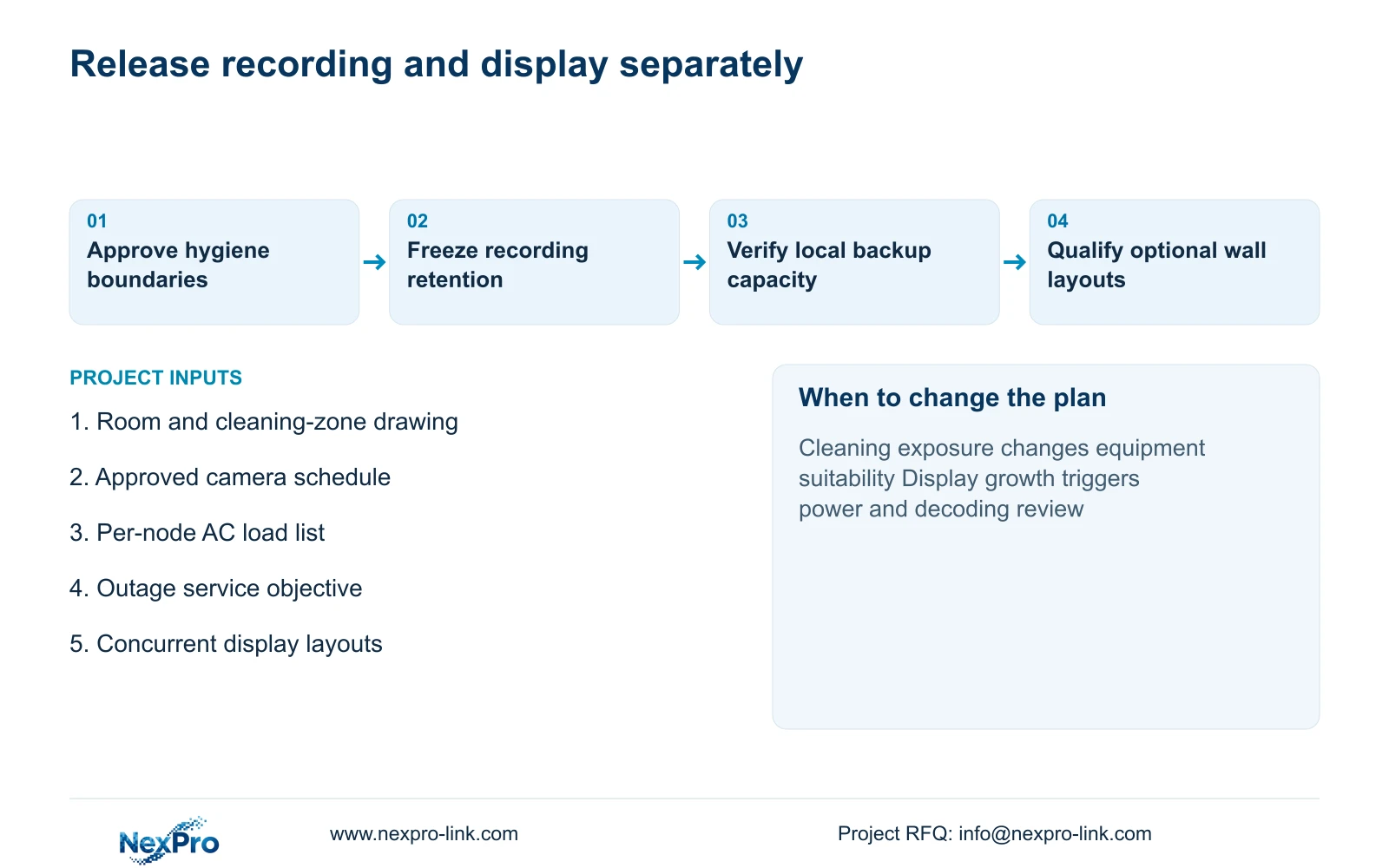
Send the room and hygiene-zone drawing, camera schedule with cleaning exposure, per-node protected-load list with outage objective, and proposed display layouts to info@nexpro-link.com for a recording-first package discussion.
Engineering references
These sources support the general planning principles. Always use the selected product's current datasheet and applicable project standards for final design.
- NexPro-NX-VP-5535 LCD panel: published model fields
- NexPro-NX-VD-4K16 decoder: published model fields
- User BL2812M series product specification: ordinary-camera scope
- User DM2812M series product specification: ordinary-camera scope
- NexPro-Link Factory & Warehouse project supply
- NexPro-Link BOQ & Tender Support
- NexPro-NVR4449-4K
- NexPro-Link rack online UPS
- NexPro-Link Video Wall
- APC/Schneider UPS buying guide