

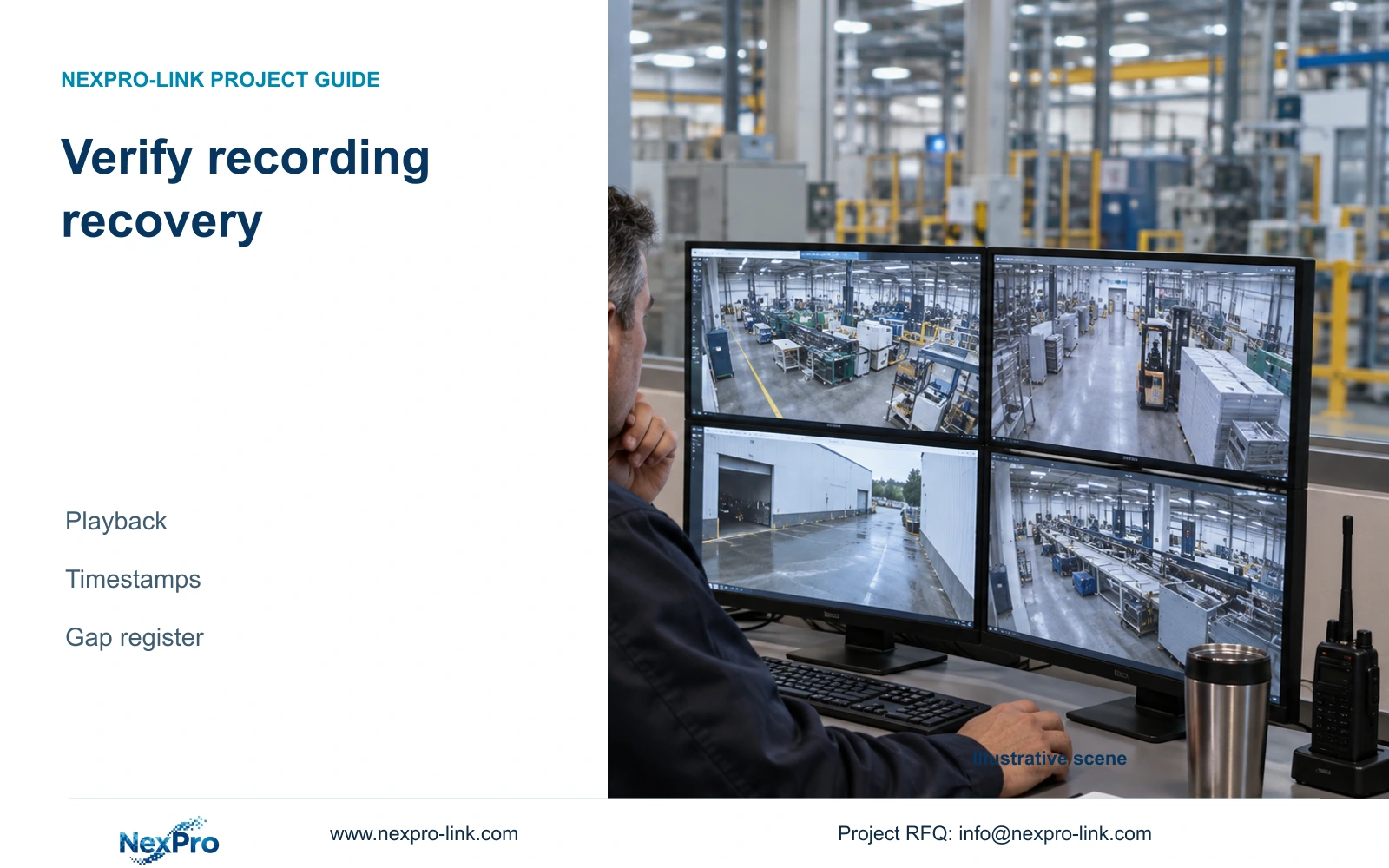
For each required channel, record the last pre-outage clip and first verified new clip after restoration. Preserve timestamp uncertainty separately from actual missing footage.
Section 01
Establish the recording path before declaring recovery
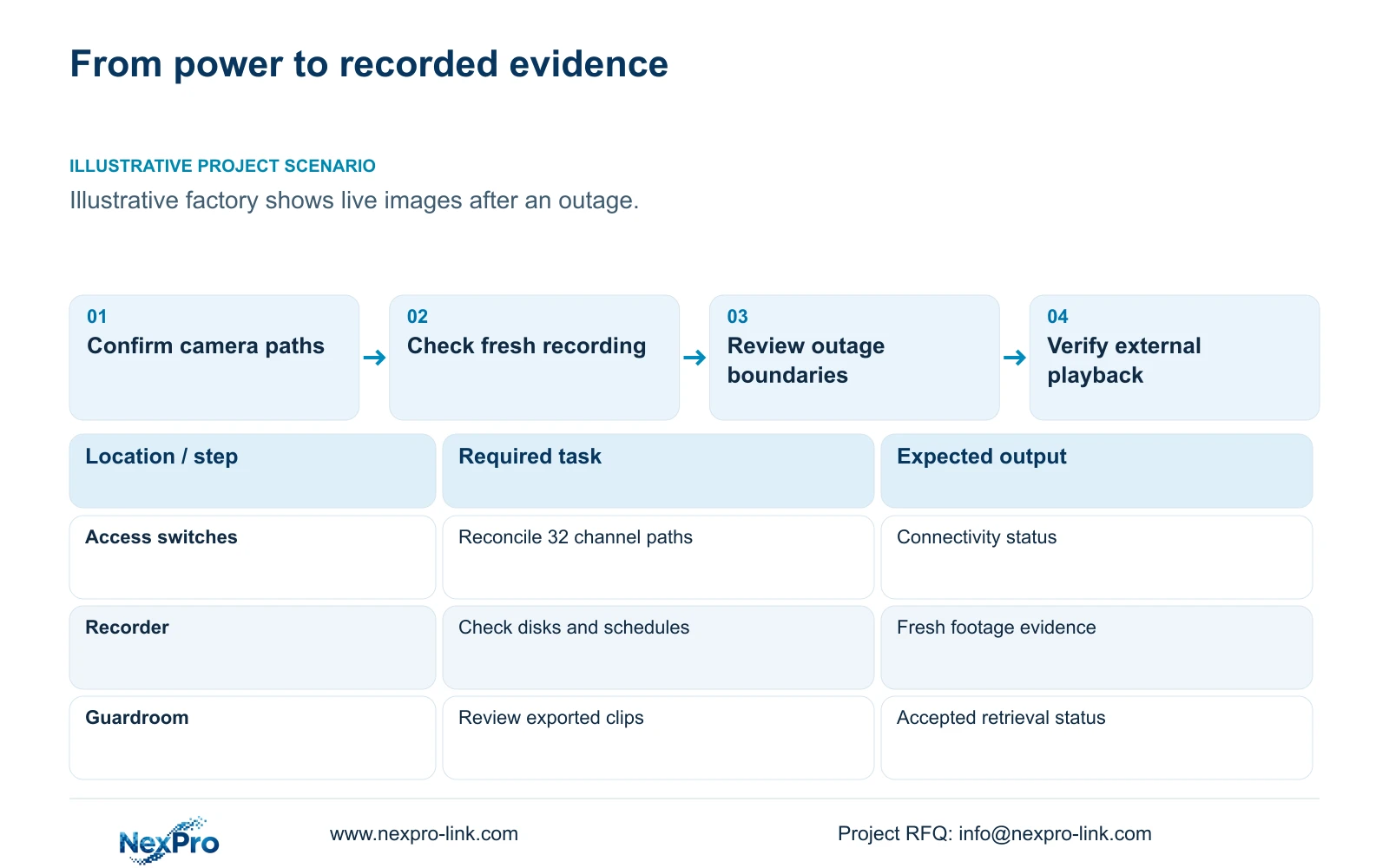
For each required channel, record the last pre-outage clip and first verified new clip after restoration. Preserve timestamp uncertainty separately from actual missing footage. Reconcile that register with fresh playback and any selected export. Do not close all channels because the earliest recovered live image looks correct.
Factory power restoration is complete for CCTV only when the required channels produce usable recordings again. Confirm the approved electrical supply first, then camera and switch availability, recorder storage, timestamps and retrieval. A powered rack or visible live image establishes only part of that chain.
Illustrative project scenario: After an outage at the supplied 32-camera CNC factory, live images are visible, but the owner does not know whether every channel resumed recording. Assume the engineer has the accepted camera schedule and must distinguish recovered service from remaining faults. The scenario is hypothetical; no outage duration or measured restart time is supplied.
Once qualified site personnel confirm power availability, reconcile the 32 channel identities against their access groups. Establish whether cameras, PoE switches and recorder connections have returned. Separate a failed operator connection from a failed camera ingestion path. This prevents unnecessary recorder changes when local recording is healthy and prevents a working display from concealing offline channels elsewhere.
Section 02
Verify fresh footage and preserve earlier evidence
For every required channel, verify the active recording schedule and inspect a newly recorded interval through playback. Check that the displayed camera identity matches the location schedule and that timestamps align with the approved site time convention. Mark any mismatch as unresolved even if the scene itself looks correct.
Review disk detection, writable status and relevant recorder alarms without formatting or reinitialising storage as a routine recovery step. Earlier footage may be needed to establish the last recorded event before the outage. Where a disk or storage fault is suspected, preserve the available evidence and use the exact recorder documentation and authorised support route.
Then inspect historical footage on each side of the interruption. Record the last usable pre-outage frame and first usable post-restoration frame where they can be established. If essential events are part of the accepted workflow, verify them separately. A fresh live stream cannot establish that event recording, search or export also recovered.
Section 03
Record each restoration gap with an accountable owner
Create a restoration register with camera ID, access group, last usable recording, first usable recording, observed fault and responsible party. Distinguish unavailable video from footage that exists but cannot yet be accessed. Preserve uncertainty where clocks differ or the evidence does not reveal the precise boundary.
Link the register to power and network observations. If one switch restarted later than the recorder, identify its channels together while retaining individual playback results. If the recorder was available but a camera connection was absent, describe that path failure rather than assigning every missing interval to storage corruption.
The project manager should maintain separate statuses for mains restored, network available, recording verified and operator retrieval accepted. The electrical team closes supply issues, the network team closes connectivity issues, and the integrator verifies recorded evidence. This division produces a practical recovery sequence and avoids closing an incident solely because one team has finished its own work.
Section 04
Use failure groups to organise checks, not reduce them
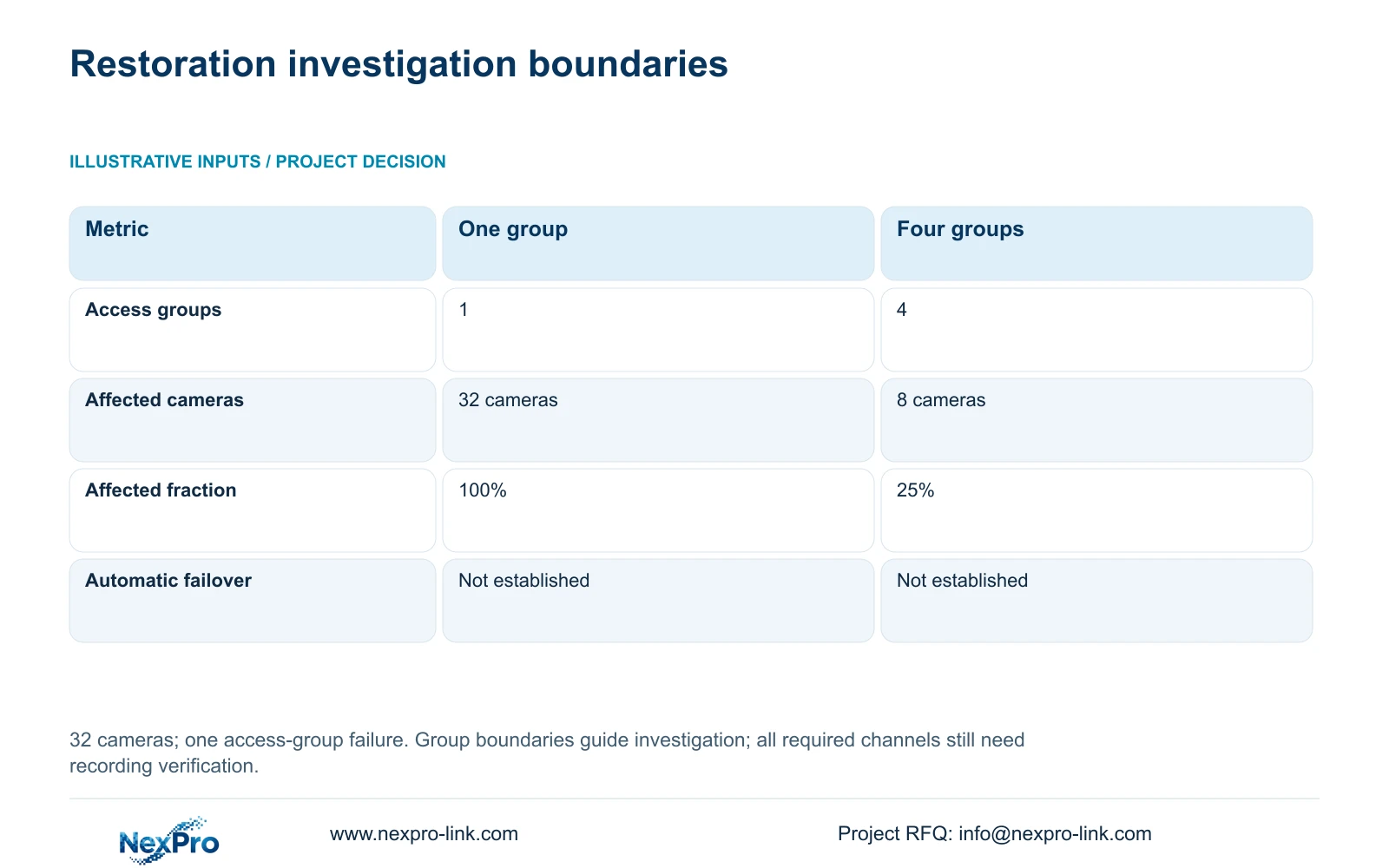
The illustrative failure comparison uses 32 cameras. Option A places them in one common access group; Option B uses four isolated groups of eight. Affected_endpoints = camera_count_in_failed_group and affected_fraction = affected_endpoints / 32. A single group failure affects 32 cameras, or 100%, under A and eight cameras, or 25%, under B.
For restoration planning, the decisive difference is the initial fault-investigation boundary. An eight-camera group can direct the engineer toward a local switch or connection, while a 32-camera loss suggests a shared dependency. Neither pattern proves a cause without evidence, and the other groups still require recording checks.
CASE01 already identifies four PoE load groups, but their independence must be verified in the actual topology. A common UPS, recorder or upstream link can affect all groups. These figures provide no failure rate, recovery duration or automatic failover claim; they help organise the channel register and test priorities.
| Metric | Option A | Option B |
|---|---|---|
| Access groups | 1 | 4 |
| Affected endpoints | 32 cameras | 8 cameras |
| Affected fraction | 100% | 25% |
| Automatic recorder failover | Not established | Not established |
Section 05
Accept recovery through playback and export
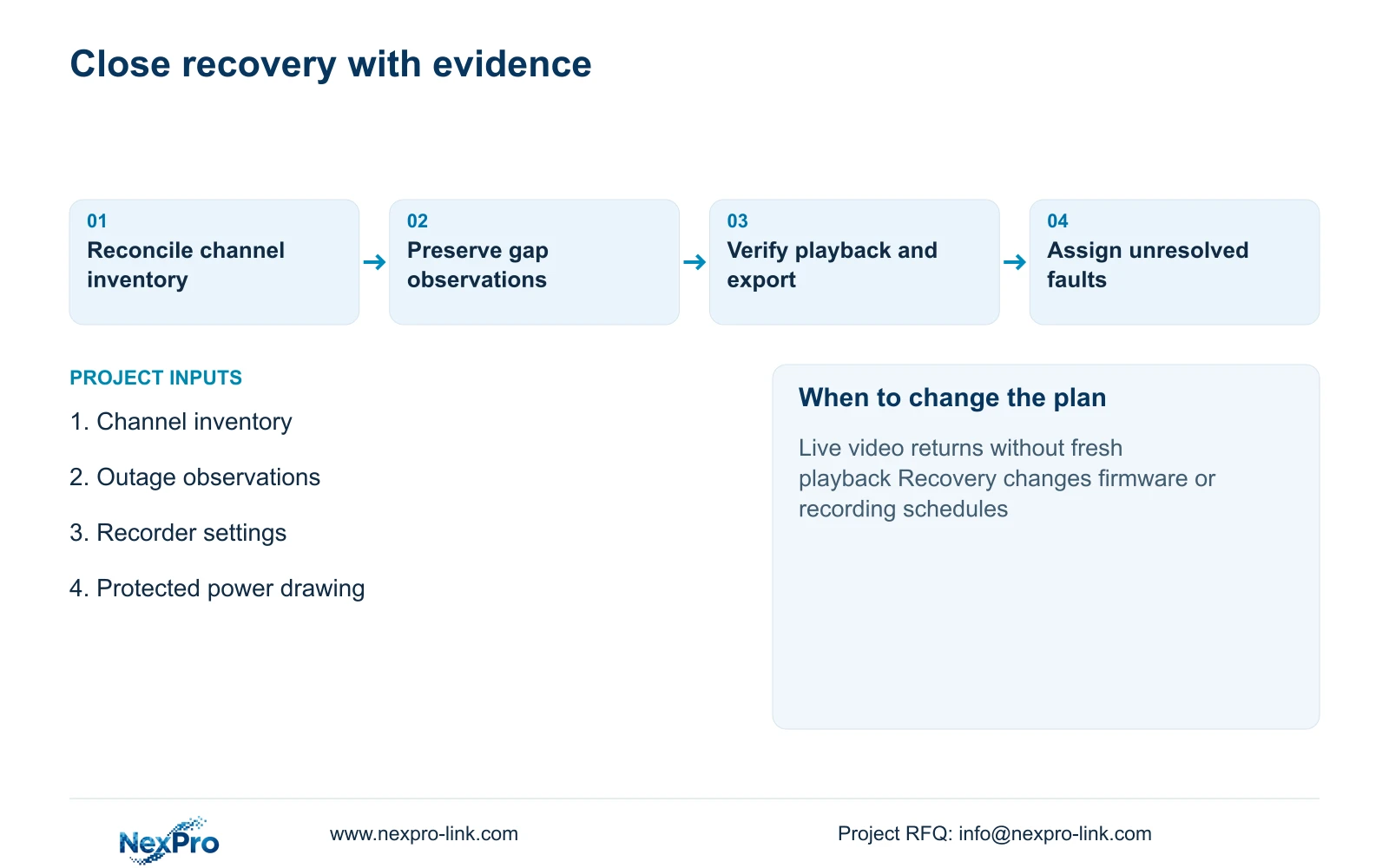
For this factory, recommend all-channel recording verification with representative exports from essential gate, store and dispatch tasks. The exports should be playable through the agreed external workflow and retain useful camera and time context. Record which channels were checked and which evidence files support acceptance.
CASE01's retention basis remains 32 cameras at an illustrative average 4 Mbps, continuously recorded for 30 days. Its 41.472 TB video requirement is compared with a 48.64 TB recording budget from four 16 TB drives. That budget already includes assumed 95% formatting allowance and 20% reserve. Recovery checks should confirm the accepted configuration remains in place; do not add reserve again or infer disk fault tolerance from multiple bays.
The NexPro-NVR4449-4K's published channel, input and SATA fields provide a procurement reference, not proof of recovery behaviour. If firmware, schedules, drives or network roles changed during support work, repeat the affected acceptance checks. If a generator is involved, include its approved transition and restart dependencies in the recovery record rather than assuming mains return resets every device consistently.
Section 06
Make restoration evidence part of the service scope
Specify recovery support as a deliverable in the quotation or maintenance agreement. The useful package includes a channel inventory, protected-load map, accepted recorder settings and a post-outage verification form. Give the guard team a clear escalation route for missing channels or playback faults, with technical diagnosis assigned to the appointed integrator.
NexPro-Link's BOQ support can help align the recorder, storage and related equipment schedule with these checks. Factory project supply can coordinate equipment and supporting documents, while local personnel confirm electrical restoration and site network conditions. A remote supplier cannot infer those conditions from a screenshot of the recorder dashboard.
Keep the final report factual: what was unavailable, what resumed, what evidence was verified and what remains unresolved. Preserve historical clips and logs relevant to the outage. Comparing suppliers on this same verification and support scope is more useful than comparing only their promises to restart automatically.
Section 07
Buyer questions
Must every channel be checked if the recorder shows no alarm? Check every channel required by the accepted schedule. A general healthy status does not provide channel-specific evidence that fresh footage can be played back with the correct time and identity.
Should a missing disk be formatted to bring recording back quickly? Do not treat formatting as a routine recovery action. Identify the disk and fault, preserve potentially relevant footage, and follow the authorised recorder-specific support process before making destructive changes.
Can a successful export prove the whole system recovered? It proves the selected clip and export workflow worked. Use it alongside channel-by-channel recording checks and storage verification; one successful clip cannot establish every channel's recovery.
Section 08
Prepare a recording-recovery support brief
Send your channel inventory, outage and restart observations, recorder model and firmware, and accepted recording objective to info@nexpro-link.com. NexPro-Link can discuss the equipment documents and verification scope needed for recovery support.
Engineering references
These sources support the general planning principles. Always use the selected product's current datasheet and applicable project standards for final design.


