

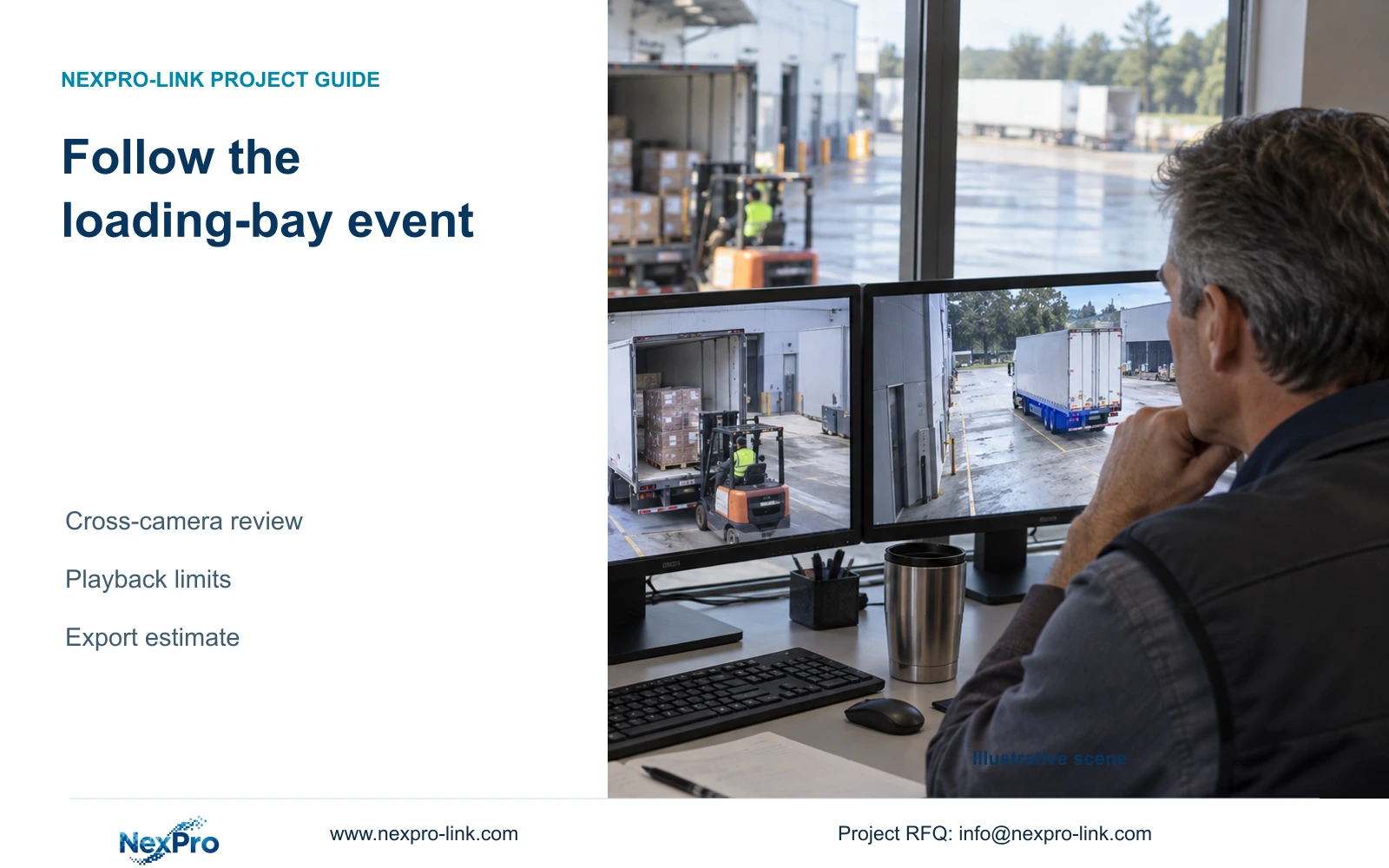
Build a loading-bay event sequence from identified cameras and comparable timestamps, select a supported playback mode, and hand over verified clips in a readable order.
Section 01
Build a traceable arrival-to-departure sequence
Review a loading-bay event by identifying the arrival, unloading and departure views, checking their time relationship and choosing a playback combination supported by the actual recorder. Locate each stage broadly, then inspect the relevant interval closely enough to avoid jumping past brief actions. Export the authorized channels with explicit boundaries and deliver a file list that explains their sequence. Several pictures playing together do not establish accurate clock alignment, and recording capacity does not establish unlimited local decoding. A useful review preserves both the observed activity and any uncertainty in timing, while giving the owner a repeatable way to retrieve the same footage.
Section 02
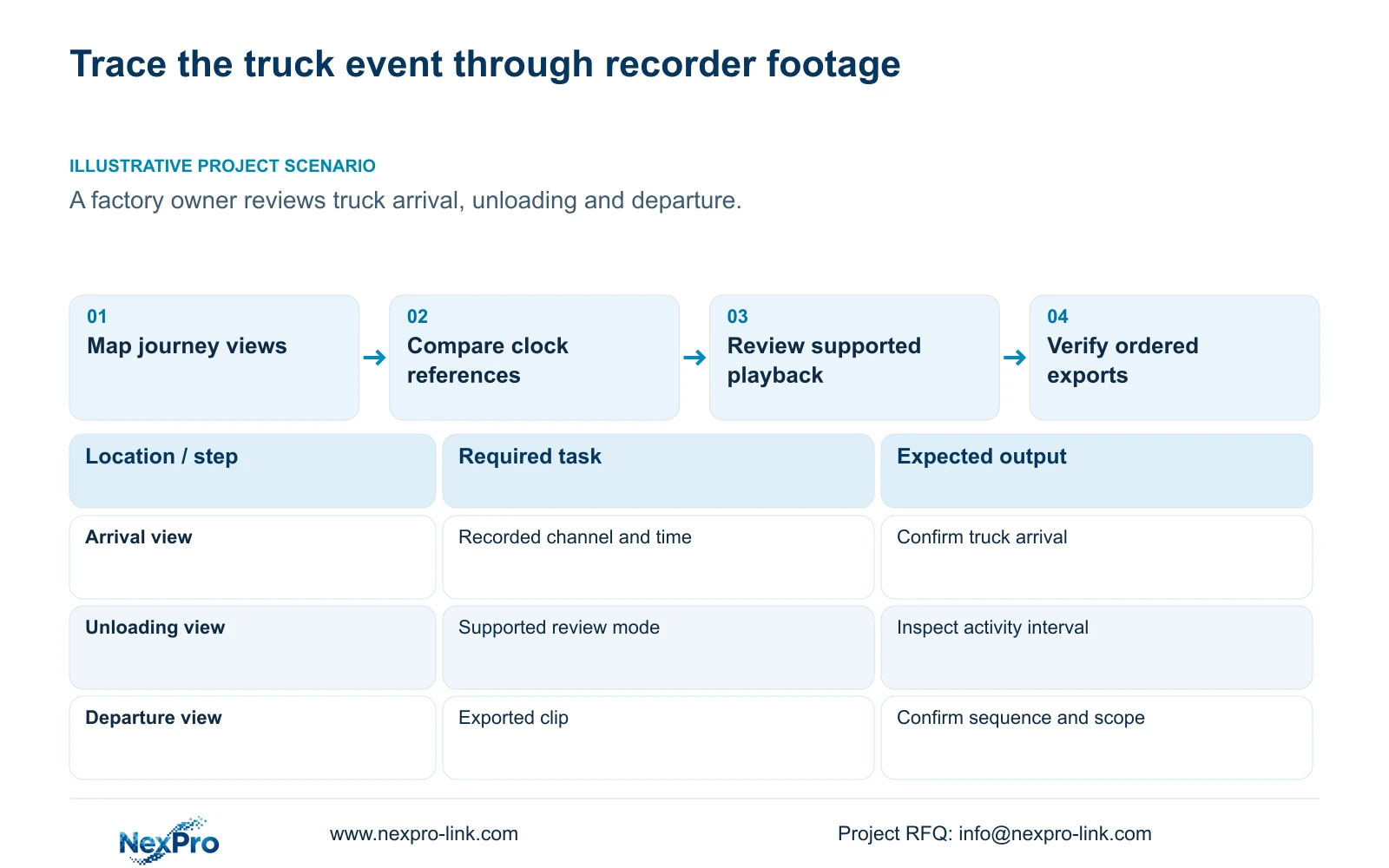
Map the views to the goods journey
List the three operational stages before opening playback: truck arrival, unloading and departure. Associate each with the relevant installed view. Keep drawing location, physical camera identity, IP address, recorder channel and displayed name separate. A screen layout can change while the underlying camera remains the same, or a replacement can change camera identity while a label remains familiar.
Verify each selected channel against recorded scene content and the camera schedule. If the unloading view has been renamed or reassigned, resolve that history before attributing an action to a location. The event list should say which stage each file supports. It should not imply that every movement between those views was recorded.
Section 03
Check whether timestamps can be compared
Use a recognizable reference event to compare the required cameras. Record any observed offset before drawing conclusions about sequence. Simultaneous display is a viewing arrangement; it does not prove that the cameras assigned equivalent timestamps to the same moment.
Sections 4.4.2 and 4.12.2 describe IPC time controls and separate NVR settings, including network time and an IPC synchronization interval in hours. Document the intended authority and synchronization direction so competing camera, recorder and PC settings do not overwrite one another. The manual does not establish every local NTP deployment. When historical clock alignment is uncertain, preserve that uncertainty in the review record instead of treating a corrected current display as proof of past timing.
Section 04
Choose a listed local playback combination
Read the actual model's appendix entry before selecting simultaneous playback. Section 5.2 lists TS8108D7 as 1×3MP. TS8116D7 supports 1×5MP OR 2×2MP, while TS8232C4 lists 1×4K OR 4×2MP OR 2×5MP. TS8836M/TS8436M lists 1×4K 30fps OR 2×5MP OR 4×4MP@20fps OR 4×2MP@25fps.
These are alternative combinations, not capacities to add together. If the desired views exceed the applicable combination, review them sequentially and maintain a written event sequence. Do not reduce a recording requirement merely to make one display layout possible. The TS identifiers have no established mapping to NexPro-Link commercial SKUs, so a commercial recorder needs its own confirmed playback specification.
| Review condition | Decision | Next action |
|---|---|---|
| Required views fit the model's listed combination | Use supported simultaneous playback | Confirm the timestamp relationship |
| Required views exceed that combination | Use sequential review | Record each stage and its observed time |
| Channel clocks disagree | Sequence has timing uncertainty | Preserve offsets and compare a reference event |
| A brief action is absent during jumping | Navigation may have skipped it | Inspect the finer interval continuously |
Section 05
Confirm each stage at a useful time scale
Locate the likely arrival period, then use time positioning and timeline zoom to inspect its boundaries. Repeat for unloading and departure. Section 4.11.3 provides thirty-second jumps for navigation; a twenty-second teaching event can fall between those steps. Missing it during coarse review does not prove that recording failed.
Write down the observed beginning and end of each relevant stage, together with its channel and time basis. Keep picture enlargement separate from timeline zoom. If a transition is unclear, revisit the neighboring footage and the time reference. Export enough surrounding context for the recipient to understand what the selected action follows and precedes.
Section 06
Estimate the selected backup without promising speed
Select format, recording types, channels and start/end times, then update the backup capacity estimate. The manual lists MP4 as the default and permits multiple channels. Detect the inserted USB storage before starting the copy.
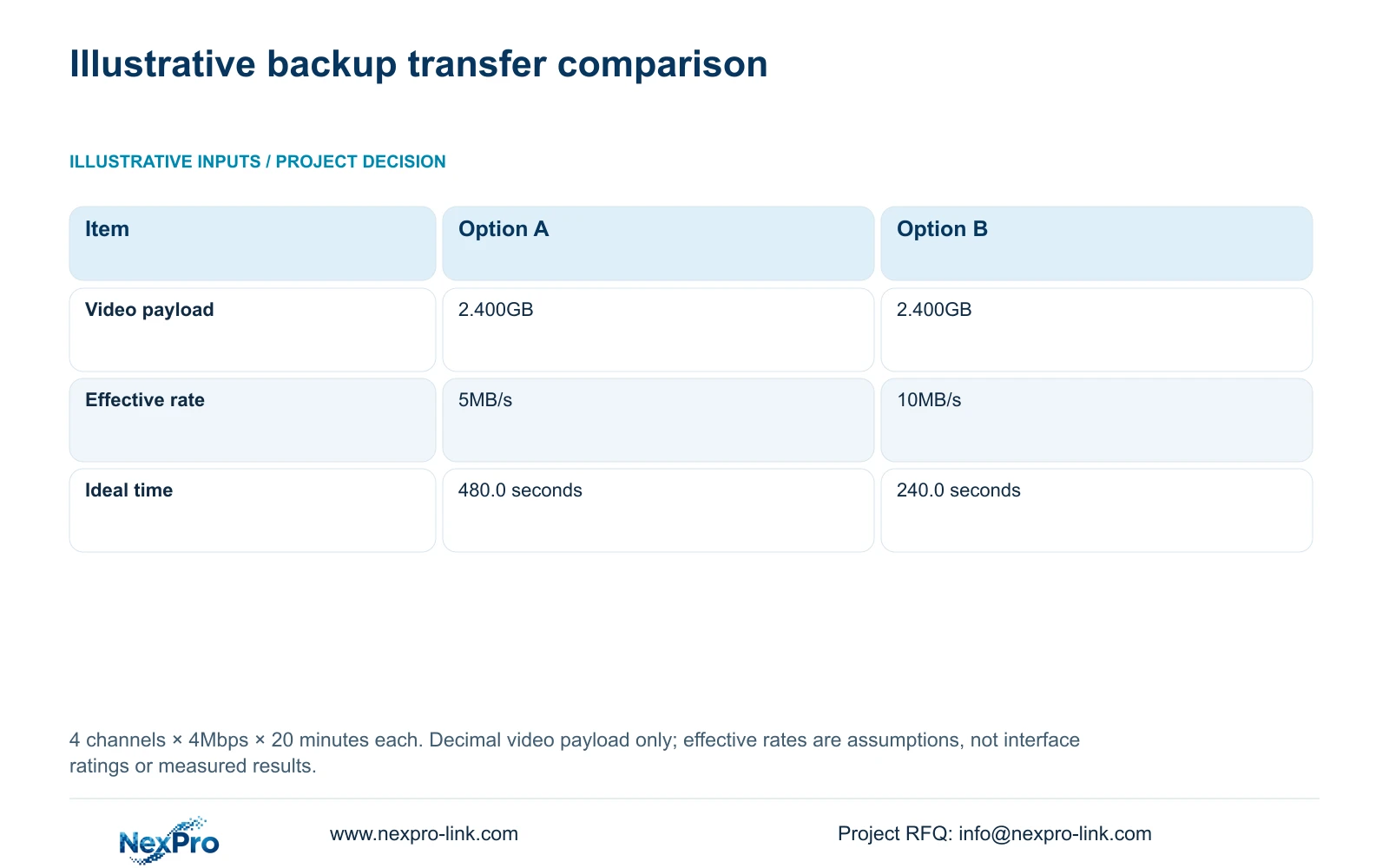
The supplied calculation is a separate four-channel teaching selection, not a claim that the three journey stages require four cameras. Inputs are 4 channels, an average 4Mbps per channel and 20 minutes per channel. With decimal units, video payload in GB = channels × Mbps × minutes × 60 ÷ 8 ÷ 1000. Substitution gives 4 × 4 × 20 × 60 ÷ 8 ÷ 1000 = 2.400GB.
Ideal transfer seconds = GB × 1000 ÷ effective MB/s. At the assumed 5MB/s, 2.400 × 1000 ÷ 5 = 480.0 seconds. At 10MB/s, 2.400 × 1000 ÷ 10 = 240.0 seconds. These are effective file-transfer assumptions, not interface ratings. Packaging, disk activity and competing work can alter the result; use the recorder's updated capacity and actual completion state, then verify the files.
| Item | Option A | Option B |
|---|---|---|
| Video payload | 2.400GB | 2.400GB |
| Assumed effective transfer rate | 5MB/s | 10MB/s |
| Ideal transfer time | 480.0 seconds | 240.0 seconds |
Section 07
Deliver files with their sequence and limits
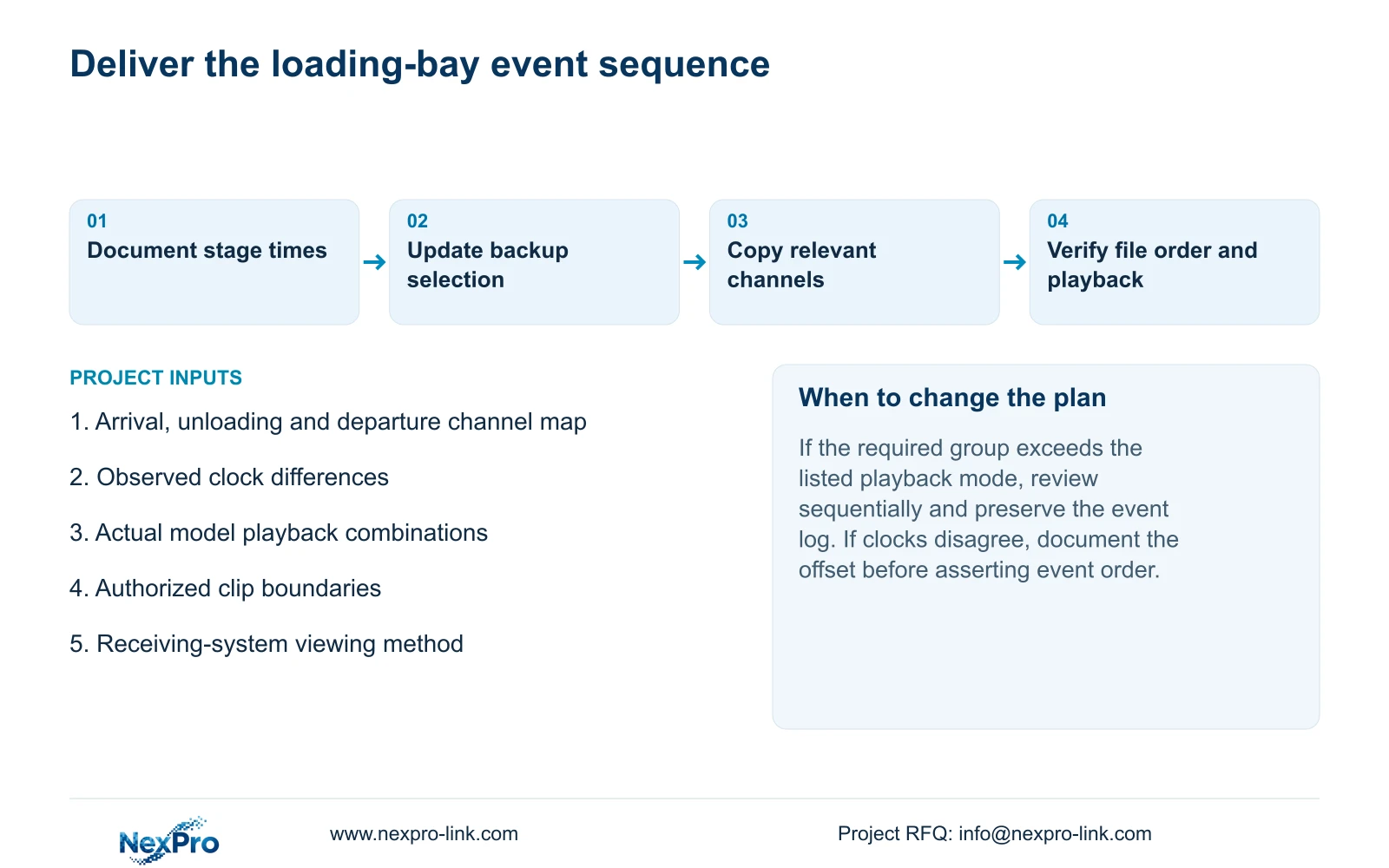
Open the required exports on the receiving system and confirm channel, period and playback. Provide a readable list connecting arrival, unloading and departure to their files. Include observed time differences and any interval that remains unresolved. A file order should explain the review, without silently asserting timing that the recordings cannot establish.
Keep the applicable recorder versions, configuration-backup location and maintenance responsibilities in the operating record. Transfer credentials through a controlled route. Ask the owner to retrieve a selected stage again, separating document delivery from demonstrated operation. NexPro-Link's BOQ and tender support provides an entry point for defining equipment and project responsibilities around this review task.
Section 08
Apply the review to a truck movement enquiry
Illustrative project scenario: A factory owner investigates the sequence of a truck arrival, unloading and departure. The review uses mapped views and documented clocks, with sequential playback when the model cannot decode the desired group together.
The private supplied NVR4.0 user manual CH_V2.4.doc has V2.2 in its body. This guide uses sections 4.3.1, 4.4.4, 4.12.6, 4.4.2, 4.12.2, 5.2, 4.11.3, 4.11.4, 4.12.3 and 4.12.17 through 4.12.19. Section references take priority over page numbers.
Section 09
Does accepting all cameras guarantee group playback?
No. Recording input and local playback decoding are different constraints. Qualify the required recorded modes against the actual model's alternative combinations.
Section 10
Can the export estimate set a completion deadline?
No. The worked times use hypothetical effective rates and video payload only. Actual backup capacity, transfer progress and playable files determine completion.
Section 11
Specify the required review group
Send the recorder model and recorded modes of the views that must be reviewed together to info@nexpro-link.com.
Engineering references
These sources support the general planning principles. Always use the selected product's current datasheet and applicable project standards for final design.


