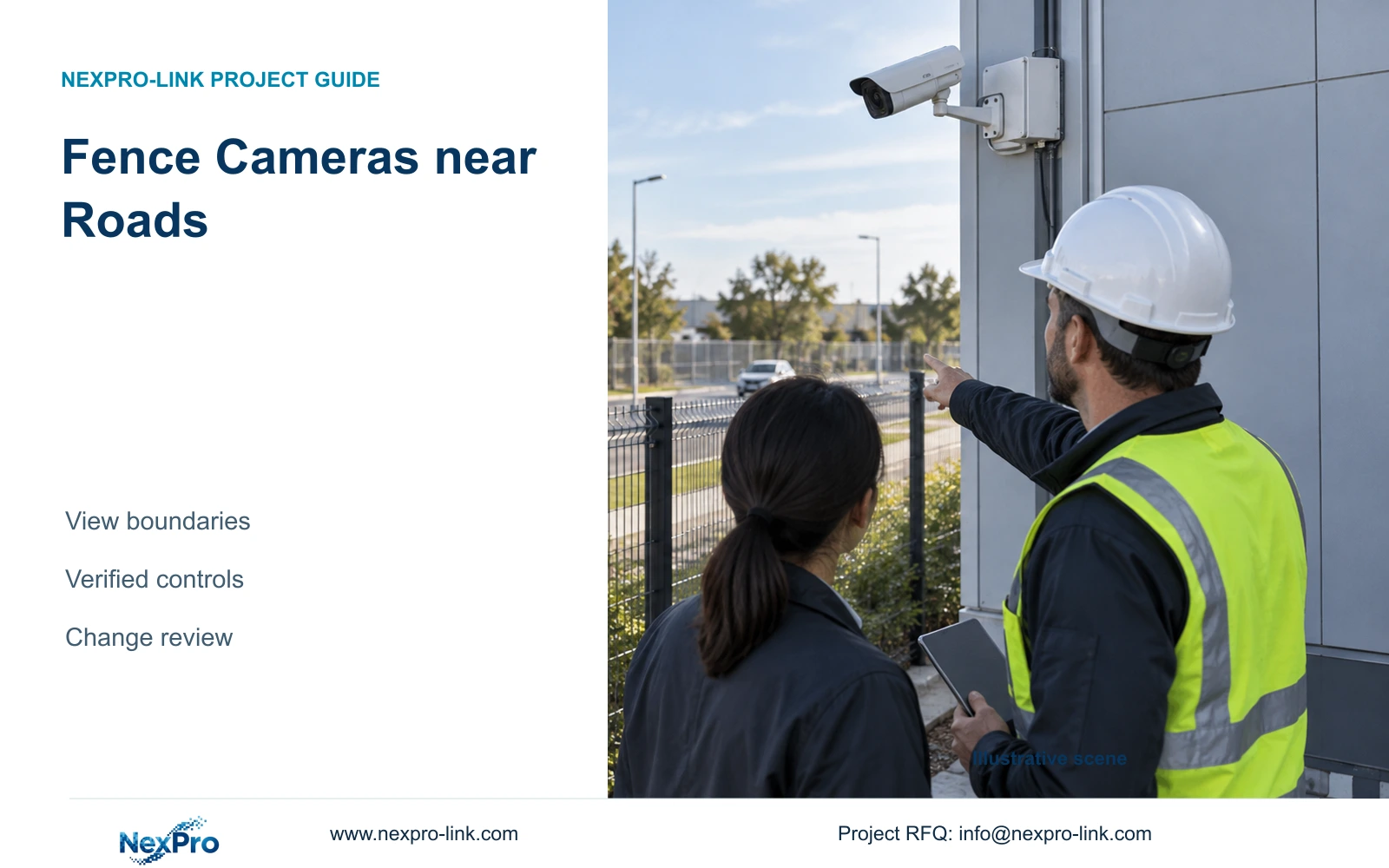
Fence cameras beside public roads need a defined site purpose and a reviewed view boundary. Narrower framing, verified masking and controlled retrieval must work together.
Section 01
Define the site event that justifies each view
Frame factory fence cameras near public roads around a defined property-security task and verify applicable local requirements with the responsible reviewer. Begin with the event the owner needs to observe, such as crossing the boundary or approaching a controlled entrance. Recording more of the road or neighbouring property should not become an unexamined consequence of selecting a wide lens setting.
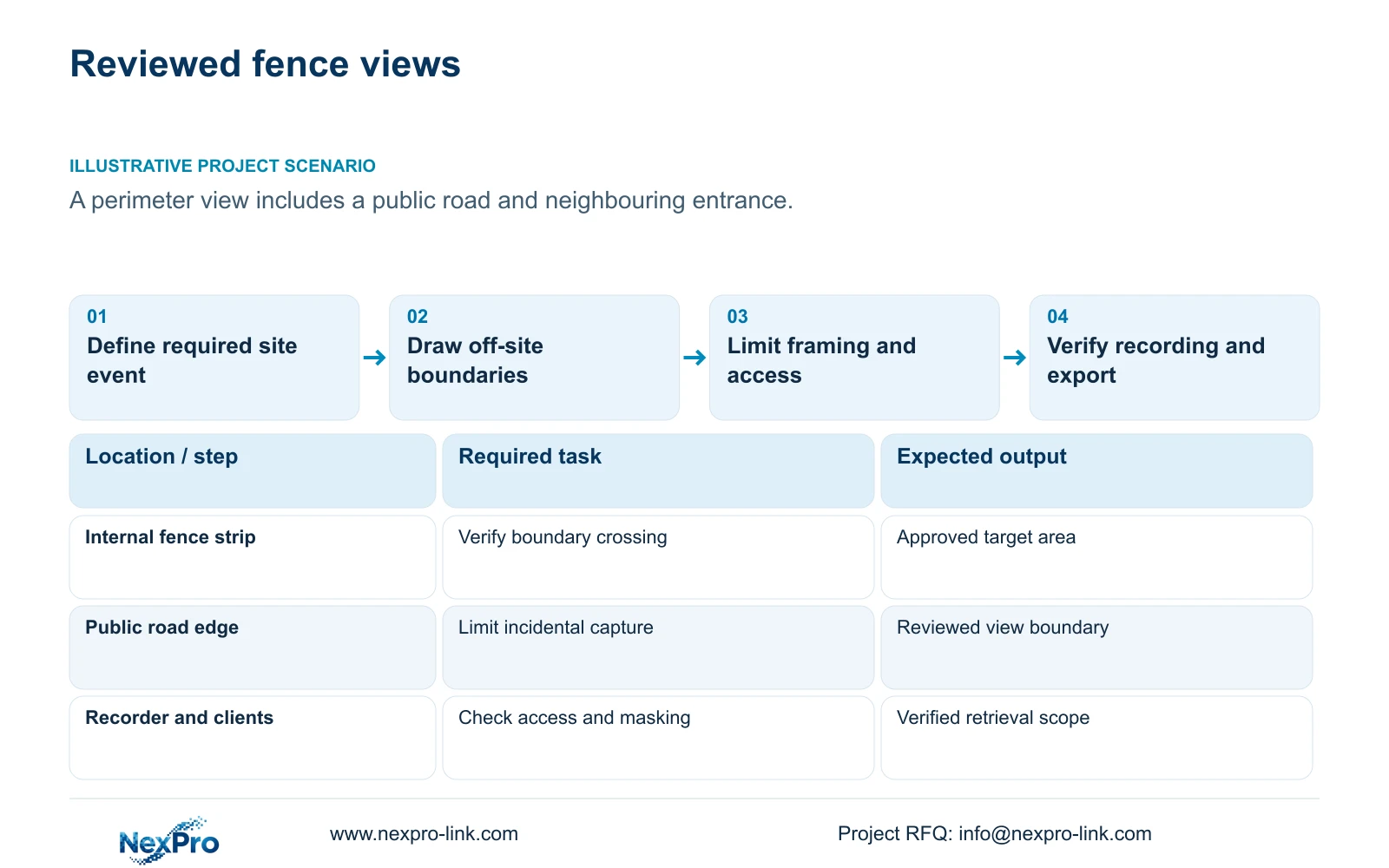
Illustrative project scenario: Perimeter cameras can see a public road and neighbouring property beyond the fence. Assume a proposed elevated mount includes an internal fence strip, passing traffic and a neighbouring entrance. These are hypothetical planning conditions. The engineer should show those areas on a view drawing and distinguish required site evidence from incidental off-site content before equipment approval.
Give every view an approved purpose, target area and reviewing owner. Separate boundary verification, gate overview, plate reading and barrier safety so a request for one task does not silently expand another. A privacy mask is a technical control to assess; it is not a universal permission to record any surrounding area or a substitute for local review.
Section 02
Limit framing first, then verify any masking
Compare mounting positions and lens framing that keep the required fence strip visible while reducing unrelated background. A lower or inward-looking position may change the off-site view, but it must still satisfy obstruction, maintenance and image requirements. Show the owner what site coverage would be lost by each adjustment. Choose the position on the accepted task rather than on convenience alone.
Where the selected equipment supports suitable masking, verify it in live view, recorded playback, substreams, remote clients and exports used by the project. A client-only display mask may not establish what the recorder stores. No masking capability is established for the supplied camera references, so required behaviour must be confirmed on the exact model and firmware before it becomes a procurement promise.
Access controls need the same precision. Define who can view live footage, search recordings, export clips and change framing or masks. Avoid distributing administrative accounts as ordinary viewing credentials. Have the owner approve any remote access path and ensure the handover describes how authorised staff request changes without bypassing the accepted view boundary.
Section 03
Recheck views when the road or site geometry changes
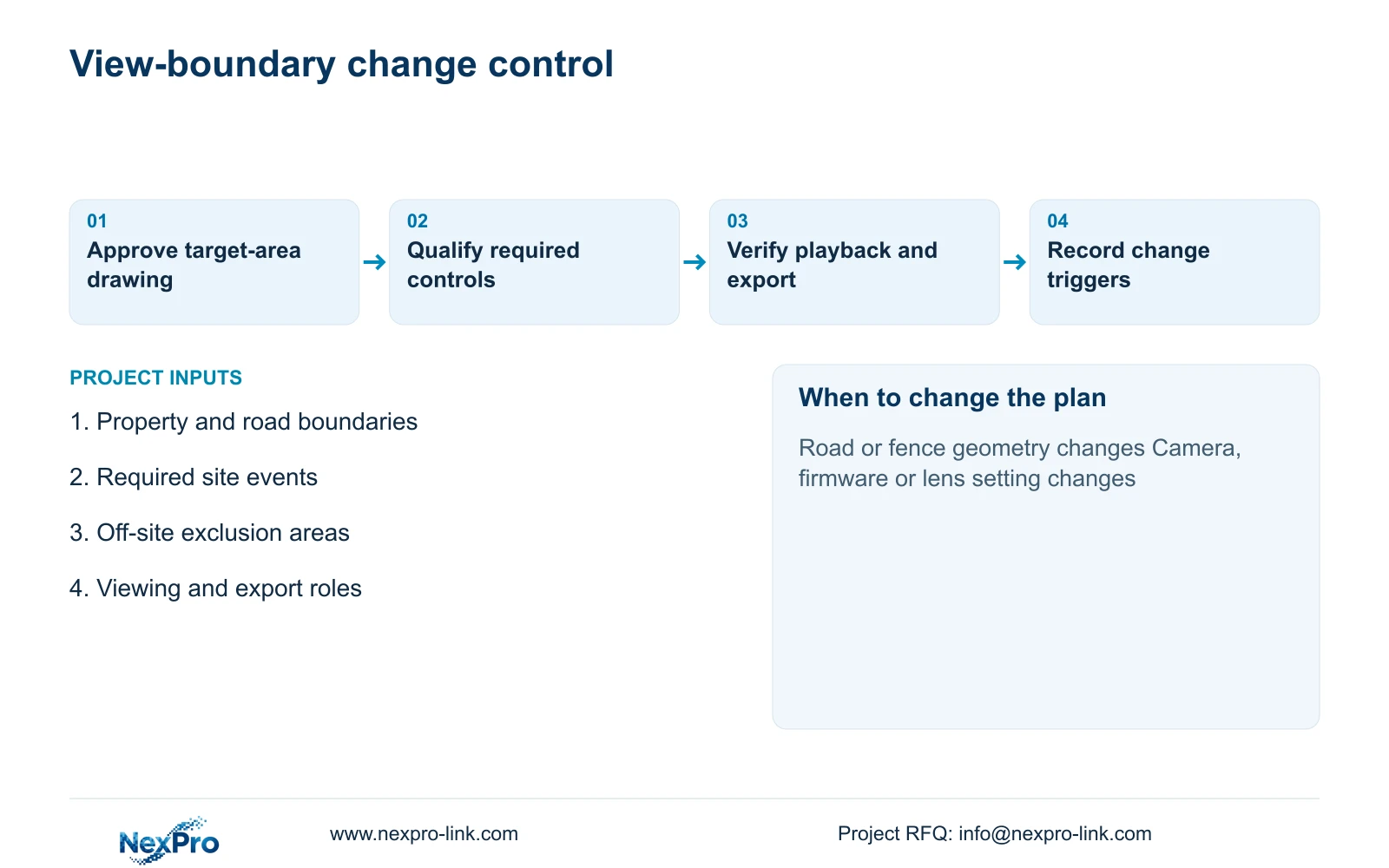
Treat road works, a moved fence, altered gate lanes, removed vegetation and replacement mounts as review triggers. A setting approved against the old scene can include new off-site areas or lose essential site evidence after those changes. Record a reference image and the relevant drawing revision at acceptance so maintenance staff can identify what has changed.
For a planned change, ask the engineer to update the target area and off-site boundary before adjusting the camera. The owner or appointed reviewer approves the revised purpose and viewing extent; the installer applies settings; an authorised operator checks playback and export. Preserve a change record with the camera identifier, reason and verification result rather than relying on an undocumented lens adjustment.
CASE08 illustrates independent recording and access roles across four nodes. Shared fibre should not flatten those permissions. A fence view assigned to one building or tenant remains subject to its approved viewing boundary, even when another operator can reach the same backbone. Include node and ownership identifiers in the gate/perimeter task map.
Section 04
Compare narrower framing with the evidence it removes
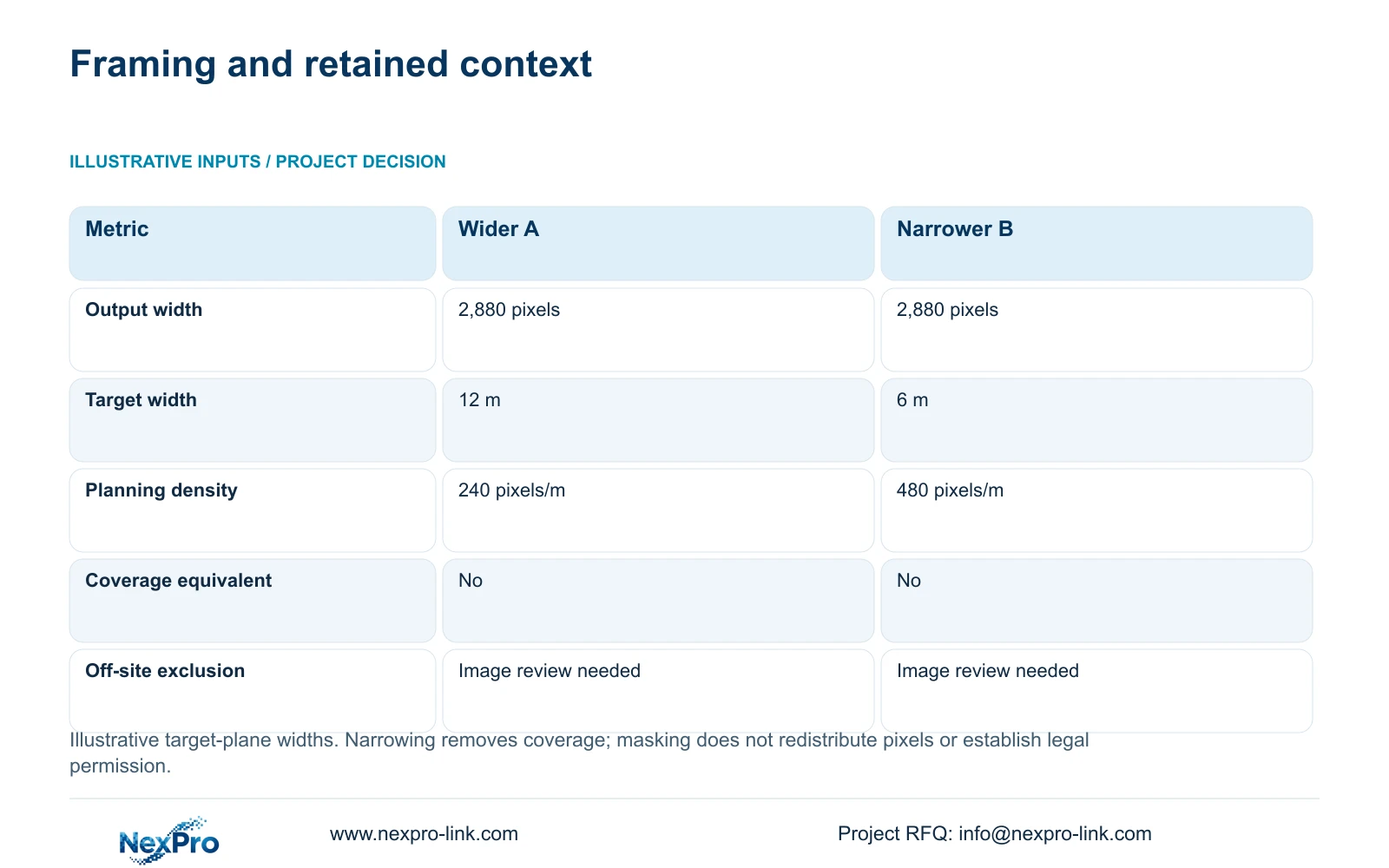
The supplied illustrative comparison holds horizontal output at 2,880 pixels and uses target-plane widths of 12 m and 6 m. Planning_pixels_per_metre = horizontal_output_pixels / target_width_m gives 240 pixels/m and 480 pixels/m respectively. The referenced NexPro-BL2812M55-5MP-DIC-AI source lists 2880×1620 output; retain that source field rather than substituting a different assumed 5MP mode.
The narrower view doubles horizontal planning density while halving the horizontal scene width. It may reduce incidental background if the revised geometry excludes that background, but the width calculation alone does not establish an off-site recording boundary. A road behind the target plane may remain visible. Review the complete image and any qualified masking behaviour.
If the wider movement context remains necessary, use a separately reviewed overview whose framing serves the approved site task. Do not restore unrelated road coverage simply to compensate for a narrow detail view. Pixel density does not guarantee recognition, and masking an existing wide frame does not redistribute its pixels to the remaining scene. Check lighting, motion, compression and obstruction alongside the geometry.
| Metric | Option A: wider view | Option B: narrower view |
|---|---|---|
| Horizontal output | 2,880 pixels | 2,880 pixels |
| Target-plane width | 12 m | 6 m |
| Planning density | 240 pixels/m | 480 pixels/m |
| Coverage equivalent | No | No |
| Off-site exclusion | Requires image review | Requires image review |
Section 05
Recommend purpose-led framing with controlled retrieval
Prefer the smallest reviewed view that still records the agreed site event, with qualified masking where needed and controlled viewing and export. Choose another mounting arrangement or additional site-focused view if narrowing leaves a required approach unobserved. If the operator's purpose expands, obtain a fresh scope decision instead of treating spare resolution or lens range as approval to widen recording.
An ordinary camera's IP66 rating, 2.8–12mm motorized lens or human/vehicle classification does not establish privacy controls or legal suitability. Keep unresolved functions visible in the technical comparison. When comparing NexPro-Link with another supplier, preserve required access, masking, recording and remote-client behaviour, alongside the accepted image task. A basic video connection is insufficient where the owner requires consistent controls across clients.
Align retention and export practice with the owner's reviewed purpose and current local requirements. No uniform legal retention period is supplied. CASE08's 30-day recording target is an illustrative project input, not permission or an industry rule. A smaller field of view also does not justify assuming a smaller bitrate or storage requirement without confirming actual recording settings.
Section 06
Put view boundaries and change control into the handover
The procurement schedule should state the approved target area, mounting position, expected framing, required mask behaviour and operator permissions. Identify the recorder and clients through which acceptance will be checked. Keep new and retained devices separate, and record any function that remains subject to exact-model confirmation. The supplier's response should identify deviations before the order is approved.
At handover, verify the site event in recorded footage and inspect what each authorised client can see or export. Include night conditions and any alternate stream used for remote access. Confirm that camera replacement, firmware work and lens changes trigger the agreed review process. Protect the relevant local power and network path where continuity is required, without broadening who can retrieve the footage.
NexPro-Link can discuss ordinary-area model matching, technical submittals and project-labelled equipment supply around the approved schedule. Local installation and the responsible privacy or legal review remain distinct project roles. The useful deliverable is a gate/perimeter task map and distributed-node plan with clear view boundaries, rather than a general assurance that every camera can safely face a public road.
Section 07
Buyer questions
Does masking on the guard's monitor prove the recording is masked? No. Check the recorder, relevant streams and exported files. Confirm where the selected system applies the mask and whether every required client preserves it.
Can a camera replacement use the previous lens setting without review? Treat it as a new framing check. Different optics, mounting or output modes can change the captured scene even when the numerical focal-length setting appears similar.
Who should approve a request to widen the road view? The owner and appointed local reviewer should assess the changed purpose and scope. The installer can implement an approved setting but should not independently expand the accepted recording boundary.
Section 08
Define a reviewed fence-camera scope
Send the property and road boundary drawing, required site events, off-site exclusion areas and intended viewing or export roles to info@nexpro-link.com for an equipment and technical-scope discussion.
Engineering references
These sources support the general planning principles. Always use the selected product's current datasheet and applicable project standards for final design.