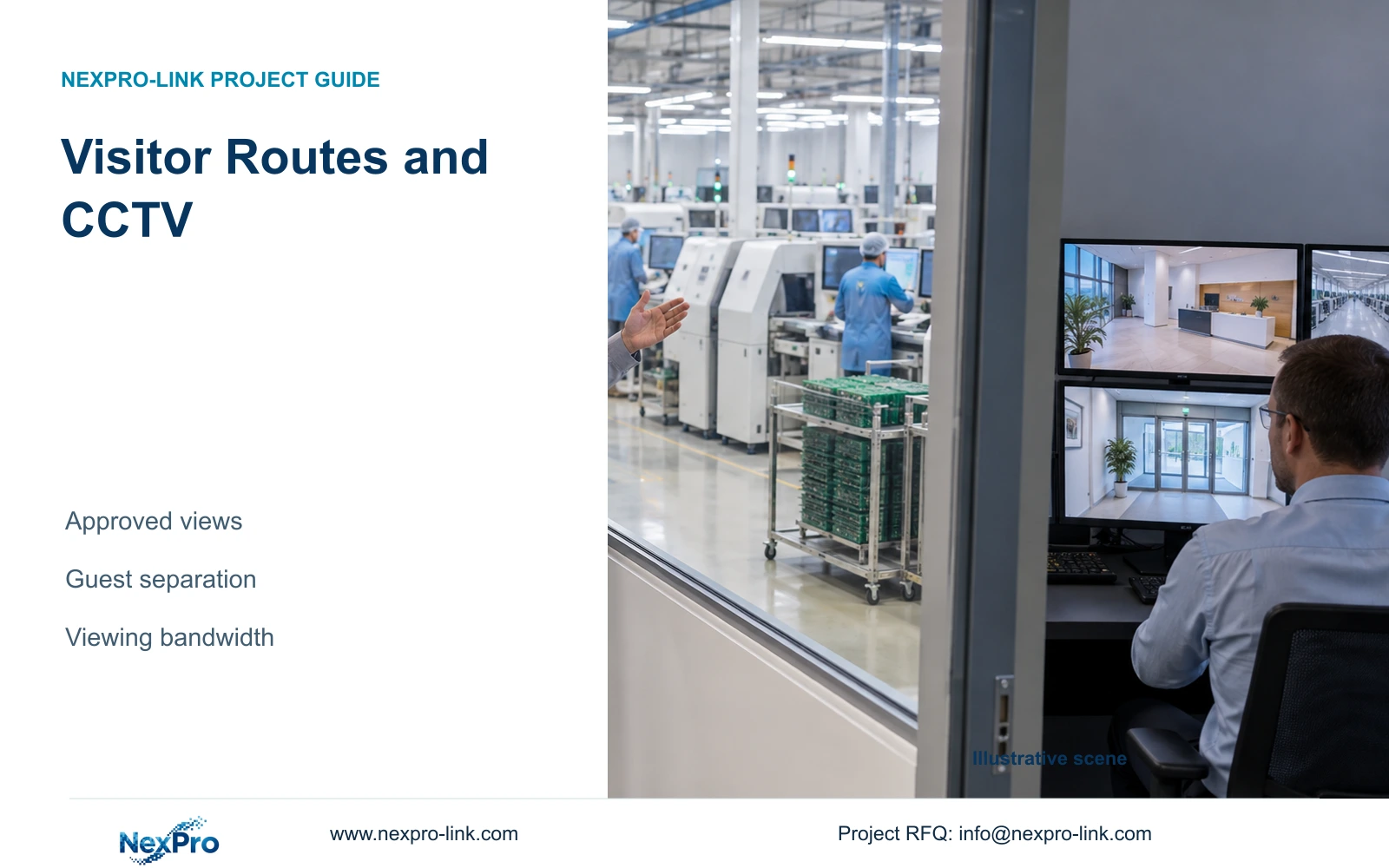
Visitor access should not open neighbouring production video. Define approved channels, separate network paths and demonstrate access restrictions before offering customer viewing.
Section 01
Map visitor routes and approved video separately
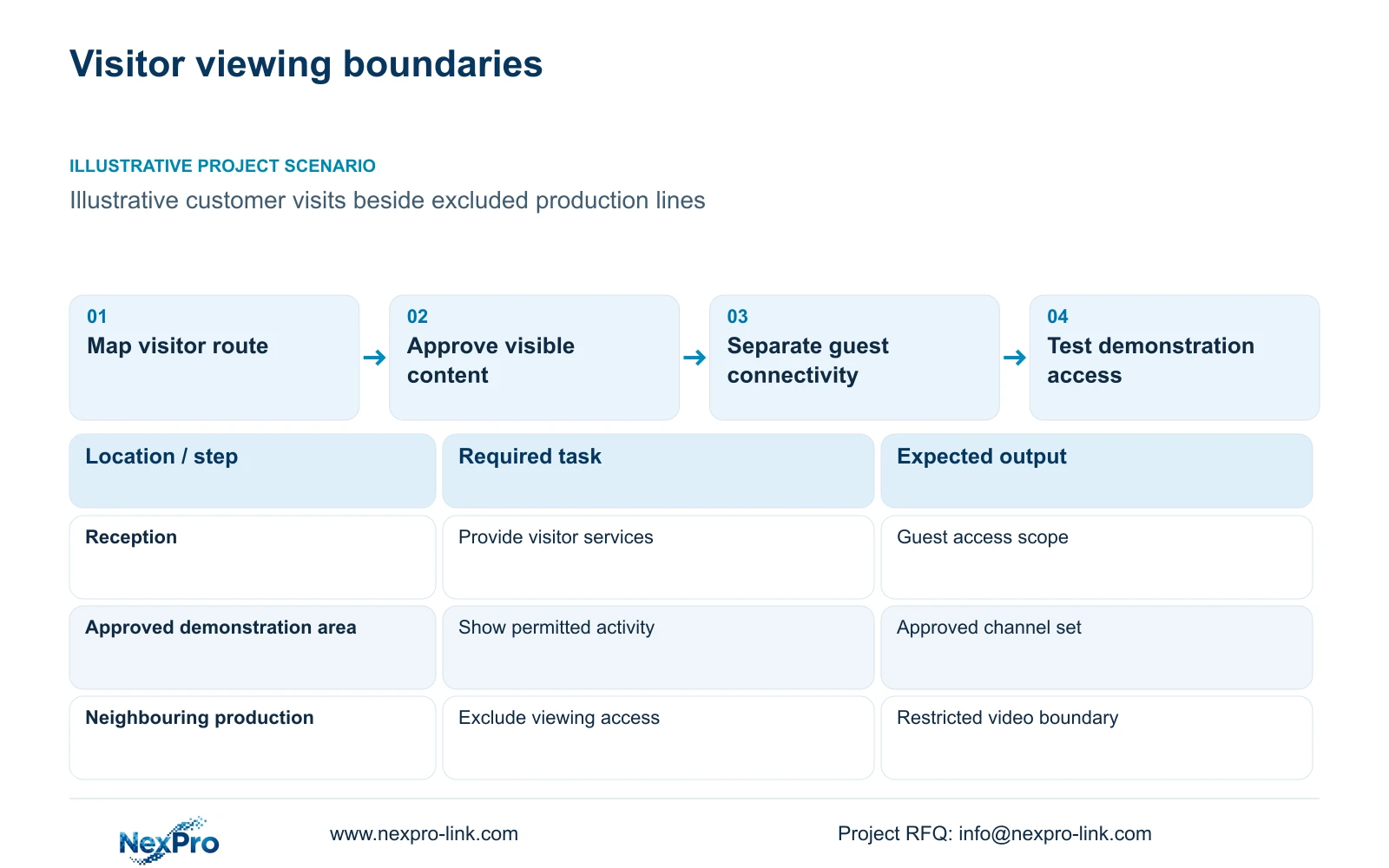
For electronics plant visitor routes, separate permission to visit the facility from permission to view security video. Show only approved channels during onsite or remote demonstrations. A visitor's physical route may pass a controlled entrance without authorising playback of that area's cameras. The engineer should prepare an approved-view schedule alongside the visit-route drawing before selecting the demonstration workflow.
Illustrative project scenario: A factory offers customer visits but must not expose neighbouring production lines through its security client. Assume reception and an approved demonstration area can be shown while adjacent production remains excluded. These are hypothetical permission boundaries, not a deployed customer setup. The owner must decide which views and times are suitable for each audience.
Mark the actual contents of every proposed view, including background work, screens and nearby entrances. Channel names alone cannot establish that confidential activity is excluded. Have operations approve the image boundary and security approve access. Any clean/ESD restrictions on the physical visitor route remain facility requirements separate from the video permission decision.
Section 02
Keep guest connectivity outside the security access path
Define guest network service independently from CCTV recording and administration. Identify the camera-to-recorder path, authorised operator path and proposed demonstration endpoint on the topology. The network team should specify which connections are permitted and test that a guest endpoint cannot reach excluded security services. Sharing a building backbone does not justify unrestricted access between these functions.
Use NIST SP 800-82 Rev.3 as an OT-security planning reference for separation and operational constraints, while matching the actual site architecture. Record the owner of the security network, the demonstration endpoint and any approved remote access service. Do not connect a visitor device directly to the recording system simply because a live image can be displayed.
If a proposed client cannot restrict the demonstration scope adequately, use a separately qualified viewing arrangement or an approved prerecorded demonstration. Keep local recording available independently of that presentation path. The network engineer should account for shared interfaces and additional traffic rather than assigning the full site's stream total to every cable.
Section 03
Test the demonstration account against excluded channels
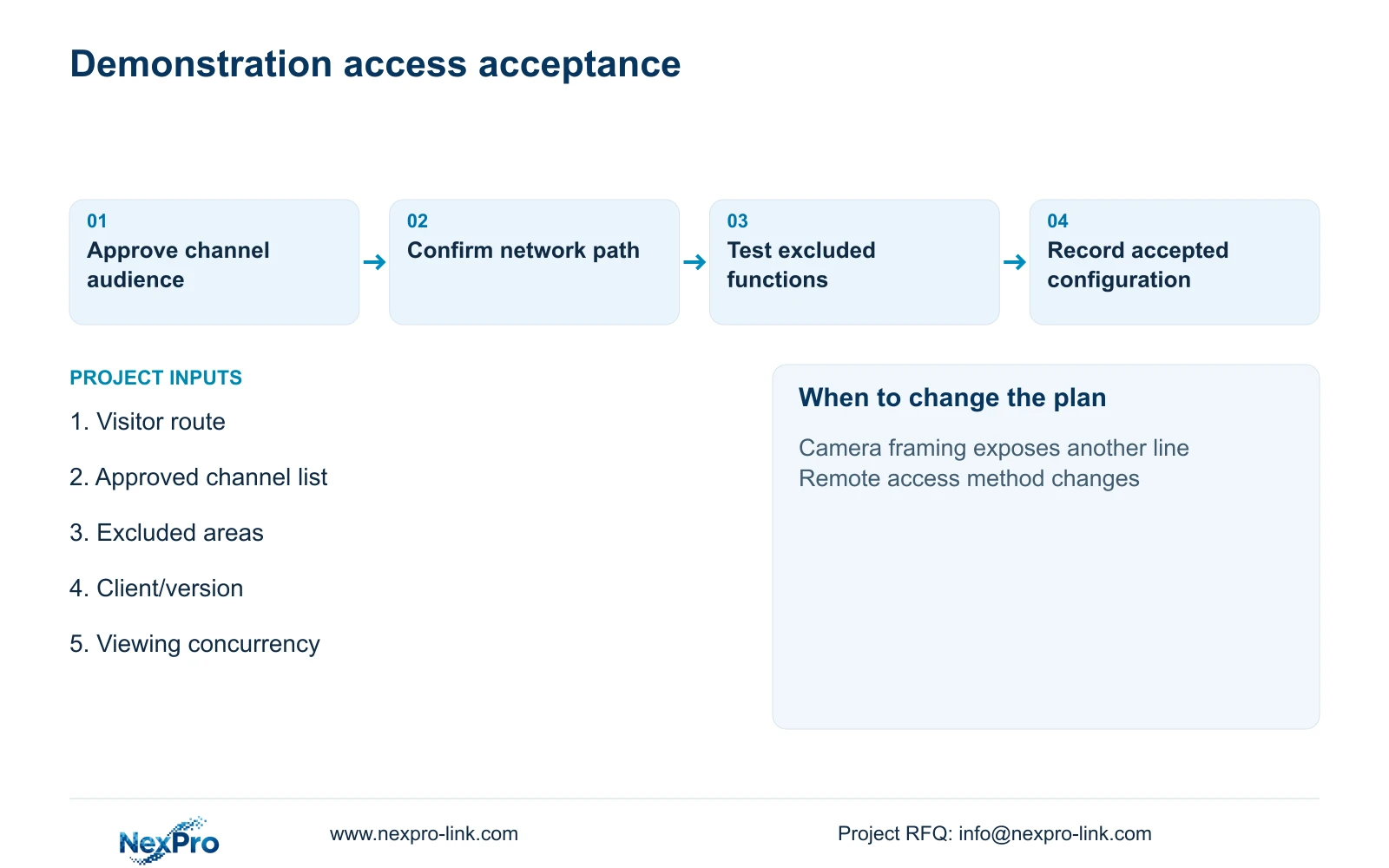
Specify the intended demonstration account and the functions it may use. A proposed baseline can limit the presentation to approved live views without playback or export, subject to a demonstration of the exact platform's capabilities. Do not describe these restrictions as supplied features until the selected client, recorder and firmware enforce them.
Test direct channel selection, saved layouts, full-screen changes, playback access and any mobile or remote route included in the offer. A curated layout is a presentation choice, not proof of access control. Recheck the display after login, reconnection and account changes. If neighbouring production remains reachable, the access architecture needs revision before a visitor demonstration is offered.
The NexPro-Link Seetong System page supplies app and PC-client context, but does not establish universal mixed-brand functionality or every required permission. Keep the approved channel set, platform version and responsible operator in the acceptance record. Where the presentation is operator-led, control screen sharing so unrelated desktops, notifications or security views are not included.
Section 04
Calculate recording and viewing traffic by path
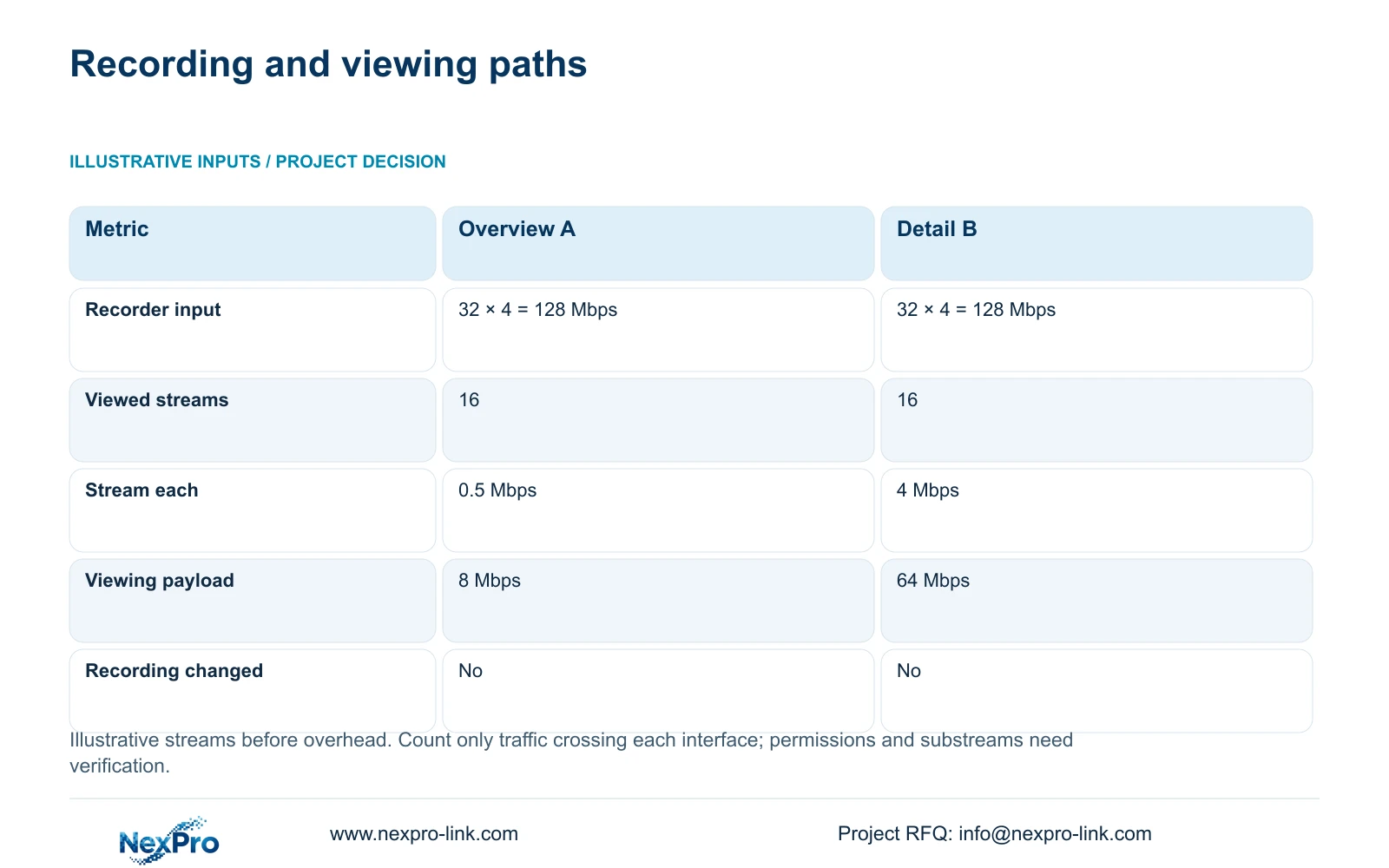
The supplied illustrative comparison uses 32 local main streams at 4 Mbps and 16 simultaneously viewed cameras. Recorder input is recorder_Mbps = 32 × 4 = 128 Mbps. For Option A, viewing_Mbps = 16 × 0.5 = 8 Mbps using assumed overview streams. Option B uses 16 × 4 = 64 Mbps for the detail-viewing comparison.
The decisive difference is on the viewing path: 8 versus 64 Mbps before protocol overhead. Local recorder input remains 128 Mbps in both options. This supports a qualified low-bandwidth overview workflow without silently lowering the local recording stream. It does not authorise 16 visitor channels; the approved audience schedule may contain fewer views.
Add only traffic that traverses the interface being assessed. Include playback, export and other shared-link demand where present, and verify actual substream support. WAN performance is not guaranteed by this arithmetic. CASE02's separate 64-camera reference has 256 Mbps of assumed recorder input; its quantity belongs to a different planning boundary and should not be mixed into this 32-stream example.
| Metric | Overview A | Detail comparison B |
|---|---|---|
| Local recorder input | 128 Mbps | 128 Mbps |
| Concurrent viewed streams | 16 | 16 |
| Viewing stream each | 0.5 Mbps | 4 Mbps |
| Viewing payload | 8 Mbps | 64 Mbps |
| Local recording changed | No | No |
Section 05
Choose the smallest approved presentation scope
Recommend a limited approved channel set with a tested access boundary and viewing quality matched to the demonstration. Use overview streams when they adequately show the approved activity and the selected platform supports them. Request detail views only when the audience task requires that detail and the network path has been assessed. Lower bitrate alone does not reduce confidentiality exposure.
Retain the owner's required platform if its permissions or integrations are essential and cannot be reproduced by the proposed alternative. Compare equipment offers on the same approved audience, channels, concurrency and local recording task. Price any extra client, network configuration or access-management work explicitly. An inexpensive camera package does not replace a missing permission boundary.
CASE02's two operator seats and optional display branch illustrate that viewing resources can be selected independently from recording. A visitor screen does not require a video wall. Keep camera power, access switches and recording on their actual protected circuits, while the presentation endpoint remains a separate operational choice. Internet loss should not be assumed to stop locally configured recording.
Section 06
Deliver an approved-view and access test record
The RFQ should identify the visitor route, proposed camera views, excluded areas and remote demonstration method. Include client and recorder identity, intended concurrency and the network team's approved connection path. Where new ordinary-area cameras are needed, obtain mounting conditions separately. A camera view into a controlled space does not establish permission to install equipment within it.
NexPro-Link's BOQ support can help document the equipment scope, relevant platform references and deviations, while its factory project supply scope covers ordinary-area equipment coordination. Require a practical access demonstration rather than a broad compatibility statement. Keep local network policy and approval of the visitor audience with the owner's assigned team.
Before handover, demonstrate approved live viewing while confirming excluded channels and functions remain unavailable through the included access routes. Verify that local recording continues independently of the presentation session. Record the account scope, software version and approved images. Reopen approval when camera framing, visitor audiences or remote-client paths change, even if bandwidth demand remains unchanged.
Section 07
Buyer questions
Does reducing the viewing stream protect confidential production? No. A lower-bitrate image can still reveal excluded activity. Confidentiality depends on the approved image boundary and enforced access scope, which must be tested separately from bandwidth.
Must customer visitors receive a security-client login? No. An operator-led approved presentation or suitable prerecorded material may satisfy the visit. Choose the method that meets the demonstration task without creating unnecessary access.
Can the 128 Mbps recording and 8 Mbps viewing values always be added? Only on an interface carrying both traffic sets. Draw the actual paths first, then add overhead and other demand on each shared link. The calculation does not establish universal client or substream support.
Section 08
Define a visitor-safe video presentation
Send your visitor-route drawing, approved and excluded camera views, intended remote/client method and concurrent viewing requirement to info@nexpro-link.com to discuss an equipment scope with explicit access-test conditions.
Engineering references
These sources support the general planning principles. Always use the selected product's current datasheet and applicable project standards for final design.