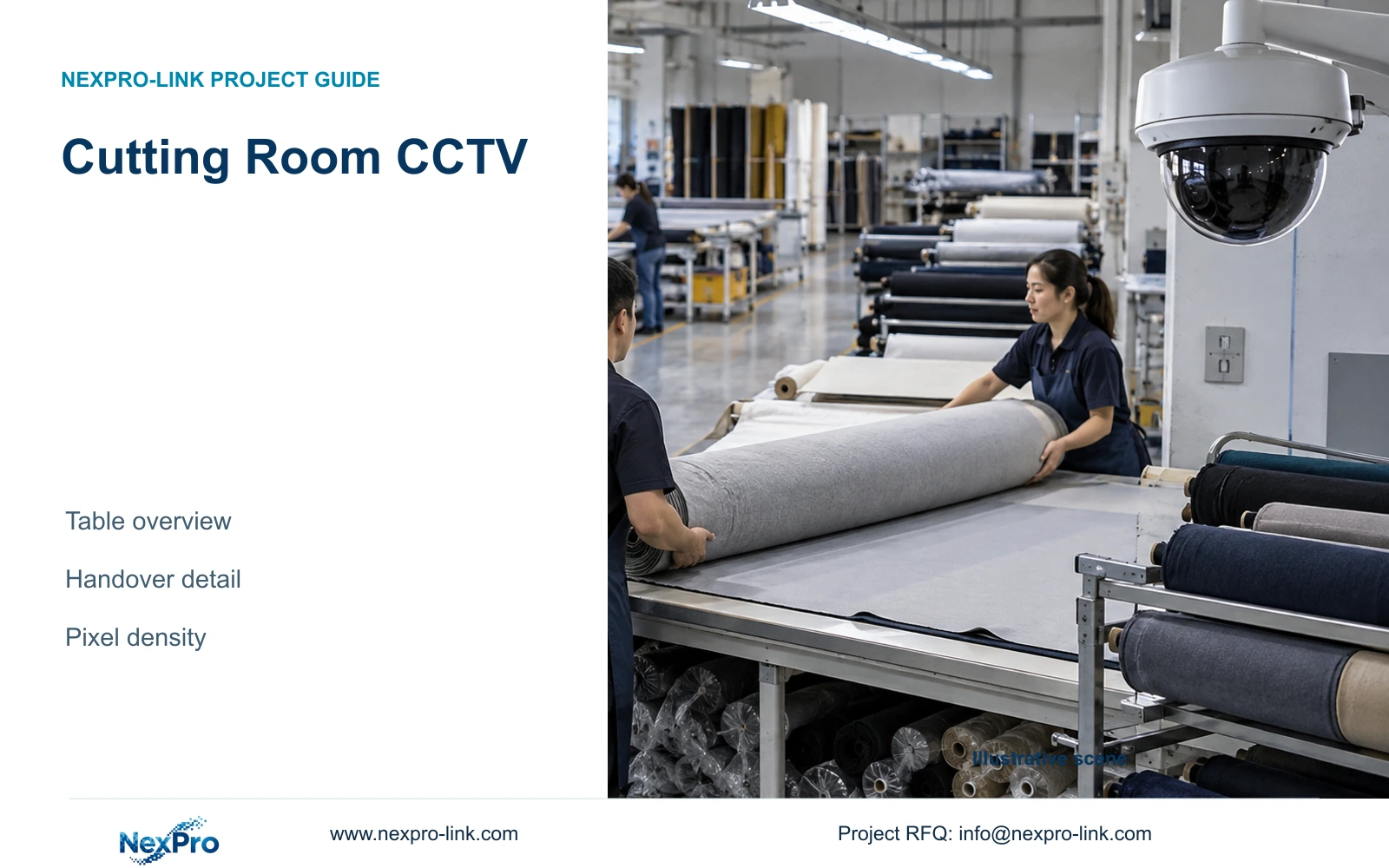
Choose cutting-room CCTV from the fabric-transfer action, then compare occupied sightlines and actual output pixels without promising dimensional inspection.
Section 01
Define the fabric movement to be recorded
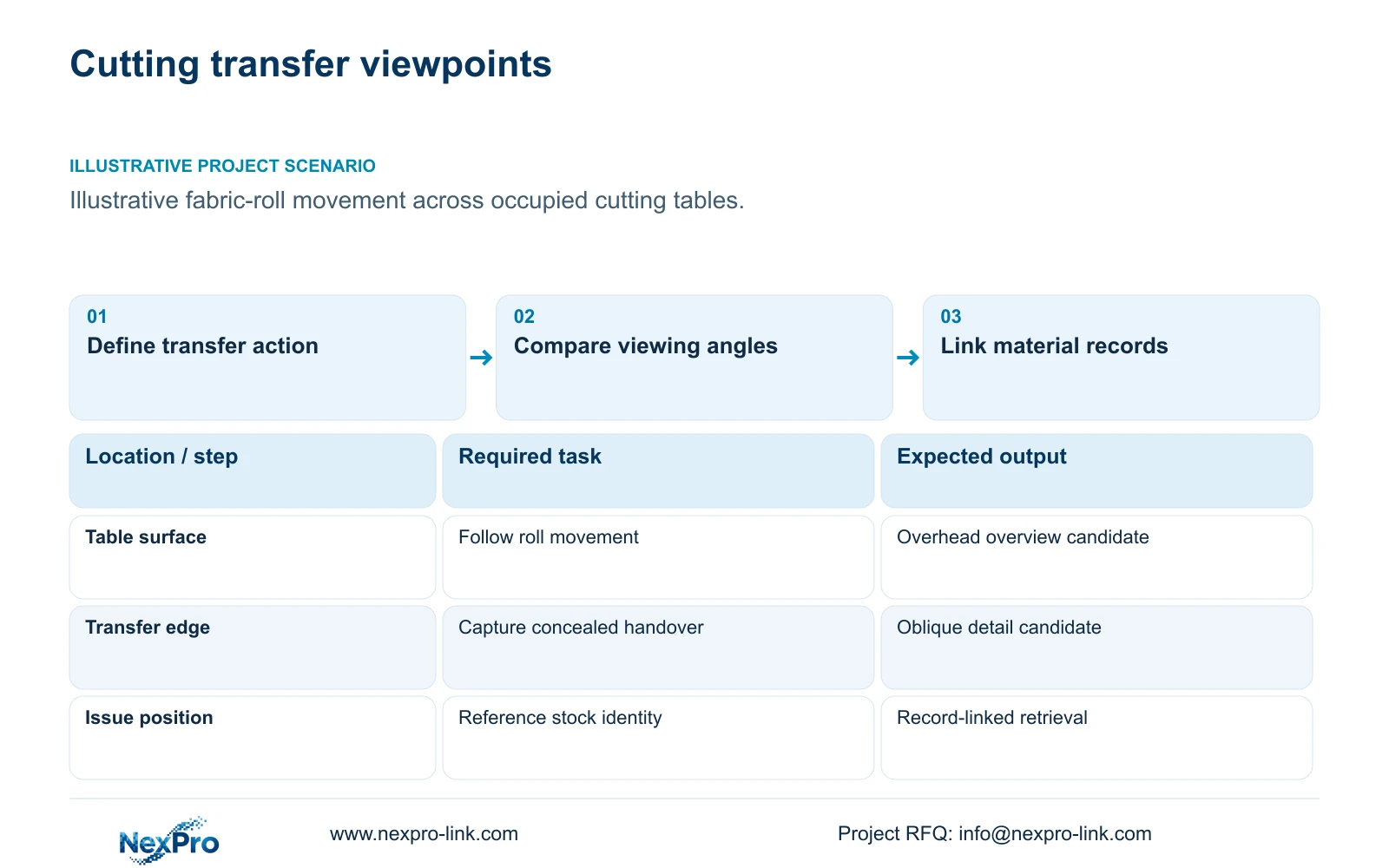
Cutting room CCTV should use a dedicated transfer view when tables, tools or fabric stacks conceal the handover. Retain a wider view where the owner also needs movement context. Begin by specifying whether the recording must show a roll arriving, material leaving a table or a bundle being released. General surveillance should not be presented as dimensional quality inspection of cut fabric.
Illustrative project scenario: The owner asks for fabric-roll movement evidence across wide cutting tables. Assume the designer can review representative table loading, trolley routes and the normal transfer position with the cutting team. The proposed evidence task is to establish movement and handover sequence, with stock records providing identity. This hypothetical arrangement supplies no measured label-readability or product-quality result.
Write an acceptance statement for each action before choosing a resolution. A table overview might need to show the approach and departure of a roll; a close view might need to show agreed fields when the roll is presented. Keep employee monitoring and productivity claims outside the material-security brief. This lets the engineer explain why a second view may be necessary without specifying every position at the highest resolution.
Section 02
Compare overhead and oblique occupied views
An overhead view can show movement across a table surface, but a roll-end label or a transfer below the table edge may remain hidden. An oblique view can expose the handover face while introducing obstruction by people, tools or stacked fabric. Compare both against the same representative action. Draw the target plane and obstruction envelope so the selected view can be checked after installation.
Mounting height, distance and angle should be considered together with service access. A camera over the middle of a wide table may be difficult to clean or adjust once the room is occupied. A perimeter mount can be easier to service but may require a tighter view or another angle. Obtain lint, humidity and cleaning conditions before treating either position as suitable.
Use day and night-shift recordings to check the agreed evidence, including lighting changes across the table. The listed BL2812M and DM2812M motorized lens ranges are 2.8 to 12mm; they are framing references, not guaranteed fields of view for an unspecified installation. Changing focal length does not restore a handover concealed by a stack. Physical visibility must be resolved first.
Section 03
Keep stock identity tied to its own record
Keep roll, lot and bundle identity in the material system or issue record. Use the recording to review what occurred at a named table or transfer point during the recorded time. If an agreed label field must be readable, make its presentation angle and position part of the acceptance task. A distant overview should not inherit that requirement without a separate test.
The role-based camera map should identify the view, table, transfer task, recorder channel and responsible owner. Mark an existing suitable overview as retained, a new transfer view as supplied and any second-angle camera as optional until the test justifies it. The cutting team defines the normal presentation; the installer confirms framing and export; the owner decides who may review the footage.
Demonstrate a complete retrieval using an example material record, including the interval before and after the transfer. Keep an effective date for camera names if tables are renumbered. The stock reference and video location can be linked operationally without claiming a native data integration, barcode function or automatic stock reconciliation in the camera.
Section 04
Compare actual output widths at one target plane
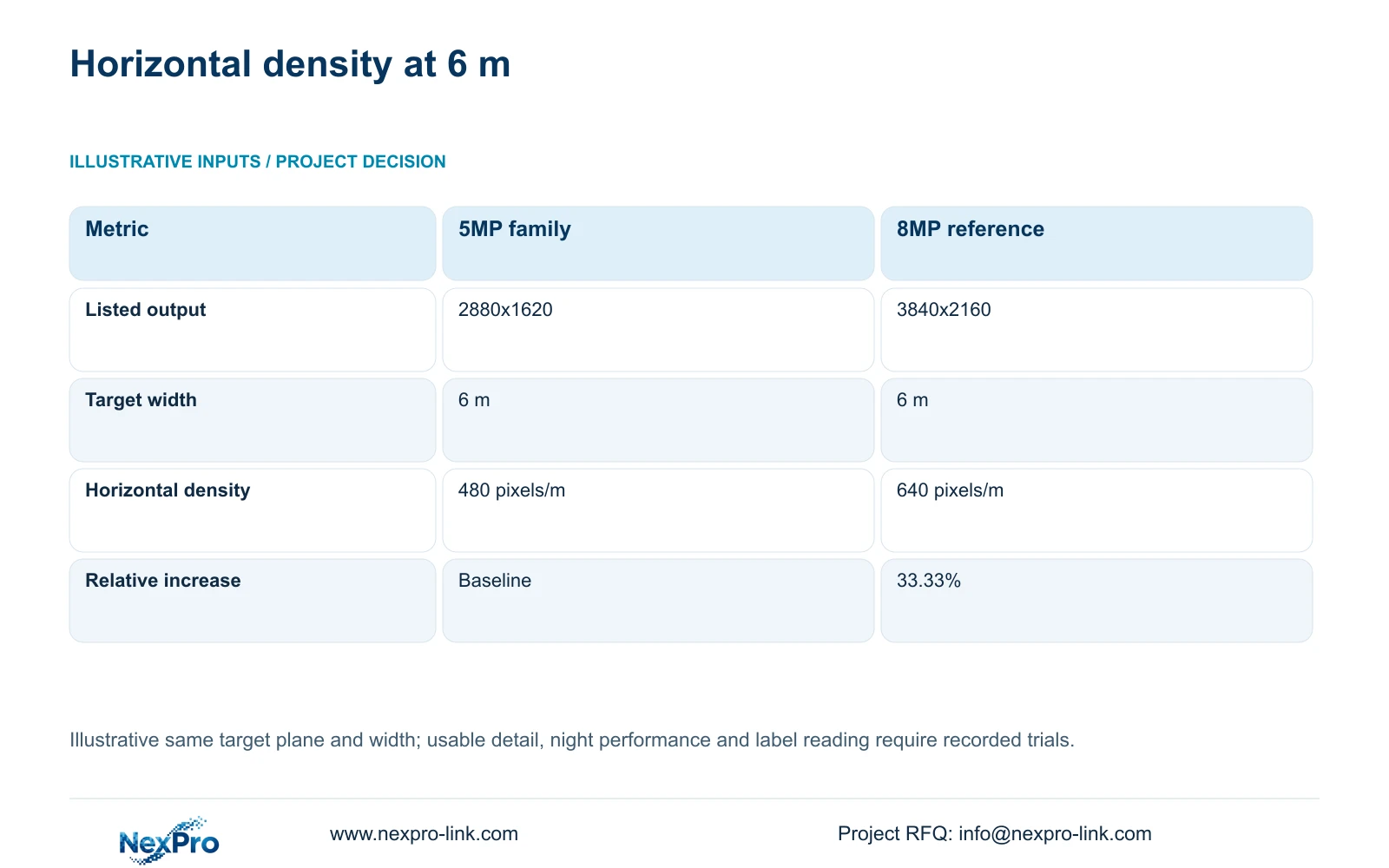
The supplied 5MP-family specification lists 2880x1620 output, while the 8MP reference lists 3840x2160. Preserve those listed dimensions when calculating horizontal density. At an illustrative 6 m target width, planning_pixels_per_metre = horizontal_output_pixels / target_width_m. The results are 2880 / 6 = 480 pixels/m and 3840 / 6 = 640 pixels/m.
Calculate the relative increase as (3840 / 2880 - 1) × 100 = 33.33%, rounded to two decimals. The decisive difference is the number of horizontal samples across the same assumed target width. The 5MP and 8MP labels do not produce a 60% usable-detail guarantee. This arithmetic establishes neither comparative night performance nor readable text at a particular distance.
Apply the calculation only to the defined target plane. In an oblique scene, nearer and farther surfaces have different geometry, and the handover may occupy only part of the frame. Lens performance, exposure, movement and compression still affect recorded evidence. Use the density comparison to identify a candidate for trial, then inspect exported footage of the occupied transfer.
| Metric | 5MP-family reference | 8MP reference |
|---|---|---|
| Listed output | 2880x1620 | 3840x2160 |
| Horizontal output pixels | 2880 pixels | 3840 pixels |
| Target width | 6 m | 6 m |
| Planning horizontal density | 480 pixels/m | 640 pixels/m |
| Relative horizontal increase | Baseline | 33.33% |
Section 05
Add detail only where geometry supports it
Recommend a stable table or route overview plus a dedicated transfer view where the key action is hidden or too small. Consider the 8MP candidate when additional horizontal sampling at the accepted framing is useful and the recorder supports the actual stream mode. Retain a suitable 5MP-family view if the required evidence passes. A narrower or repositioned camera may address the task more directly than a uniform resolution upgrade.
The ordinary NexPro-BL2812M55-5MP-DIC-AI and NexPro-BL2812M88-8MP-DIC-AI are relevant candidates from the supplied bullet specification. The source Dome-family DM references provide alternative housings for suitable positions. None is established here as a dimensional measuring system. Specify mounts, exposure and maintenance requirements independently of model family or housing appearance.
CASE04's separate campus example assumes its 80 cameras operate within supported 5MP-class recorder modes. An 8MP substitution at a cutting transfer point therefore requires a mode and recording-resource review; the original channel allowance cannot simply be carried across. Check the affected recorder, bitrate, storage, PoE demand and cable position while keeping the site's remaining task coverage intact.
Section 06
Order against a repeatable transfer trial
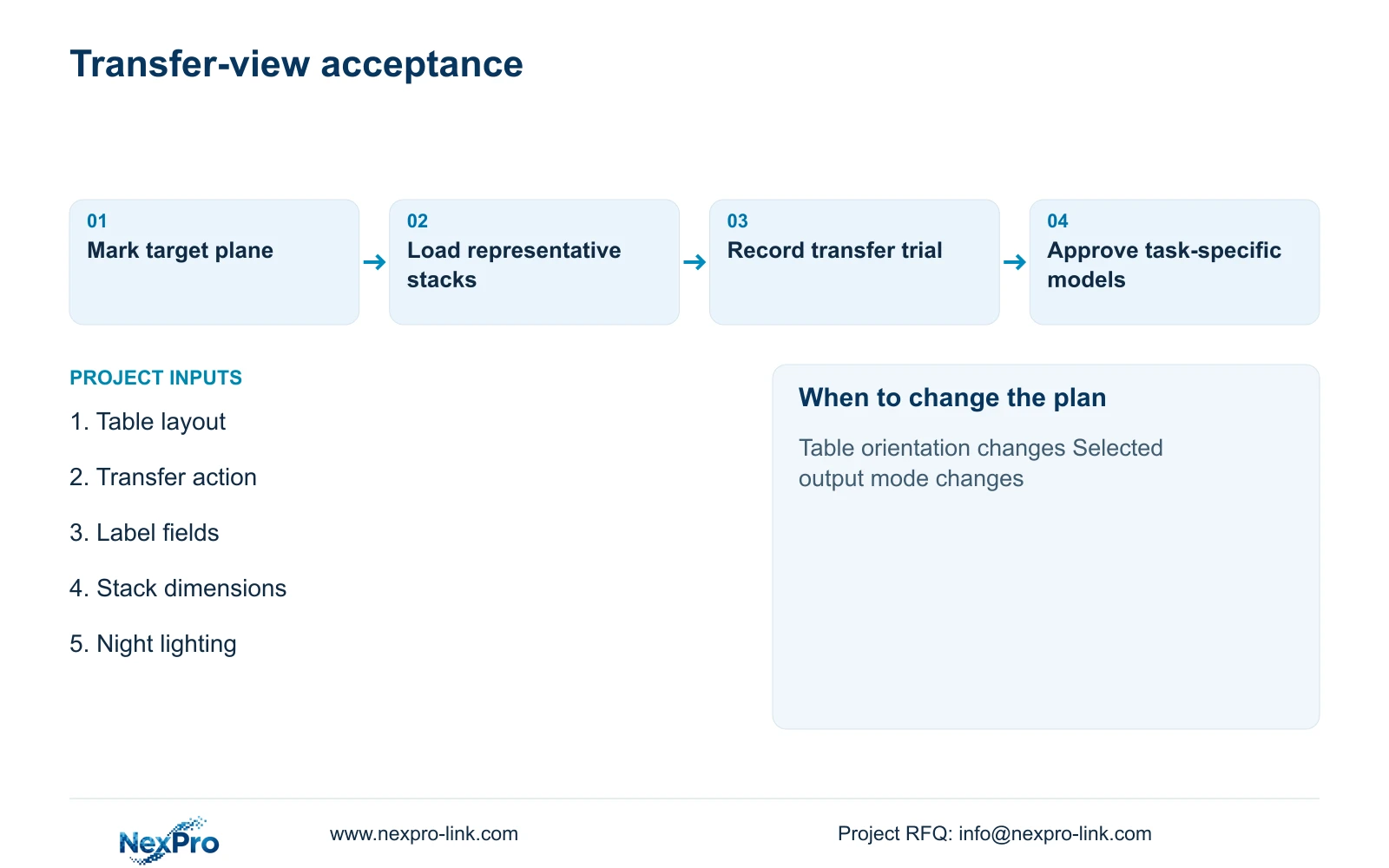
Issue the table layout, target plane, material route and trial action with the RFQ. Define the maximum representative stack condition and the lighting state used for acceptance. Separate new cameras, retained equipment, brackets, cabling and local commissioning in the BOQ. Where two alternatives use different views, state whether both still provide the required overview and handover evidence.
NexPro-Link can support model matching and technical submittals through BOQ & Tender Support, with related equipment coordination under Factory & Warehouse project supply. Request location-labelled packing where similar cameras serve different table roles. The final handover should include accepted framing, channel names and a service-access arrangement, allowing later table changes to be reviewed against the original evidence task instead of an undocumented image preference.
Section 07
Buyer questions
Can digital zoom replace a close transfer view? It can enlarge recorded pixels but cannot recover concealed information or create additional captured detail. Review the actual export at the required task size before deciding whether the overview is sufficient.
Does an overhead camera establish fabric dimensions? No dimensional measurement capability is supplied. If dimensional quality inspection is required, specify an appropriate calibrated inspection system separately and keep the security recording task distinct.
What invalidates the six-metre density comparison? A different target width or output mode changes the arithmetic. Different mounting geometry, exposure or compression can also change usable evidence even when the calculated density stays the same.
Section 08
Specify your cutting-room evidence trial
Send the cutting-table layout and transfer route, agreed evidence action and sample label fields, representative stack dimensions, and night-lighting and service-access conditions to info@nexpro-link.com for a viewpoint and equipment comparison.
Engineering references
These sources support the general planning principles. Always use the selected product's current datasheet and applicable project standards for final design.