

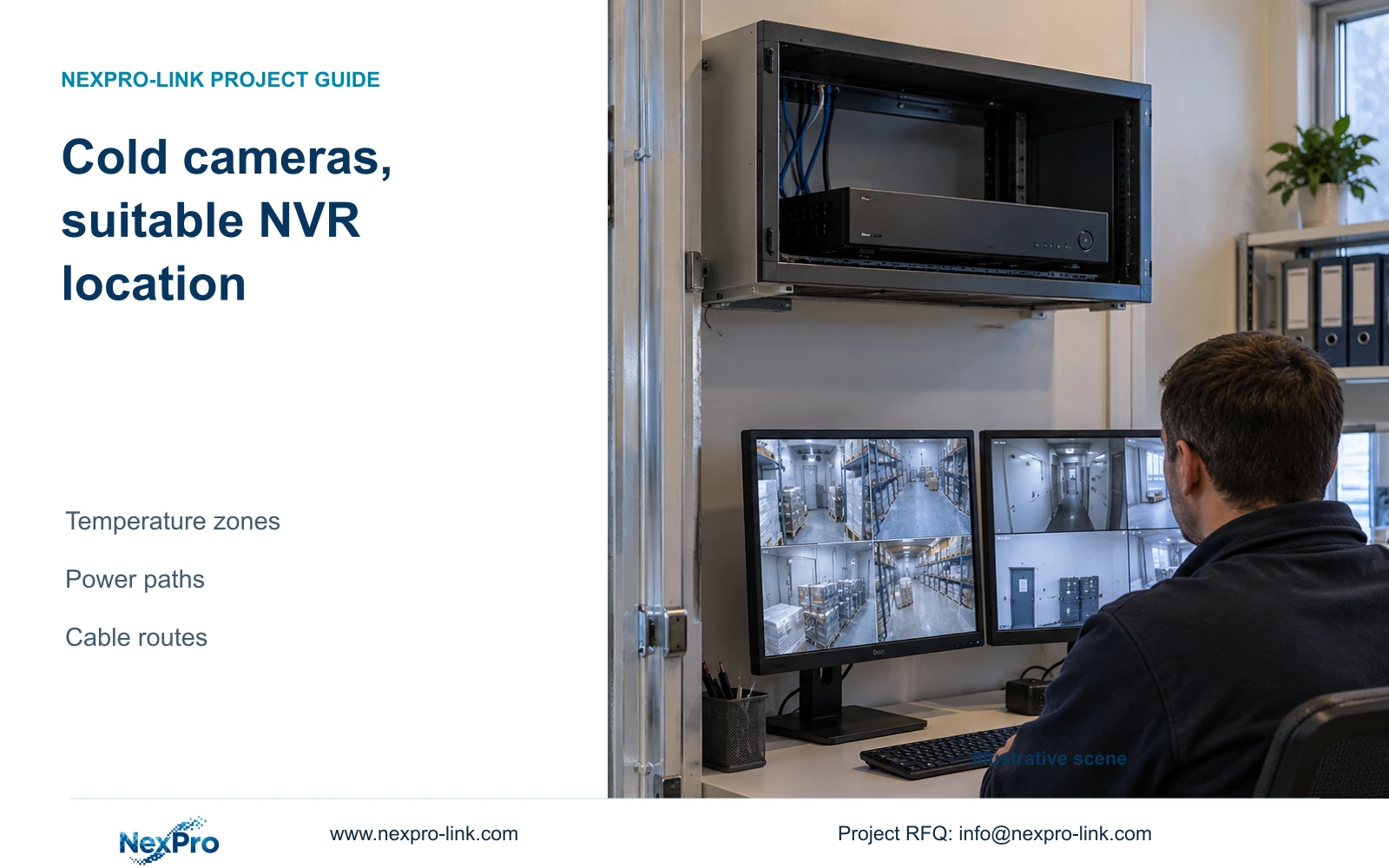
Place the recorder according to its own environmental requirements, then specify cold-room cameras, their power supplies and the routes back to recording storage.
Section 01
Assess the service office as the recorder location
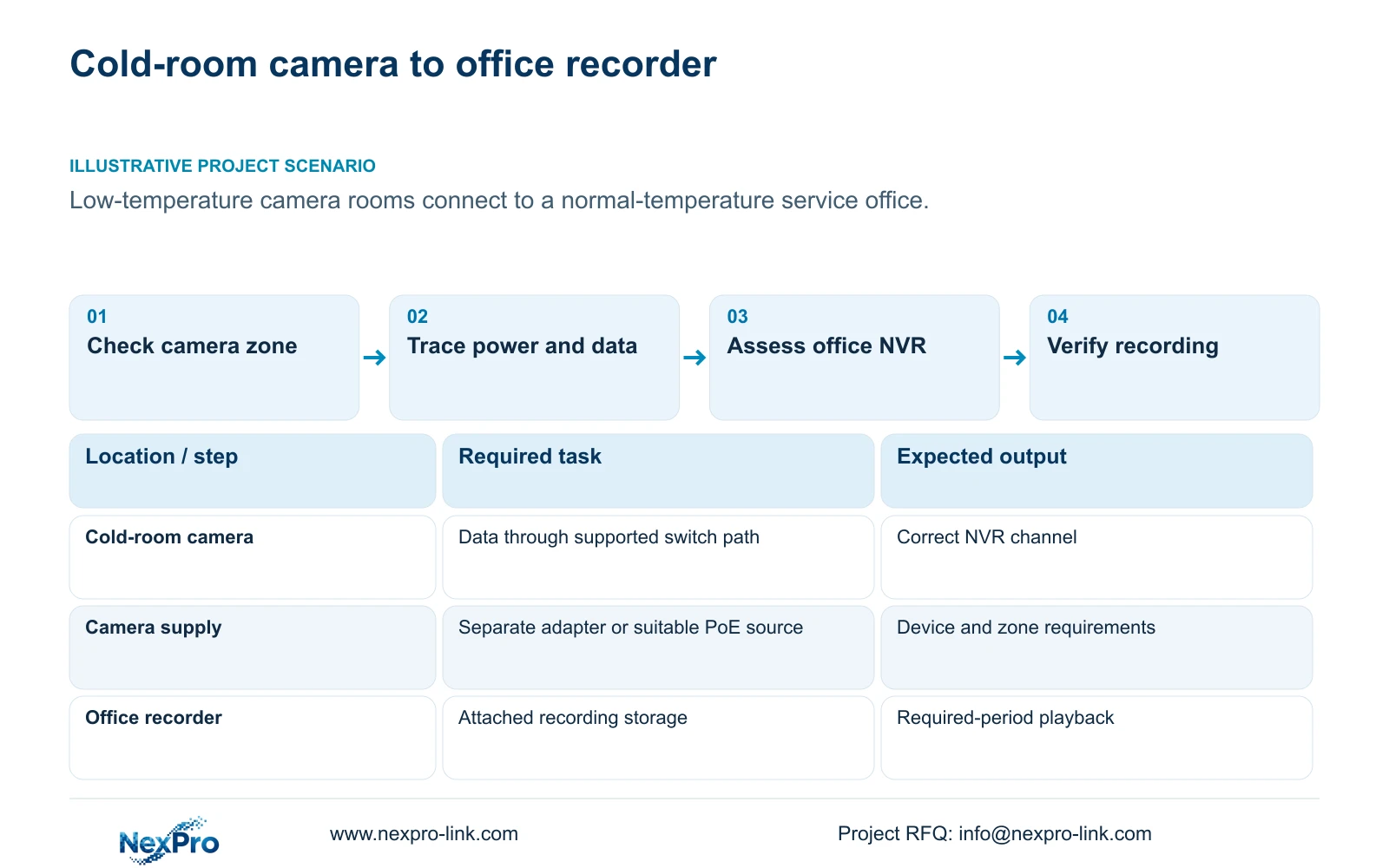
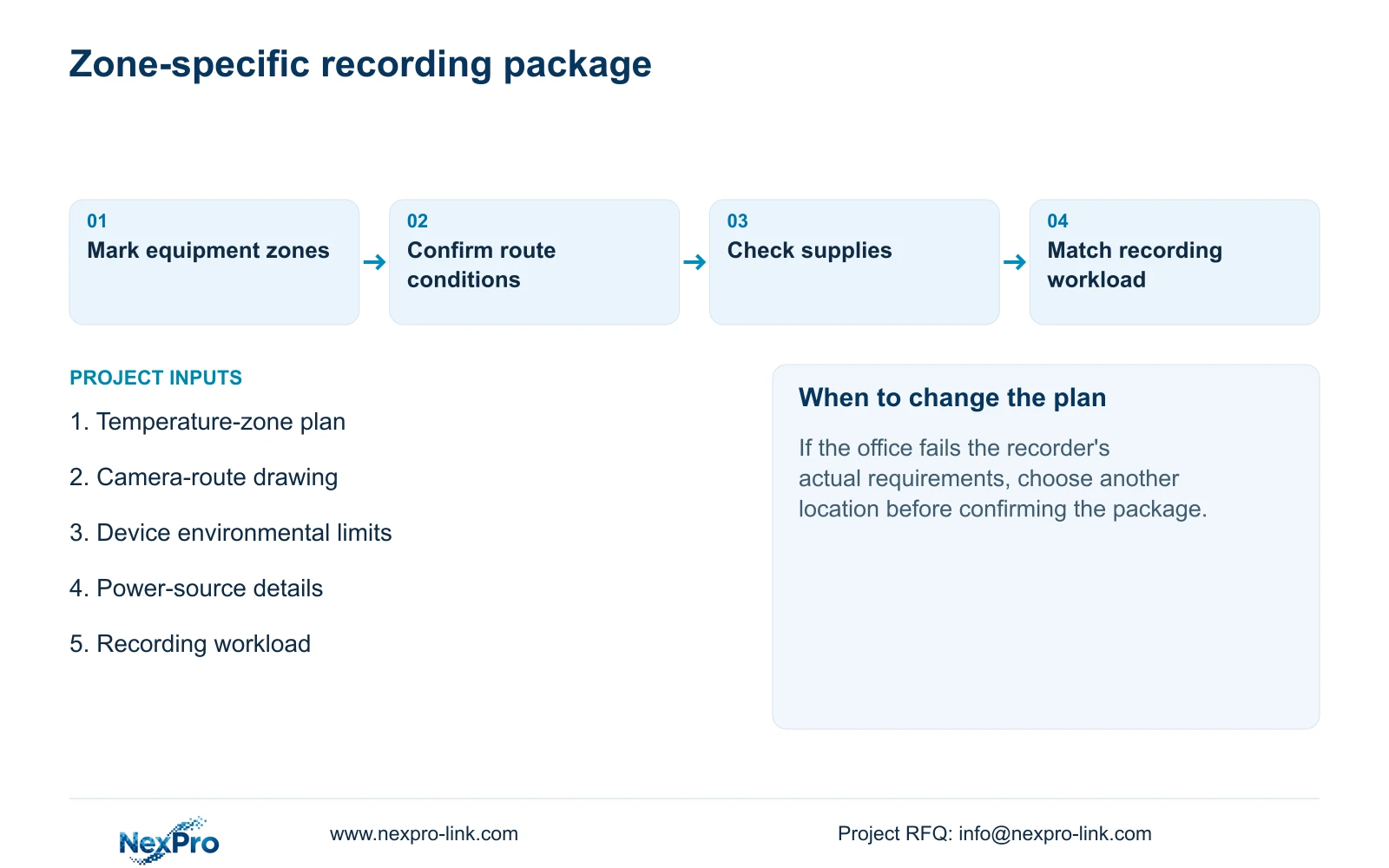
A cold-store CCTV design should place the NVR in an environment suitable for the recorder and assess cold-room cameras separately. A normal-temperature service office is a candidate location when its actual conditions meet the equipment requirements, ventilation and servicing needs. The manual's installation precautions do not certify freezer operation or establish a cold-area rating for connected cameras. Draw the video and power paths from each room to the recorder, confirm equipment limits along those paths, and select recording capacity from the camera workload. The resulting package should identify which devices enter the cold areas and which remain in the service zone.
Inspect the proposed office or cabinet location for moisture, high temperature and strong magnetic environments. Section §3.1 calls for ventilation, appropriate power and grounding. Allow practical access to disks and connectors without inventing a universal cabinet depth or clearance.
This guide uses NVR4.0 user manual CH_V2.4.doc, whose body states V2.2, particularly §§3.1, 3.3.1, 1.1, 5.1 and 5.2, plus §5.3 questions 3 and 4. The zoning and route checks are project-engineering extensions. If the office conditions do not meet the actual recorder requirements, select another location or obtain a supported installation design.
Section 02
Draw camera power separately from the video path
The manual's non-PoE connection diagram shows camera and recorder data passing through a switch, with the camera supplied separately. It does not show the recorder LAN socket supplying PoE. Label the camera supply, switch connection and NVR supply individually so the installer can identify what each link carries.
If the proposed cameras require PoE, include a suitable external power-sourcing device or select a recorder whose exact specification includes the required PoE function. Check that equipment's location and supported conditions separately. A suitable recorder office does not automatically establish suitability for a switch or adapter installed inside a cold room.
When a cold-room camera has no picture, first identify whether its power and data paths are present. A working office monitor says little about camera power. Preserve the distinction in the fault record so a missing supply is not described as an unexplained recorder failure.
Section 03
Plan the actual routes between temperature zones
Trace each camera route to its access equipment and onward to the NVR. Record the parts inside the low-temperature room, the boundary crossing and the service-office section. Obtain the applicable cable, connection and installation requirements for those conditions before confirming the route.
The manual's general long-cable wording does not supply a universal distance, cable grade or power budget. It cannot justify an arbitrary CAT6 route. If the selected route exceeds the supported conditions of the actual link, revise the route or connection design before procurement.
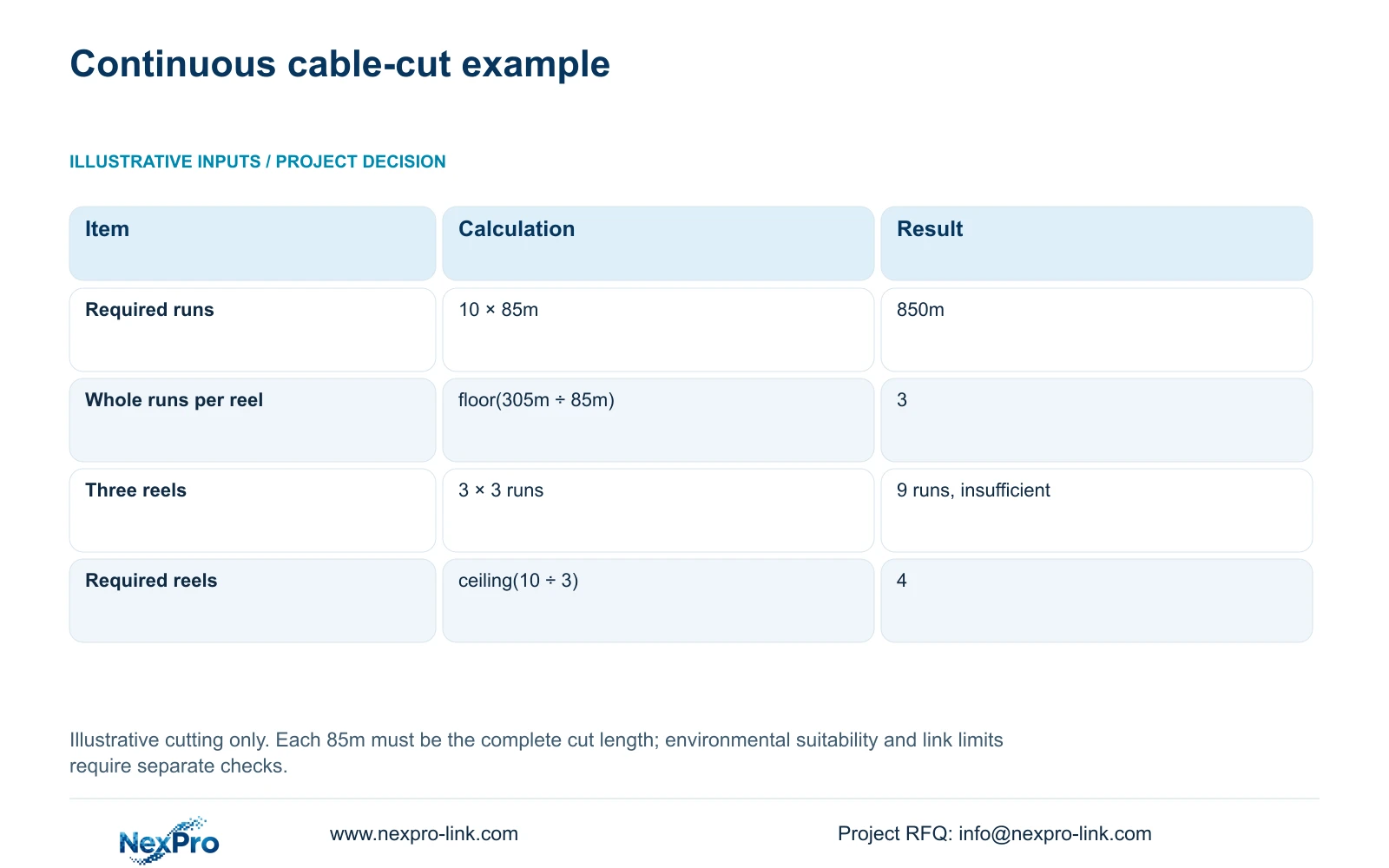
Cable purchasing also requires feasible continuous cuts. The supplied illustrative inputs are ten runs of 85m and reels of 305m. Total length = 10 × 85m = 850m. Whole runs per reel = floor(305m ÷ 85m) = 3. Required reels = ceiling(10 ÷ 3) = 4. Three reels provide only 9 whole runs, although their combined length exceeds 850m.
This is a cutting example, not a cold-store link-performance approval. Four reels meet the stated continuous-cut requirement only if 85m is the complete required cut length. If routing or termination allowances change that input, recalculate the cutting plan.
Section 04
Check environmental limits and supplies device by device
Assign an installation zone to every camera, adapter, switch and recorder. Compare the actual conditions of that zone with the corresponding equipment documentation. Keep environmental suitability distinct from the recording capability of the system. An ordinary equipment-room requirement is not an industrial wide-temperature, hazardous-area or freezer certification.
For the recorder supply, inspect the device and adapter labels. Connector fit does not establish correct voltage, current capability, polarity or model suitability. The manual recommends the supplied adapter and operation within the equipment's power range.
If startup or disk detection becomes unstable after disks or peripherals are added, record that load condition and check the intended supply. Do not assign a cause solely from the symptom. Any work requiring the running recorder to stop needs authorization, preservation of relevant data and an agreed interruption.
| Object | Check | Decision |
|---|---|---|
| Office NVR | Actual environment, ventilation, power and servicing access | Use the location only when the recorder requirements are met |
| Cold-room camera | Camera limits for its assigned room | Select suitable camera equipment independently |
| Camera supply or PoE source | Power function and its own installation environment | Include the correct supply in a suitable zone |
| Inter-zone route | Cable conditions, complete cut length and link limits | Resolve route constraints before ordering |
Section 05
Select the recorder from the recording workload
Cold-store floor area does not determine recorder size. Establish the required views, stream modes, aggregate incoming bitrate, recording schedule and retention target. Then compare playback combinations, usable storage and any required interfaces or remote tasks with the selected model.
A recorder with enough channels can still be unsuitable for the requested playback or disk configuration. The manual's TS model comparisons remain source examples, with no established mapping to NexPro-Link commercial SKUs. Use separate model documentation for the quoted equipment.
Do not select a retention capacity while average bitrate or recording hours remain undefined. Gather those inputs first, then account for audio, storage overhead and reserve. If the owner changes the camera task or recording policy, review the affected capacity requirement rather than sizing from the unchanged room area.
Section 06
Prepare a temperature-zone equipment brief
Illustrative project scenario: A cold-store project has cameras inside low-temperature rooms and a normal-temperature service office. The office is assessed for the recorder, while each room receives its own camera and connection review. No camera temperature range is transferred to the NVR specification.
Combine the zone plan with the route drawing and camera schedule. Mark device locations, power sources and the required recording task. This allows NexPro-Link to discuss a coordinated equipment package and identify unresolved interfaces without claiming that all cold-store conditions are covered by a shared CCTV label.
Section 07
Does a normal-temperature office automatically qualify?
No. Confirm the actual recorder requirements, moisture exposure, ventilation, supply and access. The room description is a starting point for assessment, not a completed suitability check.
Section 08
Does this manual establish a freezer rating?
No. Its recorder installation precautions do not establish freezer operation for the NVR or connected cameras. Obtain environmental limits for each selected device.
Section 09
Start with the zone and route drawing
The next useful input is a drawing that separates cold-room equipment from service-office equipment and shows their connecting routes. Detailed model and workload checks can then follow the actual installation boundary.
Send the temperature-zone and camera-route drawing to info@nexpro-link.com for a scoped equipment discussion.
Engineering references
These sources support the general planning principles. Always use the selected product's current datasheet and applicable project standards for final design.


