Brickworks night-loading footage depends on moving-target exposure, clear sightlines and maintainable equipment positions. Use this guide to separate ordinary-area cameras from exposed-point requirements.
Section 01
Set the night-loading evidence requirement first
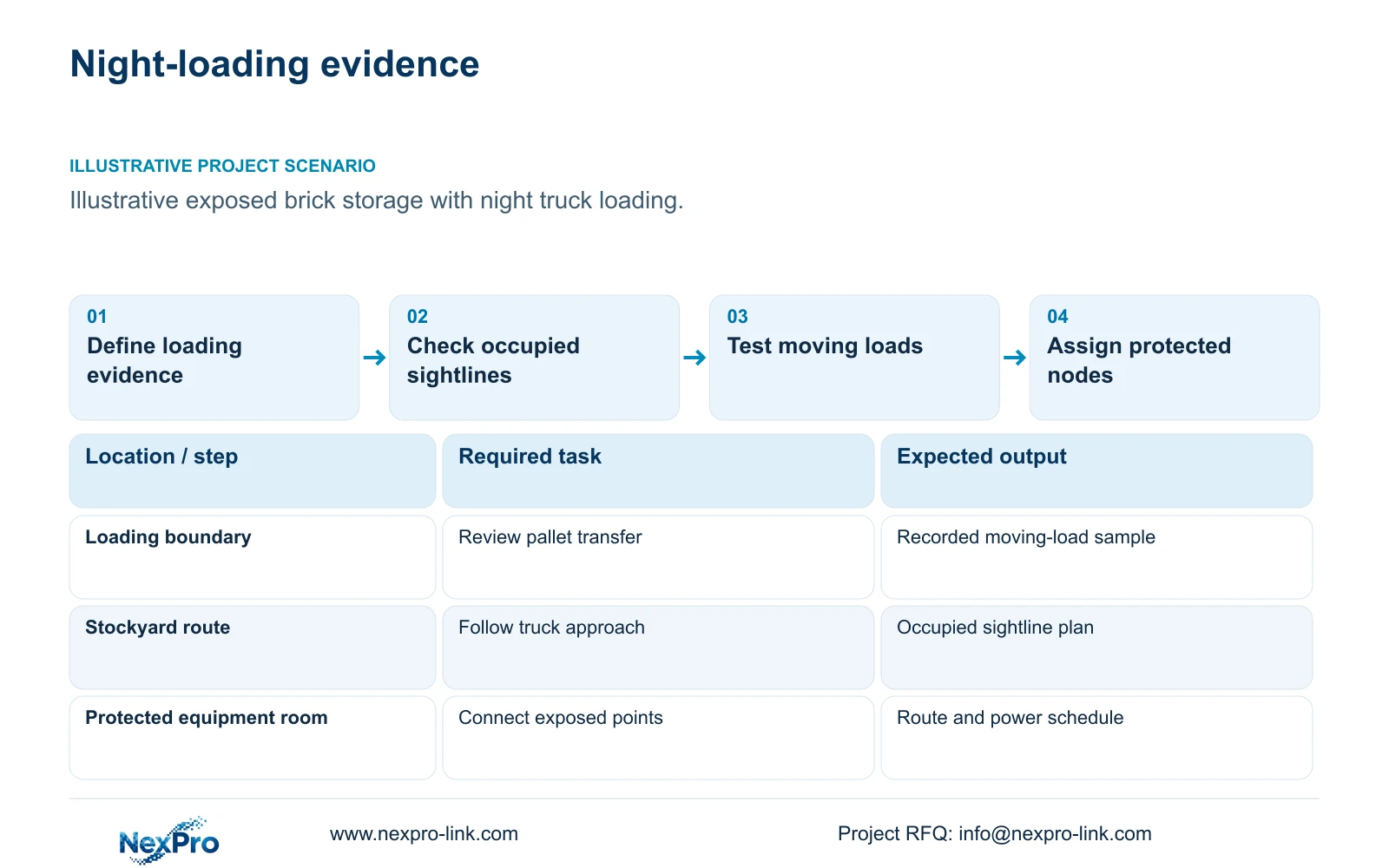
Brickworks CCTV should be designed around representative moving loads under actual night lighting. Establish what the recording must show, choose a position that remains useful during loading, then assess whether existing illumination supports the necessary exposure. Add infrared or visible lighting where the observation task and site permit it. A clear stationary truck image does not establish that footage will preserve useful detail while the truck or forklift moves.
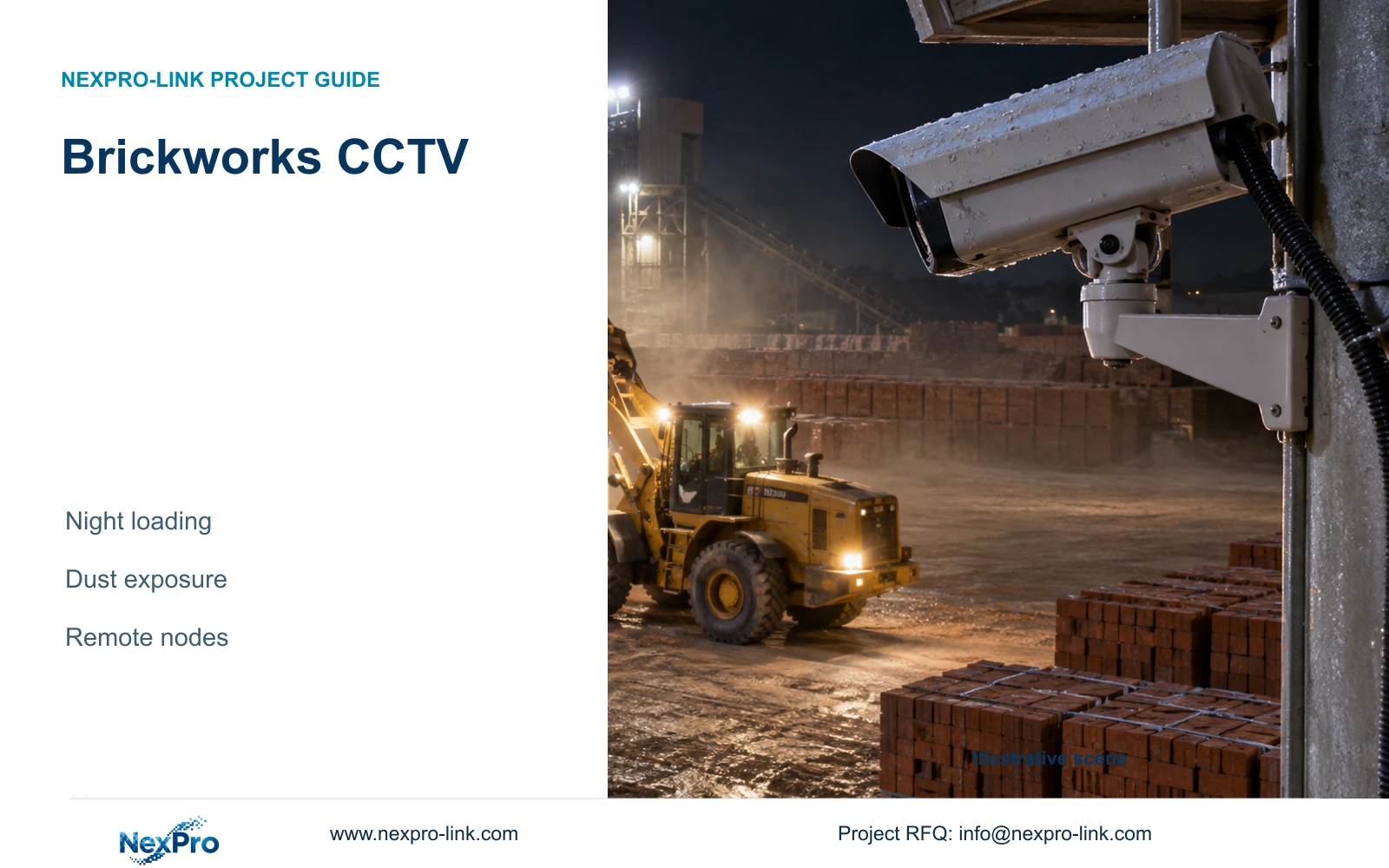
Illustrative project scenario: The brickworks loads trucks at night from exposed storage areas. For planning, assume the owner wants to review pallet transfers, the loading sequence and vehicle departure. Stock heights vary, headlights cross the scene and dust can pass between the camera and the load. These are hypothetical design conditions, not observations from a completed customer installation.
Give each view an acceptance task: follow the vehicle approach, see the transfer boundary or connect loading footage with an authorised dispatch record. Record the target position, direction of travel and operating lighting state. Include representative loaded vehicles in the proposed trial. The owner should approve which details matter before the engineer chooses a wider overview or a dedicated loading view.
Section 02
Choose positions that can stay clear and serviceable
Map the highest expected stock profile and the normal truck stopping envelope before selecting mounts. A camera looking across several stock rows may lose its loading view as inventory rises. An alternative position looking toward a stable transfer boundary can preserve the task, although it may need a separate overview to explain where the load came from. Check both options with vehicles occupying their working positions.
Assess dust deposition, wind-driven rain, radiant heat and any cleaning spray at the proposed camera and connector locations. These conditions also affect maintenance access. Ask how the lens will be inspected and cleaned without obstructing dispatch. Moving a camera away from the dust source can be preferable to placing it closer and accepting frequent loss of visibility.
The NexPro-BL2812M55-5MP-DIC-AI is an ordinary-area candidate with a listed 2880×1620 main output, 2.8–12mm motorized lens, dual light, PoE and IP66. Its published temperature range is minus 20 to plus 60°C. These fields support initial screening; they do not establish resistance to every cleaning method, kiln radiation or process exposure. Locations outside the supported scope need relocation or separately qualified equipment.
Section 03
Route exposed cameras back to protected equipment
Separate the camera location from the location of switches, recording equipment and batteries. An exposed loading point can connect to a protected ordinary-area node, provided the actual cable route and power arrangement support it. The engineer should trace the installed route around stock lanes and vehicle crossings rather than use the straight-line distance on a site plan.
For copper planning, distinguish the typical 90m permanent-link boundary from the 100m complete channel, including patch cords. Fluke Networks guidance supports this distinction. Select the appropriate termination and test method, and verify local installation requirements. Where distance or inter-building routing makes copper unsuitable, assess a fibre backbone with local camera access. Fibre carries data; the remote switch still needs an identified power source.
CASE01 provides a separate procurement example: 32 ordinary-area cameras use assumed continuous cable lengths of 41–76m, totalling 1,872m, with a feasible seven-reel cutting plan using 305m reels. Those quantities belong to the illustrative CNC layout. A brickworks route schedule must establish its own lengths, cable construction, supports and protected-node positions. The local contractor confirms routes and electrical work; the equipment supplier matches the resulting interface requirements.
Section 04
Use exposure time to evaluate moving-load detail
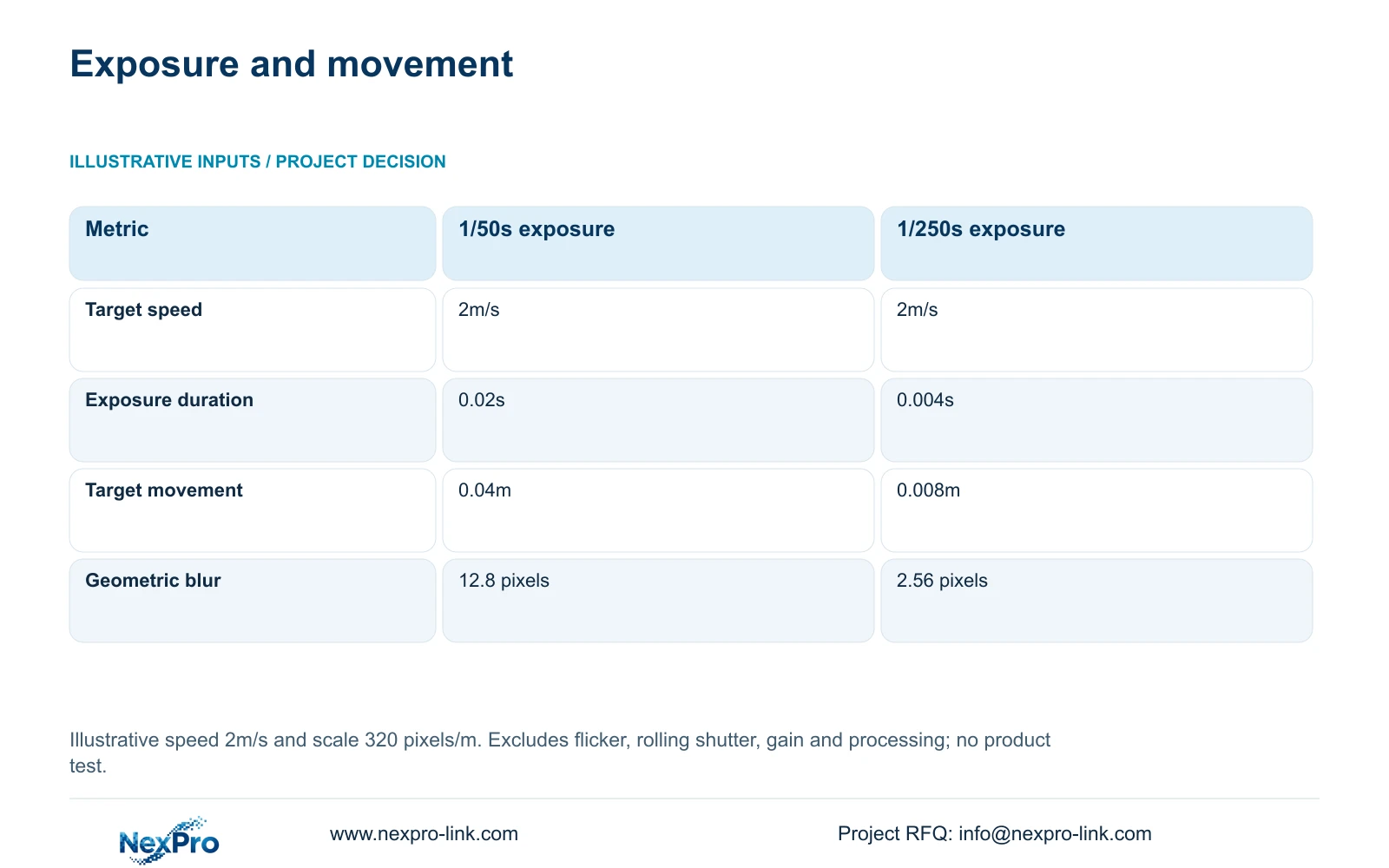
Consider an illustrative target moving at 2m/s with an assumed image scale of 320 pixels/m. Compare exposures of 1/50 second and 1/250 second while keeping speed and scale unchanged. The formulas are movement_m = speed_m_s × exposure_s and estimated_blur_px = movement_m × pixels_per_m. They estimate how far the target moves across the image during one exposure.
At 1/50 second, movement is 2 × 0.02 = 0.04m and the geometric blur estimate is 0.04 × 320 = 12.8 pixels. At 1/250 second, movement is 2 × 0.004 = 0.008m and the estimate is 0.008 × 320 = 2.56 pixels. The decisive difference is exposure duration. Increasing frame rate alone does not produce this reduction.
The shorter exposure also changes the light requirement. Test whether the proposed loading view retains useful detail without excessive gain or processing artefacts under the intended lighting. Assess added illumination for headlight interaction, reflections and the site's operating constraints. This simple calculation does not model rolling shutter, lighting flicker, gain or processing, and neither result is a camera performance guarantee.
| Metric | Option A | Option B |
|---|---|---|
| Target speed | 2m/s | 2m/s |
| Exposure time | 1/50s = 0.02s | 1/250s = 0.004s |
| Movement during exposure | 0.04m | 0.008m |
| Geometric blur estimate | 12.8 pixels | 2.56 pixels |
Section 05
Keep loading detail and recording continuity comparable
Use dedicated views at critical loading boundaries where an overview cannot preserve the agreed detail. Retain wider views where the operator needs movement context. Begin with existing lighting, then price supplementary lighting only for positions that need it. Change the recommendation if occupied sightlines fail, the environment exceeds the selected equipment scope or a required platform interface cannot be demonstrated.
Check the recording consequences after a night trial changes image settings. CASE01 assumes 32 cameras averaging 4Mbps, continuous recording and 30 days. Its formula is video_TB = cameras × average_Mbps × 10^6 × 86400 × days / 8 / 10^12, producing 41.472TB. Four 16TB disks give 64TB raw and an illustrative recording budget of 64 × 0.95 × 0.80 = 48.64TB. Compare 41.472TB directly with that budget; its formatting allowance and reserve are already included.
The NexPro-NVR4449-4K reference lists 320Mbps input and four SATA bays, up to 18TB per drive, while distinguishing 49×5MP from 9×4K summary modes. Verify actual streams and viewing demands separately. Compare supplier offers using the same night tasks, environmental scope, retention and local services. Price differences cannot be attributed to camera brands when one offer omits lighting, protected nodes or maintenance access.
Section 06
Release an exposed-point schedule with clear responsibilities
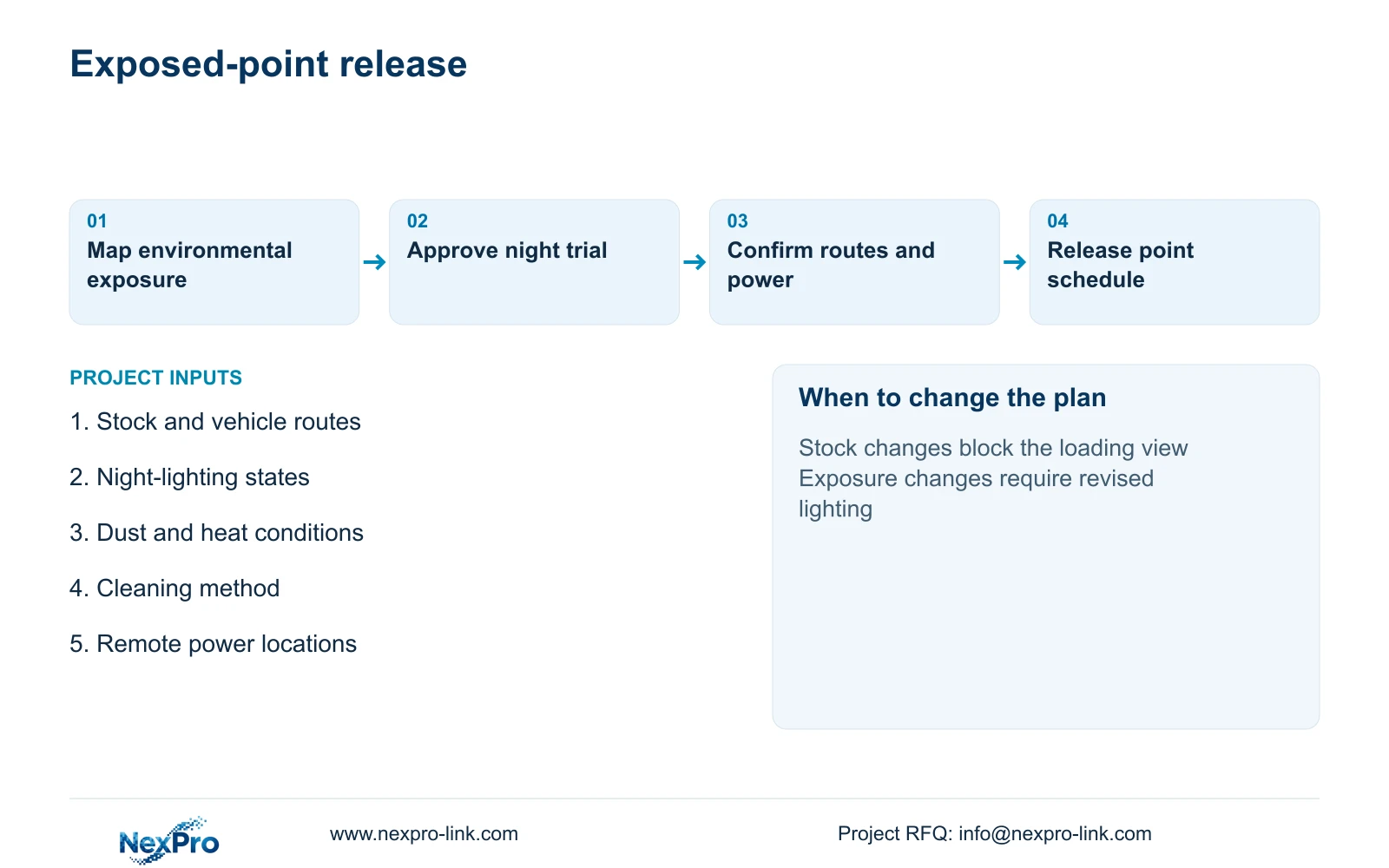
The procurement output should pair each exposed camera point with its observation task, environmental conditions, connection route and protected equipment node. Mark cameras and accessories as supplied, retained or optional. Put supplementary lighting, specialist protection and civil or electrical work on separate lines so their inclusion can be checked without interpreting a general package description.
Define which equipment must remain operational during an outage. A UPS at the recorder cannot protect a separately powered yard switch unless the electrical design actually supplies that switch. Obtain maximum camera demand and complete switch AC input before sizing backup power; do not add camera watts again when they are already included in switch input. Require a configuration-specific runtime assessment rather than treating load energy as demonstrated duration.
NexPro-Link's factory project supply and BOQ support can address model matching, technical documents, related equipment coordination and project packing for the approved ordinary-area scope. The local team retains route verification, installation and final acceptance responsibilities. Release equipment against the agreed night-loading test description, and keep any unresolved exposure or environmental requirement visible in the quotation.
Section 07
Buyer questions
Can human and vehicle classification identify truck plates? Classification does not establish plate identification. If plate evidence is required, specify that task separately and evaluate the lane geometry, lighting, camera capability and recorded output.
Should a night trial use live view or recorded playback? Use recorded playback for acceptance, with live view helping alignment. Review moving loads through the intended recorder and export workflow so compression and recording settings remain part of the decision.
Can existing yard cameras remain in the package? Yes, where their occupied views, environmental suitability and recording interfaces meet the agreed task. List retained units individually and identify any failed task before proposing replacement.
Section 08
Specify your night-loading points
Send your stock and vehicle route drawing, night-lighting conditions, exposed-point dust/heat/cleaning notes, and cable routes with available power nodes to info@nexpro-link.com for a scoped equipment quotation.
Engineering references
These sources support the general planning principles. Always use the selected product's current datasheet and applicable project standards for final design.