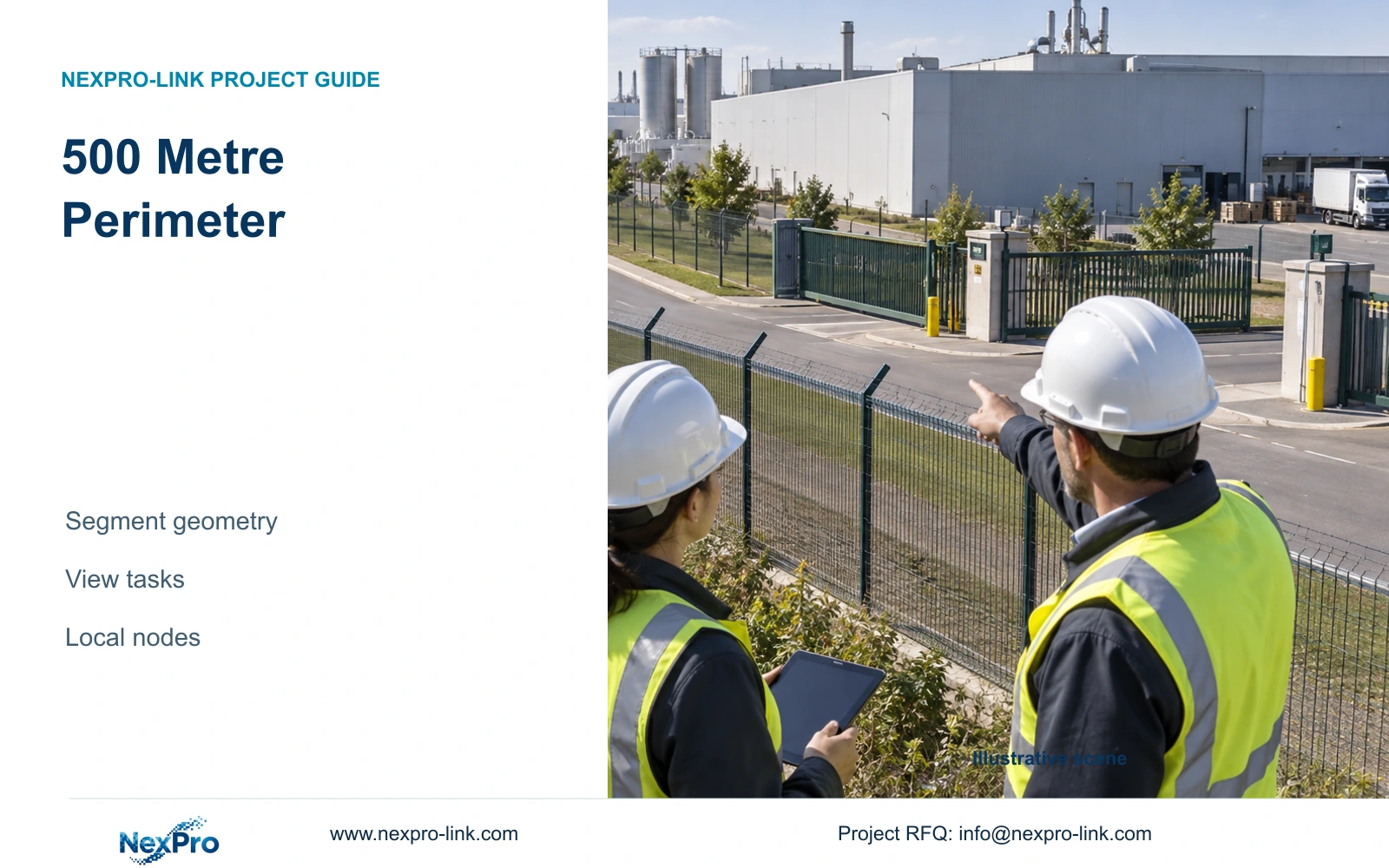
A 500 metre perimeter does not determine camera quantity. Use fence geometry, intrusion verification tasks and target-plane widths to develop a defensible camera schedule.
Section 01
Divide the fence where visibility or the task changes
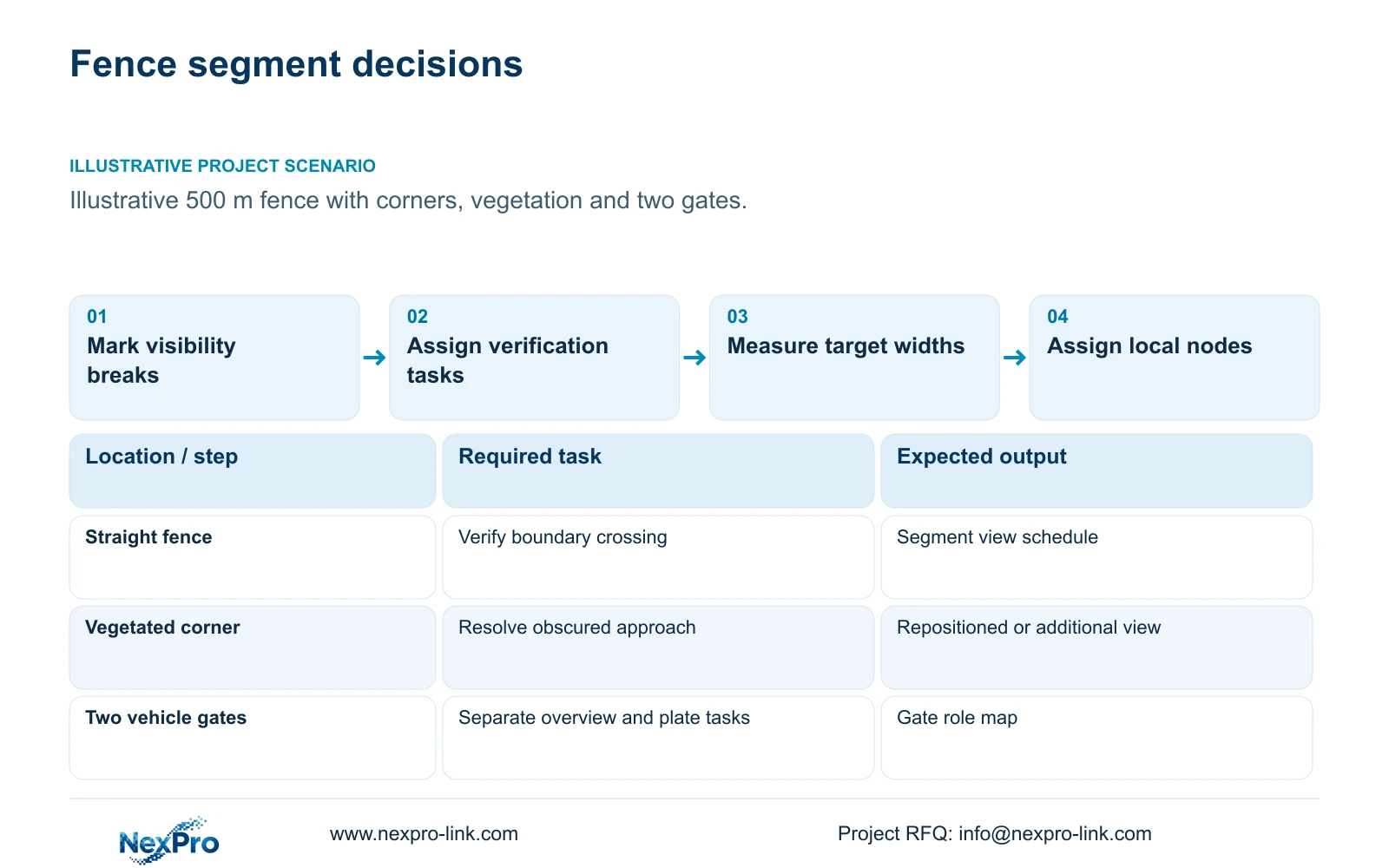
Estimate views for a 500 metre factory perimeter by dividing the route into line-of-sight segments, then assigning an observation task to each segment. A corner, level change, obstruction or gate can end one useful view and start another. Total fence length provides the survey boundary; it cannot establish a reliable cameras-per-metre ratio. Manufacturer illumination distances also do not establish identification across an entire fence section.
Illustrative project scenario: The plant perimeter has straight fence sections, corners, vegetation and two vehicle gates. For planning, assume the project manager can obtain a scaled boundary drawing but has not yet confirmed mounting positions or night lighting. Mark each straight section, gate approach and obstructed corner separately. Record whether vegetation can be maintained or must remain. These are hypothetical survey decisions, not observations from a completed installation.
Give each segment an identifier and record its endpoints, ground profile, available mounting surfaces and maintenance access. Separate intrusion verification from gate overview, plate reading and barrier safety. A gate may need several distinct roles even when a straight fence section needs only one observation role. The resulting task map makes quantity changes traceable to a specific requirement.
Section 02
Describe what the operator must verify
For each fence segment, write the question the recorded image must answer. An operator might need to establish whether someone crossed the boundary, determine the direction of movement or follow an approach toward a building. Those tasks require different framing from reading a vehicle plate at a controlled lane. Specify the relevant crossing area and the movement context that must remain visible before choosing a lens.
Add day and night conditions to the schedule: existing lighting, headlights, shadows, vegetation movement and likely vehicle obstruction. If the owner expects alarms, identify their source and how the operator reaches the associated view. A camera's human or vehicle classification does not establish every alarm workflow. Acceptance should use representative movement and recorded playback, including the weakest visible part of the agreed segment.
Where a corner or planted strip hides the crossing area, first consider a different mounting position or another view. Buying a camera with a longer quoted illumination distance leaves the obstruction unchanged. Show the owner which task remains incomplete so the additional point is approved for a reason.
Section 03
Measure viewing width at the required target plane
The useful width is the scene width where the person or vehicle must be reviewed, rather than the width beside the camera. Ask the engineer to draw the near and far boundaries of each view and identify the most demanding target plane. Use surveyed geometry and the selected lens data to check the field of view. A sketch can support a provisional schedule, but the final image must confirm coverage and usable detail.
The NexPro-BL2812M55-5MP-DIC-AI provides a relevant ordinary-area reference: its 5MP-family specification lists 2880×1620 output and a 2.8–12mm motorized lens. These fields support a geometry discussion; they do not guarantee a particular width at an unspecified distance. Keep that listed output unchanged when calculating horizontal planning density. Confirm mounting suitability, illumination and recorded image quality separately.
Assign each proposed view to a local access group and recorder. CASE08 illustrates four independent 32-camera nodes with local recording and authorised viewing over a shared backbone. That architecture can inform the dependency map, but its 128-camera total is not a perimeter estimate. Camera quantity must still come from this fence's accepted tasks.
Section 04
Compare wider context with narrower detail
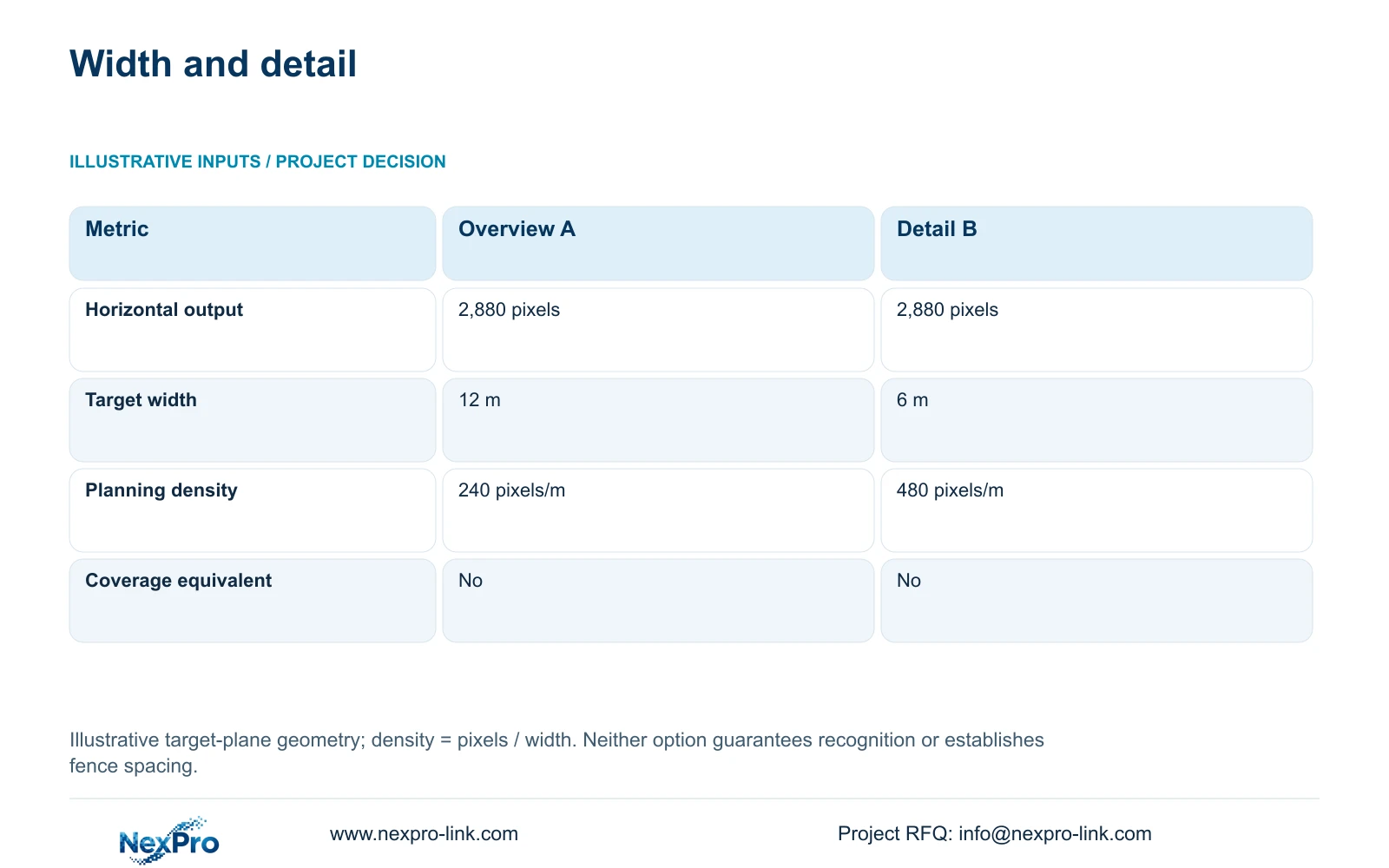
For an illustrative comparison, retain 2,880 horizontal output pixels and compare target-plane widths of 12 m and 6 m. The formula is planning_pixels_per_metre = horizontal_output_pixels / target_width_m. Option A gives 2880 / 12 = 240 pixels per metre. Option B gives 2880 / 6 = 480 pixels per metre. These widths are assumed geometry, not guaranteed fields of view for the referenced lens.
The decisive difference is that the narrower view doubles horizontal planning density while removing half the horizontal coverage. It therefore cannot be substituted across the same fence segment without reviewing the uncovered portion. If movement context across 12 m remains necessary, retain a suitably positioned overview and use the narrower view only where the detail task justifies it.
Planning density is not an acceptance threshold. Motion, exposure, compression, lens performance, lighting and obscuration still affect the recorded result. Nor does a 6 m target-plane width mean the camera covers exactly 6 m of fence length: an oblique view changes that relationship. Do not divide 500 m by either example width to derive a purchase quantity.
| Metric | Option A: overview | Option B: detail |
|---|---|---|
| Horizontal output | 2,880 pixels | 2,880 pixels |
| Target-plane width | 12 m | 6 m |
| Planning density | 240 pixels/m | 480 pixels/m |
| Coverage equivalent | No | No |
Section 05
Approve views together with their local dependencies
Use task-specific framing as the preferred basis, with additional views at proven obstructions and critical gates. Reconsider the arrangement when vegetation grows, stacks move, lane geometry changes or the owner adds an identification requirement. The quantity surveyor should separate camera changes from new mounting, cabling, lighting and network work. An extra camera on an existing suitable node differs commercially from a new remote cabinet.
CASE08 demonstrates why local capacity matters. Each illustrative 32-camera node carries 128 Mbps at an assumed average 4 Mbps per camera. Its 30-day video requirement is 41.472 TB, compared with a 48.64 TB recording budget from 64 TB raw × 0.95 × 0.80. That budget already includes formatting allowance and reserve. A perimeter addition requires recalculation at the affected node, rather than borrowing unused space elsewhere.
Protect the actual camera power path, switch, recorder and necessary backbone equipment. A guard-room UPS cannot cover independently powered remote equipment through fibre. Measure local copper routes separately from inter-building fibre and price access for maintenance. Keep operator displays as a client branch; a display wall is unnecessary unless simultaneous viewing tasks justify it.
Section 06
Turn the task map into comparable supply scope
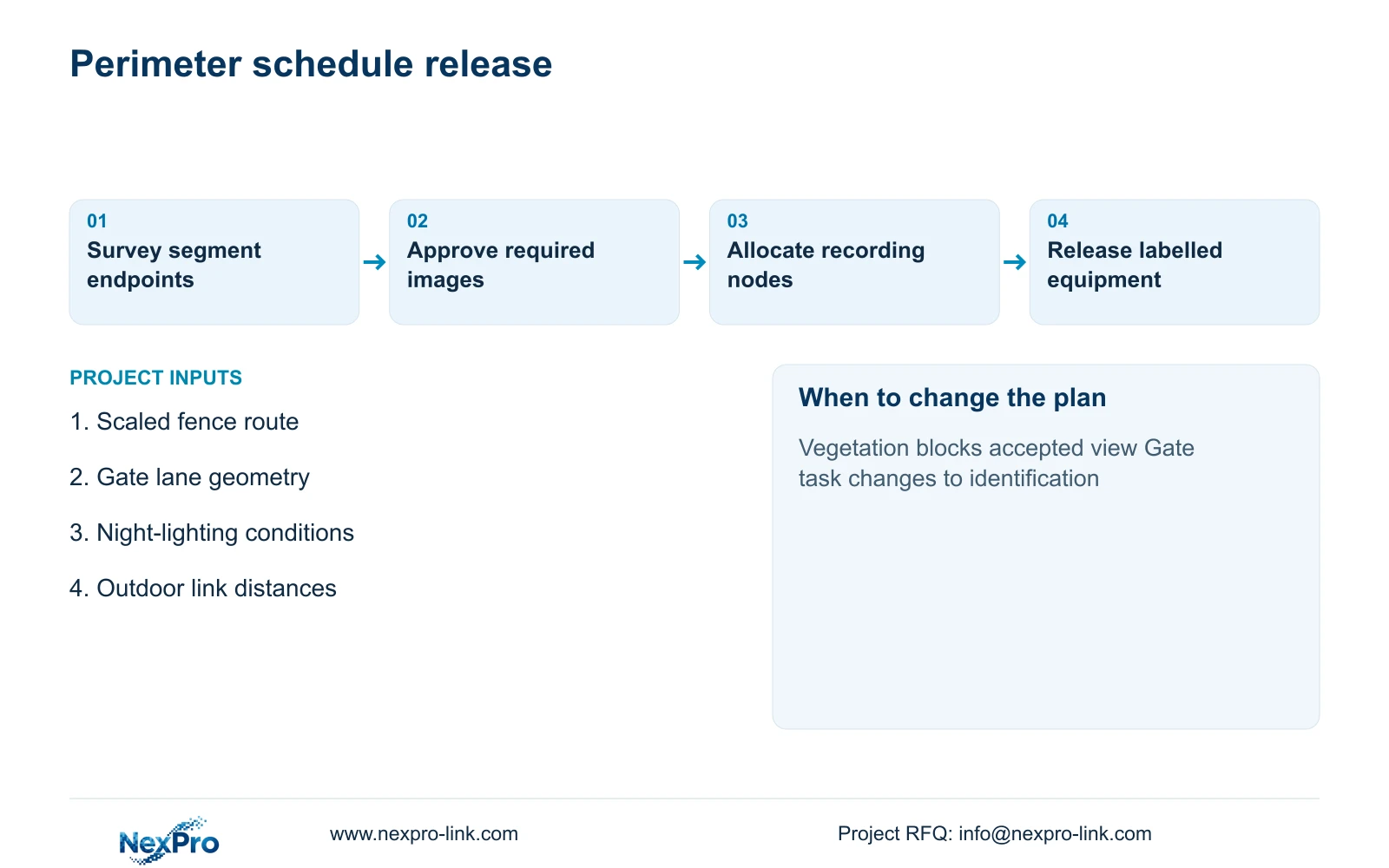
Issue a schedule showing each segment identifier, required view, mounting location, target width, recorder assignment and power source. Mark equipment as new, retained or optional, and identify who supplies local electrical work and outdoor supports. For the two gates, keep overview cameras, any dedicated plate-reading equipment and barrier safety equipment on separate lines with explicit interface responsibilities.
NexPro-Link can discuss ordinary-area model matching, a coordinated equipment list and technical submittals using its factory project and BOQ support scope. Project labels and packing can follow the approved segment identifiers, helping the installer place each unit against the correct drawing revision. Local installation and final acceptance remain assigned within the project team.
Compare competing offers against the same task map, recording period and complete installation boundary. Require suppliers to identify uncovered areas and assumptions instead of presenting camera quantity as proof of coverage. Approve the view schedule before fixing the final order, and keep provisional positions visible until the survey and recorded-image checks resolve them.
Section 07
Buyer questions
Can the initial budget include a provisional camera quantity? Yes. Tie it to labelled provisional segments and list unresolved corners, vegetation and gate tasks. Carry associated mounting and node allowances separately so the budget can change without disguising the reason.
Should every fence camera use the same lens setting? Only where the target geometry and task are genuinely comparable. Repeat hardware may simplify supply, while individual lens settings still need to follow each accepted view.
What should be checked when one supplier proposes fewer cameras? Compare the required target areas, recorded detail and obstruction handling. Ask whether the smaller quantity removes a task, relies on vegetation clearance or substitutes patrol coverage for continuous evidence.
Section 08
Request a perimeter view schedule
Send your scaled fence route, two-gate lane geometry, night-lighting conditions and proposed outdoor link distances to info@nexpro-link.com to discuss a task-based camera schedule and distributed-node package.
Engineering references
These sources support the general planning principles. Always use the selected product's current datasheet and applicable project standards for final design.