A coordinated 32-camera CNC factory package starts with approved security tasks. This worked reference connects recording, storage, PoE, backup power and continuous cable runs without making a video wall mandatory.
Section 01
Approve the security views before selecting equipment
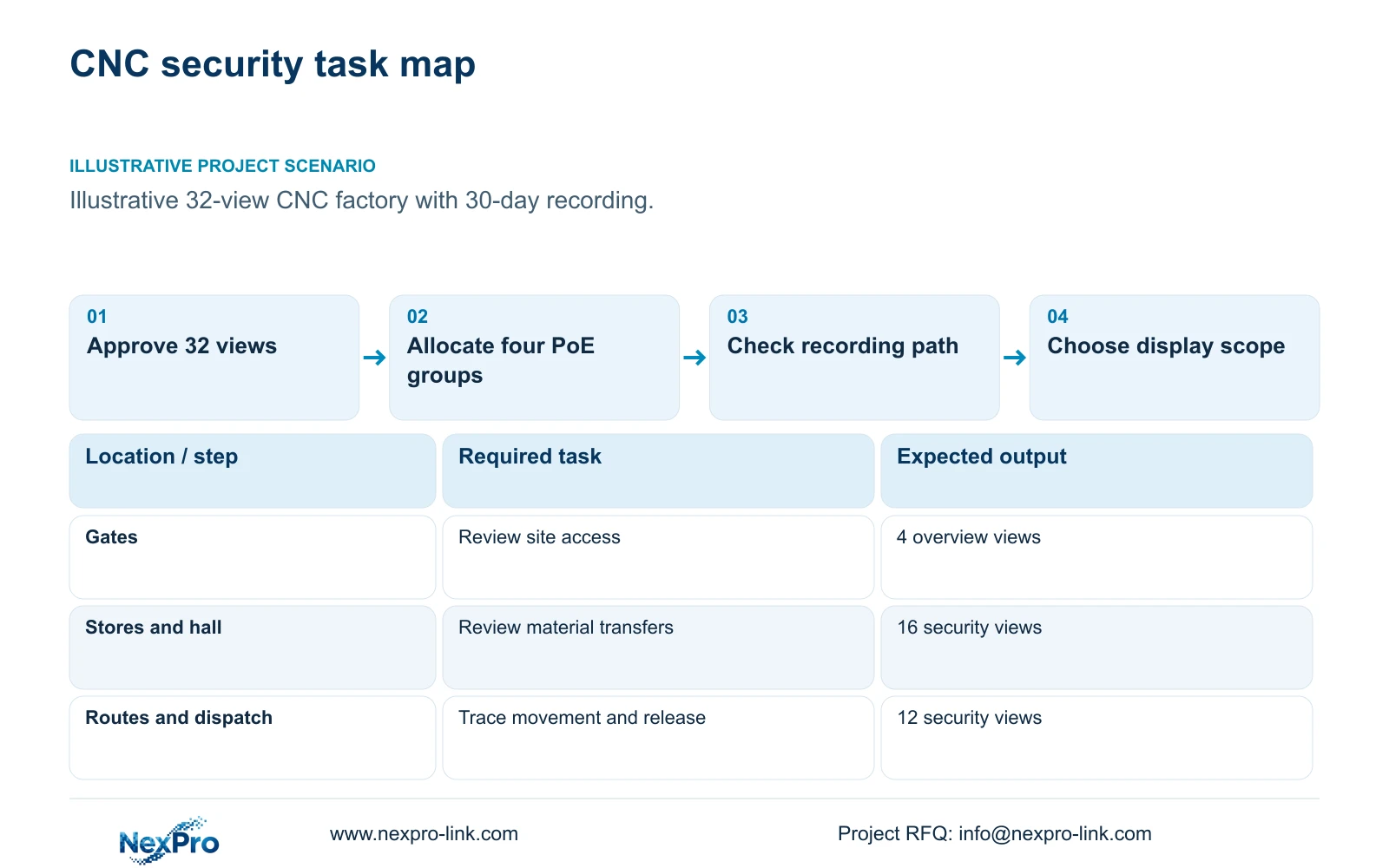
For a 32-camera CNC factory, choose a recording-first ordinary-area package and check storage, camera power and cable routes independently. A retrieval screen belongs in the baseline; a display wall should follow an identified simultaneous-viewing requirement. Build the point schedule from access and material-transfer events, with an owner-approved purpose for every view.
Illustrative project scenario: A new CNC factory needs 32 approved security views at gates, stores, shared routes and dispatch, with 30-day continuous recording. The planning allocation is four gate overviews, six material/tool-store views, ten permitted machine-hall transfer views, four internal common-route views, six dispatch views and two equipment-room approaches. All connect to one recording node.
Give each point an identifier, target area, required detail and retrieval purpose. Confirm sightlines when machines, pallets and storage are in their expected positions. This schedule contains no specialist locations and supports security review, not machine inspection or guarding. NexPro-BL2812M55-5MP-DIC-AI and NexPro-DM2812M55-5MP-DIC-AI are ordinary-area candidates with listed 2880×1620 output and 2.8-12 mm motorized lenses; their final views still require site acceptance.
Section 02
Check the recording mode and usable disk budget separately
Assume 4 Mbps average per camera, continuous recording and 30 days. Recording input is 32 × 4 = 128 Mbps. Using decimal terabytes, video_TB = cameras × average_Mbps × 10^6 × 86400 × days / 8 / 10^12 = 41.472 TB. These are illustrative stream inputs, not a fixed bitrate promised by the camera specification.
Four 16 TB drives provide 64 TB raw. With the stated 95% formatted-capacity planning factor, usable capacity is 60.8 TB. Recording_budget = raw_TB × 0.95 × 0.80 = 48.64 TB, already allowing 20% free space. Compare 41.472 TB directly with 48.64 TB. Alternatively, required usable capacity is 41.472 / 0.80 = 51.84 TB, below 60.8 TB.
NexPro-NVR4449-4K is a candidate with 320 Mbps input and four SATA bays supporting up to 18 TB per drive. Its summary distinguishes 49×5MP from 9×4K modes. Confirm the selected stream, firmware, drive compatibility and concurrent playback workload. Four bays establish a capacity arrangement here, not RAID or automatic recovery after disk failure.
Section 03
Specify four powered access groups and their traffic paths
Assign N1-SW1 through N1-SW4 eight cameras each. The illustrative ordinary-camera demand is 12 W at the powered device, giving 96 W per group. With 90% cable delivery, required PSE output = 96 / 0.90 = 106.6667 W. At an 80% budget-utilization target, specify at least 106.6667 / 0.80 = 133.3333 W of group PoE budget.
Include switch consumption when calculating AC demand: switch_AC_W = (PSE_output_W + 15) / 0.90 = 135.1852 W per group. The 15 W switch overhead and conversion factors are assumptions. Obtain camera maximum consumption with enabled lighting and startup conditions, then verify each port's power requirements and the switch's published total budget before approval. This is an illustrative aggregate-draw estimate, not a sufficient switch order specification. Where switches reserve power by negotiated PoE class, check each group's total allocation separately against that switch's budget; allocated power may exceed the draw used here.
Draw camera-to-switch-to-recorder paths independently of client viewing. The 128 Mbps aggregate recording input does not describe every interface's traffic. Add actual retrieval, export and management flows where they traverse an uplink. Keep CCTV separate from production-control access, documenting permitted connections and support ownership rather than relying on a VLAN label alone.
Section 04
Choose the display scope before requesting backup runtime
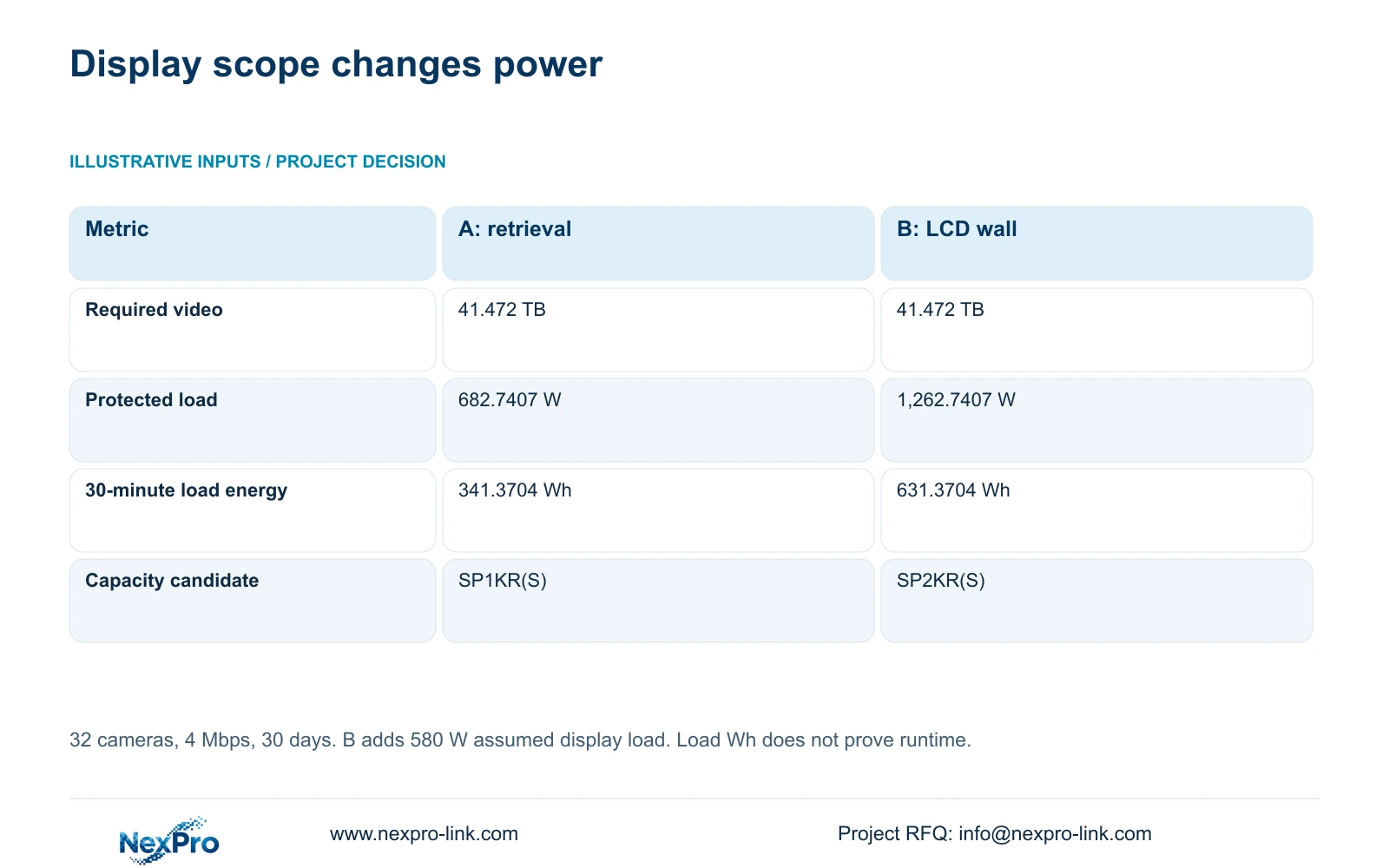
Option A includes four complete switch AC inputs, an assumed 30 W recorder, four drives at 8 W each, a 25 W core, a 15 W router and a 40 W retrieval display. Protected demand totals 682.7407 W. Camera power is already inside switch AC consumption and must not be added again.
Option B retains that equipment and adds four LCD panels at an assumed 120 W each plus 100 W decoding equipment. The decisive difference is an additional 580 W without changing retention. NX-VP-5535 is a 55-inch LCD reference, not direct-view LED; the assumed draw is not its published measured consumption. Validate decoder concurrency separately.
For both options, rated_W ≥ load_W / 0.80 and rated_VA ≥ load_W / (0.90 × 0.80), using assumed PF 0.9. SP1KR(S), rated 1 kVA/900 W, is A's capacity candidate; SP2KR(S), rated 2 kVA/1800 W, is B's. Load_Wh = load_W × 30 / 60 gives the table's energy request. Exact battery configuration and manufacturer curves must establish actual runtime.
| Decision metric | A: retrieval display | B: add LCD wall |
|---|---|---|
| Recording input | 128 Mbps | 128 Mbps |
| Required video | 41.472 TB | 41.472 TB |
| Protected demand | 682.7407 W | 1,262.7407 W |
| 30-minute load energy | 341.3704 Wh | 631.3704 Wh |
| UPS capacity candidate | SP1KR(S) | SP2KR(S) |
Section 05
Buy continuous cable runs from an allocated cutting plan
The reference repeats base routes of 35, 40, 45, 50, 55, 60, 65 and 70 m across four groups. Adding a declared 6 m service/termination allowance produces continuous runs of 41 to 76 m and 1,872 m total. Permanent-link lengths and patch cords remain separate; the allowance is a project assumption.
The reel lower bound is ceil(1,872 / 305) = 7. The supplied feasible seven-reel allocation uses 304, 284, 305, 300, 270, 286 and 123 m respectively. For example, four 76 m runs fit a 304 m allocation, while four 66 m runs plus one 41 m run fill 305 m. Preserve camera IDs on the cutting schedule.
Remaining pieces are cutting residue, not automatically useful replacement runs or approved spare stock. Quote any reserve separately. If actual routing exceeds the planned copper-link boundary or crosses buildings, reconsider the node position or fibre connection. Include containment, outdoor cable construction, building entries, patch cords and the correct link-test method in the installation scope.
Section 06
Release a baseline BOM with the wall priced separately
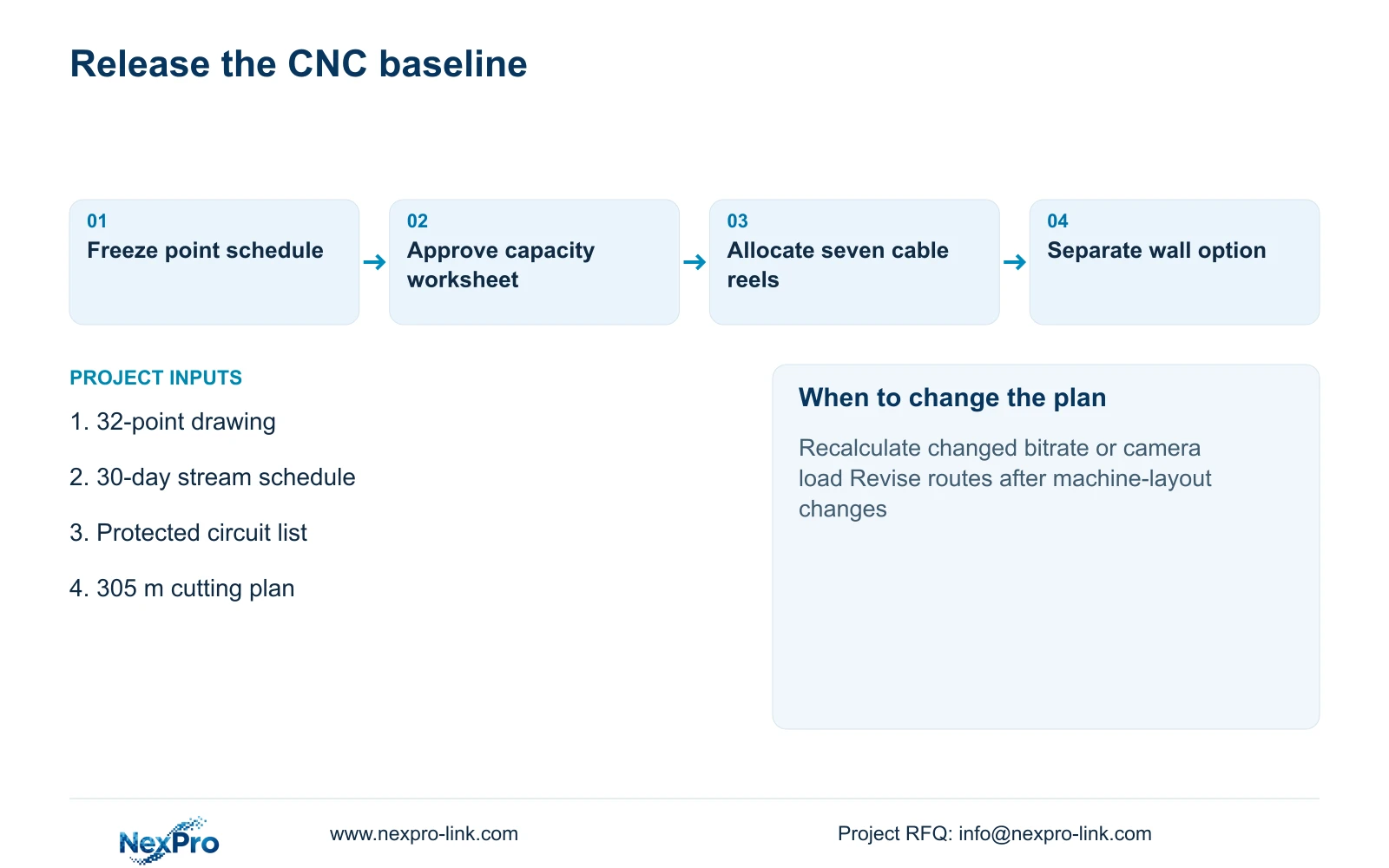
The baseline contains 32 ordinary cameras, one recorder, four compatible 16 TB drives, four qualified access switches, one UPS with its selected battery configuration, one retrieval display and seven 305 m cable reels. The module-ended permanent-link assumption requires 64 termination modules and 32 cabinet-side ports. SP5648 is a 48-port patch-panel reference, not a cable SKU.
Keep mounts, cabinet, PDU, patch cords and installation quantities tied to the drawing. Release the optional wall as a separate package with four panels, decoder, mounting, signal connections and cooling implications. Select A unless operators can explain which simultaneous views make B useful. Longer retention, higher camera demand or additional electrical nodes require affected calculations to change.
NexPro-Link's factory-project and BOQ support scopes provide an equipment-selection and documentation route. Compare another supplier against identical approved views, retention, backup objectives and installation boundaries. Separate equipment preparation and project packing from local construction and commissioning so an apparently lower quotation does not conceal missing work.
Section 07
Buyer questions
Can equipment be ordered before machine positions are final? A provisional package can be quoted, but keep view widths, mounting locations and cable routes open. Release location-dependent accessories and cable quantities only against an approved revision.
Does unused recorder channel capacity guarantee expansion? No. Extra cameras also consume input bandwidth, disk capacity, switch ports, PoE budget and UPS capacity. Check those limits together before treating spare channels as available system capacity.
What should the acceptance demonstration include? Use an agreed transfer event to demonstrate recorded detail, time-based retrieval and export. Also verify the protected power path and recording recovery under an approved test procedure.
Section 08
Request a coordinated CNC factory equipment scope
Send your marked 32-point drawing, stream and retention schedule, protected-load/runtime objective, and delivery/installation boundary to info@nexpro-link.com for a coordinated equipment quotation.
Engineering references
These sources support the general planning principles. Always use the selected product's current datasheet and applicable project standards for final design.
- User BL2812M series product specification
- User DM2812M series product specification
- NexPro-NVR4449-4K
- NexPro-Link rack online UPS
- NexPro-Link Structured Cabling
- NexPro-Link Factory & Warehouse project supply
- NexPro-Link BOQ & Tender Support
- NexPro-Link NX-VP-5535 LCD video wall panel
- NexPro-Link NX-VD-4K16 network video decoder
- Microchip: Next-Generation PoE IEEE 802.3bt White Paper