

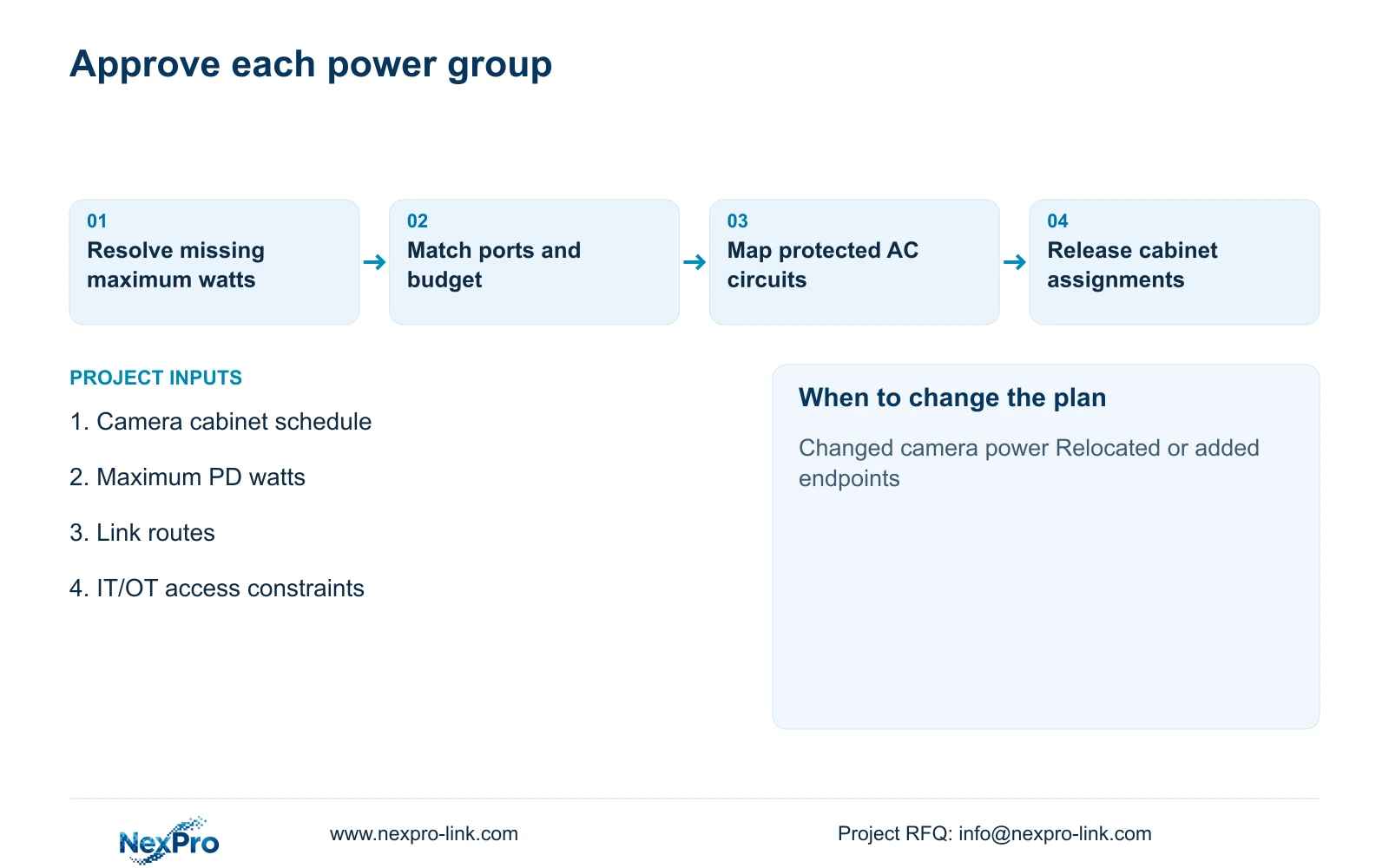
When cameras move between cabinets, transfer their actual peak-demand lines in the power schedule before ordering switches. Recheck the receiving port and chassis budget, then revise the affected protected AC load.
Section 01
Calculate the demand assigned to each cabinet
When cameras move between cabinets, transfer their actual peak-demand lines in the power schedule before ordering switches. Recheck the receiving port and chassis budget, then revise the affected protected AC load. Leave unused capacity at the original cabinet where it physically remains; site-wide spare watts cannot authorize the new allocation.
Calculate a factory PoE budget separately for every supplying switch, then check each camera port. For the supplied eight-camera group, the illustrative requirement is 106.6667 W of PSE output and at least 133.3333 W of total PSE budget under an 80% utilisation target. A 150 W candidate meets that target; a 120 W candidate does not. Spare capacity in another cabinet cannot supply these cameras unless the physical power arrangement changes.
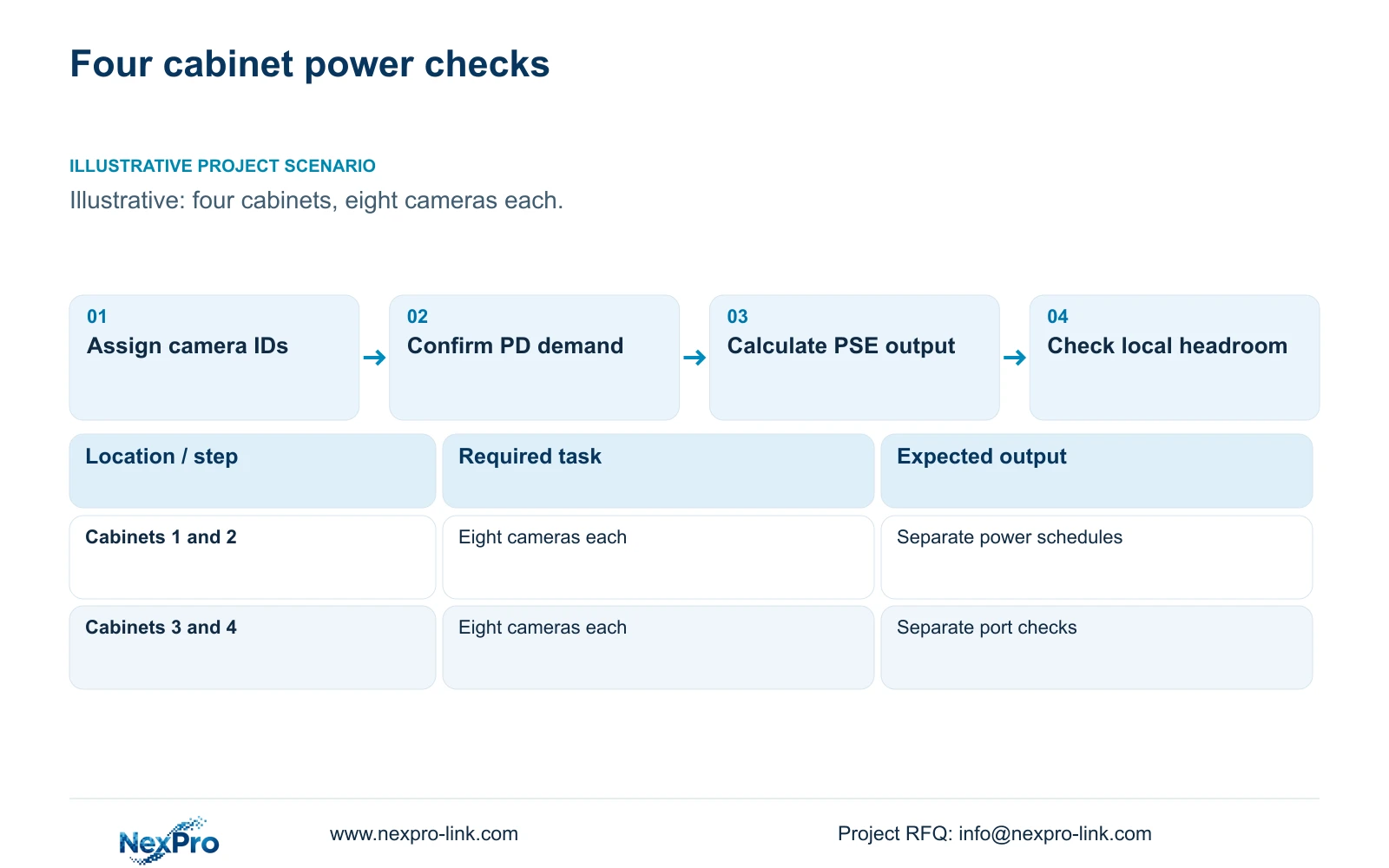
Illustrative project scenario: Four access cabinets each supply eight cameras across a factory. The observation tasks follow the supplied 32-camera CNC reference: site access, stores, permitted material transfers, common routes, dispatch and equipment-room approaches. The four-cabinet arrangement is a planning variation on that reference, whose original four switch groups share one electrical node. It does not establish four independently protected mains supplies.
Give every camera a location ID, cabinet assignment and maximum device-side power field. Use 12 W per camera only as the stated teaching assumption. The BL2812M series specification identifies PoE cameras but supplies no maximum wattage, so the actual demand remains an input to obtain before approving a switch.
Section 02
Separate camera demand, delivered power and AC input
The camera is the powered device, or PD. The switch supplies power at the PSE reference point. In this example, the assumed 90% cable delivery factor means the PSE must supply more than the camera group consumes. Calculate PD_W = 8 × 12 = 96 W, then PSE_W = 96 / 0.90 = 106.6667 W. This factor is an illustrative allowance, not a measured loss for every installed cable.
Port suitability remains a separate check. Record the actual camera power interface, supported PoE requirements and enabled operating functions alongside the switch port specification. A sufficient chassis budget cannot correct an unsuitable individual port. Include the installed cable and termination arrangement when reviewing delivery conditions. If the switch reserves power by negotiated class, use its documented per-port allocation for the chassis check rather than this delivery estimate; the allocated total can exceed measured endpoint draw.
For the upstream AC load, use switch_AC_W = (106.6667 + 15) / 0.90 = 135.1852 W. The 15 W switch-electronics demand and 90% conversion efficiency are assumptions. This AC figure already includes the supplied camera power; adding another 96 W to the UPS worksheet would count the cameras twice.
Section 03
Reserve headroom where the additional cameras would connect
Apply the 80% target to each switch: required_budget_W = 106.6667 / 0.80 = 133.3333 W. This is a project planning criterion, not a quoted product rating or universal installation rule. Carry it into the switch schedule so procurement can distinguish minimum calculated capacity from the offered manufacturer's total budget.
Name the intended use of any spare ports. An empty port may be reserved for a future dispatch view, but its power allowance must be checked against the cabinet where that camera would terminate. Do not divide a site-wide reserve evenly if future additions are concentrated around one loading area.
The engineer should issue a schedule showing cabinet, switch, assigned camera IDs, assumed or confirmed PD demand, required PSE output and offered budget. The local installer confirms routes and cabinet conditions; the supplier provides model-specific limits. The owner approves which expansion allowance is worth purchasing rather than accepting an unexplained larger switch everywhere.
Section 04
Choose between the two budget candidates
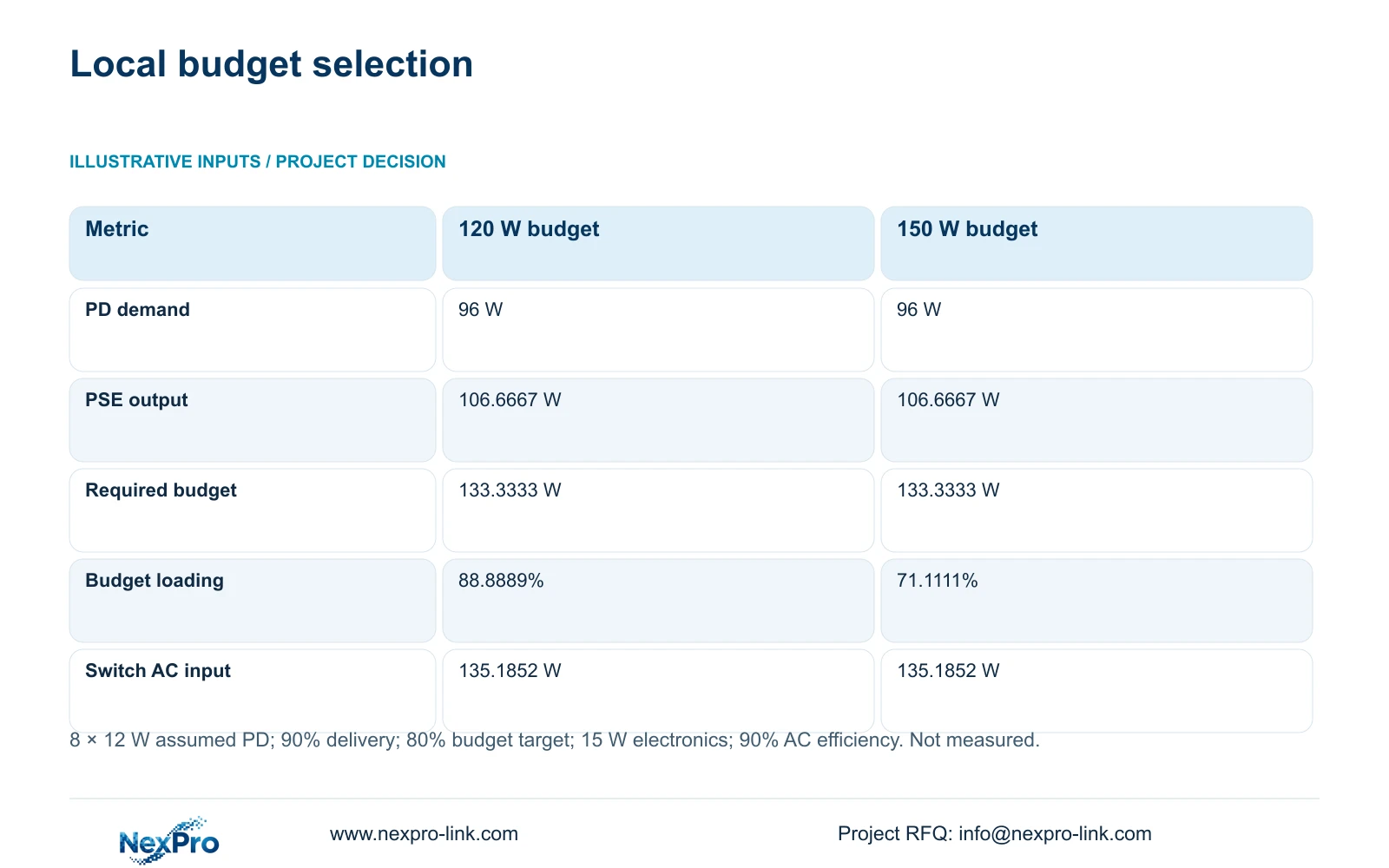
Both candidates below supply the same assumed camera group. Budget loading equals required PSE output divided by candidate total PSE budget, multiplied by 100. The calculation gives 88.8889% for 120 W and 71.1111% for 150 W. The decisive difference is compliance with the selected headroom target, not a change in camera consumption.
A 120 W budget exceeds the estimated 106.6667 W output requirement, so it may supply the nominal group if every port and delivery condition is suitable. It still misses the agreed 80% criterion. A 150 W budget passes that criterion without establishing additional runtime, better image quality or support for any unspecified high-power device.
The identical 135.1852 W AC entries reflect identical teaching assumptions for electronics and conversion efficiency. Actual candidate switches may differ. Replace those assumptions with their supported input data when comparing UPS demand and cabinet heat.
| Metric | 120 W candidate | 150 W candidate |
|---|---|---|
| Device-side demand | 96 W | 96 W |
| Required PSE output | 106.6667 W | 106.6667 W |
| Required budget at 80% | 133.3333 W | 133.3333 W |
| Budget loading | 88.8889% | 71.1111% |
| Meets planning target | No | Yes |
| Assumed switch AC input | 135.1852 W | 135.1852 W |
Section 05
Keep the power schedule aligned with recording paths
Recommend the 150 W budget basis for each unchanged eight-camera group, subject to verified port support and actual camera demand. Recalculate only the affected group when a camera moves, its operating functions change or a new endpoint is added. A higher-power replacement can alter switch selection even when the camera count remains eight.
Keep the network worksheet separate. At the CASE01 assumption of 4 Mbps per camera, each eight-camera group contributes 32 Mbps of recording payload and all 32 cameras contribute 128 Mbps at the central recorder. Add viewing and export traffic only where it traverses an interface. These bandwidth figures do not determine PoE power.
Create a permitted traffic matrix for recording, operator viewing and administration. Factory IT should approve the access boundary and keep camera connections separate from production-control access. NIST SP 800-82 Rev.3 provides the supplied OT-security context. VLAN membership alone does not document routing permissions or responsibility for support changes.
Section 06
Make the switch offer traceable to the cabinet schedule
Ask each bidder to return its exact switch model against the same cabinet schedule, with total PSE budget, individual-port support, input supply and relevant operating conditions. Separate retained infrastructure from new equipment and identify who supplies uplink modules, patching and cabinet power. Unknown accessory costs should remain visible rather than disappear inside a camera price.
NexPro-Link's BOQ and Tender Support scope covers model matching, technical submittals and quotation coordination. For this topic, the useful deliverable is a switch-by-switch compliance sheet linked to camera assignments. Project labels and cabinet-group packing can preserve those assignments through delivery without implying that every related network product is manufactured in-house.
Before release, verify the eight-camera group under the intended enabled functions, check the installed links and record the observed power conditions. Resolve any difference from the 12 W assumption in the calculation revision. Factory preparation can establish equipment identity and configuration; final route verification and electrical installation remain site responsibilities.
Section 07
Buyer questions
Can we use a larger switch in only one cabinet? Yes, if that cabinet has a different assigned load or expansion requirement. Keep separate calculations and offered ratings for every group rather than requiring identical switches without a technical reason.
Does a spare PoE port guarantee expansion capacity? No. Check its supported power interface and the remaining total budget after existing loads. Also confirm uplink, cabinet and protected AC capacity for the proposed addition.
How should an alternative brand offer be compared? Use the same camera assignments, confirmed maximum demand, headroom criterion and installation boundary. Compare exact switch and accessory scope before drawing a price conclusion.
Section 08
Request a cabinet-level PoE schedule
Send your camera-to-cabinet assignments, maximum PD power data, routed link plan and IT/OT access constraints to info@nexpro-link.com for a matched switch and power schedule.
Engineering references
These sources support the general planning principles. Always use the selected product's current datasheet and applicable project standards for final design.


