

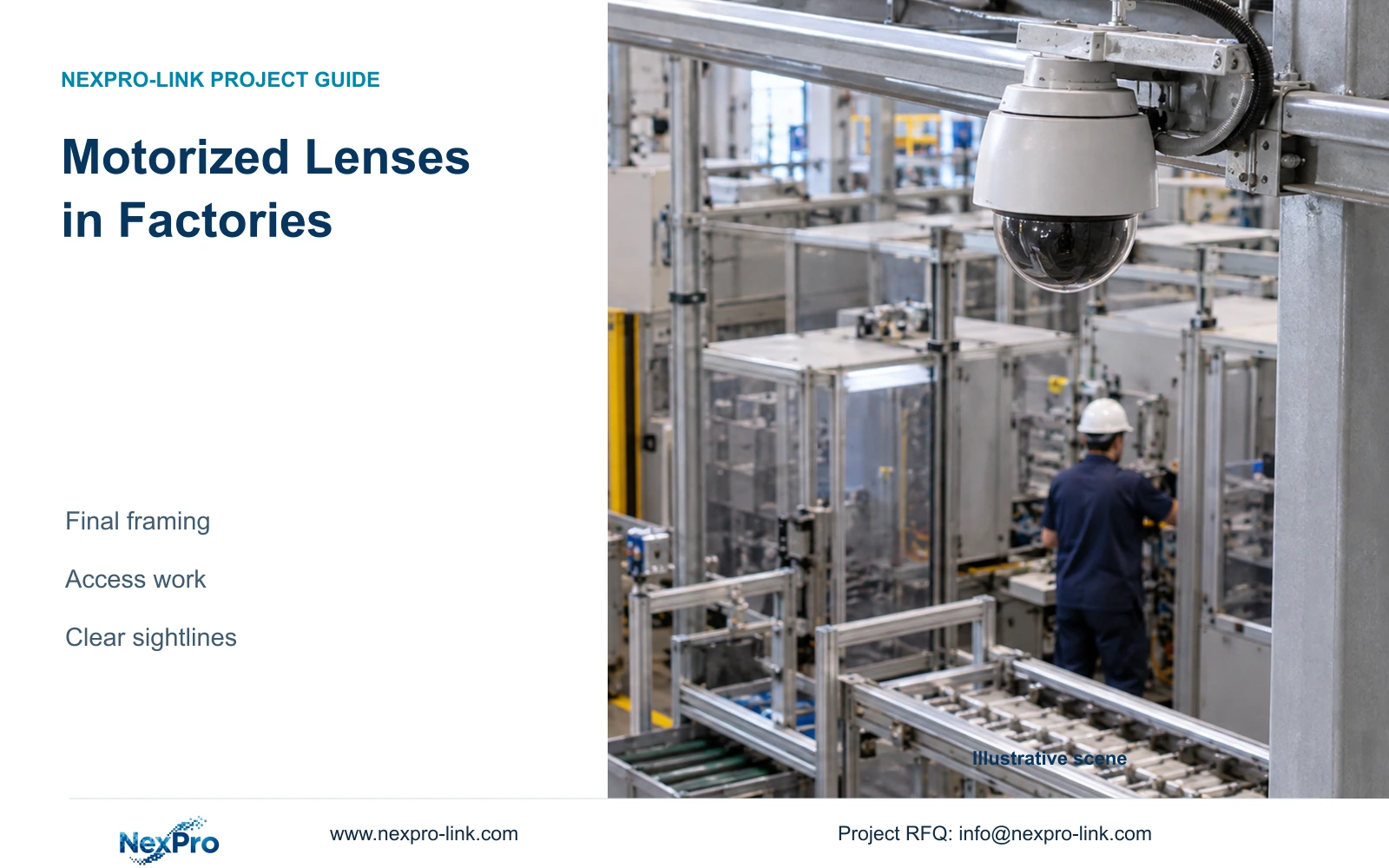
Record the accepted target width and the unobstructed adjustment envelope for each motorized-lens position. After a machine move, compare the new task with that envelope before changing settings.
Section 01
Reserve lens adjustment for uncertain framing
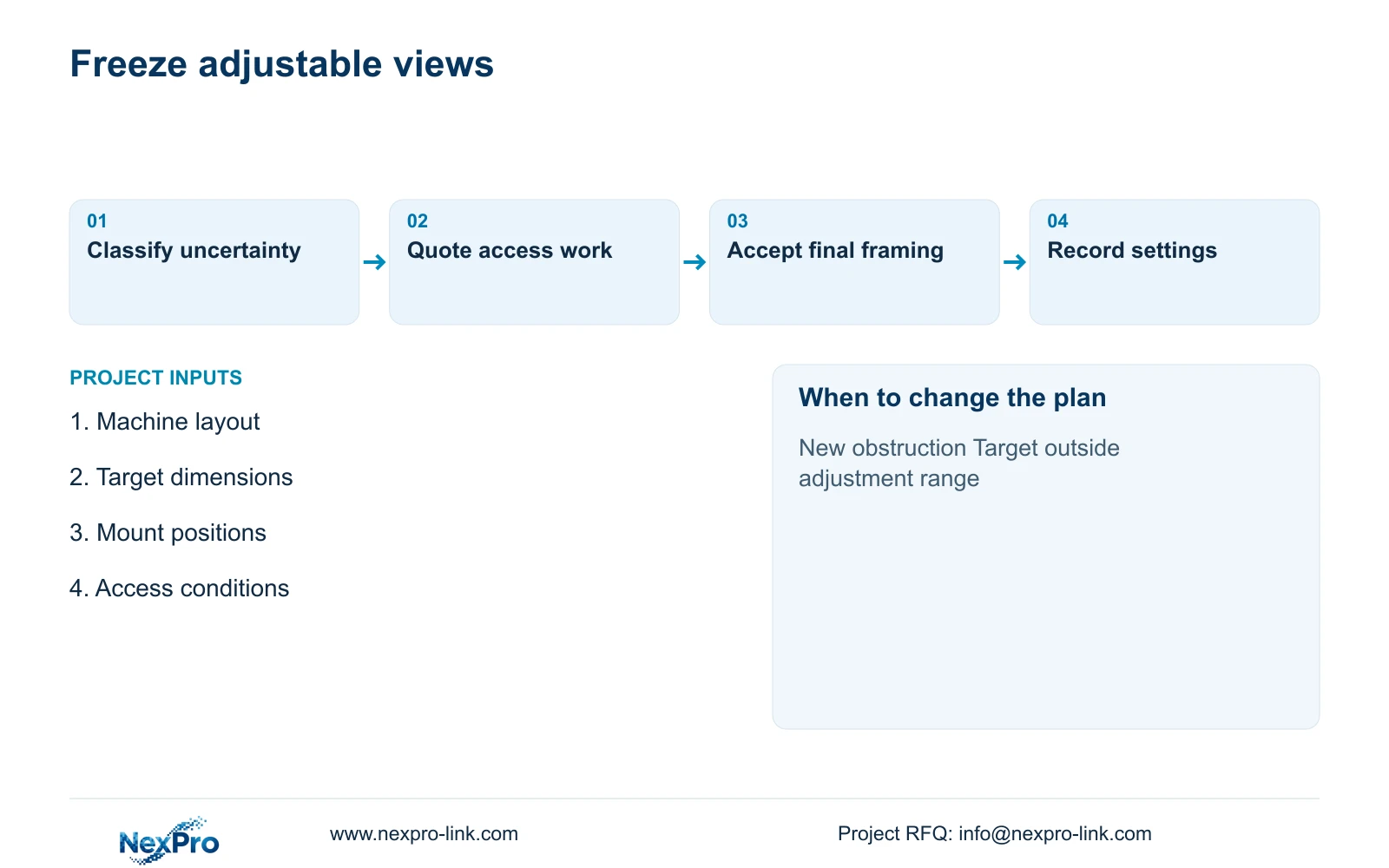
Record the accepted target width and the unobstructed adjustment envelope for each motorized-lens position. After a machine move, compare the new task with that envelope before changing settings. If the direction or obstruction falls outside it, request physical redesign rather than treating focal-length adjustment as an unlimited layout-change allowance.
Use 2.8-12 mm motorized cameras where the final view width remains uncertain and adjustment from the installed position could preserve the required task. Specify the target area and permitted framing range before selecting the lens. Motorized adjustment cannot see through a machine enclosure, move the mounting point or provide pan-and-tilt movement.
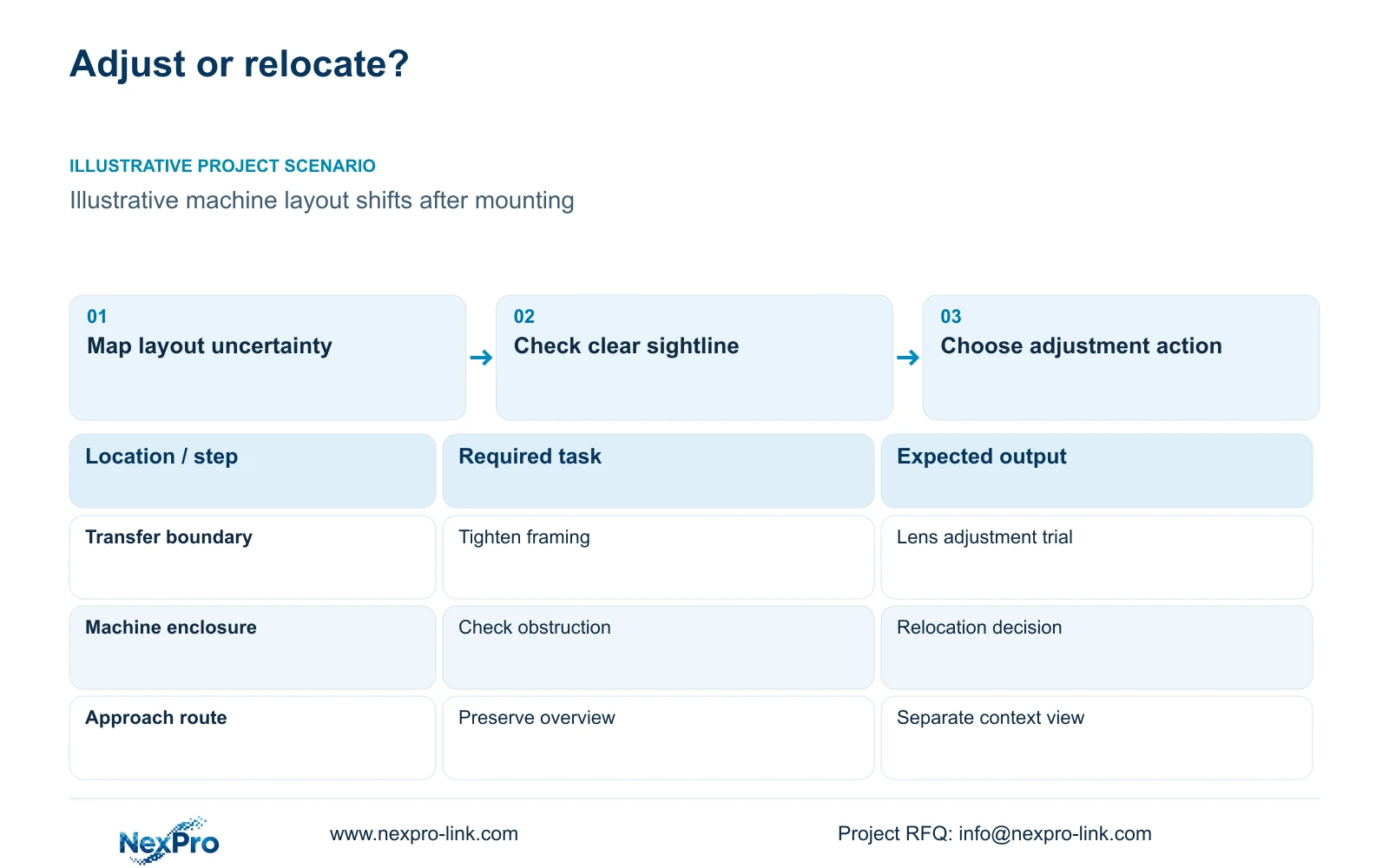
Illustrative project scenario: A factory's machine layout may shift slightly after overhead cameras are installed. Within the supplied 32-camera CNC reference, assume one permitted material-transfer boundary may move inside an otherwise clear sightline. The engineer must decide whether lens adjustment can absorb that change or whether the contractor should defer the mount. No actual layout change or installation result is claimed.
Separate uncertainties on the drawing. A changing boundary width may suit lens adjustment; a changing viewing direction may require physical re-aiming; a future obstruction may require relocation. This distinction lets procurement buy adjustment where it has a defined purpose instead of applying the same lens to every point.
Section 02
Distinguish zoom, focus and physical re-aiming
Zoom changes framing, while focus establishes sharpness at the selected view. Physical re-aiming changes where the camera looks. Keep these actions separate in the commissioning plan. A motorized lens may reduce some adjustment visits, but the exact control path and focusing behaviour still need confirmation for the selected model and firmware.
The supplied NexPro-BL2812M55-5MP-DIC-AI specification lists a 2.8-12 mm motorized lens and a 2880×1620 main-output field. The supplied DM2812M55 Dome family also lists that lens range and output. Neither reference establishes PTZ movement. Use the models as fixed-position candidates whose final views require qualification.
When a machine moves, compare the revised sightline with the accepted image. If the target remains visible but occupies too little of the frame, lens adjustment is a reasonable trial. If the object disappears behind equipment, stop adjusting and review the mount. Increasing focal length cannot recover an obscured event.
Section 03
Compare the complete cost of an adjustment visit
Ask the installer to describe what a visit involves at each uncertain point. Include access equipment, production permission, safe working arrangements, re-aiming, focus checks and recorded-image acceptance. A camera above an active transfer route has a different adjustment scope from one beside an accessible service platform.
Compare a fixed-lens candidate with a motorized candidate using actual quotations for those activities. Do not assume every visit disappears: cleaning, connector work and bracket movement may still require access. Keep hardware price and avoidable adjustment work separate so the cost manager can see which assumptions support the selection.
For the illustrative transfer boundary, specify a motorized candidate as supplied equipment, retain the adjacent overview and assign physical mounting to the local installer. The engineer owns the final width check; the owner approves the recorded task. NexPro-Link's BOQ support can carry these distinctions into the model and deviation schedule.
| Item | Required task | Scope | Responsible party |
|---|---|---|---|
| Transfer camera | Adjust final framing | Supplied motorized candidate | Supplier confirms controls |
| Adjacent overview | Preserve route context | Retained design view | Engineer checks coverage |
| Bracket and access | Re-aim if required | Local installation | Installer confirms method |
Section 04
Account for the coverage lost when tightening
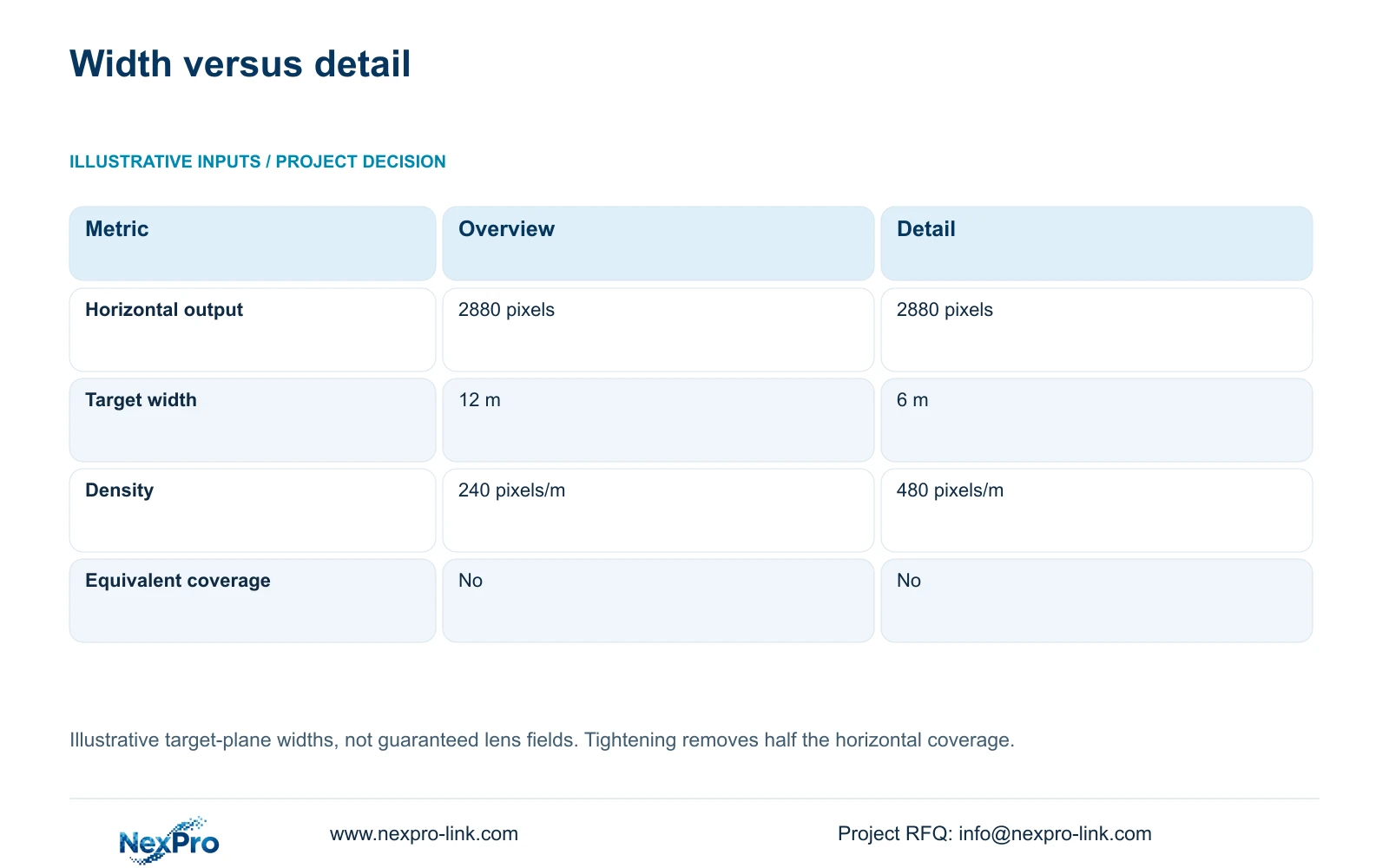
The supplied illustrative comparison uses one horizontal output of 2880 pixels. Option A covers 12 m at the target plane; Option B covers 6 m. Planning density = horizontal_output_pixels / target_width_m. The results are 2880 / 12 = 240 pixels/m and 2880 / 6 = 480 pixels/m.
The tighter view doubles planning density while removing half the horizontal coverage at that plane. These are not equivalent observation areas. If the owner needs the full movement route and close transfer detail, retain a separate overview rather than treating the narrow setting as a reduction in camera quantity.
The widths are assumed geometry, not guaranteed fields of view at particular focal lengths. Verify whether the selected camera can achieve each view from the proposed location. Pixel density also leaves exposure, lighting, compression and obstruction unresolved. No universal recognition threshold is assigned to either result.
| Metric | Overview setting | Detail setting |
|---|---|---|
| Horizontal output | 2880 pixels | 2880 pixels |
| Target-plane width | 12 m | 6 m |
| Planning density | 240 pixels/m | 480 pixels/m |
| Coverage equivalent | No | No |
Section 05
Choose a mixed schedule with explicit change limits
Prefer motorized adjustment at points where the mounting direction is stable, the sightline remains clear and the final width may change. Consider a qualified fixed-lens option where geometry is already settled and access is straightforward. Keep a relocation allowance where equipment height or position could invalidate the view.
The 32-camera CNC reference allocates ten views to permitted machine-hall transfers. That task allocation does not mean all ten require identical adjustment capability. Review each point against its own uncertainty. A close handover view and an aisle overview may share a housing family while needing different final settings.
Recheck supporting equipment if the revision adds a camera rather than merely changing framing. CASE01 assumes 32 streams at 4 Mbps, or 128 Mbps total, within supported 5MP-class modes. An added stream changes channel, bandwidth, storage and power requirements. A lens setting change alone should not be priced as an entirely new system.
Section 06
Document the final setting for installation and repeat supply
Record the accepted view width, target distance, camera position and sample image against each location ID. Include the approved control method for lens adjustment and who may change it after handover. This creates a practical baseline for checking replacements and investigating a view that has drifted.
Before shipment, distinguish bench preparation from site tuning. NexPro-Link can coordinate model matching, technical documents and project-labelled packing, while the installer verifies the completed geometry. A factory-set lens position can provide a starting point; it should not be presented as an accepted site view without the relevant evidence.
Compare alternative brands on the same final observation task and installation scope. Preserve required integrations and environmental conditions. Request the motorized option and any local adjustment work as separate lines, with the assumptions stated, so a lower equipment price does not conceal extra access work at commissioning.
Section 07
Buyer questions
Does the same 2.8-12 mm range give the same view on every camera? Do not assume it does. Sensor format and the selected optical arrangement affect framing. Request the exact model's view information, then confirm the required target width from the proposed mounting position.
Can the installer finish commissioning before machines arrive? The installer can check connections and establish provisional views. Keep final framing acceptance open wherever incoming machines may alter sightlines. Record those points as conditional rather than claiming that preliminary images prove the finished layout.
Section 08
Identify the views that need adjustment
Send the provisional machine layout, target widths and distances, likely layout changes and installation access conditions to info@nexpro-link.com to discuss a camera schedule with justified motorized options.
Engineering references
These sources support the general planning principles. Always use the selected product's current datasheet and applicable project standards for final design.


