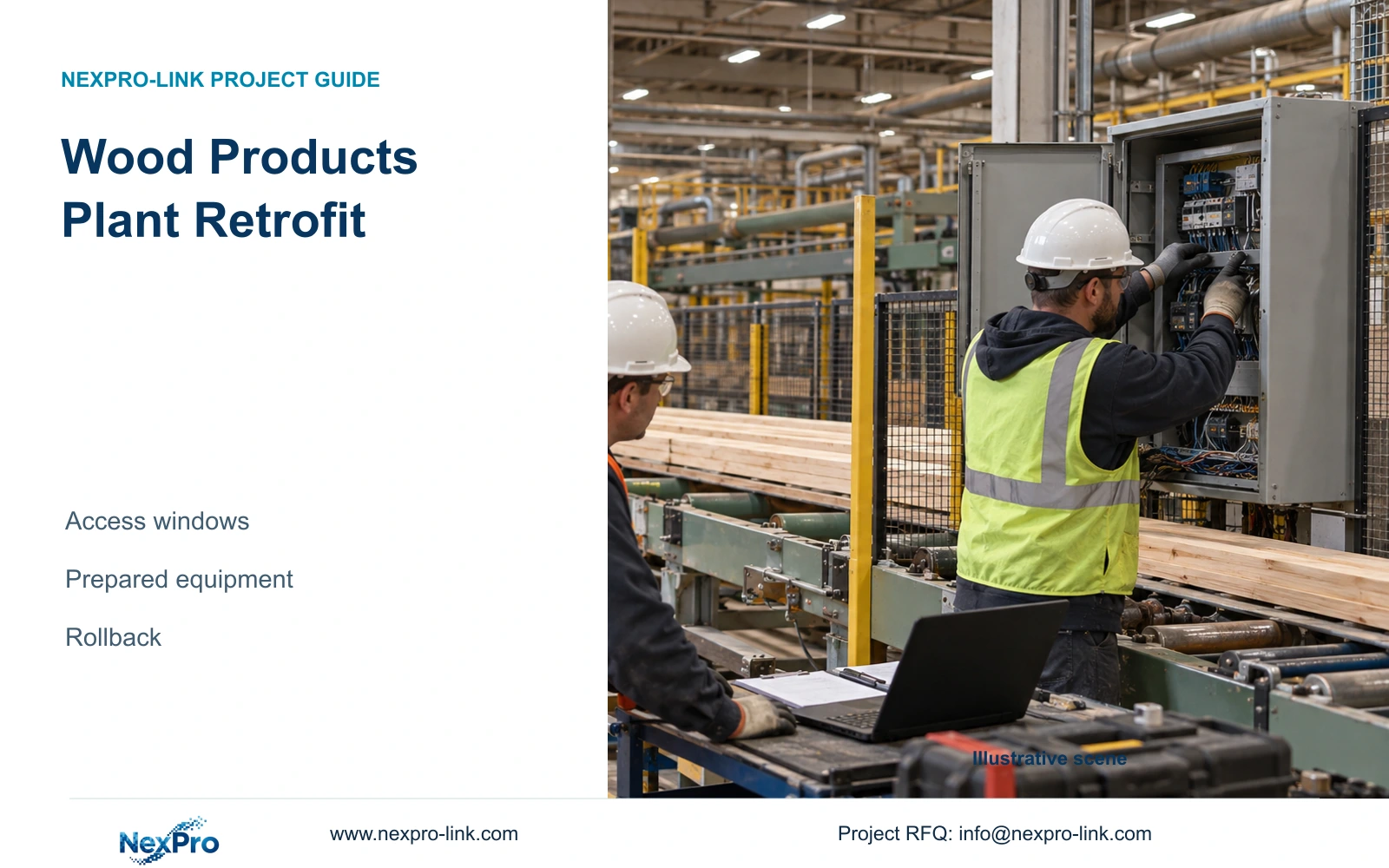
Limited production access requires a CCTV installation sequence that can be stopped and reversed. Compare the work-window demand, prepare compatible equipment off site and release each aisle only after recording checks pass.
Section 01
Prepare a reversible installation package before entering production
For a wood products plant retrofit, prepare and check the equipment off site, then install in approved zones with temporary coverage and a defined rollback. A ready recorder does not establish uninterrupted security coverage: cameras, cables, switching, power and operator access still have to transfer successfully. The design engineer should define what each access window must deliver and what condition requires restoration of the previous arrangement.
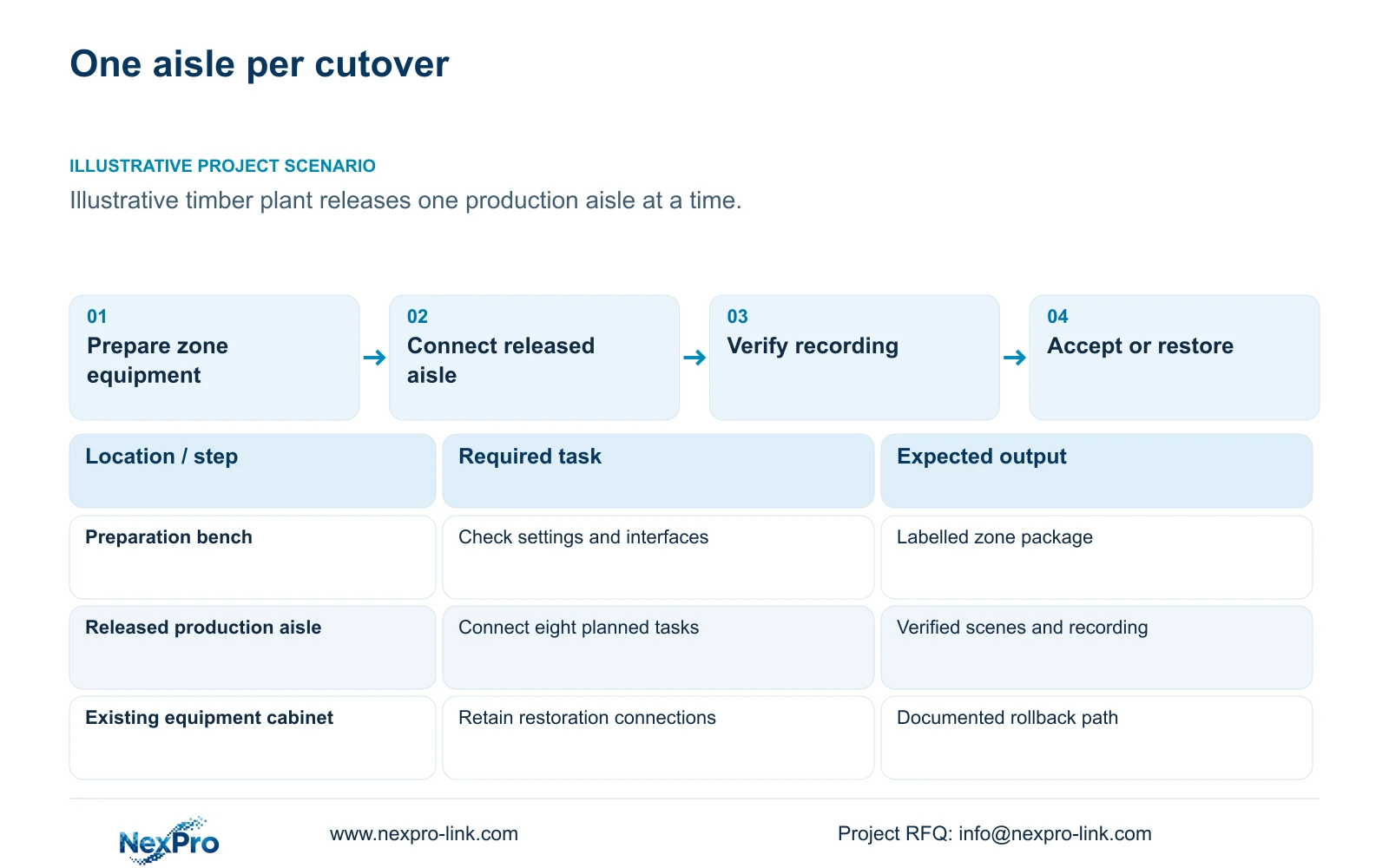
Illustrative project scenario: A timber-products factory can release only one production aisle at a time for installation. Assume an eight-connection work package is being considered for a six-hour access window, with two hours reserved for authorised setup, acceptance and rollback allowance. These are planning inputs. Actual task durations, access permissions and restoration time need confirmation before the schedule is approved.
Bench preparation should cover device identity, agreed firmware, channel names, addressing, recording settings and a sample playback/export workflow. Pack each zone's brackets, terminations and labels together. Obtain stock heights, extraction and dust-zone information, and cleaning-access routes before fixing camera positions. Ordinary security footage can document transfers; it cannot establish machine guarding or combustible-dust protection.
Section 02
Divide the work by dependencies as well as aisles
Use the released aisle as the access boundary, then trace every dependency affected by its work. A camera change may be local, while replacing its shared switch can interrupt cameras in aisles still operating. Identify those shared connections on the switching schedule and avoid including an unrelated cabinet replacement in an otherwise limited camera window. Give each zone package a start state and an intended end state.
Separate cable preparation from final connection where the site permits it. Survey the route, prepare accessible cabinet terminations and verify labels before the cutover. Installation inside production remains subject to the approved access and isolation arrangements. Stock stacks may block mounting access or the proposed scene, while extraction ducts can alter cable routing. If the working arrangement differs from the surveyed layout, revise the package rather than improvising a mount.
CASE01 illustrates the value of individual route quantities: its 32 new permanent links total 1,872 m, with declared continuous lengths of 41 to 76 m and a feasible seven-reel plan using 305 m reels. Those figures are not this retrofit's cable order. Inventory existing links, test those proposed for retention using the appropriate method, and calculate new cuts from the approved zone routes. Do not assume existing cable is suitable because live video currently appears.
Section 03
Define the restoration path before disconnecting equipment
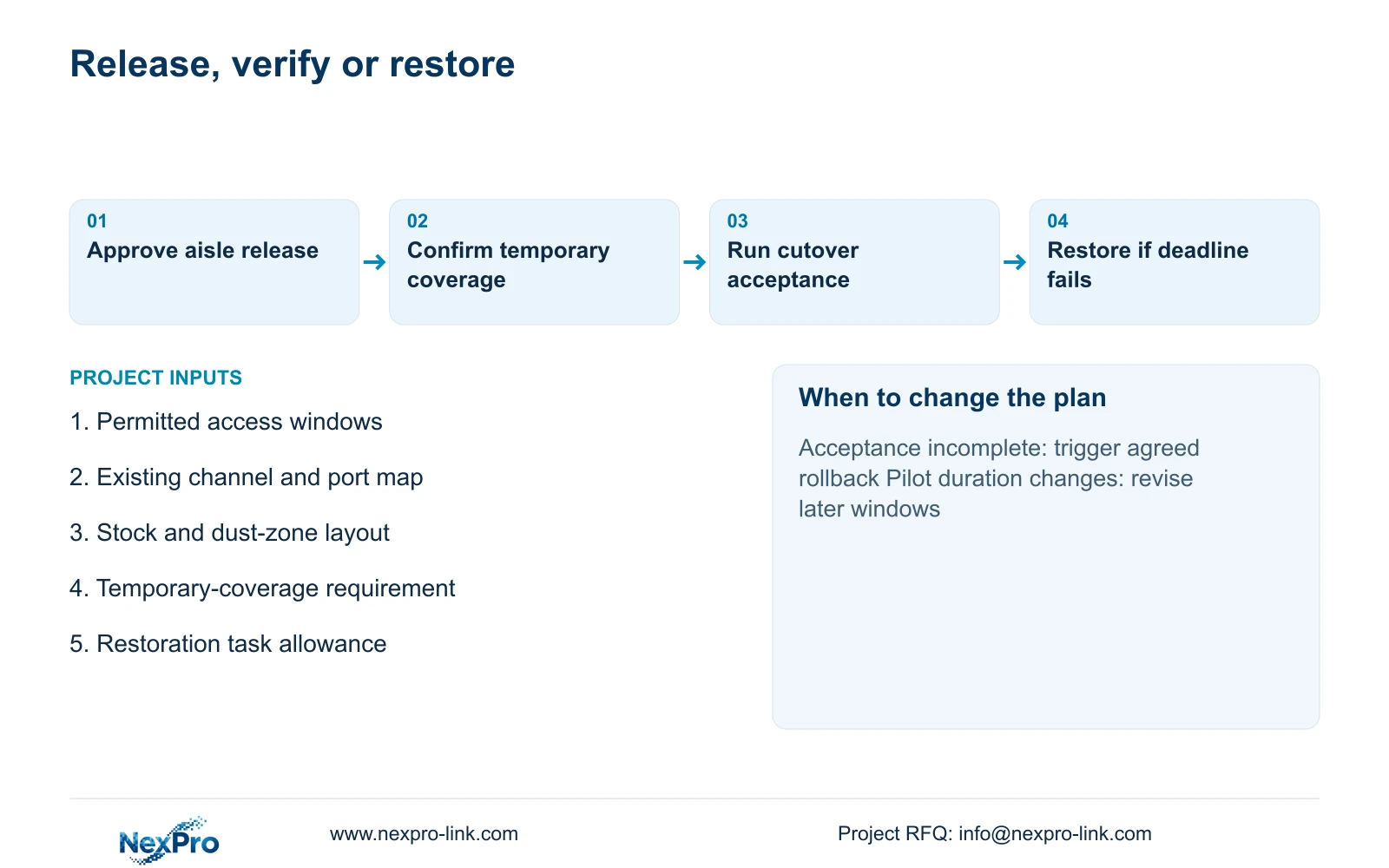
Record the existing channel-to-port map, addressing and operator workflow before making changes. Preserve required footage and configuration records using supported methods; do not initialise an existing disk merely to simplify the replacement setup. The rollback plan should identify which cables return to which ports, which equipment remains available and who confirms that recording has resumed.
Rehearse the reversible steps on a suitable bench arrangement where possible, then establish a site decision deadline that leaves enough time for restoration. Trigger rollback when the agreed image, recording, playback or access checks cannot be completed within that deadline. The site coordinator authorises the decision; the installer performs the documented restoration; the owner representative accepts the resulting coverage state.
Temporary coverage also needs an explicit owner decision. Existing adjacent views may remain useful, but their sightlines must be checked with normal stock positions. A temporary camera requires a suitable mounting location, data path and power supply. Where acceptable coverage cannot be maintained, agree a controlled security arrangement or another access window. Do not describe a known recording gap as zero downtime.
Section 04
Check the connection workload against the available window
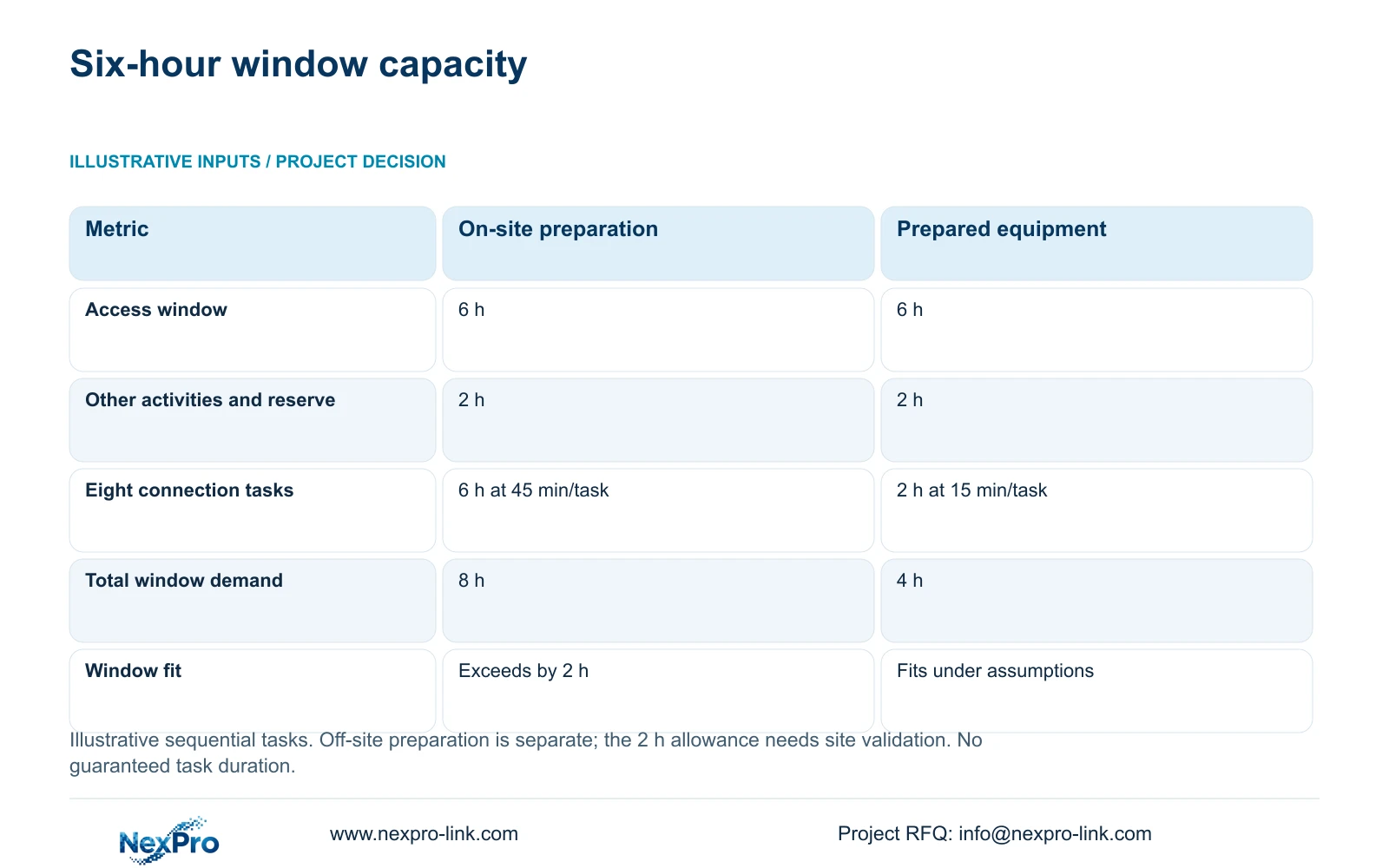
The illustrative calculation keeps the six-hour access window and two-hour allowance unchanged. Available connection time is available_work_hours = 6 - 2 = 4 hours. For eight sequential tasks, onsite_task_hours = 8 × minutes_per_task / 60. Option A assumes 45 minutes per task; Option B assumes 15 minutes after separately completed, suitable off-site preparation.
Option A needs 8 × 45 / 60 = 6 hours for connections and 6 + 2 = 8 hours total, exceeding the window by two hours. Option B needs 8 × 15 / 60 = 2 hours for connections and 2 + 2 = 4 hours total. Its remaining two hours are unallocated in this example, not a promise that delays or a full rollback will fit.
The decisive benefit is reduced in-window connection demand, conditional on successful preparation. Off-site labour and compatibility checks remain real work and must be priced separately. The two-hour allowance must be justified against the actual authorisation, safe isolation, acceptance and restoration tasks. If those activities need longer, replace that input and recalculate. Do not assume multiple installers make tasks independent when they share a cabinet or approval step.
| Metric | Option A: on-site preparation | Option B: prepared equipment |
|---|---|---|
| Total access window | 6 h | 6 h |
| Setup, acceptance and rollback allowance | 2 h | 2 h |
| Connection duration per task | 45 min | 15 min |
| Eight connection tasks | 6 h | 2 h |
| Total in-window demand | 8 h | 4 h |
| Fits the declared window | No | Yes, under assumptions |
Section 05
Release each zone after evidence checks pass
Recommend prepared zone packages with a pilot cutover before repeating the sequence across production aisles. Check the view under the expected stack arrangement, then verify recording, time reference, playback and authorised export. Record actual task durations from the pilot and revise later windows accordingly. A successful live image alone does not demonstrate that the new evidence workflow is ready.
Ordinary-area camera candidates include the supplied NexPro-BL2812M55-5MP-DIC-AI and NexPro-DM2812M55-5MP-DIC-AI references, whose specifications list 2880×1620 output in the 5MP family and a 2.8–12mm motorized lens. Bench settings can support preparation, but focus and framing still require site verification. Place cameras outside unsuitable dust or finishing locations; obtain specialist scope where the actual area classification demands it, with local requirements verified by the responsible team.
Check shared-system capacity during overlap. CASE01 assumes 32 streams at 4 Mbps, producing 128 Mbps of recording input; it does not include an extra temporary recording set. Its NexPro-NVR4449-4K candidate has a published 320 Mbps input rating, but duplicate streams, channel modes and concurrent operations need separate checks. Likewise, a UPS protects only equipment on its supplied circuits, and a powered recorder cannot preserve recording from an unpowered remote switch.
Section 06
Procure zone-ready equipment and retain the change record
The quotation should separate equipment, bench preparation, temporary coverage, local installation and rollback resources. Compare proposals against the same access window, acceptance tasks and retained infrastructure. A lower equipment total may exclude preparation or restoration work. Keep any required platform integration and specialist environmental scope visible when considering a NexPro-Link alternative to another supplier's package.
NexPro-Link can discuss camera and recorder matching, BOQ support, technical documents and zone-labelled project packing. The local installer controls site work and records the final port and location assignments. Close each zone with an updated placement drawing, completed recording checks and a cleaning-access plan. Keep unresolved defects separate from accepted work so the next aisle's release does not conceal an unfinished connection or an inaccessible camera.
Section 07
Buyer questions
Should existing recorders be removed as soon as new live views appear? Keep the agreed restoration equipment available until recording, playback, export and operator access have passed acceptance. Decide separately how required historical footage remains accessible. Removing the old recorder early can eliminate the planned rollback path.
Can the two unallocated hours in Option B cover extra cameras? Only after the pilot confirms task durations and the reserved activities remain sufficient. Extra cameras may introduce shared-port changes, new cable work or further acceptance checks. Recalculate the complete window rather than filling the apparent spare time automatically.
How should retained cable appear in the retrofit quotation? List it as conditionally retained pending the agreed inspection and link test. Price testing and any replacement work separately. Include the route and termination method so a failed link can be replaced without reopening the entire quantity estimate.
Section 08
Prepare an aisle-by-aisle cutover package
Send the permitted access windows, existing camera/port inventory, aisle layout with stock heights and dust boundaries, and temporary-coverage requirements to info@nexpro-link.com to discuss equipment preparation and a zone-ready supply scope.
Engineering references
These sources support the general planning principles. Always use the selected product's current datasheet and applicable project standards for final design.