At shipment, reconcile each drive's exact identity with the accepted recorder layout. If availability forces a substitute, hold that batch for model-specific compatibility and terms review before installation.
Section 01
Compare exact drive models rather than capacity labels
At shipment, reconcile each drive's exact identity with the accepted recorder layout. If availability forces a substitute, hold that batch for model-specific compatibility and terms review before installation. Keep the original approval attached to its actual drive model; equal advertised terabytes cannot transfer support or replacement obligations to another product.
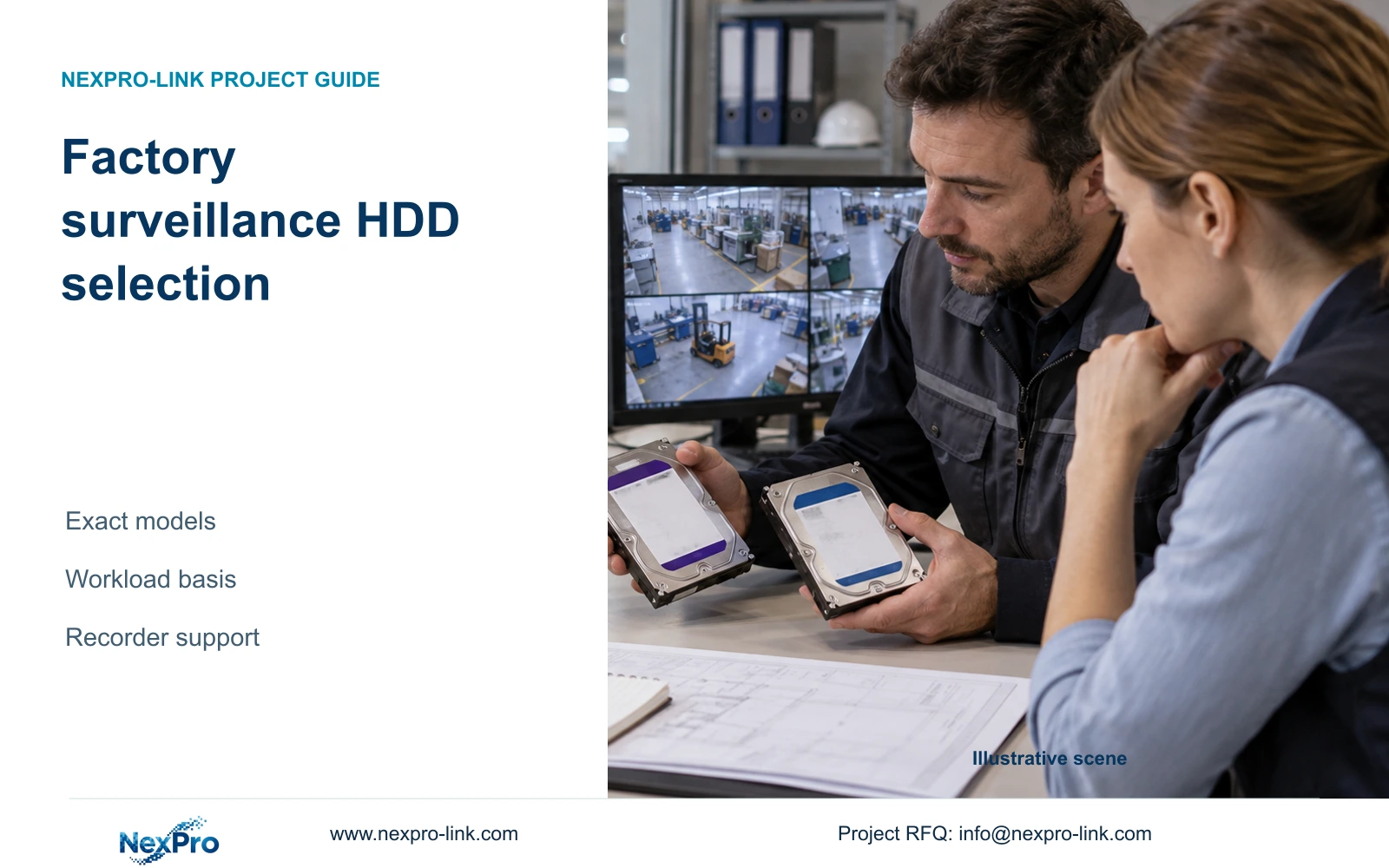
Select factory surveillance HDDs using model-specific workload information and explicit recorder support, then check the complete disk layout against retention demand. A larger or more expensive drive does not establish a lower failure rate. With no exact HDD datasheets supplied here, the practical output is a qualification method and capacity example, not a ranked drive recommendation.
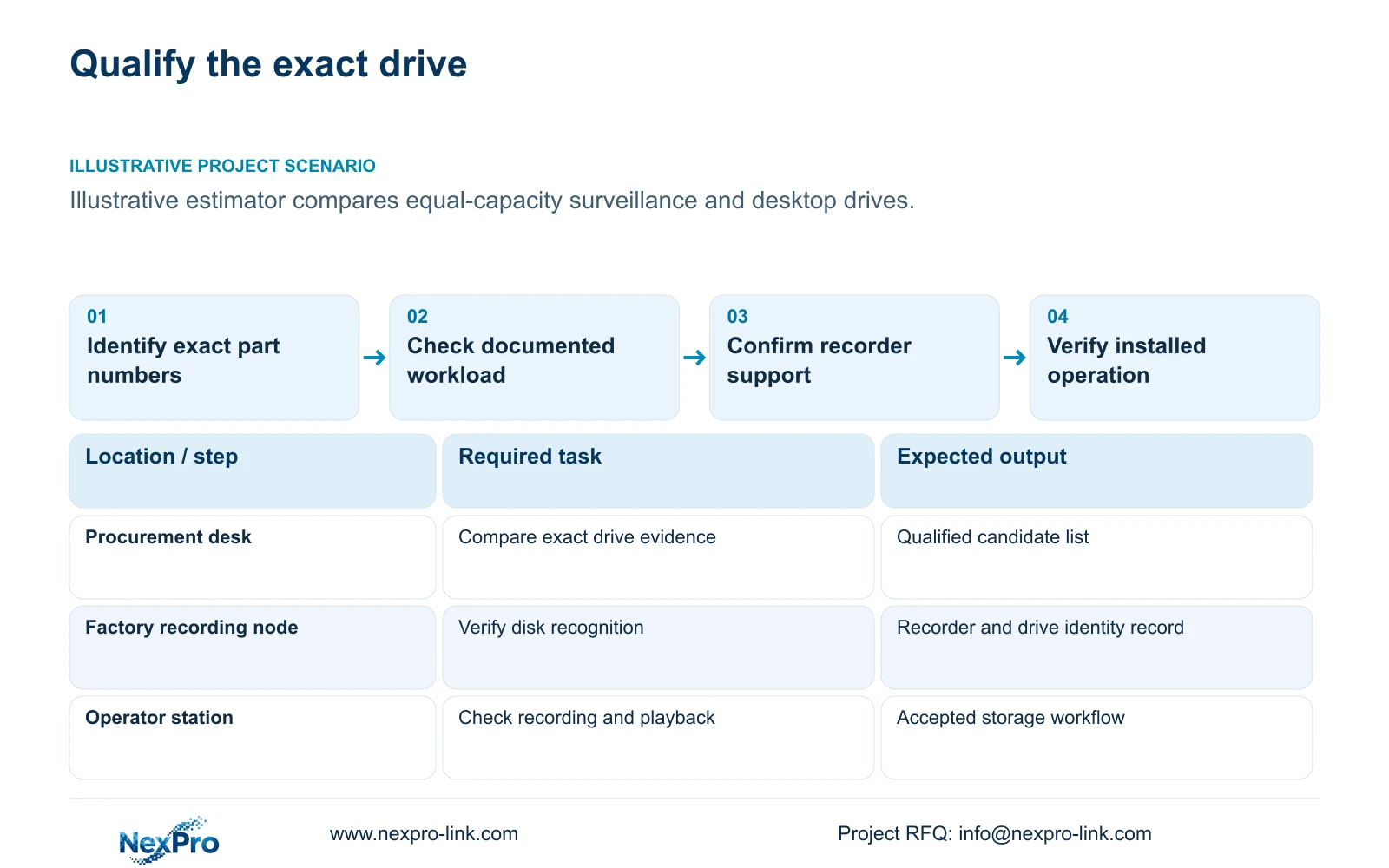
Illustrative project scenario: The estimator compares a surveillance HDD with a desktop drive at the same nominal capacity. The supplied CNC reference proposes four 16 TB surveillance drives for 32 ordinary security cameras averaging an assumed 4 Mbps each. The drive model is still to be selected, so neither the surveillance label nor the 16 TB quantity completes the technical approval.
Obtain exact part numbers and manufacturer documents for both candidates. Compare the stated workload basis, intended operating conditions, interface details, firmware identity and warranty scope where documented. Keep unavailable fields unresolved. Procurement should request evidence for the offered model instead of filling gaps with specifications from a neighbouring capacity or product family.
Section 02
Qualify the drive inside the selected recorder
The NexPro-NVR4449-4K provides four SATA bays with a published limit of up to 18 TB per drive. The NexPro-NVR8864-4K provides eight bays with the same stated per-drive limit. These fields define physical capacity references. They do not constitute an exact compatibility list for every drive below that capacity.
Request confirmation linking the proposed HDD part number to the recorder model and firmware. Define who authorises substitutions if the specified drive becomes unavailable. A replacement that retains the same TB label can still require a new compatibility check, and a different firmware basis should remain visible in the delivery records.
The local integrator should verify recognition of each installed disk and preserve its identity before initialization. On an existing recorder, clarify whether old footage must be retained before any disk operation. Check recording and playback with the proposed configuration rather than treating disk detection alone as acceptance of the complete workload.
Section 03
Describe write demand without claiming a failure rate
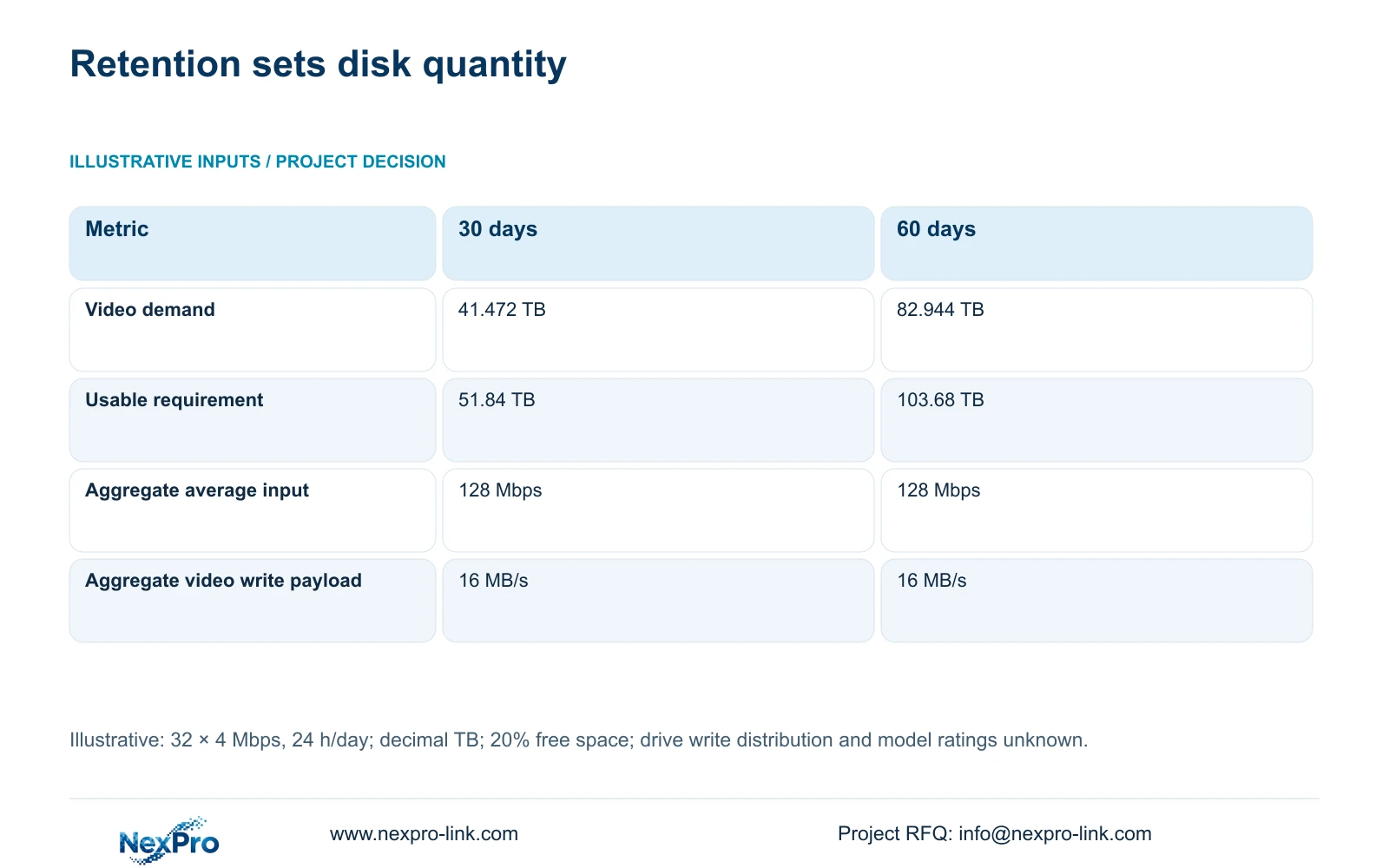
The reference streams total 32 × 4 = 128 Mbps of assumed average video. Dividing by eight gives 16 MB/s of aggregate video payload before additional storage activity. This describes the workload presented to the recording system; it does not show how that system distributes writes across four disks.
Do not divide the annual or daily total evenly among disks unless the selected recorder's behaviour supports that assumption. Playback, export, indexing and any supported array activity may change the actual drive workload. Where a manufacturer states a workload rating, compare it using that manufacturer's definition and the real operating pattern.
Keep capacity and reliability evidence separate in the evaluation. Capacity is recalculable from recording inputs. Reliability conclusions require suitable model-specific evidence and conditions, which are not supplied in this example. The buyer can still specify replacement access, fault reporting and stock arrangements without inventing a service-life promise or a statistical advantage over desktop drives.
Section 04
Check disk quantities against two retention targets
For continuous recording, video_TB = 32 × 4 × 10^6 × 86400 × days ÷ 8 ÷ 10^12. Thirty days produces 41.472 TB; 60 days produces 82.944 TB. Required usable capacity = video_TB ÷ 0.8 gives 51.84 and 103.68 TB when 20% of usable storage remains free.
Four 16 TB disks supply 64 TB raw. Under CASE01's illustrative 95% usable-capacity assumption, this becomes 60.8 TB usable and 48.64 TB of recording allowance. Compare the 30-day video demand directly with that allowance, or compare its usable target with 60.8 TB. Do not reserve free space a second time.
The decisive difference is that 60 days needs more capacity, despite unchanged daily recording workload. Even four 18 TB disks cannot meet that demand under these assumptions. An eight-bay layout using eight compatible 16 TB disks is a capacity candidate at 128 TB raw, 121.6 TB assumed usable and 97.28 TB recording allowance. Exact drive and recorder qualification remain necessary.
| Metric | 30-day requirement | 60-day requirement |
|---|---|---|
| Camera count | 32 | 32 |
| Recording schedule | 24 h/day | 24 h/day |
| Average rate per camera | 4 Mbps | 4 Mbps |
| Video demand | 41.472 TB | 82.944 TB |
| Required usable capacity | 51.84 TB | 103.68 TB |
Section 05
Approve supported drives and explicit replacement scope
For the 30-day reference, seek exact surveillance-drive candidates that the supplier can document for the selected four-bay recorder and intended continuous workload. If a desktop-drive alternative is proposed, require the same model-specific evidence and full configuration acceptance. A nominal capacity match alone is insufficient to justify the substitution.
For 60 days, evaluate the larger storage configuration rather than arguing that a better drive can compensate for missing TB. Keep any RAID, spare or archive requirement separate because each can change the capacity available to footage. The catalogue references do not establish RAID support, so no parity layout is included in the example.
Request separate terms for HDD supply, recorder equipment and local replacement labour. NexPro-Link's public warranty baseline for eligible main equipment does not automatically settle every storage accessory or drive arrangement. Put the controlling drive terms in the quotation and order, including the process for replacement and preservation of any recoverable footage.
Section 06
Make drive identity traceable through shipment and handover
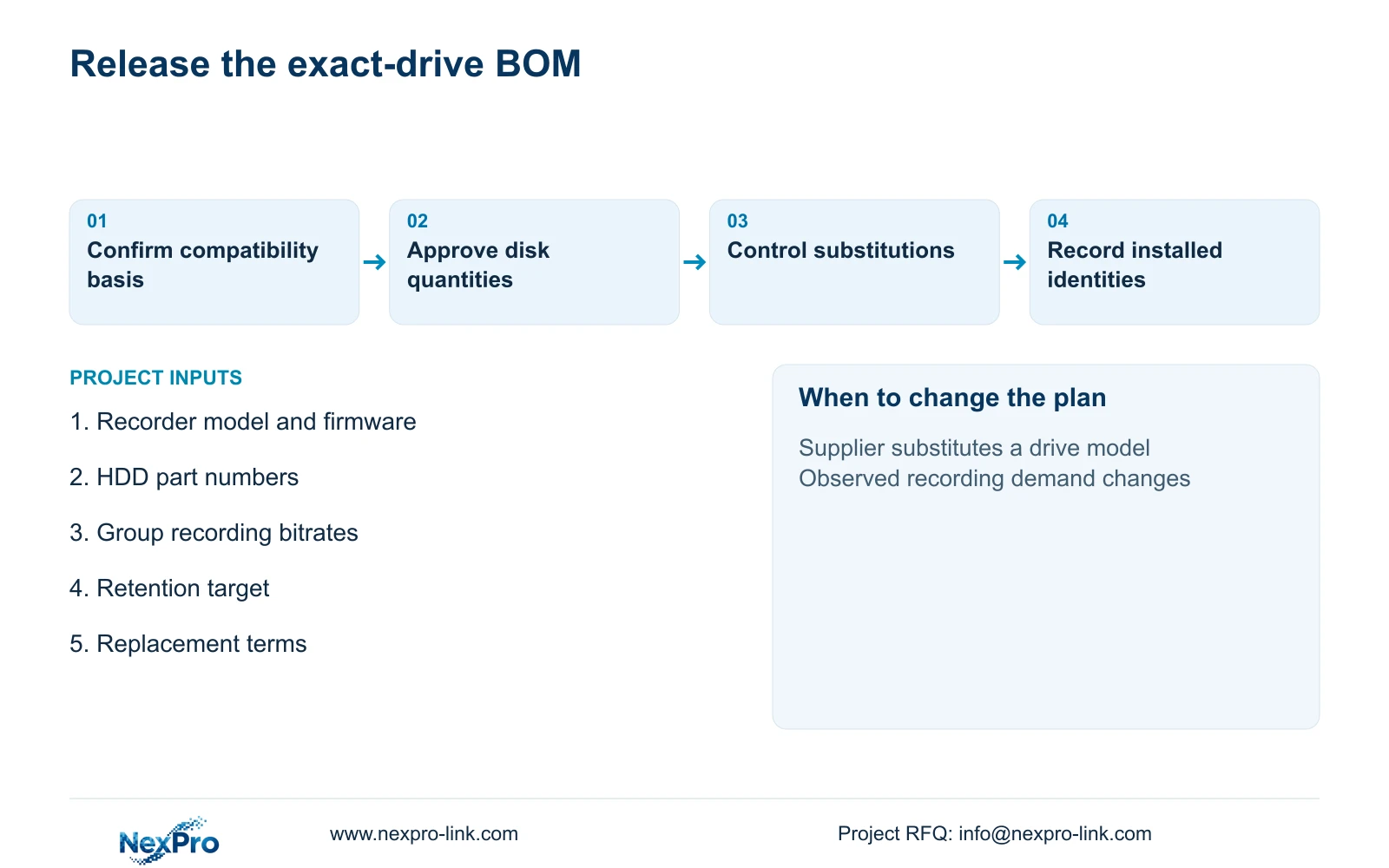
The storage BOM should state exact drive model, capacity, quantity, recorder destination and approval basis. Keep supplied drives, retained disks and optional replacement stock separate. Ask the supplier to identify a substitution before shipment so the engineer can reassess compatibility and capacity without discovering the change during installation.
NexPro-Link's BOQ and Tender Support scope can coordinate recorder matching and technical documents for the offered layout. Record each installed drive's identity and the recorder firmware in the handover. The local installer should confirm the cabinet arrangement and verify recording, playback and disk-state reporting at the approved settings.
After representative factory operation begins, compare observed recording growth with the assumed 4 Mbps average. If demand changes, revise the retention calculation without treating the drive as defective merely because more footage is being written. The final record should make it possible to distinguish a workload change, capacity shortage, compatibility issue and an actual disk fault.
Section 07
Buyer questions
Can retained disks be included in a new storage quotation? Yes, but list their exact models, capacities and preservation requirements. Confirm recorder support and condition before counting them toward the approved layout; do not assume an existing disk is ready for reuse.
Is doubling retention the same as doubling drive write workload? Not at unchanged camera settings and hours. It doubles the stored history required. Daily video generation stays the same, although a changed storage architecture can alter individual-drive activity.
Can the supplier replace one 16 TB model with another without notice? The order should require approval for that substitution. Capacity equality does not establish identical recorder compatibility, firmware basis or applicable drive terms.
Section 08
Request an exact-drive storage proposal
Send your recorder model and firmware, proposed HDD part numbers, recording bitrate schedule and retention target to info@nexpro-link.com. NexPro-Link can discuss supported disk quantities and clearly documented storage supply terms.
Engineering references
These sources support the general planning principles. Always use the selected product's current datasheet and applicable project standards for final design.