Solar-module handling evidence depends on camera geometry, visible transfer points and final packing context. A same-width pixel calculation helps selection without promising cell-defect detection.
Section 01
Choose the viewing angle before increasing resolution
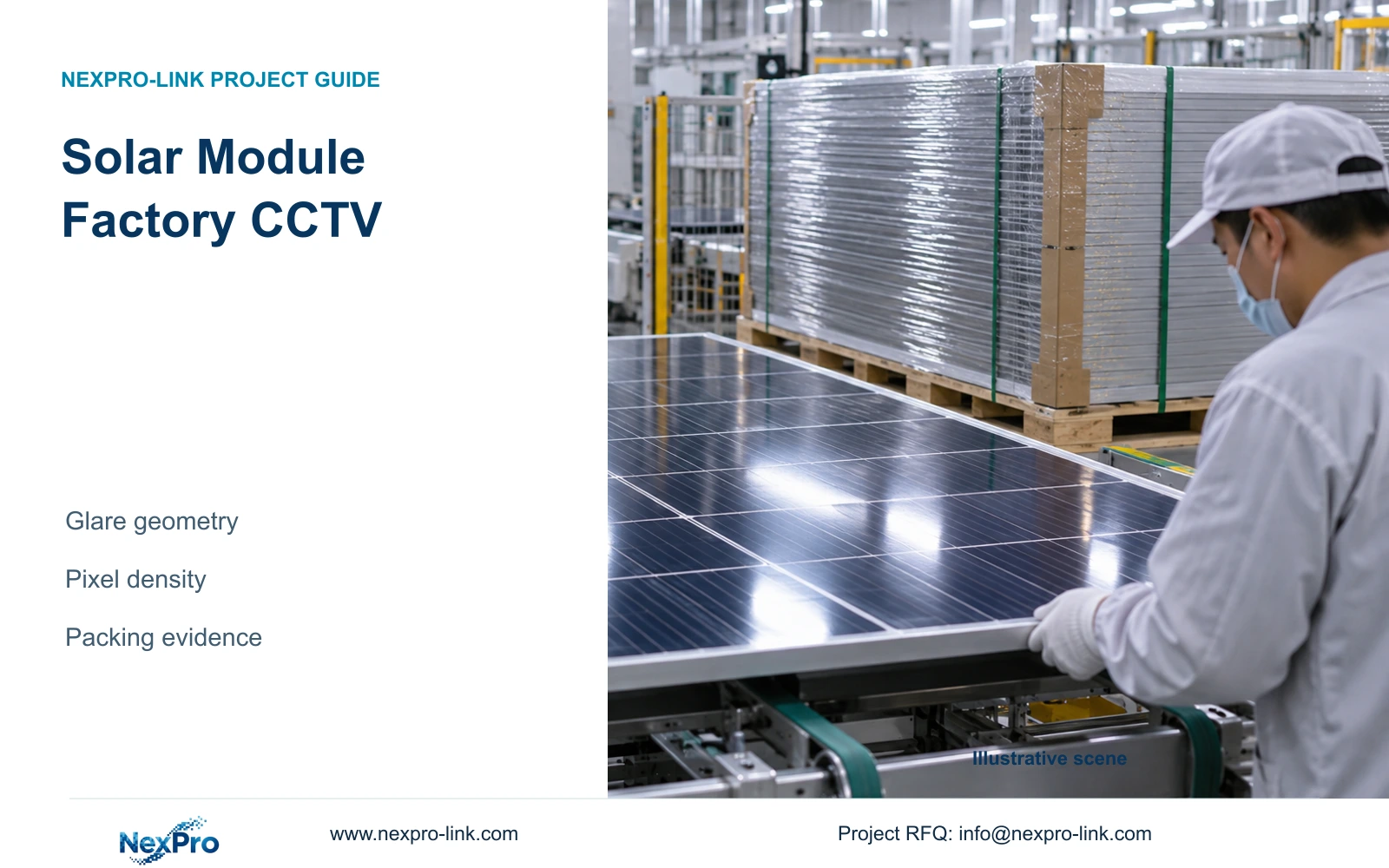
Solar module factory CCTV should use glare-aware geometry and task-specific views to retain handling and packing evidence. Begin with the reflective surface, lighting direction and module movement, then select the camera output needed for the accepted scene width. Surveillance footage does not replace electroluminescence inspection or guarantee that cell defects will be visible.
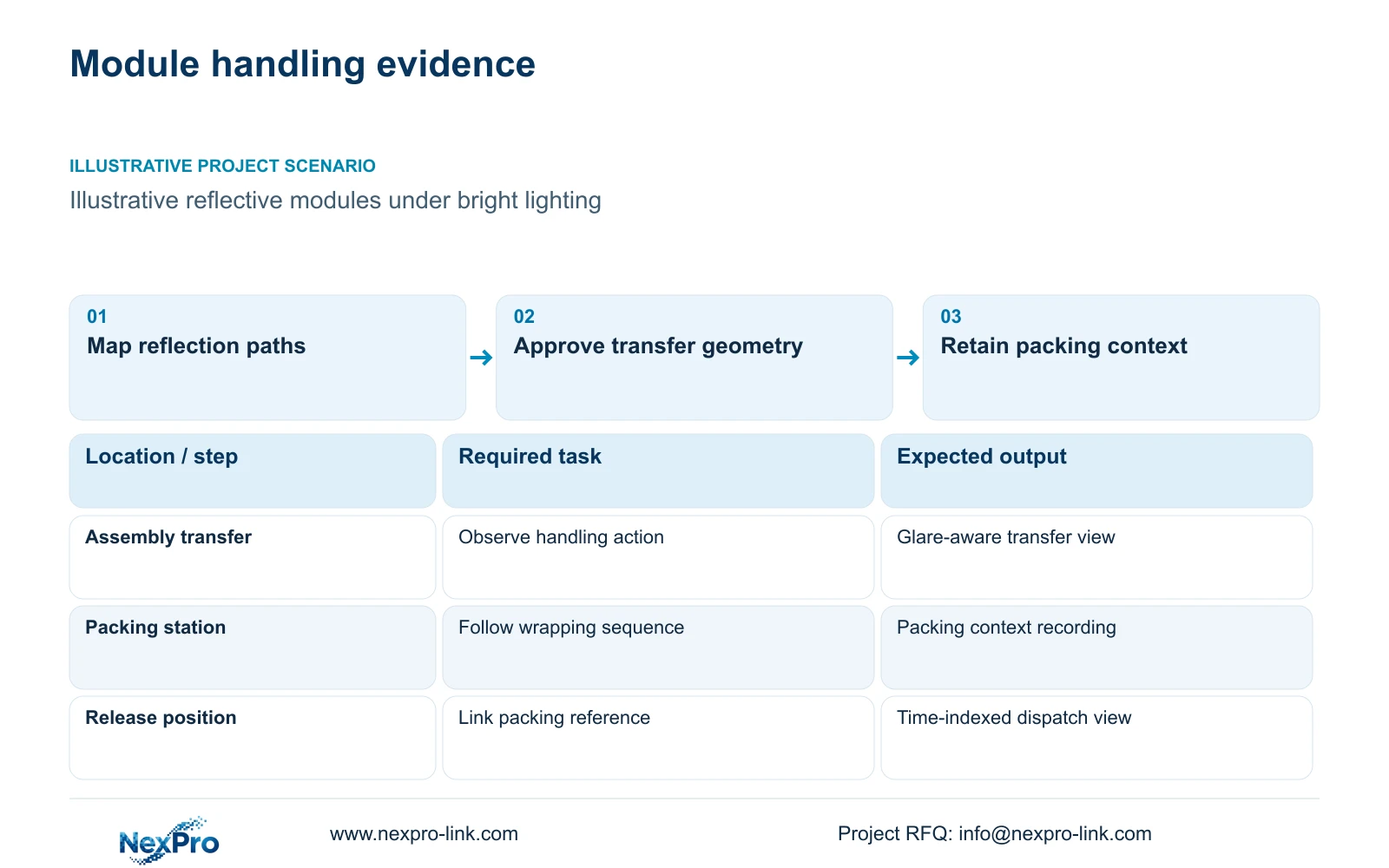
Illustrative project scenario: Reflective modules move across assembly and packing stations under bright lighting. Assume the project needs to review transfer handling and final packing, while inspection equipment retains responsibility for product-quality decisions. The engineer should compare candidate positions using modules at representative orientations, including the position where workers or packing equipment can block the handover.
Mark the dominant light sources and likely reflection paths on the view sketch. Test an offset position that avoids the strongest reflection while preserving the handling area. Moving the camera may improve the useful scene, but it can also hide a module edge or the receiving operator. Approve the recorded event from the proposed position before using it as the basis for repeated stations.
Section 02
Write handling acceptance separately from inspection
Define what the video must reveal: arrival at the station, transfer between handlers, visible contact with surrounding equipment or placement into packaging. These tasks need different angles and scene widths. A broad line view can show where a module travelled, while a closer transfer view may be needed to examine a particular handling action.
Keep cell inspection, electrical testing and product release in their existing records. When a quality investigation starts from a test or batch reference, use that reference to locate the relevant handling interval. Do not infer a passed inspection from a module moving onward. The design brief should state which business record identifies the event and who decides whether the observed handling is relevant.
Set acceptance using a representative recorded sequence with normal lighting, movement and obstruction. A clear stationary demonstration does not establish visibility during transfer. If the scene cannot retain the required action, revise placement or add a complementary view. A resolution upgrade should follow that review rather than substitute for it.
Section 03
Preserve the sequence through final packing
The packing view should retain context from module arrival through the agreed packing stage and release. Identify when labels remain exposed, when wrapping hides the product and where responsibility changes. If the owner wants a carton or pallet reference linked to video, use the packing record and timestamp as the dependable index unless a separate identification function is specified.
Provide an overview for movement and a detail view where the packing task requires it. The overview should still explain which station and route are involved. A close image of a corner alone may be difficult to interpret later, even when sharp. Stable camera names tied to station numbers help reviewers connect both views without relying on an operator's memory.
Assign the packaging team to confirm the required sequence and the integrator to demonstrate its recorded visibility. Retain a suitable review screen if it supports the task; continuous display-wall monitoring is a separate option. Any display or decoder sits on the client branch, so failure of that branch should not be designed to interrupt local recording.
Section 04
Compare actual output width at the target plane
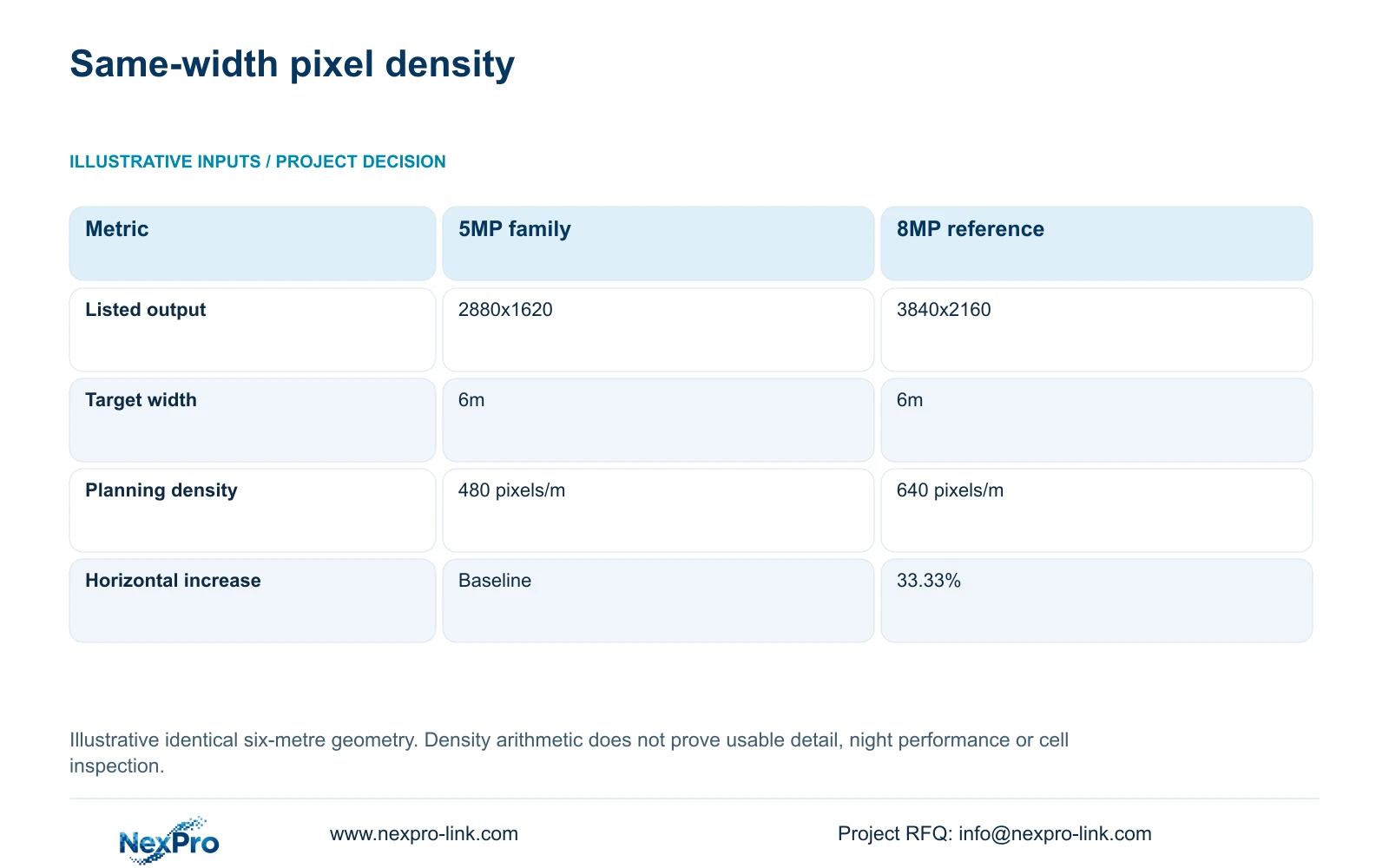
The supplied 5MP-family source lists 2880x1620, while the 8MP reference lists 3840x2160. For this illustrative calculation, both cover a six-metre target width with the same geometry. Planning density is horizontal pixels / target width: 2880 / 6 = 480 pixels per metre, and 3840 / 6 = 640 pixels per metre. The relative increase is (3840 / 2880 - 1) × 100 = 33.33%.
The decisive comparison is horizontal output at the required scene width. The 5MP and 8MP labels do not justify a 60% usable-detail guarantee. Exposure, focus, compression, module angle and glare still affect the recorded result. Nor does the arithmetic establish comparative night performance or a defect-detection threshold.
NexPro-BL2812M55-5MP-DIC-AI and NexPro-BL2812M88-8MP-DIC-AI both list a 2.8-12mm motorized lens. Their documented output modes can support a controlled trial, but identical focal-length ranges do not prove identical scene geometry. Confirm the achieved target width for each candidate before treating the table as a valid comparison.
| Metric | 5MP-family reference | 8MP reference |
|---|---|---|
| Listed output | 2880x1620 | 3840x2160 |
| Horizontal pixels | 2880 | 3840 |
| Target width | 6m | 6m |
| Planning density | 480 pixels/m | 640 pixels/m |
| Relative horizontal increase | Baseline | 33.33% |
Section 05
Upgrade critical views without inheriting an invalid recorder plan
Recommend suitable ordinary cameras for overview tasks and qualify closer or higher-output views at critical transfers and packing stations. Change the arrangement when glare remains dominant, labels face away from the lens or the required action occurs behind the module. A complementary angle may address those problems more directly than replacing every overview camera.
CASE05 illustrates a solar-module campus with three 32-camera recording nodes, assumed 4Mbps streams and 30 days of continuous recording. Its formula is video_TB = cameras × average_Mbps × 10^6 × 86400 × days / 8 / 10^12. Each node requires 41.472TB of video. Four 16TB drives provide 64TB raw, with an illustrative video budget of 64 × 0.95 × 0.80 = 48.64TB, already including formatting and reserve.
That case assumes supported 5MP-class recording modes. It cannot be reused as an all-8MP channel promise. NexPro-NVR4449-4K lists 320Mbps input and four SATA bays, but stream-mode compatibility, decoding and disk resilience remain separate checks. Recalculate only the nodes affected by changed streams, using agreed bitrate assumptions and without adding the reserve twice.
Section 06
Release view sketches and acceptance tasks with the BOQ
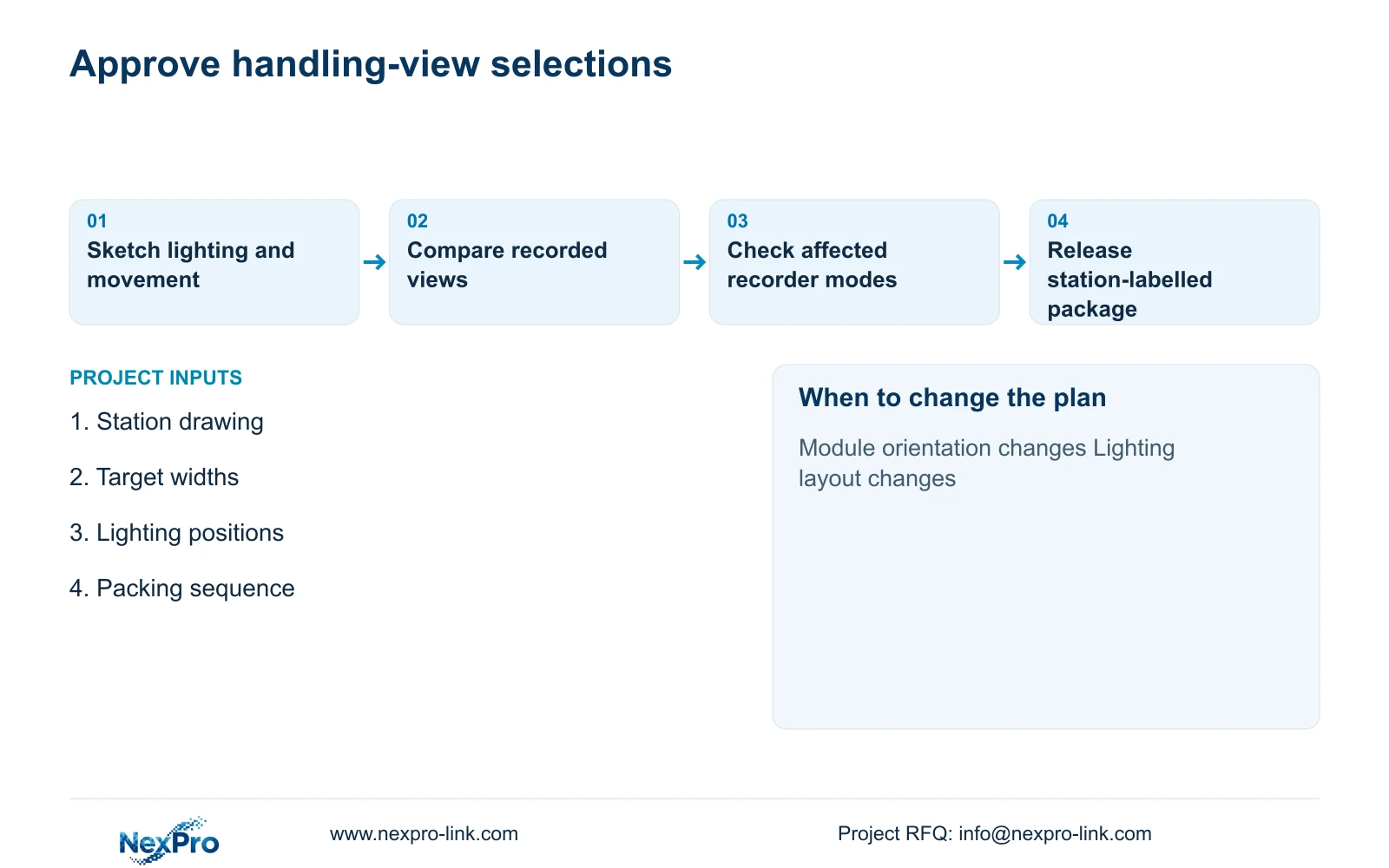
Attach the target-plane width, module travel direction and lighting sketch to each critical camera line. State whether it is an overview, transfer or packing view. Include the actual output mode and the representative recording used for acceptance. This lets the cost team distinguish a justified detail upgrade from a general change in camera specification.
NexPro-Link can discuss camera matching and coordinated project supply through its factory and BOQ support scopes. Configuration and packing should preserve station IDs and recorder allocation. Installation alignment remains a site task because the final reflections and obstructions depend on the installed lighting and operating layout.
Compare alternative suppliers using the same recorded handling task, target width and retention requirement. Include mounting changes, cable routes and commissioning where an alternative position requires them. Reopen the view review when luminaires move, packing materials change or module orientation changes. Those conditions can alter usable footage even if camera settings and quantities remain unchanged.
Section 07
Buyer questions
Should every packing camera use the 8MP reference? Only if its recorded result meets a task that the lower-output candidate cannot adequately satisfy. Compare the actual target width and event first, then include recording-mode and storage consequences.
Can digital enlargement recover an obscured module edge? It can enlarge recorded pixels, but it cannot reveal an edge hidden behind the module or packing equipment. Change the angle or provide another view when physical obstruction removes the required evidence.
Does the six-metre calculation specify a camera distance? No. It specifies the width of the observed target plane. Camera distance, lens setting and mounting geometry need separate site inputs and confirmation.
Section 08
Qualify your module handling views
Send the station layout, target-plane widths, lighting and module-orientation information, and the required packing sequence to info@nexpro-link.com to discuss camera and recording options.
Engineering references
These sources support the general planning principles. Always use the selected product's current datasheet and applicable project standards for final design.