

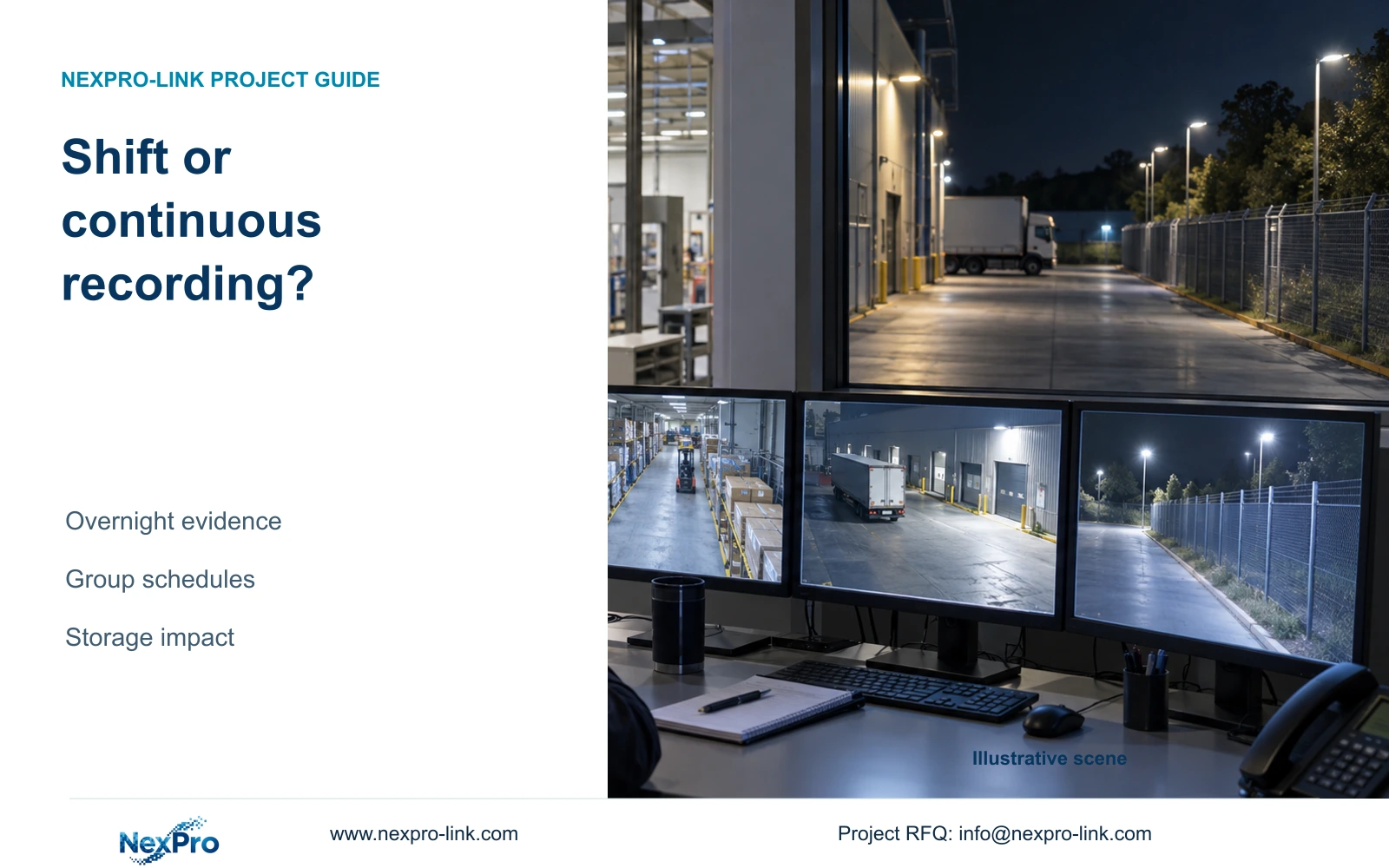
A shorter production schedule can reduce stored video only where missing out-of-hours footage is acceptable. This 32-camera example keeps critical views continuous and makes the coverage trade-off explicit.
Section 01
Separate production activity from overnight security
Use shift-based recording only for camera tasks that genuinely end outside the approved schedule. Keep gates, stock access and other required security views recording overnight. In the illustrative 32-camera comparison, scheduling half the cameras for 12 hours per day reduces video from 41.472 to 31.104 TB, but removes their recorded coverage during the other 12 hours.
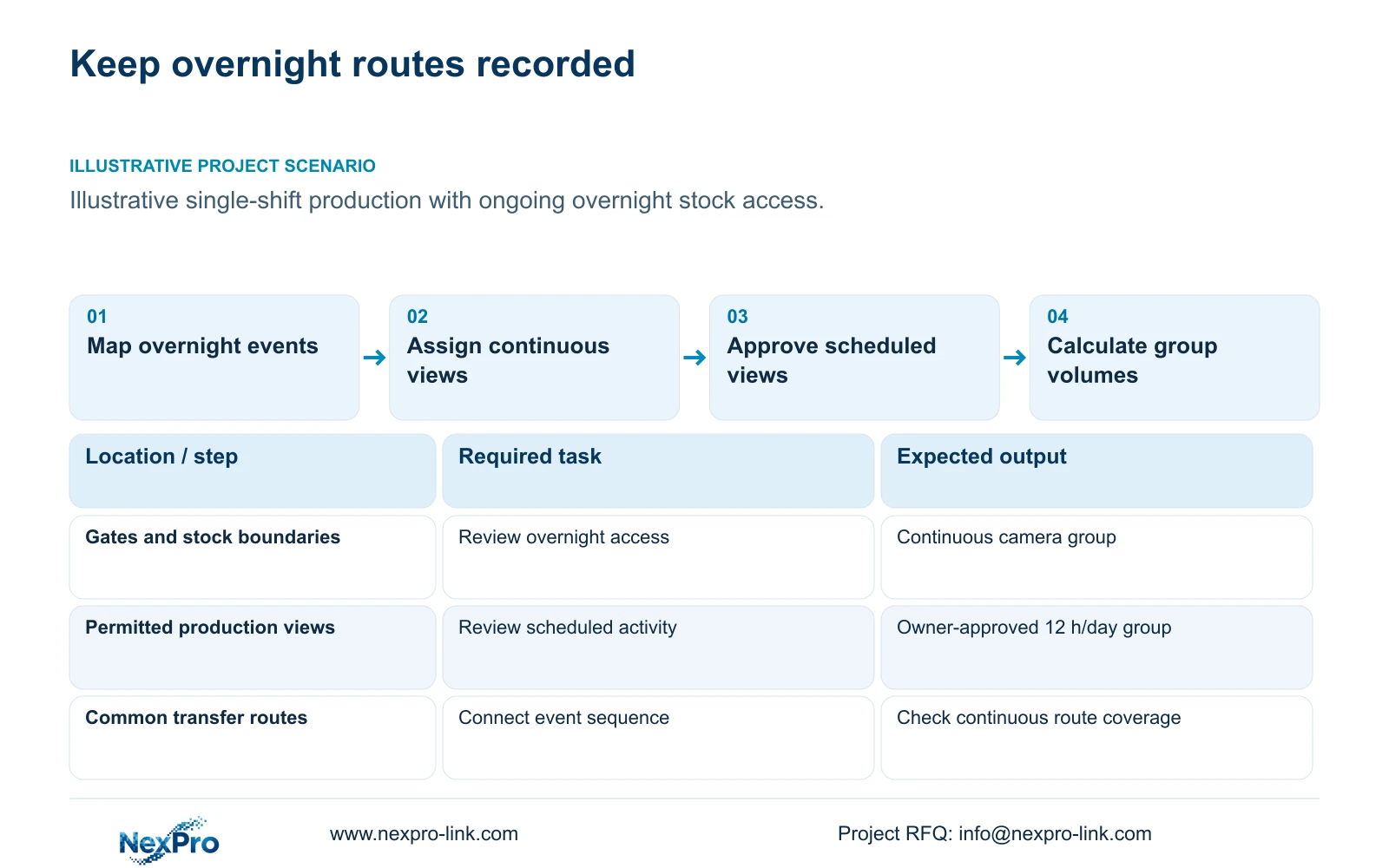
Illustrative project scenario: The production line runs one shift while stock access and the perimeter remain relevant overnight. Using the supplied CNC site's ordinary security zones, assume the owner is considering a 12-hour recording window for 16 permitted production views and continuous recording for 16 critical views. The 12 hours are a declared comparison input, not an inferred standard shift length.
Classify each camera by what the owner needs to review, including cleaning, maintenance, overtime and stock movements. A camera overlooking an idle machine hall may still document access after production stops. The owner must approve the evidence that will be absent before the engineer reduces its recording hours.
Section 02
Keep a complete route for out-of-hours events
Identify overnight event routes rather than selecting continuous cameras solely by room names. A late material movement may cross a gate, common route, store boundary and dispatch area. If one connecting view is scheduled off, the system may show arrival and departure without showing the transfer that matters to the investigation.
The CASE01 zone schedule supplies 32 views, but it does not assign the 16 continuous cameras used in this comparison. Prepare a camera-by-camera allocation that protects the required overnight routes. Any production view needed for after-hours custody should move into the continuous group, even if that reduces the expected storage benefit.
Keep recording policy separate from camera power and live viewing. Scheduling footage off does not prove the camera, switch or recorder stops consuming power. Nor does it establish that operators can recover missed footage from a live-view session. Price the storage change independently from any proposed electrical change.
Section 03
Build the calculation from approved camera groups
For each group, state camera quantity, average Mbps, hours per day and retention days. The illustrative formula is video_TB = 0.0108 × days × sum(camera_count × average_Mbps × hours_per_day ÷ 24). This allows different schedules without pretending every camera has the same recording duty.
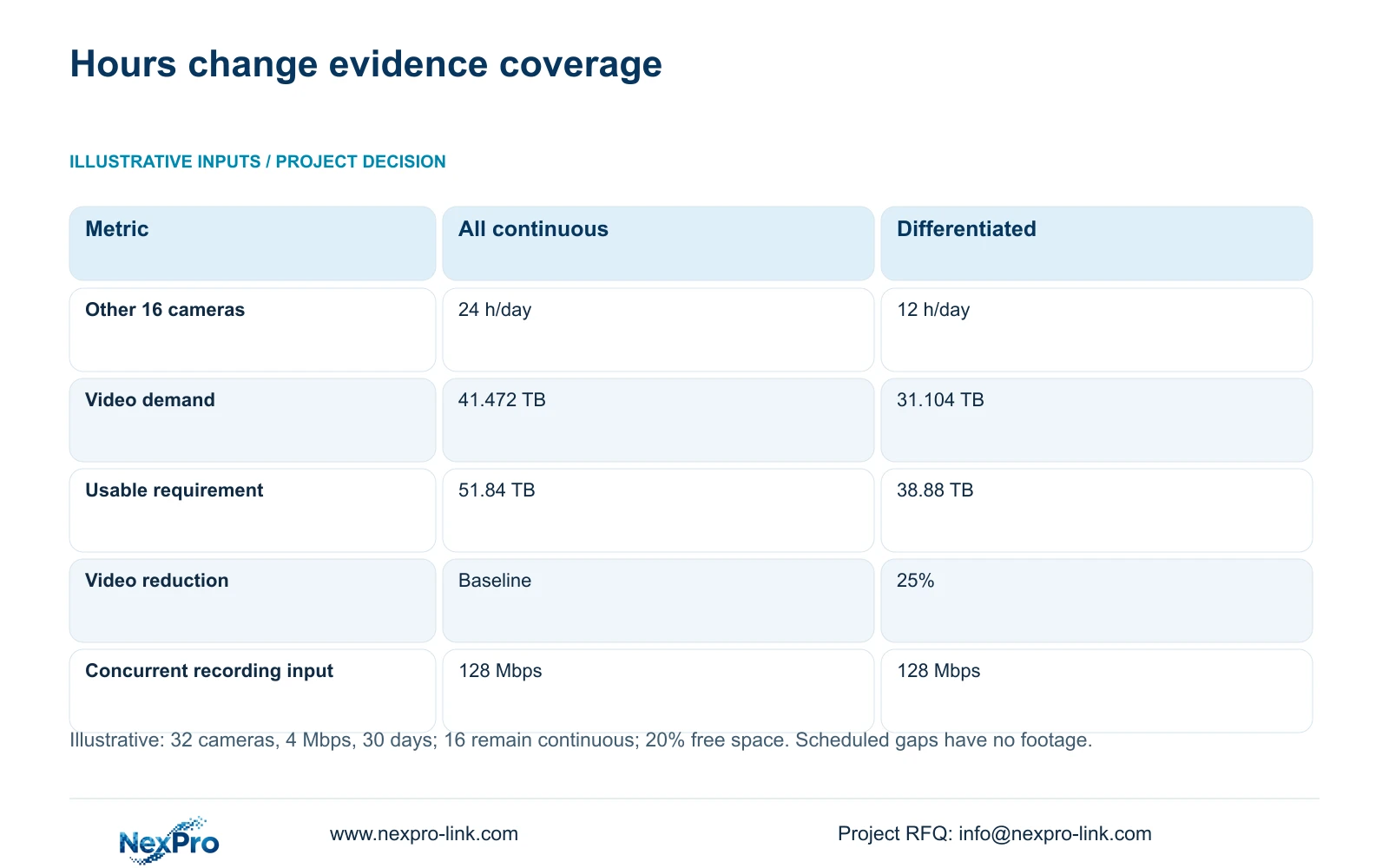
At 4 Mbps and 30 days, the 16 continuous cameras generate 20.736 TB. The other 16 cameras generate another 20.736 TB if continuous, or 10.368 TB at 12 hours per day. Option B therefore totals 31.104 TB. Required usable capacity = video_TB ÷ 0.8 gives 38.88 TB with 20% of usable storage reserved.
Both groups can be active simultaneously during the scheduled window. Their combined assumed incoming recording load can still reach 32 × 4 = 128 Mbps. Reduced recording hours lower accumulated volume, so they do not justify sizing the recorder or shared link only for the time-averaged equivalent of 24 continuous cameras.
Section 04
Show the missing coverage beside the storage reduction
Option A retains 24-hour footage from all 32 cameras. Option B retains the same 16 critical views continuously but records the other 16 for only 12 hours per day. The video difference is 10.368 TB over 30 days, or 25% of the continuous baseline. The table makes that operational difference visible alongside capacity.
The reduction is a consequence of omitted recording time. It is not a demonstrated codec improvement, a brand saving or equivalent evidence coverage. The owner should review the unrecorded period using a plausible maintenance or overtime event before approval. If that event needs video, the affected cameras belong in the continuous group.
| Decision metric | Option A: continuous | Option B: differentiated |
|---|---|---|
| Critical camera group | 16 at 24 h/day | 16 at 24 h/day |
| Other camera group | 16 at 24 h/day | 16 at 12 h/day |
| Video demand | 41.472 TB | 31.104 TB |
| Required usable capacity | 51.84 TB | 38.88 TB |
| Other-group overnight recording | Included | Absent outside schedule |
| All cameras active together | 128 Mbps assumed | 128 Mbps assumed |
Section 05
Keep continuous recording when task boundaries are uncertain
Choose Option A while the owner is unsure which production views remain useful overnight. In CASE01, four 16 TB disks provide a 48.64 TB illustrative video allowance after the 95% usable-capacity factor and 20% free-space reserve. That already exceeds the 41.472 TB continuous demand, so scheduling is not necessary to make this particular baseline fit.
Choose Option B only after the owner approves the unrecorded intervals and the actual recorder supports the required schedule. The NexPro-NVR4449-4K supplies a four-bay, 320 Mbps input reference, with published recording summaries distinguishing 49 × 5MP from 9 × 4K. Confirm the selected streams and scheduling behaviour; those catalogue fields do not verify the complete policy.
If procurement proposes fewer or smaller disks under Option B, recalculate that exact layout before acceptance. Storage reduction may create an opportunity, but the quantity purchased changes in discrete disk sizes. Keep parity, formatted capacity and free-space reserve separate. Do not infer a 25% equipment-price reduction from a 25% decrease in video volume.
Section 06
Test schedule boundaries and future operating changes
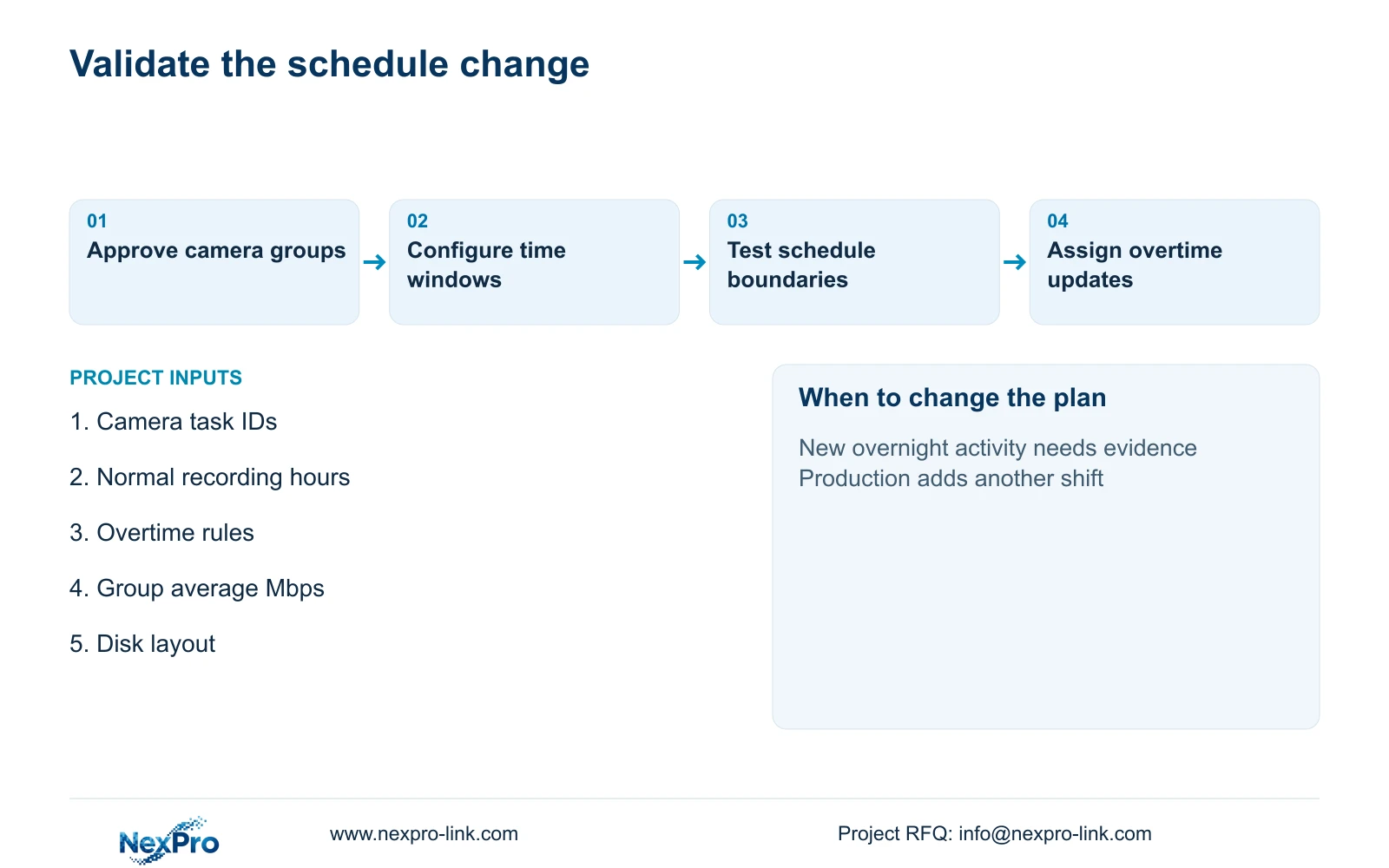
Write schedules using camera IDs and explicit start and stop times, with an owner-approved rule for weekends, holidays and overtime. The local integrator should test footage immediately before and after a scheduled boundary, then confirm playback reflects the intended policy. Preserve a configuration record so a later shift change does not leave an obsolete schedule unnoticed.
Include a practical exception process. If production adds a second shift, maintenance gains overnight access or dispatch starts operating later, the responsible person should request a recording-policy update before that activity begins. Recalculate storage from the revised hours and retain the previous approval for comparison.
NexPro-Link can support the equipment schedule and technical submittal through its BOQ and Tender Support scope. Identify which settings are prepared before shipment and which require local verification. The handover should show the continuous group, scheduled group, recording allowance and change owner together, making the accepted evidence boundary clear to both operations and procurement.
Section 07
Buyer questions
Can event recording fill the gaps outside the production schedule? It is a different policy and needs its own feature and event-capture verification. Do not assume alerts will record every relevant movement. Assess missed events, required context and actual storage before replacing scheduled gaps with event recording.
Does a 12-hour recording schedule mean cameras can use a smaller switch? No such conclusion follows from this example. All 32 cameras can be active together, and scheduling does not establish lower peak PoE demand. Verify power and network requirements independently.
Who should authorise an overtime recording change? Name an owner-side policy authority and a person permitted to implement the configuration. Production staff should report the changed hours early enough for the recording schedule and storage calculation to be updated.
Section 08
Define a recording schedule the owner can approve
Send your camera task list, normal and overtime recording windows, group bitrates and installed disk layout to info@nexpro-link.com. NexPro-Link can discuss a storage proposal that clearly separates continuous evidence from approved scheduled views.
Engineering references
These sources support the general planning principles. Always use the selected product's current datasheet and applicable project standards for final design.


