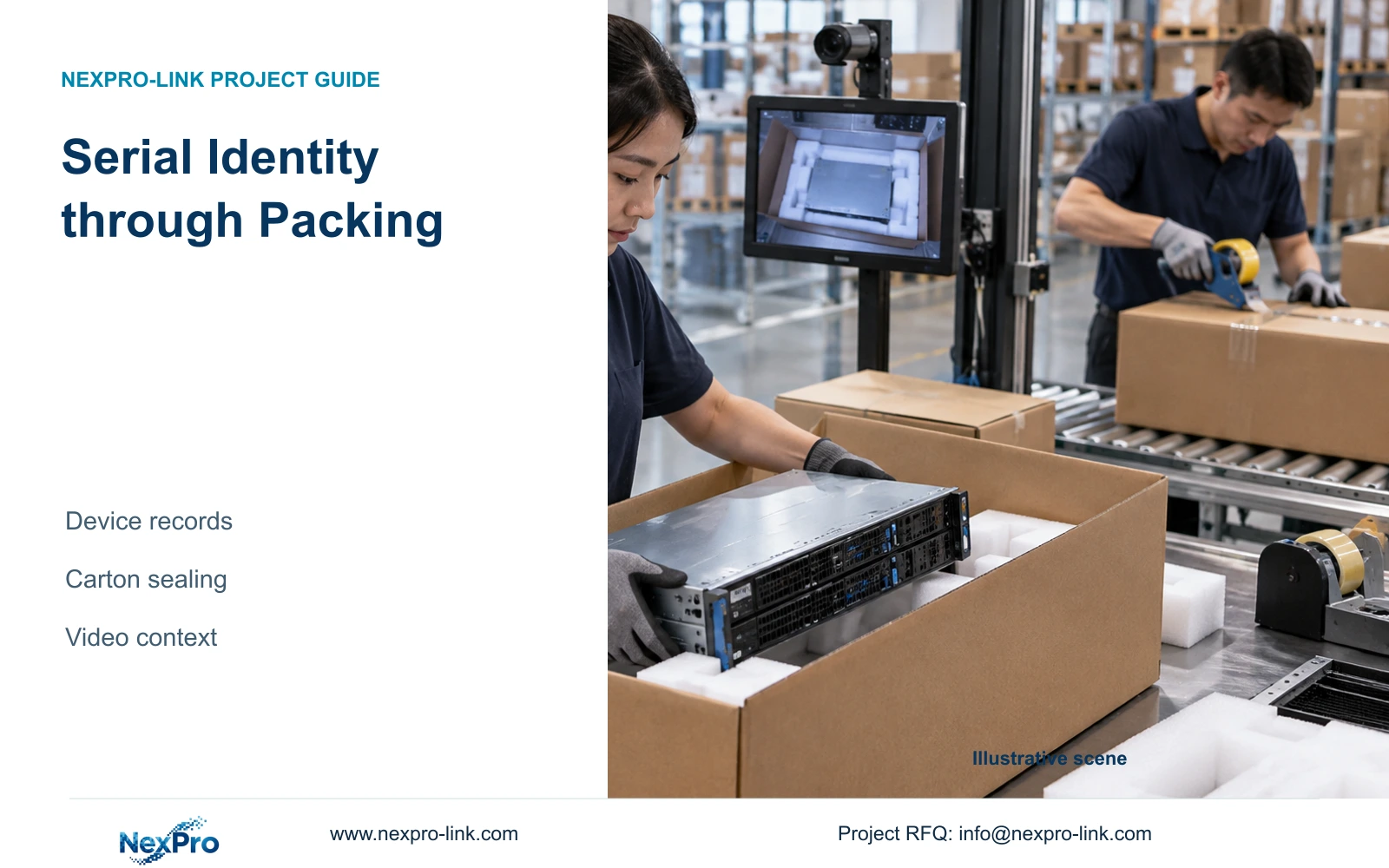
Device-to-carton identity belongs in the serialization record. Packing CCTV adds handling context when its views, station references and final-sealing events are coordinated.
Section 01
Use serialization records to establish carton contents
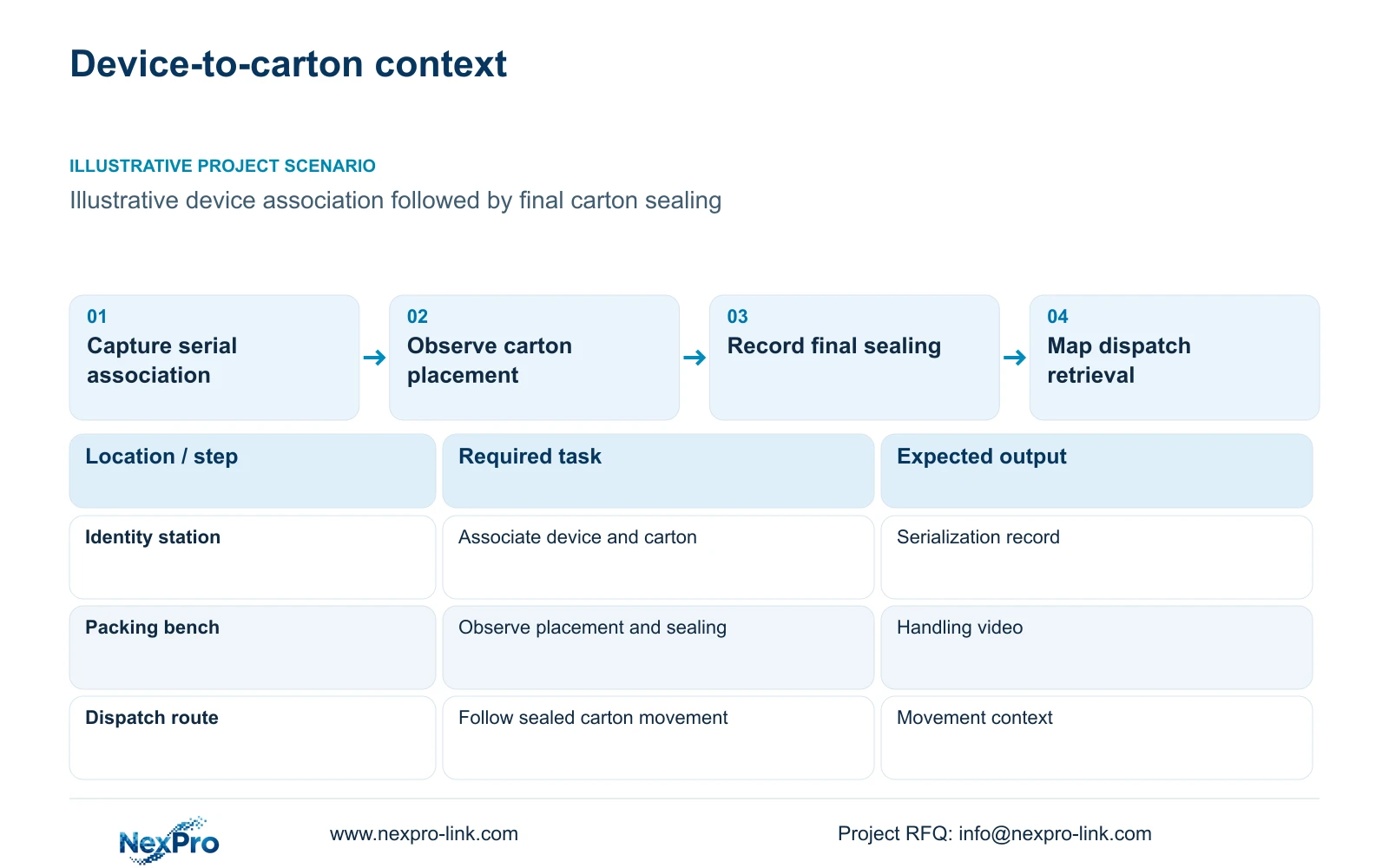
In server and network appliance manufacturing, use the serialization record as the source of device-to-carton identity and CCTV as handling context. Define how the device serial and carton reference are captured before asking a wide camera view to establish the association. Security footage may show placement and sealing while leaving individual serial labels unreadable.
Illustrative project scenario: The dispatch team needs to determine which device entered which shipping carton. Assume a packing station records the device reference, associates it with a carton and then releases the sealed package to dispatch. This is a proposed workflow for discussion, not a claimed factory implementation. The existing serialization system, label format and packing sequence remain inputs to obtain.
The engineer should identify the point where identity is captured and the point where handling becomes hidden. Ask operations whether the review question concerns device identity, placement, final sealing or later movement. Assign each result to its evidence source. A camera schedule that promises all four from one broad image needs a representative trial before it can become an accepted scope.
Section 02
Keep the final sealing sequence visible
Position the handling view to show the unit entering the carton and the carton reaching its final sealing state, where those events are required. Assess open flaps, packing inserts, operator positions and adjacent cartons as potential obstructions. A useful camera position at an empty bench may lose the placement event when a tall carton is opened.
A baseline overview can show the station and movement to dispatch. A dedicated view may be justified where placement or sealing falls outside that overview's usable detail. Define exactly which part of the sequence each view supplies. Do not infer that a sealed-carton image establishes its hidden contents; the serialization association remains necessary.
Record the accepted view against the station layout and normal packing method. Check the sequence using representative device and carton sizes, including a correction or repacking operation if that is part of the approved workflow. The project owner should decide whether such exceptions need additional context, while the engineer identifies the corresponding sightline and recording implications.
Section 03
Map device and carton references to camera events
Define a record containing the device serial, carton identifier, packing station and relevant event time. The business-system owner should determine how that association is created and corrected. The CCTV schedule should supply a stable station-to-camera mapping so a reviewer can find placement and sealing footage without searching every dispatch channel.
Agree a controlled method for handling cancelled labels, reopened cartons and reassigned devices. Preserve the changed association in the business record and retrieve the relevant video context when requested. A camera cannot repair an incorrect scan association simply because the carton was visible. Conversely, a correct database association may still need handling footage to explain an exception.
Start with a manual retrieval mapping when it satisfies the task. If the buyer needs automatic links, specify the interface and acceptance demonstration separately. Keep the security network and production-record responsibilities clear. The camera and recorder references supplied here do not establish native serialization integration or automatic serial recognition.
Section 04
Compare output dimensions before promising label detail
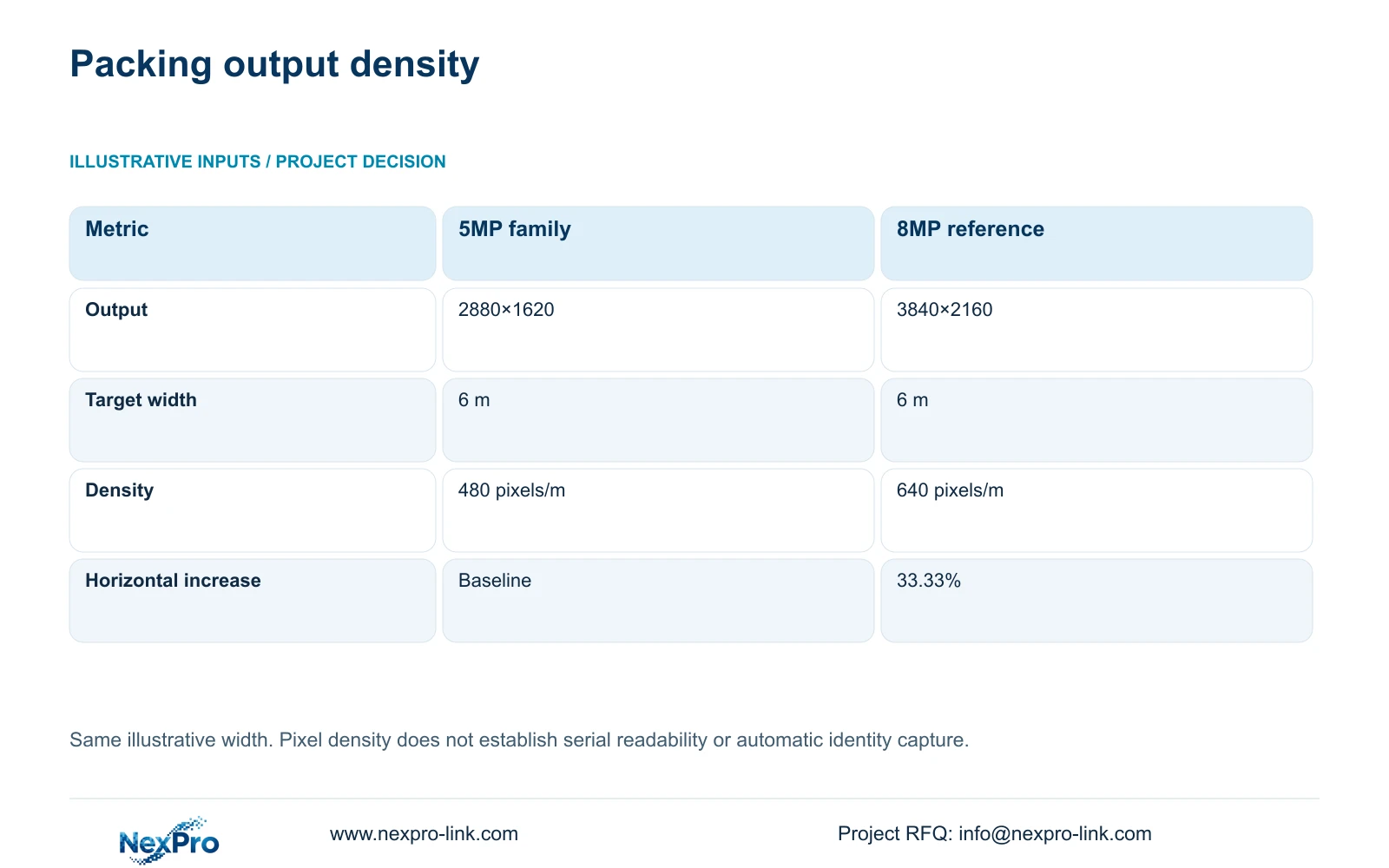
The supplied 5MP-family specification lists 2880×1620, while the 8MP reference lists 3840×2160. At an illustrative common target width of 6 m, ppm = horizontal_pixels / 6 gives 480 pixels/m for 2,880 horizontal pixels and 640 pixels/m for 3,840. Preserve the listed 5MP dimensions rather than substituting another assumed output.
The relative increase is (3840 / 2880 - 1) × 100 = 33.33% in horizontal planning density. This is the decisive arithmetic difference at the same width. It is not a 60% usable-detail guarantee based on megapixel labels. It also does not establish label readability, comparative night performance or automatic recognition of a device serial.
NexPro-BL2812M55-5MP-DIC-AI and NexPro-BL2812M88-8MP-DIC-AI both list a 2.8-12mm motorized lens. Their supplied output fields can support an ordinary-area framing trial. Test readable identifiers only when that is an explicit acceptance task, with actual label orientation, movement, lighting and recording settings. A narrower approved view or a dedicated identification workflow may be more appropriate than upgrading every dispatch overview.
| Metric | 5MP family | 8MP reference |
|---|---|---|
| Listed output | 2880×1620 | 3840×2160 |
| Target width | 6 m | 6 m |
| Horizontal density | 480 pixels/m | 640 pixels/m |
| Relative horizontal increase | Baseline | 33.33% |
Section 05
Select camera upgrades around the accepted packing task
Recommend an authoritative serialization association, a visible sealing sequence and an accepted movement overview. Upgrade the view that fails a defined image task rather than assuming every aisle needs 8MP. Change the package when the carton arrangement blocks the sequence, the owner requires proven label detail or a controlled installation location requires specialist approval.
CASE02 provides an illustrative 64-camera electronics-factory context with 12 packing/dispatch views and two operator seats. It assumes all recording streams fit the selected recorder's supported 5MP-class modes. A selective 8MP change therefore needs a fresh recorder-mode check, revised average bitrate and confirmed client decoding workflow. A 64-channel catalogue entry does not establish unrestricted mixed-mode operation.
Update camera power and the affected switch allocation when models or quantities change. Keep the recorder and access equipment on their actual protected electrical path, and measure revised cable routes to the packing position. A client display supports review independently of recording. Where a required software or brand platform already provides the serial-reference workflow, retain that requirement in alternative bids.
Section 06
Release supply against a device-to-carton review test
The RFQ should include the station drawing, serialization-reference fields, carton envelope and required placement/sealing event. Distinguish ordinary-area cameras from any position subject to clean/ESD constraints. Assign identification equipment and production-system interfaces to named parties. The normal-room CCTV package should not conceal an unpriced dependency on another supplier's scanner or software.
NexPro-Link's project supply and BOQ support scopes are relevant to camera matching, equipment coordination and technical documentation. Location-labelled packing can help the installer distinguish the sealing view from the dispatch overview. If OEM artwork or packaging is requested, keep those approvals separate from the camera image and recording acceptance so a branding change does not alter the evidence task.
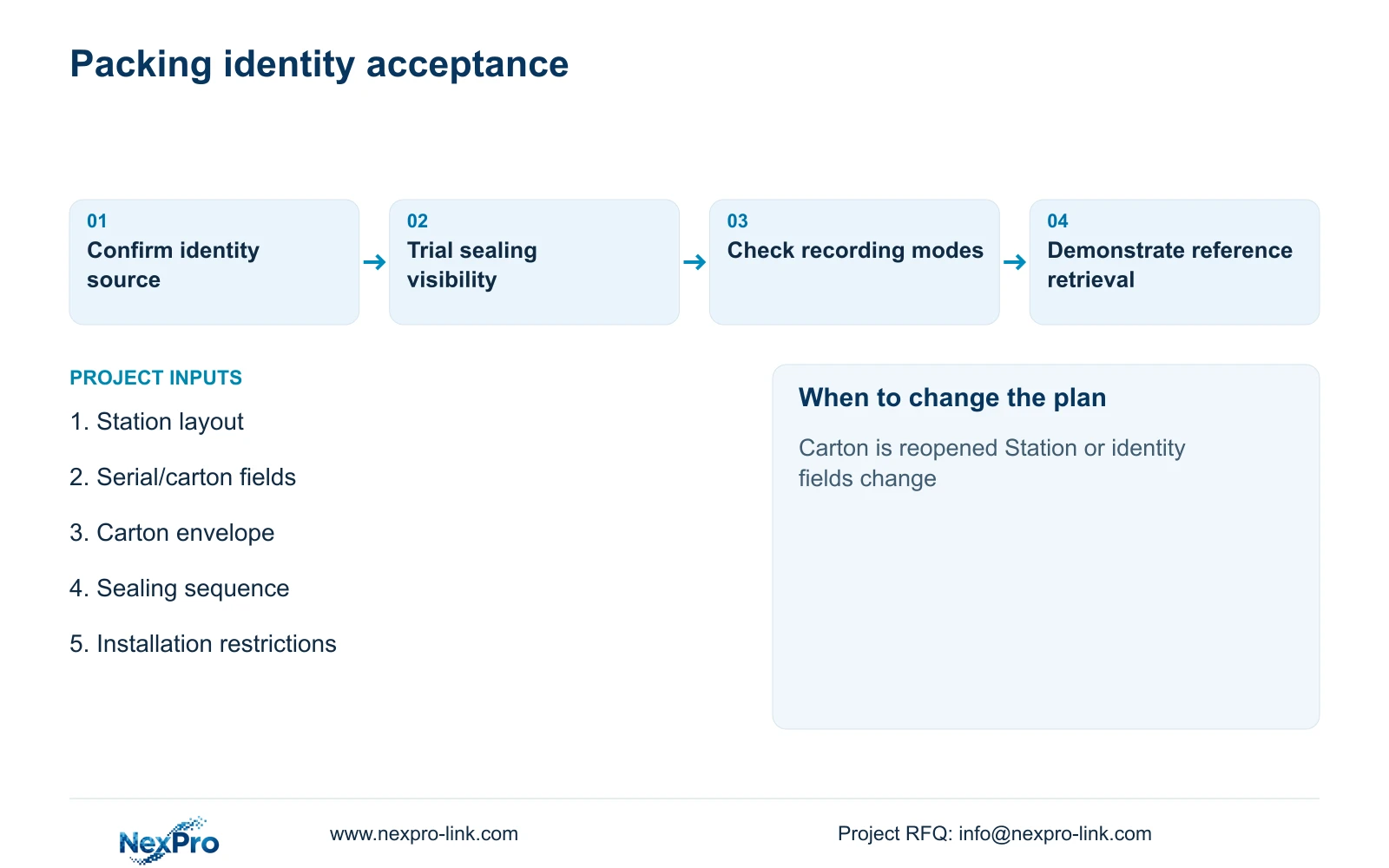
For acceptance, choose a representative device reference, find its carton association and retrieve the corresponding placement and sealing sequence. Confirm that the reviewer can export the approved footage and identify any gaps in the sequence. Record the accepted model and settings. A later station move, carton-size change or serialization-field change should trigger review of the mapping and affected view.
Section 07
Buyer questions
Can video replace the serial-to-carton record? Only if a separately defined and demonstrated identity workflow is accepted. The ordinary CCTV scope here uses the serialization record for identity and footage for visible handling context.
What if a carton is reopened after sealing? Preserve the corrected association in the business record and identify the reopening event and camera location. Review whether the accepted views cover that exception before relying on the original sealing clip.
Should an 8MP packing view use the same bitrate as the example? Do not assume it. Agree the output mode and recorded quality, observe representative stream demand and update recording and storage inputs. The illustrative density comparison does not establish bitrate.
Section 08
Connect packing records with useful video
Email your packing-station layout, device/carton reference fields, carton dimensions and required sealing-review sequence to info@nexpro-link.com to discuss camera matching and the related supply boundaries.
Engineering references
These sources support the general planning principles. Always use the selected product's current datasheet and applicable project standards for final design.