At installer replacement, reconcile who controls remote registration, recovery contacts and approved support access. Verify the owner's supported recovery route without sharing secrets in the project schedule.
Section 01
Keep local capture separate from the remote viewing service
At installer replacement, reconcile who controls remote registration, recovery contacts and approved support access. Verify the owner's supported recovery route without sharing secrets in the project schedule. Close the departing installer's access under the actual platform procedure. Local recording acceptance and remote ownership handover remain separate deliverables.
Define Seetong remote access as an application workflow above a separately specified local recording system. Identify where footage is stored, which hardware captures it and who supports each layer. Seetong compatibility does not establish one manufacturer for all connected equipment or prove that every service will remain permanently free.
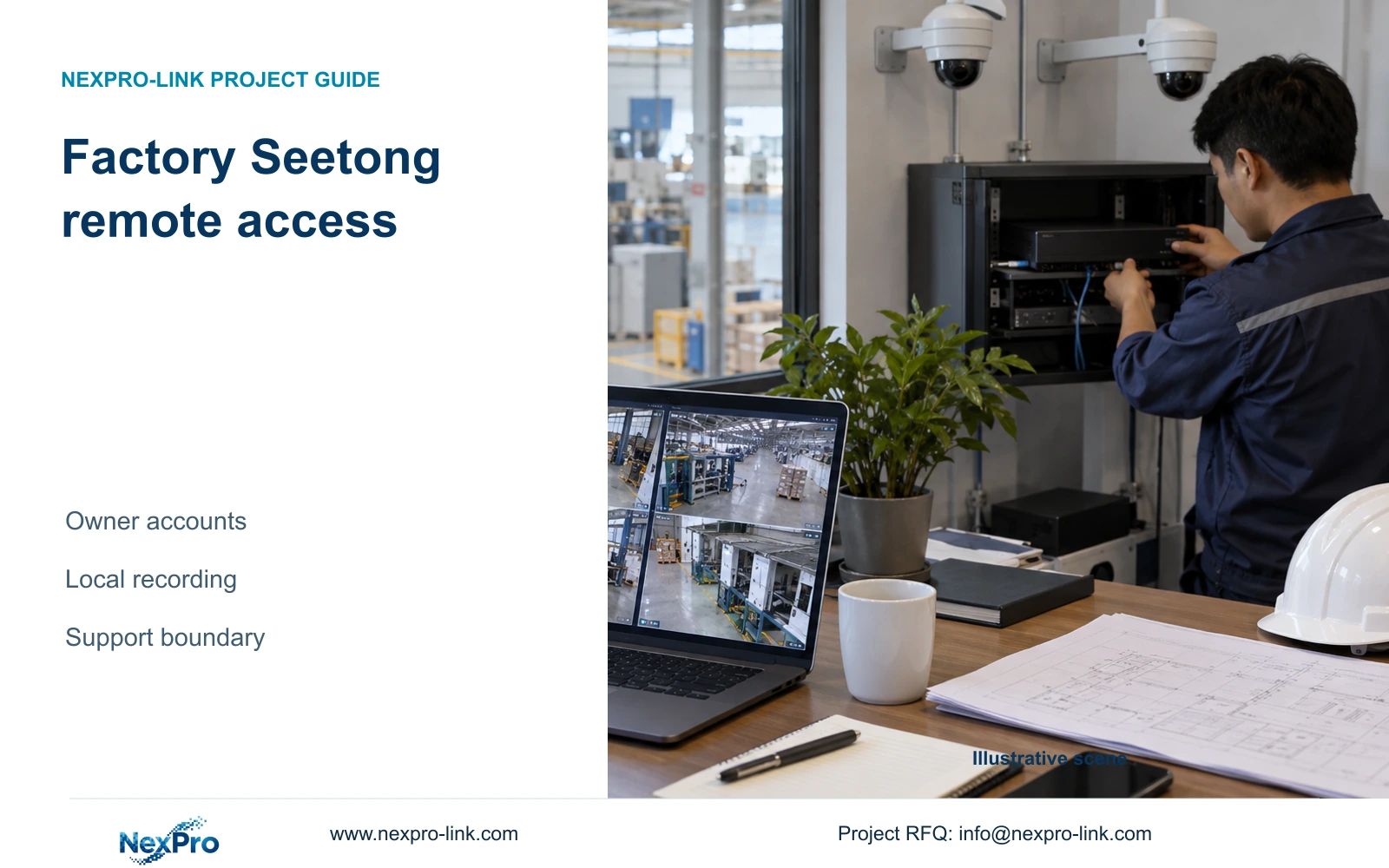
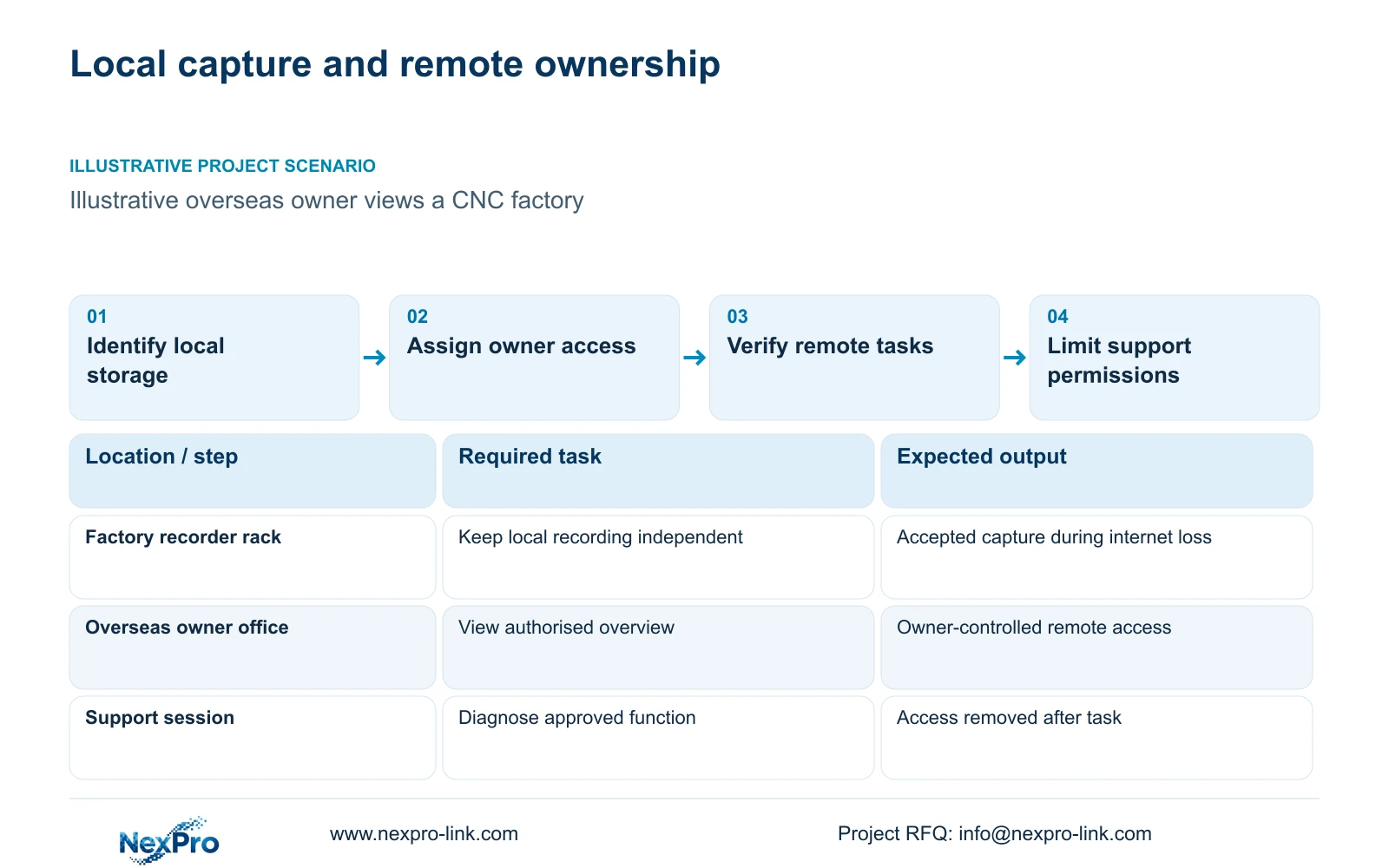
Illustrative project scenario: An overseas factory owner wants to view a locally recorded CNC plant from a remote office. CASE01 provides a 32-camera ordinary-security baseline with a local recorder and disk plan. Assume the remote office needs an overview and occasional authorised retrieval. Those remote tasks are planning additions, with no measured connection result or completed customer installation implied.
Specify what must continue during internet loss. The intended local camera, switching and recording path should remain usable without the remote viewing connection, subject to its own power and network dependencies. Test that behaviour on the selected configuration. A failed remote login and a stopped local recorder are different faults and need different troubleshooting routes.
Section 02
Put continuing account control with the factory owner
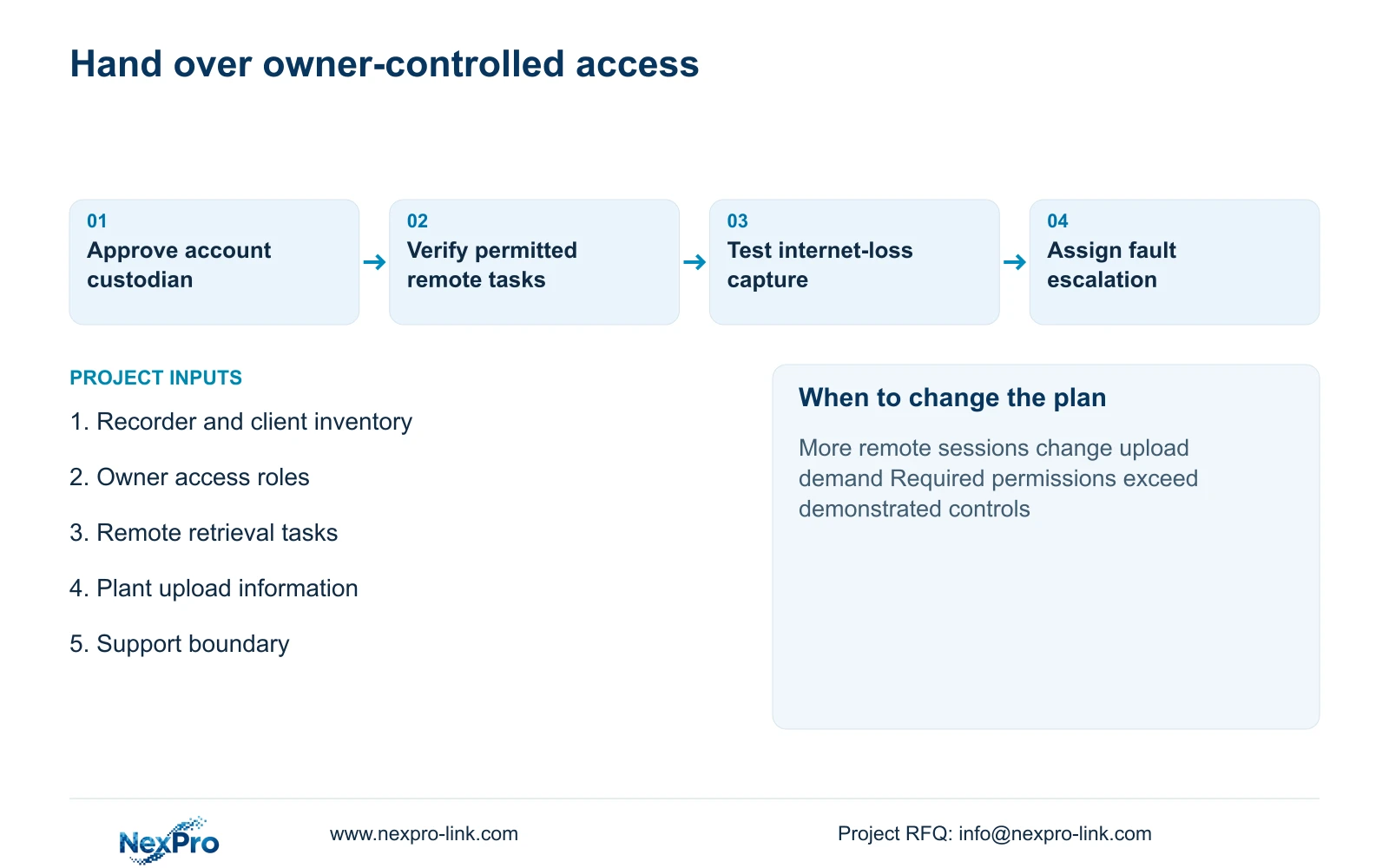
The owner should approve the account holder and recovery contact before devices are handed over. Avoid an arrangement in which continuing access depends solely on an installer employee's personal contact details. Record the authorised custodian and verify the supported account transfer, binding or recovery process for the actual application and device versions.
Separate the remote application identity from local recorder and camera administration. The exact system may offer different permission controls at different layers, so test what each role can do. A remote viewer should receive the access needed for the agreed task; support personnel should not inherit unrestricted administration merely because they helped establish the connection.
Maintain a non-secret access register covering role, device scope, approving owner and review status. Keep passwords and recovery codes in the owner's authorised credential process rather than the public handover pack. When a role changes, verify removal on the relevant paths, including any retained local client access.
Section 03
Give remote support an approved purpose and stopping point
For a support request, state the affected function before granting access: connection diagnosis, recorder configuration or playback verification. The owner approves the scope, and the local technician remains available where a physical connection, disk or power fault may be involved. Remote access cannot substitute for work that requires someone at the rack.
Use the least access the selected system can provide, and remove support access after the agreed task. If time-limited or granular controls are unavailable, define an owner-supervised session or another approved method. Do not invent application security features to make the policy appear complete; record the actual control and its limitation.
Keep the CCTV remote path separate from production-control networks. NIST SP 800-82 Rev.3 provides an OT-security reference for respecting operational and safety constraints. For this scenario, the practical output is an approved access route and clear responsibility boundary, rather than permission for a camera support session to reach unrelated plant controls.
Section 04
Budget the plant's outbound viewing traffic independently
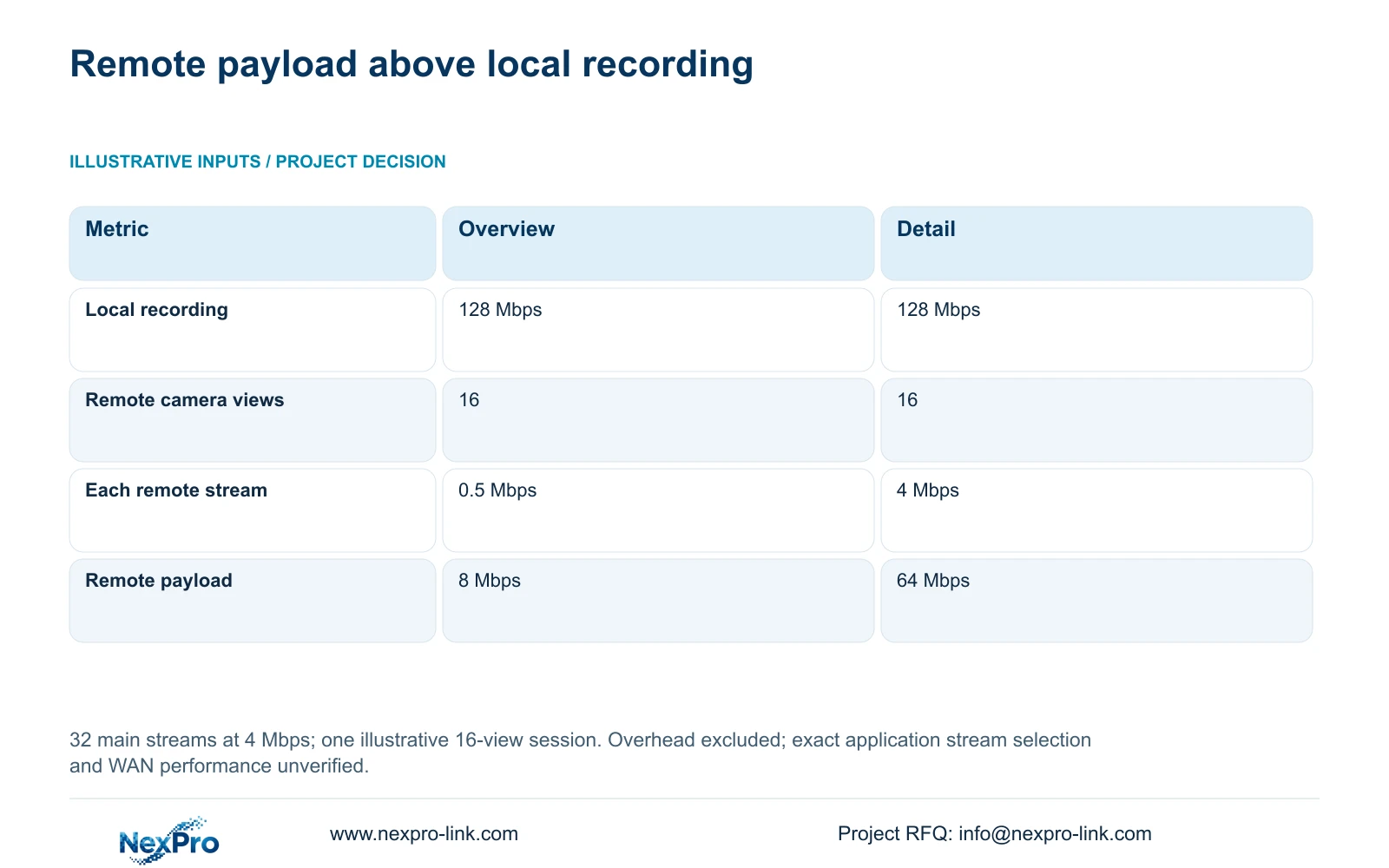
Use the illustrative main recording load of 32 streams at 4 Mbps: recorder_Mbps = 32×4 = 128 Mbps. This is local recording payload. For 16 cameras viewed remotely, viewing_Mbps = 16×stream_Mbps gives 8 Mbps at an assumed 0.5 Mbps overview rate or 64 Mbps at a 4 Mbps detail rate.
The table's decisive difference is the outbound viewing workload, while the accepted recording quality stays unchanged. Prefer a verified overview stream for routine remote checking, then open detail when the task requires it. Confirm that the exact application and devices select the intended stream; the source material does not establish universal substream behaviour.
Count all simultaneous remote sessions and add playback or export traffic on the paths they use. The plant's available upload capacity matters, as do other users and shared network traffic. These figures exclude protocol overhead and do not guarantee WAN performance. Account permission and network capacity must both fit the requested remote task.
| Metric | Remote overview | Remote detail |
|---|---|---|
| Local recorder payload | 128 Mbps | 128 Mbps |
| Concurrent remote views | 16 | 16 |
| Each viewing stream | 0.5 Mbps | 4 Mbps |
| Remote payload | 8 Mbps | 64 Mbps |
| Local recording quality | Unchanged | Unchanged |
Section 05
Choose remote access that preserves ownership and usable retrieval
For the stated owner-checking scenario, retain local recording and use a verified remote overview with owner-controlled access. Add remote playback and export only after the intended users can complete those tasks on the exact configuration. A successful live connection should not be treated as proof of every remote service.
NexPro-Link's Seetong system page supports the application and PC-client context. Its project supply scope can coordinate hardware selection and preparation, but software-service ownership remains distinct from the equipment supplier. Request written support boundaries and any applicable service terms rather than inferring permanent entitlement from the camera or recorder price.
Change the recommendation if the owner requires central auditing, more complex permissions or retrieval functions that the proposed workflow cannot demonstrate. Compare another application or platform on those requirements, including support and installation scope. Do not replace the local recording package solely because the remote interface looks different.
Section 06
Hand over access control and fault isolation together
The handover should identify the local recording location, accepted camera schedule, recorder/client versions and remote tasks. CASE01's four 16 TB disk arrangement is a local storage baseline, not a remote cloud archive. Confirm the actual disk scope in the order and keep any separately purchased storage service distinct.
Run an acceptance sequence with the owner role: open the agreed overview, retrieve a permitted event and check the allowed export. Then interrupt the approved internet path and verify local recording separately. Restore connectivity and confirm the remote path without changing accepted capture settings. Record results and unresolved items rather than assuming that recovery is automatic.
NexPro-Link can discuss equipment matching and technical documents around this workflow. Assign application account administration to the owner, site network and physical checks to the local integrator, and hardware support to the appropriate supplier. The resulting responsibility map helps a remote owner distinguish an account issue from a WAN problem or a local recording fault.
Section 07
Buyer questions
Should we send account passwords with an initial RFQ? No. A model inventory, task description and non-secret account-ownership requirement are sufficient for initial scoping. Any later support access should use an owner-approved process with a defined purpose.
Does remote viewing mean our recordings are stored in the cloud? No. Identify the actual recording destination in the architecture. This scenario uses local recorder disks; any cloud storage or archive service needs a separate scope and terms.
Who should handle a remote picture failure first? Use the responsibility map to check whether local recording and local viewing still work, then investigate the remote account and network path. Escalate to the relevant hardware or application support party with the model/version and observed symptoms.
Section 08
Define an owner-controlled remote workflow
Send the recorder/client inventory, required remote viewing and retrieval tasks, available plant upload information, and account/support ownership requirements to info@nexpro-link.com to discuss the NexPro-Link hardware and access scope.
Engineering references
These sources support the general planning principles. Always use the selected product's current datasheet and applicable project standards for final design.