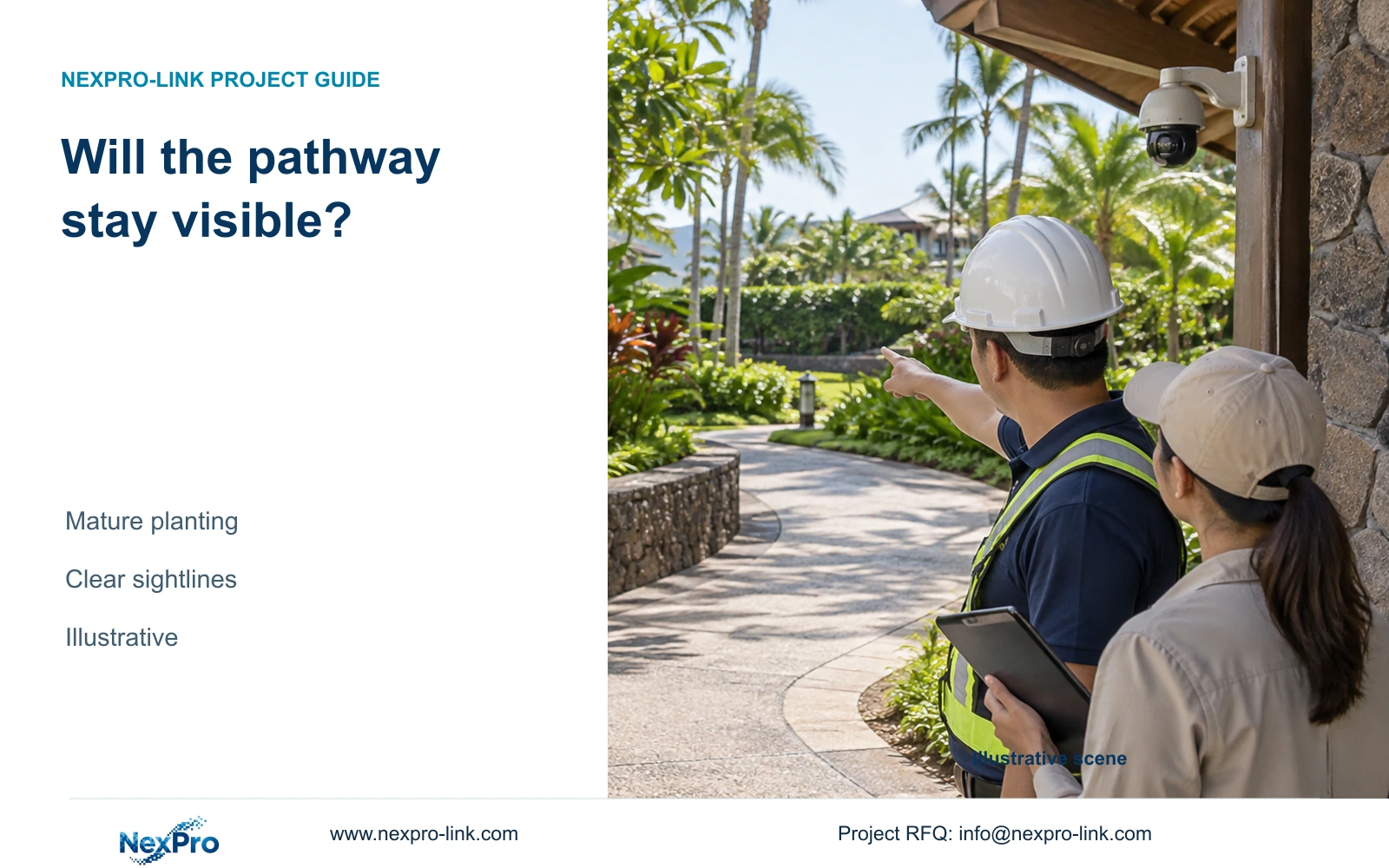
Select pathway camera positions against the intended mature landscape and an achievable maintenance boundary. Opening-day visibility alone cannot establish that a turn or route will remain observable.
Section 01
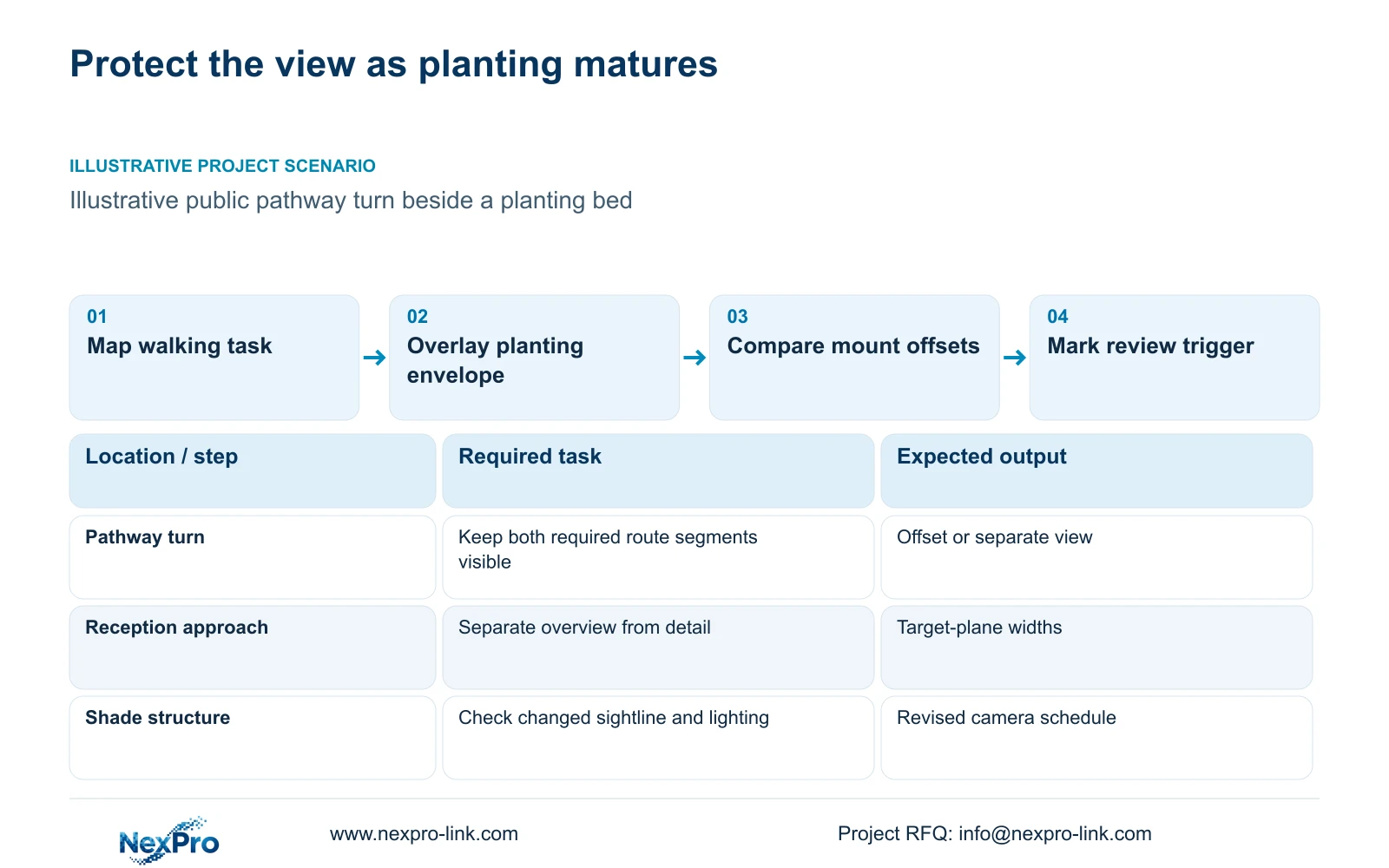
Select the walking-route tasks that must remain visible
Position resort pathway cameras against foreseeable mature planting and the hotel's agreed maintenance boundary. Keep an existing position only if it preserves the required view under those conditions. Move the mount or add a justified view when growth, a canopy or another landscape element will obscure a critical turn.
Map permanent public walking routes from reception to accommodation approaches and service areas. Identify the route segments and crossing actions that staff need to review. Give each proposed view a task, such as observing a public-route junction or following movement through a turn. A resort's room count cannot determine this schedule.
Separate an overview from a detail requirement. A wide view may explain where an incident occurred while a narrower view supports review at a selected point. Combine tasks only when both remain usable. The illustrative CASE04 has 96 positions across building groups, but that allocation supplies no measured pathway coverage and should not become this landscape design's camera count.
| Required task | Given information | Decision still needed |
|---|---|---|
| Observe public-route turn | Planting bed borders the inside corner | View position outside mature obstruction |
| Review reception approach | Overview and detail tasks differ | Confirm whether one position supports both |
Section 02
Model the planting envelope used for the design
Ask the landscape designer to show the intended mature planting zones and the maintained envelope the hotel expects to support. Put those boundaries on the same drawing as camera sightlines. Do not invent plant-growth dimensions or dates from a photograph of newly installed landscaping.
Review where foliage or a shade structure intersects the camera-to-target path. A planting zone outside the pedestrian route can still obstruct the required view. Compare the opening layout with the intended maintained condition and mark any difference that changes a camera task. Where the future envelope is unresolved, retain the affected position as provisional.
Agree who maintains the boundary used in the security design. If the view depends on trimming that the hotel cannot reliably arrange, revise the mounting position. The design should not assume that landscaping will be reduced whenever CCTV needs it. A landscape and security coordination decision is required where the observation task conflicts with the intended planting.
| Condition | Opening layout | Maintained mature layout | Decision effect |
|---|---|---|---|
| Turn visibility | Young planting leaves view open | Defined envelope crosses sightline | Move mount or add separate view |
| Maintenance basis | No trimming responsibility stated | Hotel accepts a defined boundary | Document boundary and review trigger |
Section 03
Compare offsets before adding cameras
Compare a position beside the planting zone with an offset that views the route from another direction. Evaluate the target plane and installation access for both. A relocation may avoid the predicted obstruction, but its changed angle can also reduce useful detail or introduce an unwanted view toward accommodation.
Use the same route task when comparing relocation, lens adjustment and an additional camera. Adding a view is justified when a documented blind segment remains after reasonable position changes. Record the additional task in the Camera Schedule so its network, storage and cable implications can be assessed.
The supplied BL2812M PDF lists a 2.8-12mm motorized lens for NexPro-BL2812M55-5MP-DIC-AI and NexPro-BL2812M88-8MP-DIC-AI. That range supports a candidate review for adjustable framing, but it does not provide an exact field of view at each focal length. Optical adjustment changes the view; digital enlargement cannot restore detail hidden by planting. Motorized zoom also does not establish PTZ capability.
Section 04
Calculate detail at the actual target plane
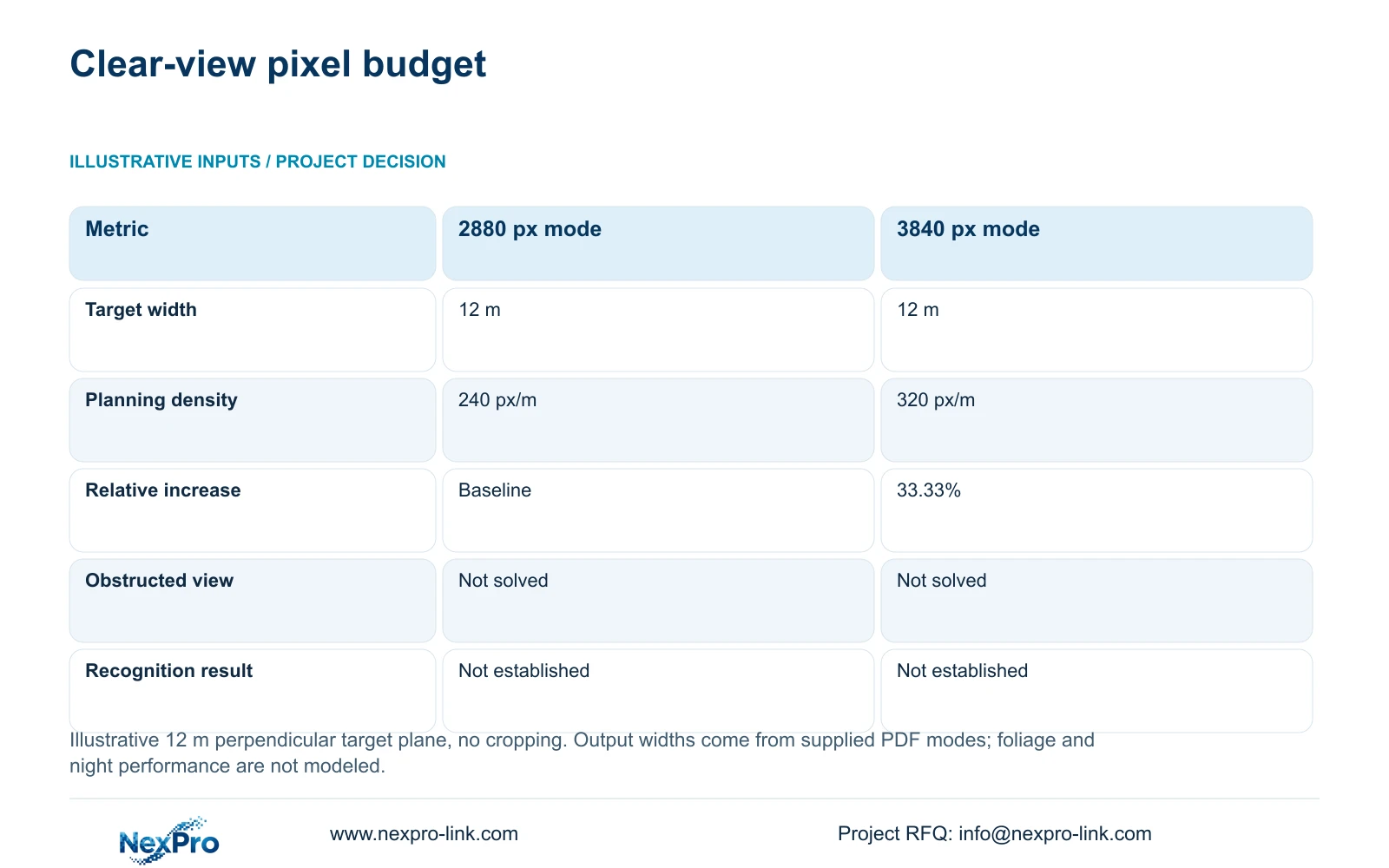
The illustrative comparison uses an equal 12 m target-plane width and the documented horizontal outputs of 2880 and 3840 pixels. Planning density equals horizontal output pixels divided by target width in metres. With no cropping and a perpendicular plane, the two budgets are 240 and 320 px/m.
The 33.33% increase describes geometric pixel allocation only. It does not establish identification, night performance or usable detail through foliage. The supplied 5MP mode includes 2880 × 1620; preserve that value instead of substituting a different nominal 5MP resolution. The 8MP mode is 3840 × 2160.
Use the calculation to compare clear views after mounting options are established. Measure the width where the required action occurs, not the entire landscaped area. A higher horizontal output can increase the budget at the same width, while a narrower useful view can change the budget without changing resolution. Confirm the resulting recorded task under relevant motion and light before approving a model.
| Metric | Documented 2880 px output | Documented 3840 px output |
|---|---|---|
| Output width | 2880 px | 3840 px |
| Target-plane width | 12 m | 12 m |
| Planning density | 240 px/m | 320 px/m |
| Increase relative to A | Baseline | 33.33% |
| Not established | Recognition or night performance | Recognition or night performance |
Section 05
Coordinate lighting and installable cable routes
Review the relocated view with the lighting layout. Planting and shade structures can change light reaching the target, and reflective surfaces can affect camera illumination. Define whether the task needs an overview, color information or moving detail. Select visible-light behavior only where it is acceptable near accommodation and supported by the exact model.
Measure the cable route to the chosen mount through the installable path, including vertical sections and stated termination allowances. Recalculate when a position moves. The typical copper basis in the supplied Fluke reference distinguishes a 90 m permanent link from a 100 m channel including patch cords; the project's category, test configuration and destination requirements remain applicable.
Where the route requires a remote active node or fiber connection, identify local power and its outage protection. Fiber does not supply camera power. Include patching, modules and installed-link testing in the scope. SP5648 is a Cat6 48-port patch panel and DT968MX is a Cat6 module, not a bulk-cable specification.
For procurement, provide endpoint lengths and a feasible continuous cutting allocation. A total-length division alone can understate reel demand, and distributed tails cannot automatically be joined to complete a camera route. No CASE04 reel quantity should be imported into the revised pathway schedule.
Section 06
Trigger review when the landscape changes the task
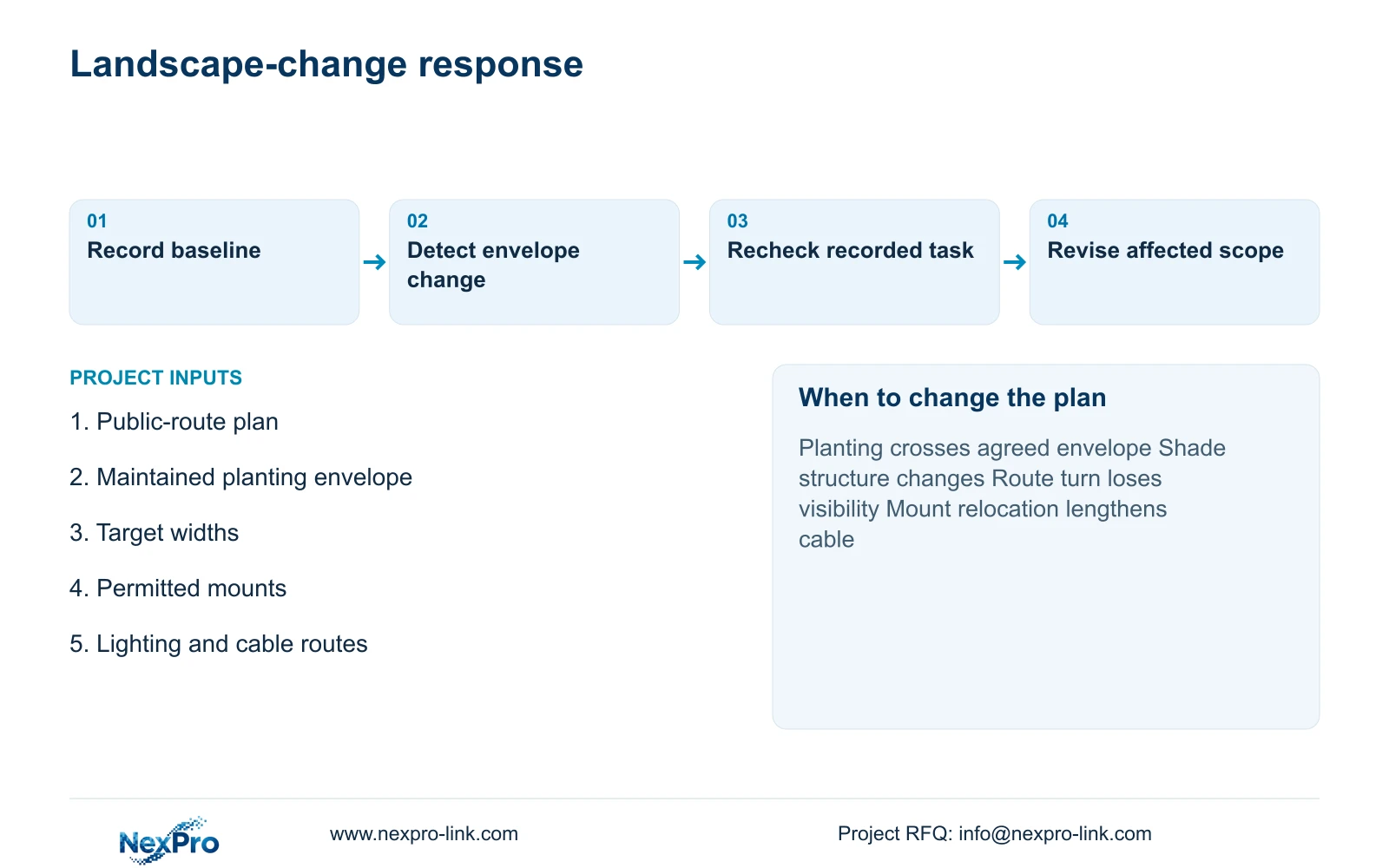
Record a baseline with the approved mount, target width, required route segment and maintained planting envelope. Trigger a view review when planting crosses that envelope, a shade structure moves or the permanent walking route changes. This gives the hotel a specific reason to revisit the design without inventing a universal inspection interval.
Recommend offset mounting where it preserves the task outside the foreseeable obstruction and remains maintainable. Change to an additional view when the revised angle loses a required turn or detail point. If a later landscape change requires more equipment, explain quantity changes separately from specification, cable and shared-resource changes. Only the agreed revision should become procurement scope.
Send the public-route plan, intended planting envelope, target widths and permitted mounting positions to info@nexpro-link.com. Include the lighting layout if night detail is important. Hotel project equipment support and BOQ and tender support can assist with the revised Camera Schedule and model matching. Keep landscaping work and local installation responsibilities separate from the equipment supply proposal.
Section 07
Buyer questions
Will an 8MP camera solve a planting blind spot? No resolution increase restores an obstructed sightline. Resolve the position or planting boundary first, then compare the clear target width and recorded detail. The 320 px/m example assumes the target is visible.
What should the landscape team provide before camera ordering? The intended mature or maintained planting envelope, permanent route layout and approved shade structures. Identify unresolved areas so mounts and cable quantities remain provisional where necessary.
Can one camera cover both sides of a pathway turn? Only if the actual geometry preserves both required tasks. Compare the two target planes and expected obstructions. If one side disappears behind planting or structures, record a separate view requirement instead of treating a wide lens as proof.
Engineering references
These sources support the general planning principles. Always use the selected product's current datasheet and applicable project standards for final design.