Separate physical replacement, configuration reuse and historical retrieval so the new camera serves the entrance task without confusing older recordings.
Section 01
Preserve the entrance task through the replacement
Keep the channel understandable by recording the old and replacement camera identities against the same installation task, updating the correct connection fields, and checking which settings the replacement supports. Retaining a channel number alone does not establish that the new camera meets the entrance requirement or that earlier footage remains retrievable. Before an approved change, preserve required old recordings and note the replacement boundary. Then verify the new view, appropriate recording profile and required functions. Treat physical replacement, configuration reuse and historical retrieval as separate acceptance results, so a successful live picture does not conceal an unresolved recording or identification problem.
This workflow uses the supplied private NVR4.0 user manual CH_V2.4.doc, with V2.2 in its body. Sections 4.3.1, 4.4.4 and 4.12.6 support connection and naming controls. Sections 4.4, 4.10 and 4.11 describe camera-dependent controls and recording tasks. Follow the actual recorder and firmware scope.
Section 02
Record both camera identities before editing
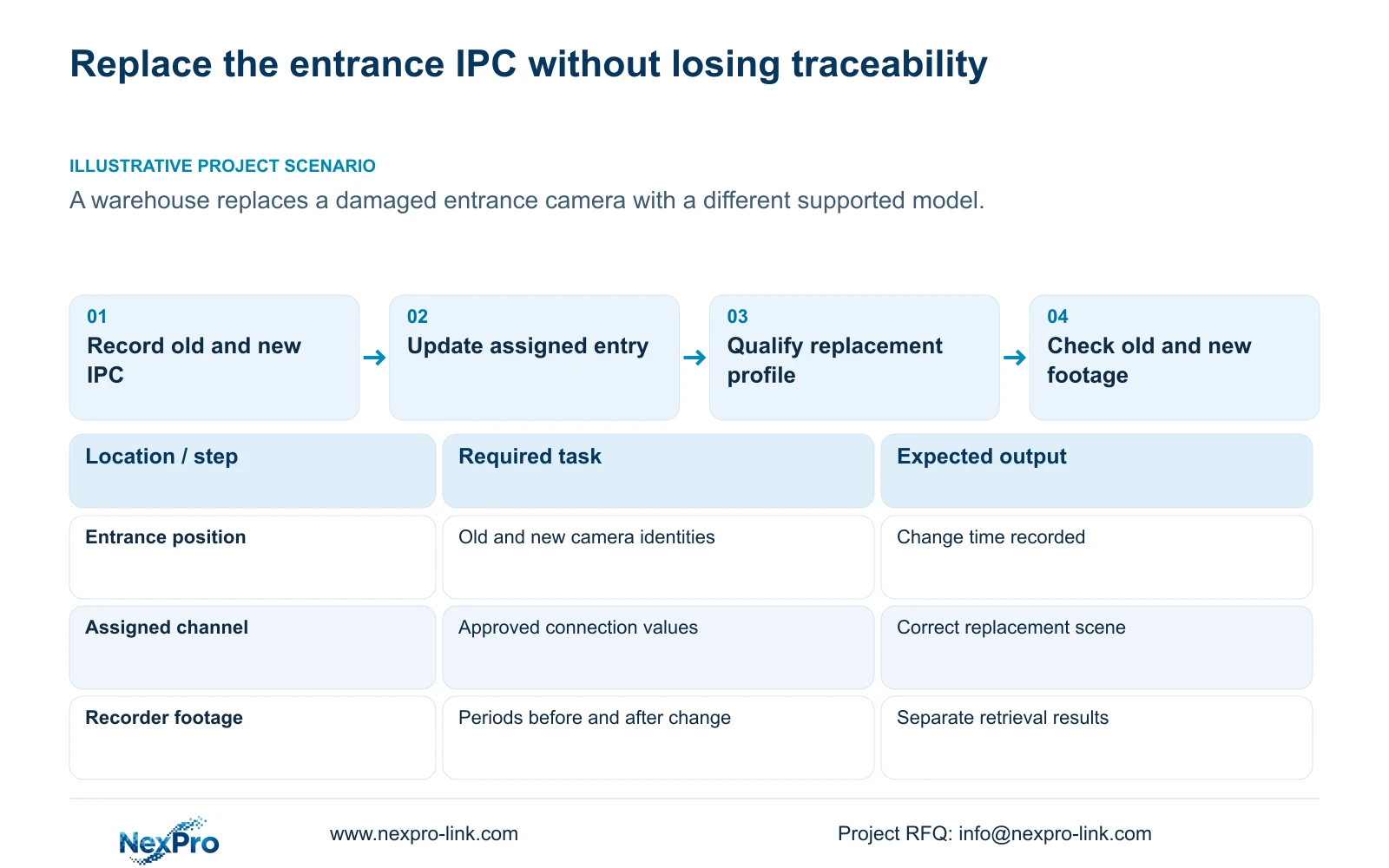
Create a replacement entry that keeps drawing location, physical camera identity, address, recorder channel and displayed name separate. Retain the old identity and add the new identity with the time of the change. This lets a later reviewer distinguish footage from the retired camera from footage produced by its replacement.
Changing an OSD name and replacing hardware are different actions. An unchanged entrance label can still describe a different device, while a changed label can describe the original device. Use the service record to explain what happened rather than asking operators to infer it from the preview layout.
Before releasing the replacement, confirm the intended entrance task with the owner. A supported model must still provide a suitable view and the functions needed for that location. Record any requirement that the proposed replacement has not yet demonstrated.
Section 03
Update the assigned connection with approved values
Section 4.3.1 provides the edit-device workflow for connection information such as protocol, username and password. Compare the replacement's authorized current values with the intended channel entry. Keep the location-to-channel relationship visible while making the change, and avoid altering unrelated channels.
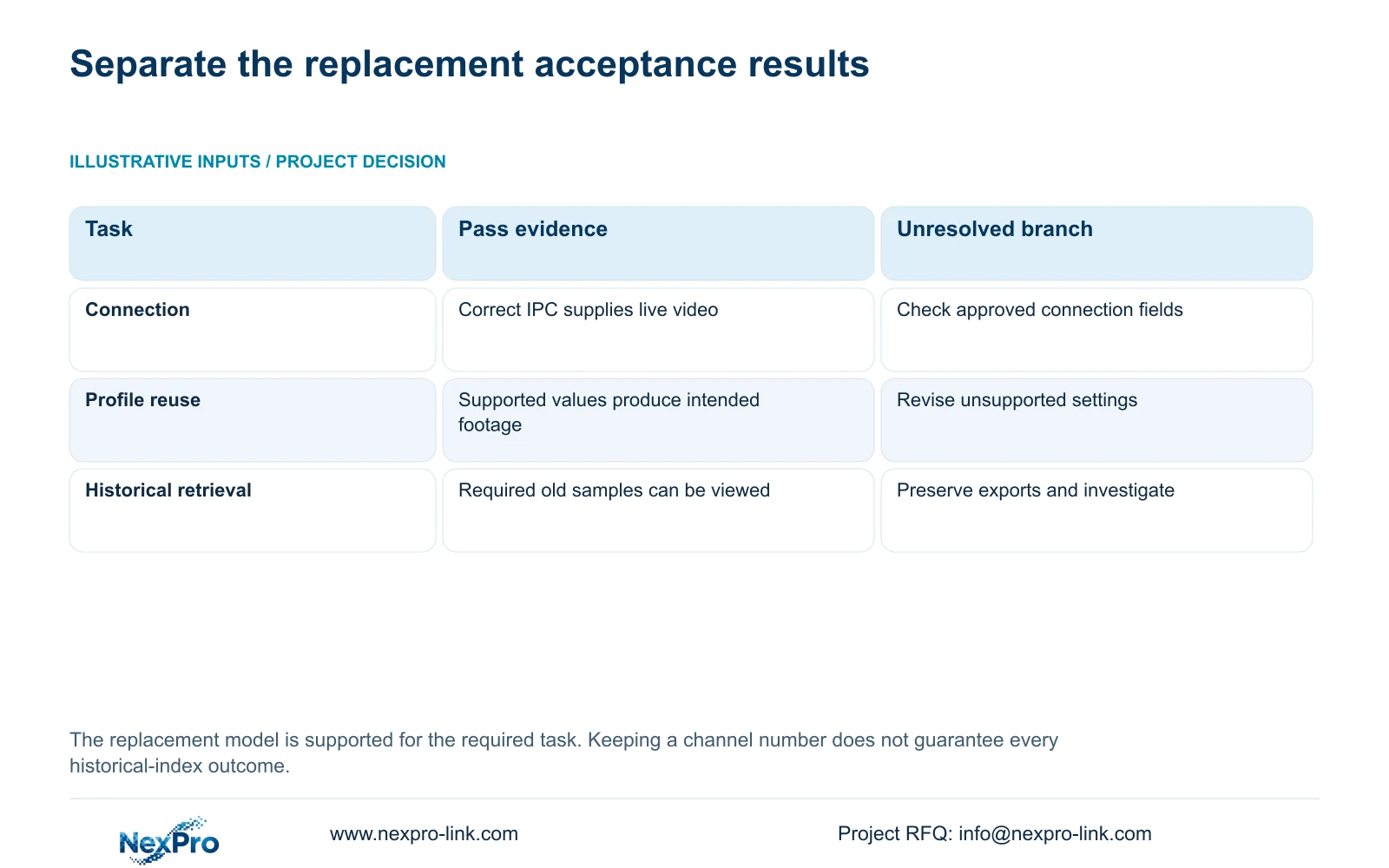
A matching display name does not prove that the entry now authenticates the replacement camera. Inspect connection state and confirm the actual scene after editing. If the channel remains disconnected, resolve the confirmed address, protocol or credential mismatch before attempting profile reuse.
If an address change is necessary for the replacement, obtain the site network owner's approved values and change authority first. Preserve required footage and connection records, and plan the interruption. Update the mapping after the authorized change so the installation record reflects the current connection.
Section 04
Test the functions that depend on the replacement IPC
The recorder can perform only operations that the connected camera and selected protocol expose and accept. The manual states this dependency explicitly for PTZ and identifies camera-dependent settings elsewhere. A working stream therefore establishes less than a complete functional replacement.
List the entrance functions actually required, then test them on the new camera. If a control is unavailable or ineffective, check camera identity, firmware, protocol, relevant permissions and menu level. A greyed-out control does not by itself prove hardware failure.
For a third-party replacement, qualify the required operations separately from basic video. Use the ONVIF profile reference as supplementary scope information, without treating discovery as proof of universal interoperability or inventing a menu path absent from the applicable interface.
| Observed result | Meaning | Next action |
|---|---|---|
| Video works; a required control is unavailable | Basic connection passes; the function remains unqualified | Check IPC, protocol, firmware and permissions. |
| Old profile uses an unsupported option | The destination cannot inherit that profile unchanged | Choose a supported setting that still meets the entrance task. |
| New footage works; an old sample cannot be retrieved | Replacement recording passes; historical retrieval remains unresolved | Preserve exports and investigate the specific old period. |
Section 05
Reuse settings only where the destination supports them
Copy controls can reduce repeated work, but they do not evaluate the destination camera's capabilities or the purpose of its view. Sections 4.11.1, 4.4.2 and 4.12.6 to 4.12.7 describe relevant copying operations. Review the source profile and chosen destination before applying it.
Compare the entrance recording schedule and supported stream options with the replacement. Preserve intentional local exceptions. A corridor profile should not replace the entrance profile simply because it is available on another channel, and an old resolution setting should not be assumed valid on a different model.
After applying suitable values, inspect the actual destination settings and retrieve the resulting footage. If the applied profile differs from the intended one, record the difference and correct that specific setting through the supported workflow. A save confirmation alone does not complete this check.
Section 06
Protect old footage before removing an entry
Removing a device entry in section 4.3.1 and formatting storage in section 4.12.21 are separate operations. The manual does not establish every historical-index outcome after deletion or channel reassignment. Do not promise that all old recordings will remain searchable, or describe connection removal as certified erasure.
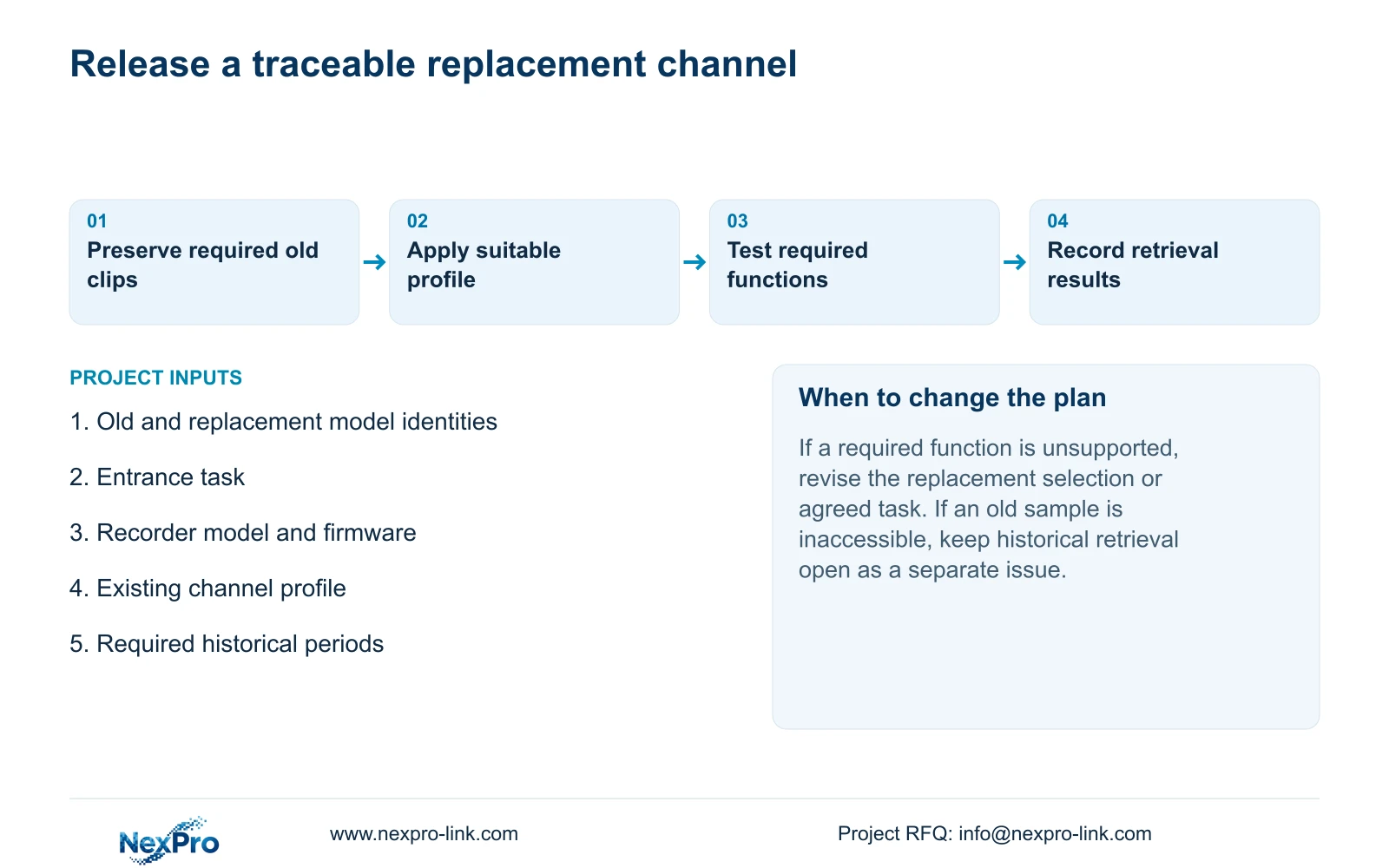
Export the old periods the owner needs before an approved reassignment, where accessible, and verify the copies. Keep their old camera and location references. Formatting is not part of routine camera replacement; any separate formatting request requires identified media, preservation of required material and explicit authorization.
If the required old footage is inaccessible before replacement, record that unresolved condition and obtain a supported next action. Do not allow a successful new connection to close the historical preservation task.
Section 07
Check new recordings and the required old samples
After replacement, verify the live scene and time, then retrieve a known new recording period under the intended policy. Check required events and operator access. Separately retrieve the selected older samples and confirm that their scene and time correspond to the retired entrance camera.
Export a suitable sample and verify the intended viewing path. Record passes and failures separately: connection, replacement function, recording profile, new playback and old retrieval can produce different results. If an item fails, retain the changed variable and evidence for support without assuming an automatic rollback mechanism.
Section 08
Apply the checks to the warehouse entrance
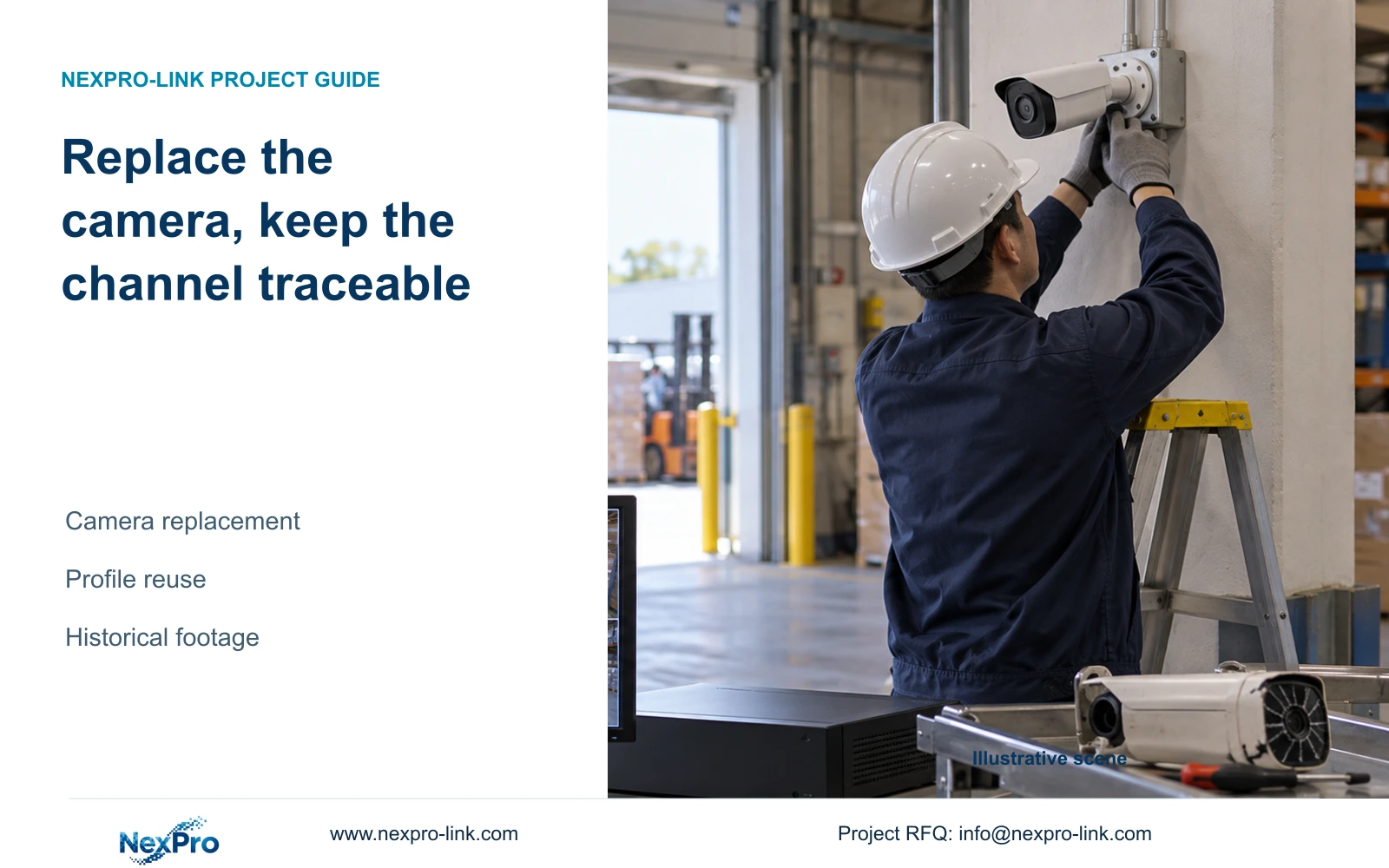
Illustrative project scenario: A warehouse replaces a damaged entrance camera with a different supported model. The integrator retains the entrance channel reference, records both camera identities and qualifies the new model's required functions before reusing settings. Required old clips are preserved before reassignment. Acceptance records whether new recordings and selected older periods can be retrieved; the scenario supplies no measured or delivered outcome.
Section 09
Can the old profile be copied without reviewing it?
No. Confirm supported options and the entrance task first, then inspect the applied values and resulting footage.
Section 10
Does keeping the channel number guarantee access to old footage?
The manual gives no blanket guarantee. Preserve required copies before the change and test the relevant historical periods afterward.
Section 11
Define the replacement requirement
Send NexPro-Link the old and proposed camera models, recorder firmware and entrance functions that must remain available at info@nexpro-link.com.
Engineering references
These sources support the general planning principles. Always use the selected product's current datasheet and applicable project standards for final design.