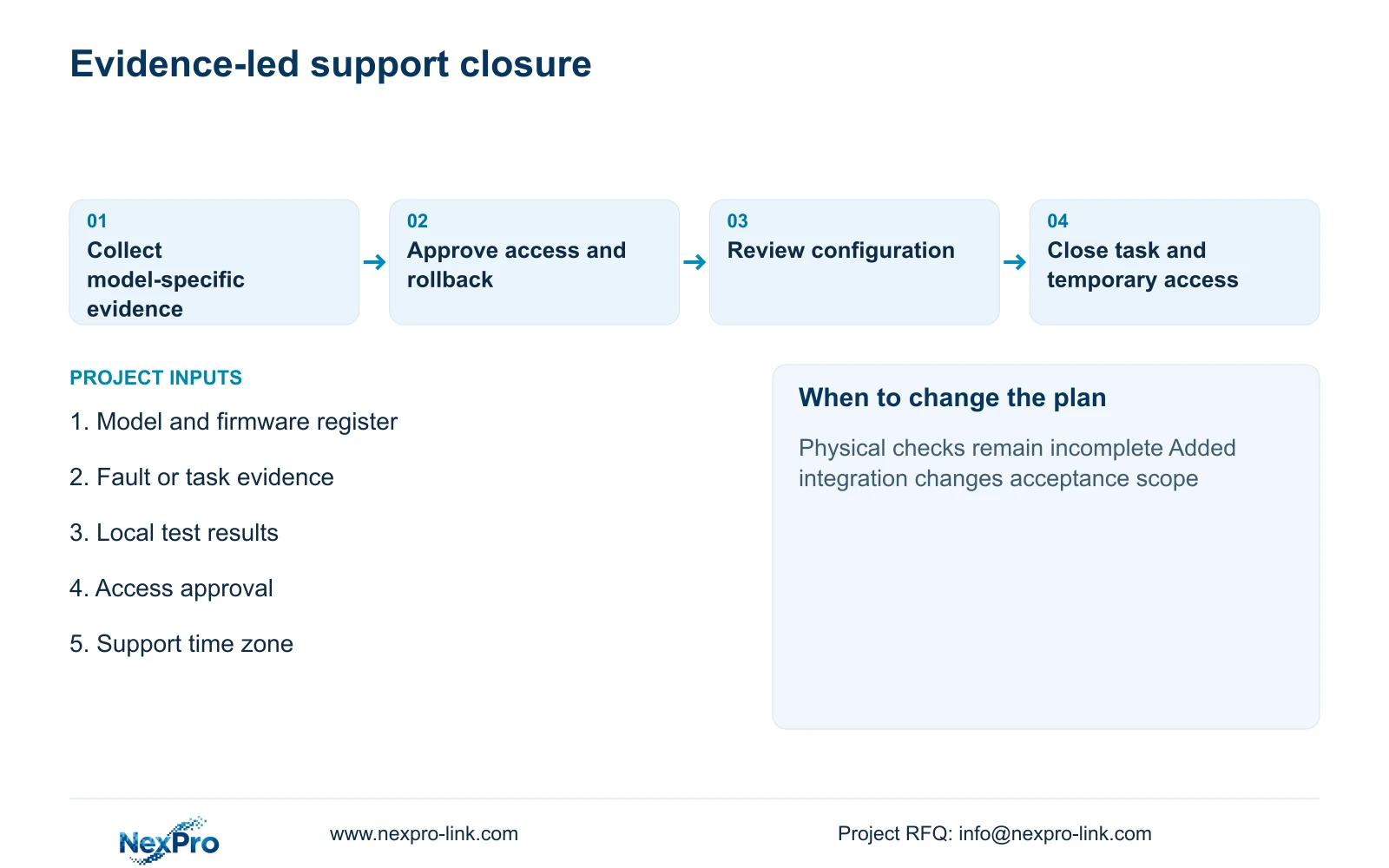
Close a remote session with changes made, unresolved site checks and the owner's required next action. Verify access restoration or removal under the actual supported procedure.
Section 01
Define the remote task and its accepted output
Close a remote session with changes made, unresolved site checks and the owner's required next action. Verify access restoration or removal under the actual supported procedure. Keep a temporary improvement separate from accepted incident closure. The local team must demonstrate the required recording task before the support ticket claims operational restoration.
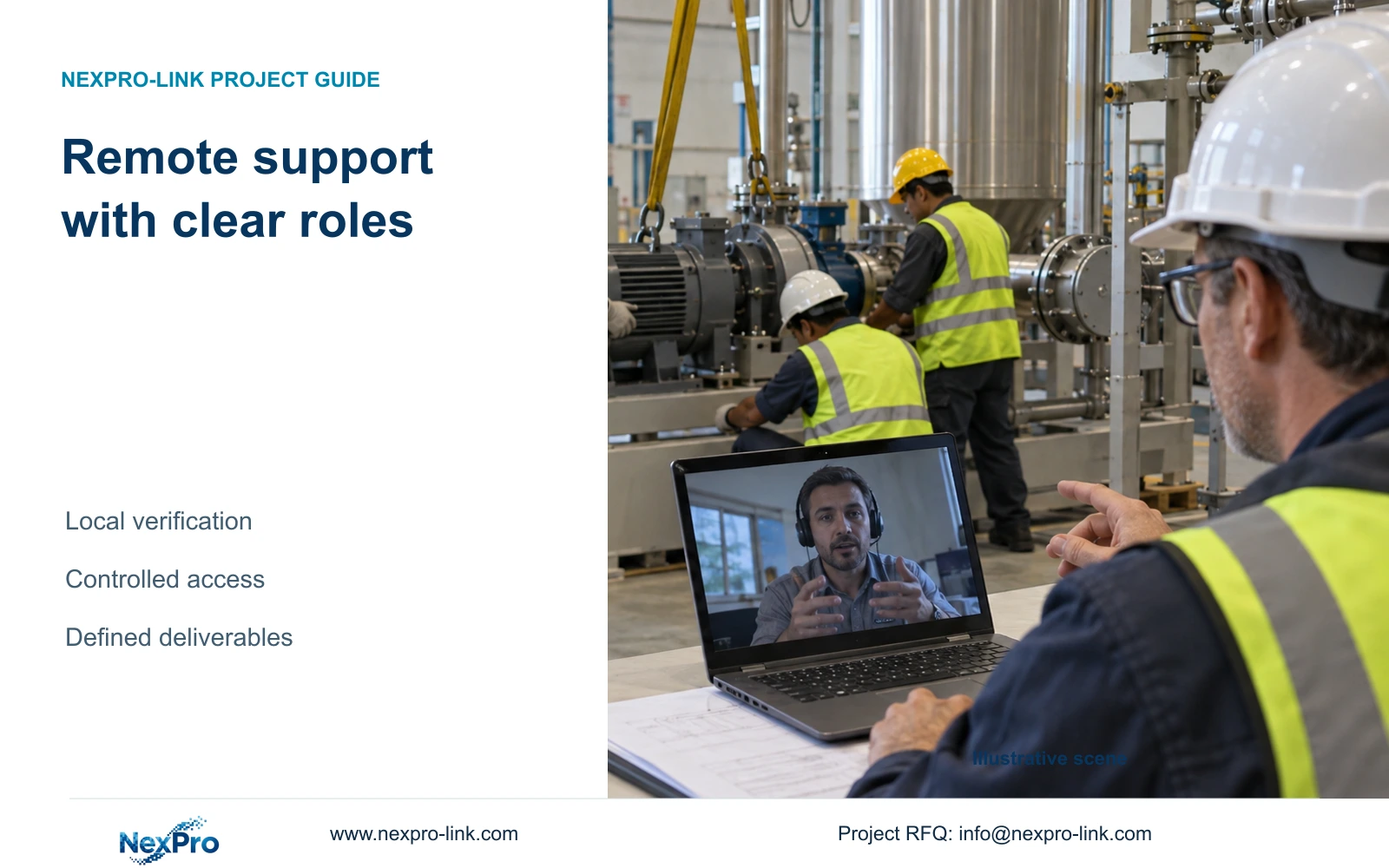
Remote project support for an overseas factory should be ordered as defined technical deliverables with an agreed response basis. Specify what the supplier will review, what the local installer must prepare and how completion will be demonstrated. Remote assistance should not be presented as uncontracted onsite labour, unlimited repair or a guaranteed response time.
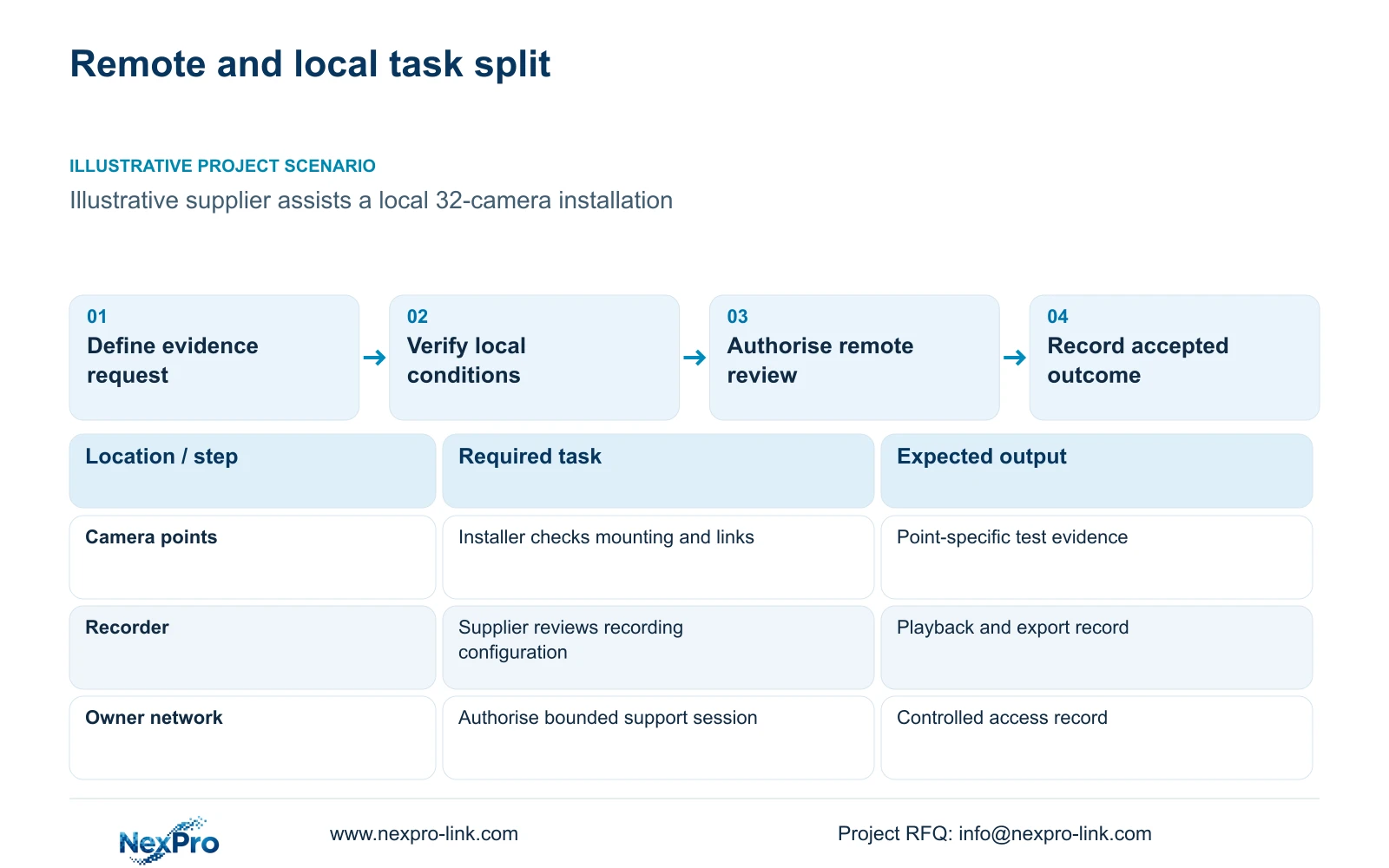
Illustrative project scenario: The overseas contractor wants technical help while a local crew installs equipment. Use CASE01's hypothetical 32-camera CNC factory as the background, with a local recorder and four PoE access groups. Assume the contractor requests camera naming, recording-setting review and a witnessed playback/export check. These are proposed support tasks, not services already delivered.
For each request, identify the actual model and firmware, expected result, available evidence and authorised contact. A request to investigate missing recording needs more than a screenshot of live video. The local team should provide channel status, time settings and relevant logs, allowing the supplier to address the defined issue instead of guessing at the installation.
Section 02
Assign physical and electrical checks to the local team
The local installer owns the agreed mounting, cable termination, physical inspection and site testing tasks. Electrical work and installation suitability need appropriate local confirmation. A remote technician cannot establish bracket security, cable routing or the actual protected circuit merely by viewing a device menu.
In CASE01, the 32 camera links and four access groups provide a clear way to organise evidence. The installer can report a fault by point ID, switch group and tested link, while the supplier reviews the affected device configuration. Keep the data path and power path separate: a reachable recorder does not show that every camera switch is connected to the intended UPS output.
Record the handoff between those activities. If a camera cannot be reached, ask the installer to establish local power and link condition before escalating firmware or stream settings. If the device is reachable but recording fails, the supplier can discuss model-supported configuration checks. This division avoids substituting repeated remote sessions for an unresolved physical fault.
Section 03
Agree controlled access before the support session
Have the owner's IT contact approve the support method, permitted devices and session window. Use an accountable session identity and limit access to the agreed task through the site's approved mechanism. Do not put passwords, temporary credentials or device identifiers into public packing artwork, shared diagrams or general project labels.
For this factory scenario, keep CCTV support separate from production-control access. NIST SP 800-82 Rev.3 provides an OT-security reference for operational constraints and separation; it does not establish a site-specific access design. The owner should confirm whether support is conducted through an authorised remote route or through a supervised local screen-sharing session.
Before making changes, preserve the relevant configuration and agree rollback steps. Record what changed, who authorised it and which checks were repeated. Close or remove temporary access under the owner's process after the task. Where the network path remains unavailable, use a controlled exchange of screenshots and logs rather than bypassing the site's access restrictions.
Section 04
Keep basic recording support distinct from integration
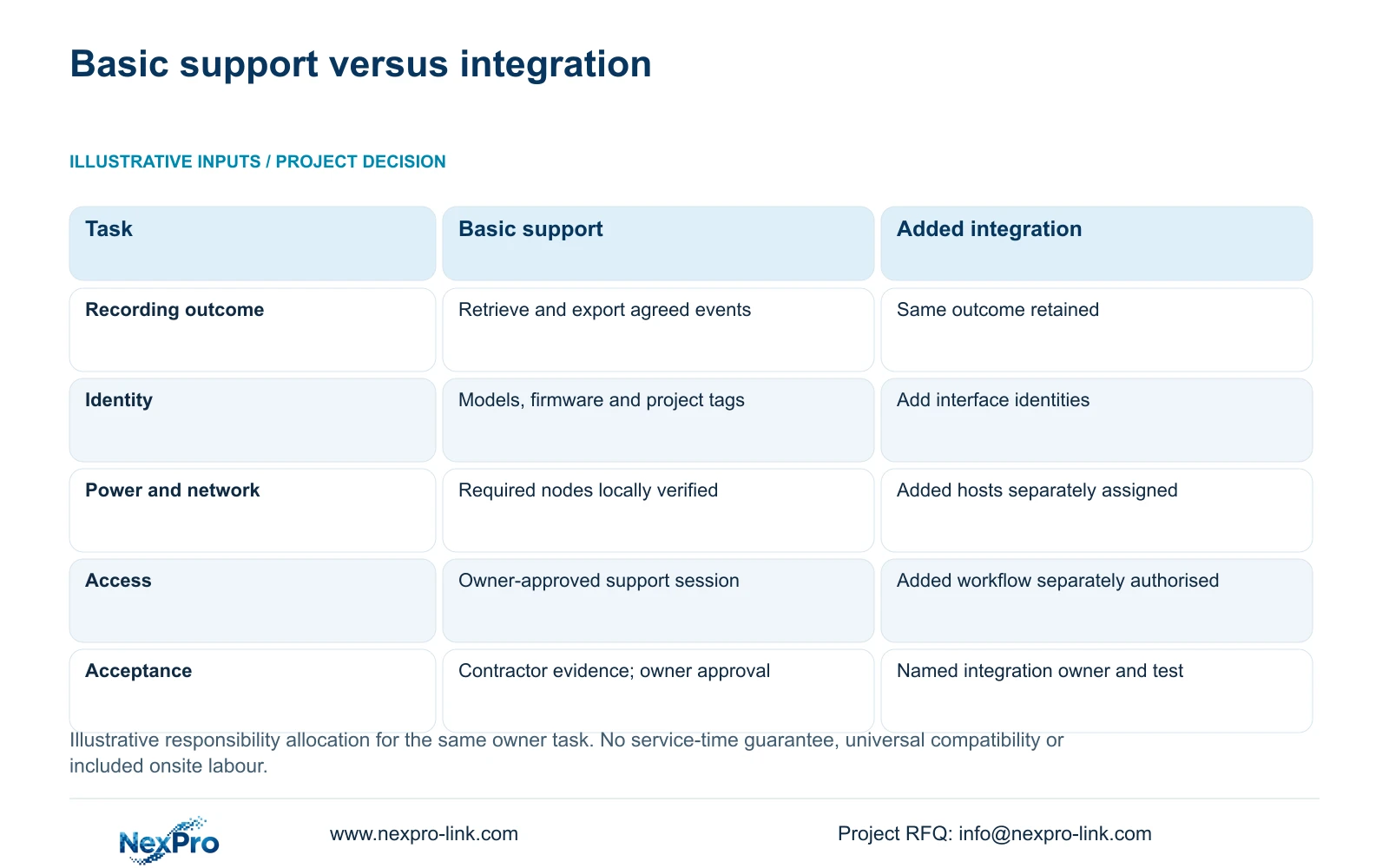
The minimum support package should help the owner achieve the defined recording, retrieval and export task with the selected equipment. Additional management or integration needs a separate owner-defined workflow, compatible interfaces and an agreed test. Keep the basic result constant when comparing the two support options.
The filled matrix assigns the supplier configuration assistance, the installer physical verification and the owner access approval. Added servers or interfaces must have their own network, power and support owners. An empty scope field is neither a zero-price item nor proof that equipment is incompatible. It is a question to resolve before the additional work is released.
The decisive difference is the extra responsibility and validation attached to integration. One-stop equipment supply can coordinate hardware and documents without proving every device shares software. Start with a usable recording package and add the wider workflow when its inputs and acceptance method are defined; do not postpone basic commissioning for an unspecified future platform.
| Task | Required recording support | Additional integration scope |
|---|---|---|
| Recording and export | Supplier assists; installer verifies locally | Same outcome retained |
| Hardware identity | Exact models, firmware and project tags | Same records plus interface identities |
| Network and protected power | Installer checks nodes; owner approves network | Added hosts and interfaces assigned |
| Software and access | Owner authorises retrieval roles | Owner defines added workflow and access |
| Acceptance ownership | Contractor collects evidence; owner accepts | Named integration owner and separate test |
Section 05
Agree response boundaries and escalation before problems occur
For the scenario, prefer scheduled configuration review and agreed commissioning assistance with a local contact present. Define the time-zone basis, communication channel and evidence needed to open a request. Ask the supplier to confirm its actual response arrangement; do not invent an around-the-clock commitment or an automatic resolution deadline.
Distinguish receipt of a support request from diagnosis and resolution. A missing link test can block diagnosis even after the supplier responds. A suspected hardware fault may need a local substitution check or an agreed return process. Identify who provides replacement labour, transport and temporary equipment rather than treating those activities as included remote support.
Change the support arrangement when the owner needs onsite commissioning, contractual restoration times or specialist integration. Obtain that service from an identified provider and compare its full scope. NexPro-Link's technical documents and project preparation can support the local team, but equipment supply alone does not establish local repair coverage or installation authorisation.
Section 06
Leave a support record the operator can continue using
The project handover should retain the model and firmware register, accepted configuration, local test results, support contacts and unresolved conditions. Connect equipment serials to project locations and carton records where relevant. The operator should know which information to collect before asking for help and which local contractor handles physical checks.
If the contractor uses branded cameras, labels or manuals, preserve the technical identity beneath that presentation. NexPro-Link's OEM/ODM options can be discussed for documents and packaging, but physical branding does not confer permission to rename Seetong or another third-party client. Accurate application naming makes troubleshooting instructions easier to follow.
Close each remote task with its evidence and outcome: settings reviewed, playback demonstrated, export checked or further local diagnosis required. NexPro-Link's project and BOQ support can help organise the equipment and document scope. Keep actual local installation, owner approval and any separately contracted integration visible so the final support record reflects responsibilities the parties have accepted.
Section 07
Buyer questions
Can remote support proceed without direct device access? Yes, some review tasks can use supervised screen sharing, screenshots or logs through an owner-approved process. Define what evidence is sufficient and which checks still require the local installer.
Who decides whether a fault is an installation problem or a hardware problem? Use the agreed diagnostic sequence and evidence. The installer establishes physical conditions, while the supplier reviews supported device behaviour. Record the conclusion and escalation owner rather than assigning responsibility from the first symptom.
Does standard remote viewing prove a custom integration will work? No. A defined integration needs its own interface and workflow checks. Basic video connectivity does not establish every event, search, audio or management function required by another system.
Section 08
Set the overseas support boundary
Send your model and firmware register, requested remote tasks, local installer responsibilities, and owner-approved access method with time zone to info@nexpro-link.com for a defined support and commissioning scope.
Engineering references
These sources support the general planning principles. Always use the selected product's current datasheet and applicable project standards for final design.