

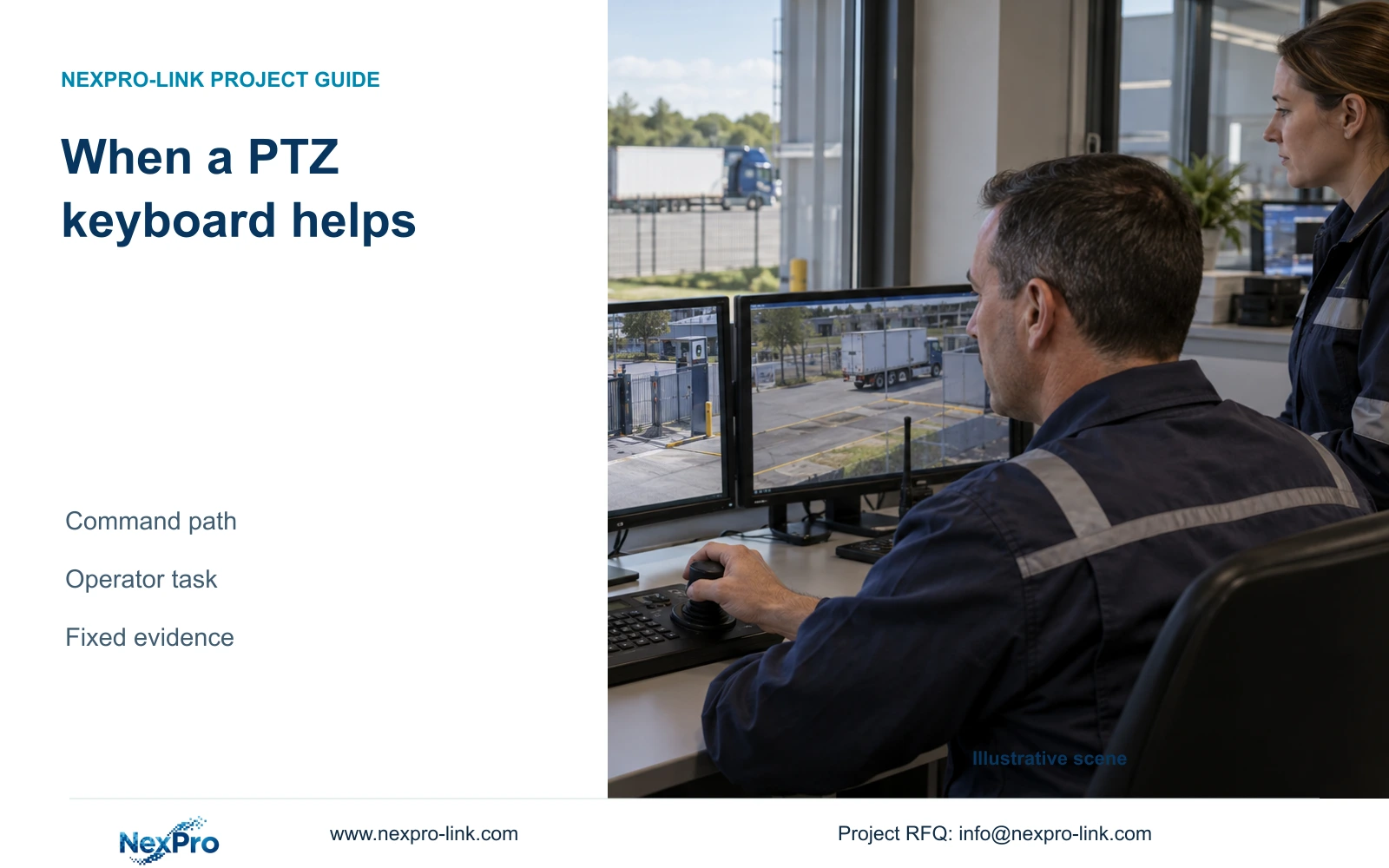
A PTZ keyboard can make frequent yard inspection easier when the full command path is compatible. It cannot extend optical capability or replace the fixed recordings needed at gate and transfer points.
Section 01
Add a keyboard for frequent steering tasks
Add a PTZ keyboard when guards frequently select and steer a PTZ camera and a compatible hardware control path demonstrably helps that work. Keep software control where occasional preset selection already meets the task. The keyboard does not improve the camera's optical limits, create missing coverage or replace continuous fixed recordings at critical points.
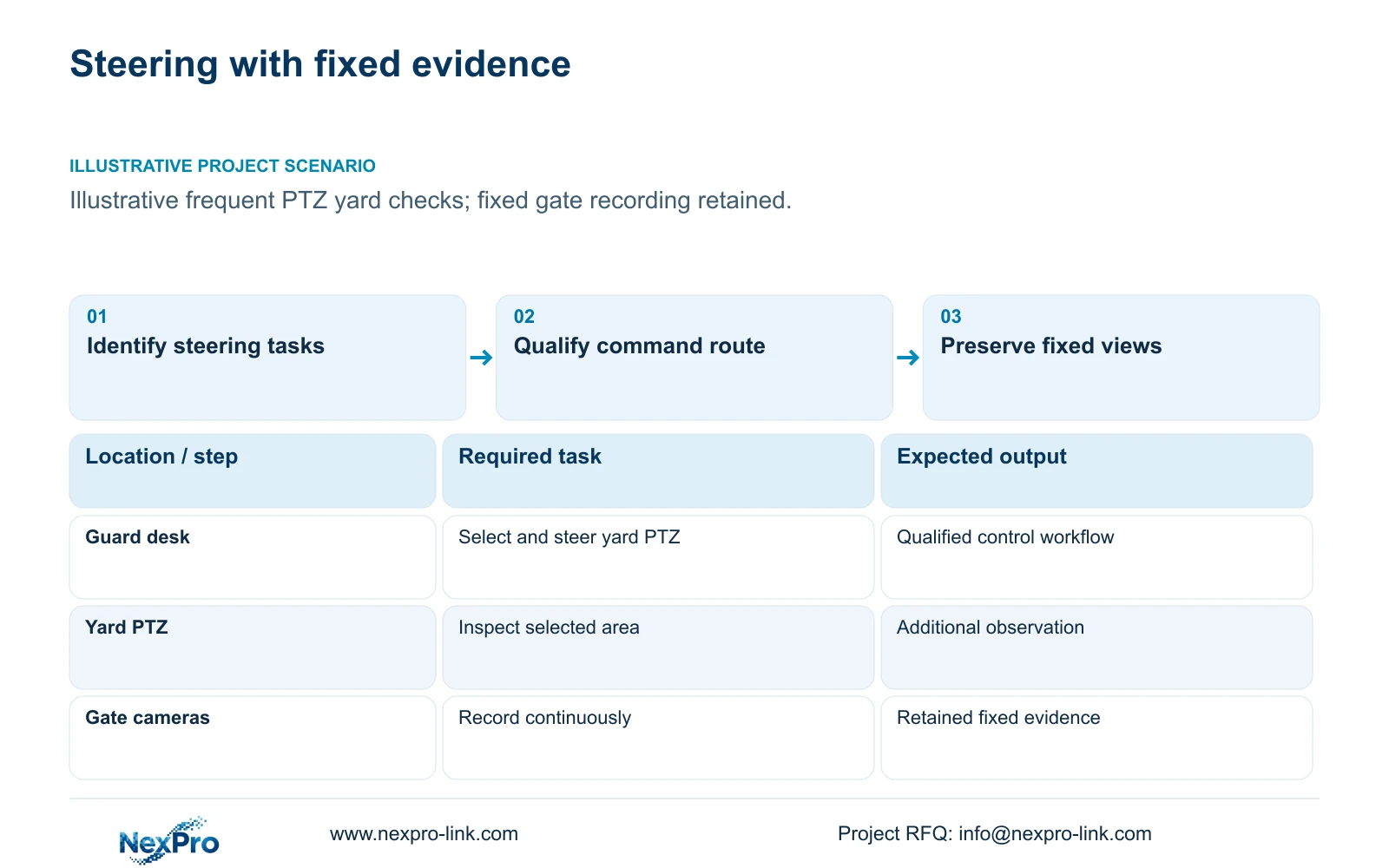
Illustrative project scenario: Guards frequently inspect a yard with PTZ but fixed gate recordings remain mandatory. Use CASE01's 32 ordinary-area fixed cameras as the retained recording basis and treat any PTZ and keyboard as separately specified additions. The case does not contain a qualified PTZ model or controller, so their capabilities and loads remain procurement inputs.
Ask operators to describe recurring actions: selecting the yard camera, moving to a loading position, checking a preset and returning to overview. Identify whether manual steering interrupts another task or is simply inconvenient. A short task demonstration with the proposed software and keyboard can establish the useful difference without inventing time savings or a financial return.
Section 02
Qualify the complete camera-to-controller command path
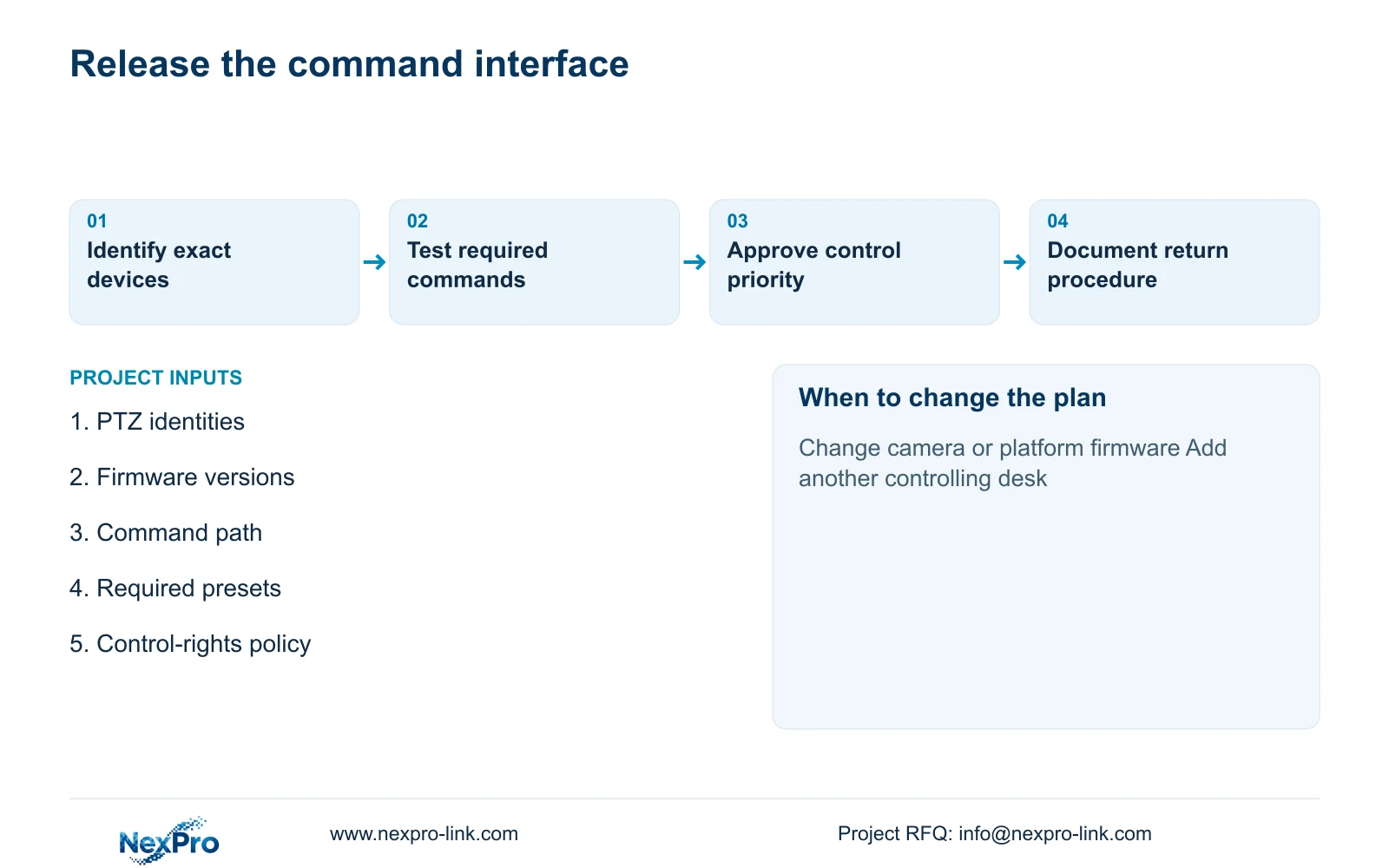
Identify whether the keyboard controls the camera directly, through a recorder or through management software. Record exact device models, firmware, connection method and the functions required. Live video compatibility does not prove pan, tilt, zoom, presets or control priority work through the same path. Each required command needs a supported interface and an end-to-end check.
Use ONVIF Profiles as a reference for profile-specific device and client scope, while verifying exact implementations and firmware. Do not infer universal PTZ support from a general ONVIF claim. Where a proprietary control interface is required, preserve it in the specification and have the responsible supplier confirm the compatible device combination.
The trial should check camera selection, movement direction, stopping after the control is released, zoom and required presets. If two desks can command the camera, define how priority or handover is handled and test that behavior. An unresolved command function should remain a deviation in the offer rather than being covered by a broad statement that the devices are network-compatible.
Section 03
Keep fixed evidence independent of manual PTZ attention
A steered PTZ view records the scene toward which it is pointed. When a guard investigates one part of the yard, another position can leave that view. Preserve fixed gate and transfer recordings for the events the owner requires continuously. Use PTZ as an additional inspection tool with a defined operating role, rather than reducing fixed views simply because steering is available.
CASE01 assigns four cameras to gate overview and retains 32 recording streams in total. A keyboard-only addition should leave that accepted outcome unchanged. If a new PTZ stream is also recorded, update channel, stream-mode, storage, network and power checks. Spare nominal recorder channels do not establish that the added resolution or concurrent workload is supported.
The ordinary BL2812M and DM2812M references have motorized 2.8–12mm lenses; that field does not make them pan/tilt cameras. Keep the source Dome naming and its listed 2880×1620 5MP output where used in the retained schedule. Hardware steering should be specified against an actual PTZ device, not inferred from a motorized varifocal lens.
Section 04
Compare software control with a separately owned keyboard interface
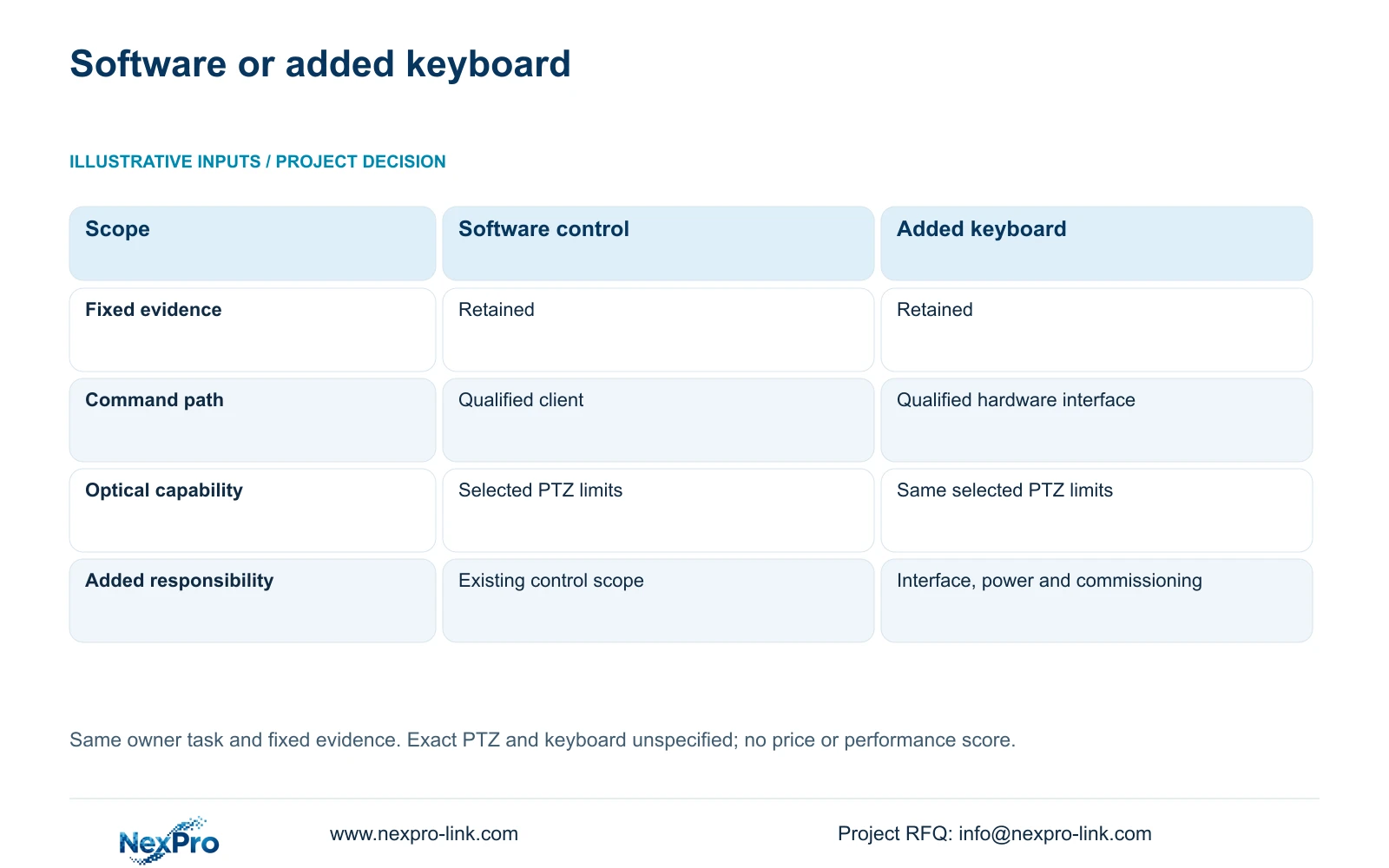
Hold the same owner task constant and compare two complete control arrangements. Option A retains a qualified software control path. Option B adds a keyboard and its approved interface while preserving the same fixed recording outcome. Assign each item as retained, supplied, installer-provided or optional, with one responsible party for each connection.
The table makes the decisive difference visible: the keyboard option adds a command interface and its commissioning responsibilities, while the camera's optics and required fixed evidence remain unchanged. If the keyboard needs an additional server, gateway or power supply, those become explicit added items. An unspecified component has an unresolved cost; it is not a free inclusion.
For this illustrative scope, the owner approves control rights, the integrator qualifies the full command path and the equipment supplier identifies the keyboard and interface requirements. Local cabling and electrical connections remain installer-provided where stated. This division supports coordinated purchasing without implying all supplied devices share software or that installation is automatically included.
| Decision | Qualified software control | Added hardware keyboard |
|---|---|---|
| Fixed recording | Retained; owner approves views | Same retained evidence |
| Control interface | Retained client; integrator verifies | Supplied keyboard; integrator verifies |
| Camera identity | Exact PTZ and firmware | Same qualified PTZ |
| Power and links | Existing path documented | Added interface loads documented |
| Access | Owner-approved software rights | Owner-approved command rights |
| Procurement | Complete existing control scope | Added BOM and interface responsibility |
Section 05
Recommend hardware only after the task trial
For the frequent manual-yard-inspection scenario, include a keyboard as an optional item pending a successful task and compatibility demonstration. Approve it when guards can select the intended camera, make the required movements and return to the normal viewing state without disrupting fixed monitoring. Retain software-only control when it already serves the work or when the keyboard adds an unresolved dependency.
Check the display used for steering. The operator must see the selected camera clearly and know which device currently receives commands. A shared wall may help collective observation, but desk control and wall presentation need separate definitions. NX-VP-5535 is an LCD reference; the chosen decoder's product name does not establish PTZ command support or every simultaneous video workload.
Include only justified management functions. Multi-desk arbitration, event-driven selection or wider platform integration needs a defined owner task and a compatible implementation. Keep required existing platform interfaces where they are necessary. Comparing a keyboard accessory price with a complete branded control package would omit material software, support and commissioning scope.
Section 06
Deliver a controller that can be replaced and operated correctly
The order should list controller identity, supported command route, qualified PTZ models, firmware and required functions. Include cable and power accessories and any installer-provided interface work. Record the control-rights policy and how users select the camera shown on their display. This allows the installer to commission the intended task without guessing from a generic control diagram.
NexPro-Link can discuss BOQ matching, related recording/display equipment and project documentation within the supplied scope. No exact PTZ keyboard SKU or specialist integration capability is established by the present sources. Keep the controller as a functional requirement until a specific product and supported interface are identified, then reflect that selection in the quotation and packing schedule.
At handover, demonstrate the approved commands, control handover where needed and continued fixed recording while the PTZ looks elsewhere. Provide the operator with the normal return procedure and the action to take when control is unavailable. A later camera, firmware or management-platform change should reopen command qualification, even if live video still appears normally.
Section 07
Buyer questions
Can a keyboard turn a motorized varifocal camera into a PTZ? No. A motorized lens adjustment does not establish pan or tilt mechanisms. Specify a camera with the required supported movement functions and qualify the controller against it.
Does adding a keyboard change storage demand? A control accessory alone does not change retained recording streams. Adding a recorded PTZ camera, changing recording settings or adding metadata requirements needs a separate storage review.
Should two guards be able to steer the same camera at once? Define a control-priority or handover policy for their tasks and verify the selected implementation. Uncoordinated control can move the view away from the person currently investigating.
Section 08
Qualify the PTZ control interface
Send your PTZ model and firmware list, required steering/preset tasks, proposed command path and operator control-rights policy to info@nexpro-link.com to discuss a controller scope that preserves fixed evidence.
Engineering references
These sources support the general planning principles. Always use the selected product's current datasheet and applicable project standards for final design.


