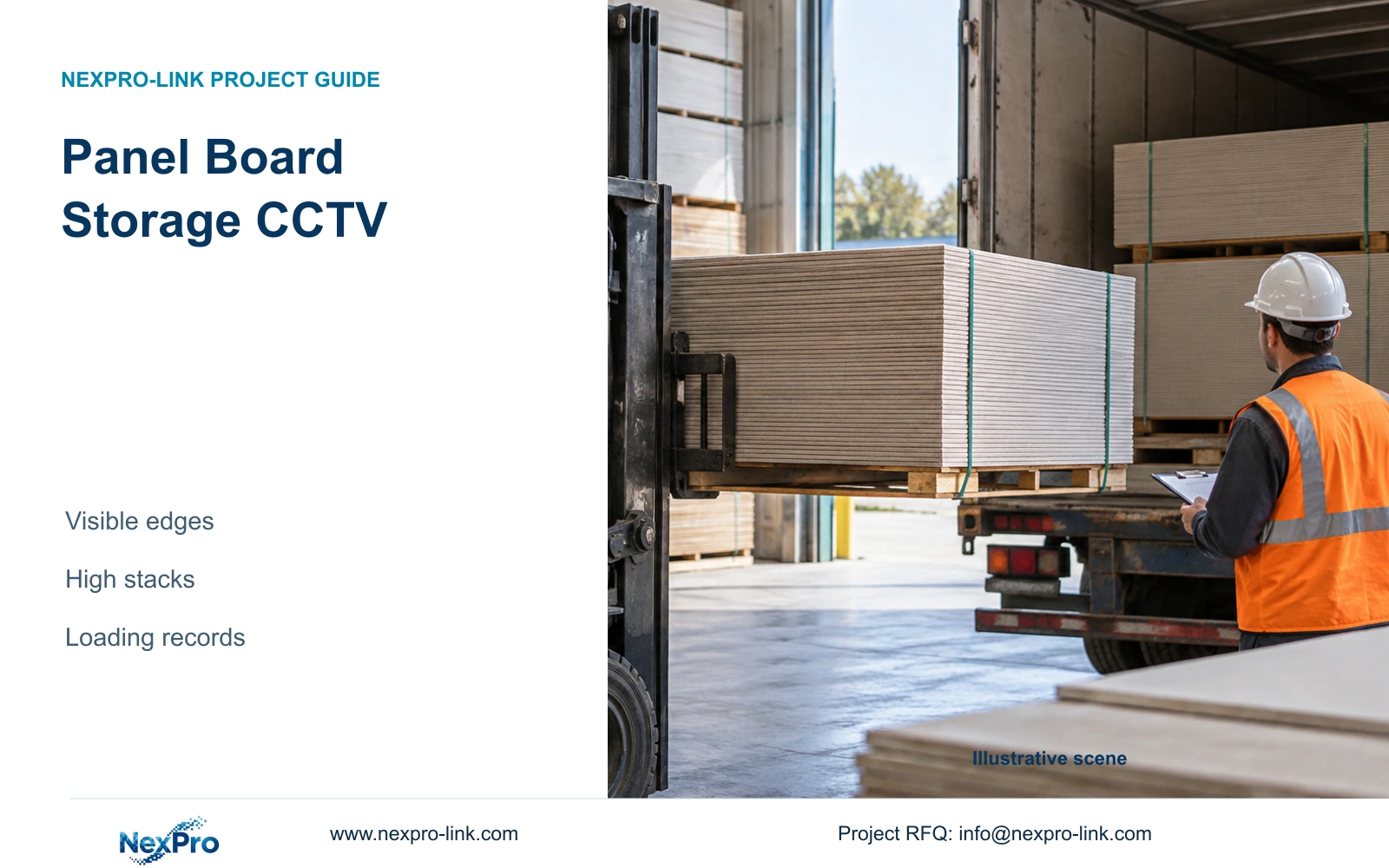
Panel board storage CCTV can explain a handling sequence without proving every surface condition. This guide defines visible edge tasks, compares actual output dimensions and ties footage to loading records.
Section 01
Define which panel edge must be visible
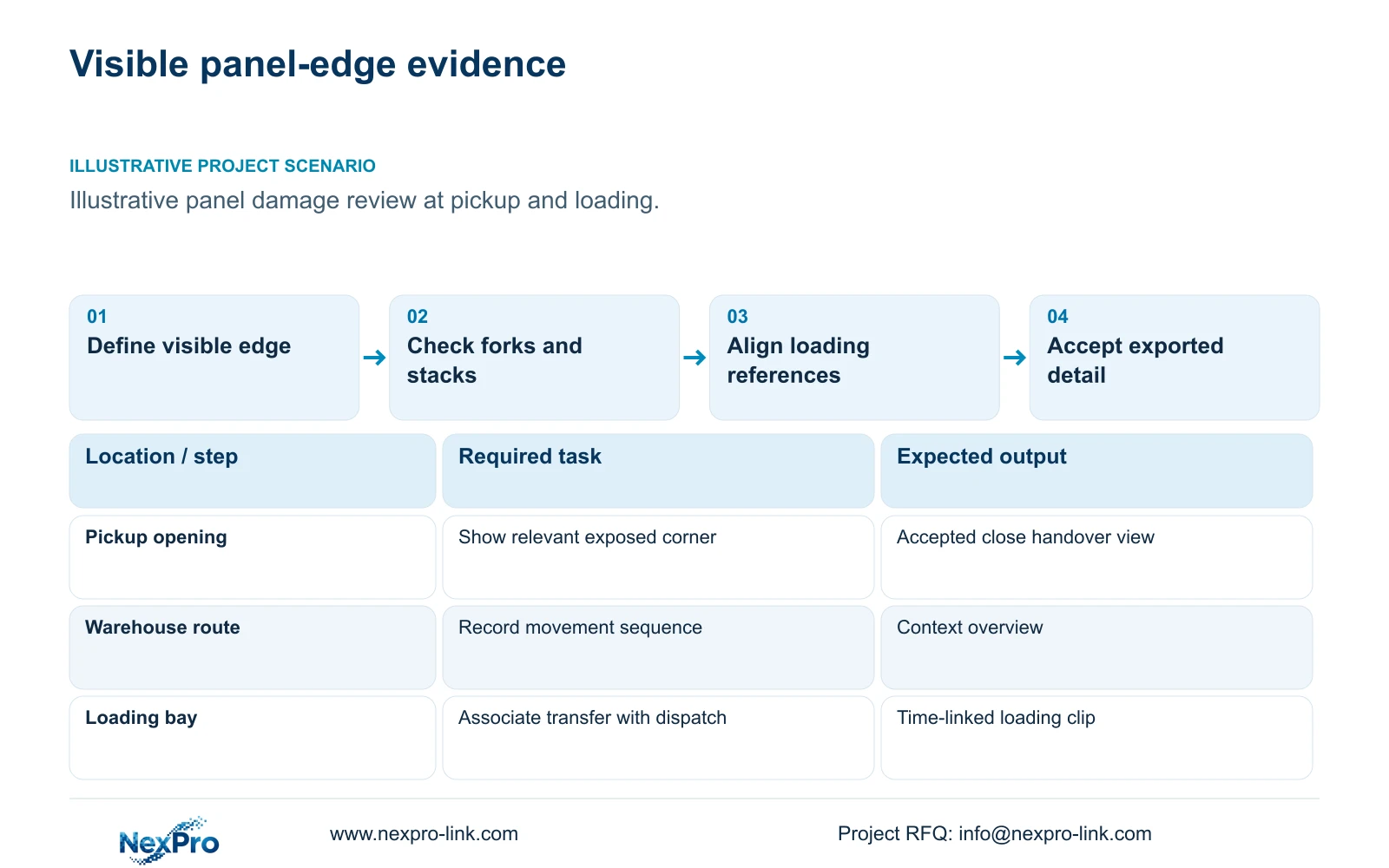
Panel board storage CCTV should use close handover views only where the relevant edge is actually visible. A wide warehouse view can help reconstruct pickup and loading sequence, but it cannot prove every concealed surface condition. Before selecting resolution, define the edge, face or handling contact the buyer expects to examine and the moment when that detail becomes visible.
Illustrative project scenario: A supplier wants context around panel damage at forklift pickup and loading. Assume, for planning, that panels are stored in high stacks, moved as bundles and sometimes wrapped before dispatch. The immediate requirement is to connect visible handling events with a loading record. No automatic defect inspection or proof of condition beneath wrapping is assumed.
Ask the owner to provide representative damage examples and distinguish sequence evidence from condition evidence. A clip showing a forklift approaching a bundle answers a different question from a clip showing a visible corner before and after transfer. Write both tasks separately where both are required, including any surfaces that remain outside the camera's view.
Section 02
Use handover openings to manage stack obstruction
Draw maximum stack heights and footprints, then check the pickup view with neighboring stacks and a forklift present. Looking down across the top of a stack may retain yard context while missing its lower edge. Moving a camera closer may improve detail but expose it to vehicle impact or make cleaning difficult. Resolve those consequences on the same location drawing.
A defined handover opening can provide more stable geometry than a view across unrestricted stock. Operations must accept where the bundle is presented and what stays clear. If this cannot be maintained, consider another angle or limit the promised evidence. Do not use a clear-view instruction that conflicts with normal storage needs and then blame operations for predictable obstruction.
Choose a separate overview when close framing loses route context. Ordinary BL and DM motorized-lens references can support suitable fixed positions, but a 2.8–12mm lens range does not establish a guaranteed scene width at an unknown distance. Confirm the geometry and sample playback. Keep extraction and dust-area information attached to any proposed mount near production.
Section 03
Connect loading records to the footage sequence
Use consistent location names across cameras, dispatch records and the warehouse plan. A loading document should identify the relevant bay or pickup area and an event time useful for review. Where the record is approximate, define a review interval that includes arrival, transfer and departure. Avoid implying that a document number will be searchable inside the recorder unless the integration is specified.
Maintain an agreed time basis for cameras and recorder, and check it against the operational record during handover. Capture a representative pickup and loading sequence, then ask an authorized reviewer to find both views. That trial can reveal missing transitions or channel names that are meaningful only to the installer.
Keep condition records alongside the footage where the task needs them. A still photograph or manual inspection may document an edge that was presented to the inspector but hidden from the security camera. The video contributes chronology and visible handling; the owner should decide how those records are associated without assigning the CCTV system unsupported inspection authority.
Section 04
Compare actual output width at the same target plane
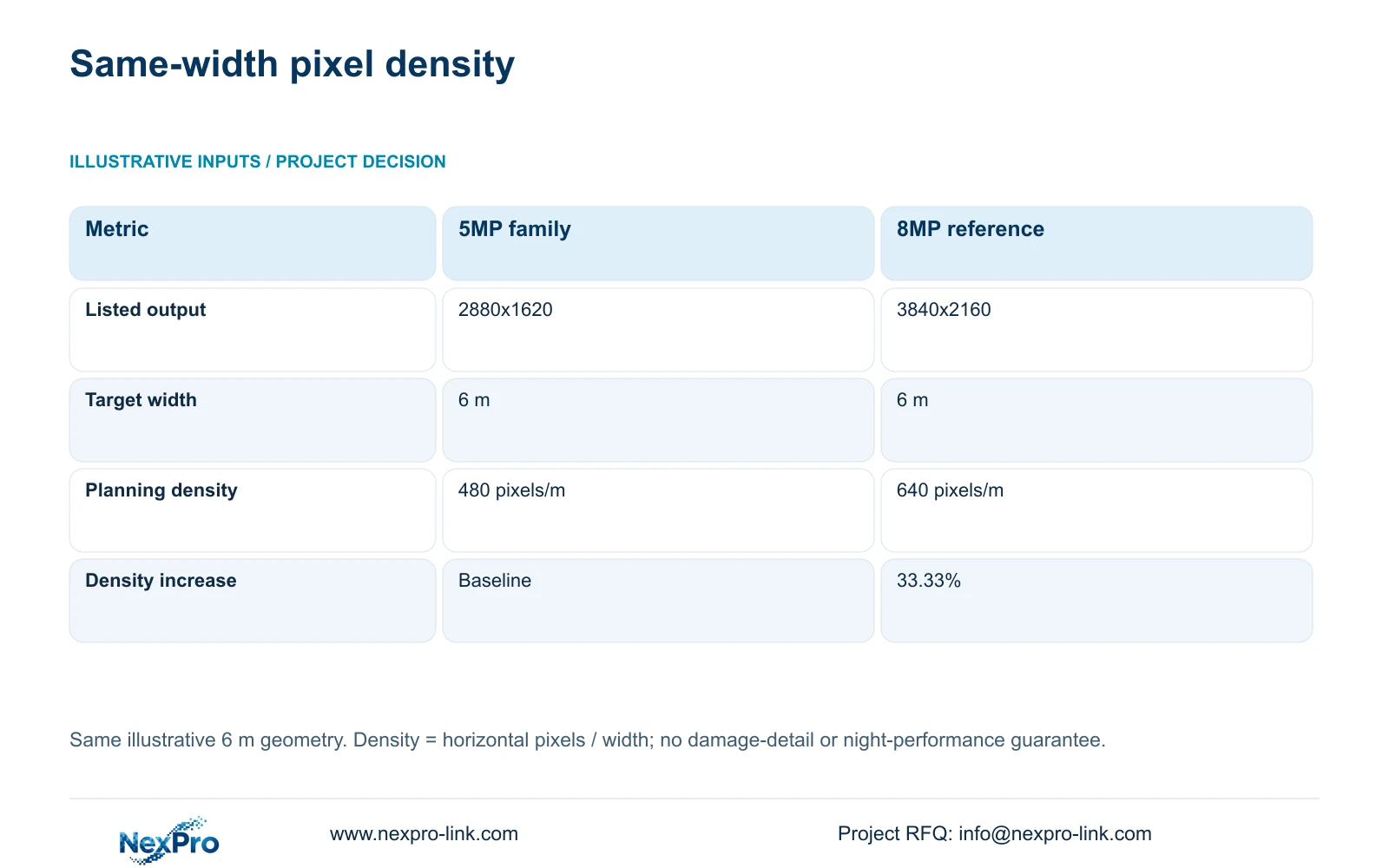
The supplied 5MP-family specification retains 2880x1620 output, while the 8MP reference lists 3840x2160. For this illustrative arithmetic, both cover a 6 m target width. Ppm = horizontal_pixels / 6 gives 2,880 / 6 = 480 pixels/m and 3,840 / 6 = 640 pixels/m. Relative_increase = (3840 / 2880 - 1) × 100 = 33.33%.
The decisive result is a 33.33% horizontal-density increase at the same assumed geometry. It is not a 60% detail guarantee derived from the 5MP and 8MP labels. Retain the supplied dimensions rather than silently replacing the 5MP-family output with another mode. The arithmetic establishes neither comparative night performance nor the visibility of a concealed edge.
The BL2812M55 and BL2812M88 references use different listed sensor sizes, 1/2.7-inch and 1/1.8-inch respectively, but this comparison does not assign a resulting image-quality winner. Check optics, exposure, lighting and compression against the damage task. More output pixels cannot recover a corner blocked by a fork, another panel or wrapping.
| Metric | 5MP-family reference | 8MP reference |
|---|---|---|
| Listed output | 2880x1620 | 3840x2160 |
| Horizontal output | 2,880 pixels | 3,840 pixels |
| Target width | 6 m | 6 m |
| Planning density | 480 pixels/m | 640 pixels/m |
| Horizontal-density increase | Baseline | 33.33% |
Section 05
Upgrade detail only after the edge task passes a trial
Recommend overview recording for sequence reconstruction and targeted handover views for accepted visible edges. Choose the higher-output option where a controlled comparison demonstrates useful additional detail at the same task. Change viewpoint or operating presentation first when the relevant edge is hidden. If every face must be inspected, define an inspection workflow beyond this security scope.
Keep the infrastructure change visible when introducing 8MP streams. CASE01 assumes 32 cameras within supported 5MP-class recording modes at an average 4 Mbps, totaling 128 Mbps. It does not establish that the same recorder arrangement accepts all channels at 8MP. Match the actual recorder modes, bandwidth and playback task rather than relying on a generic channel total.
Its illustrative 30-day video demand is 41.472 TB, calculated as 32 × 4 × 10^6 × 86400 × 30 / 8 / 10^12. Four 16 TB disks provide 48.64 TB recording budget using 64 × 0.95 × 0.80. Recalculate with accepted stream settings after a detail upgrade; do not infer bitrate from megapixels or apply the storage reserve twice.
Section 06
Quote the visible task and its installation dependencies
Issue a schedule identifying the edge task, handover location, maximum stack envelope, camera output and accepted review method. Include overview views as separate roles. List mounting, cable routes, cleaning access and local switch demand against each location. Actual peak camera power remains a required selection input; the ordinary source sheets do not provide it.
Choose a suitable recorder and equipment room, and define protected power at the real nodes if recording continuity is required. Keep displays as authorized client equipment. A larger wall can help simultaneous viewing but cannot improve the edge detail originally recorded. Include specialist environment requirements where dust or cleaning conditions prevent ordinary equipment use.
NexPro-Link can discuss the supported ordinary-camera references, model matching, technical documents and project packing through its BOQ and factory-supply scope. Compare other offers against the same visible edges, lighting and retrieval trial, preserving required interfaces and local services. The quotation should show what is supplied, retained or optional so a resolution upgrade cannot conceal missing installation work.
Section 07
Buyer questions
Can CCTV prove that an entire bundle was undamaged before loading? Only the surfaces visibly captured at accepted detail can be assessed from that footage. Concealed panels and wrapped faces remain outside that evidence. Use separate condition records where complete inspection is required.
Should every warehouse camera use the 8MP option? No. Keep output selection tied to each task. A route overview may need different framing from an edge view, and any upgrade must retain supported recording modes, actual bitrate and the required playback workflow.
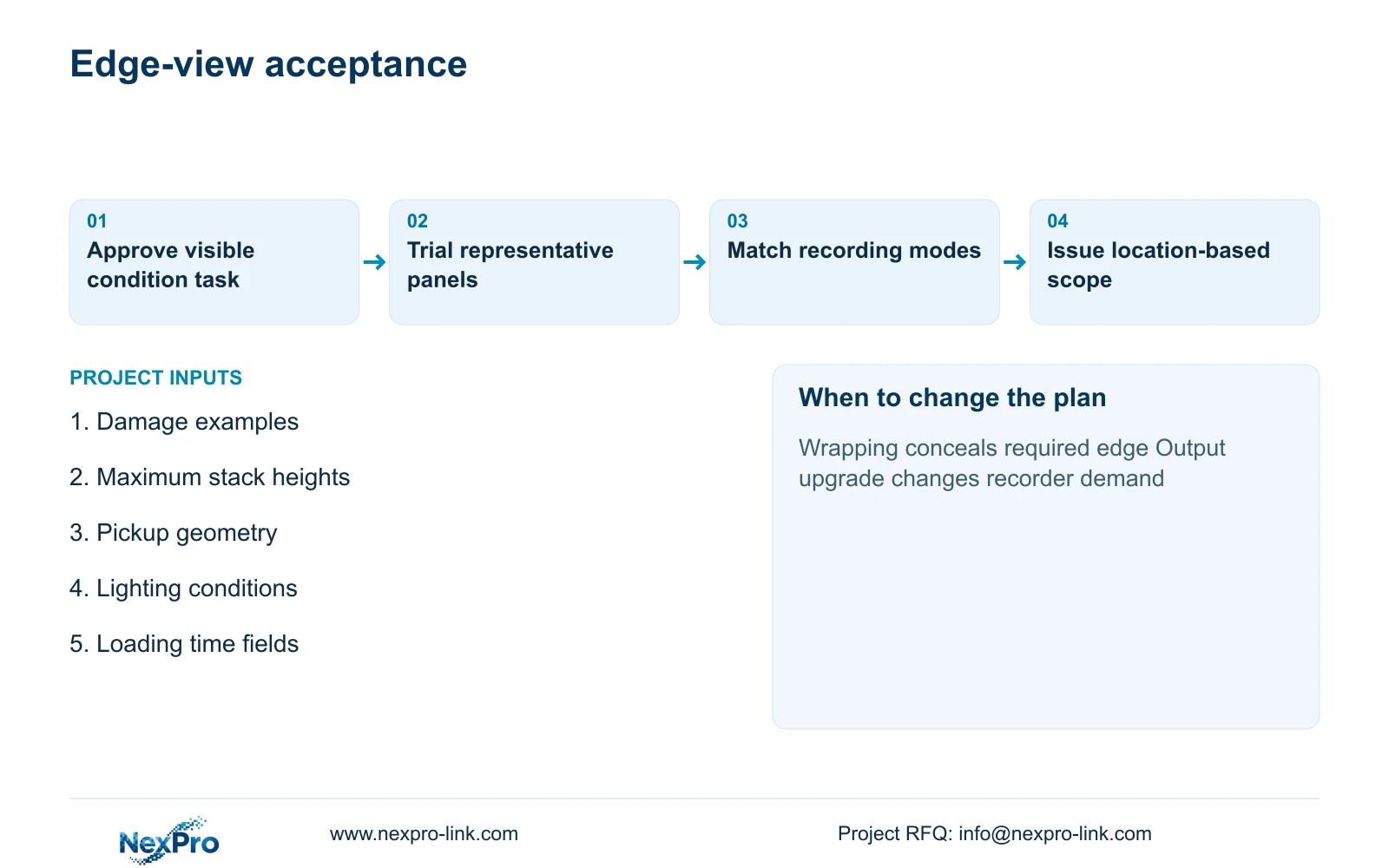
What belongs in the damage-view acceptance sample? Use representative panels and visible edge conditions at the intended pickup location, with normal forks, stack heights and lighting. Review exported footage at the agreed display conditions and record which details remain unobservable.
Section 08
Specify your visible panel-edge task
Send representative damage-detail examples, the pickup/loading drawing with stack heights, lighting conditions, and loading-record time fields to info@nexpro-link.com to discuss close-view options and their recording scope.
Engineering references
These sources support the general planning principles. Always use the selected product's current datasheet and applicable project standards for final design.