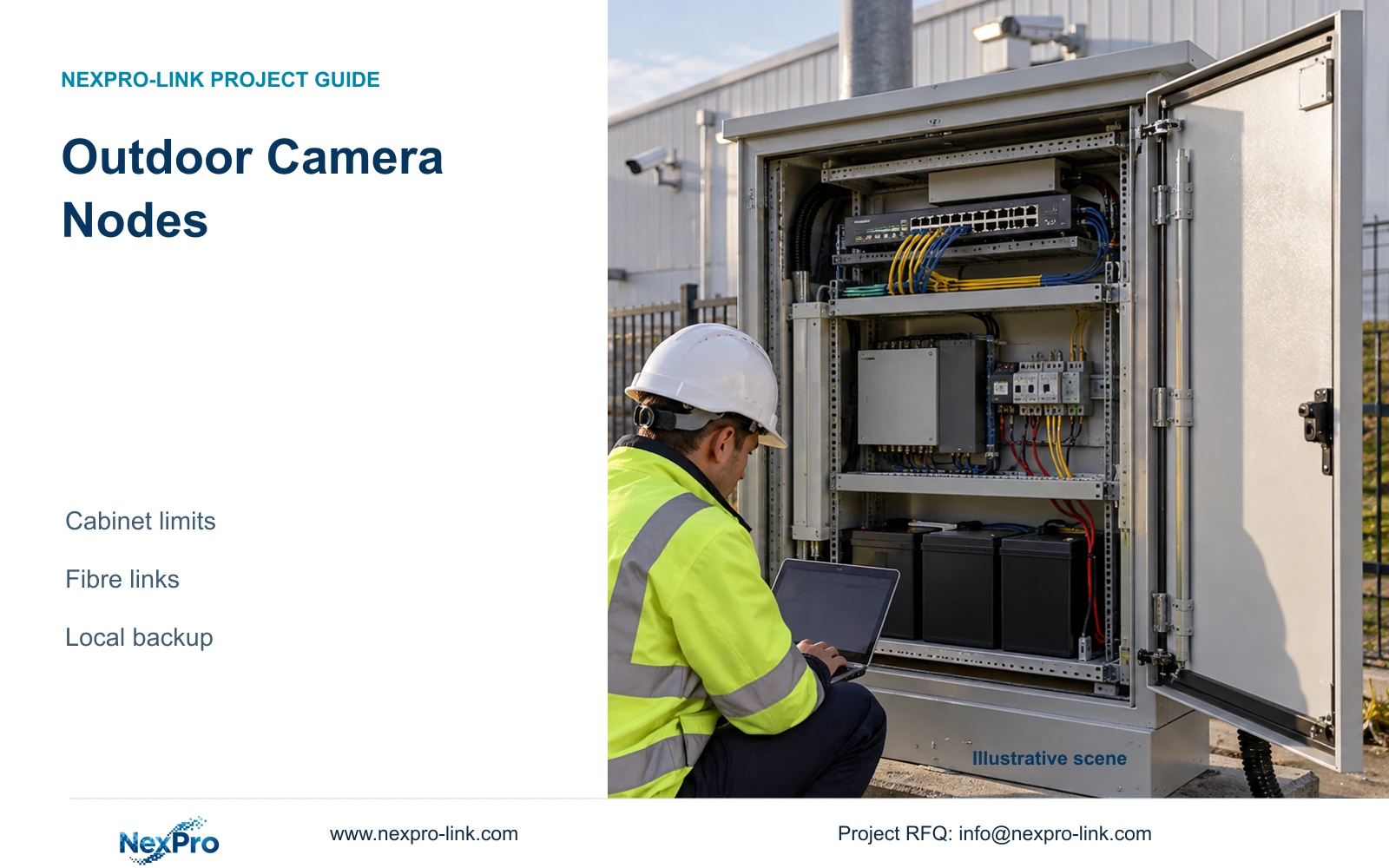
An outdoor camera rating does not qualify the switch, battery or UPS inside its cabinet. Define the node environment, fibre path and protected AC circuits as one coordinated scope.
Section 01
Specify the cabinet environment before selecting its contents
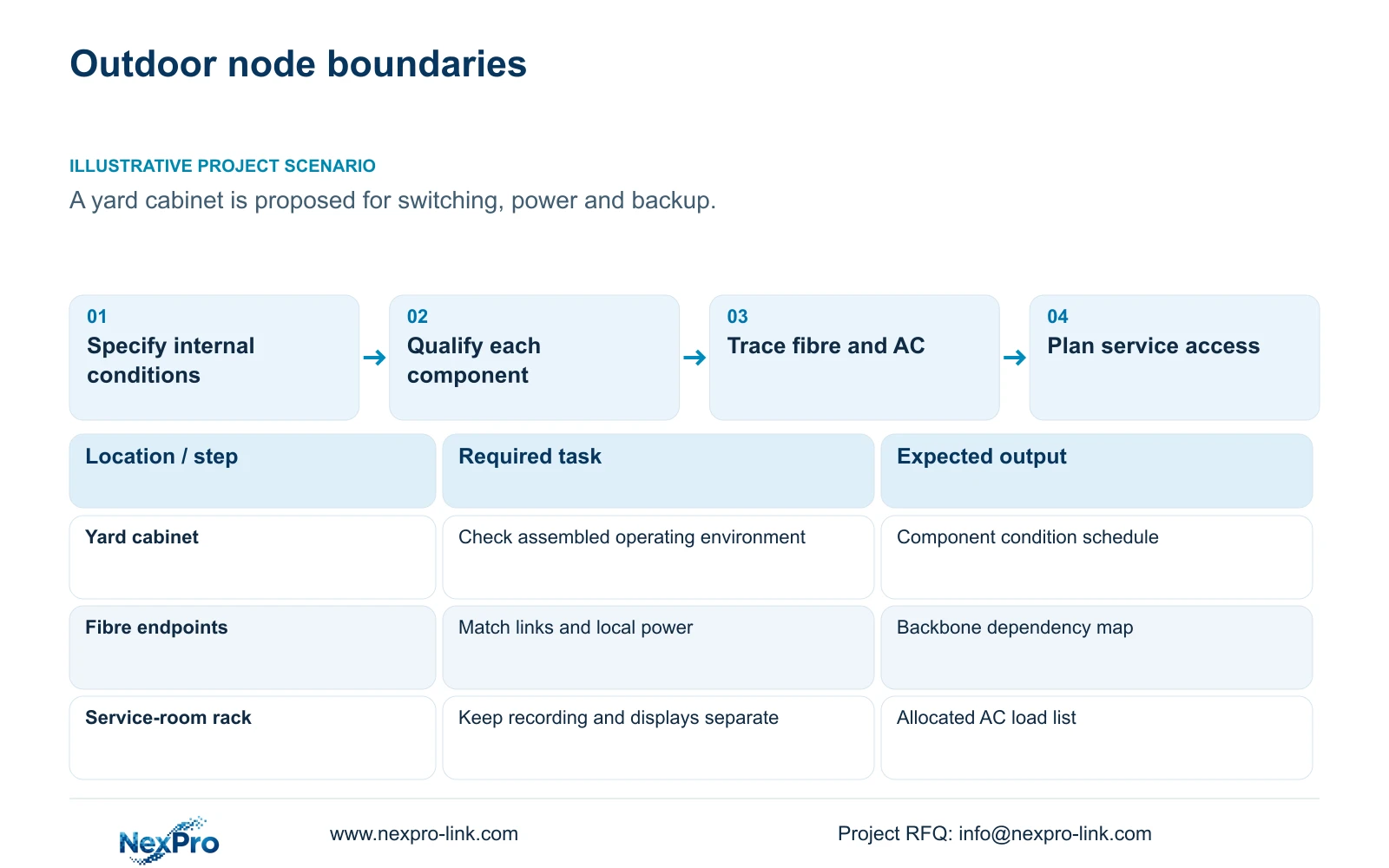
Outdoor factory camera nodes need a complete environmental and electrical design covering the cabinet, switch, power supply, fibre equipment and backup system. A weather-rated camera does not qualify those other components. Identify the conditions inside the proposed cabinet and verify each device against them. Ordinary rack UPS equipment should not be accepted for outdoor service without a suitable, supported installation arrangement.
Illustrative project scenario: An outdoor cabinet would contain a switch, power supply and backup equipment near a yard. Assume the location is exposed to sunlight, rain and maintenance traffic, with no confirmed internal temperature data. Those are plausible planning conditions, not measured site results. The project manager must obtain an enclosure proposal and component operating limits before freezing the node equipment list.
Record ambient extremes, solar exposure, condensation risk, dust, water entry routes and service access. Include door opening, cable entry and battery replacement in the review. Any ventilation, heating or cooling needed to maintain acceptable conditions belongs in the cabinet and power scope, rather than being assumed available after the equipment arrives.
Section 02
Separate camera exposure from cabinet electronics limits
The NexPro-BL2812M55-5MP-DIC-AI provides an ordinary camera reference with IP66 and a documented minus 20 to plus 60°C range. Its listed 2880×1620 output and 2.8–12mm motorized lens concern the image role. None of these fields establishes the temperature, humidity or charging suitability of the switch, battery, UPS or optics housed nearby.
Ask for a component-by-component schedule of supported conditions, including the selected battery's charging and discharging requirements. Compare those conditions with the cabinet design under operation, not merely the outdoor ambient forecast. A sealed cabinet may require additional environmental measures; their suitability must be demonstrated by the responsible enclosure designer rather than inferred from camera ingress protection.
Separate local copper access from the fibre backbone. Survey each copper route and include its termination method and patch cords. The supplied cabling guidance distinguishes a typical 90 m permanent link from a 100 m complete channel. Fibre can provide the data route between suitable nodes, but its powered endpoints still require matched optics, acceptable environments and local electrical supply.
Section 03
Locate backup where it can actually reach the node
Draw each node's AC source and the outlets or distribution circuits protected by its UPS. If the yard cabinet has independent local mains, guard-room backup does not reach it through fibre. Decide whether a supported local backup assembly is feasible or whether the equipment should move to a nearby suitable service room. Compare the complete route and service consequences of both arrangements.
CASE08 illustrates four independent 32-camera nodes with local recording and local UPS capacity candidates. Its per-node protection method is useful here, but the reference does not qualify ordinary equipment for outdoor placement. Keep switches, recorders and batteries in suitable accessible conditions and retain a separate environmental scope wherever the yard location cannot provide them.
Budget replacement access, cabinet mounting, approved distribution and the actual battery configuration. Include environmental auxiliaries if they must operate during the required outage period. Obtain device maximum demand for final selection. A summed project load is useful for budgeting, but the load assigned to each physical UPS determines whether that node's required service is protected.
Section 04
Calculate complete AC demand before selecting W and VA
The supplied power example describes CASE08's illustrative recording and operator node, not a single yard cabinet. It has 32 cameras in four eight-camera PoE groups, with assumed 12 W device demand each. Cable delivery is 90%, switch electronics are 15 W per group and AC conversion efficiency is 90%. Complete switch AC input is (8 × 12 / 0.90 + 15) / 0.90 = 135.1852 W per group.
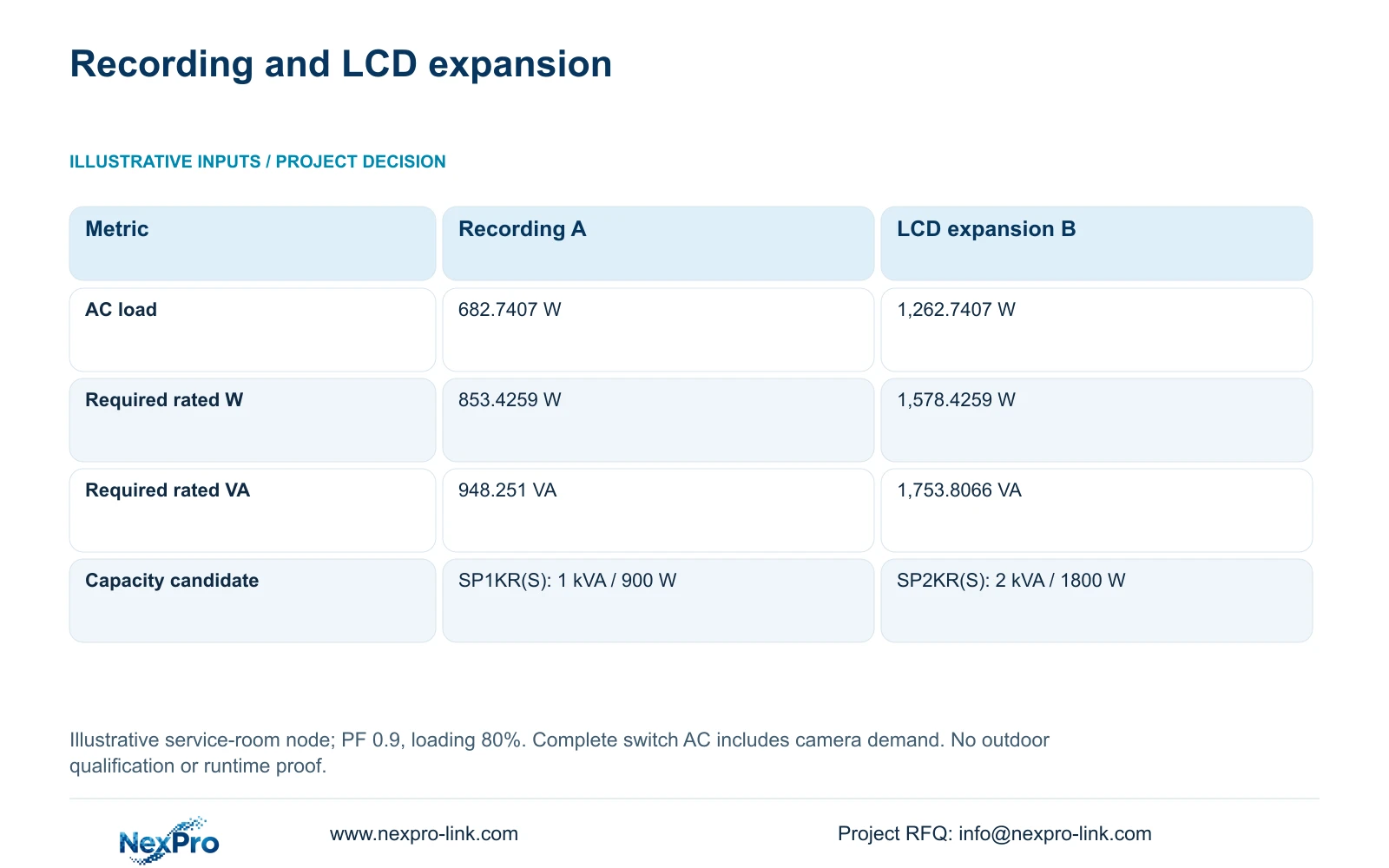
Add a 30 W recorder, four disks at 8 W each, a 25 W core, 15 W router and 40 W operator screen. Using unrounded intermediate values, Option A totals 682.7407 W. Option B retains that equipment and adds four assumed 120 W LCD panels plus a 100 W decoder, giving 1,262.7407 W. These demand values are teaching inputs, not published product measurements.
With aggregate power factor 0.9 and an 80% loading target, required_UPS_W = P_AC / 0.8 and required_UPS_VA = P_AC / (0.9 × 0.8). The table preserves the resulting capacity requirements. The quoted SP1KR(S) 1 kVA / 900 W and SP2KR(S) 2 kVA / 1800 W ratings support capacity candidates only. Battery configuration and runtime remain separate, and PoE camera watts must not be added again after complete switch AC input.
| Metric | Option A: recording first | Option B: added LCD wall |
|---|---|---|
| Protected AC load | 682.7407 W | 1,262.7407 W |
| Required rated output | 853.4259 W | 1,578.4259 W |
| Required rated capacity | 948.251 VA | 1,753.8066 VA |
| Capacity candidate only | SP1KR(S): 1 kVA / 900 W | SP2KR(S): 2 kVA / 1800 W |
Section 05
Keep display expansion separate from outdoor node approval
Prefer a recording-first protected scope and keep optional display equipment at the operator location. In the example, the added LCD wall and decoder increase demand by 580 W and change the capacity candidate. That increase does not establish a need for a larger UPS in every outdoor cabinet. Allocate each load to its actual electrical node before revising the order.
The NX-VP-5535 is a 55-inch LCD reference, and the NX-VD-4K16 is a decoder reference. Their names and catalogue fields do not establish the assumed power demands or every simultaneous decoding layout. If the owner needs the wall, qualify its display workflow and power separately. A standard guard screen remains a valid option when it satisfies the operational task.
Move ordinary equipment to a suitable room when outdoor conditions cannot be supported economically or reliably by the proposed assembly. A specialist outdoor arrangement may remain necessary where distance or service needs prevent relocation. Compare both options with the same recording continuity, node access and installation scope, including environmental auxiliaries and fibre work. No price or outdoor performance result is assumed.
Section 06
Release a cabinet package with verifiable dependencies
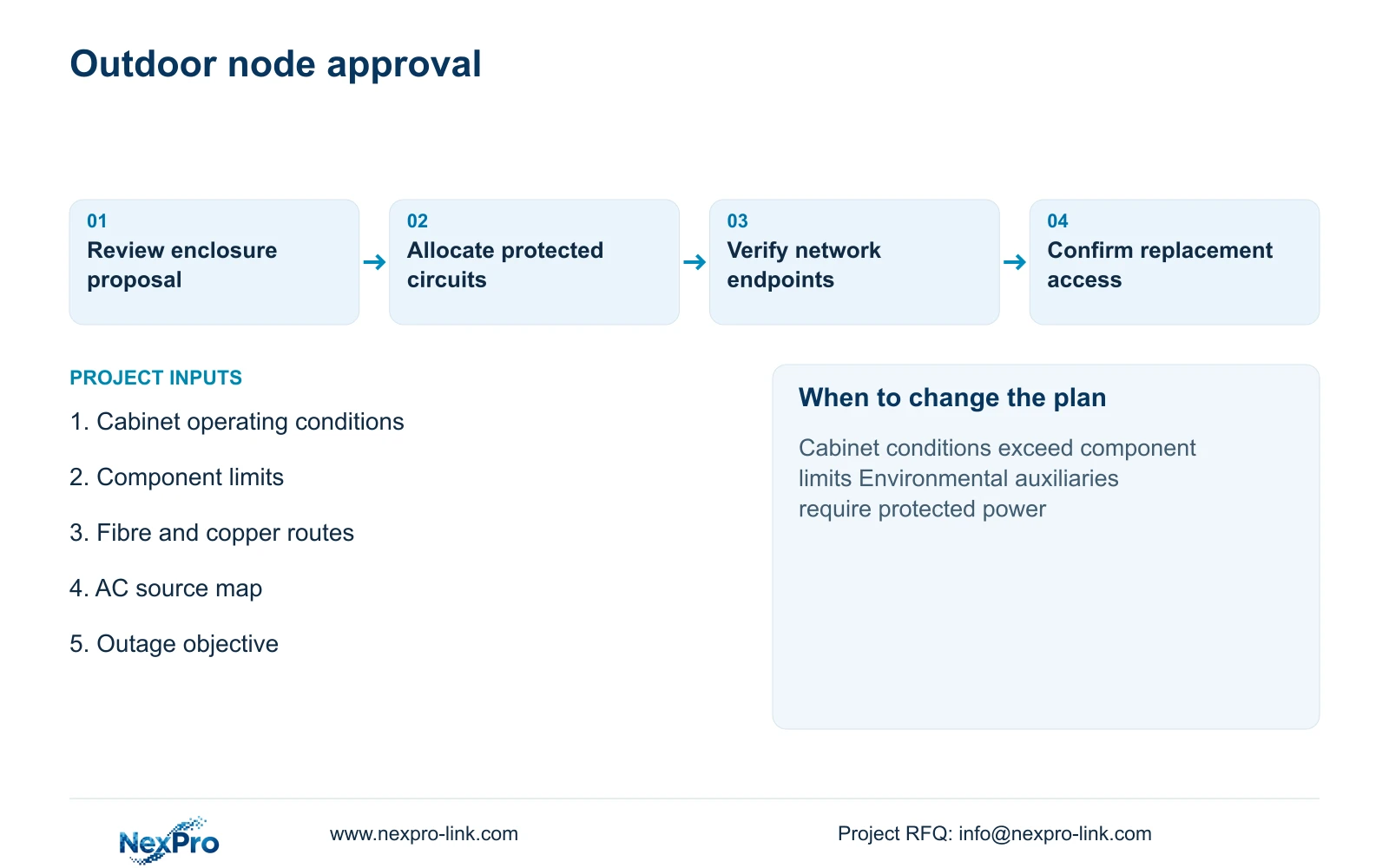
The procurement package should include the cabinet location, component condition schedule, fibre route, local copper lengths, AC source and protected load allocation. Identify which enclosure and electrical items are provided locally and which equipment is supplied with the project package. Keep accessory, optics and termination quantities tied to individual nodes rather than a global camera total.
Acceptance should verify the assembled environmental arrangement, supported equipment operation, network link and agreed outage behaviour through a controlled site procedure. Record the actual node configuration and any conditions not represented during the check. Confirm service access before handover so replacing a battery or switch does not require unplanned yard closures or dismantling unrelated equipment.
NexPro-Link can coordinate relevant CCTV, recording, UPS and technical-document scope, with packing labels matched to the approved node identifiers. The enclosure designer and local electrical contractor retain their assigned responsibilities. The comparison becomes procurement-ready when each device has a location, a supported environment, a power path and a named acceptance check.
Section 07
Buyer questions
Can an IP66 camera share its environmental approval with the cabinet? No. Qualify the enclosure assembly and every installed component separately. Camera ingress protection does not establish battery charging limits or switch operating conditions.
Should cabinet cooling be included in UPS demand? Include it when the environmental design requires it to remain operating during the protected period. State its actual demand and node assignment rather than adding an unspecified allowance.
Does the larger capacity candidate extend backup duration automatically? No. The comparison establishes output-capacity requirements. Runtime depends on the selected supported battery configuration, actual load and operating conditions.
Section 08
Define your outdoor node package
Send proposed cabinet conditions, fibre and copper routes, local AC sources, and the protected load and outage objective to info@nexpro-link.com for a location-specific equipment and backup discussion.
Engineering references
These sources support the general planning principles. Always use the selected product's current datasheet and applicable project standards for final design.