

Video supports incident review, logs support investigation, and configuration files support settings recovery. Build a file index that preserves each object's source, purpose and verification status.
Section 01
Match each backup to the object needed later
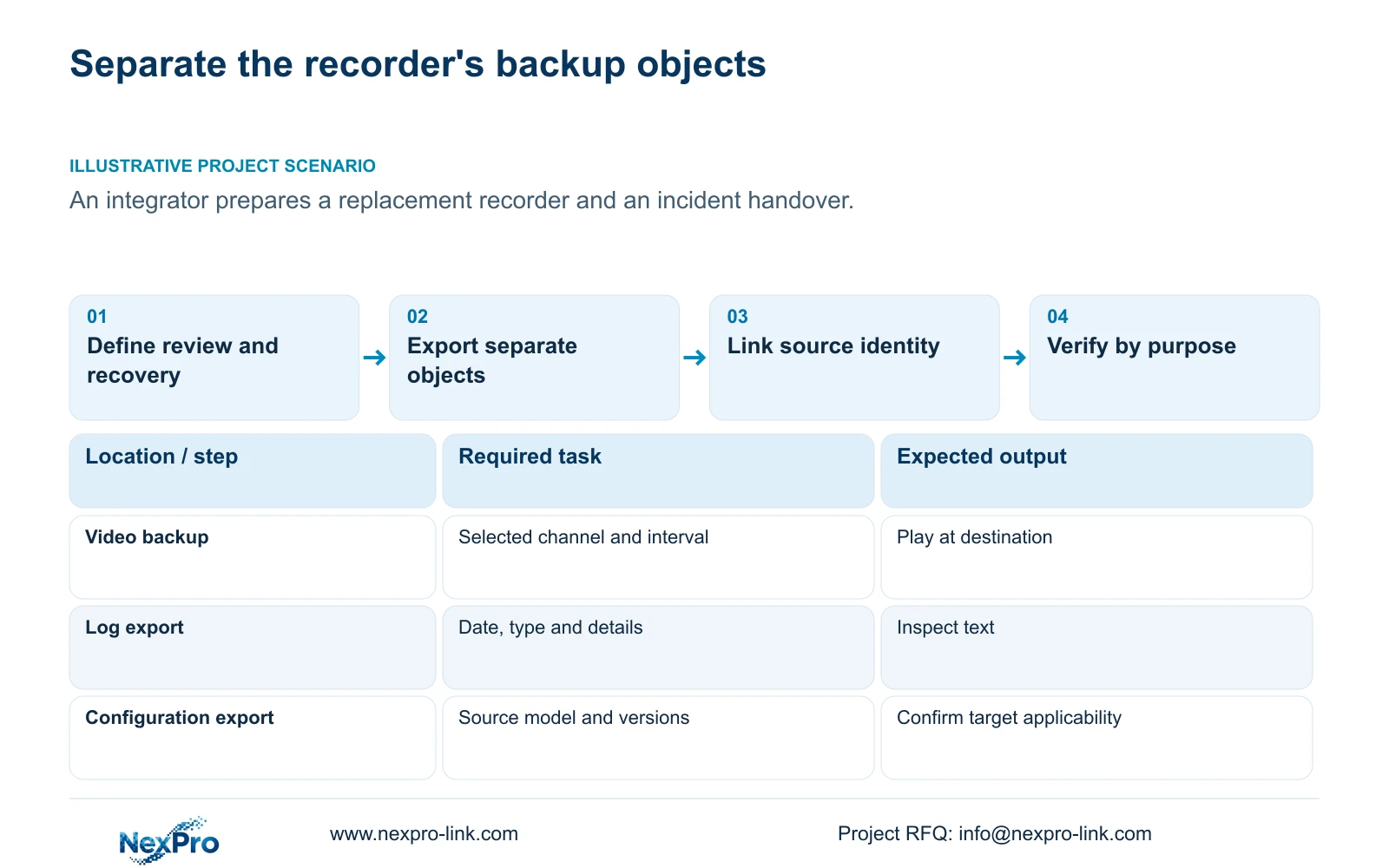
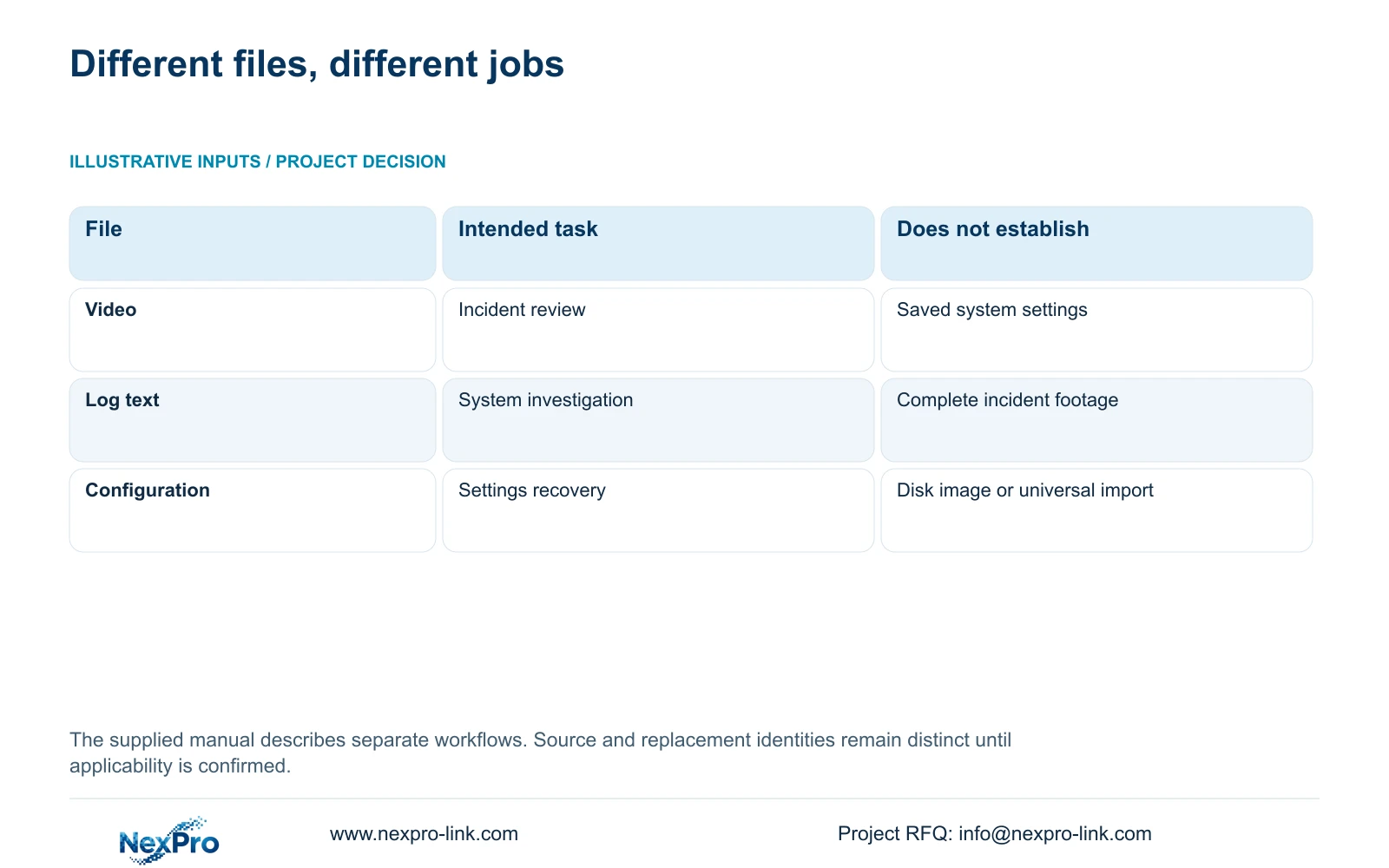
Video, logs and configuration files preserve different objects. Export video for an incident review, logs for the available system records around a problem, and configuration for a settings-recovery task. A configuration file does not contain incident footage, and a video clip does not preserve recorder settings. When preparing a replacement recorder and an incident handover together, define both tasks before copying anything. Keep each file linked to its source model and version, then verify it according to its purpose. Play the video on the receiving system, inspect the exported log text, and establish configuration applicability before any import. One completed backup operation cannot approve the whole package.
Assign the review and recovery tasks separate completion conditions. The incident recipient needs the relevant channel and period in a usable file. The maintenance team needs identifiable settings from the correct source and a supported plan for the replacement. Logs can assist the investigation of either task, without substituting for footage or configuration.
This guide uses the private NVR4.0 user manual CH_V2.4.doc, whose body identifies V2.2. Sections 4.11.4 and 4.12.17 through 4.12.19 describe video backup, logs, configuration and system identity. Section references take priority over page numbers.
| Object | Purpose | Completion check |
|---|---|---|
| Video | Review the selected incident | Play the required channel and interval at the destination |
| Log text | Inspect available system records | Check exported dates, types and relevant details |
| Configuration | Support settings recovery | Identify source versions and confirm target applicability |
Section 02
Build the incident video selection explicitly
Use section 4.11.4 to select format, recording types, channels and start/end time. Update the capacity estimate after making the selection. Detect the inserted USB storage device before starting the backup. The manual lists MP4 as the default and permits multiple-channel selection.
Compare those inputs with the authorized incident request. The copied footage should contain the process needed for review, including necessary context. A successfully detected storage device establishes a destination, not the correctness of the selected event.
Keep recorder video separate from Seetong PC local recordings. Identify which system held the source so a file index does not imply that a PC-side copy operation backed up the recorder's disks. The manual's export workflow is not a disk-image or whole-system recovery procedure.
Section 03
Export logs using the relevant date and type
Section 4.12.17 describes a current-day default, type filtering, detail viewing and text export. If the requested incident occurred earlier, the initial query may omit it. Check the conditions before interpreting an empty or short result.
When the date condition is not selected, the manual describes an all-log query. Use that path when the period is uncertain, then inspect the relevant details and preserve the selected text. Record the query conditions alongside the exported file.
Logs show the records available through that workflow. Their existence does not establish unlimited retention, tamper-proof auditing or legal certification. Preserve relevant logs before an authorized reset or upgrade; those changes also require protection of necessary footage and settings and an agreed interruption plan.
Section 04
Record the configuration file's source before recovery
Section 4.12.18 describes configuration export and import separately from video backup. Name the exported file as configuration and connect it to its recorder identity. Treat it as a settings object, without implying that it contains recordings or recreates a complete disk.
Confirm the proposed target model and version before planning an import. The manual does not establish universal compatibility across recorder models. A similar interface or common family name cannot approve a configuration file for a different target.
Keep an applicability decision in the index even if import has not yet occurred. If compatibility remains unresolved, mark the file as preserved from the source and obtain the target-specific procedure. Any import or restoration that changes an operating system's settings requires authority, preservation of relevant data and an agreed maintenance window.
Section 05
Link the recorder identity to every file group
Section 4.12.19 describes System Information or basic information under the system controls. Record the product model, hardware version, software version and software date or release information exactly as displayed. Use that identity in the private backup index.
Maintain separate entries for the source recorder and proposed replacement. If either identity changes, review the configuration applicability and affected operating checks. A newer software label alone cannot establish suitability or resolve the original fault.
The index should link the source identity to video channels and periods, log query conditions, and the configuration export. Keep serial identifiers in an appropriate private service record where needed. Public diagnostic screenshots should exclude cloud identifiers, QR codes and recognizable customer information.
TS model descriptions in the manual have no established mapping to NexPro-Link commercial SKUs. Preserve the actual identities instead of translating them into an assumed commercial equivalent.
Section 06
Use a different verification method for each object
For video, open the export on the intended receiving system and check source channel, event coverage and any required audio. The manual mentions VLC and other players, without guaranteeing every operating system or codec combination. Record the tested viewing method and preserve the original footage until the required copy is verified.
For logs, open the exported text and confirm that it contains the selected available records. A filename alone cannot establish that the intended date and type were included. Return to the query if the relevant details are absent.
For configuration, verify the source record and supported target applicability. A file that exists is not necessarily suitable for import. Keep video playback status, log-content status and configuration applicability as separate fields so a successful clip check does not hide an unresolved recovery question.
Section 07
Hand over a usable index and separate responsibilities
Illustrative project scenario: An integrator prepares a replacement recorder and an incident handover during the same visit. The integrator preserves the selected video and logs from the source, exports configuration separately, and records the source and replacement identities. Replacement readiness remains conditional on configuration applicability.
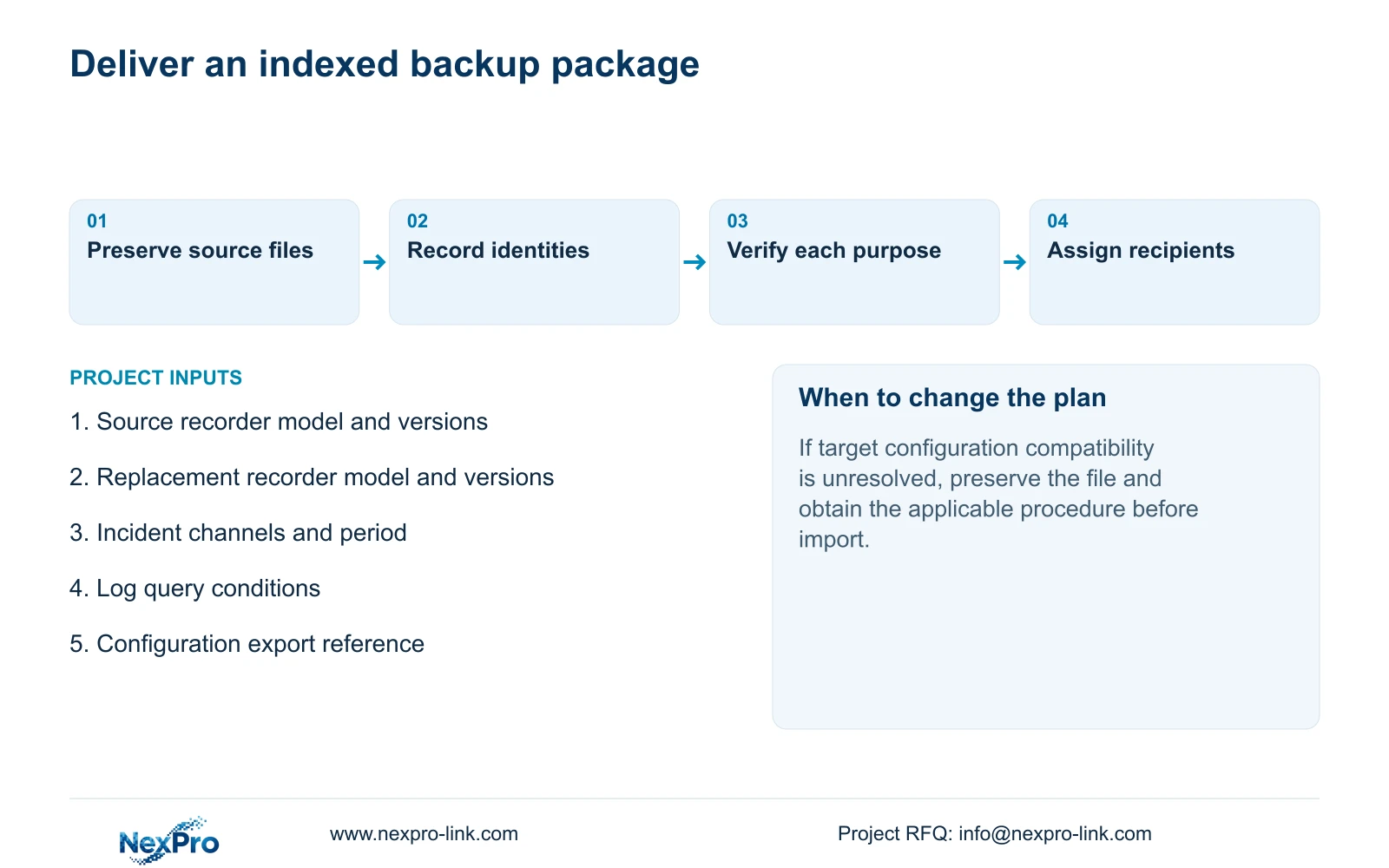
Organize the index by purpose, with a storage location and verification status for each file. Identify the incident recipient separately from the person authorized to perform recovery. Store sensitive credentials outside the general file index and transfer them through the approved controlled route.
The owner should be able to identify a channel, retrieve a requested period, export a playable file and reach the responsible support contact. Keep applicable versions, backup locations and maintenance ownership together. Document receipt and an operator's ability to repeat retrieval are different handover checks.
Section 08
Is configuration export a complete recorder image?
No. The manual separates settings export, log export and video backup. It does not describe the configuration file as a disk image.
Section 09
Can a replacement use any saved configuration?
Universal cross-model import is not established. Confirm the source and target model versions and obtain the applicable recovery procedure before changing the target.
Section 10
Define the recovery and review requirements
Send NexPro-Link the source and replacement model versions, plus which files are needed for incident review and settings recovery, at info@nexpro-link.com.
Engineering references
These sources support the general planning principles. Always use the selected product's current datasheet and applicable project standards for final design.


