

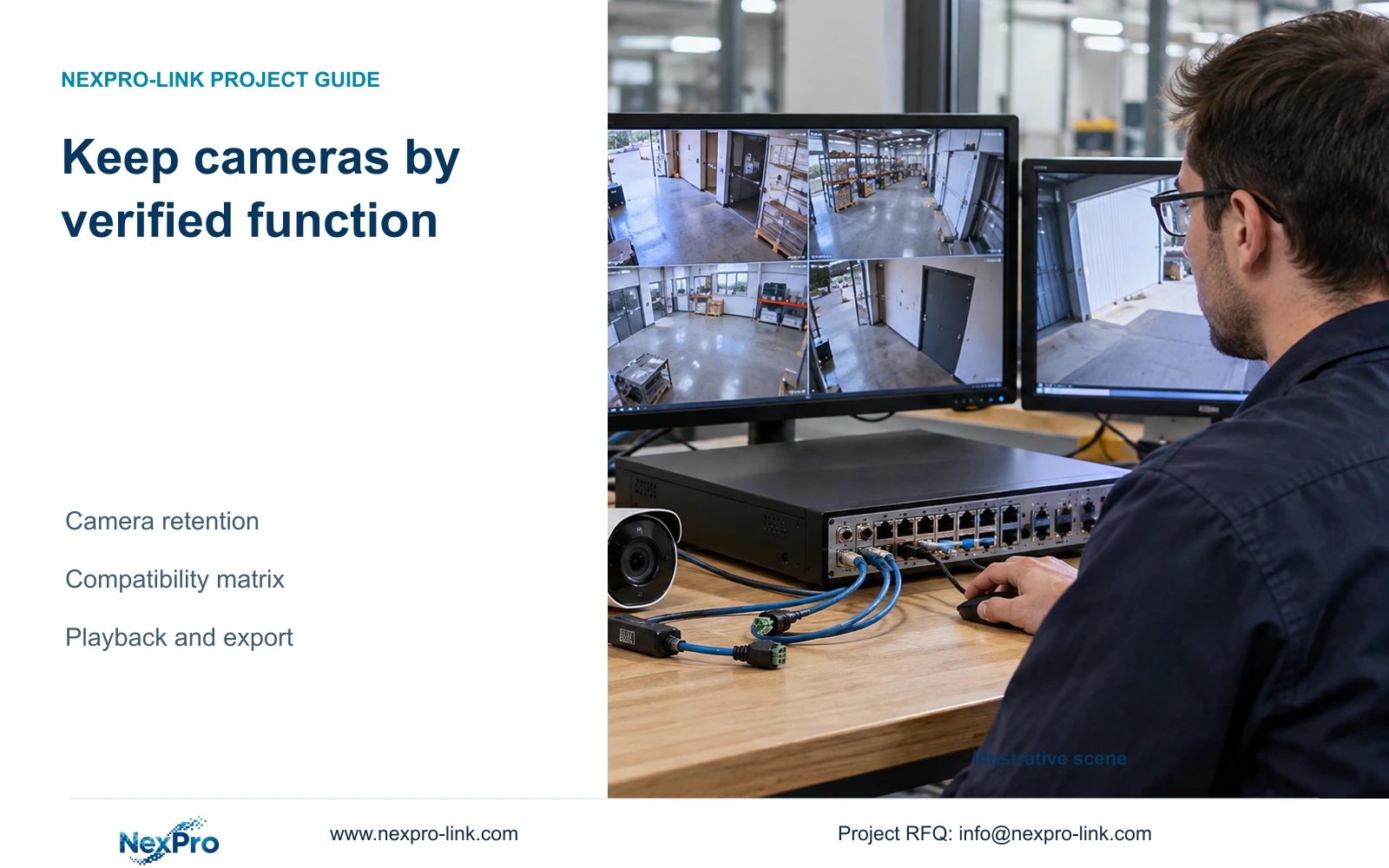
Keep existing cameras when the proposed recorder can complete their required tasks. Test recording, events, audio and control separately, then verify a retrievable recording and usable export.
Section 01
Decide which camera functions must survive replacement
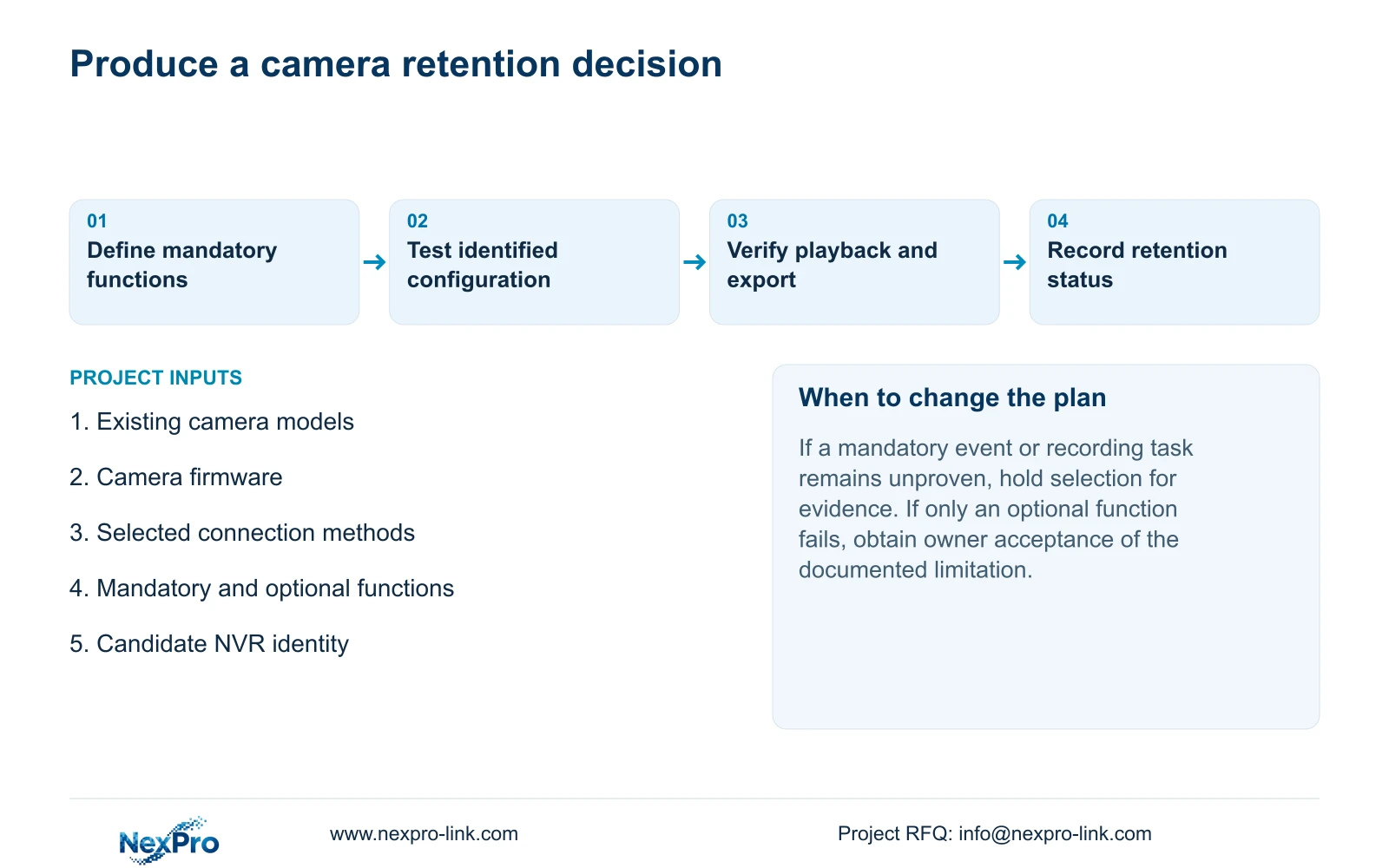
Existing cameras can remain useful when the proposed NVR supports the functions the site still requires. Assess each camera against its recording, event, audio and control tasks, then verify playback and export. A device appearing in a search list or producing live video does not establish complete compatibility. Start with the installed camera's model, firmware and connection method, and distinguish mandatory functions from optional ones. The resulting matrix should support a retention decision for that camera and recorder combination. Where a required function remains unproven, keep the purchase decision open until the missing test or model-specific evidence is available.
Sections 4.4 and 4.10 make camera capability relevant to recorder operations, with PTZ dependency stated explicitly. Record the camera identity and selected protocol beside each required task. Include the account's relevant permissions without exposing credentials. A grey control or ineffective command calls for checking those conditions; it does not automatically establish damaged hardware.
Use one identified camera for the initial controlled test, then repeat the necessary checks for different installed configurations. A result from one firmware or connection method should remain attached to that configuration.
Section 02
Separate discovery from a working recorded channel
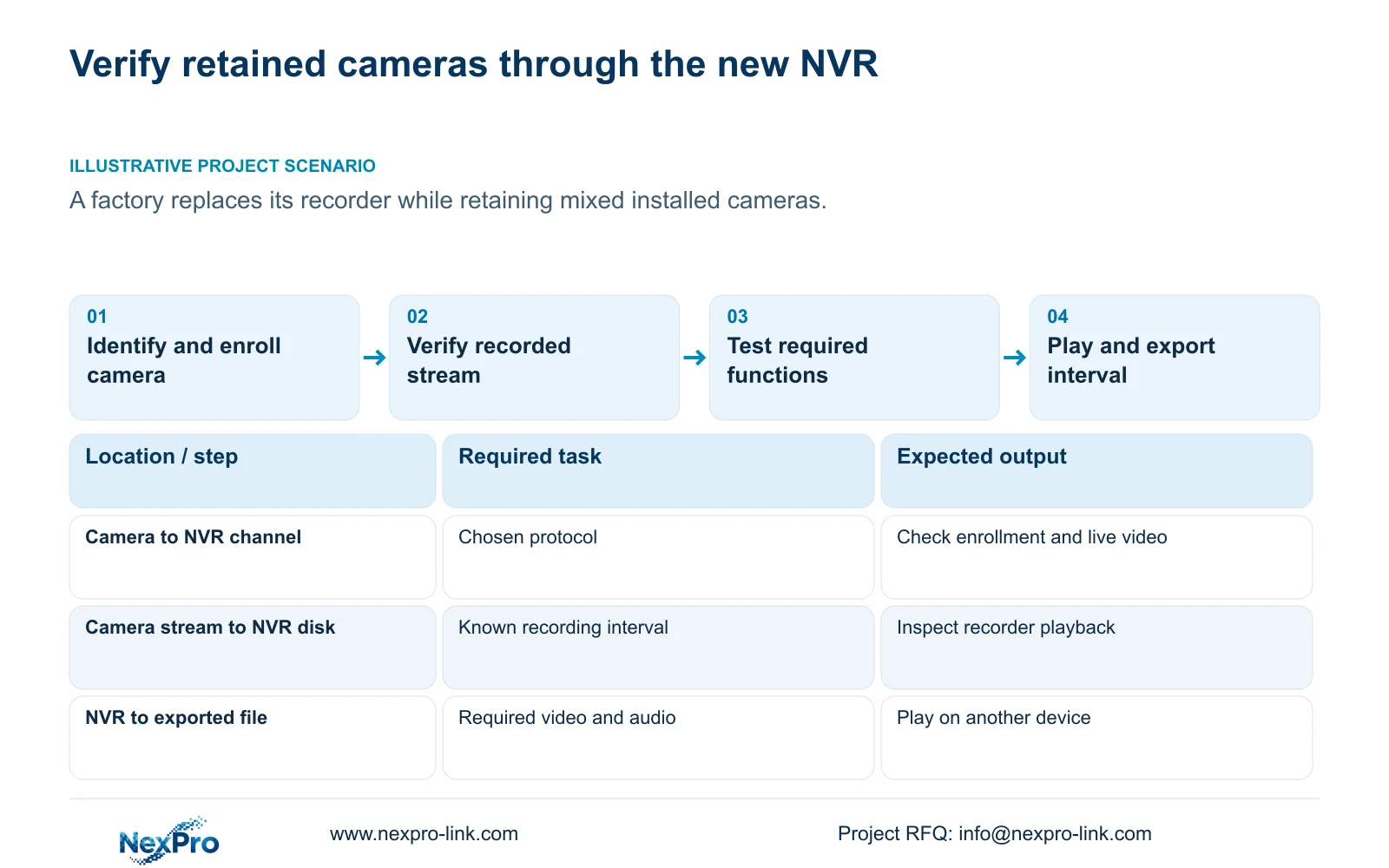
Section 4.3.1 describes searching for private-protocol devices and ONVIF devices on the same subnet, followed by separate add, edit and diagnostic operations. Keep the search result, added-channel assignment and connection state distinct. Discovery confirms that the supported search mechanism found the device.
When a found camera has no usable channel, check its assignment, selected protocol and authorized credentials before testing live video. Once a picture appears, continue to recording. Do not mark event delivery, audio or maintenance functions as passed because the basic video path works.
The public ONVIF Profiles reference is useful for identifying the relevant function scope. A protocol name alone should not replace verification of the actual camera, recorder and required operation. Record unsupported and untested functions separately so the supplier can respond to the precise gap.
Section 03
Verify the stream that reaches the recording
Sections 4.4.5 and 4.12.7 expose main- and substream parameters. Record the configured camera stream, the stream used for viewing and the saved recording sample separately. Selecting a substream in a viewing window does not necessarily change the recorded source.
Create a known recording interval and retrieve it from the NVR. Compare the saved output with the required recording mode before changing camera encoding or preview layout. If the recorded sample meets the task but the viewing window does not, investigate the viewing path. If the recording itself differs, examine the configured recording source and accepted camera settings.
Keep Seetong PC recording defaults outside this recorder test. The test must establish what the NVR stored, not what a separate client would record under its own schedule.
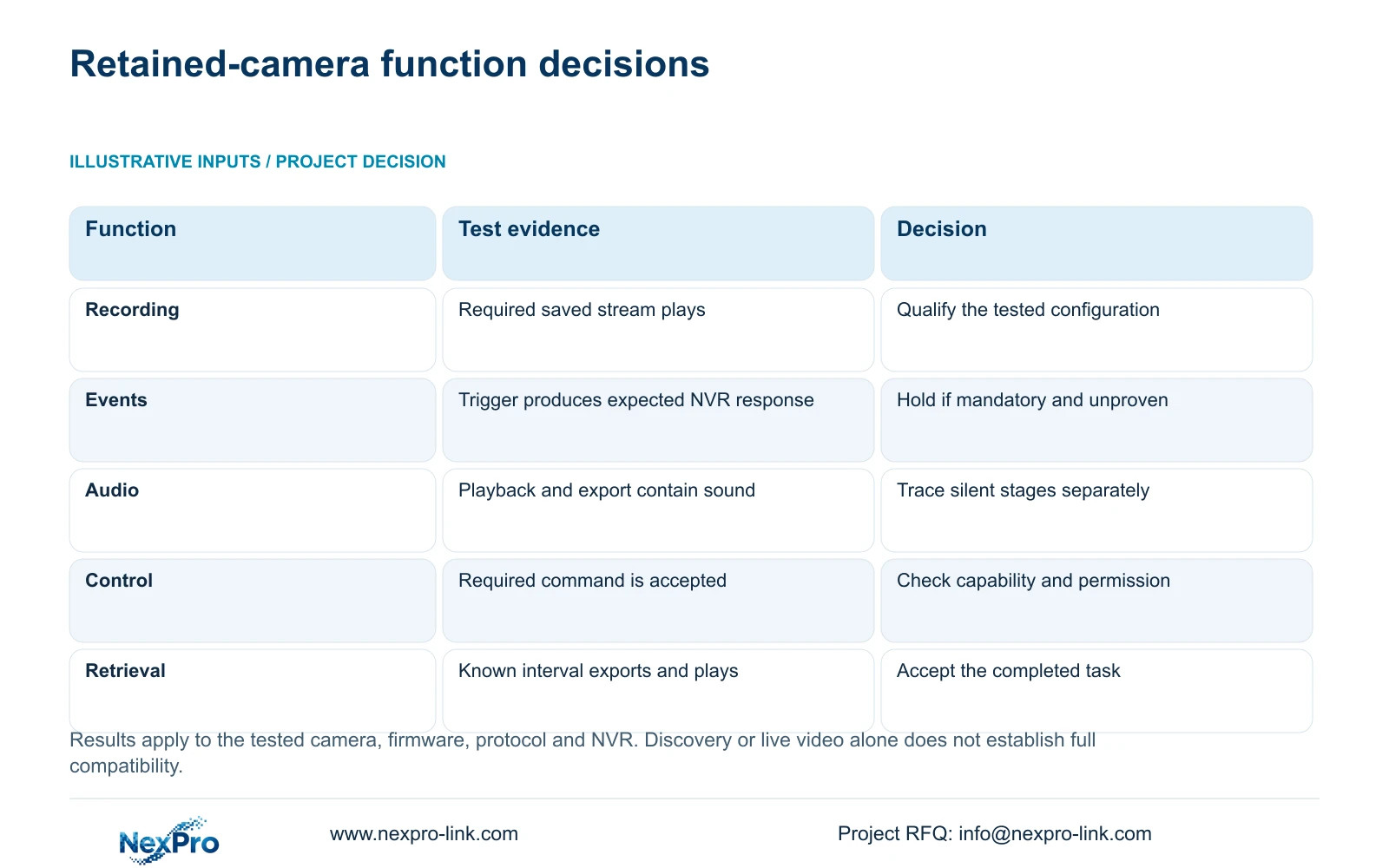
| Required function | Evidence to collect | Decision branch |
|---|---|---|
| Video and recording | Added channel plus saved interval | Retain only after playback confirms the required recording |
| Camera event and NVR response | Controlled trigger and expected recorder action | If mandatory and unproven, hold the selection |
| Recorded audio | Audible playback and exported sample | If silent, trace capture, recording and output |
| PTZ or other required control | Accepted command through the chosen protocol | Check capability and permission before replacing hardware |
| Operator retrieval | Playback and export on the intended access path | Accept the tested workflow or investigate the failed stage |
Section 04
Test the camera event and recorder response independently
Section 4.12.15 describes enabling the NVR-side function and then opening Front-end Settings to configure the IPC region or line, direction and sensitivity. The camera produces the event; the recorder receives it and applies the configured response. Both sides must support the requested task.
For a retained camera, first establish whether the event capability exists and is exposed through the selected connection. Then configure the applicable camera conditions and NVR response, and conduct a controlled trigger test. Record whether the expected recorder action occurs.
If live video works but the event does not arrive, leave basic video marked as passed and investigate the event interface separately. Do not invent a third-party menu path or assume an NVR checkbox adds analytics to an unsupported camera. If the event is optional, the owner can consider retention with that limitation documented; a mandatory event needs a supported solution before acceptance.
Section 05
Check sound and control only where the task requires them
For recorded audio, follow the path from IPC audio encoding to the relevant recording, playback audio control and receiving player's output. Sections 4.4.6 and 4.11.3 through 4.11.4 support those separate checks. Live sound heard now does not prove audio was stored in an earlier interval.
Test a new known interval when checking the current audio configuration. If recorder playback contains sound but the exported file appears silent, inspect the exported sample and receiving player before attributing the issue to capture. Enabling audio later cannot restore sound that was never recorded.
Keep talkback separate from recorded audio. For PTZ or another required camera control, verify camera capability, protocol exposure and task permission before testing the command. An unsupported optional control may be acceptable for a fixed security view, but the acceptance record must preserve that limitation.
Section 06
Complete a recording and retrieval acceptance task
Follow an identifiable channel from live view through a known recording period, playback and export. Inspect the selected disk and recording policy, observe recording status and wait for the agreed interval. Retrieve that interval, then export it and play the file on another device.
Record expected and observed results at each stage. If playback fails, check the recording and search conditions before proceeding to export. If the export fails, retain the successful playback result and investigate the copy stage. This sequence is an engineering acceptance workflow based on sections 4.3, 4.11 and 4.12.21, not a claimed built-in compatibility test.
Use the completed matrix to distinguish cameras that meet all mandatory tasks, cameras acceptable with an agreed optional limitation, and cameras awaiting evidence. Include the intended remote operator task where required; a local demonstration does not establish that remote retrieval also works.
Section 07
Assess a mixed factory camera installation
Illustrative project scenario: A factory plans to replace its recorder while retaining a mixed set of installed cameras. The engineer inventories each configuration, tests the required recorded stream and checks necessary events separately. Audio and control are assessed only where specified. The proposed decision record identifies qualified retained cameras and unresolved mandatory functions without assuming a successful migration.
Section 08
Is discovery enough to approve an existing camera?
No. Continue through channel enrollment, recording and retrieval, then test any required events, audio and controls. Discovery confirms only the search result.
Section 09
Can a camera stay if an optional feature fails?
The owner can accept a documented optional limitation when every mandatory task is supported and verified. Keep the failed feature visible in the acceptance record.
Section 10
Source and configuration boundaries
The private supplied NVR4.0 user manual CH_V2.4.doc has V2.2 in its body. This guide uses sections 4.4, 4.10, 4.3.1, 4.4.5, 4.12.7, 4.12.15, 4.4.6, 4.11 and 4.12.21. Section references take priority over page numbers. Its TS models have no established mapping to NexPro-Link commercial SKUs.
Section 11
Provide the retained-camera task list
Send NexPro-Link the existing camera models, firmware and connection methods, with the functions that must remain available after recorder replacement, at info@nexpro-link.com.
Engineering references
These sources support the general planning principles. Always use the selected product's current datasheet and applicable project standards for final design.


