

Build a concise NVR support record that identifies the failed task, preserves relevant evidence and allows a specific next test without exposing live credentials.
Section 01
Identify the recorder and the failed operating task
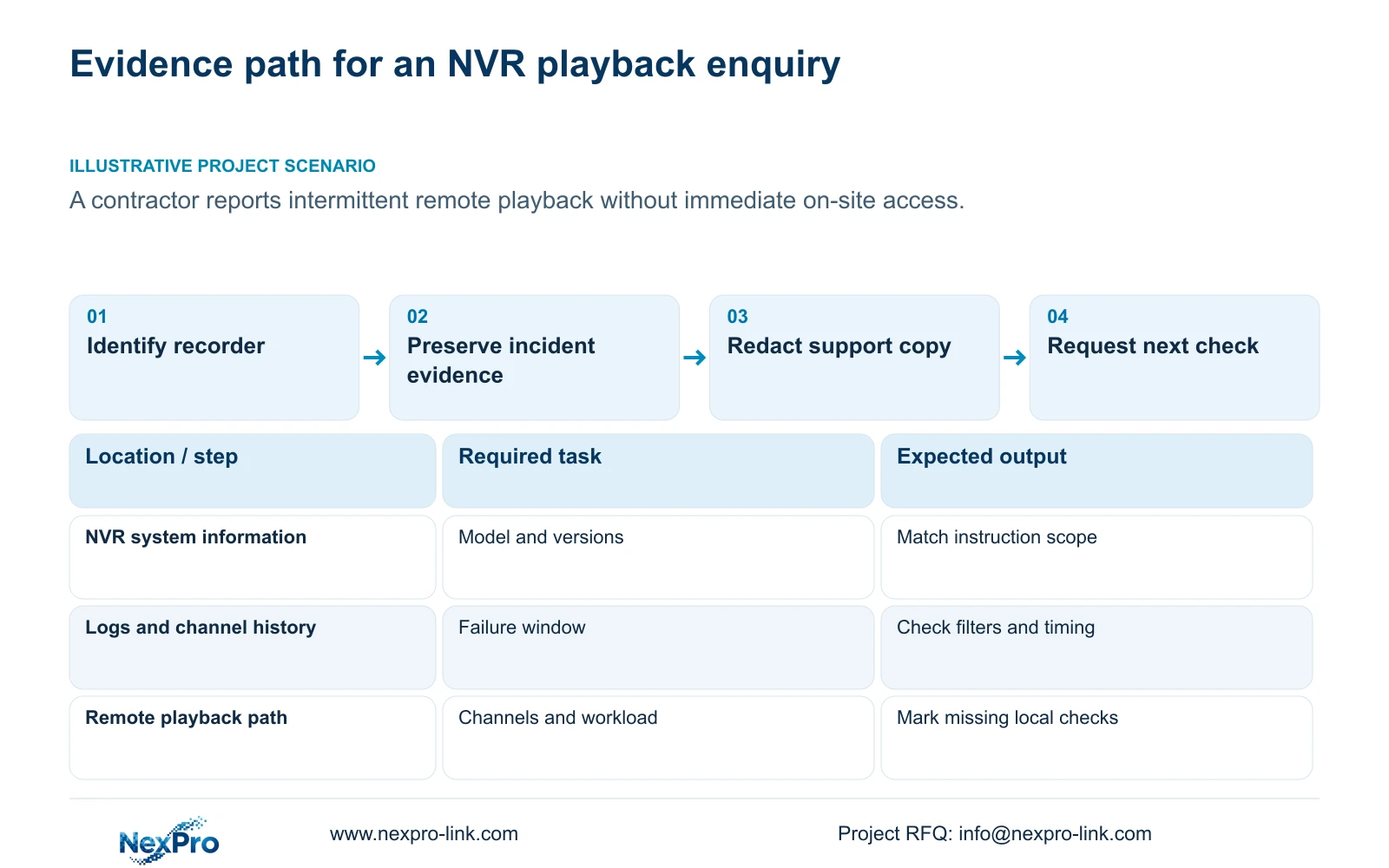
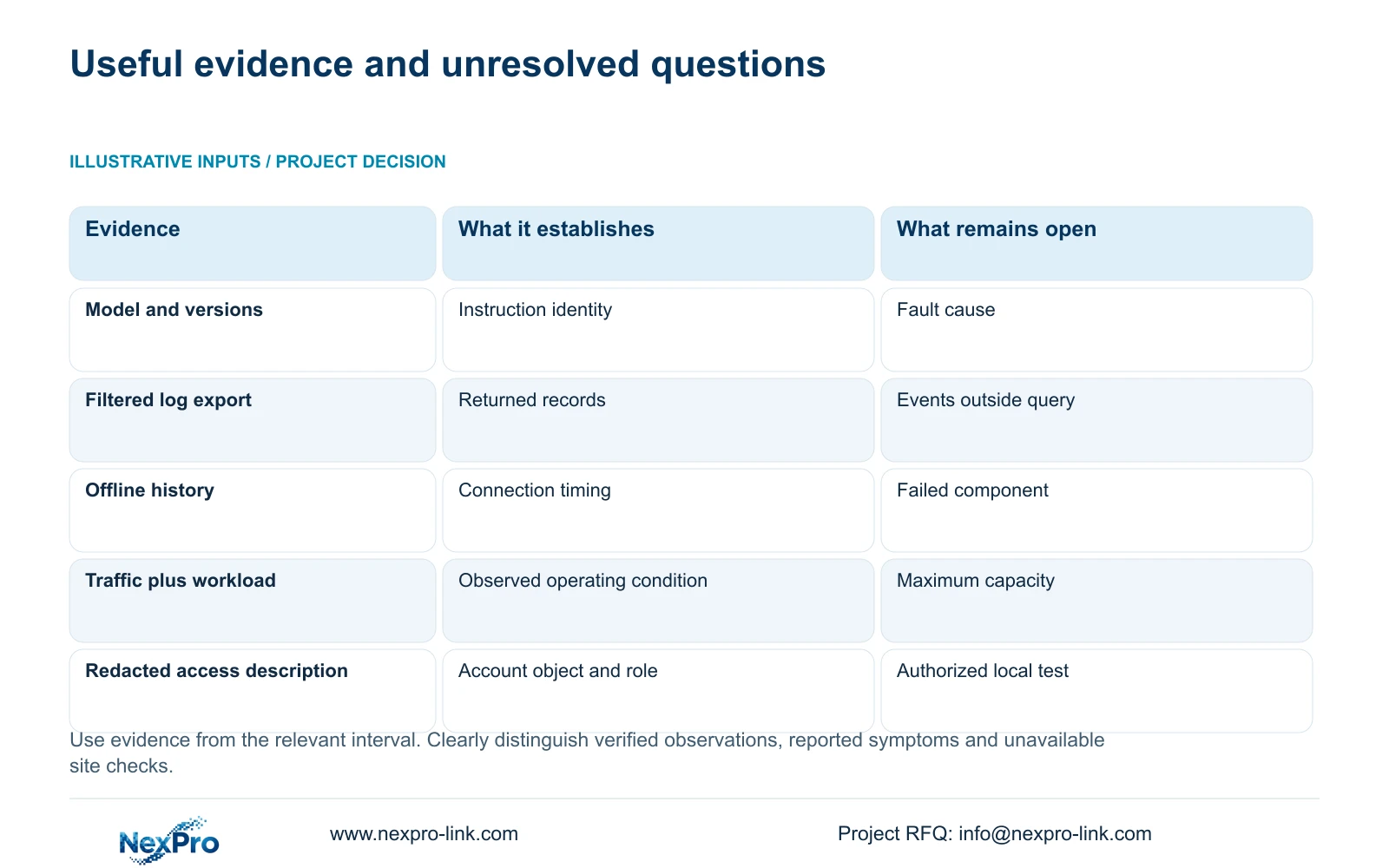
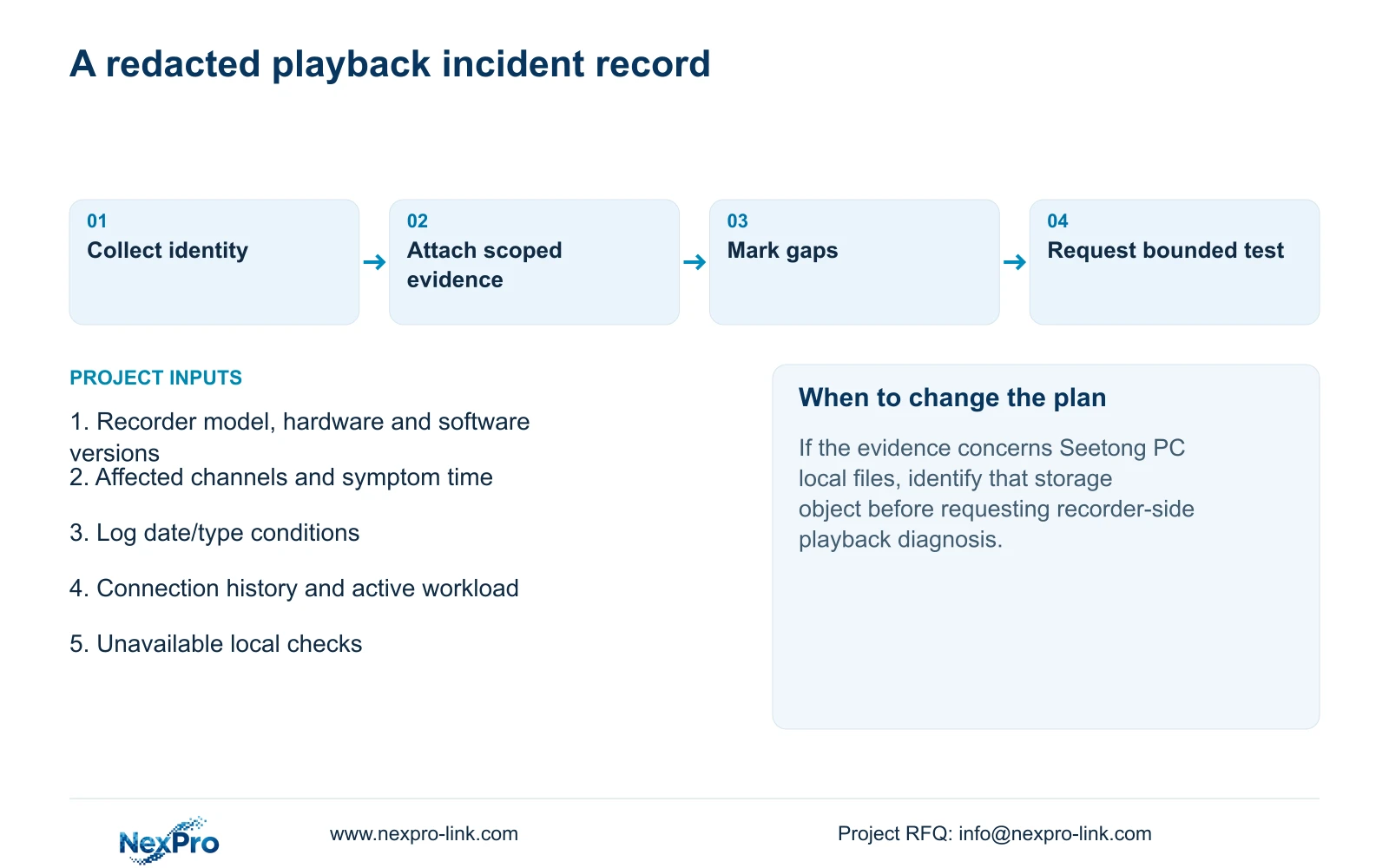
Send NVR technical support the actual recorder model, hardware and software versions, affected channels and symptom time, followed by evidence from the same operating window. Describe the task that failed, such as intermittent remote playback, and distinguish it from live viewing or camera recording. Add the relevant log search, connection history and active workload where available. Keep live credentials, cloud identifiers and customer footage outside general attachments. If site access is unavailable, state which observations remain unverified. This small record gives support a basis for choosing the next test without assuming a root cause, a need for replacement or immediate remote access.
Section 4.12.19 of the private NVR4.0 user manual CH_V2.4.doc describes basic system information. The filename identifies V2.4 while the body identifies V2.2. Sections 4.12.17, 4.3.3.1 and 4.3.3.3 support logs, connection history and traffic. Match instructions to the actual device and firmware, using section references before page numbers.
Copy the displayed model, hardware version, software version and release information accurately. A family name or a label saying latest software cannot identify the applicable instructions. Keep serial identity in the appropriate private service record when required, rather than in a public screenshot.
Section 02
Export logs with the search conditions attached
Locate the fault window before exporting logs. Section 4.12.17 describes a default current-day search and type filters. If the complaint occurred earlier, a current-day result cannot establish that no relevant event was recorded.
Check the date and type conditions, view relevant details and export the text record. The manual also describes querying all logs when the date condition is not selected. That means all available logs under the query, not unlimited retention.
Keep the search conditions beside the export so support can interpret a result or an apparent absence. If a broader query remains empty, report the query and result without converting it into proof that no fault occurred. Log export supports investigation; it does not establish tamper-proof auditing or evidentiary certification.
Before any proposed restore or upgrade, preserve the relevant logs and required configuration or footage. Those actions require authorization and an agreed data-preservation and interruption plan. They should not be used simply to create a cleaner support record.
Section 03
Match channel history to the complaint
Section 4.3.3.1 describes offline behavior for the past week and export of connection statistics. Preserve that record before resetting counters. Identify affected channels and compare their offline times with the playback complaint.
Include an unaffected comparison channel where available. Shared timing can direct the next check toward a common dependency, while a single-channel pattern suggests a narrower path. Neither establishes a failed camera, cable or switch.
Keep camera connection history separate from remote playback observations. Playback uses stored footage and an access path, so a present camera connection state alone cannot explain a historical playback failure. State whether the relevant recording was checked locally or whether that check remains unavailable.
The documented local diagnostic workflow requires an attached HDD. If disk recognition or the applicable feature is unavailable, mark connection history as unavailable and retain the operator's reported times separately. An empty history is not evidence of uninterrupted camera connectivity.
Section 04
Explain what the system was doing when it failed
Record the active camera input and simultaneous live, playback or download tasks during the affected interval. For remote playback, identify the requested channels, recorded interval and access path where known. Distinguish the fault time from the time of the recording being reviewed.
Attach traffic observations only with the interface and observation window identified. Receive and transmit need not be equal: cameras supply input, while viewing and downloads create outgoing tasks. Interface readings can include overhead and activity outside a simple stream sum.
A screenshot taken after everyone closes playback may omit the condition associated with the complaint. If the workload cannot be reproduced, label the reading as a later observation. Preserve uncertainty instead of attaching an unrelated traffic value as evidence of the failure.
Seetong PC local recordings and NVR disk recordings are separate objects. State which source the failed playback task uses. A client-local file or setting cannot establish what the recorder stored or which recorder-side retrieval path failed.
Section 05
Keep authentication objects separate and redact attachments
Sections 4.1, 4.3.1 and 4.12.3 distinguish recorder access and camera connection settings. Treat local recorder users, relevant network users, camera credentials and third-party cloud accounts as separate objects unless the exact product workflow establishes otherwise.
Report which account role or access route was involved without sending the secret. A channel's connection credentials authenticate the camera; editing them does not constitute a change to every recorder or cloud account. Record ownership and change status where they help explain the failure.
Before sharing, remove passwords, cloud IDs, QR codes and identifiable site material from screenshots. Review text exports too, rather than assuming only images can contain sensitive information. Keep a private original under the site's approved process and prepare a redacted support copy.
Do not substitute a default password or bypass procedure when access is unavailable. State that the authorized operator cannot yet perform a local check and request an evidence-based next step.
Section 06
Ask for a specific next check
Finish the diagnostic record with the failed task, observations already made and the remaining question. For intermittent remote playback, a useful request might ask which local recording check would distinguish a retrieval issue from the remote path. It should not declare either cause proven.
Use the following decision table to select the evidence needed next. A support request can be sent with a clearly identified gap; do not delay it while collecting unrelated project documentation.
| Current observation | Include now | Next question |
|---|---|---|
| Intermittent remote playback | Model, versions, channels and failure time | Which local recording check should follow? |
| Log search appears empty | Date/type filters and search result | Does the query cover the failure window? |
| Several channels share outages | Exported history and affected-channel map | Which shared dependency should be tested? |
| No immediate site access | Verified observations and missing checks | What can be assessed before authorized local testing? |
Section 07
Prepare a usable record without immediate site access
Illustrative project scenario: An overseas contractor needs help with intermittent remote playback but cannot provide on-site access immediately. The contractor collects available recorder identity, the reported failure window and the playback workload, then identifies which logs or local footage checks still require an authorized site operator.
Keep reported symptoms separate from personally verified observations in that record. When the operator becomes available, append the requested test result to the same incident history. Do not imply that remote guidance includes an overseas site visit.
If the discussion later becomes an equipment proposal, add the camera schedule, recording and playback requirements, retention target and relevant network/power arrangement. Those procurement inputs are not prerequisites for every fault enquiry. If hardware service is proposed, check the actual order and NexPro-Link return and warranty policy for scope; diagnostic guidance does not establish free labor or data recovery.
Section 08
Buyer questions about support attachments
Should I send login credentials with the first report? No. Identify the access object and role, and use the approved private process if further access coordination is needed.
Can an empty log search prove there was no fault? No. Verify the date/type filters and report exactly what the query returned.
Can I request help before a local operator is available? Yes. Mark unavailable checks clearly and provide the observations that can already be verified.
Section 09
Submit the concise incident record
Send your redacted recorder identity, failed playback task and symptom window to NexPro-Link at info@nexpro-link.com, marking any local checks still unavailable.
Engineering references
These sources support the general planning principles. Always use the selected product's current datasheet and applicable project standards for final design.


